2015 PEUGEOT 2008 warning
[x] Cancel search: warningPage 52 of 340
50
2008_en_Chap02_ouvertures_ed01-2015
Locking / unlocking from the inside
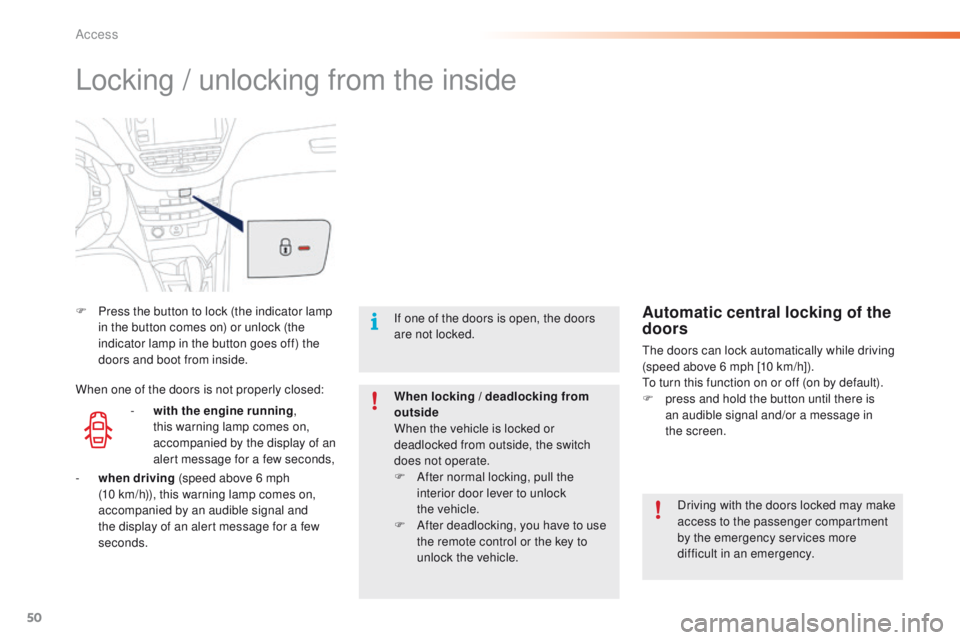
F Press the button to lock (the indicator lamp in the button comes on) or unlock (the
indicator lamp in the button goes off) the
doors and boot from inside.
Driving with the doors locked may make
access to the passenger compartment
by the emergency services more
difficult in an emergency.
If one of the doors is open, the doors
are not locked.
When locking / deadlocking from
outside
When the vehicle is locked or
deadlocked from outside, the switch
does not operate.
F
A
fter normal locking, pull the
interior door lever to unlock
the
vehicle.
F
A
fter deadlocking, you have to use
the remote control or the key to
unlock the vehicle.Automatic central locking of the
doors
The doors can lock automatically while driving
(speed above 6 mph [10 km/h]).
To turn this function on or off (on by default).
F
p
ress and hold the button until there is
an audible signal and/or a message in
the
screen.
-
w
ith the engine running ,
this warning lamp comes on,
accompanied by the display of an
alert message for a few seconds,
When one of the doors is not properly closed:
-
wh
en driving (speed above 6 mph
(10
km/h)), this warning lamp comes on,
accompanied by an audible signal and
the display of an alert message for a few
seconds.
Access
Page 55 of 340
53
2008_en_Chap02_ouvertures_ed01-2015
Electric windows
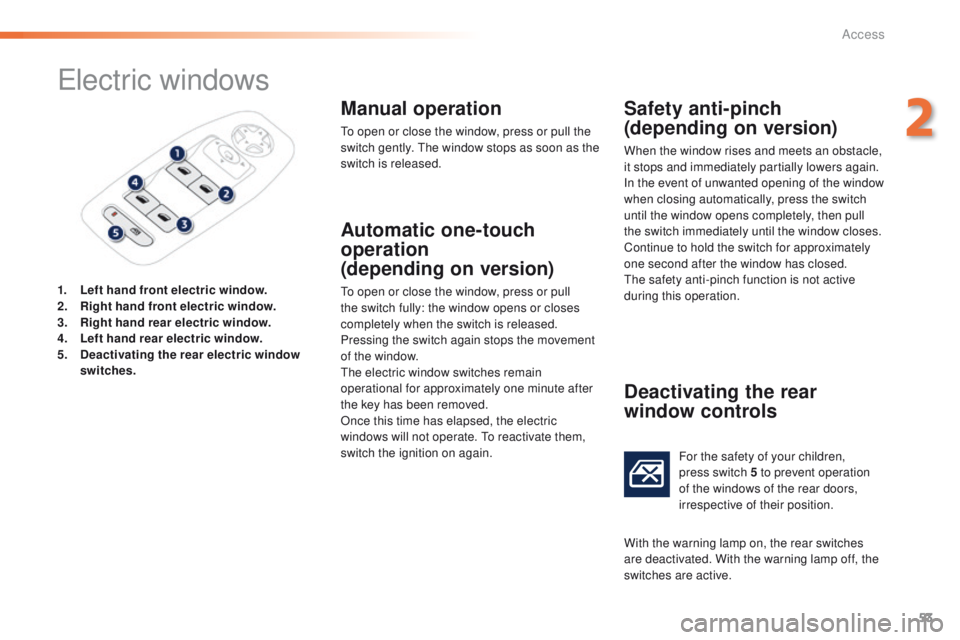
1. Left hand front electric window.
2. Right hand front electric window.
3.
R
ight hand rear electric window.
4.
Le
ft hand rear electric window.
5.
D
eactivating the rear electric window
switches .
Manual operation
To open or close the window, press or pull the
switch gently. The window stops as soon as the
switch is released.
Automatic one-touch
operation
(depending on version)
To open or close the window, press or pull
the switch fully: the window opens or closes
completely when the switch is released.
Pressing the switch again stops the movement
of the window.
The electric window switches remain
operational for approximately one minute after
the key has been removed.
Once this time has elapsed, the electric
windows will not operate. To reactivate them,
switch the ignition on again.
Safety anti-pinch
(depending on version)
When the window rises and meets an obstacle,
it stops and immediately partially lowers again.
In the event of unwanted opening of the window
when closing automatically, press the switch
until the window opens completely, then pull
the switch immediately until the window closes.
Continue to hold the switch for approximately
one second after the window has closed.
The safety anti-pinch function is not active
during this operation.
Deactivating the rear
window controls
For the safety of your children,
press switch 5 to prevent operation
of the windows of the rear doors,
irrespective of their position.
With the warning lamp on, the rear switches
are deactivated. With the warning lamp off, the
switches are active.
2
Access
Page 71 of 340
69
2008_en_Chap03_confort_ed01-2015
F Switch off the demisting/defrosting of the rear screen and door mirrors
as soon as appropriate, as lower
current consumption results in
reduced fuel consumption.
Front demist - defrost Rear screen
demist
-
defrost
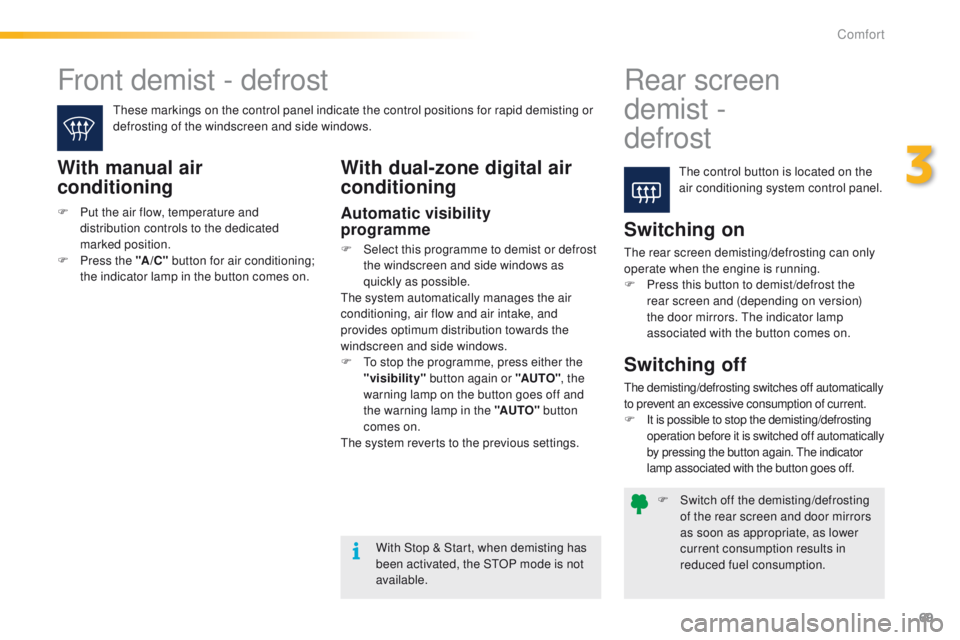
The control button is located on the
air conditioning system control panel.
These markings on the control panel indicate the control positions for rapid demisting or
defrosting of the windscreen and side windows.With manual air
conditioning
Switching on
The rear screen demisting/defrosting can only
operate when the engine is running.
F
P
ress this button to demist /defrost the
rear screen and (depending on version)
the door mirrors. The indicator lamp
associated with the button comes on.
With Stop & Start, when demisting has
been activated, the STOP mode is not
available.
Switching off
The demisting/defrosting switches off automatically
to prevent an excessive consumption of current.
F
I
t is possible to stop the demisting/defrosting
operation before it is switched off automatically
by pressing the button again. The indicator
lamp associated with the button goes off.
With dual-zone digital air
conditioning
Automatic visibility
programme
F Select this programme to demist or defrost the windscreen and side windows as
quickly as possible.
The system automatically manages the air
conditioning, air flow and air intake, and
provides optimum distribution towards the
windscreen and side windows.
F
T
o stop the programme, press either the
"visibility" button again or "AUTO" , the
warning lamp on the button goes off and
the warning lamp in the "AUTO" button
comes on.
The system reverts to the previous settings.
F
P
ut the air flow, temperature and
distribution controls to the dedicated
marked position.
F
P
ress the "A /C " button for air conditioning;
the indicator lamp in the button comes on.
3
Comfort
Page 79 of 340
77
2008_en_Chap04_amenagements_ed01-2015
Warning triangle (stowing)
Before leaving your vehicle to set up
and install the triangle, switch on the
hazard warning lamps and put on your
high visibility vest.
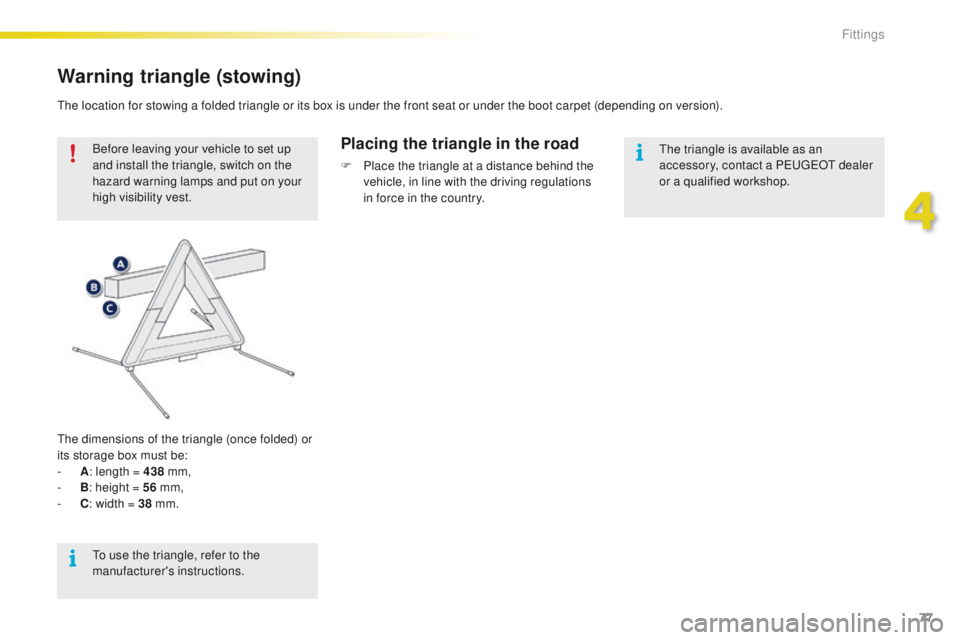
The dimensions of the triangle (once folded) or
its storage box must be:
-
A : l
ength = 438 mm,
-
B : h
eight = 56 mm,
-
C : w
idth = 38 mm.Placing the triangle in the road
F Place the triangle at a distance behind the
vehicle, in line with the driving regulations
in force in the country.
The location for stowing a folded triangle or its box is under the front seat or under the boot carpet (depending on version).
The triangle is available as an
accessory, contact a PEUGEOT dealer
or a qualified workshop.
To use the triangle, refer to the
manufacturer's instructions.
4
Fittings
Page 83 of 340
81
2008_en_Chap05_conduite_ed01-2015
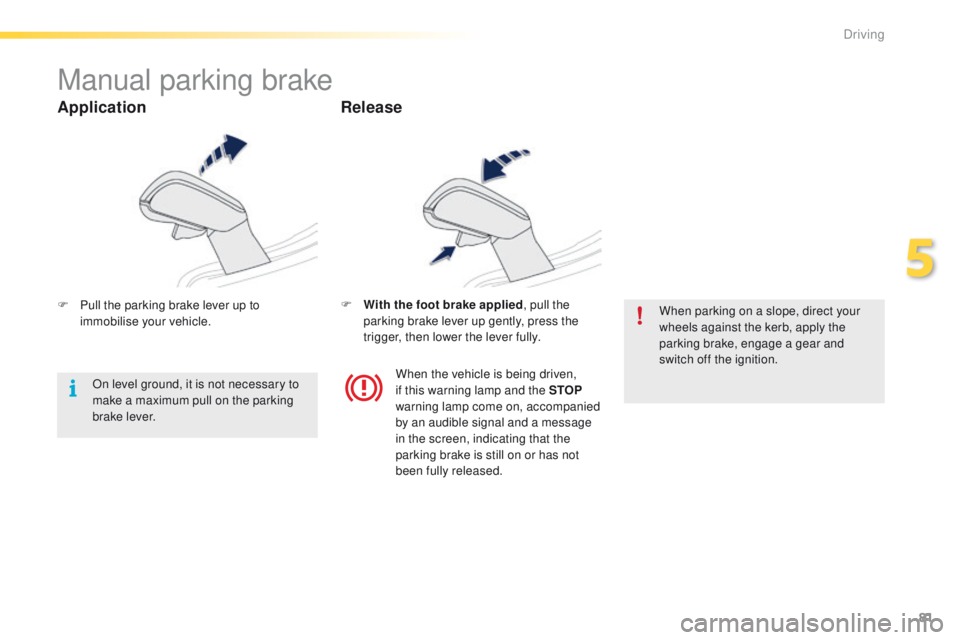
Manual parking brake
F Pull the parking brake lever up to immobilise your vehicle. F
W ith the foot brake applied
, pull the
parking brake lever up gently, press the
trigger, then lower the lever fully. When parking on a slope, direct your
wheels against the kerb, apply the
parking brake, engage a gear and
switch off the ignition.
When the vehicle is being driven,
if this warning lamp and the STOP
warning lamp come on, accompanied
by an audible signal and a message
in the screen, indicating that the
parking brake is still on or has not
been fully released.
On level ground, it is not necessary to
make a maximum pull on the parking
brake lever.
Application
Release
5
Driving
Page 86 of 340
84
2008_en_Chap05_conduite_ed01-2015
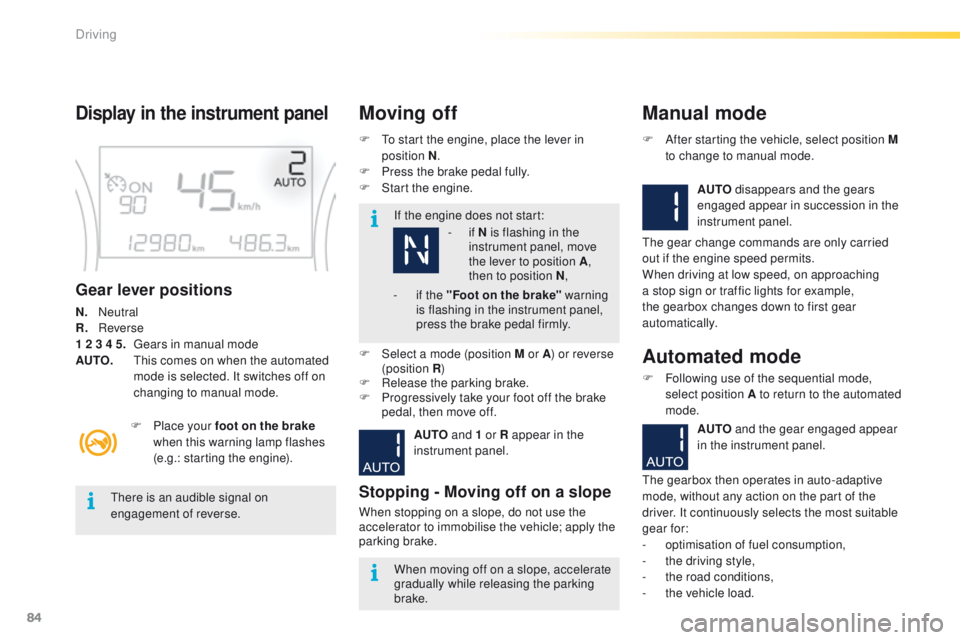
Display in the instrument panel
Gear lever positions
N. Neutral
R.
R everse
1 2 3 4 5.
G
ears in manual mode
AUTO.
T
his comes on when the automated
mode is selected. It switches off on
changing to manual mode. F
T
o start the engine, place the lever in
position N .
F
P
ress the brake pedal fully.
F
S
tart the engine.
Moving off
If the engine does not start:
F
P
lace your foot on the brake
when this warning lamp flashes
(e.g.: starting the engine).
There is an audible signal on
engagement of reverse.
When moving off on a slope, accelerate
gradually while releasing the parking
brake.
F
Sel
ect a mode (position M or A ) or reverse
(position R )
F
R
elease the parking brake.
F
P
rogressively take your foot off the brake
pedal, then move off.
AUTO and 1 or R appear in the
instrument panel.
Stopping - Moving off on a slope
When stopping on a slope, do not use the
accelerator to immobilise the vehicle; apply the
parking brake.
Manual mode
AUTO disappears and the gears
engaged appear in succession in the
instrument panel.
F
A
fter starting the vehicle, select position M
to change to manual mode.
The gear change commands are only carried
out if the engine speed permits.
When driving at low speed, on approaching
a stop sign or traffic lights for example,
the gearbox changes down to first gear
automatically.
Automated mode
F Following use of the sequential mode, select position A to return to the automated
mode.
AUTO and the gear engaged appear
in the instrument panel.
The gearbox then operates in auto-adaptive
mode, without any action on the part of the
driver. It continuously selects the most suitable
gear for:
-
o
ptimisation of fuel consumption,
-
t
he driving style,
-
t
he road conditions,
-
t
he vehicle load.
-
i
f N is flashing in the
instrument panel, move
the lever to position A ,
then to position N ,
-
i
f the "Foot on the brake" warning
is flashing in the instrument panel,
press the brake pedal firmly.
Driving
Page 87 of 340
85
2008_en_Chap05_conduite_ed01-2015
You must press the brake pedal firmly
while starting the engine.
Never select neutral N while the vehicle
is moving.
Only engage reverse gear R when the
vehicle is immobilised, with your foot on
the brake pedal.
In all cases, you must apply the parking
brake to immobilise the vehicle.
"Auto sequential" mode
In the automated mode, you can resume
control temporarily at any time using the
steering mounted control paddles.
The use of these paddles permits manual
selection of the gears in situations which
require a more rapid change-down than in
the automated mode (arrival at a roundabout,
leaving a car park with a steep gradient,
over taking...).
The gearbox engages the required gear if
the engine speed permits. AUTO remains
displayed on the instrument panel.
After a few moments, the gearbox resumes
automatic control of the gears.
Stopping the vehicle
Before switching off the engine, you can
change to position N to be in neutral.
In this case, you must apply the parking
brake to immobilise the vehicle.
AUTO and - appear in the instrument
panel.
Operating fault
With the ignition on, if this
warning lamp comes on and
AUTO flashes, accompanied by
an audible signal and a message in the screen,
this indicates a gearbox fault.
Have it checked by a PEUGEOT dealer or a
qualified workshop.
For best acceleration, when overtaking
another vehicle for example, press the
accelerator pedal firmly to pass the
point of resistance.
F
Sel
ect position N .
F
P
ress the brake pedal.
F
W
ait approximately 30 seconds until N or a
gear appears in the instrument panel.
F
R
elease the brake pedal.
The gearbox is operational again.
Reinitialisation
Following disconnection of the battery, the
gearbox must be reinitialised.
F
S
witch on the ignition.
5
Driving
Page 89 of 340
87
2008_en_Chap05_conduite_ed01-2015
Engagement of reverse gear is
accompanied by an audible signal.If the engine does not start:
For optimum acceleration, for example
when overtaking another vehicle, press
the accelerator pedal firmly past the
point of resistance.
Display in the instrument panelMoving offAutomated mode
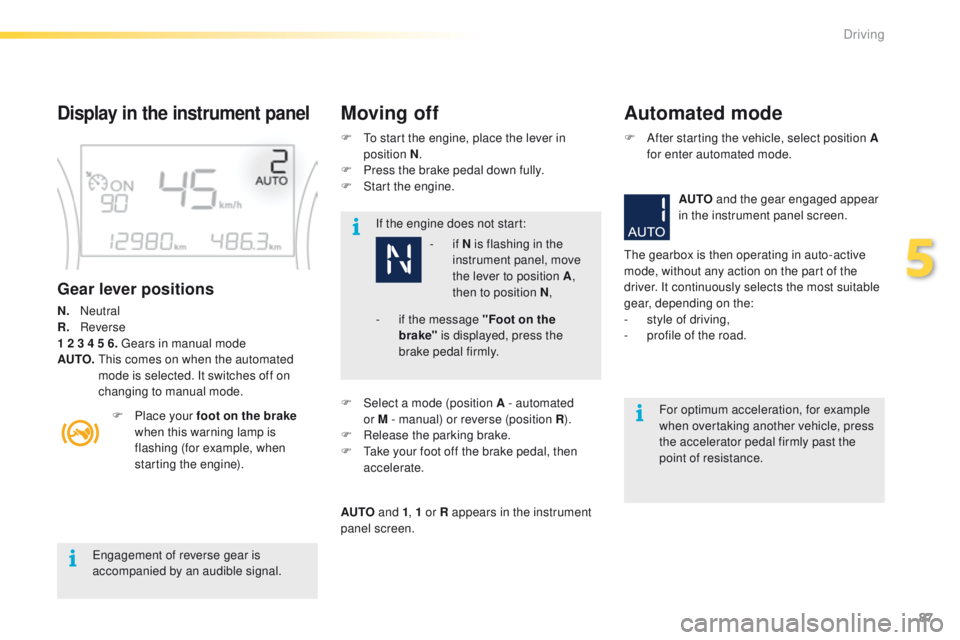
Gear lever positions
N. Neutral
R. R everse
1 2 3 4 5 6. Gears in manual mode
AUTO.
T
his comes on when the automated
mode is selected. It switches off on
changing to manual mode.
F
P
lace your foot on the brake
when this warning lamp is
flashing (for example, when
starting the engine). F
T
o start the engine, place the lever in
position N .
F
P
ress the brake pedal down fully.
F
S
tart the engine.
- if
N is flashing in the
instrument panel, move
the lever to position A ,
then to position N ,
F
Sel
ect a mode (position A - automated
or M - manual) or reverse (position R ).
F
R
elease the parking brake.
F
T
ake your foot off the brake pedal, then
accelerate.
AUTO and 1, 1 or R appears in the instrument
panel screen. F
A
fter starting the vehicle, select position A
for enter automated mode.
AUTO and the gear engaged appear
in the instrument panel screen.
The gearbox is then operating in auto-active
mode, without any action on the part of the
driver. It continuously selects the most suitable
gear, depending on the:
- s tyle of driving,
-
p
rofile of the road.
-
i f the message "Foot on the
brake" is displayed, press the
brake pedal firmly.
5
Driving