2015 PEUGEOT 2008 display
[x] Cancel search: displayPage 49 of 340
47
2008_en_Chap02_ouvertures_ed01-2015
Doors
Opening
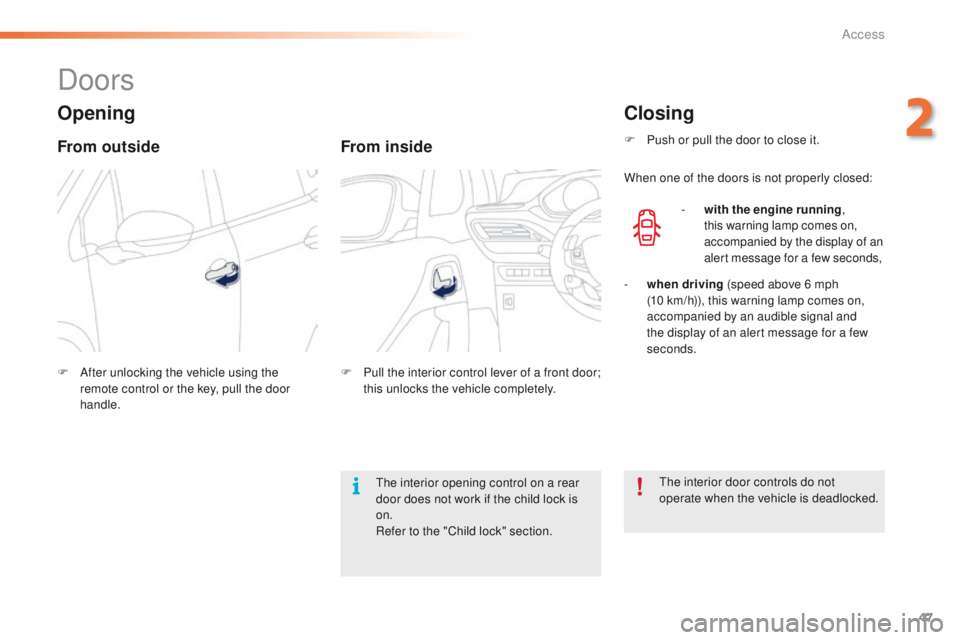
From outside
F After unlocking the vehicle using the remote control or the key, pull the door
handle.
From inside
F Pull the interior control lever of a front door; this unlocks the vehicle completely.
Closing
F Push or pull the door to close it.
When one of the doors is not properly closed:
-
w
ith the engine running ,
this warning lamp comes on,
accompanied by the display of an
alert message for a few seconds,
-
wh
en driving (speed above 6 mph
(10
km/h)), this warning lamp comes on,
accompanied by an audible signal and
the display of an alert message for a few
seconds.
The interior door controls do not
operate when the vehicle is deadlocked.
The interior opening control on a rear
door does not work if the child lock is
on.
Refer to the "Child lock" section.
2
Access
Page 51 of 340

49
2008_en_Chap02_ouvertures_ed01-2015
Boot
F After unlocking the boot or the vehicle using the remote control or the key, press
the opening control, then raise the tailgate.
Tailgate release
System for mechanical unlocking of the boot in
the event of a central locking malfunction.
Opening Closing
F Lower the tailgate using the interior grab
handle.
F
I
f necessary, press down on the tailgate to
fully close it.
-
w
hen the engine is running ,
this warning lamp comes on,
accompanied by the display of an
alert message for a few seconds,
-
w
hen the vehicle is moving (speed above
6 mph (10 km/h)), this warning lamp comes
on, accompanied by an audible signal and
the display of an alert message for a few
seconds.
Unlocking
F Fold back the rear seats to gain access to the lock from inside the boot.
F
I
nsert a small screwdriver into hole A of the
lock to unlock the tailgate.
If the tailgate is not closed correctly:
2
Access
Page 52 of 340
50
2008_en_Chap02_ouvertures_ed01-2015
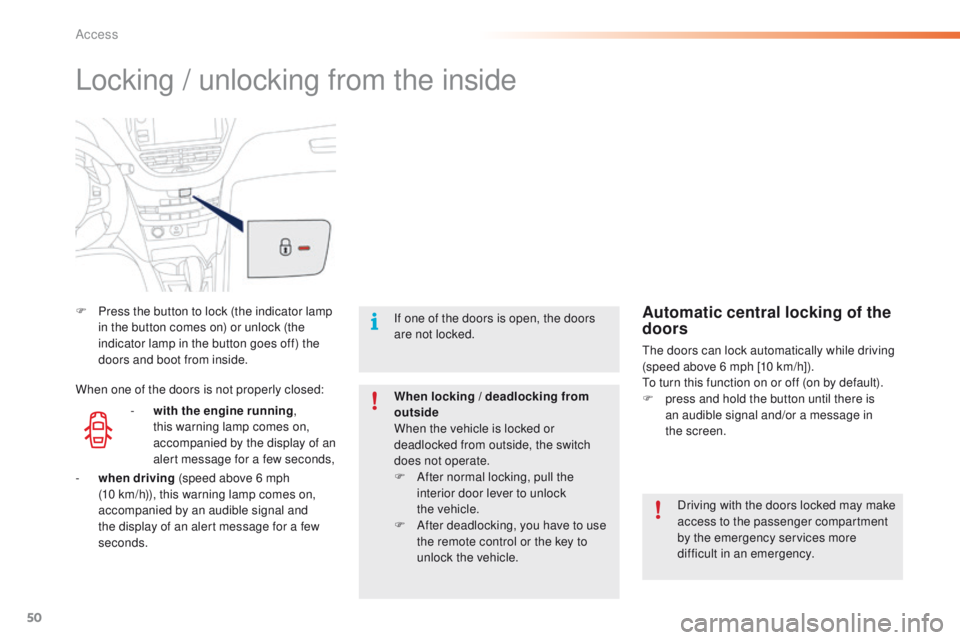
Locking / unlocking from the inside
F Press the button to lock (the indicator lamp in the button comes on) or unlock (the
indicator lamp in the button goes off) the
doors and boot from inside.
Driving with the doors locked may make
access to the passenger compartment
by the emergency services more
difficult in an emergency.
If one of the doors is open, the doors
are not locked.
When locking / deadlocking from
outside
When the vehicle is locked or
deadlocked from outside, the switch
does not operate.
F
A
fter normal locking, pull the
interior door lever to unlock
the
vehicle.
F
A
fter deadlocking, you have to use
the remote control or the key to
unlock the vehicle.Automatic central locking of the
doors
The doors can lock automatically while driving
(speed above 6 mph [10 km/h]).
To turn this function on or off (on by default).
F
p
ress and hold the button until there is
an audible signal and/or a message in
the
screen.
-
w
ith the engine running ,
this warning lamp comes on,
accompanied by the display of an
alert message for a few seconds,
When one of the doors is not properly closed:
-
wh
en driving (speed above 6 mph
(10
km/h)), this warning lamp comes on,
accompanied by an audible signal and
the display of an alert message for a few
seconds.
Access
Page 69 of 340
67
2008_en_Chap03_confort_ed01-2015
A setting around 21 enables you to obtain an
optimum level of comfort. Depending on your
requirements, a setting between 18 and 24 is usual.
In addition, it is recommended that you avoid a left /
right setting difference of more than 3.
On entering the vehicle, if the interior
temperature is much colder or warmer
than the comfort value, there is no need
to alter the value displayed in order to
obtain the required level of comfort.
The system corrects the temperature
difference automatically and as quickly
as possible.
Automatic visibility
programme
For maximum cooling or heating of
the passenger compartment, you can
exceed the minimum value of 14 or the
maximum value of 28.
F
P
ush the switch 2 or 3 down
until
"LO" is displayed or up
until
"HI" is displayed.
See the "Front demisting-defrosting"
section.
Depending on your requirements, you can
make a different selection from that offered by
the system by changing a setting. The other
functions will still be controlled automatically.
Resuming manual control
The air conditioning is designed to
operate efficiently in all seasons, with
the windows closed.
Air conditioning On/Off
It allows you:
- i n summer, to lower the temperature,
-
i
n winter, above 3 °C, to improve demisting.
Switching on
F
P
ress the " A/C" button, the associated
indicator lamp comes on.
The air conditioning cannot operate when the
air flow is set to off.
Switching off
F
P
ress the "A /C " button again; the
associated indicator lamp goes off.
Switching off may cause some problems
(humidity, misting).
When you modify a setting, the indicator
lamp in the "AUTO"
button goes off.
F
P
ress the "AUTO" button again
to return to the automatic comfort
programme.
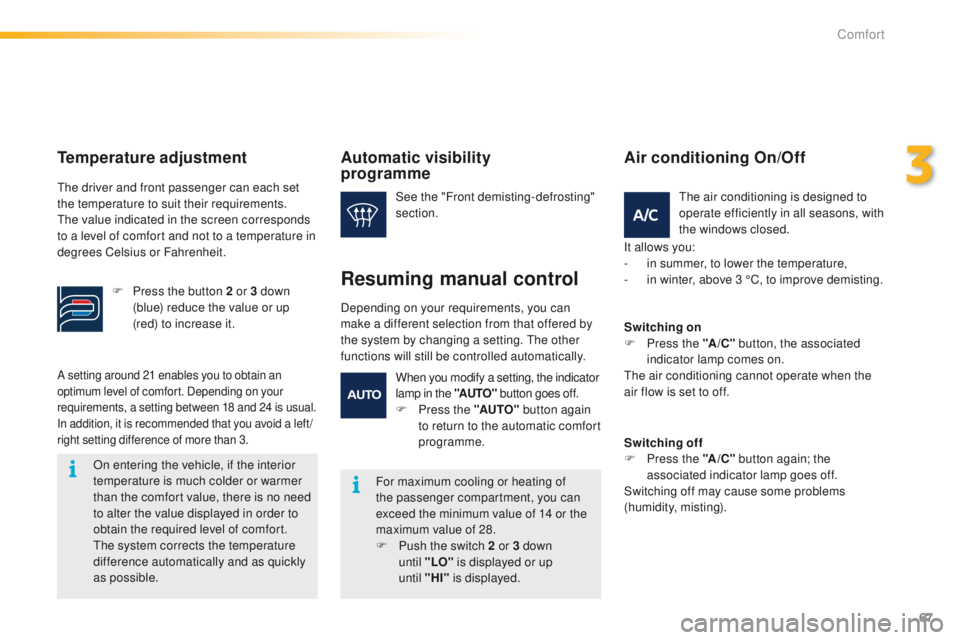
Temperature adjustment
The driver and front passenger can each set
the temperature to suit their requirements.
The value indicated in the screen corresponds
to a level of comfort and not to a temperature in
degrees Celsius or Fahrenheit.
F
P
ress the button 2 or 3 down
(blue) reduce the value or up
(red) to increase it.
3
Comfort
Page 70 of 340
68
2008_en_Chap03_confort_ed01-2015
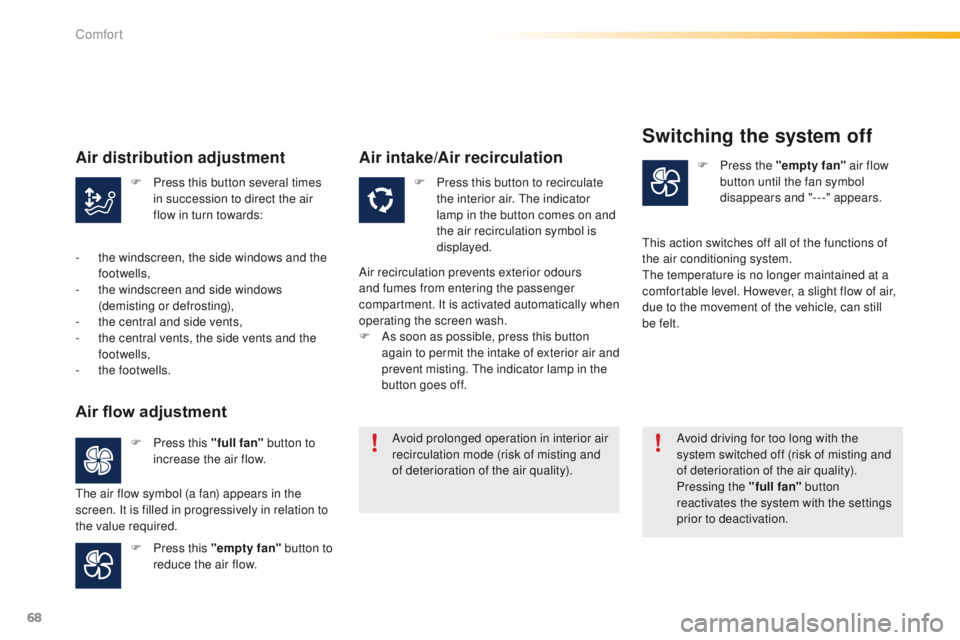
F Press this button several times in succession to direct the air
flow in turn towards: F
P ress this button to recirculate
the interior air. The indicator
lamp in the button comes on and
the air recirculation symbol is
displayed. F
P
ress the "empty fan"
air flow
button until the fan symbol
disappears and "---" appears.
F
P
ress this "full fan" button to
increase the air flow.
F
P
ress this "empty fan" button to
reduce the air flow. Avoid prolonged operation in interior air
recirculation mode (risk of misting and
of deterioration of the air quality).
Avoid driving for too long with the
system switched off (risk of misting and
of deterioration of the air quality).
Pressing the "full fan"
button
reactivates the system with the settings
prior to deactivation.
Air distribution adjustment
- the windscreen, the side windows and the footwells,
-
t
he windscreen and side windows
(demisting or defrosting),
-
t
he central and side vents,
-
t
he central vents, the side vents and the
footwells,
-
t
he footwells.
Air flow adjustment
The air flow symbol (a fan) appears in the
screen. It is filled in progressively in relation to
the value required.
Air intake/Air recirculation
Air recirculation prevents exterior odours
and fumes from entering the passenger
compartment. It is activated automatically when
operating the screen wash.
F
A
s soon as possible, press this button
again to permit the intake of exterior air and
prevent misting. The indicator lamp in the
button goes off.
Switching the system off
This action switches off all of the functions of
the air conditioning system.
The temperature is no longer maintained at a
comfortable level. However, a slight flow of air,
due to the movement of the vehicle, can still
be felt.
Comfort
Page 74 of 340
72
2008_en_Chap04_amenagements_ed01-2015
USB port / Jack auxiliary socket
When the USB port is used, the portable device
charges automatically.
While charging, a message is displayed if the
current drawn by the portable device exceeds
the power rating of the vehicle's port.For more information on the use of this
system, refer to the "Audio equipment
and telematics" section.
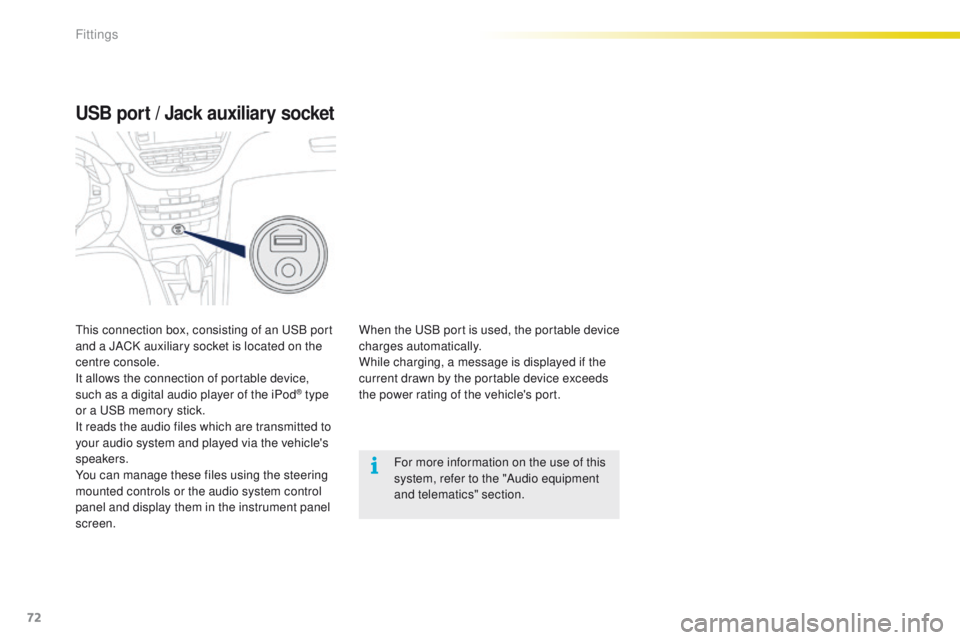
This connection box, consisting of an USB port
and a JACK auxiliary socket is located on the
centre console.
It allows the connection of portable device,
such as a digital audio player of the iPod
® type
or a USB memory stick.
It reads the audio files which are transmitted to
your audio system and played via the vehicle's
speakers.
You can manage these files using the steering
mounted controls or the audio system control
panel and display them in the instrument panel
screen.
Fittings
Page 82 of 340
80
2008_en_Chap05_conduite_ed01-2015
Key left in the "Ignition on"
position
On opening the driver's door, an alert
message is displayed, accompanied by an
audible signal, to remind you that the key is
still in the ignition switch at position 1 (Stop).
F Immobilise the vehicle.
F
T urn the key fully towards you to position 1
(Stop) .
F
R
emove the key from the ignition switch.
F
T
o lock the steering column, turn the wheel
until the lock engages.
Switching off
If the key has been left in the ignition
switch at position 2 (Ignition on) ,
the ignition will be switched off
automatically after one hour.
To switch the ignition back on, turn the
key to position 1 (Stop) , then back to
position 2 (Ignition on) .
Free-wheeling
For safety reasons, do not free-wheel.
Other wise, some vehicle functions will
no longer be active.
Switching off the engine leads to a loss
of braking assistance.
To facilitate unlocking of the steering
wheel, it is recommended that you
place the wheels in the straight ahead
position before switching off the engine.
Driving
Page 86 of 340
84
2008_en_Chap05_conduite_ed01-2015
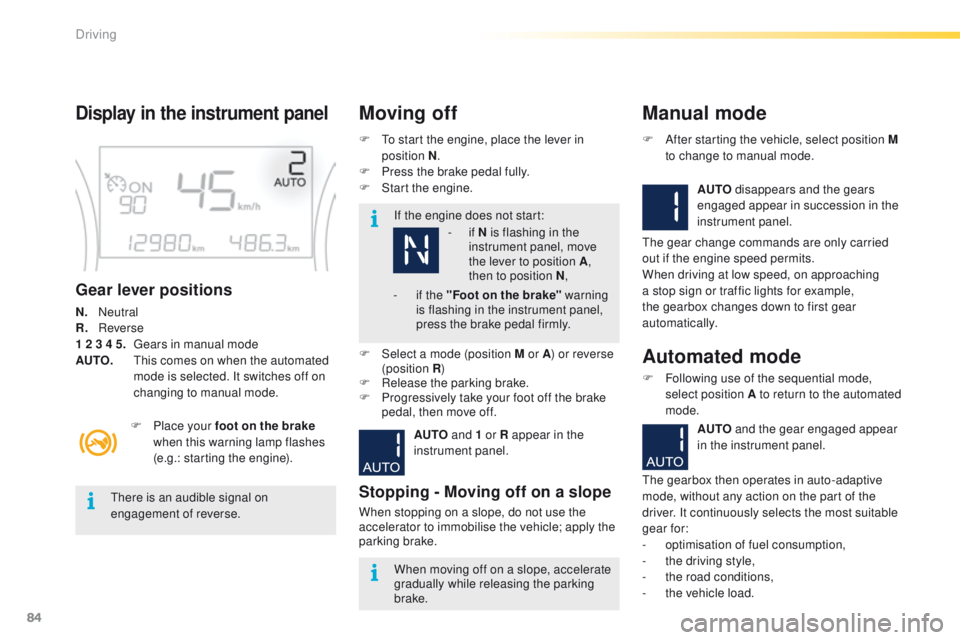
Display in the instrument panel
Gear lever positions
N. Neutral
R.
R everse
1 2 3 4 5.
G
ears in manual mode
AUTO.
T
his comes on when the automated
mode is selected. It switches off on
changing to manual mode. F
T
o start the engine, place the lever in
position N .
F
P
ress the brake pedal fully.
F
S
tart the engine.
Moving off
If the engine does not start:
F
P
lace your foot on the brake
when this warning lamp flashes
(e.g.: starting the engine).
There is an audible signal on
engagement of reverse.
When moving off on a slope, accelerate
gradually while releasing the parking
brake.
F
Sel
ect a mode (position M or A ) or reverse
(position R )
F
R
elease the parking brake.
F
P
rogressively take your foot off the brake
pedal, then move off.
AUTO and 1 or R appear in the
instrument panel.
Stopping - Moving off on a slope
When stopping on a slope, do not use the
accelerator to immobilise the vehicle; apply the
parking brake.
Manual mode
AUTO disappears and the gears
engaged appear in succession in the
instrument panel.
F
A
fter starting the vehicle, select position M
to change to manual mode.
The gear change commands are only carried
out if the engine speed permits.
When driving at low speed, on approaching
a stop sign or traffic lights for example,
the gearbox changes down to first gear
automatically.
Automated mode
F Following use of the sequential mode, select position A to return to the automated
mode.
AUTO and the gear engaged appear
in the instrument panel.
The gearbox then operates in auto-adaptive
mode, without any action on the part of the
driver. It continuously selects the most suitable
gear for:
-
o
ptimisation of fuel consumption,
-
t
he driving style,
-
t
he road conditions,
-
t
he vehicle load.
-
i
f N is flashing in the
instrument panel, move
the lever to position A ,
then to position N ,
-
i
f the "Foot on the brake" warning
is flashing in the instrument panel,
press the brake pedal firmly.
Driving