Page 149 of 457
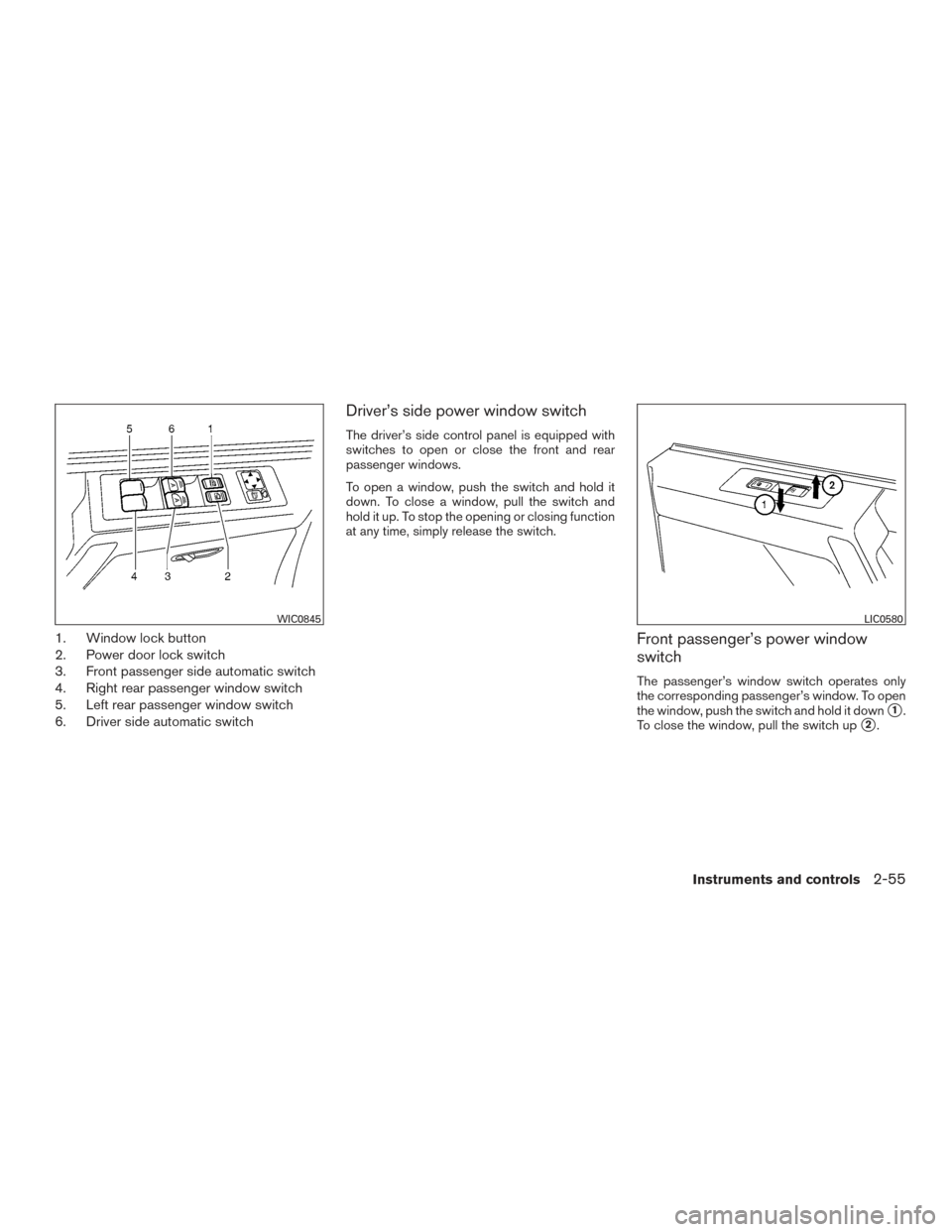
1. Window lock button
2. Power door lock switch
3. Front passenger side automatic switch
4. Right rear passenger window switch
5. Left rear passenger window switch
6. Driver side automatic switch
Driver’s side power window switch
The driver’s side control panel is equipped with
switches to open or close the front and rear
passenger windows.
To open a window, push the switch and hold it
down. To close a window, pull the switch and
hold it up. To stop the opening or closing function
at any time, simply release the switch.
Front passenger’s power window
switch
The passenger’s window switch operates only
the corresponding passenger’s window. To open
the window, push the switch and hold it down
�1.
To close the window, pull the switch up
�2.
WIC0845LIC0580
Instruments and controls2-55
Page 150 of 457
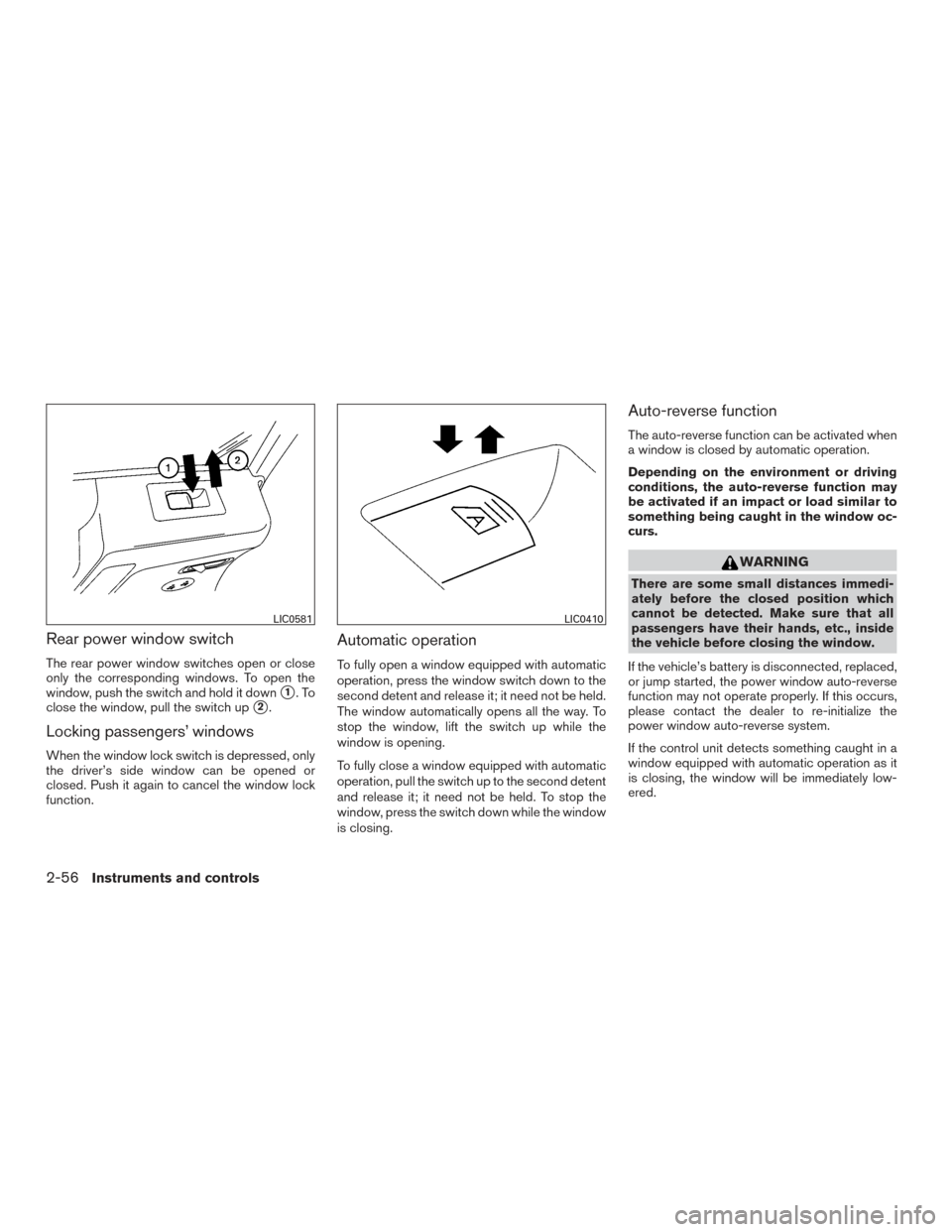
Rear power window switch
The rear power window switches open or close
only the corresponding windows. To open the
window, push the switch and hold it down
�1.To
close the window, pull the switch up
�2.
Locking passengers’ windows
When the window lock switch is depressed, only
the driver’s side window can be opened or
closed. Push it again to cancel the window lock
function.
Automatic operation
To fully open a window equipped with automatic
operation, press the window switch down to the
second detent and release it; it need not be held.
The window automatically opens all the way. To
stop the window, lift the switch up while the
window is opening.
To fully close a window equipped with automatic
operation, pull the switch up to the second detent
and release it; it need not be held. To stop the
window, press the switch down while the window
is closing.
Auto-reverse function
The auto-reverse function can be activated when
a window is closed by automatic operation.
Depending on the environment or driving
conditions, the auto-reverse function may
be activated if an impact or load similar to
something being caught in the window oc-
curs.
WARNING
There are some small distances immedi-
ately before the closed position which
cannot be detected. Make sure that all
passengers have their hands, etc., inside
the vehicle before closing the window.
If the vehicle’s battery is disconnected, replaced,
or jump started, the power window auto-reverse
function may not operate properly. If this occurs,
please contact the dealer to re-initialize the
power window auto-reverse system.
If the control unit detects something caught in a
window equipped with automatic operation as it
is closing, the window will be immediately low-
ered.
LIC0581LIC0410
2-56Instruments and controls
Page 151 of 457
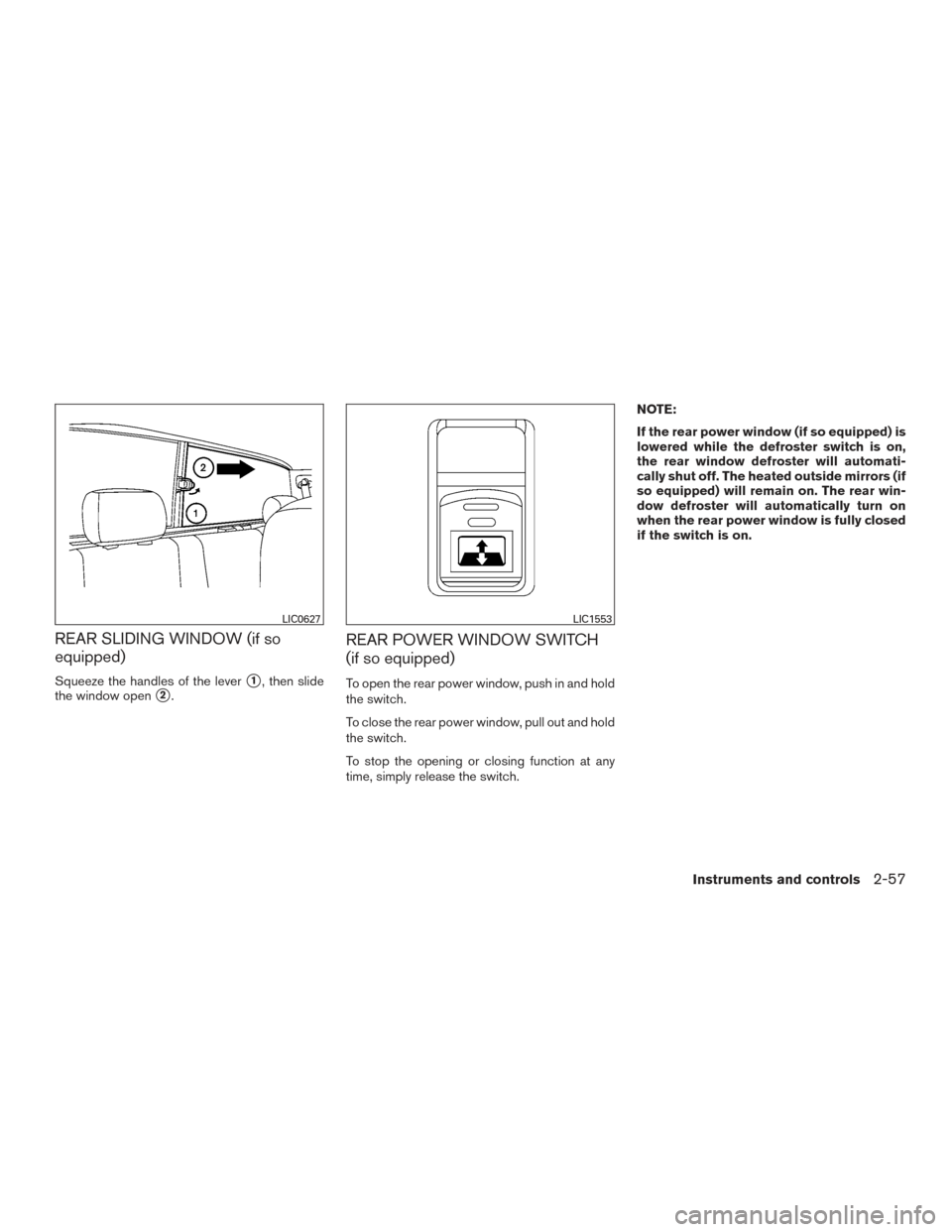
REAR SLIDING WINDOW (if so
equipped)
Squeeze the handles of the lever�1, then slide
the window open
�2.
REAR POWER WINDOW SWITCH
(if so equipped)
To open the rear power window, push in and hold
the switch.
To close the rear power window, pull out and hold
the switch.
To stop the opening or closing function at any
time, simply release the switch. NOTE:
If the rear power window (if so equipped) is
lowered while the defroster switch is on,
the rear window defroster will automati-
cally shut off. The heated outside mirrors (if
so equipped) will remain on. The rear win-
dow defroster will automatically turn on
when the rear power window is fully closed
if the switch is on.
LIC0627LIC1553
Instruments and controls2-57
Page 164 of 457
Opening and closing windows
The driver’s door key operation allows you to
open and close windows equipped with auto-
matic operation at the same time.● To open the windows, turn the driver’s door
key toward the rear of the vehicle for longer
than 1 second after the door is unlocked.
● To close the windows, turn the driver’s door
key toward the front of the vehicle for longer
than 1 second after the door is locked.
Windows stop when the key cylinder is released.
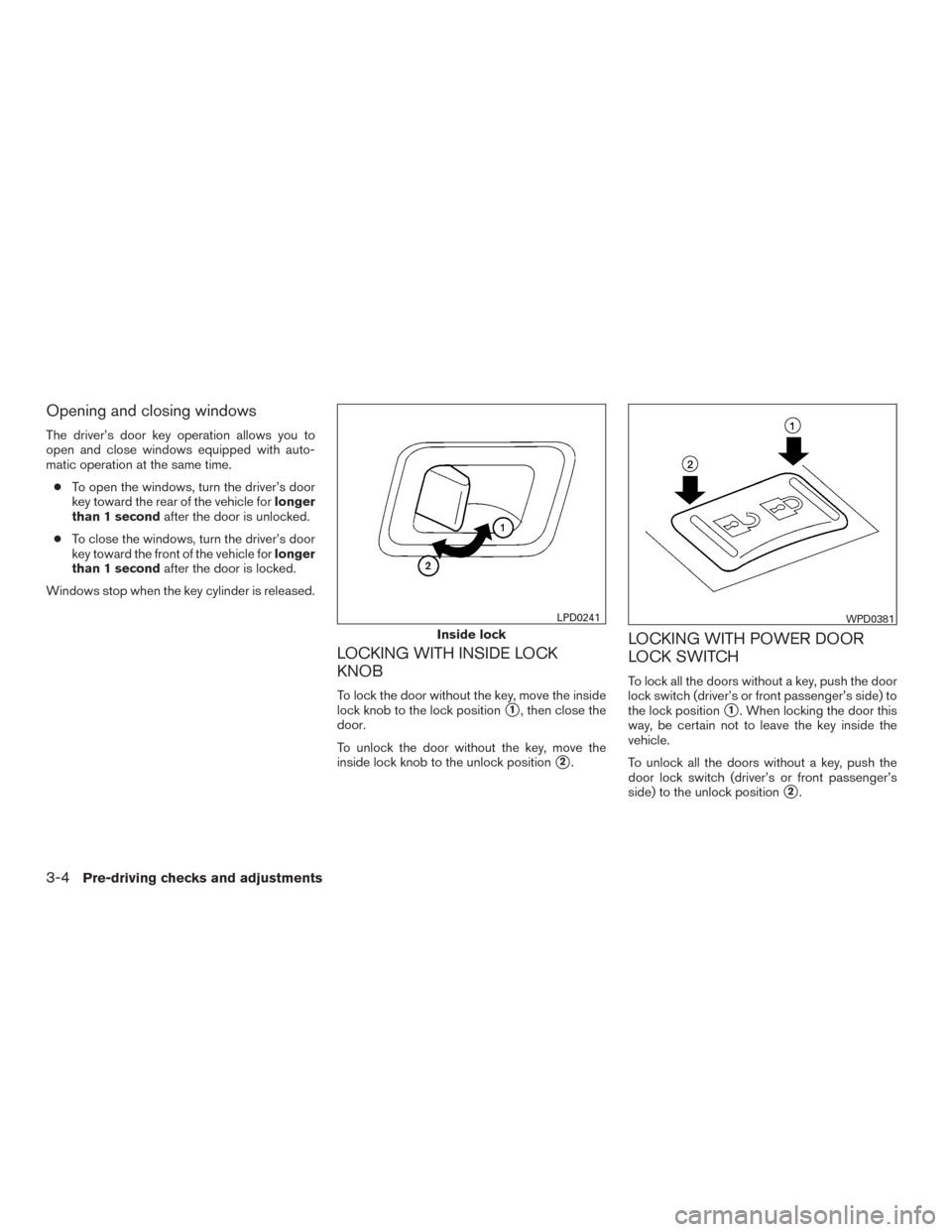
LOCKING WITH INSIDE LOCK
KNOB
To lock the door without the key, move the inside
lock knob to the lock position
�1, then close the
door.
To unlock the door without the key, move the
inside lock knob to the unlock position
�2.
LOCKING WITH POWER DOOR
LOCK SWITCH
To lock all the doors without a key, push the door
lock switch (driver’s or front passenger’s side) to
the lock position
�1. When locking the door this
way, be certain not to leave the key inside the
vehicle.
To unlock all the doors without a key, push the
door lock switch (driver’s or front passenger’s
side) to the unlock position
�2.
Inside lock
LPD0241WPD0381
3-4Pre-driving checks and adjustments
Page 168 of 457
●Do not place the key fob for an ex-
tended period in an area where tem-
peratures exceed 140°F (60°C) .
● Do not attach the key fob with a key
holder that contains a magnet.
● Do not place the key fob near equip-
ment that produces a magnetic field,
such as a TV, audio equipment and per-
sonal computers.
If a key fob is lost or stolen, NISSAN rec-
ommends erasing the ID code of that key
fob. This will prevent the key fob from
unauthorized use to unlock the vehicle.
For information regarding the erasing
procedure, please contact a NISSAN
dealer.
HOW TO USE REMOTE KEYLESS
ENTRY SYSTEM
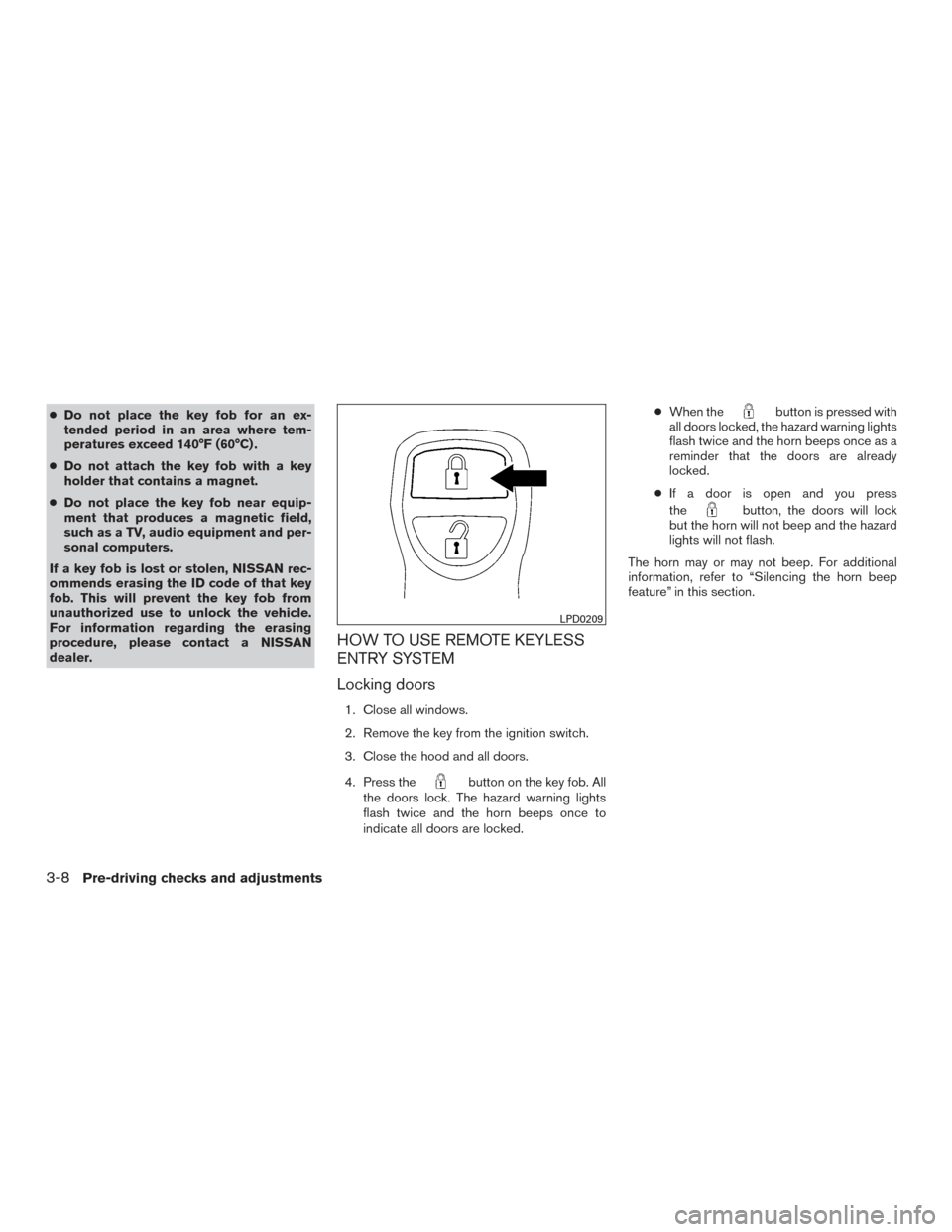
Locking doors
1. Close all windows.
2. Remove the key from the ignition switch.
3. Close the hood and all doors.
4. Press the
button on the key fob. All
the doors lock. The hazard warning lights
flash twice and the horn beeps once to
indicate all doors are locked. ●
When the
button is pressed with
all doors locked, the hazard warning lights
flash twice and the horn beeps once as a
reminder that the doors are already
locked.
● If a door is open and you press
the
button, the doors will lock
but the horn will not beep and the hazard
lights will not flash.
The horn may or may not beep. For additional
information, refer to “Silencing the horn beep
feature” in this section.
LPD0209
3-8Pre-driving checks and adjustments
Page 180 of 457
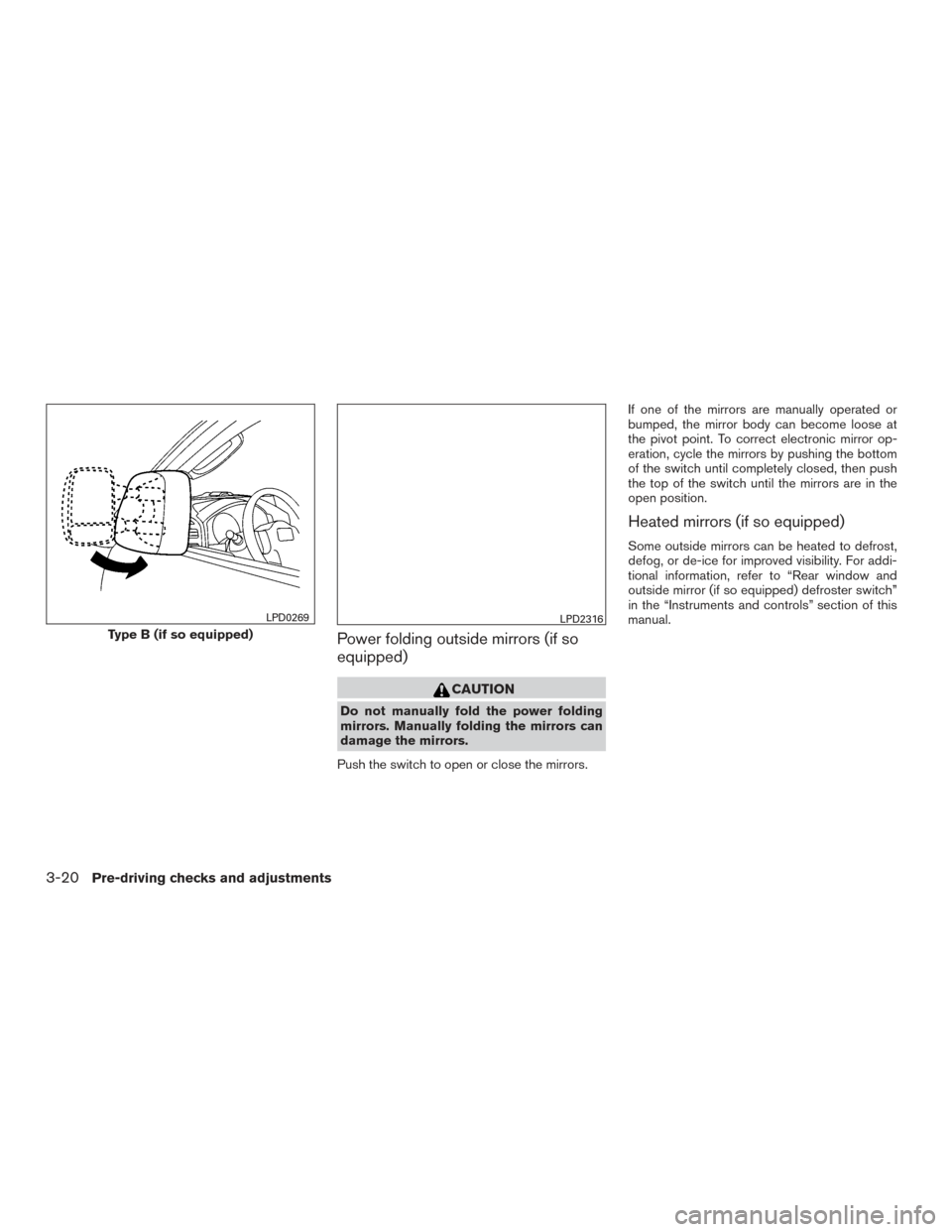
Power folding outside mirrors (if so
equipped)
CAUTION
Do not manually fold the power folding
mirrors. Manually folding the mirrors can
damage the mirrors.
Push the switch to open or close the mirrors. If one of the mirrors are manually operated or
bumped, the mirror body can become loose at
the pivot point. To correct electronic mirror op-
eration, cycle the mirrors by pushing the bottom
of the switch until completely closed, then push
the top of the switch until the mirrors are in the
open position.
Heated mirrors (if so equipped)
Some outside mirrors can be heated to defrost,
defog, or de-ice for improved visibility. For addi-
tional information, refer to “Rear window and
outside mirror (if so equipped) defroster switch”
in the “Instruments and controls” section of this
manual.
Type B (if so equipped)
LPD0269LPD2316
3-20Pre-driving checks and adjustments
Page 202 of 457
For vehicles with Navigation System1. Firmly apply the brake and place the shift lever in R (reverse)
2. Press the
button on the control panel.
3. The screen will display the Night settings.
4. Turn the TUNE knob to adjust the setting up or down.
5. Press the
button again to access the
Auto settings.
6. Turn the TUNE knob to adjust the setting up or down.
● Do not adjust the display settings of the
RearView Monitor while the vehicle is mov-
ing.
OPERATING TIPS
CAUTION
● Do not use alcohol, benzine or thinner
to clean the camera. This will cause
discoloration. To clean the camera,
wipe with a cloth dampened with a di-
luted mild cleaning agent and then wipe
with a dry cloth.
● Do not damage the camera as the moni-
tor screen may be adversely affected. ●
When the shift lever is shifted to R (Re-
verse) , the monitor screen automatically
changes to the RearView Monitor mode.
However, the radio can be heard.
● It may take some time until the RearView
Monitor is displayed after the shift lever has
been shifted to R (Reverse) . Objects may be
distorted momentarily until the RearView
Monitor screen is displayed completely.
When the shift lever is returned to a position
other than R (Reverse) , it may take some
time until the screen changes. Objects on
the screen may be distorted until they are
completely displayed.
● When the temperature is extremely high or
low, the screen may not clearly display ob-
jects. This is not a malfunction.
● When strong light directly enters the cam-
era, objects may not be displayed clearly.
● Vertical lines may be seen in objects on the
screen. This is due to strong reflected light
from the bumper. This is not a malfunction.
● The screen may flicker under fluorescent
light. This is not a malfunction.
● The colors of objects on the RearView Moni-
tor may differ somewhat from those of the
actual object. ●
When the contrast of objects is low at night,
pressing the ENTER/AUDIO button or the
ENTER/SETTING button may not change
the brightness.
● Objects on the monitor may not be clear in a
dark place or at night.
● If dirt, rain or snow attaches to the camera,
the RearView Monitor may not display ob-
jects. Clean the camera.
● Do not use body wax on the camera window.
If body wax does get on the camera window,
wipe off the wax with a clean cloth damp-
ened with mild detergent diluted with water.
4-14Monitor, climate, audio, phone and voice recognition systems
Page 203 of 457
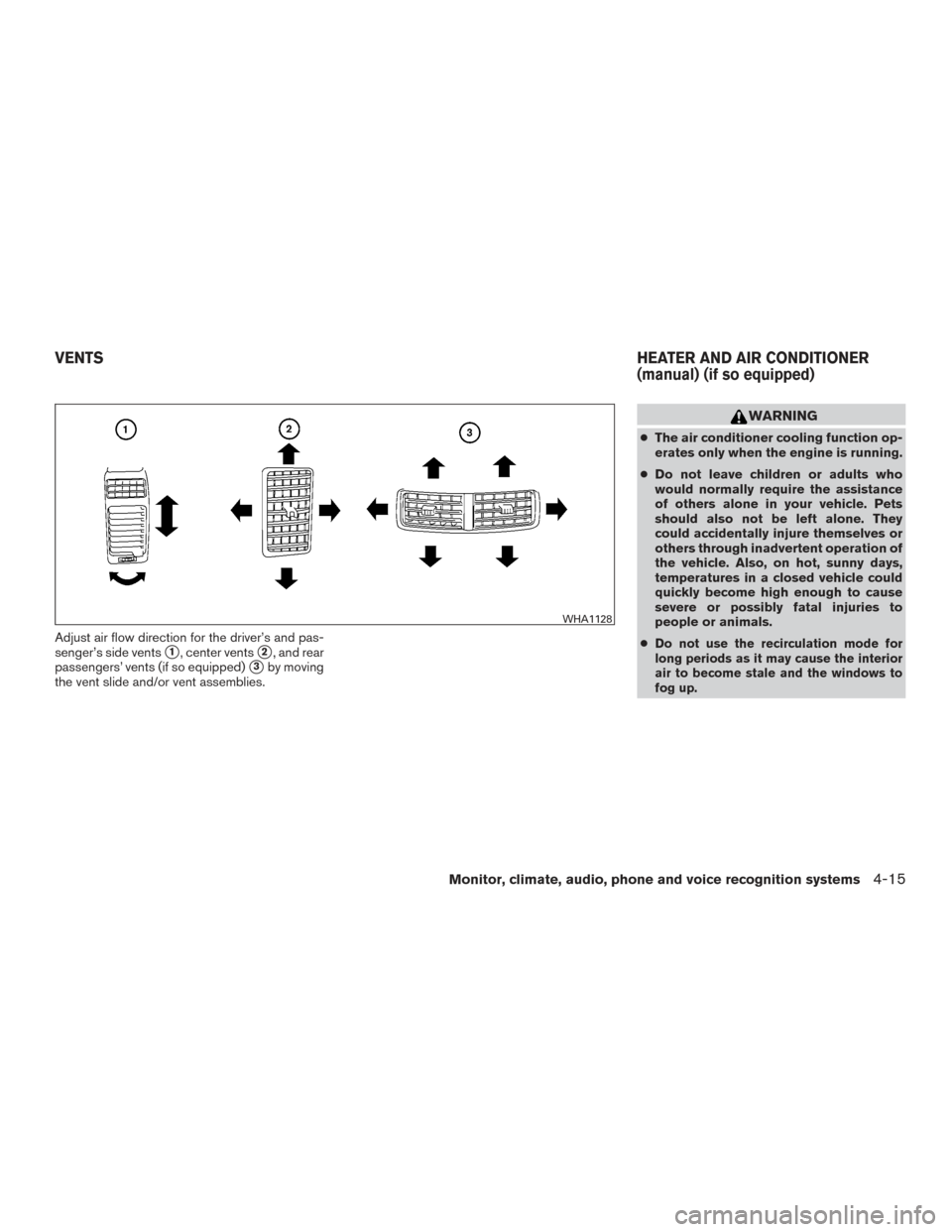
Adjust air flow direction for the driver’s and pas-
senger’s side vents
�1, center vents�2, and rear
passengers’ vents (if so equipped)
�3by moving
the vent slide and/or vent assemblies.
WARNING
● The air conditioner cooling function op-
erates only when the engine is running.
● Do not leave children or adults who
would normally require the assistance
of others alone in your vehicle. Pets
should also not be left alone. They
could accidentally injure themselves or
others through inadvertent operation of
the vehicle. Also, on hot, sunny days,
temperatures in a closed vehicle could
quickly become high enough to cause
severe or possibly fatal injuries to
people or animals.
●
Do not use the recirculation mode for
long periods as it may cause the interior
air to become stale and the windows to
fog up.
WHA1128
VENTS HEATER AND AIR CONDITIONER
(manual) (if so equipped)
Monitor, climate, audio, phone and voice recognition systems4-15