Page 175 of 412
activates when a vehicle is moved or when a
vibration occurs.
The system helps deter vehicle theft but cannot
prevent it, nor can it prevent the theft of interior or
exterior vehicle components in all situations. Al-
ways secure your vehicle even if parking for a
brief period. Never leave your keys in the vehicle,
and always lock it when it is left unattended. Be
aware of your surroundings, and park in secure,
well-lit areas whenever possible.
Many devices offering additional protection, such
as component locks, identification markers, and
tracking systems, are available at auto supply
stores and specialty shops. Your NISSAN certi-
fied LEAF dealer may also offer such equipment.
Check with your insurance company to see if you
may be eligible for discounts for various theft
protection features.
How to arm the vehicle security
system
1. Close all windows.The system can be armed even if the
windows are open.
2. Place the power switch in the LOCK or OFF position and remove the Intelligent Key from
the vehicle.
3. Close all doors. Lock all doors. The doors can be locked with:
• the LOCK
button on the Intelligent Key
• any request switch • the power door lock switch
• the mechanical key
4. Confirm that the security indicator light illumi- nates. The security indicator light stays on for
about 30 seconds. The vehicle security sys-
tem is now pre-armed. After about 30 sec-
onds the vehicle security system automati-
cally shifts into the armed phase. The security
light begins to flash once every approximately
3 seconds. If, during this 30-second pre-arm
time period, the door is unlocked, or the
power switch is placed in the ACC or ON
position, the system will not arm.
Even when the driver and/or passengers
are in the vehicle, the system will activate
with all doors locked and the power switch
in the OFF position. When placing the
power switch to the ACC or ON position,
the system will be released.
Vehicle security system activation
The vehicle security system will give the following
alarm:
• The headlights blink and the horn sounds intermittently.
2-36Instruments and controls
Page 180 of 412
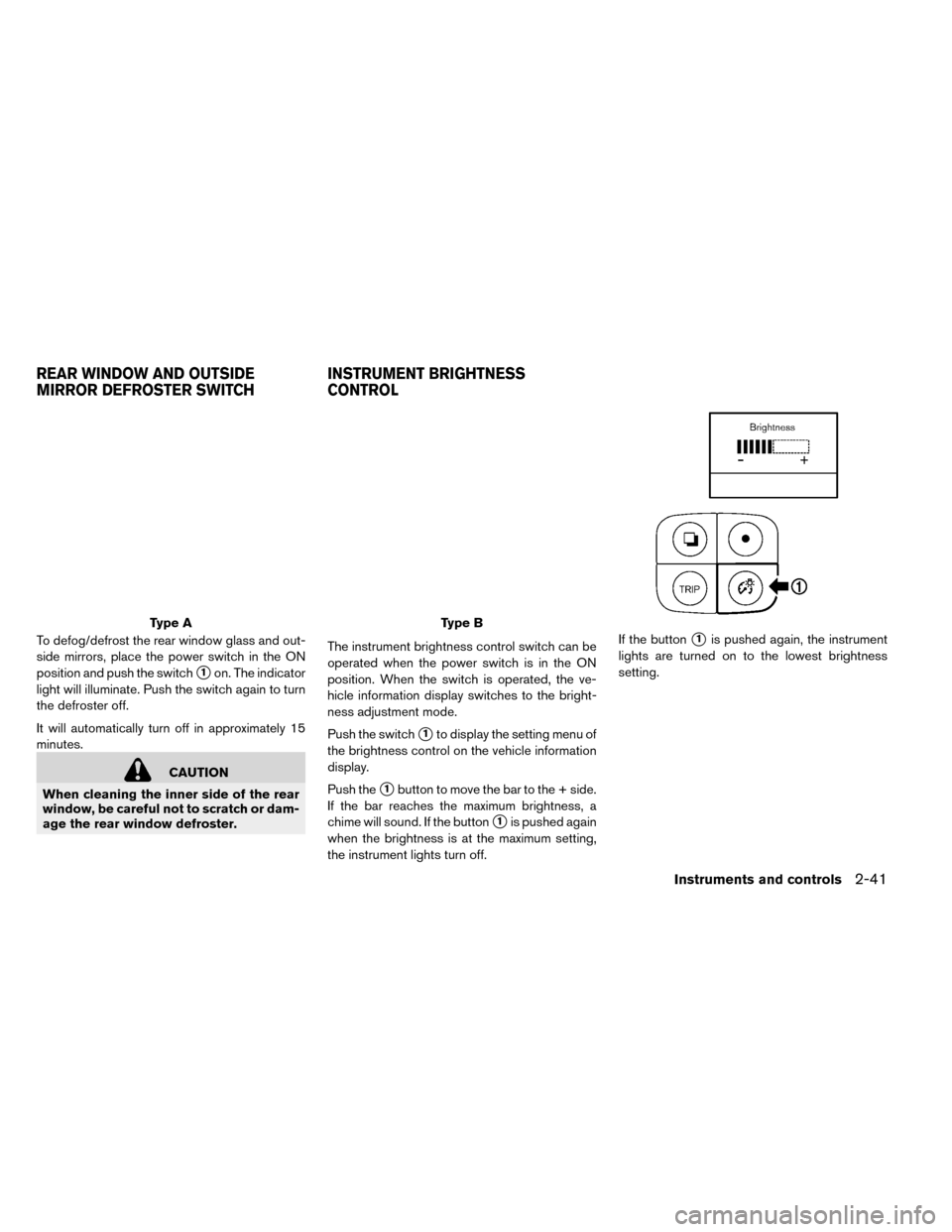
To defog/defrost the rear window glass and out-
side mirrors, place the power switch in the ON
position and push the switch
�1on. The indicator
light will illuminate. Push the switch again to turn
the defroster off.
It will automatically turn off in approximately 15
minutes.
CAUTION
When cleaning the inner side of the rear
window, be careful not to scratch or dam-
age the rear window defroster. The instrument brightness control switch can be
operated when the power switch is in the ON
position. When the switch is operated, the ve-
hicle information display switches to the bright-
ness adjustment mode.
Push the switch
�1to display the setting menu of
the brightness control on the vehicle information
display.
Push the
�1button to move the bar to the + side.
If the bar reaches the maximum brightness, a
chime will sound. If the button
�1is pushed again
when the brightness is at the maximum setting,
the instrument lights turn off. If the button
�1is pushed again, the instrument
lights are turned on to the lowest brightness
setting.
Type AType B
REAR WINDOW AND OUTSIDE
MIRROR DEFROSTER SWITCH INSTRUMENT BRIGHTNESS
CONTROL
Instruments and controls2-41
Page 181 of 412
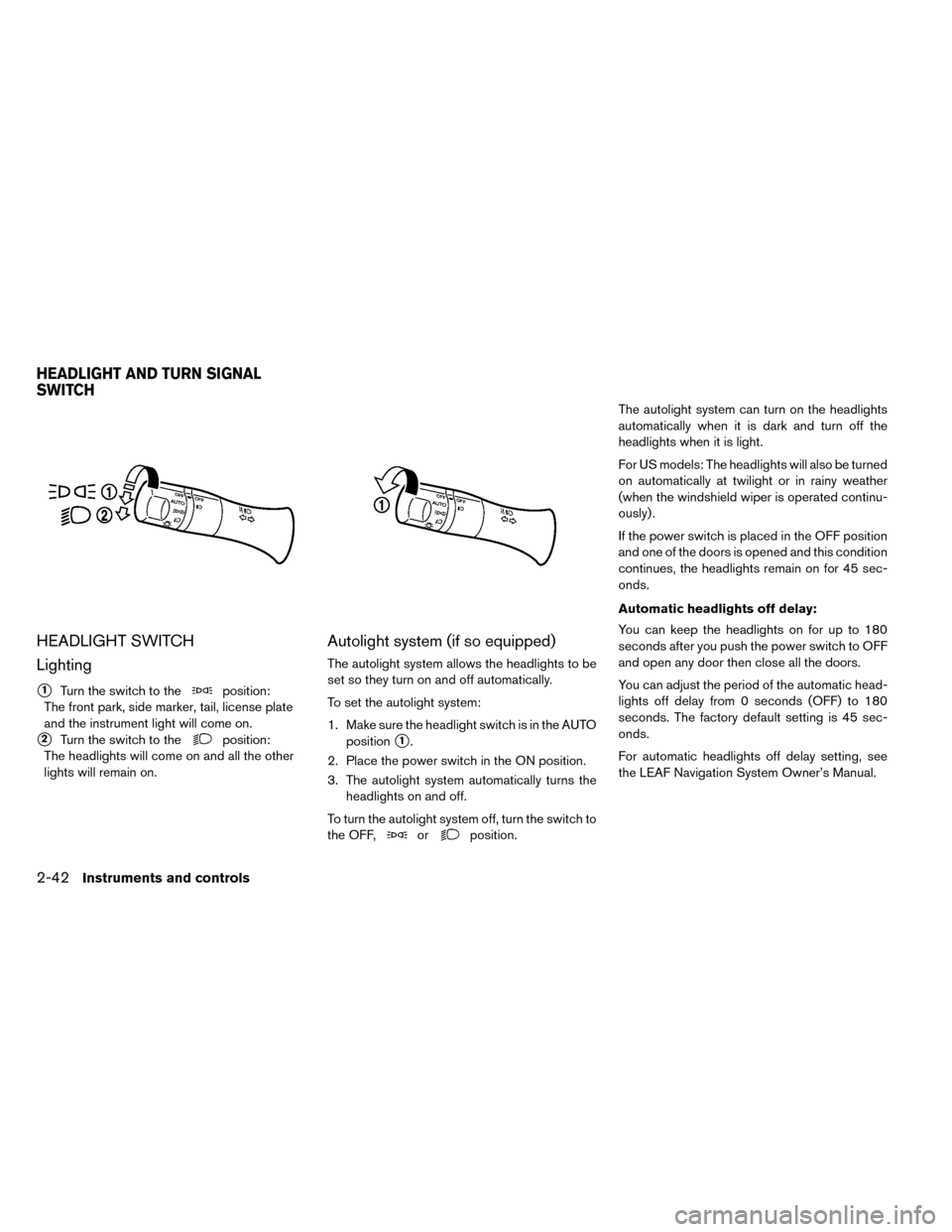
HEADLIGHT SWITCH
Lighting
�1Turn the switch to theposition:
The front park, side marker, tail, license plate
and the instrument light will come on.
�2Turn the switch to theposition:
The headlights will come on and all the other
lights will remain on.
Autolight system (if so equipped)
The autolight system allows the headlights to be
set so they turn on and off automatically.
To set the autolight system:
1. Make sure the headlight switch is in the AUTO position
�1.
2. Place the power switch in the ON position.
3. The autolight system automatically turns the headlights on and off.
To turn the autolight system off, turn the switch to
the OFF,
orposition. The autolight system can turn on the headlights
automatically when it is dark and turn off the
headlights when it is light.
For US models: The headlights will also be turned
on automatically at twilight or in rainy weather
(when the windshield wiper is operated continu-
ously) .
If the power switch is placed in the OFF position
and one of the doors is opened and this condition
continues, the headlights remain on for 45 sec-
onds.
Automatic headlights off delay:
You can keep the headlights on for up to 180
seconds after you push the power switch to OFF
and open any door then close all the doors.
You can adjust the period of the automatic head-
lights off delay from 0 seconds (OFF) to 180
seconds. The factory default setting is 45 sec-
onds.
For automatic headlights off delay setting, see
the LEAF Navigation System Owner’s Manual.
HEADLIGHT AND TURN SIGNAL
SWITCH
2-42Instruments and controls
Page 182 of 412
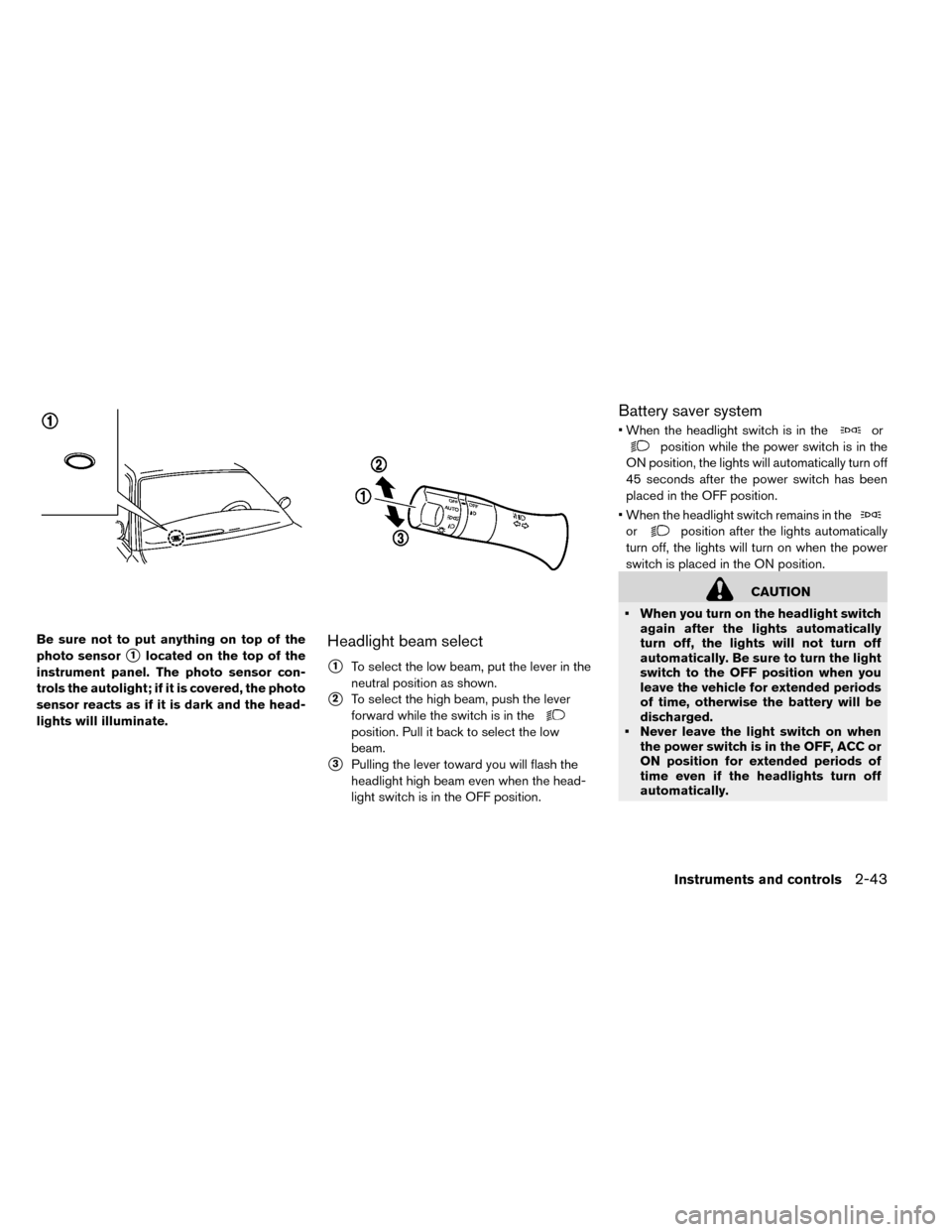
Be sure not to put anything on top of the
photo sensor
�1located on the top of the
instrument panel. The photo sensor con-
trols the autolight; if it is covered, the photo
sensor reacts as if it is dark and the head-
lights will illuminate.Headlight beam select
�1To select the low beam, put the lever in the
neutral position as shown.
�2To select the high beam, push the lever
forward while the switch is in the
position. Pull it back to select the low
beam.
�3Pulling the lever toward you will flash the
headlight high beam even when the head-
light switch is in the OFF position.
Battery saver system
• When the headlight switch is in theor
position while the power switch is in the
ON position, the lights will automatically turn off
45 seconds after the power switch has been
placed in the OFF position.
• When the headlight switch remains in the
orposition after the lights automatically
turn off, the lights will turn on when the power
switch is placed in the ON position.
CAUTION
• When you turn on the headlight switch again after the lights automatically
turn off, the lights will not turn off
automatically. Be sure to turn the light
switch to the OFF position when you
leave the vehicle for extended periods
of time, otherwise the battery will be
discharged.
• Never leave the light switch on when the power switch is in the OFF, ACC or
ON position for extended periods of
time even if the headlights turn off
automatically.
Instruments and controls2-43
Page 183 of 412
Daytime running light system (for
Canada)
The daytime running lights automatically illumi-
nate when the power switch is in the READY to
drive position with the parking brake released.
The daytime running lights operate with the head-
light switch in the OFF position. Turn headlight
switch to the
position for full illumination
when driving at night.
If the parking brake is applied before the power
switch is in the READY to drive position, daytime
running lights do not operate. The daytime run-
ning lights illuminate once the parking brake is
released. The daytime running lights will remain
on until the power switch is pushed to the OFF
position.
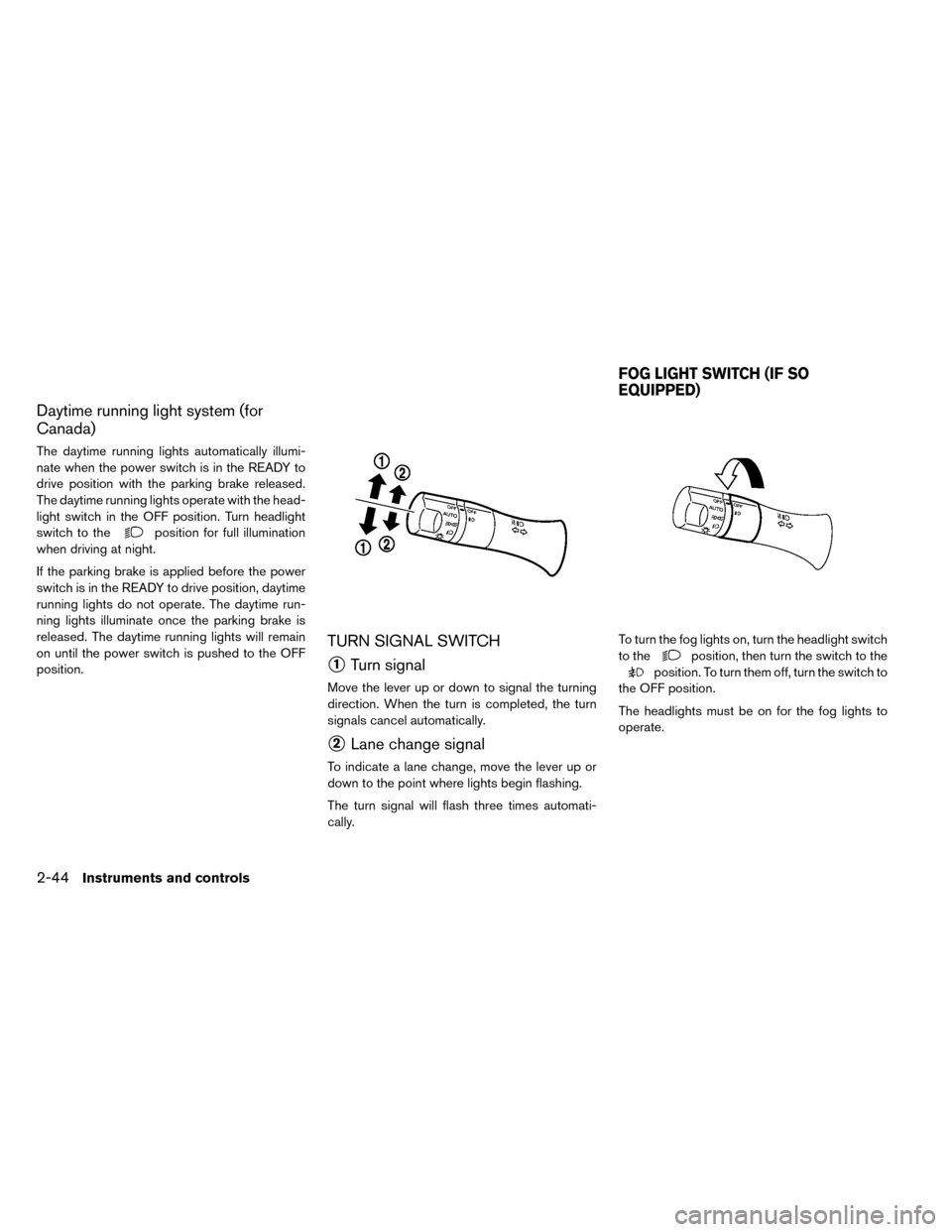
TURN SIGNAL SWITCH
�1Turn signal
Move the lever up or down to signal the turning
direction. When the turn is completed, the turn
signals cancel automatically.
�2Lane change signal
To indicate a lane change, move the lever up or
down to the point where lights begin flashing.
The turn signal will flash three times automati-
cally. To turn the fog lights on, turn the headlight switch
to the
position, then turn the switch to the
position. To turn them off, turn the switch to
the OFF position.
The headlights must be on for the fog lights to
operate.
FOG LIGHT SWITCH (IF SO
EQUIPPED)
2-44Instruments and controls
Page 189 of 412
• Use the power outlet with the powerswitch is in the ON or READY to drive
position to avoid discharging the 12-
volt battery.
• Avoid using the power outlet when the air conditioner, headlights or rear win-
dow defroster are on.
• This power outlet is not designed for use with a cigarette lighter unit.
• Push the plug in as far as it will go. If good contact is not made, the plug may
overheat or the internal temperature
fuse may open.
• Before inserting or disconnecting a plug, make sure that the electrical ac-
cessory being used is turned OFF.
• When not in use, be sure to close the cap. Do not allow water to contact the
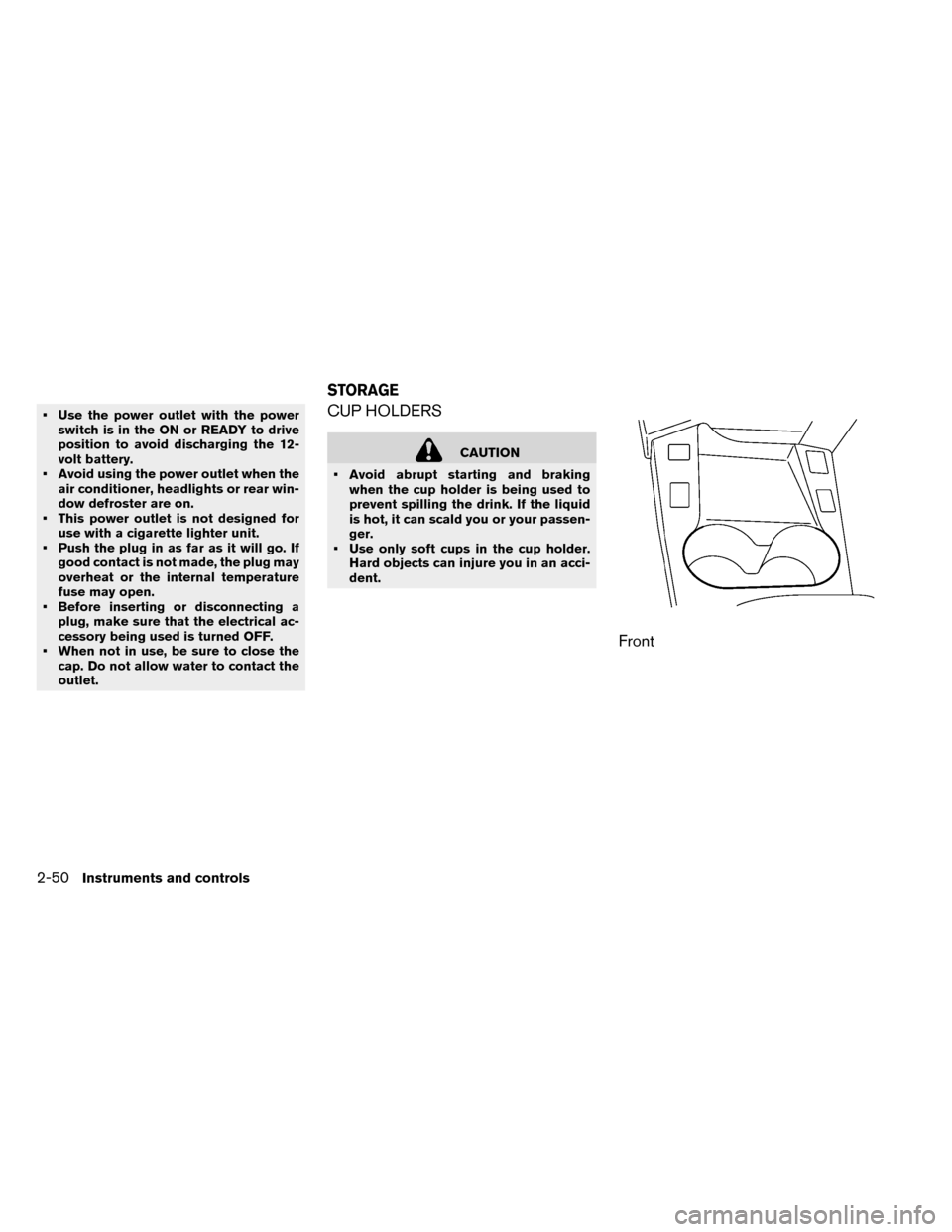
outlet.CUP HOLDERS
CAUTION
• Avoid abrupt starting and braking when the cup holder is being used to
prevent spilling the drink. If the liquid
is hot, it can scald you or your passen-
ger.
• Use only soft cups in the cup holder. Hard objects can injure you in an acci-
dent.
Front
STORAGE
2-50Instruments and controls
Page 196 of 412
If the windows do not close
automatically
If the power window automatic function (closing
only) does not operate properly, perform the fol-
lowing procedure to initialize the power window
system.
1. Place the power switch in the ON position.
2. Close the door.
3. Open the window completely by operatingthe power window switch.
4. Pull the power window switch and hold it to close the window, and then hold the switch
more than 3 seconds after the window is
closed completely.
5. Release the power window switch. Operate the window by the automatic function to con-
firm the initialization is complete.
If the power window automatic function does not
operate properly after performing the procedure
above, have your vehicle checked by a NISSAN
certified LEAF dealer.
CAUTION
Do not use for extended periods of time
with the power switch in the OFF posi-
tion. This could result in a discharged
12-volt battery.
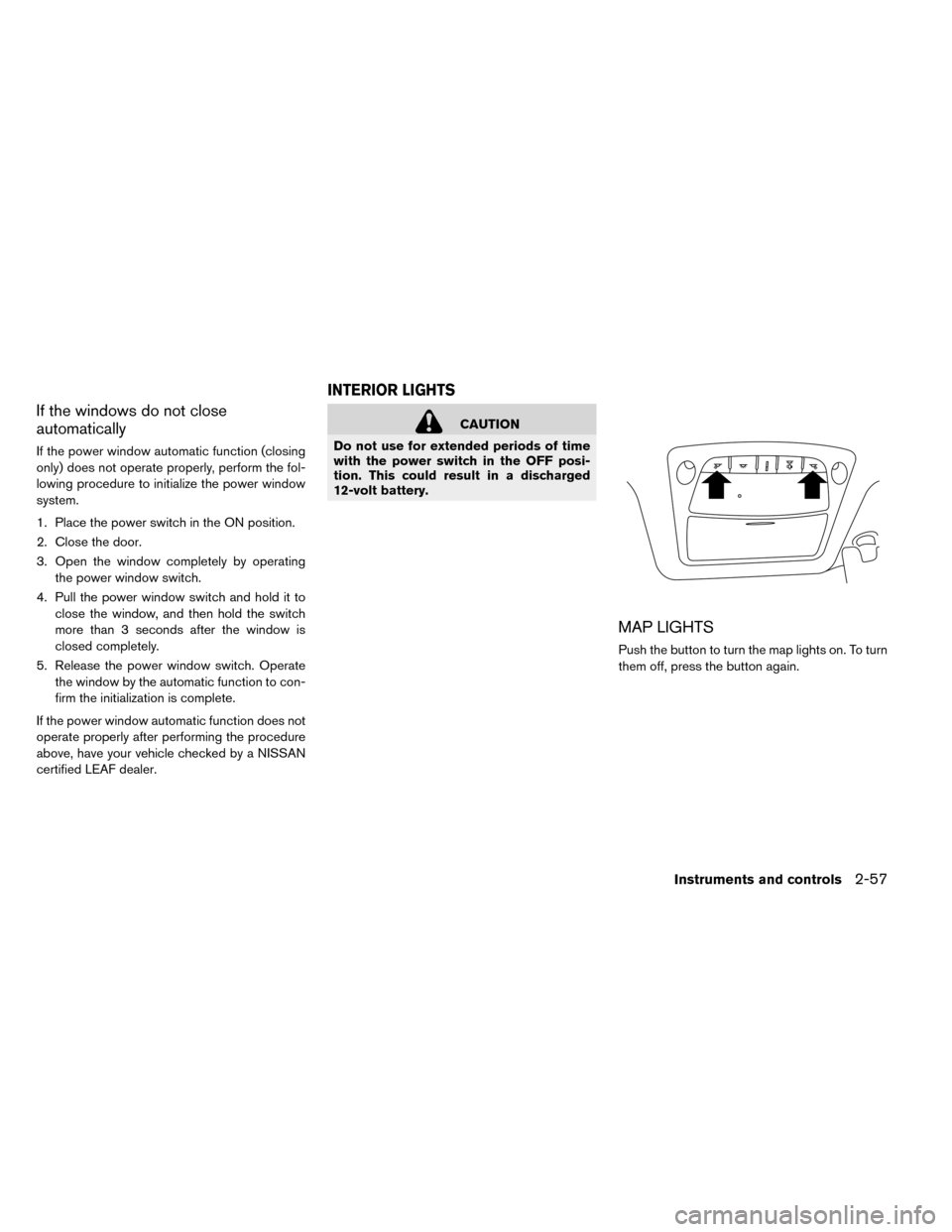
MAP LIGHTS
Push the button to turn the map lights on. To turn
them off, press the button again.
INTERIOR LIGHTS
Instruments and controls2-57
Page 197 of 412
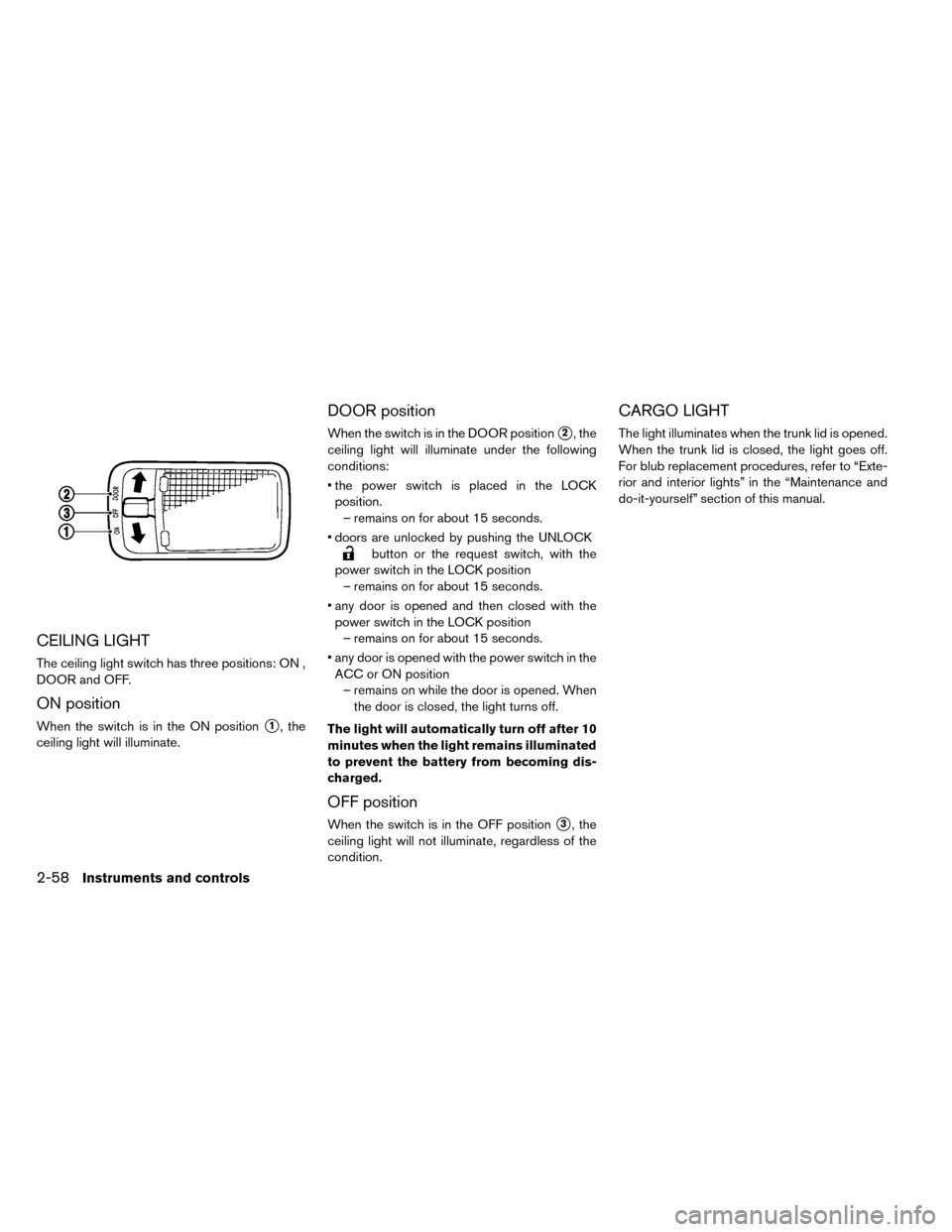
CEILING LIGHT
The ceiling light switch has three positions: ON ,
DOOR and OFF.
ON position
When the switch is in the ON position�1, the
ceiling light will illuminate.
DOOR position
When the switch is in the DOOR position�2, the
ceiling light will illuminate under the following
conditions:
• the power switch is placed in the LOCK position. – remains on for about 15 seconds.
• doors are unlocked by pushing the UNLOCK
button or the request switch, with the
power switch in the LOCK position – remains on for about 15 seconds.
• any door is opened and then closed with the power switch in the LOCK position – remains on for about 15 seconds.
• any door is opened with the power switch in the ACC or ON position – remains on while the door is opened. When the door is closed, the light turns off.
The light will automatically turn off after 10
minutes when the light remains illuminated
to prevent the battery from becoming dis-
charged.
OFF position
When the switch is in the OFF position�3, the
ceiling light will not illuminate, regardless of the
condition.
CARGO LIGHT
The light illuminates when the trunk lid is opened.
When the trunk lid is closed, the light goes off.
For blub replacement procedures, refer to “Exte-
rior and interior lights” in the “Maintenance and
do-it-yourself” section of this manual.
2-58Instruments and controls