2015 NISSAN GT-R air
[x] Cancel search: airPage 170 of 298
.“Reminder” is set to OFF.
. the maintenance interval is set again.
Setting by voice command
1. Push <
>located on the steering wheel.
2. After the tone sounds, speak a command.
To display the maintenance information:
“Information” “Maintenance” (Standard Mode)
“Maintenance” (Alternate Command Mode)
NavTraffic information is a subscription service
offered by SiriusXM Satellite Radio.
This service provides real-time information
regarding traffic flow, accidents, road construc-
tion and other incidents, where available.
NavTraffic combines information from commer-
cial and public traffic data providers including
government departments of transportation, po-
lice, emergency services, road sensors, cameras
and aircraft reports. The traffic information is
broadcast to the vehicle by the SiriusXM
satellites. Available traffic information on the
route the driver selected is shown on the
navigation screen so traffic conditions between
you and the destination are known. Three types
of real-time traffic information for major road-
ways are shown on the navigation system:
* Unscheduled traffic data for example, acci-
dents and disabled vehicles.
* Scheduled traffic data, for example road
construction and road closures.
* Traffic flow information (rate of speed data) .WARNING
NavTraffic information is not a substi-
tute for attentive driving. Traffic condi-
tions change constantly and emergency
situations can arise without warning.
Relying only on NavTraffic information
may lead to a collision and could result
in serious personal injury.
NOTE:
Flow information is provided only for
roads equipped with traffic sensors and
is not available in all markets covered by
the service. Flow data may not be available
on portions of a road that is under
construction.
NavTraffic information is available in limited
markets. To subscribe or to check if this service
is available in the area:
call 1-866-635-2349 or see www.siriusxm.
com/navtraffic
Viewing technical information6-7
VIEWING AVAILABLE TRAFFIC
INFORMATION
Page 184 of 298
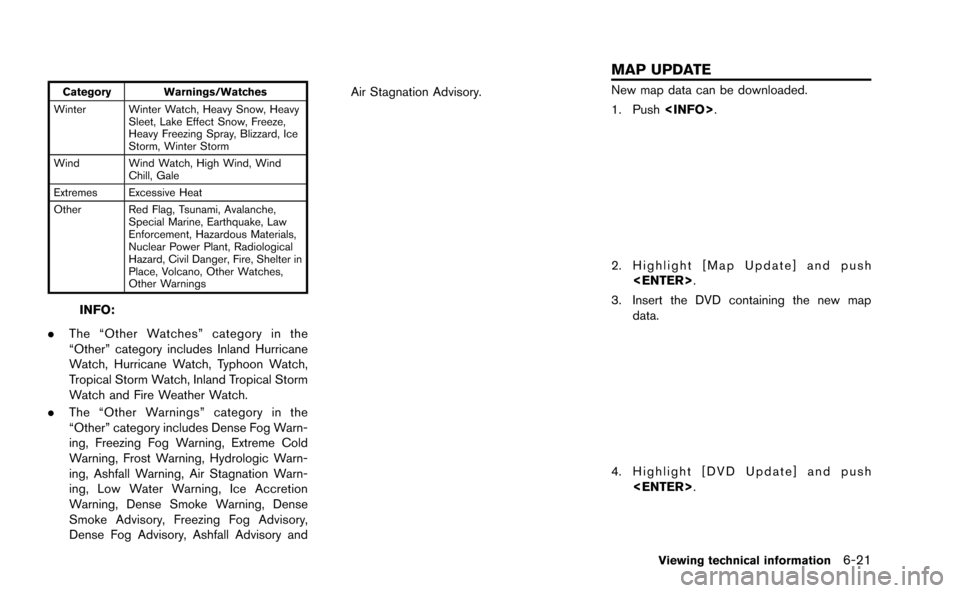
Category Warnings/Watches
Winter Winter Watch, Heavy Snow, Heavy Sleet, Lake Effect Snow, Freeze,
Heavy Freezing Spray, Blizzard, Ice
Storm, Winter Storm
Wind Wind Watch, High Wind, Wind Chill, Gale
Extremes Excessive Heat
Other Red Flag, Tsunami, Avalanche, Special Marine, Earthquake, Law
Enforcement, Hazardous Materials,
Nuclear Power Plant, Radiological
Hazard, Civil Danger, Fire, Shelter in
Place, Volcano, Other Watches,
Other Warnings
INFO:
. The “Other Watches” category in the
“Other” category includes Inland Hurricane
Watch, Hurricane Watch, Typhoon Watch,
Tropical Storm Watch, Inland Tropical Storm
Watch and Fire Weather Watch.
. The “Other Warnings” category in the
“Other” category includes Dense Fog Warn-
ing, Freezing Fog Warning, Extreme Cold
Warning, Frost Warning, Hydrologic Warn-
ing, Ashfall Warning, Air Stagnation Warn-
ing, Low Water Warning, Ice Accretion
Warning, Dense Smoke Warning, Dense
Smoke Advisory, Freezing Fog Advisory,
Dense Fog Advisory, Ashfall Advisory and Air Stagnation Advisory.
New map data can be downloaded.
1. Push
2. Highlight [Map Update] and push
3. Insert the DVD containing the new map data.
4. Highlight [DVD Update] and push
Viewing technical information6-21
MAP UPDATE
Page 201 of 298
8-2Voice recognition
NISSAN Voice Recognition allows hands-free
operation of the navigation system and other
systems equipped on this vehicle, in one of two
modes, Standard Mode or Alternate Command
Mode. Standard Mode allows the operation of
Navigation, Phone, Audio, Information and Help.
The commands that are available are always
shown on the display and announced by the
system. To perform operations, simply follow the
prompts given by the system. In Standard Mode,
hands-free operation of Change map view,
Route selection and Bluetooth Audio, etc. is
not available through Voice Recognition.
Alternate Command Mode allows advanced
operations. When this mode is active, an
expanded list of commands can be spoken after
pushing<
>, and the voice command menu
prompts are turned off. Note that in this mode
the recognition success rate may be affected
because the number of available commands and
ways of speaking each command are increased.
Otherwise, it is recommended that Alternate
Command Mode be turned OFF and Standard
Mode be used for the best recognition perfor-
mance.
“Alternate Command Mode” (page 8-13)
INFO:
. To improve recognition success when Alter-
nate Command Mode is active, try using the
Speaker Adaptation function available in that
mode.
“Speaker adaptation” (page 8-22)
Otherwise, it is recommended that Alternate
Command Mode be turned OFF and Stan-
dard Mode be used for the best recognition
performance.
. For the voice commands for the audio,
phone and other systems, refer to the
vehicle Owner’s Manual. The following sec-
tions refer only to the navigation, phone and
information systems.
. If the air conditioner is set to “Auto”, the fan
speed is automatically lowered so that
commands can be recognized more easily.
CONFIRMING HOW TO USE VOICE
COMMANDS
When operating the voice recognition system
for the first time or if help is preferred to use the
system, the User Guide can be displayed.
It is possible to confirm how to use voice
commands by accessing a simplified User
Guide, which contains basic instructions and
tutorials for several voice commands.
Basic operation
1. Push
2. Highlight [Others] and push
3. Highlight [Voice Recognition] and push
4. Highlight [User Guide] and push
NISSAN VOICE RECOGNITION STANDARD MODE
Page 294 of 298
13 Index
A
About map data........................................................ 11-13
About map icons...................................................... 11-13
About multi function meter ....................................... 10-2
About route guidance ................................................ 2-48
Acceleration screen................................................. 10-17
Address book................................................................. 2-3
Air flow control............................................................... 5-5
Air recirculation.............................................................. 5-5
Alternate Command Mode........................................ 8-13
Antenna.......................................................................... 3-11
Audio operation precautions...................................... 3-2
Audio settings................................................................ 7-3
Audio system.................................................... 3-2, 12-10
Automatic air intake control........................................ 5-5
Automatic operation ..................................................... 5-3
Automatic reroute.......................................................... 2-4
Automatically display warnings/watches............... 6-20
Avoid area....................................................................... 2-3
B
Basics of voice guidance.......................................... 11-8
Before starting .................................................... 8-4, 8-17
Birdview
TM....................................................................... 2-4
BirdviewTM(3D) map ................................................... 2-6
Bluetooth®Hands-Free Phone System .... 4-2, 12-11
Bluetooth®streaming audio ..................................... 3-20
Braking screen.......................................................... 10-19
Building graphics .......................................................... 2-6
C
Camera settings ............................................................ 9-7
Car phone or CB radio ............................................. 3-26 CD/DVD/USB device care and cleaning.............. 3-25
Changing map view.................................................... 2-11
Changing scale of map ............................................... 2-9
Character (letters and numbers) input screen .... 1-14
Characteristics of liquid crystal display.............. 11-16
Clock settings................................................................ 7-7
Comfort settings............................................................ 7-8
Confirming how to use voice commands .... 8-2, 8-14
Connecting procedure................................................. 4-4
Control buttons.............................................................. 4-4
Control buttons and functions................................... 1-4
Control panel.................................................................. 1-4
Cooling and/or dehumidified heating (AUTO)....... 5-3
Current vehicle location............................................. 11-2
Custom view screen................................................... 10-6
Customer assistance.................................................. 12-2
D
Dehumidified defrosting or defogging..................... 5-4
Delete destination ....................................................... 2-43
Delete stored items .................................................... 2-96
Deleting stored item................................................... 2-86
Destination screen...................................................... 2-23
Destination weather on suggested
route screen ................................................................. 6-19
Detailed Map Coverage Areas (MCA) for
navigation system........................................................ 11-5
Detour .............................................................................. 2-4
Digital media slots ........................................................ 1-7
Directions provided and distances to
guide points.................................................................. 11-8
Display adjustment........................................................ 7-4
Display of current vehicle location.......................... 11-2
Display settings ............................................................. 7-4
Display urgent traffic information .............................. 6-9
Displaying current vehicle location........................... 2-7
Displaying how to operate Voice
Recognition System ................................................... 8-13
Displaying weather information screen.................. 6-13
Driving record screen.............................................. 10-22
Driving support screen ........................................... 10-17
During a call ................................................................... 4-7
DVD (Digital Versatile Disc) player operation...... 3-15
E
Editing address book................................................. 2-77
End-user terms ......................................................... 11-14
Example of touch panel operation.......................... 1-13
F
Fan speed control......................................................... 5-5
Features of multi function display system............... 1-2
Features of this navigation system ........................... 2-3
Finding address........................................................... 2-25
Finding place................................................................ 2-27
FM-AM-SAT radio with Compact Disc
(CD) player ................................................................... 3-11
For safe operation......................................................... 0-2
Fuel economy information........................................... 6-4
Full screen display ...................................................... 7-11
Functions disabled while driving............................... 0-4
G
Giving voice commands................................... 8-4, 8-17
Page 295 of 298
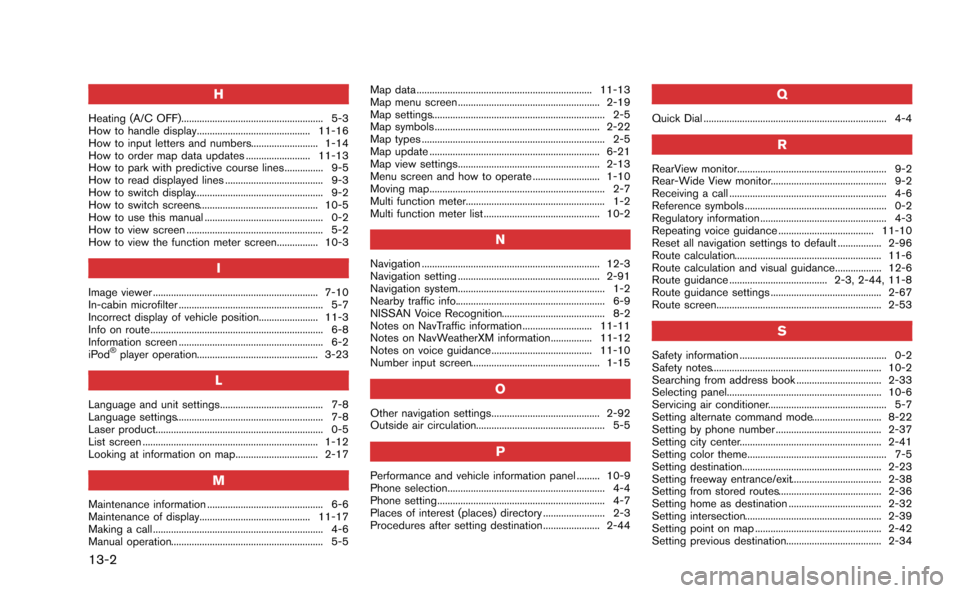
13-2
H
Heating (A/C OFF)....................................................... 5-3
How to handle display............................................ 11-16
How to input letters and numbers.......................... 1-14
How to order map data updates ......................... 11-13
How to park with predictive course lines............... 9-5
How to read displayed lines ...................................... 9-3
How to switch display.................................................. 9-2
How to switch screens.............................................. 10-5
How to use this manual .............................................. 0-2
How to view screen ..................................................... 5-2
How to view the function meter screen................ 10-3
I
Image viewer ................................................................ 7-10
In-cabin microfilter ........................................................ 5-7
Incorrect display of vehicle position....................... 11-3
Info on route................................................................... 6-8
Information screen ........................................................ 6-2
iPod
®player operation............................................... 3-23
L
Language and unit settings........................................ 7-8
Language settings......................................................... 7-8
Laser product................................................................. 0-5
List screen .................................................................... 1-12
Looking at information on map................................ 2-17
M
Maintenance information ............................................. 6-6
Maintenance of display........................................... 11-17
Making a call .................................................................. 4-6
Manual operation........................................................... 5-5Map data .................................................................... 11-13
Map menu screen ....................................................... 2-19
Map settings................................................................... 2-5
Map symbols ................................................................ 2-22
Map types ....................................................................... 2-5
Map update .................................................................. 6-21
Map view settings....................................................... 2-13
Menu screen and how to operate .......................... 1-10
Moving map.................................................................... 2-7
Multi function meter...................................................... 1-2
Multi function meter list ............................................. 10-2
N
Navigation ..................................................................... 12-3
Navigation setting ....................................................... 2-91
Navigation system......................................................... 1-2
Nearby traffic info.......................................................... 6-9
NISSAN Voice Recognition........................................ 8-2
Notes on NavTraffic information........................... 11-11
Notes on NavWeatherXM information................ 11-12
Notes on voice guidance....................................... 11-10
Number input screen.................................................. 1-15
O
Other navigation settings.......................................... 2-92
Outside air circulation.................................................. 5-5
P
Performance and vehicle information panel ......... 10-9
Phone selection............................................................. 4-4
Phone setting................................................................. 4-7
Places of interest (places) directory ........................ 2-3
Procedures after setting destination...................... 2-44
Q
Quick Dial ....................................................................... 4-4
R
RearView monitor.......................................................... 9-2
Rear-Wide View monitor............................................. 9-2
Receiving a call ............................................................. 4-6
Reference symbols ....................................................... 0-2
Regulatory information ................................................. 4-3
Repeating voice guidance ..................................... 11-10
Reset all navigation settings to default ................. 2-96
Route calculation......................................................... 11-6
Route calculation and visual guidance.................. 12-6
Route guidance ...................................... 2-3, 2-44, 11-8
Route guidance settings ........................................... 2-67
Route screen................................................................ 2-53
S
Safety information ......................................................... 0-2
Safety notes.................................................................. 10-2
Searching from address book ................................. 2-33
Selecting panel............................................................ 10-6
Servicing air conditioner.............................................. 5-7
Setting alternate command mode........................... 8-22
Setting by phone number ......................................... 2-37
Setting city center....................................................... 2-41
Setting color theme...................................................... 7-5
Setting destination...................................................... 2-23
Setting freeway entrance/exit................................... 2-38
Setting from stored routes........................................ 2-36
Setting home as destination .................................... 2-32
Setting intersection..................................................... 2-39
Setting point on map ................................................. 2-42
Setting previous destination..................................... 2-34