Page 321 of 510
●call seven two four zero nine
● phonebook delete entry
● next entry
● dial star two one seven oh
● yes
● no
● select
● missed
● dial eight five six nine two
● Bluetooth on
● outgoing
● call three one nine oh two
● nine seven pause pause three oh eight
● cancel
● call back number
● call star two zero nine five
● delete phone
● dial eight three zero five one
● record name
● four three pause two nine pause zero ●
delete redial number
● phonebook list names
● call eight oh five four one
● correction
● connect phone
● dial seven four oh one eight
● previous entry
● delete
● dial nine seven two six six
● call seven six three oh one
● go back
● call five six two eight zero
● dial six six four three seven
MANUAL CONTROL
While using the voice recognition system, it is
possible to select menu options by using the
steering wheel controls instead of speaking voice
commands. This can be especially helpful if the
noise of driving makes it difficult for the voice
recognition system to accurately interpret com-
mands. The manual control mode does not allow
dialing a phone number by digits. The user may
select an entry from the Phonebook or Recent
Calls lists. To re-activate voice recognition, exit the manual control mode by pressing and holding
the PHONE/END (
) button. At that time,
pressing the PHONE/SEND (
) button will
start the Hands Free Phone System.
Operating tips
● To enter manual control mode, start the
voice recognition system and tilt the tuning
(
) switch up or down. The system will
speak �Showing Manual Options� when
manual controls are initially activated.
● To browse the menu options, tilt the tuning
(
) switch up or down. The system will
always speak the current menu option. De-
pending on the audio display, it will also
show the current menu option.
● To select the current menu option, press the
PHONE/SEND (
) button.
● To go back to the previous menu, press the
PHONE/END (
) button. If the current
menu is the Main Menu, pressing the
PHONE/END (
) button will exit the
Phone system.
● To exit the manual control mode, press and
hold the PHONE/END (
) button for
5 seconds.
4-120Monitor, climate, audio, phone and voice recognition systems
Page 325 of 510
REGULATORY INFORMATION
FCC Regulatory information
– CAUTION: To maintain compliance withFCC’s RF exposure guidelines, use only the
supplied antenna. Unauthorized antenna,
modification, or attachments could damage
the transmitter and may violate FCC regula-
tions.
– Operation is subject to the following two con- ditions:
1. This device may not cause interference and
2. this device must accept any interference, including interference that may cause unde-
sired operation of the device.
IC Regulatory information
– Operation is subject to the following two con- ditions: (1) this device may not cause interfer-
ence, and (2) this device must accept any
interference, including interference that may
cause undesired operation of the device.
– This Class B digital apparatus meets all re- quirements of the Canadian Interference-
Causing Equipment Regulations.
BLUETOOTH® is a
trademark owned by
Bluetooth SIG, Inc.
and licensed to
Clarion.
USING THE SYSTEM
You can use voice commands to operate various
Bluetooth® Hands-Free Phone System features
using the NISSAN Voice Recognition system. For
additional information, refer to “NISSAN Voice
Recognition System” in this section.
Voice Prompt Interrupt
In most cases you can interrupt the voice feed-
back to speak the next command by pressing
the
button on the steering wheel. After
interrupting the system, wait for a beep before
speaking your command.
One Shot Call
To use the system faster, you may speak the
second level commands with the main menu
command on the main menu. For example, press
the
button and after the tone say, “Call
Redial”.
NOTE:
Voice recognition system must be in Alter-
nate Command Mode in order for One Shot
Calling to operate. For additional informa-
tion, refer to “NISSAN Voice Recognition
Alternate Command Mode” in this section.
4-124Monitor, climate, audio, phone and voice recognition systems
Page 327 of 510
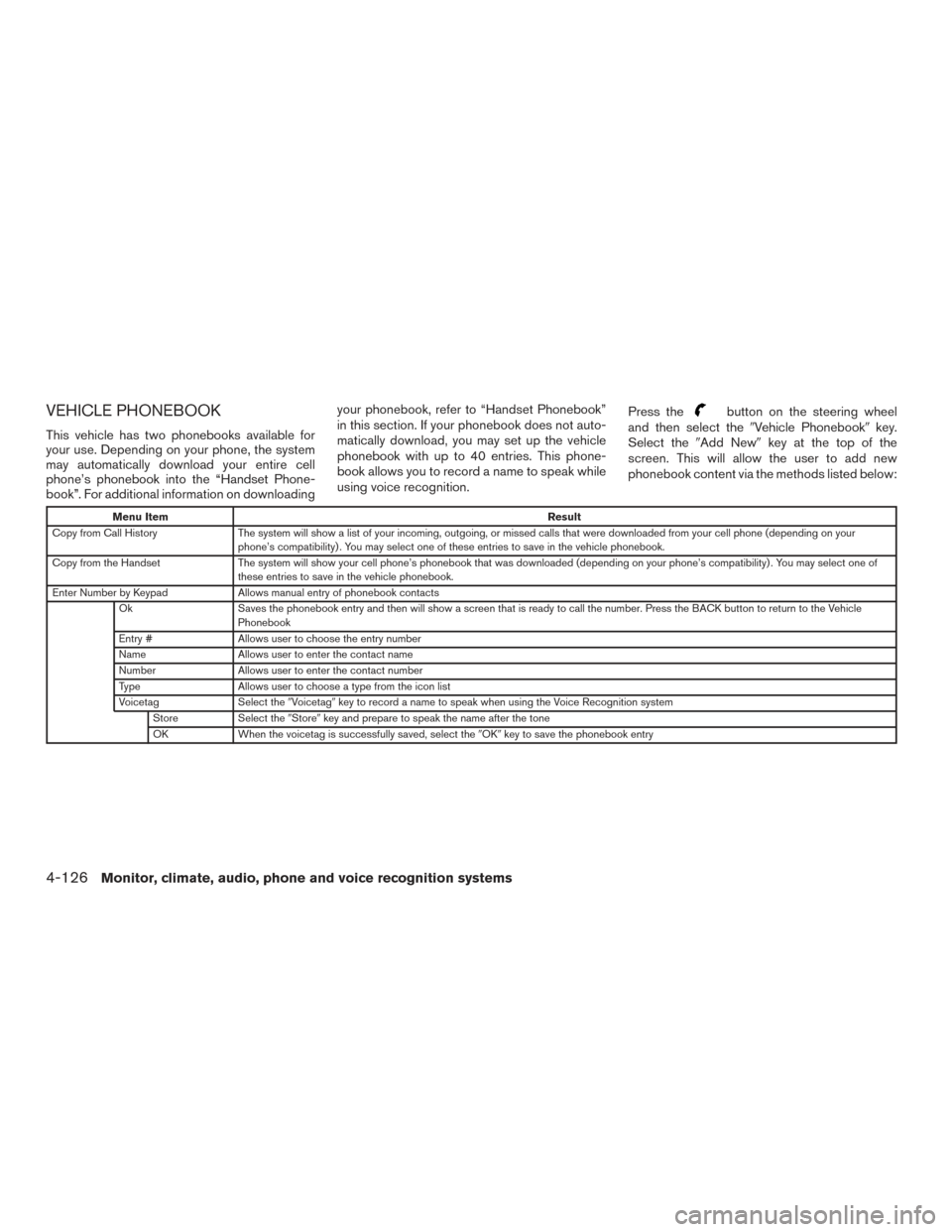
VEHICLE PHONEBOOK
This vehicle has two phonebooks available for
your use. Depending on your phone, the system
may automatically download your entire cell
phone’s phonebook into the “Handset Phone-
book”. For additional information on downloadingyour phonebook, refer to “Handset Phonebook”
in this section. If your phonebook does not auto-
matically download, you may set up the vehicle
phonebook with up to 40 entries. This phone-
book allows you to record a name to speak while
using voice recognition.
Press the
button on the steering wheel
and then select the �Vehicle Phonebook� key.
Select the �Add New� key at the top of the
screen. This will allow the user to add new
phonebook content via the methods listed below:
Menu Item Result
Copy from Call History The system will show a list of your incoming, outgoing, or missed calls that were downloaded from your cell phone (depending on your
phone’s compatibility) . You may select one of these entries to save in the vehicle phonebook.
Copy from the Handset The system will show your cell phone’s phonebook that was downloaded (depending on your phone’s compatibility) . You may select one of
these entries to save in the vehicle phonebook.
Enter Number by Keypad Allows manual entry of phonebook contacts
Ok Saves the phonebook entry and then will show a screen that is ready to call the number. Press the BACK button to return to the Vehicle
Phonebook
Entry # Allows user to choose the entry number
Name Allows user to enter the contact name
Number Allows user to enter the contact number
Type Allows user to choose a type from the icon list
Voicetag Select the�Voicetag� key to record a name to speak when using the Voice Recognition system
Store Select the�Store�key and prepare to speak the name after the tone
OK When the voicetag is successfully saved, select the �OK�key to save the phonebook entry
4-126Monitor, climate, audio, phone and voice recognition systems
Page 328 of 510
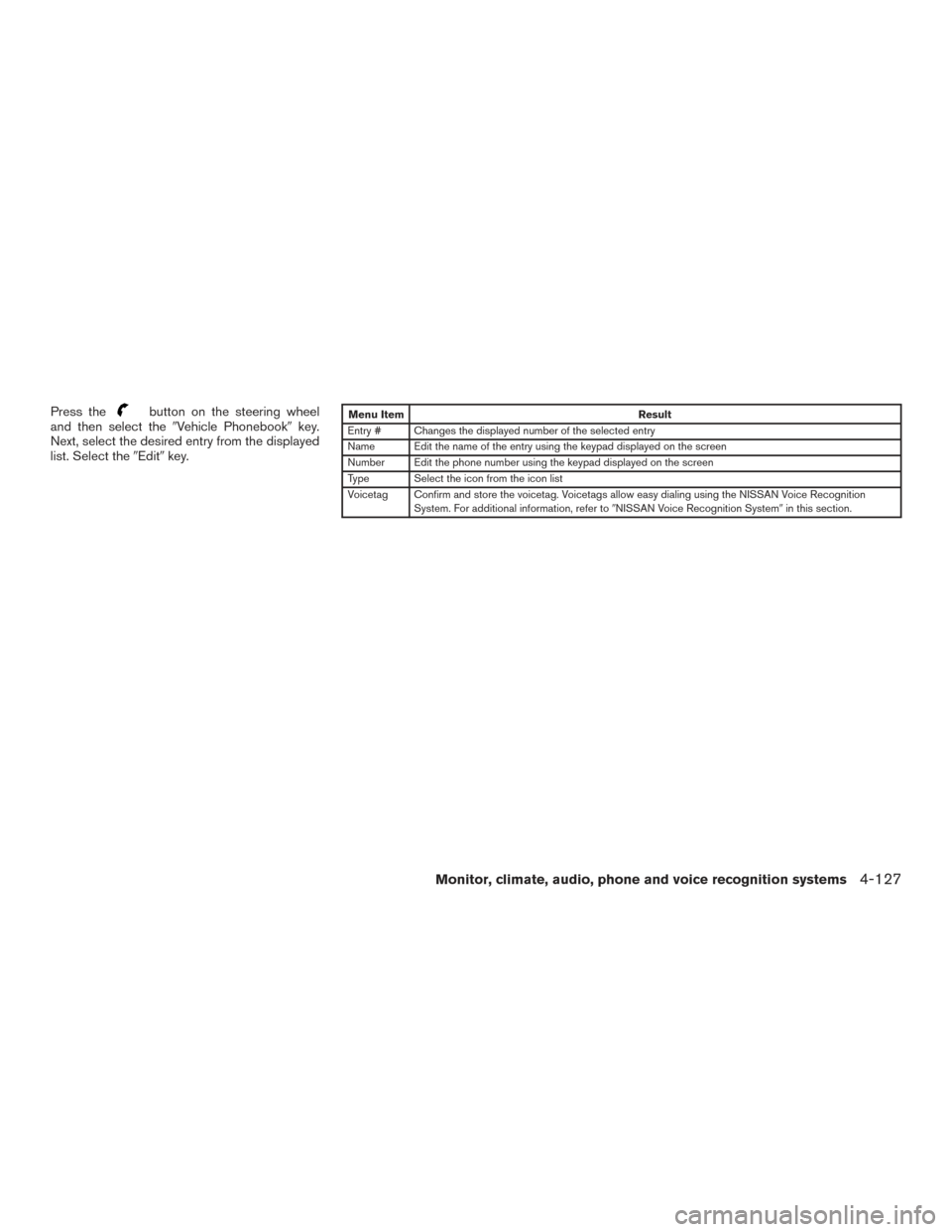
Press thebutton on the steering wheel
and then select the �Vehicle Phonebook� key.
Next, select the desired entry from the displayed
list. Select the �Edit�key.Menu Item Result
Entry # Changes the displayed number of the selected entry
Name Edit the name of the entry using the keypad displayed on the screen
Number Edit the phone number using the keypad displayed on the screen
Type Select the icon from the icon list
Voicetag Confirm and store the voicetag. Voicetags allow easy dialing using the NISSAN Voice Recognition System. For additional information, refer to �NISSAN Voice Recognition System�in this section.
Monitor, climate, audio, phone and voice recognition systems4-127
Page 329 of 510
HANDSET PHONEBOOK
Many phones will support an automatic down-
load of the cellular phone’s phonebook. Up to
1,000 numbers can be stored.
Transferring the handset memory
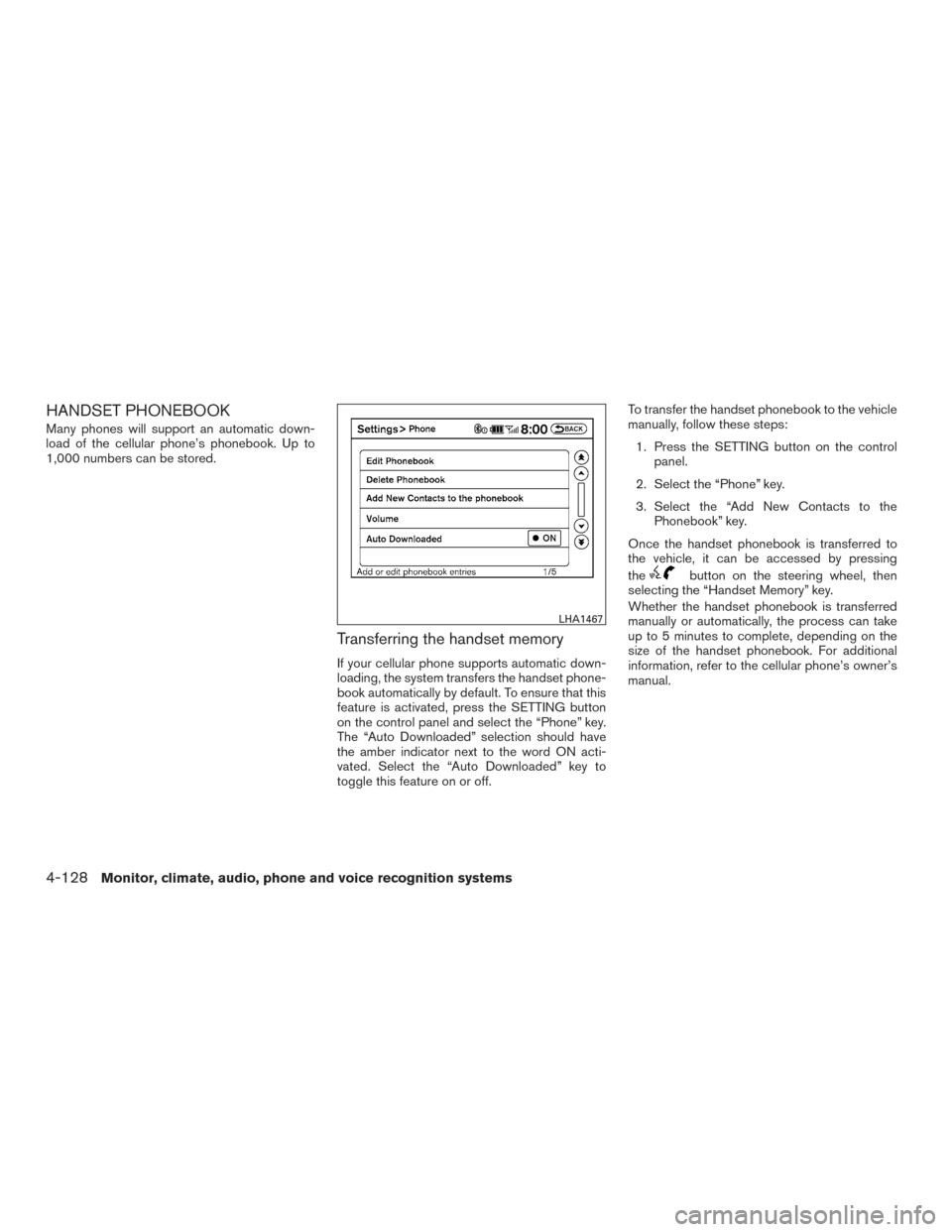
If your cellular phone supports automatic down-
loading, the system transfers the handset phone-
book automatically by default. To ensure that this
feature is activated, press the SETTING button
on the control panel and select the “Phone” key.
The “Auto Downloaded” selection should have
the amber indicator next to the word ON acti-
vated. Select the “Auto Downloaded” key to
toggle this feature on or off.To transfer the handset phonebook to the vehicle
manually, follow these steps:
1. Press the SETTING button on the control panel.
2. Select the “Phone” key.
3. Select the “Add New Contacts to the Phonebook” key.
Once the handset phonebook is transferred to
the vehicle, it can be accessed by pressing
the
button on the steering wheel, then
selecting the “Handset Memory” key.
Whether the handset phonebook is transferred
manually or automatically, the process can take
up to 5 minutes to complete, depending on the
size of the handset phonebook. For additional
information, refer to the cellular phone’s owner’s
manual.
LHA1467
4-128Monitor, climate, audio, phone and voice recognition systems
Page 330 of 510
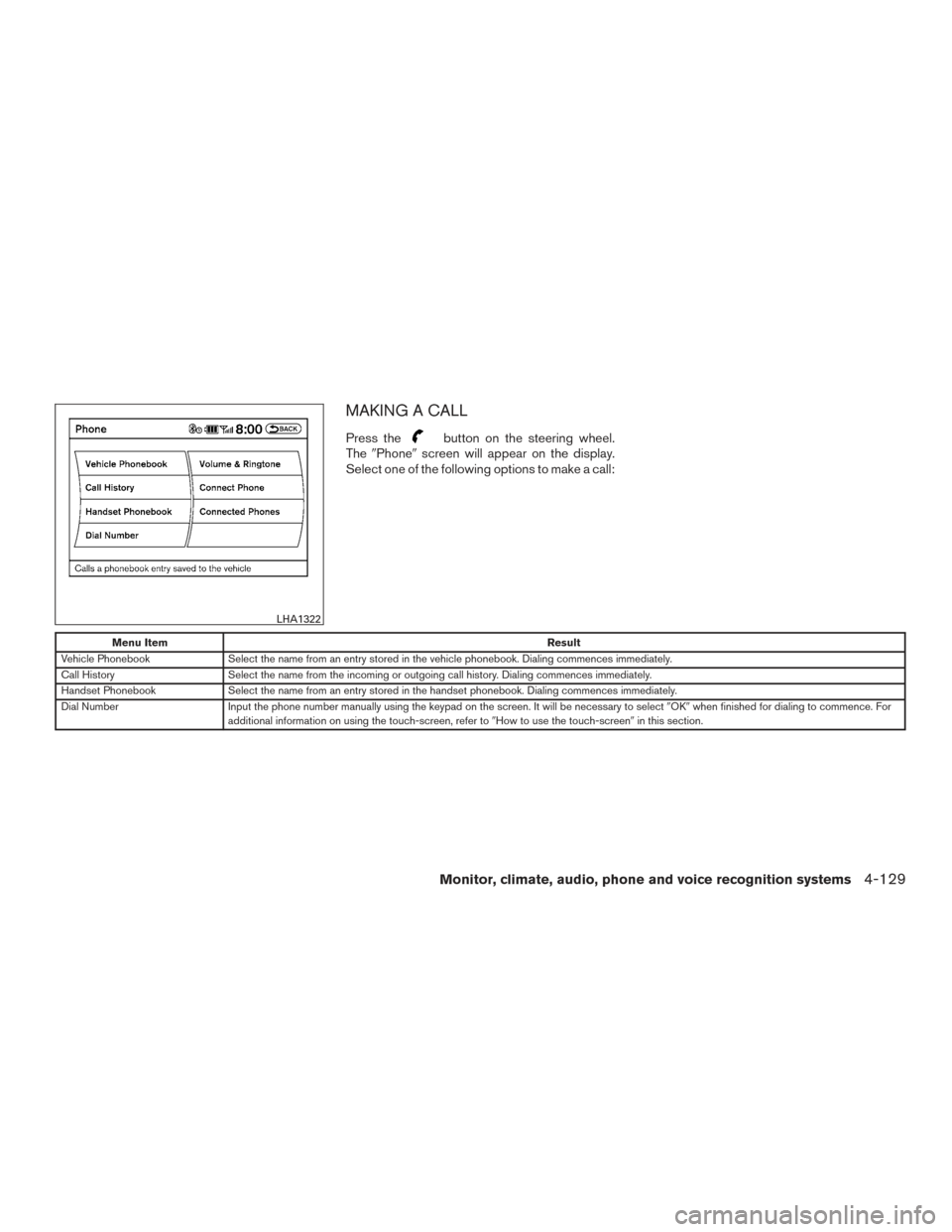
MAKING A CALL
Press thebutton on the steering wheel.
The �Phone� screen will appear on the display.
Select one of the following options to make a call:
Menu Item Result
Vehicle Phonebook Select the name from an entry stored in the vehicle phonebook. Dialing commences immediately.
Call History Select the name from the incoming or outgoing call history. Dialing commences immediately.
Handset Phonebook Select the name from an entry stored in the handset phonebook. Dialing commences immediately.
Dial Number Input the phone number manually using the keypad on the screen. It will be necessary to select �OK�when finished for dialing to commence. For
additional information on using the touch-screen, refer to �How to use the touch-screen�in this section.
LHA1322
Monitor, climate, audio, phone and voice recognition systems4-129
Page 331 of 510
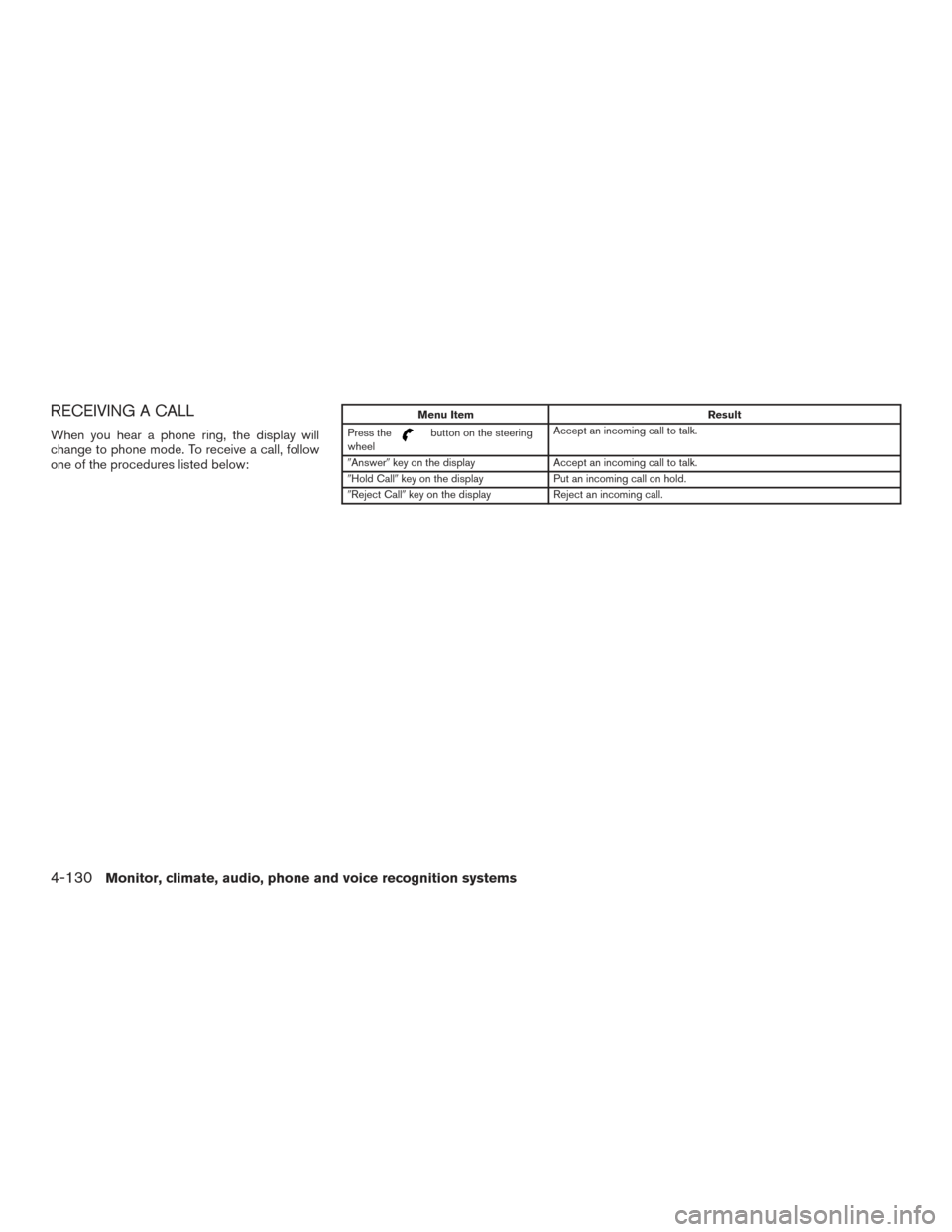
RECEIVING A CALL
When you hear a phone ring, the display will
change to phone mode. To receive a call, follow
one of the procedures listed below:
Menu ItemResult
Press the
button on the steering
wheel Accept an incoming call to talk.
�Answer� key on the display Accept an incoming call to talk.
�Hold Call� key on the display Put an incoming call on hold.
�Reject Call� key on the display Reject an incoming call.
4-130Monitor, climate, audio, phone and voice recognition systems
Page 335 of 510
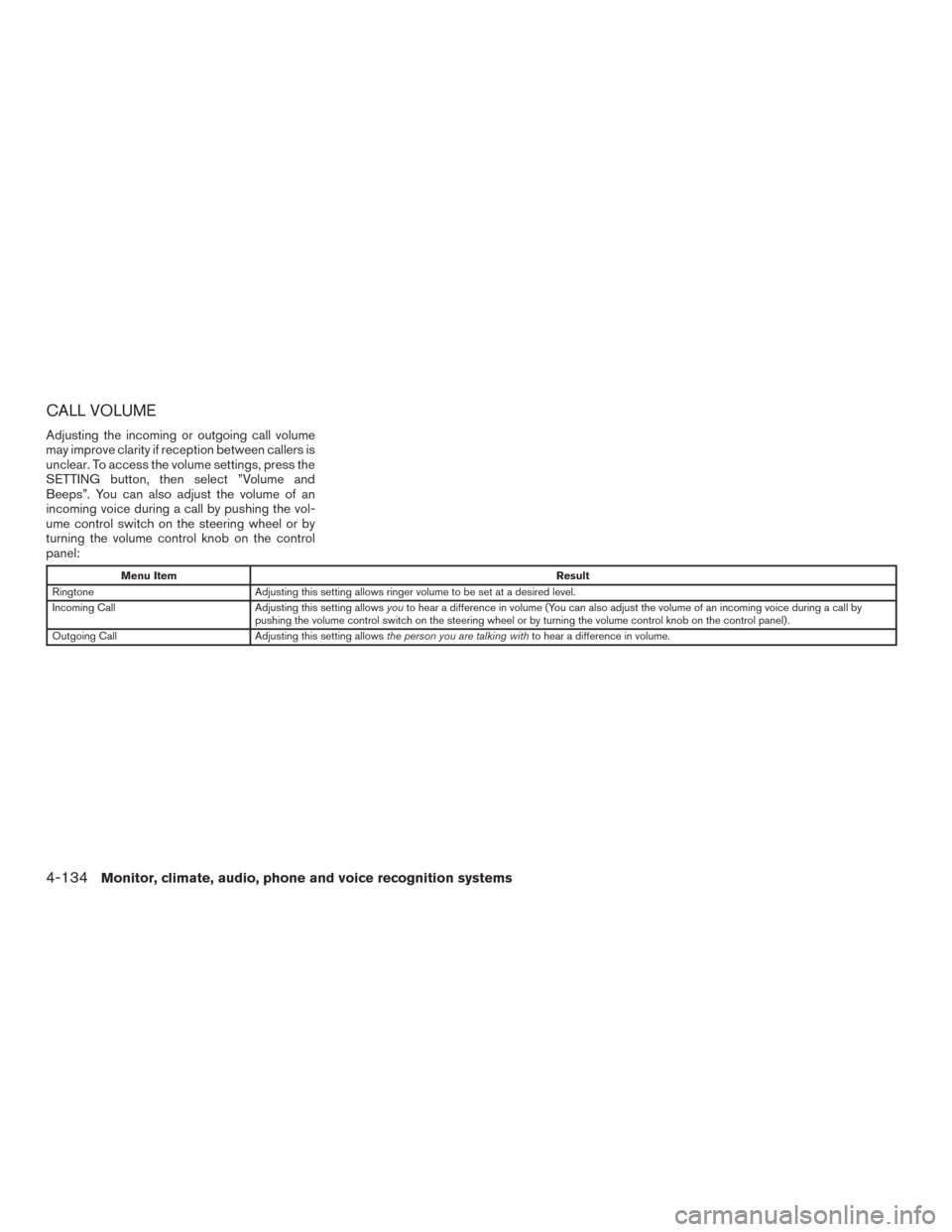
CALL VOLUME
Adjusting the incoming or outgoing call volume
may improve clarity if reception between callers is
unclear. To access the volume settings, press the
SETTING button, then select ”Volume and
Beeps”. You can also adjust the volume of an
incoming voice during a call by pushing the vol-
ume control switch on the steering wheel or by
turning the volume control knob on the control
panel:
Menu ItemResult
Ringtone Adjusting this setting allows ringer volume to be set at a desired level.
Incoming Call Adjusting this setting allowsyouto hear a difference in volume (You can also adjust the volume of an incoming voice during a call by
pushing the volume control switch on the steering wheel or by turning the volume control knob on the control panel) .
Outgoing Call Adjusting this setting allowsthe person you are talking with to hear a difference in volume.
4-134Monitor, climate, audio, phone and voice recognition systems