2015 NISSAN ARMADA maintenance
[x] Cancel search: maintenancePage 110 of 510
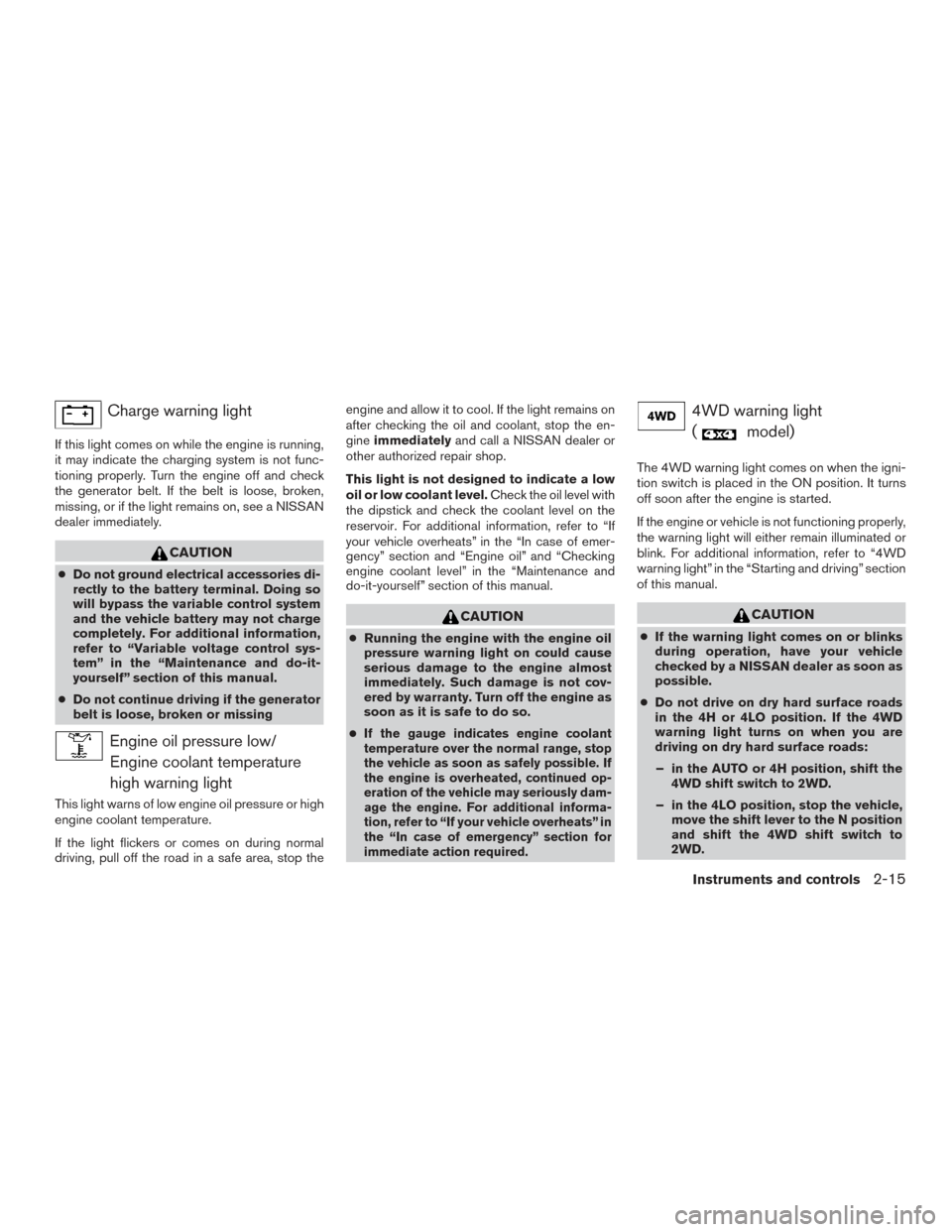
Charge warning light
If this light comes on while the engine is running,
it may indicate the charging system is not func-
tioning properly. Turn the engine off and check
the generator belt. If the belt is loose, broken,
missing, or if the light remains on, see a NISSAN
dealer immediately.
CAUTION
●Do not ground electrical accessories di-
rectly to the battery terminal. Doing so
will bypass the variable control system
and the vehicle battery may not charge
completely. For additional information,
refer to “Variable voltage control sys-
tem” in the “Maintenance and do-it-
yourself” section of this manual.
● Do not continue driving if the generator
belt is loose, broken or missing
Engine oil pressure low/
Engine coolant temperature
high warning light
This light warns of low engine oil pressure or high
engine coolant temperature.
If the light flickers or comes on during normal
driving, pull off the road in a safe area, stop the engine and allow it to cool. If the light remains on
after checking the oil and coolant, stop the en-
gine
immediately and call a NISSAN dealer or
other authorized repair shop.
This light is not designed to indicate a low
oil or low coolant level. Check the oil level with
the dipstick and check the coolant level on the
reservoir. For additional information, refer to “If
your vehicle overheats” in the “In case of emer-
gency” section and “Engine oil” and “Checking
engine coolant level” in the “Maintenance and
do-it-yourself” section of this manual.
CAUTION
● Running the engine with the engine oil
pressure warning light on could cause
serious damage to the engine almost
immediately. Such damage is not cov-
ered by warranty. Turn off the engine as
soon as it is safe to do so.
●
If the gauge indicates engine coolant
temperature over the normal range, stop
the vehicle as soon as safely possible. If
the engine is overheated, continued op-
eration of the vehicle may seriously dam-
age the engine. For additional informa-
tion, refer to “If your vehicle overheats” in
the “In case of emergency” section for
immediate action required.
4WD warning light
(
model)
The 4WD warning light comes on when the igni-
tion switch is placed in the ON position. It turns
off soon after the engine is started.
If the engine or vehicle is not functioning properly,
the warning light will either remain illuminated or
blink. For additional information, refer to “4WD
warning light” in the “Starting and driving” section
of this manual.
CAUTION
● If the warning light comes on or blinks
during operation, have your vehicle
checked by a NISSAN dealer as soon as
possible.
● Do not drive on dry hard surface roads
in the 4H or 4LO position. If the 4WD
warning light turns on when you are
driving on dry hard surface roads:
– in the AUTO or 4H position, shift the 4WD shift switch to 2WD.
– in the 4LO position, stop the vehicle, move the shift lever to the N position
and shift the 4WD shift switch to
2WD.
Instruments and controls2-15
Page 114 of 510
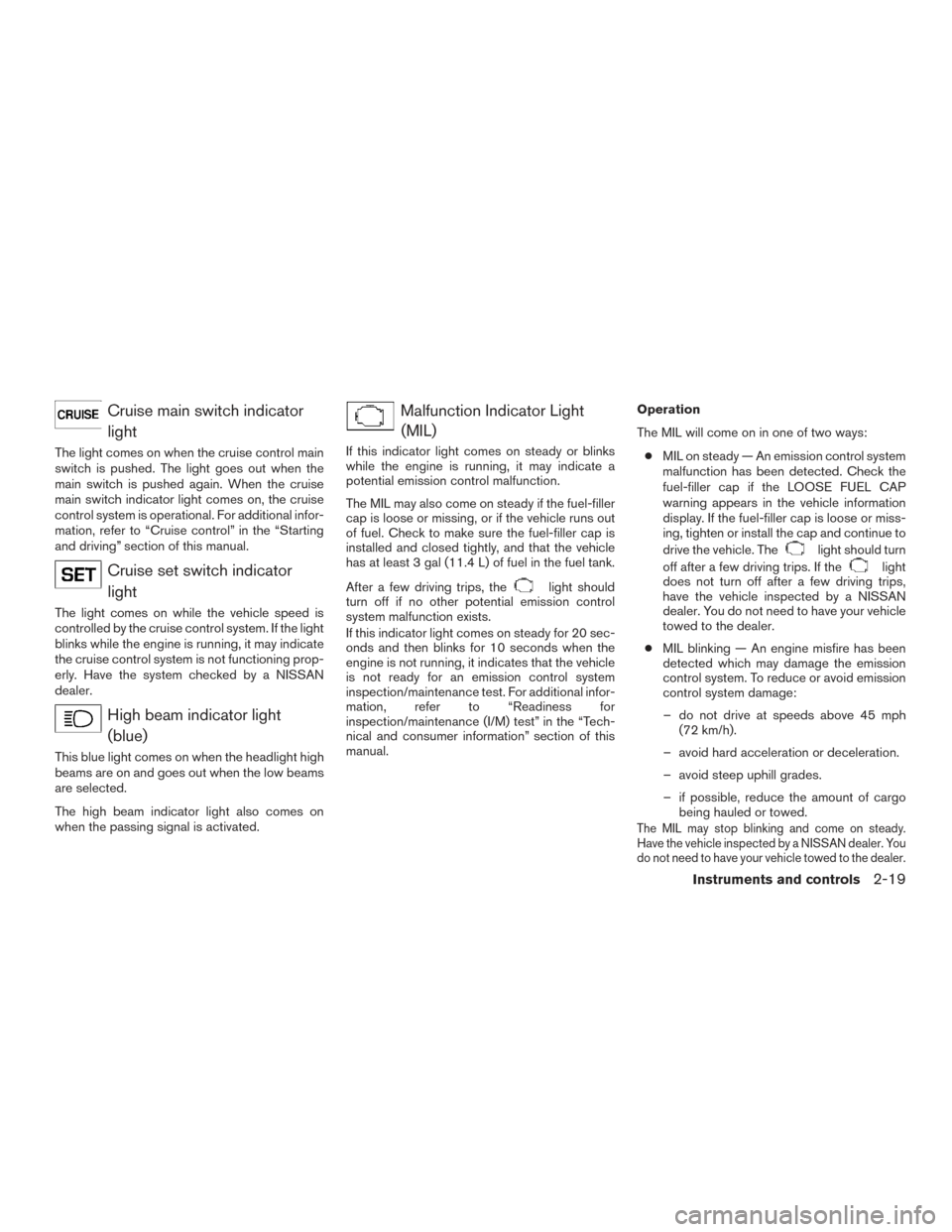
Cruise main switch indicatorlight
The light comes on when the cruise control main
switch is pushed. The light goes out when the
main switch is pushed again. When the cruise
main switch indicator light comes on, the cruise
control system is operational. For additional infor-
mation, refer to “Cruise control” in the “Starting
and driving” section of this manual.
Cruise set switch indicatorlight
The light comes on while the vehicle speed is
controlled by the cruise control system. If the light
blinks while the engine is running, it may indicate
the cruise control system is not functioning prop-
erly. Have the system checked by a NISSAN
dealer.
High beam indicator light(blue)
This blue light comes on when the headlight high
beams are on and goes out when the low beams
are selected.
The high beam indicator light also comes on
when the passing signal is activated.
Malfunction Indicator Light(MIL)
If this indicator light comes on steady or blinks
while the engine is running, it may indicate a
potential emission control malfunction.
The MIL may also come on steady if the fuel-filler
cap is loose or missing, or if the vehicle runs out
of fuel. Check to make sure the fuel-filler cap is
installed and closed tightly, and that the vehicle
has at least 3 gal (11.4 L) of fuel in the fuel tank.
After a few driving trips, the
light should
turn off if no other potential emission control
system malfunction exists.
If this indicator light comes on steady for 20 sec-
onds and then blinks for 10 seconds when the
engine is not running, it indicates that the vehicle
is not ready for an emission control system
inspection/maintenance test. For additional infor-
mation, refer to “Readiness for
inspection/maintenance (I/M) test” in the “Tech-
nical and consumer information” section of this
manual. Operation
The MIL will come on in one of two ways:
● MIL on steady — An emission control system
malfunction has been detected. Check the
fuel-filler cap if the LOOSE FUEL CAP
warning appears in the vehicle information
display. If the fuel-filler cap is loose or miss-
ing, tighten or install the cap and continue to
drive the vehicle. The
light should turn
off after a few driving trips. If the
light
does not turn off after a few driving trips,
have the vehicle inspected by a NISSAN
dealer. You do not need to have your vehicle
towed to the dealer.
● MIL blinking — An engine misfire has been
detected which may damage the emission
control system. To reduce or avoid emission
control system damage:
– do not drive at speeds above 45 mph (72 km/h).
– avoid hard acceleration or deceleration.
– avoid steep uphill grades.
– if possible, reduce the amount of cargo being hauled or towed.
The MIL may stop blinking and come on steady.
Have the vehicle inspected by a NISSAN dealer. You
do not need to have your vehicle towed to the dealer.
Instruments and controls2-19
Page 119 of 510
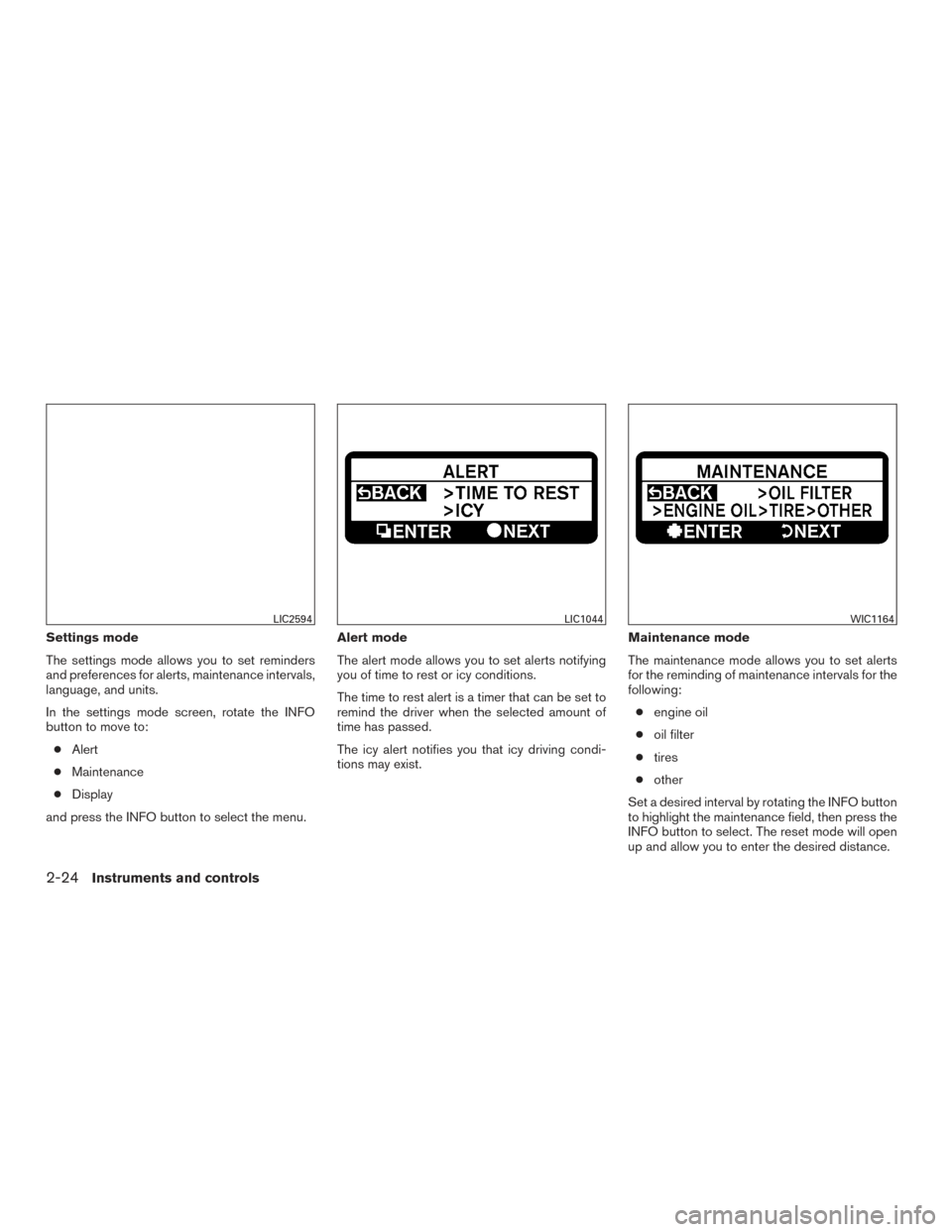
Settings mode
The settings mode allows you to set reminders
and preferences for alerts, maintenance intervals,
language, and units.
In the settings mode screen, rotate the INFO
button to move to:● Alert
● Maintenance
● Display
and press the INFO button to select the menu. Alert mode
The alert mode allows you to set alerts notifying
you of time to rest or icy conditions.
The time to rest alert is a timer that can be set to
remind the driver when the selected amount of
time has passed.
The icy alert notifies you that icy driving condi-
tions may exist.
Maintenance mode
The maintenance mode allows you to set alerts
for the reminding of maintenance intervals for the
following:
● engine oil
● oil filter
● tires
● other
Set a desired interval by rotating the INFO button
to highlight the maintenance field, then press the
INFO button to select. The reset mode will open
up and allow you to enter the desired distance.
LIC2594LIC1044WIC1164
2-24Instruments and controls
Page 122 of 510
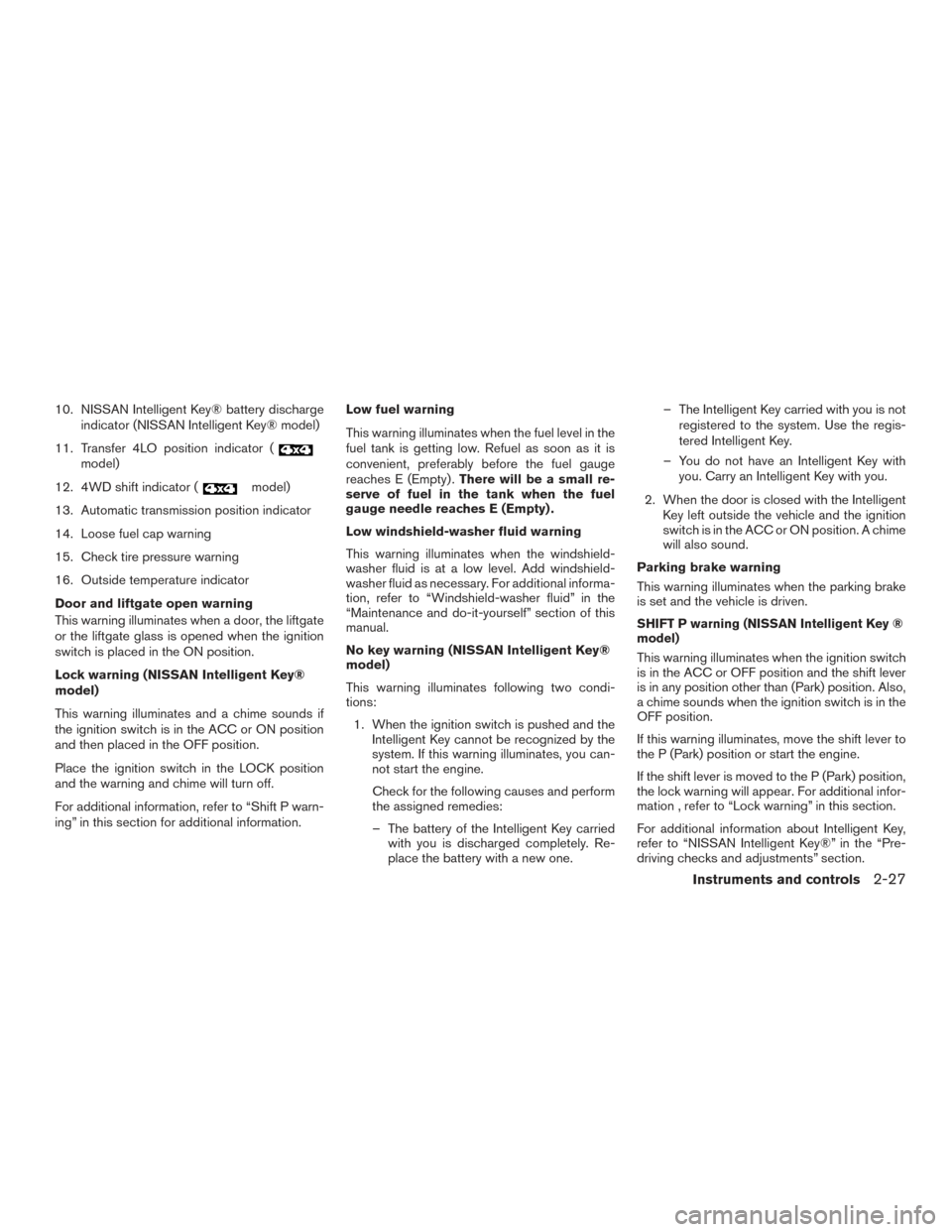
10. NISSAN Intelligent Key® battery dischargeindicator (NISSAN Intelligent Key® model)
11. Transfer 4LO position indicator (
model)
12. 4WD shift indicator (
model)
13. Automatic transmission position indicator
14. Loose fuel cap warning
15. Check tire pressure warning
16. Outside temperature indicator
Door and liftgate open warning
This warning illuminates when a door, the liftgate
or the liftgate glass is opened when the ignition
switch is placed in the ON position.
Lock warning (NISSAN Intelligent Key®
model)
This warning illuminates and a chime sounds if
the ignition switch is in the ACC or ON position
and then placed in the OFF position.
Place the ignition switch in the LOCK position
and the warning and chime will turn off.
For additional information, refer to “Shift P warn-
ing” in this section for additional information. Low fuel warning
This warning illuminates when the fuel level in the
fuel tank is getting low. Refuel as soon as it is
convenient, preferably before the fuel gauge
reaches E (Empty) .
There will be a small re-
serve of fuel in the tank when the fuel
gauge needle reaches E (Empty) .
Low windshield-washer fluid warning
This warning illuminates when the windshield-
washer fluid is at a low level. Add windshield-
washer fluid as necessary. For additional informa-
tion, refer to “Windshield-washer fluid” in the
“Maintenance and do-it-yourself” section of this
manual.
No key warning (NISSAN Intelligent Key®
model)
This warning illuminates following two condi-
tions:
1. When the ignition switch is pushed and the Intelligent Key cannot be recognized by the
system. If this warning illuminates, you can-
not start the engine.
Check for the following causes and perform
the assigned remedies:
– The battery of the Intelligent Key carried with you is discharged completely. Re-
place the battery with a new one. – The Intelligent Key carried with you is not
registered to the system. Use the regis-
tered Intelligent Key.
– You do not have an Intelligent Key with you. Carry an Intelligent Key with you.
2. When the door is closed with the Intelligent Key left outside the vehicle and the ignition
switch is in the ACC or ON position. A chime
will also sound.
Parking brake warning
This warning illuminates when the parking brake
is set and the vehicle is driven.
SHIFT P warning (NISSAN Intelligent Key ®
model)
This warning illuminates when the ignition switch
is in the ACC or OFF position and the shift lever
is in any position other than (Park) position. Also,
a chime sounds when the ignition switch is in the
OFF position.
If this warning illuminates, move the shift lever to
the P (Park) position or start the engine.
If the shift lever is moved to the P (Park) position,
the lock warning will appear. For additional infor-
mation , refer to “Lock warning” in this section.
For additional information about Intelligent Key,
refer to “NISSAN Intelligent Key®” in the “Pre-
driving checks and adjustments” section.
Instruments and controls2-27
Page 123 of 510
Cruise main switch indicator
This indicator illuminates when the cruise control
main switch is pushed. The indicator turns off
when the main switch is pushed again. When the
cruise main switch indicator illuminates, the
cruise control system is operational.
Cruise set switch indicator light
The light comes on while the vehicle speed is
controlled by the cruise control system. If the light
blinks while the engine is running, it may indicate
the cruise control system is not functioning prop-
erly. Have the system checked by a NISSAN
dealer.
NISSAN Intelligent Key® battery dis-
charge indicator (NISSAN Intelligent Key®
model)
This indicator illuminates when the Intelligent Key
battery is running out of power.
If this indicator illuminates, replace the battery
with a new one. For additional information, refer
to “Battery replacement” in the “Maintenance and
do-it-yourself” section of this manual.
Transfer 4LO position indicator (
model)
This indicator illuminates when the 4WD shift
switch is set in the 4LO position with the ignition
switch placed in the ON position.If the 4WD shift switch is set in the 4LO position
and the indicator blinks, stop the vehicle, drive
slowly forward and the indicator will turn on.
When you shift between 4H and 4LO, stop the
vehicle, move the shift lever to the N (Neutral)
position, then depress and turn the 4WD shift
switch to 4LO or 4H.
The transfer case may be damaged if you shift the
switch while driving.
You cannot move the transfer 4WD shift switch
between 4H and 4LO unless you have first
stopped the vehicle and moved the shift lever to
N (Neutral) . Make sure the transfer 4LO position
indicator illuminates when you shift the 4WD shift
switch to 4LO.
The indicator may blink while shifting from
one drive mode to the other.
4WD shift indicator (
model)
While the engine is running, the 4WD shift indi-
cator will illuminate the position selected by the
4WD shift switch.
The 4WD shift indicator may blink while
shifting from one drive mode to the other.
Automatic transmission position indicator
When the ignition switch is placed in the ON
position, this indicator shows the shift lever posi- tion. For additional information, refer to “Driving
the vehicle” in the “Starting and driving” section
of this manual.
Loose fuel cap warning
This warning appears when the fuel-filler cap is
not tightened correctly after the vehicle is refu-
eled. For additional information, refer to “Fuel-
filler cap” in the “Pre-driving checks and adjust-
ments” section of this manual.
Check tire pressure warning
This warning appears when the low tire pressure
warning light in the meter illuminates and low tire
pressure is detected. If this warning appears,
stop the vehicle and adjust the tire pressure to
the recommended COLD tire pressure shown on
the Tire and Loading Information label. For addi-
tional information, refer to “Low tire pressure
warning light” in this section and “Tire Pressure
Monitoring System (TPMS)” in the “Starting and
driving” section.
Outside temperature indicator
This displays the temperature reading outside the
vehicle at the present time.
2-28Instruments and controls
Page 175 of 510
WARNING
●Radio waves could adversely affect
electric medical equipment. Those who
use a pacemaker should contact the
electric medical equipment manufac-
turer for the possible influences before
use.
● The Intelligent Key transmits radio
waves when the buttons are pressed.
The FAA advises the radio waves may
affect aircraft navigation and communi-
cation systems. Do not operate the In-
telligent Key while on an airplane. Make
sure the buttons are not operated unin-
tentionally when the unit is stored for a
flight.
The Intelligent Key can operate all the door locks
using the remote control function or pushing the
request switch on the vehicle without taking the
key out from a pocket or purse. The operating
environment and/or conditions may affect the
Intelligent Key operation.
Be sure to read the following before using the
Intelligent Key.
CAUTION
● Be sure to carry the Intelligent Key with
you when operating the vehicle.
● Never leave the Intelligent Key in the
vehicle when you leave the vehicle.
The Intelligent Key is always communicating with
the vehicle as it receives radio waves. The Intel-
ligent Key transmits weak radio waves. Environ-
mental conditions may interfere with the opera-
tion of the Intelligent Key under the following
operating conditions. ●
When operating near a location where strong
radio waves are transmitted, such as a TV
tower, power station and broadcasting station.
● When in possession of wireless equipment,
such as a cellular telephone, transceiver,
and CB radio.
● When the Intelligent Key is in contact with or
covered by metallic materials.
● When any type of radio wave remote control
is used nearby.
● When the Intelligent Key is placed near an
electric appliance such as a personal com-
puter.
● When the vehicle is parked near a parking
meter. In such cases, correct the operating conditions
before using the Intelligent Key function or use
the mechanical key.
Although the life of the battery varies depending
on the operating conditions, the battery’s life is
approximately two years. If the battery is dis-
charged, replace it with a new one.
When the Intelligent Key battery is low, the Intel-
ligent Key indicator will illuminate after the ignition
switch is placed in the ON position.
Since the Intelligent Key is continuously receiving
radio waves, if the key is left near equipment
which transmits strong radio waves, such as sig-
nals from a TV and personal computer, the bat-
tery life may become shorter.
For additional information regarding replacement
of a battery, refer to “Battery replacement” in the
“Maintenance and do-it-yourself” section of this
manual.
For models with a steering wheel lock mecha-
nism: Because the steering wheel is locked elec-
trically, unlocking the steering wheel with the
ignition switch in the LOCK position is impossible
when the vehicle battery is completely dis-
charged. Unlocking the steering wheel is impos-
sible even if the Intelligent Key is inserted into the
ignition switch. Pay special attention that the
vehicle battery is not completely discharged.
NISSAN INTELLIGENT KEY® (if so
equipped)
3-12Pre-driving checks and adjustments
Page 207 of 510
HOW TO SELECT MENUS ON THE
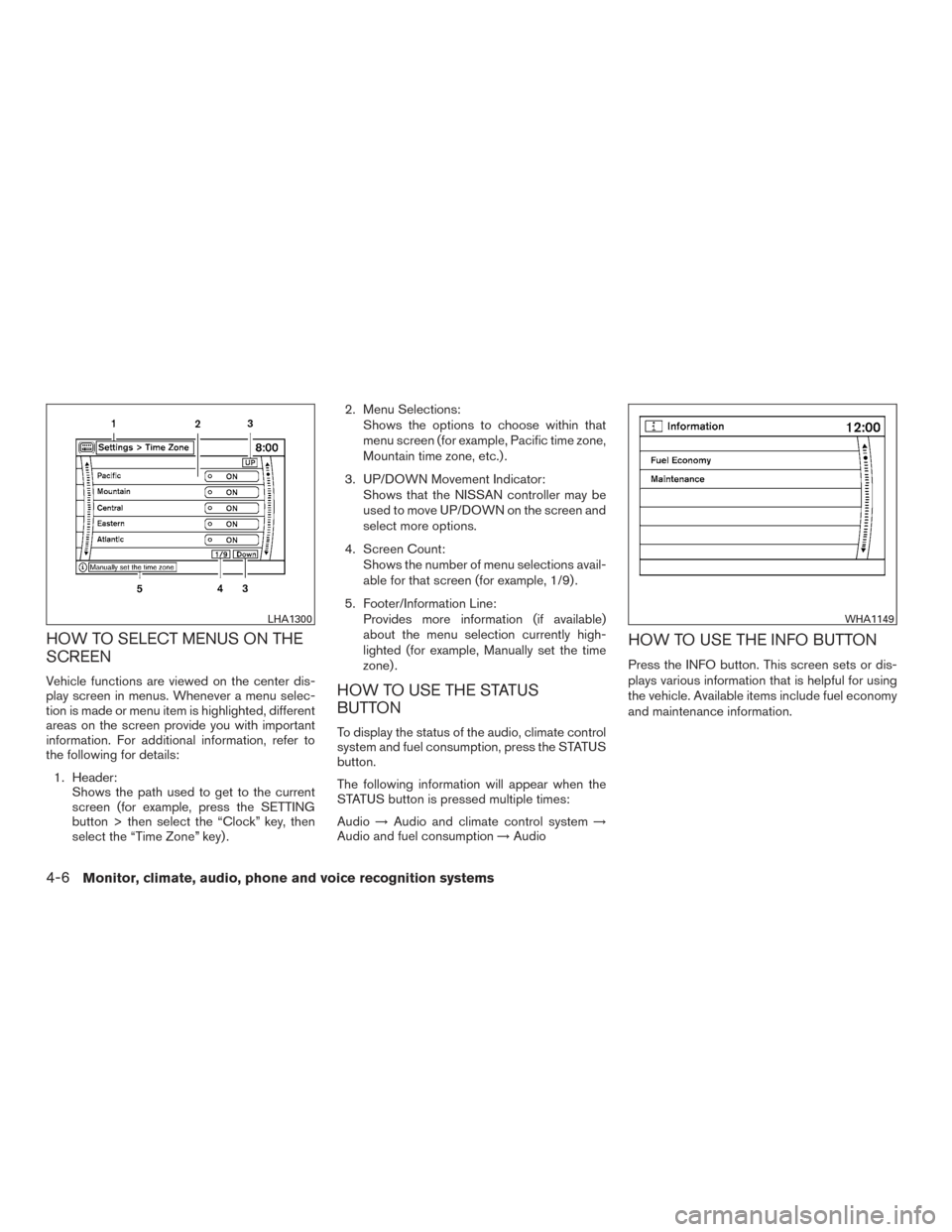
SCREEN
Vehicle functions are viewed on the center dis-
play screen in menus. Whenever a menu selec-
tion is made or menu item is highlighted, different
areas on the screen provide you with important
information. For additional information, refer to
the following for details:1. Header: Shows the path used to get to the current
screen (for example, press the SETTING
button > then select the “Clock” key, then
select the “Time Zone” key) . 2. Menu Selections:
Shows the options to choose within that
menu screen (for example, Pacific time zone,
Mountain time zone, etc.) .
3. UP/DOWN Movement Indicator: Shows that the NISSAN controller may be
used to move UP/DOWN on the screen and
select more options.
4. Screen Count: Shows the number of menu selections avail-
able for that screen (for example, 1/9) .
5. Footer/Information Line: Provides more information (if available)
about the menu selection currently high-
lighted (for example, Manually set the time
zone) .HOW TO USE THE STATUS
BUTTON
To display the status of the audio, climate control
system and fuel consumption, press the STATUS
button.
The following information will appear when the
STATUS button is pressed multiple times:
Audio →Audio and climate control system →
Audio and fuel consumption →Audio
HOW TO USE THE INFO BUTTON
Press the INFO button. This screen sets or dis-
plays various information that is helpful for using
the vehicle. Available items include fuel economy
and maintenance information.
LHA1300WHA1149
4-6Monitor, climate, audio, phone and voice recognition systems
Page 208 of 510
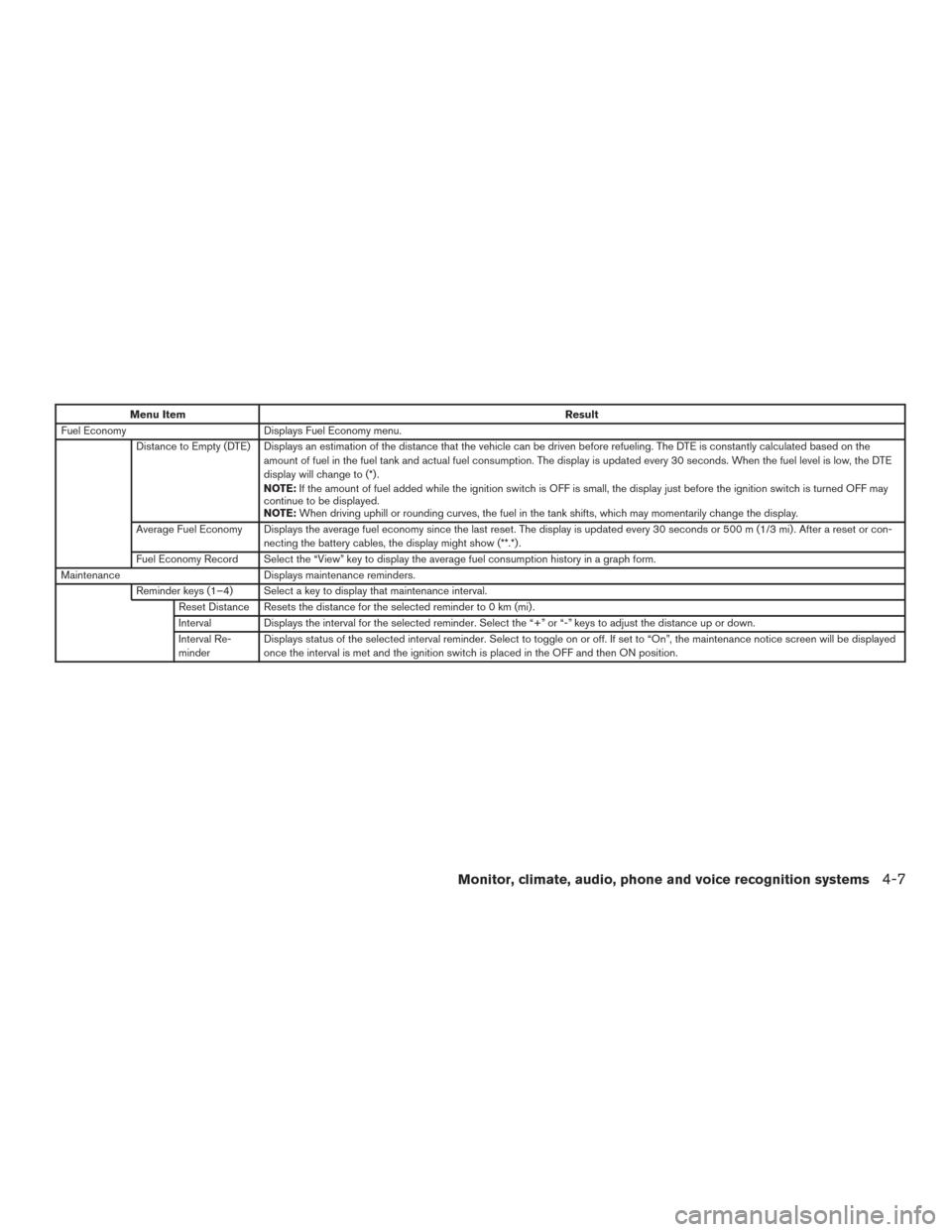
Menu ItemResult
Fuel Economy Displays Fuel Economy menu.
Distance to Empty (DTE) Displays an estimation of the distance that the vehicle can be driven before refueling. The DTE is constantly calculated based on the amount of fuel in the fuel tank and actual fuel consumption. The display is updated every 30 seconds. When the fuel level is low, the DTE
display will change to (*) .
NOTE:If the amount of fuel added while the ignition switch is OFF is small, the display just before the ignition switch is turned OFF may
continue to be displayed.
NOTE: When driving uphill or rounding curves, the fuel in the tank shifts, which may momentarily change the display.
Average Fuel Economy Displays the average fuel economy since the last reset. The display is updated every 30 seconds or 500 m (1/3 mi) . After a reset or con- necting the battery cables, the display might show (**.*) .
Fuel Economy Record Select the “View” key to display the average fuel consumption history in a graph form.
Maintenance Displays maintenance reminders.
Reminder keys (1–4) Select a key to display that maintenance interval. Reset Distance Resets the distance for the selected reminder to 0 km (mi) .
Interval Displays the interval for the selected reminder. Select the “+” or “-” keys to adjust the distance up or down.
Interval Re-
minder Displays status of the selected interval reminder. Select to toggle on or off. If set to “On”, the maintenance notice screen will be displayed
once the interval is met and the ignition switch is placed in the OFF and then ON position.
Monitor, climate, audio, phone and voice recognition systems4-7