2015 NISSAN ARMADA key fob
[x] Cancel search: key fobPage 183 of 510
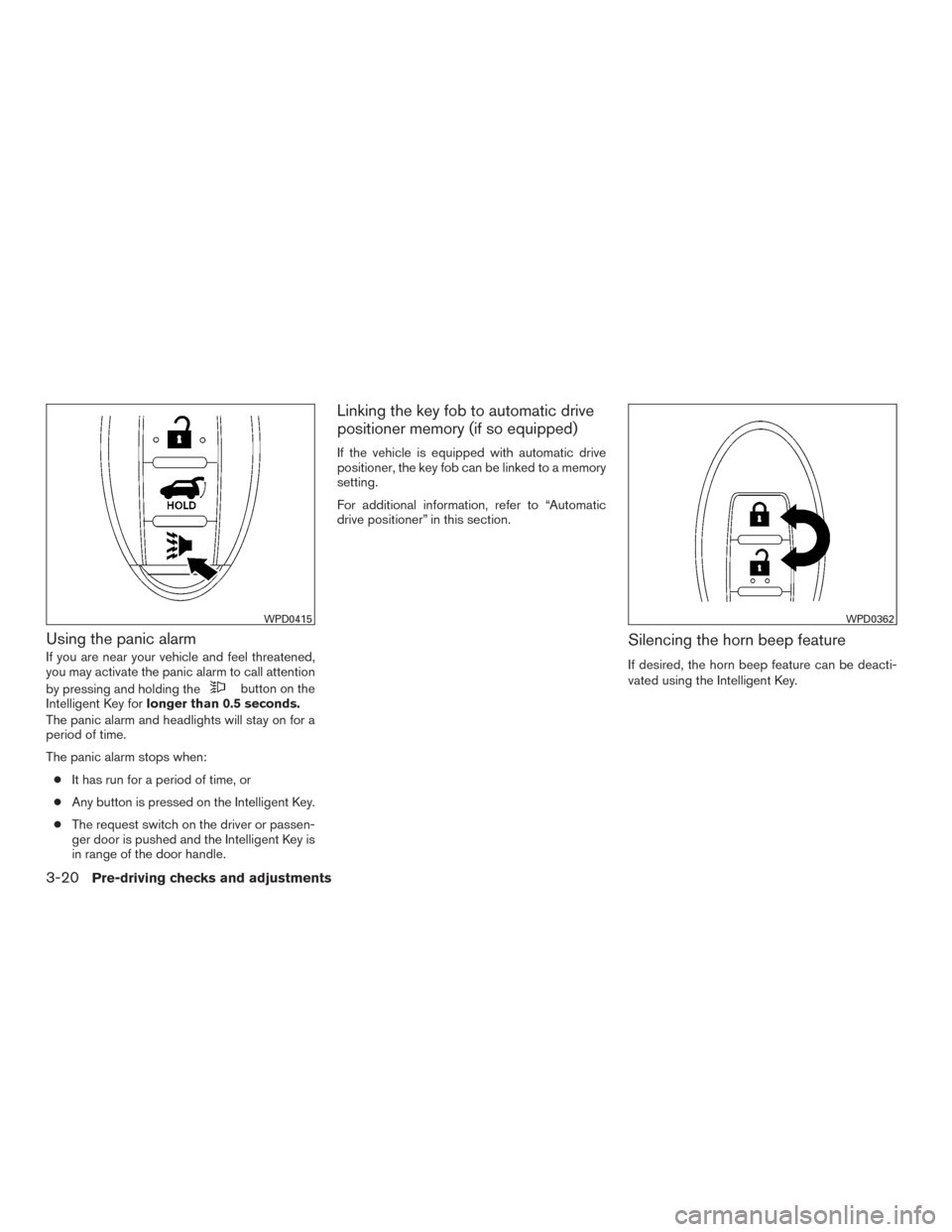
Using the panic alarm
If you are near your vehicle and feel threatened,
you may activate the panic alarm to call attention
by pressing and holding the
button on the
Intelligent Key for longer than 0.5 seconds.
The panic alarm and headlights will stay on for a
period of time.
The panic alarm stops when:
● It has run for a period of time, or
● Any button is pressed on the Intelligent Key.
● The request switch on the driver or passen-
ger door is pushed and the Intelligent Key is
in range of the door handle.
Linking the key fob to automatic drive
positioner memory (if so equipped)
If the vehicle is equipped with automatic drive
positioner, the key fob can be linked to a memory
setting.
For additional information, refer to “Automatic
drive positioner” in this section.
Silencing the horn beep feature
If desired, the horn beep feature can be deacti-
vated using the Intelligent Key.
WPD0415WPD0362
3-20Pre-driving checks and adjustments
Page 187 of 510
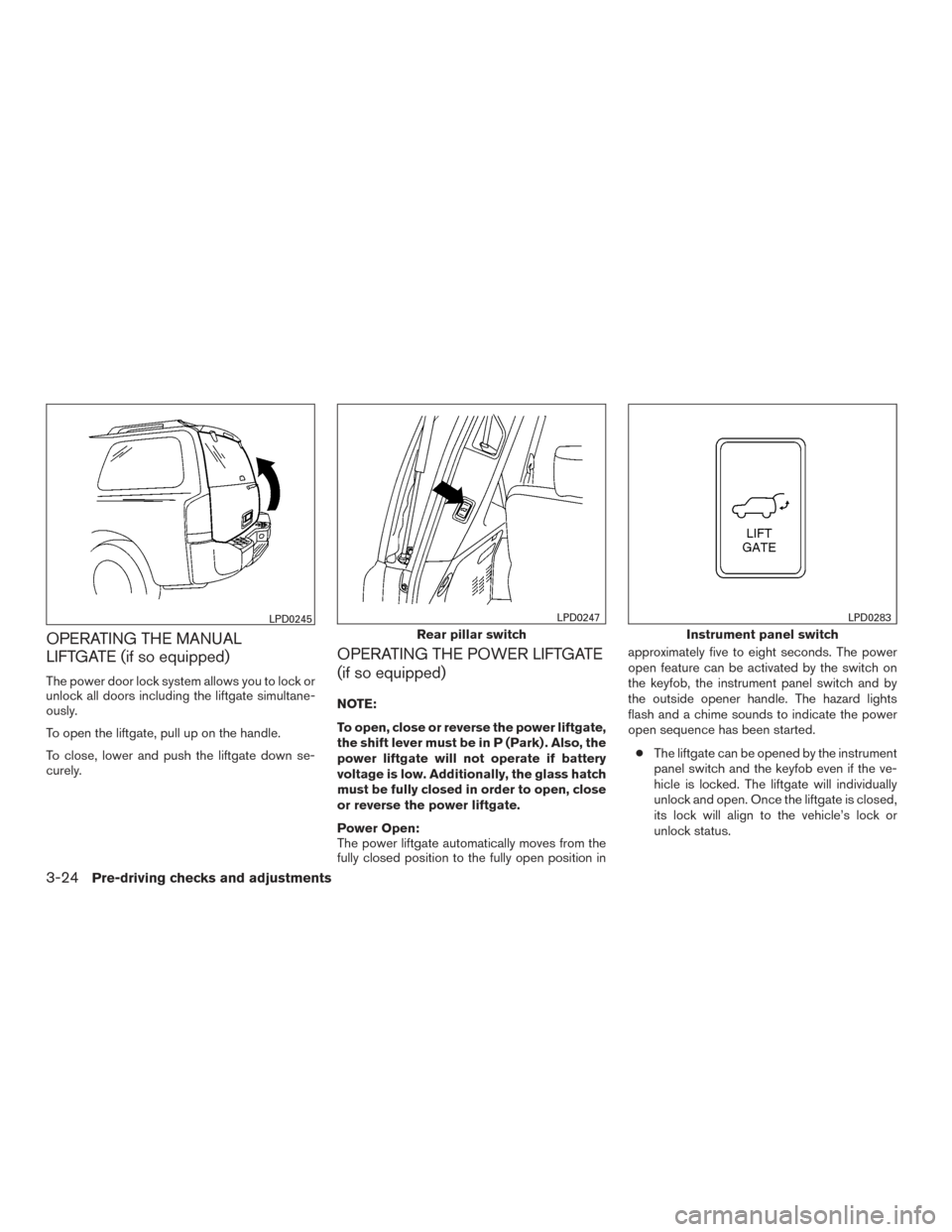
OPERATING THE MANUAL
LIFTGATE (if so equipped)
The power door lock system allows you to lock or
unlock all doors including the liftgate simultane-
ously.
To open the liftgate, pull up on the handle.
To close, lower and push the liftgate down se-
curely.
OPERATING THE POWER LIFTGATE
(if so equipped)
NOTE:
To open, close or reverse the power liftgate,
the shift lever must be in P (Park) . Also, the
power liftgate will not operate if battery
voltage is low. Additionally, the glass hatch
must be fully closed in order to open, close
or reverse the power liftgate.
Power Open:
The power liftgate automatically moves from the
fully closed position to the fully open position inapproximately five to eight seconds. The power
open feature can be activated by the switch on
the keyfob, the instrument panel switch and by
the outside opener handle. The hazard lights
flash and a chime sounds to indicate the power
open sequence has been started.
● The liftgate can be opened by the instrument
panel switch and the keyfob even if the ve-
hicle is locked. The liftgate will individually
unlock and open. Once the liftgate is closed,
its lock will align to the vehicle’s lock or
unlock status.
LPD0245
Rear pillar switch
LPD0247
Instrument panel switch
LPD0283
3-24Pre-driving checks and adjustments
Page 188 of 510
●The keyfob button must be held for 0.5 sec-
onds before the liftgate opens.
● The liftgate must be unlocked to open it with
the outside opener handle.
● The switch on the rear pillar cannot be used
to open the liftgate.
A warning chime will sound if the shift lever is
moved out of P (Park) during a power open
operation.
Power Close:
The power liftgate automatically moves from the
fully open position to the secondary position.
When the liftgate reaches the secondary posi-
tion, the cinching motor engages and pulls the
liftgate to its primary latch position. Power close
takes approximately seven to ten seconds. The
power close feature can be activated by the
switch on the keyfob, the instrument panel and
the rear pillar. The hazard lights flash and a chime
sounds to indicate the power close sequence
has been started. ● If the outside opener handle is activated
while the cinching motor is engaged, the
cinching motor will disengage and release
the latch. ●
The keyfob button must be held for 0.5 sec-
onds before the liftgate closes.
● The switch on the rear pillar can only be used
to close the liftgate if the cancel switch is not
in the on position.
Reverse:
The power liftgate will reverse direction immedi-
ately during power open or power close if the
keyfob, instrument panel or rear pillar switch is
pushed or if the outside handle is lifted. A chime
will sound to announce the reversal.
Auto Reverse:
If an obstacle is detected during power open or
power close, a warning chime will sound and the
liftgate will reverse direction and return to the full
open or full close position. If a second obstacle is
detected, the liftgate motion will stop and the
drive motor will disengage. The liftgate will enter
manual mode.
A pinch strip is mounted on each side of the
liftgate. If an obstacle is detected by a pinch strip
during power close, the liftgate will reverse direc-
tion and return to the full open position. NOTE:
If the pinch strip is damaged or removed,
the power close function will not operate.
WARNING
There are some small distances immedi-
ately before the closed position which
cannot be detected. Make sure that all
passengers have their hands, etc., inside
the vehicle before closing the liftgate.
Manual Mode:
If power operation is not available, the liftgate
may be operated manually. Power operation may
not be available if the cancel switch is in the on
position, if multiple obstacles are detected in a
single power cycle, or if battery voltage is low.
Pre-driving checks and adjustments3-25
Page 189 of 510
Safe Mode:
If the liftgate gas stays (1) lose pressure, the
power liftgate safe mode is activated. When the
safe mode is activated, the liftgate slowly closes.
A continuous warning chime sounds until the
liftgate is in the fully down position. Then the
liftgate will be pulled to the closed and latched
position by a motor.
The power liftgate cannot be opened using the
switches at any time in the safe mode.
The auto reverse function remains active while
the liftgate is closing in the safe mode.
Do not operate the liftgate again until it is
checked by your NISSAN dealer.
CAUTION
●If the power liftgate does not stay open
or if the liftgate unexpectedly closes at
any time while a continuous warning
chime sounds, do not operate the lift-
gate. There may be a pressure loss in
one or both of the liftgate gas stays.
Have the liftgate inspected by a NISSAN
dealer.
● Do not activate the power liftgate if one
or both of the liftgate gas stays are
removed. Damage to the liftgate or
power liftgate mechanisms may occur
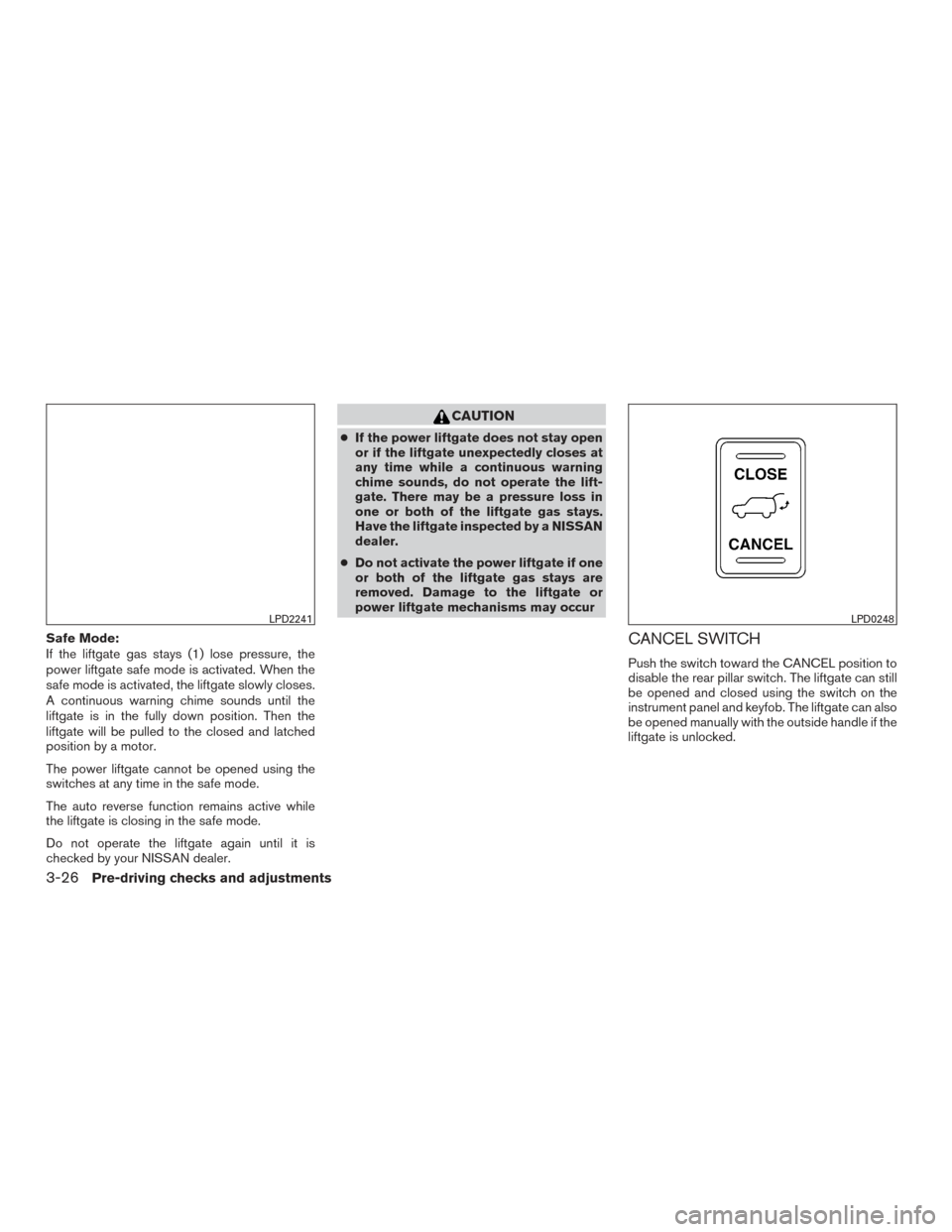
CANCEL SWITCH
Push the switch toward the CANCEL position to
disable the rear pillar switch. The liftgate can still
be opened and closed using the switch on the
instrument panel and keyfob. The liftgate can also
be opened manually with the outside handle if the
liftgate is unlocked.
LPD2241LPD0248
3-26Pre-driving checks and adjustments
Page 190 of 510
LIFTGATE RELEASE
WARNING
●Always be sure the liftgate has been
closed securely to prevent it from open-
ing while driving.
● Do not drive with the liftgate open. This
could allow dangerous exhaust gases
to be drawn into the vehicle. For addi-
tional information, refer to “Exhaust
gas (carbon monoxide)” in the “Starting
and driving” section of this manual.
● To avoid personal injury, do not attempt
to activate the power liftgate if one or
both of the liftgate struts are removed.
CAUTION
●If the power liftgate does not stay open or
if the liftgate unexpectedly closes at any
time while a continuous warning chime
sounds, do not operate the liftgate. There
may be a pressure loss in one or both of
the liftgate struts. Have the liftgate in-
spected by a NISSAN dealer.
● Do not activate the power liftgate if one
or both of the liftgate struts are re-
moved. Damage to the liftgate or power
liftgate mechanisms may occur.
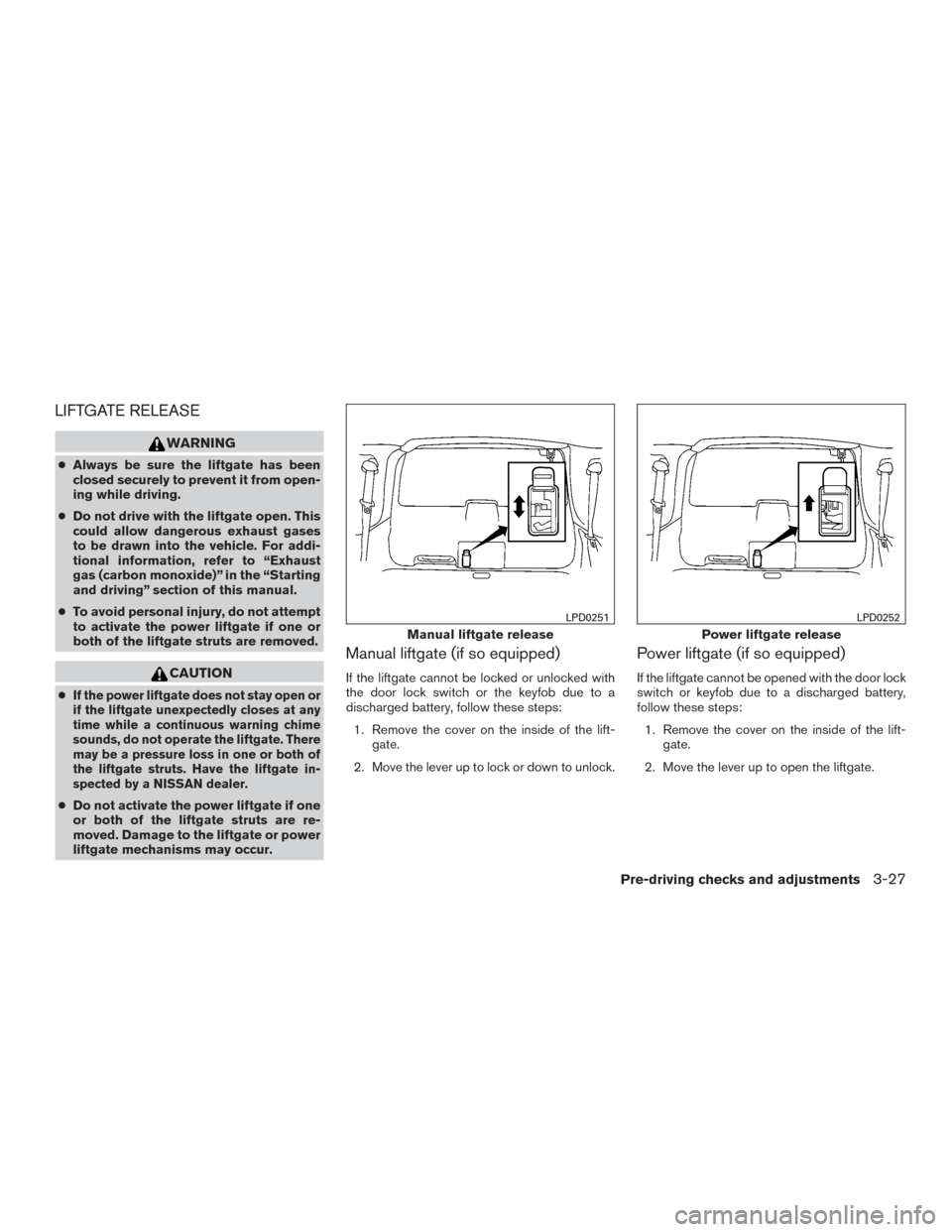
Manual liftgate (if so equipped)
If the liftgate cannot be locked or unlocked with
the door lock switch or the keyfob due to a
discharged battery, follow these steps:
1. Remove the cover on the inside of the lift- gate.
2. Move the lever up to lock or down to unlock.
Power liftgate (if so equipped)
If the liftgate cannot be opened with the door lock
switch or keyfob due to a discharged battery,
follow these steps: 1. Remove the cover on the inside of the lift- gate.
2. Move the lever up to open the liftgate.
Manual liftgate release
LPD0251
Power liftgate release
LPD0252
Pre-driving checks and adjustments3-27
Page 199 of 510
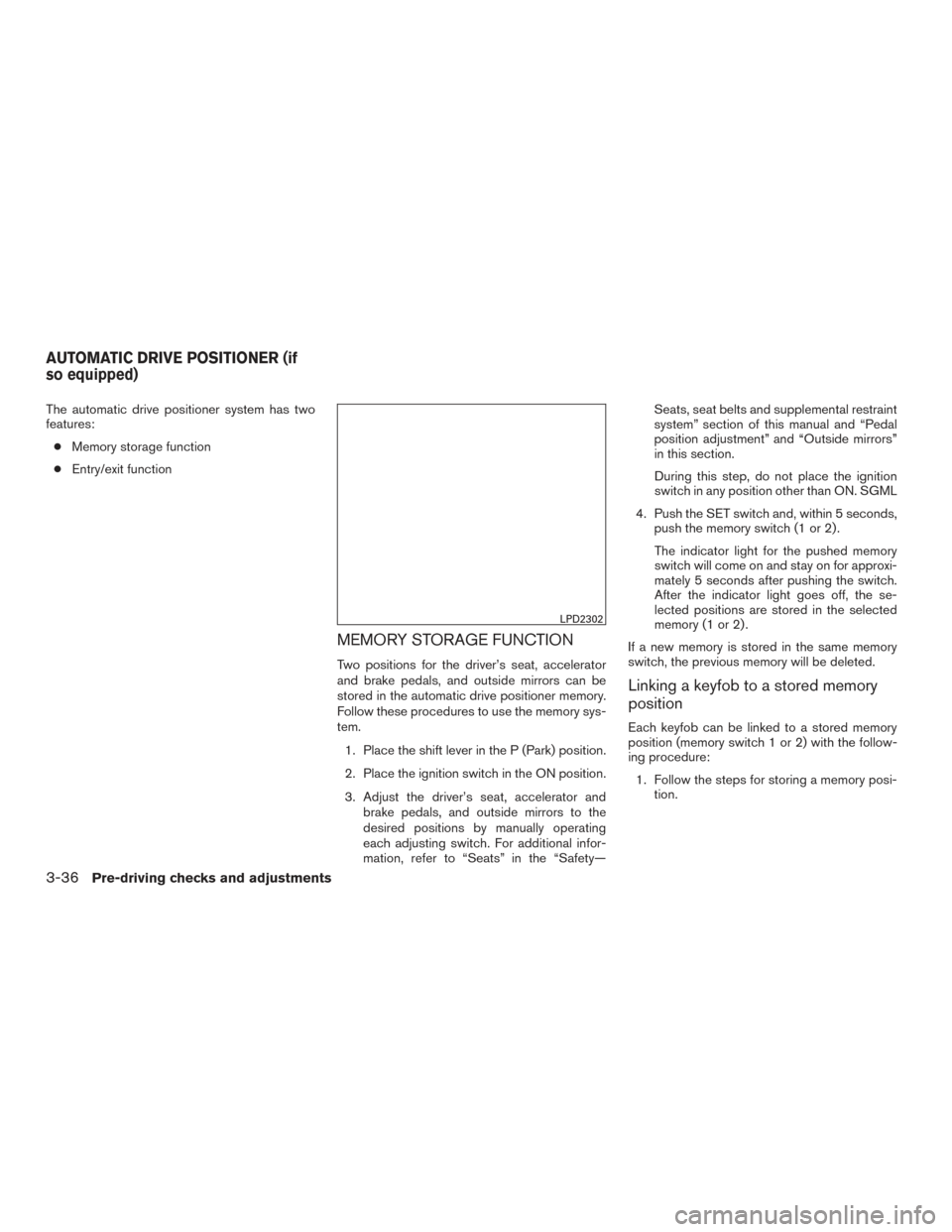
The automatic drive positioner system has two
features:● Memory storage function
● Entry/exit function
MEMORY STORAGE FUNCTION
Two positions for the driver’s seat, accelerator
and brake pedals, and outside mirrors can be
stored in the automatic drive positioner memory.
Follow these procedures to use the memory sys-
tem.
1. Place the shift lever in the P (Park) position.
2. Place the ignition switch in the ON position.
3. Adjust the driver’s seat, accelerator and brake pedals, and outside mirrors to the
desired positions by manually operating
each adjusting switch. For additional infor-
mation, refer to “Seats” in the “Safety— Seats, seat belts and supplemental restraint
system” section of this manual and “Pedal
position adjustment” and “Outside mirrors”
in this section.
During this step, do not place the ignition
switch in any position other than ON. SGML
4. Push the SET switch and, within 5 seconds, push the memory switch (1 or 2) .
The indicator light for the pushed memory
switch will come on and stay on for approxi-
mately 5 seconds after pushing the switch.
After the indicator light goes off, the se-
lected positions are stored in the selected
memory (1 or 2) .
If a new memory is stored in the same memory
switch, the previous memory will be deleted.
Linking a keyfob to a stored memory
position
Each keyfob can be linked to a stored memory
position (memory switch 1 or 2) with the follow-
ing procedure: 1. Follow the steps for storing a memory posi- tion.
LPD2302
AUTOMATIC DRIVE POSITIONER (if
so equipped)
3-36Pre-driving checks and adjustments
Page 200 of 510
2. While the indicator light for the memoryswitch being set is illuminated for five sec-
onds, press the
button on the keyfob.
The indicator light will blink. After the indica-
tor light goes off, the keyfob is linked to that
memory setting.
With the key removed from the ignition switch or
the ignition switch is moved to OFF, press
the
button on the keyfob. The driver’s seat,
accelerator and brake pedals, and outside mir-
rors will move to the memorized position.
NOTE:
If a new memory position is saved to the
memory switch, the keyfob automatically
re-links.
Confirming memory storage
● Place the ignition switch in the ON position
and push the SET switch. If the main memory
has not been stored, the indicator light will
come on for approximately 0.5 seconds.
When the memory has stored the position,
the indicator light will stay on for approxi-
mately 5 seconds. ●
If the battery cable is disconnected, or if the
fuse opens, the memory storage function will
be canceled and must be restarted before a
stored memory position can be set again.
Drive the vehicle over 25 mph (40 km/h) to
restart the memory storage function. You
can also restart the memory storage function
using the following procedure.
1. Connect the battery cable or replace the fuse.
2. Open and close the driver’s door more than two times with the ignition switch in the
LOCK position.
Once the memory storage function has been
restarted, you can store a memory position.
For additional information, refer to “Memory
storage function” in this section.Selecting the memorized position
Set the shift lever to the P (Park) position, then: ● Within 45 seconds of opening the driver’s
door, push the memory switch (1 or 2) or
● Place the ignition switch in the ON position
and push the memory switch (1 or 2) .
The driver’s seat, accelerator and brake pedals,
and outside mirrors will move to the memorized
position with the indicator light blinking, and then
the light will stay on for approximately 5 seconds.
ENTRY/EXIT FUNCTION
This system is designed so that the driver’s seat will
automatically move when the shift lever is placed in
the P (Park) position. This allows the driver to get
into and out of the driver’s seat more easily.
The driver’s seat will slide backward: ● When the key is removed from the ignition
switch and the driver’s door is opened.
● When the driver’s door is opened with the
ignition switch placed in the LOCK position.
● When the ignition switch is turned from
ACC to LOCK with the driver’s door open.
The driver’s seat will return to the previous position:
● When the key is inserted into the ignition
switch and the driver’s door is closed.
● When the driver’s door is closed with the
ignition switch placed in the LOCK position.
● When the ignition switch is turned from
ACC to ON while the shift lever is in the P
(Park) position.
The entry/exit function can be adjusted or can-
celed. For vehicles with navigation system, refer
to “Navigation system” in the “Monitor, climate,
audio, phone and voice recognition systems”
section of this manual. For vehicles without navi-
gation system, see your NISSAN dealer.
Pre-driving checks and adjustments3-37
Page 390 of 510
than 10 inches (25.0 cm) from the side of the
vehicle, the tone will sound for only 3 seconds.
Once the system detects an object approaching,
the tone will sound again.
The Front Sonar System sounds a tone to warn
the driver of obstacles near the front bumper. The
front sonar system automatically turns on when
the shift lever is placed in a forward gear and the
ignition switch is in the ON position. The system
may not detect objects at speeds above 3 mph
(5 km/h) and may not detect certain angular or
moving objects.
The Front Sonar System detects obstacles up to
3 feet (1.0 m) from the front bumper with a
decreased coverage area at the outer corners of
the bumper, (refer to the illustration for approxi-
mate zone coverage areas) . As you move closer
to the obstacle, the rate of the tone increases.
When the obstacle is less than 10 inches
(25.0 cm) away, the tone will sound continuously.
If it detects a stationary or receding object further
than 10 inches (25.0 cm) from the side of the
vehicle, the tone will sound for only 3 seconds.
Once the system detects an object approaching,
the tone will sound again.The front and rear sonar system OFF switch on
the instrument panel allows the driver to turn the
sonar system on and off. To turn the system off,
the ignition must be ON, and the shift lever in R
(Reverse) or D (Drive) . An indicator light on the
switch will illuminate when the system is turned
off. If the indicator light illuminates when the
system is not turned off, it may indicate a failure in
the sonar system.
Keep the front and rear sonar sensors (located on
the bumper fascia) free from snow, ice and large
accumulations of dirt (do not clean the sensors
with sharp objects) . If the sensors are covered, it
will affect the accuracy of the sonar system.FREEING A FROZEN DOOR LOCK
To prevent a door lock from freezing, apply de-
icer through the key hole. If the lock becomes
frozen, heat the key before inserting it into the key
hole, or use the remote keyless entry key fob or
the NISSAN Intelligent Key®.
ANTIFREEZE
In the winter when it is anticipated that the tem-
perature will drop below 32°F (0°C) , check the
antifreeze to assure proper winter protection. For
additional information, refer to “Engine cooling
system” in the “Maintenance and do-it-yourself”
section of this manual.
BATTERY
If the battery is not fully charged during extremely
cold weather conditions, the battery fluid may
freeze and damage the battery. To maintain maxi-
mum efficiency, the battery should be checked
regularly. For additional information, refer to “Bat-
tery” in the “Maintenance and do-it-yourself” sec-
tion of this manual.
COLD WEATHER DRIVING
Starting and driving5-37