2015 NISSAN ARMADA engine oil
[x] Cancel search: engine oilPage 215 of 510
HOW TO USE THE STATUS
BUTTON
The STATUS button is used to display system
information. Three different split screens of infor-
mation are available. Press the STATUS button
multiple times to cycle through these screens as
follows:
Audio with Turn Information for Navigation→
Audio with Fuel Economy Information →Audio
with Climate Control Information →Audio with
Turn Information for Navigation
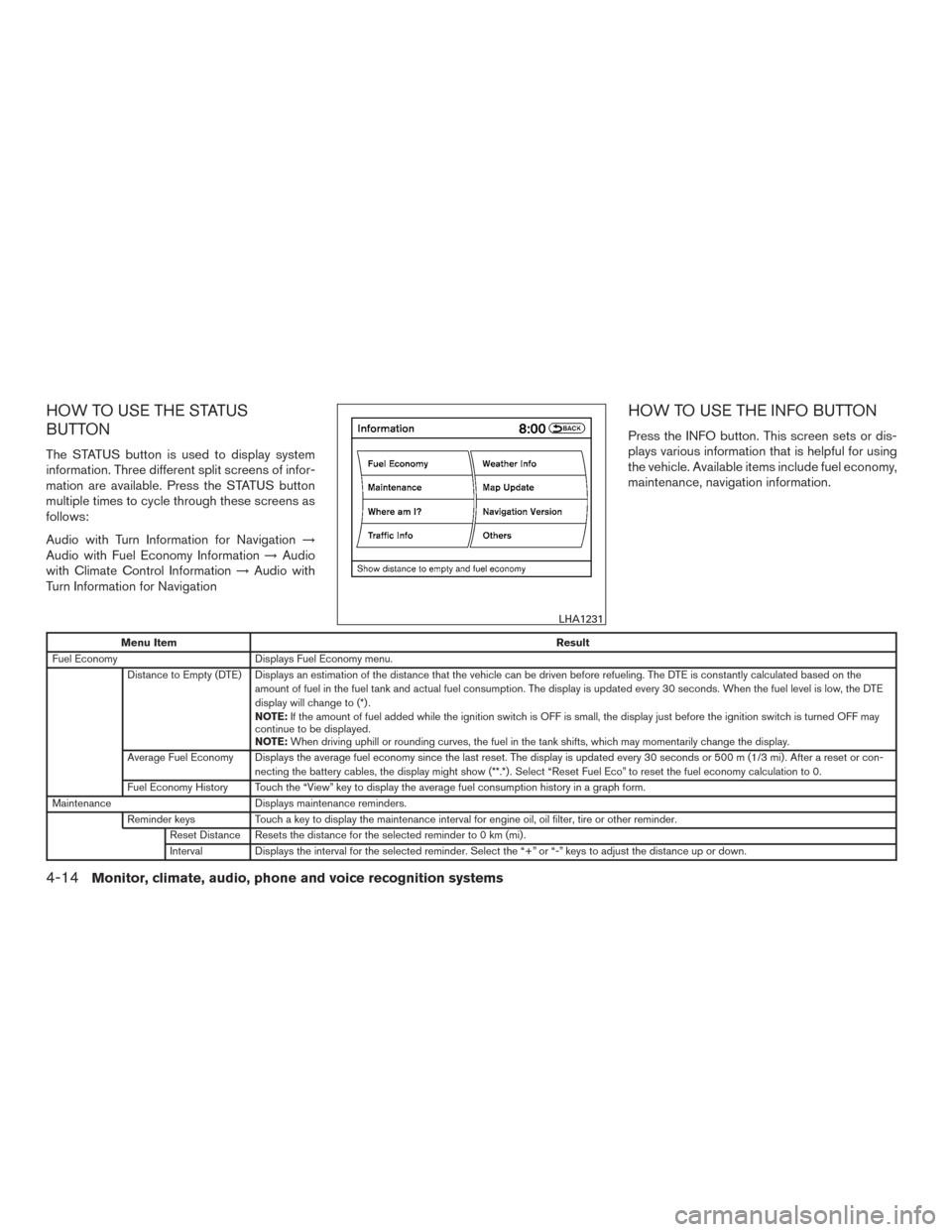
HOW TO USE THE INFO BUTTON
Press the INFO button. This screen sets or dis-
plays various information that is helpful for using
the vehicle. Available items include fuel economy,
maintenance, navigation information.
Menu Item Result
Fuel Economy Displays Fuel Economy menu.
Distance to Empty (DTE) Displays an estimation of the distance that the vehicle can be driven before refueling. The DTE is constantly calculated based on the amount of fuel in the fuel tank and actual fuel consumption. The display is updated every 30 seconds. When the fuel level is low, the DTE
display will change to (*) .
NOTE:If the amount of fuel added while the ignition switch is OFF is small, the display just before the ignition switch is turned OFF may
continue to be displayed.
NOTE: When driving uphill or rounding curves, the fuel in the tank shifts, which may momentarily change the display.
Average Fuel Economy Displays the average fuel economy since the last reset. The display is updated every 30 seconds or 500 m (1/3 mi) . After a reset or con- necting the battery cables, the display might show (**.*) . Select “Reset Fuel Eco” to reset the fuel economy calculation to 0.
Fuel Economy History Touch the “View” key to display the average fuel consumption history in a graph form.
Maintenance Displays maintenance reminders.
Reminder keys Touch a key to display the maintenance interval for engine oil, oil filter, tire or other reminder.
Reset Distance Resets the distance for the selected reminder to 0 km (mi) .
Interval Displays the interval for the selected reminder. Select the “+” or “-” keys to adjust the distance up or down.
LHA1231
4-14Monitor, climate, audio, phone and voice recognition systems
Page 234 of 510
The air conditioner system in your NISSAN ve-
hicle is charged with a refrigerant designed with
the environment in mind.
This refrigerant does not harm the earth’s
ozone layer.
Special charging equipment and lubricant is re-
quired when servicing your NISSAN air condi-
tioner. Using improper refrigerants or lubricants
will cause severe damage to your air conditioner
system. For additional information, refer to “Air
conditioner system refrigerant and oil recommen-
dations” in the “Technical and consumer informa-
tion” section of this manual.
A NISSAN dealer is able to service your “environ-
mentally friendly” air conditioning system.
WARNING
The air conditioner system contains refrig-
erant under high pressure. To avoid per-
sonal injury, any air conditioner service
should be done only by an experienced
technician with proper equipment.
RADIO
Place the ignition switch in the ACC or ON
position and press the ON·OFF button to turn the
radio on. If you listen to the radio with the engine
not running, the ignition switch should be placed
in the ACC position.
Radio reception is affected by station signal
strength, distance from radio transmitter, build-
ings, bridges, mountains and other external influ-
ences. Intermittent changes in reception quality
normally are caused by these external influences.
Using a cellular phone in or near the vehicle
may influence radio reception quality.
Radio reception
Your NISSAN radio system is equipped with
state-of-the-art electronic circuits to enhance ra-
dio reception. These circuits are designed to
extend reception range, and to enhance the qual-
ity of that reception.
However, there are some general characteristics
of both FM and AM radio signals that can affect
radio reception quality in a moving vehicle, even
when the finest equipment is used. These char-
acteristics are completely normal in a given re-
ception area and do not indicate any malfunction
in your NISSAN radio system.Reception conditions will constantly change be-
cause of vehicle movement. Buildings, terrain,
signal distance and interference from other ve-
hicles can work against ideal reception. De-
scribed below are some of the factors that can
affect your radio reception.
Some cellular phones or other devices may
cause interference or a buzzing noise to come
from the audio system speakers. Storing the de-
vice in a different location may reduce or elimi-
nate the noise.
FM RADIO RECEPTION
Range: FM range is normally limited to 25 – 30 mi
(40 – 48 km) , with monaural (single channel) FM
having slightly more range than stereo FM. Exter-
nal influences may sometimes interfere with FM
station reception even if the FM station is within
25 mi (40 km) . The strength of the FM signal is
directly related to the distance between the
transmitter and receiver. FM signals follow a line-
of-sight path, exhibiting many of the same char-
acteristics as light. For example, they will reflect
off objects.
Fade and drift: As your vehicle moves away from
a station transmitter, the signals will tend to fade
and/or drift.
SERVICING AIR CONDITIONER AUDIO SYSTEM
Monitor, climate, audio, phone and voice recognition systems4-33
Page 366 of 510
●Make sure the area around the vehicle is
clear.
● Check fluid levels such as engine oil, cool-
ant, brake fluid, and windshield-washer fluid
as frequently as possible, or at least when-
ever you refuel.
● Check that all windows and lights are clean.
● Visually inspect tires for their appearance
and condition. Also check tires for proper
inflation.
● Check that all doors are closed.
● Position seat and adjust head
restraints/headrests.
● Adjust inside and outside mirrors.
● Fasten seat belts and ask all passengers to
do likewise.
● Check the operation of warning lights when
the ignition switch is placed in the ON posi-
tion. For additional information, refer to
“Warning lights, indicator lights and audible
reminders” in the “Instruments and controls”
section of this manual. 1. Apply the parking brake.
2. Move the shift lever to P (Park) or N (Neu-
tral) . P (Park) is recommended.
The shift lever cannot be moved out of
P (Park) and into any of the other gear
positions if the ignition switch is
turned to the OFF position or if the key
is removed from the ignition switch.
The starter is designed not to operate if
the shift lever is in any of the driving
positions.
3. Crank the engine with your foot off the
accelerator pedal by placing the ignition
switch in the START position. Release the
key when the engine starts. If the engine
starts, but fails to run, repeat the above
procedure.
● If the engine is very hard to start in ex-
tremely cold weather or when restarting,
depress the accelerator pedal a little (ap-
proximately 1/3 to the floor) and hold it
and then crank the engine. Release the
key and the accelerator pedal when the
engine starts. ●
If the engine is very hard to start because
it is flooded, depress the accelerator
pedal all the way to the floor and hold it.
Crank the engine for 5–6 seconds. After
cranking the engine, release the accel-
erator pedal. Crank the engine with your
foot off the accelerator pedal by turn-
ing the ignition key to START. Release the
key when the engine starts. If the engine
starts, but fails to run, repeat the above
procedure.
CAUTION
Do not operate the starter for more than
15 seconds at a time. If the engine does
not start, turn the key off and wait 10 sec-
onds before cranking again, otherwise the
starter could be damaged.
4. Allow the engine to idle for at least 30 sec- onds after starting. Do not race the engine
while warming it up. Drive at moderate
speed for a short distance first, especially in
cold weather.
In cold weather, keep the engine running for
a minimum of 2–3 minutes before shutting it
off. Starting and stopping the engine over a
short period of time may make the vehicle
more difficult to start.
BEFORE STARTING THE ENGINE STARTING THE ENGINE
Starting and driving5-13
Page 367 of 510
NOTE:
Care should be taken to avoid situations
that can lead to potential battery discharge
and potential no-start conditions such as:1. Installation or extended use of electronic accessories that consume battery power
when the engine is not running (Phone char-
gers, GPS, DVD players, etc.)
2. Vehicle is not driven regularly and/or only driven short distances. In these cases, the
battery may need to be charged to maintain
battery health.ENGINE PROTECTION MODE
The engine has an engine protection mode to
reduce the chance of damage if the coolant tem-
perature becomes too high (for example, when
climbing steep grades in high temperature with
heavy loads, such as when towing a trailer) .
When the engine temperature reaches a certain
level:
● The engine coolant temperature gauge will
move toward the H position.
● Engine power may be reduced.
● The air conditioning cooling function may be
automatically turned OFF for a short time
(the blower will continue to operate) .
Engine power and, under some conditions, ve-
hicle speed will decrease. Vehicle speed can be
controlled with the accelerator pedal, but the
vehicle may not accelerate at the desired speed.
The transmission will downshift or upshift as it
reaches prescribed shift points. You can also
shift manually.
As driving conditions change and engine coolant
temperature is reduced, vehicle speed can be
increased using the accelerator pedal, and air
conditioning cooling function will automatically
be turned back ON. If:
1. The engine coolant temperature is not re- duced.
2. The air conditioning cooling function does not turn back ON.
3. The engine oil pressure warning/engine coolant temperature high indicator
il-
luminates, this may indicate a malfunction.
Move the vehicle off the road in a safe area
and allow the engine to cool. If after check-
ing the oil and coolant, the
remains
on, do not continue to drive and call a
NISSAN dealer.
The MIL may also come ON. If onlyit remains on,
you do not need to have your vehicle towed, but
have it inspected soon by a NISSAN dealer. For
additional information, refer to “Malfunction Indi-
cator Light (MIL)” in the “Instruments and con-
trols” section of this manual.
DRIVING THE VEHICLE
5-14Starting and driving
Page 368 of 510
WARNING
Overheating can result in reduced engine
power and vehicle speed. The reduced
speed may be lower than other traffic,
which could increase the chance of a col-
lision. Be especially careful when driving.
If the vehicle cannot maintain a safe driv-
ing speed, pull to the side of the road in a
safe area. Allow the engine to cool and
return to normal operation. For additional
information, refer to “If your vehicle over-
heats” in the “In case of emergency” sec-
tion of this manual.
CAUTION
Running the engine with the engine oil
pressure warning light on could cause se-
rious damage to the engine almost imme-
diately. Such damage is not covered by
warranty. Turn off the engine as soon as it
is safe to do so.
AUTOMATIC TRANSMISSION
WARNING
●Do not depress the accelerator pedal
while shifting from P (Park) or N (Neu-
tral) to R (Reverse) , or 1 (Low) . Always
depress the brake pedal until shifting is
completed. Failure to do so could cause
you to lose control and have an
accident.
● Cold engine idle speed is high, so use
caution when shifting into a forward or
reverse gear before the engine has
warmed up.
● Never shift to either the P (Park) or R
(Reverse) position while the vehicle is
moving forward and P (Park) or D
(Drive) position while the vehicle is re-
versing. This could cause an accident or
damage the transmission.
● Except in an emergency, do not shift to
the N (Neutral) position while driving.
Coasting with the transmission in the N
(Neutral) position may cause serious
damage to the transmission.
CAUTION
● When stopping the vehicle on an uphill
grade, do not hold the vehicle by de-
pressing the accelerator pedal. The foot
brake should be used for this purpose.
● Do not downshift abruptly on slippery
roads. This may cause a loss of control.
The automatic transmission in your vehicle is
electronically controlled to produce maximum
power and smooth operation.
The recommended operating procedures for this
transmission are shown on the following pages.
Follow these procedures for maximum vehicle
performance and driving enjoyment.
Starting the vehicle
1. After starting the engine, fully depress the foot brake pedal before moving the shift
lever out of the P (Park) position.
2. Keep the foot brake pedal depressed and move the shift lever into a driving gear.
3. Release the foot brake, then gradually start the vehicle in motion.
Starting and driving5-15
Page 375 of 510
Follow these easy-to-use Fuel Efficient Driving
Tips to help you achieve the most fuel economy
from your vehicle.1. Use Smooth Accelerator and Brake
Pedal Application
● Avoid rapid starts and stops.
● Use smooth, gentle accelerator and
brake application whenever possible.
● Maintain constant speed while commut-
ing and coast whenever possible.
2. Maintain Constant Speed
● Look ahead to try and anticipate and mini-
mize stops.
● Synchronizing your speed with traffic
lights allows you to reduce your number
of stops.
● Maintaining a steady speed can minimize
red light stops and improve fuel effi-
ciency.
3. Use Air Conditioning (A/C) at Higher
Vehicle Speeds
● Below 40 mph (64 km/h), it is more effi-
cient to open windows to cool the vehicle
due to reduced engine load. ●
Above 40 mph (64 km/h), it is more effi-
cient to use A/C to cool the vehicle due to
increased aerodynamic drag.
● Recirculating the cool air in the cabin
when the A/C is on reduces cooling load.
4.
Drive at Economical Speeds and Distances
● Observing the speed limit and not ex-
ceeding 60 mph (97 km/h) (where legally
allowed) can improve fuel efficiency due
to reduced aerodynamic drag.
● Maintaining a safe following distance be-
hind other vehicles reduces unnecessary
braking.
● Safely monitoring traffic to anticipate
changes in speed permits reduced brak-
ing and smooth acceleration changes.
● Select a gear range suitable to road con-
ditions.
5. Use Cruise Control
● Using cruise control during highway driv-
ing helps maintain a steady speed.
● Cruise control is particularly effective in
providing fuel savings when driving on flat
terrains.
6. Plan for the Shortest Route
● Utilize a map or navigation system to de-
termine the best route to save time. 7.
Avoid Idling
● Shutting off your engine when safe for
stops exceeding 30–60 seconds saves
fuel and reduces emissions.
8. Buy an Automated Pass for Toll Roads
● Automated passes permit drivers to use
special lanes to maintain cruising speed
through the toll and avoid stopping and
starting.
9. Winter Warm Up
● Limit idling time to minimize impact to fuel
economy.
● Vehicles typically need no more than
30 seconds of idling at start-up to effec-
tively circulate the engine oil before driv-
ing.
● Your vehicle will reach its ideal operating
temperature more quickly while driving
versus idling.
10. Keeping your Vehicle Cool
● Park your vehicle in a covered parking
area or in the shade whenever possible.
● When entering a hot vehicle, opening the
windows will help to reduce the inside
temperature faster, resulting in reduced
demand on your A/C system.
FUEL EFFICIENT DRIVING TIPS
5-22Starting and driving
Page 376 of 510
●Keep your engine tuned up.
● Follow the recommended scheduled main-
tenance.
● Keep the tires inflated to the correct pres-
sure. Low tire pressure increases tire wear
and lowers fuel economy.
● Keep the wheels in correct alignment. Im-
proper alignment increases tire wear and
lowers fuel economy.
● For vehicles equipped with
, use 4H
or 4L position only when necessary. Four-
wheel drive operation lowers fuel economy.
● Use the recommended viscosity engine oil.
For additional information, refer to “Engine
oil and oil filter recommendations” in the
“Technical and consumer information” sec-
tion of this manual.
WARNING
● For 4WD equipped vehicles, do not at-
tempt to raise two wheels off the
ground and shift the transmission to
any drive or reverse position with the
engine running. Doing so may result in
drivetrain damage or unexpected ve-
hicle movement which could result in
serious vehicle damage or personal
injury.
● Do not attempt to test a 4WD equipped
vehicle on a 2-wheel dynamometer
(such as the dynamometers used by
some states, provinces or territories for
emissions testing) , or similar equip-
ment even if the other two wheels are
raised off the ground. Make sure you
inform test facility personnel that your
vehicle is equipped with 4WD before it
is placed on a dynamometer. Using the
wrong test equipment may result in
drivetrain damage or unexpected ve-
hicle movement which could result in
serious vehicle damage or personal
injury.
CAUTION
● Do not drive the vehicle in the 4H or 4LO
position on dry hard surface roads. Driv-
ing on dry, hard surfaces in 4H or 4LO
may cause unnecessary noise, tire wear
and increased fuel consumption.
If the 4WD warning light turns on when
you are driving on dry hard surface
roads:
– in the 4H position, shift the 4WD shift switch to 2WD.
– in the 4LO position, stop the vehicle, move the shift lever to the N position
with the brake pedal depressed, and
shift the 4WD shift switch to 2WD.
● If the warning light is still on after the
above operation, have your vehicle
checked by a NISSAN dealer as soon as
possible.
● The transfer case may be damaged if
you continue driving with the warning
light blinking.
INCREASING FUEL ECONOMYUSING 4-WHEEL DRIVE
(4WD) (if so equipped)
Starting and driving5-23
Page 379 of 510
The 4WD shift switch electronically controls the
transfer case operation. Rotate the switch to
move between each mode, 2WD, AUTO, 4H and
4LO.
You must push the switch in to select 4LO,
and the vehicle MUST be stationary and the
shift lever in the N position when changing
into or out of 4LO.
WARNING
When parking, apply the parking brake
before stopping the engine and make sure
that the 4WD shift indicator light is on and
the ATP warning light goes off. Otherwise,
the vehicle could unexpectedly move even
if the automatic transmission is in the P
position.
CAUTION
●Never shift the 4WD shift switch be-
tween 4LO and 4H while driving.
● The 4H position provides greater trac-
tion. Avoid excessive speed, as it will
cause increased fuel consumption and
higher oil temperatures, and could
damage drivetrain components, Speeds
over 62 MPH (100 km/h) in 4H is not
recommended. ●
The 4LO position provides maximum
power and traction. Avoid raising vehicle
speed excessively, as the maximum speed
is approximately 31 MPH (50 km/h).
● When driving straight, shift the 4WD
shift switch to the 2WD, AUTO or 4H
position. Do not move the 4WD shift
switch when making a turn or reversing.
●
Do not shift the 4WD shift switch (be-
tween 2WD, AUTO and 4H) while driving
on steep downhill grades. Use the engine
brake and low automatic transmission
gears (D1 or D2) for engine braking.
● Do not operate the 4WD shift switch
(between 2WD, AUTO and 4H) with the
rear wheels spinning.
●
Do not drive on dry hard surface roads in
the 4H or 4LO position. Driving on dry
hard surfaces in 4H or 4LO may cause
unnecessary noise and tire wear. NISSAN
recommends driving in the 2WD or AUTO
position under these conditions.
●The 4WD transfer case may not be shifted
between 4H and 4LO at low ambient tem-
peratures and the transfer 4LO position
indicator light may blink even when the
4WD shift switch is shifted. After driving
for a while you can change the 4WD
transfer case between 4H and 4LO.
When driving on rough roads,
● Set the 4WD shift switch to AUTO, 4H or
4LO.
● Drive carefully according to the road surface
conditions.
When the vehicle is stuck, ● Set the 4WD shift switch to 4H or 4LO.
● If it is difficult to free the vehicle, repeat
forward and backward movement to in-
crease the movement.
● If the vehicle is stuck deep in mud, place
stones or wooden blocks under the tires.
Then try the recovery procedures above. Tire
chains may be effective.
CAUTION
● Do not spin the tires excessively. Tires
will sink deep into the mud, making it
difficult to free the vehicle.
● Avoid shifting gears with the engine
running at high speeds as this may
cause malfunction.
5-26Starting and driving