Page 95 of 510
2 Instruments and controls
Instrument panel...................................2-2
Meters and gauges ................................2-3
Speedometer and odometer .....................2-4
Tachometer ....................................2-5
Engine coolant temperature gauge ...............2-5
Fuel gauge ....................................2-6
Engine oil pressure gauge .......................2-7
Voltmeter ......................................2-7
Automatic transmission fluid temperature
gauge .........................................2-8
Compass display (if so equipped) ...................2-8
Compass display ...............................2-9
Warning/indicator lights and audible reminders ......2-12
Checking bulbs ............................... 2-13
Warning lights ................................ 2-13
Indicator lights ................................ 2-18
Audible reminders ............................. 2-20
Vehicle Information Display ........................2-21
How to use the Vehicle Information Display .......2-21
Security systems ................................. 2-29
Vehicle security system ......................... 2-29
NISSAN vehicle immobilizer system .............2-30
Windshield wiper and washer switch ...............2-32Switch operation
.............................. 2-32
Rear window wiper and washer switch ..............2-33
Rear window and outside mirror defroster switch .....2-34
Headlight and turn signal switch ....................2-34
Headlight control switch ........................ 2-35
Daytime running light system (Canada only) ......2-36
Instrument brightness control ...................2-37
Turn signal switch ............................. 2-37
Fog light switch (if so equipped) ................2-38
Horn ............................................ 2-38
Heated seats (if so equipped) ......................2-39
Heated rear seats (if so equipped) ..................2-40
Heated steering wheel (if so equipped) .............2-41
Vehicle Dynamic Control (VDC) off switch ...........2-41
Rear sonar system off switch (if so equipped) ........2-42
Front and rear sonar system off switch (if so
equipped) ....................................... 2-42
T
ow mode switch ................................. 2-43
Power outlet ..................................... 2-44
Storage ......................................... 2-45
Map pockets .................................. 2-45
Seatback pocket .............................. 2-45
Instrument panel storage trays ..................2-46
Page 103 of 510
AUTOMATIC TRANSMISSION FLUID
TEMPERATURE GAUGE
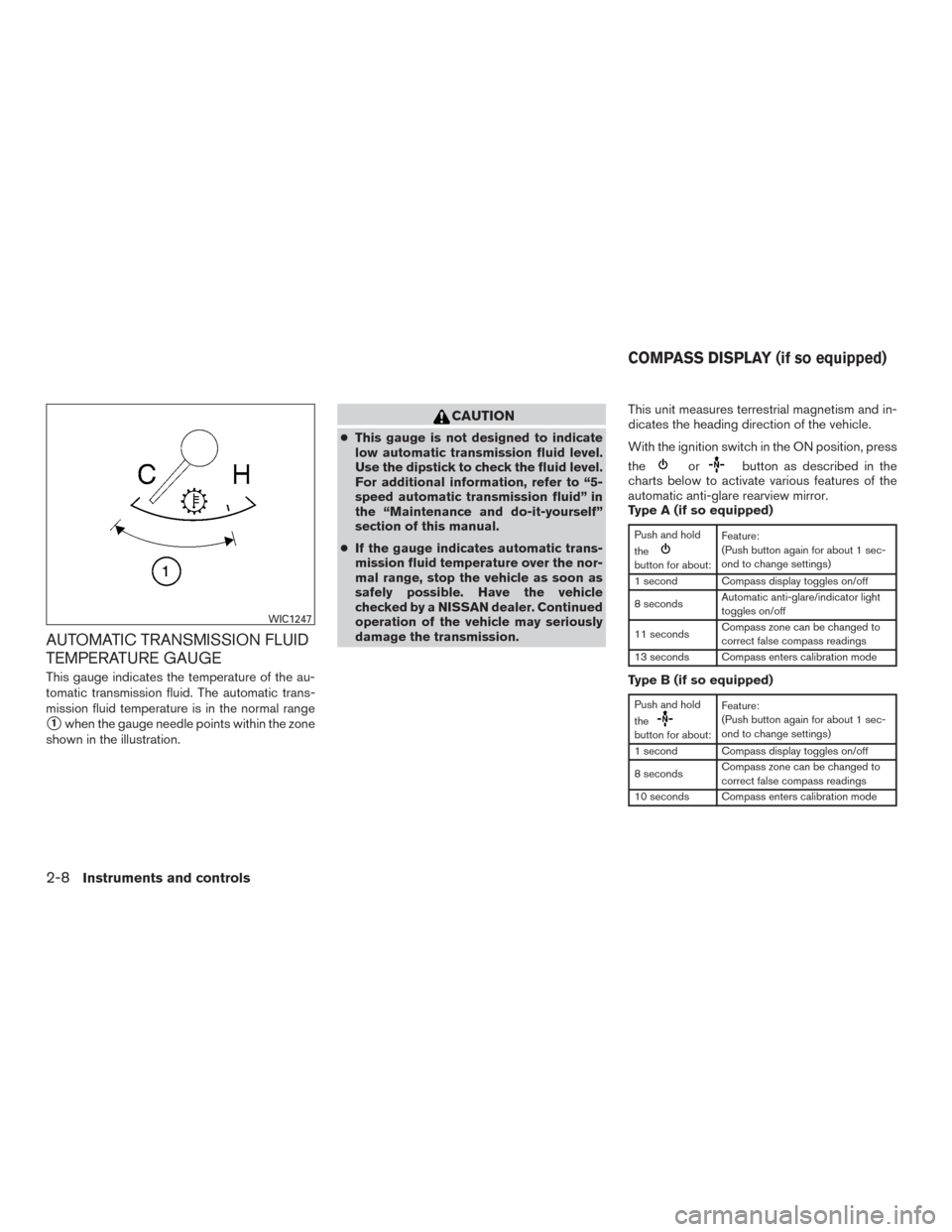
This gauge indicates the temperature of the au-
tomatic transmission fluid. The automatic trans-
mission fluid temperature is in the normal range
�1when the gauge needle points within the zone
shown in the illustration.
CAUTION
● This gauge is not designed to indicate
low automatic transmission fluid level.
Use the dipstick to check the fluid level.
For additional information, refer to “5-
speed automatic transmission fluid” in
the “Maintenance and do-it-yourself”
section of this manual.
● If the gauge indicates automatic trans-
mission fluid temperature over the nor-
mal range, stop the vehicle as soon as
safely possible. Have the vehicle
checked by a NISSAN dealer. Continued
operation of the vehicle may seriously
damage the transmission. This unit measures terrestrial magnetism and in-
dicates the heading direction of the vehicle.
With the ignition switch in the ON position, press
the
orbutton as described in the
charts below to activate various features of the
automatic anti-glare rearview mirror.
Type A (if so equipped)
Push and hold
the
button for about: Feature:
(Push button again for about 1 sec-
ond to change settings)
1 second Compass display toggles on/off
8 seconds Automatic anti-glare/indicator light
toggles on/off
11 seconds Compass zone can be changed to
correct false compass readings
13 seconds Compass enters calibration mode
Type B (if so equipped)
Push and hold
the
button for about: Feature:
(Push button again for about 1 sec-
ond to change settings)
1 second Compass display toggles on/off
8 seconds Compass zone can be changed to
correct false compass readings
10 seconds Compass enters calibration mode
WIC1247
COMPASS DISPLAY (if so equipped)
2-8Instruments and controls
Page 104 of 510
For additional information about the automatic
anti-glare feature, refer to “Automatic anti-glare
rearview mirror” in the “Pre-driving checks and
adjustments” section of this manual.
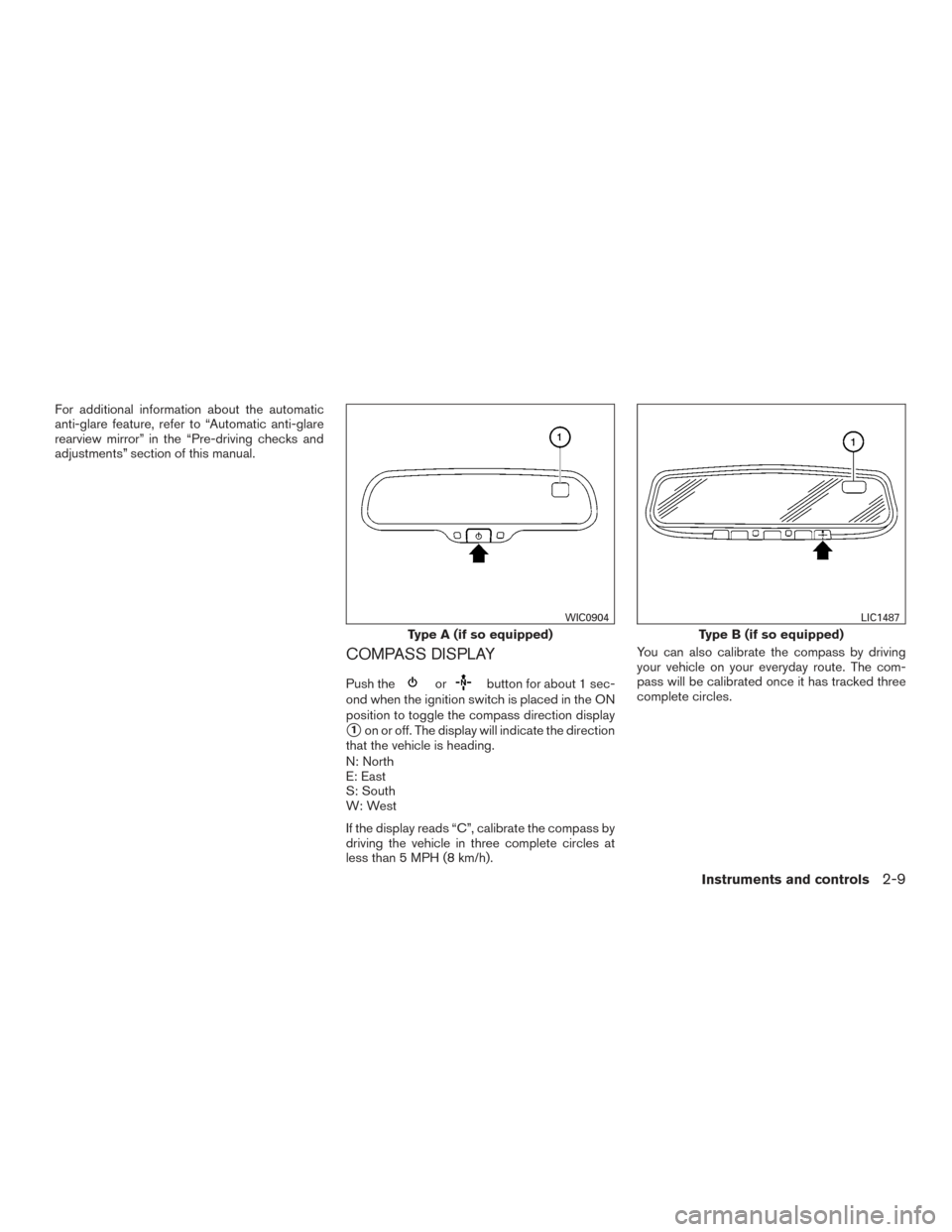
COMPASS DISPLAY
Push theorbutton for about 1 sec-
ond when the ignition switch is placed in the ON
position to toggle the compass direction display
�1on or off. The display will indicate the direction
that the vehicle is heading.
N: North
E: East
S: South
W: West
If the display reads “C”, calibrate the compass by
driving the vehicle in three complete circles at
less than 5 MPH (8 km/h). You can also calibrate the compass by driving
your vehicle on your everyday route. The com-
pass will be calibrated once it has tracked three
complete circles.
Type A (if so equipped)
WIC0904
Type B (if so equipped)
LIC1487
Instruments and controls2-9
Page 106 of 510
1. With the display turned on, press and holdthe
button for about 10 seconds. The
“CAL” icon in the compass display will illu-
minate.
2. Calibrate the compass by driving the vehicle one and a half circles at a maximum speed of
6 MPH (10 km/h).
3. After completing the circles, the display should return to normal.
● If the compass deviates from the correct
indication soon after repeated adjustment,
have the compass checked at an authorized
NISSAN dealer.
● The compass may not indicate the correct
compass point in tunnels or while driving up
or down a steep hill. (The compass returns
to the correct compass point when the ve-
hicle moves to an area where the geomag-
netism is stabilized.)
● If a magnet is located in or near the overhead
console in the front of the vehicle or the
vehicle is driven where the terrestrial mag-
netism is disturbed, the compass display
may not indicate the correct direction.CAUTION
● Do not install a ski rack, antenna, etc.,
which are attached to the vehicle by
means of a magnet. They affect the op-
eration of the compass.
● When cleaning the mirror, use a paper
towel or similar material dampened
with glass cleaner. Do not spray glass
cleaner directly on the mirror as it may
cause the liquid cleaner to enter the
mirror housing.
Instruments and controls2-11
Page 129 of 510
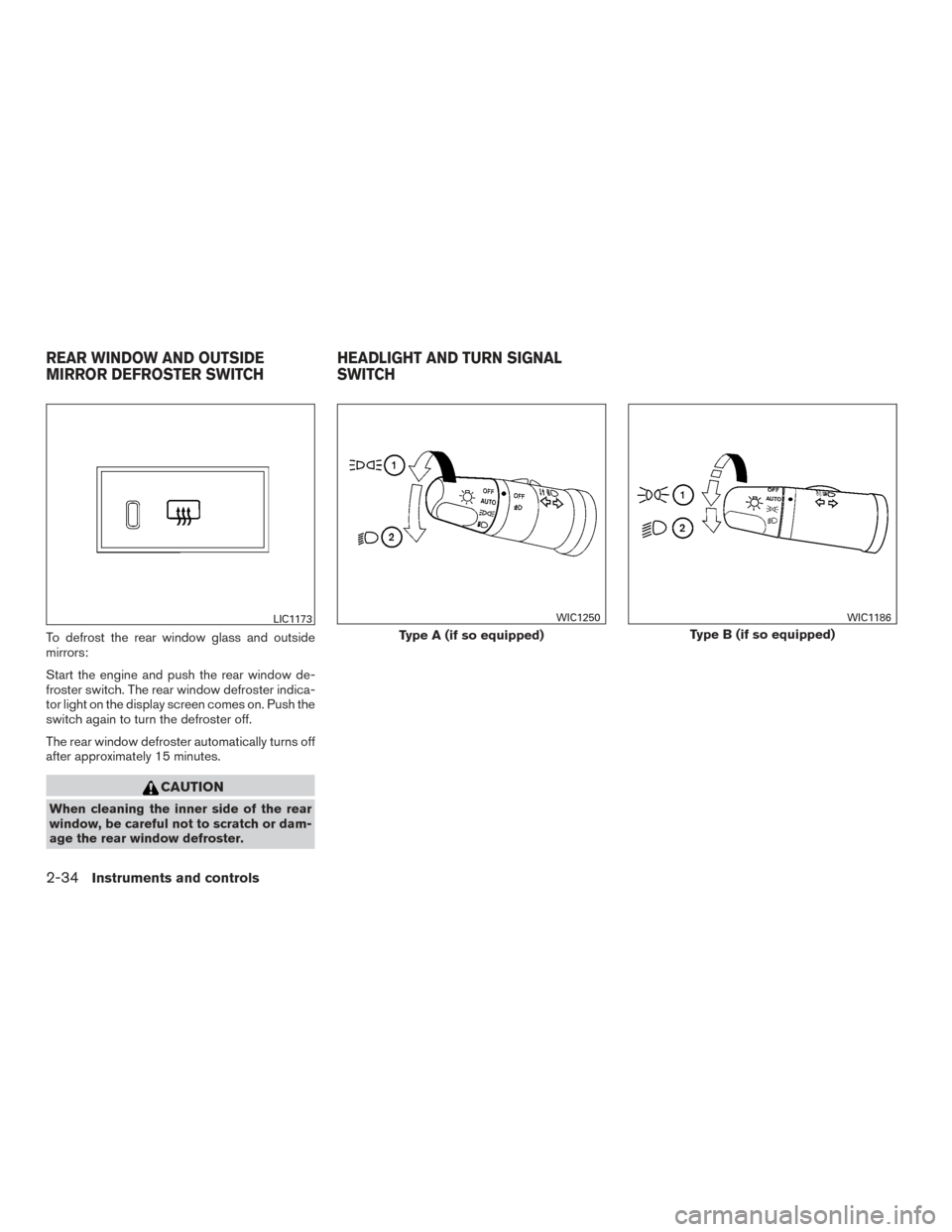
To defrost the rear window glass and outside
mirrors:
Start the engine and push the rear window de-
froster switch. The rear window defroster indica-
tor light on the display screen comes on. Push the
switch again to turn the defroster off.
The rear window defroster automatically turns off
after approximately 15 minutes.
CAUTION
When cleaning the inner side of the rear
window, be careful not to scratch or dam-
age the rear window defroster.
LIC1173
Type A (if so equipped)
WIC1250
Type B (if so equipped)
WIC1186
REAR WINDOW AND OUTSIDE
MIRROR DEFROSTER SWITCHHEADLIGHT AND TURN SIGNAL
SWITCH
2-34Instruments and controls
Page 196 of 510
REARVIEW MIRROR (if so equipped)
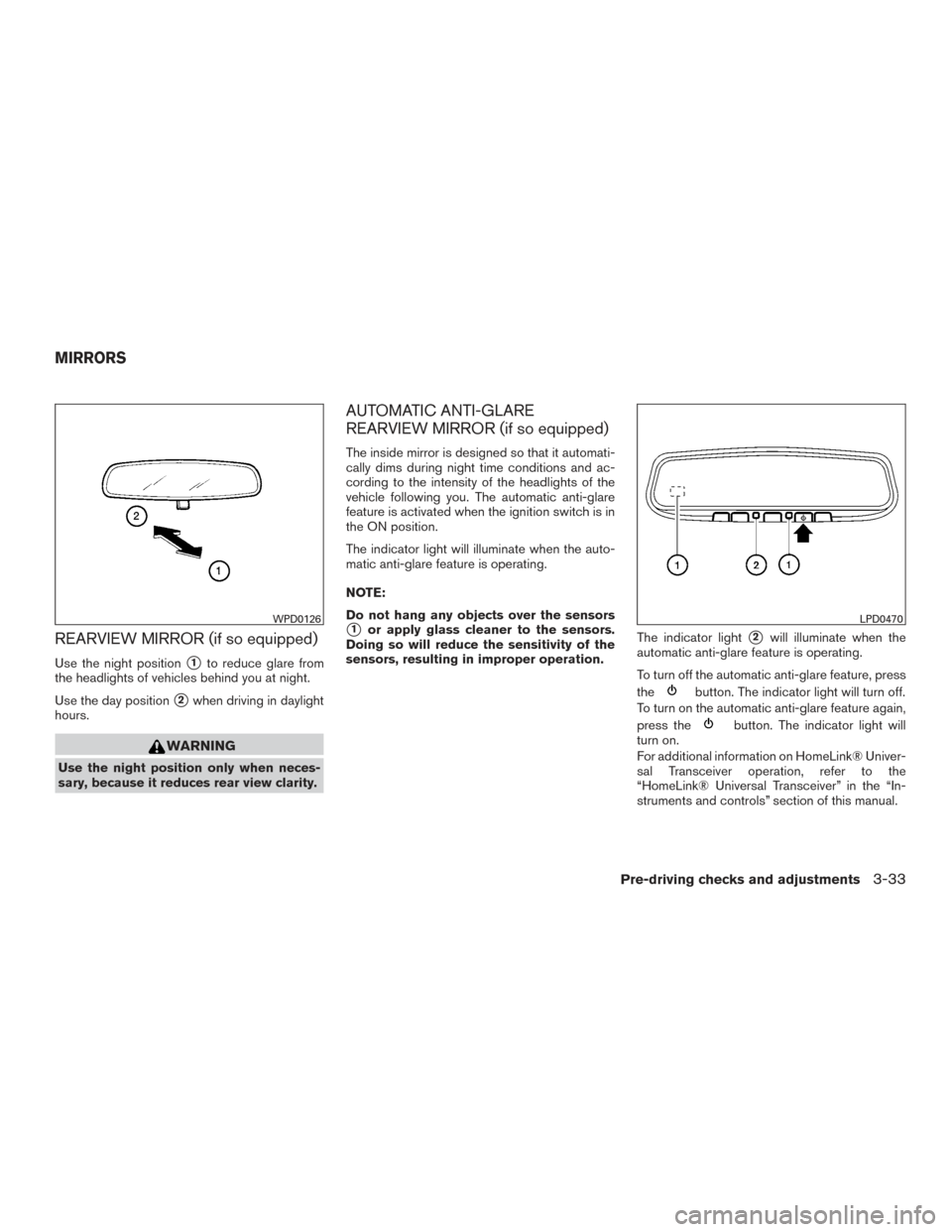
Use the night position�1to reduce glare from
the headlights of vehicles behind you at night.
Use the day position
�2when driving in daylight
hours.
WARNING
Use the night position only when neces-
sary, because it reduces rear view clarity.
AUTOMATIC ANTI-GLARE
REARVIEW MIRROR (if so equipped)
The inside mirror is designed so that it automati-
cally dims during night time conditions and ac-
cording to the intensity of the headlights of the
vehicle following you. The automatic anti-glare
feature is activated when the ignition switch is in
the ON position.
The indicator light will illuminate when the auto-
matic anti-glare feature is operating.
NOTE:
Do not hang any objects over the sensors
�1or apply glass cleaner to the sensors.
Doing so will reduce the sensitivity of the
sensors, resulting in improper operation. The indicator light�2will illuminate when the
automatic anti-glare feature is operating.
To turn off the automatic anti-glare feature, press
the
button. The indicator light will turn off.
To turn on the automatic anti-glare feature again,
press the
button. The indicator light will
turn on.
For additional information on HomeLink® Univer-
sal Transceiver operation, refer to the
“HomeLink® Universal Transceiver” in the “In-
struments and controls” section of this manual.
WPD0126LPD0470
MIRRORS
Pre-driving checks and adjustments3-33
Page 197 of 510
For additional information on the compass dis-
play (if so equipped) , refer to “Compass display”
in the “Instruments and controls” section of this
manual.
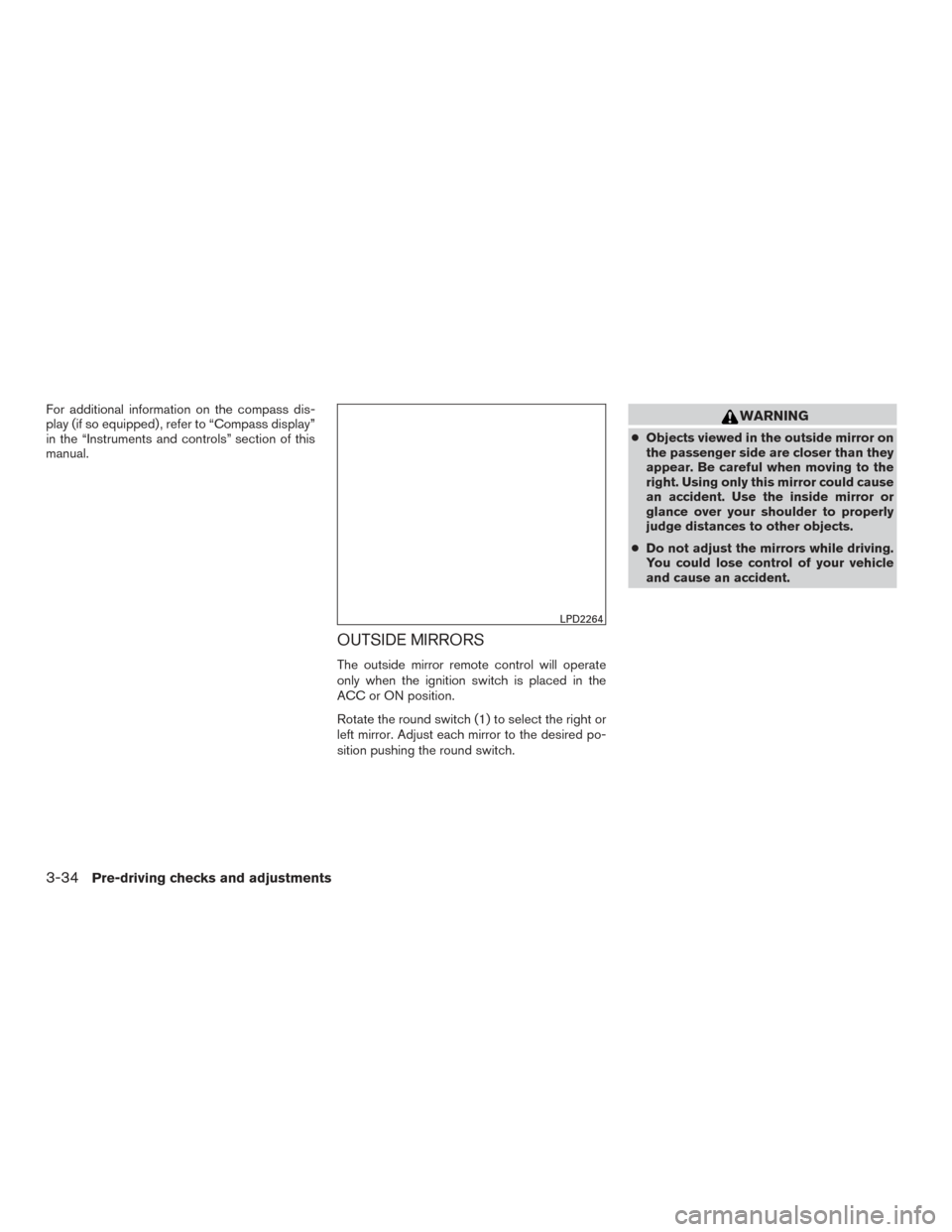
OUTSIDE MIRRORS
The outside mirror remote control will operate
only when the ignition switch is placed in the
ACC or ON position.
Rotate the round switch (1) to select the right or
left mirror. Adjust each mirror to the desired po-
sition pushing the round switch.
WARNING
●Objects viewed in the outside mirror on
the passenger side are closer than they
appear. Be careful when moving to the
right. Using only this mirror could cause
an accident. Use the inside mirror or
glance over your shoulder to properly
judge distances to other objects.
● Do not adjust the mirrors while driving.
You could lose control of your vehicle
and cause an accident.
LPD2264
3-34Pre-driving checks and adjustments
Page 198 of 510
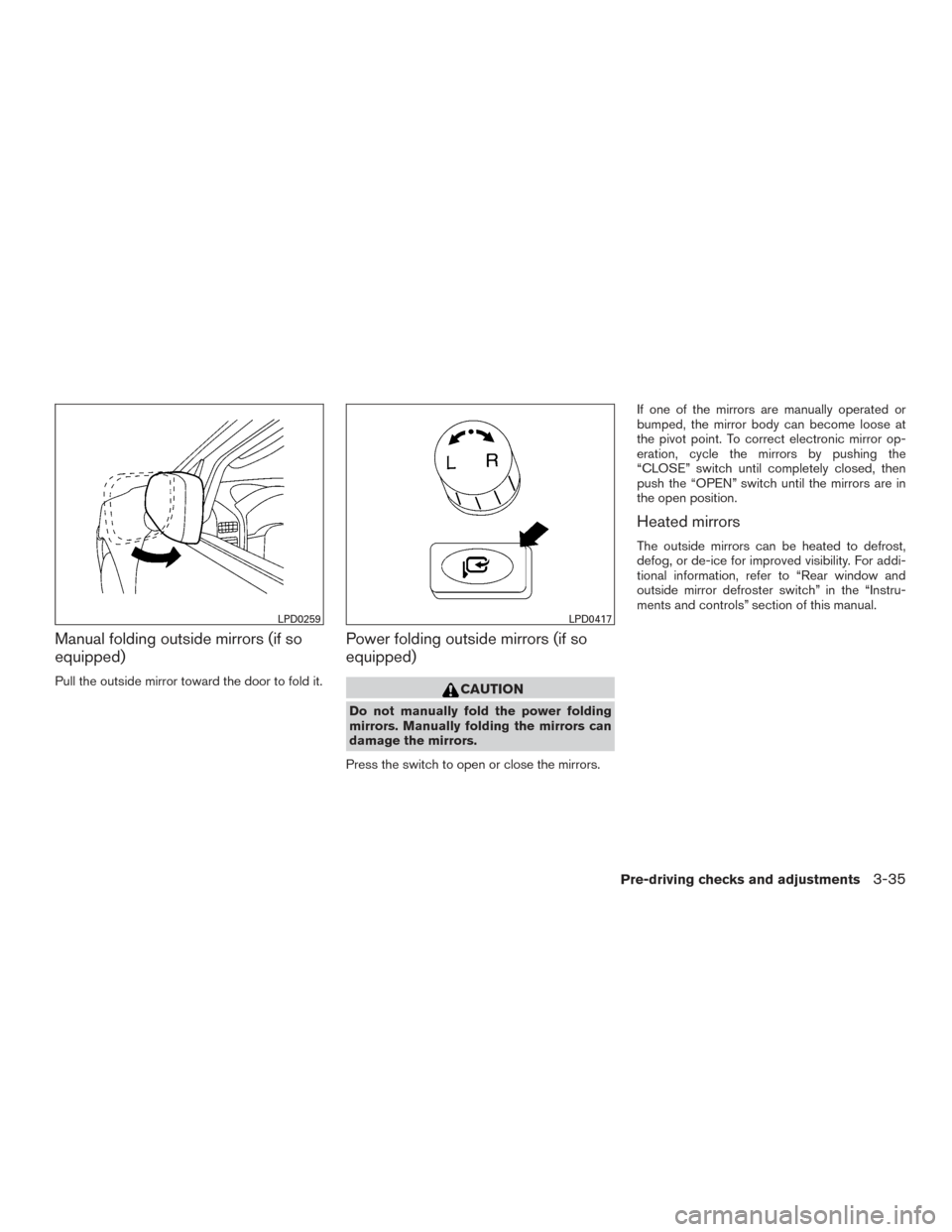
Manual folding outside mirrors (if so
equipped)
Pull the outside mirror toward the door to fold it.
Power folding outside mirrors (if so
equipped)
CAUTION
Do not manually fold the power folding
mirrors. Manually folding the mirrors can
damage the mirrors.
Press the switch to open or close the mirrors. If one of the mirrors are manually operated or
bumped, the mirror body can become loose at
the pivot point. To correct electronic mirror op-
eration, cycle the mirrors by pushing the
“CLOSE” switch until completely closed, then
push the “OPEN” switch until the mirrors are in
the open position.
Heated mirrors
The outside mirrors can be heated to defrost,
defog, or de-ice for improved visibility. For addi-
tional information, refer to “Rear window and
outside mirror defroster switch” in the “Instru-
ments and controls” section of this manual.
LPD0259LPD0417
Pre-driving checks and adjustments3-35