Page 193 of 510
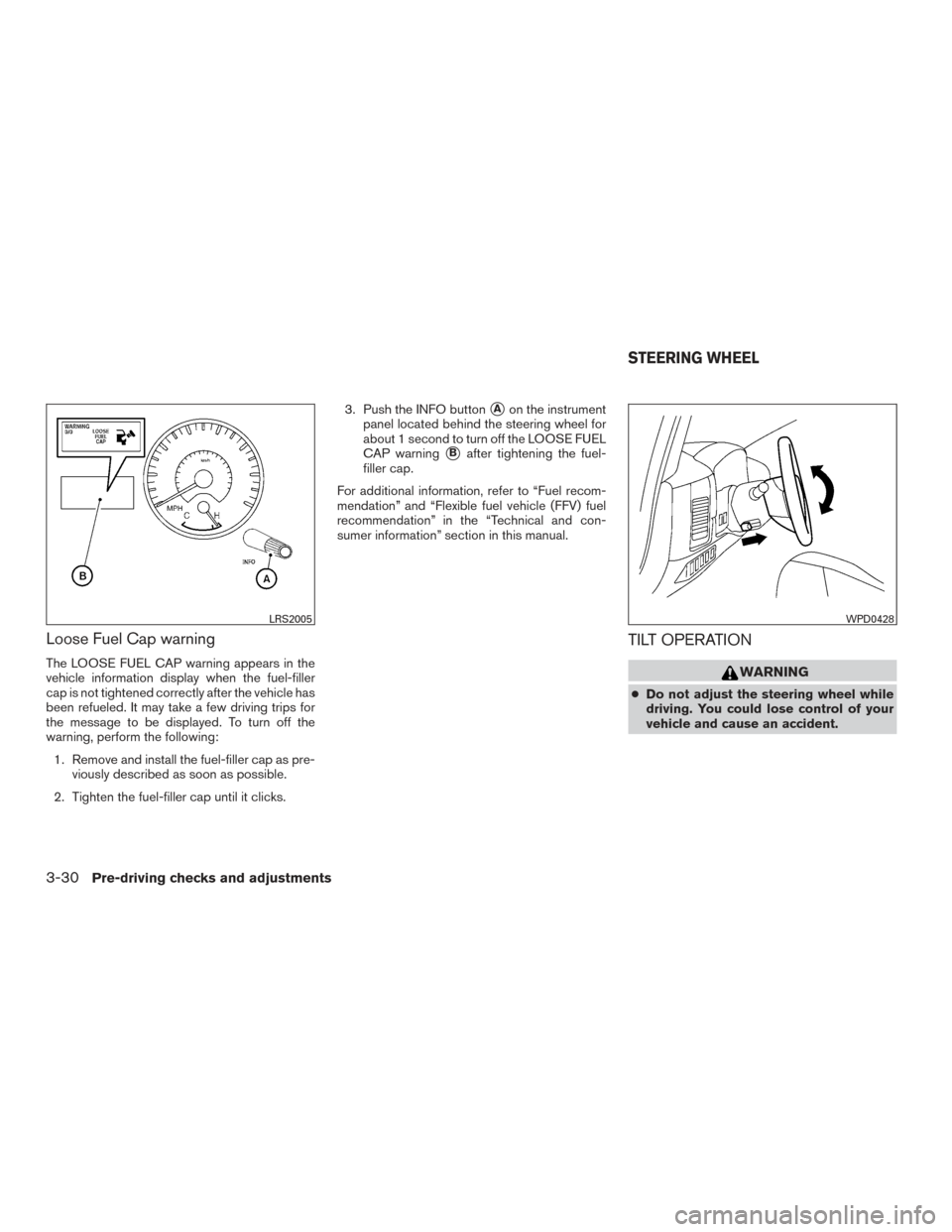
Loose Fuel Cap warning
The LOOSE FUEL CAP warning appears in the
vehicle information display when the fuel-filler
cap is not tightened correctly after the vehicle has
been refueled. It may take a few driving trips for
the message to be displayed. To turn off the
warning, perform the following:1. Remove and install the fuel-filler cap as pre- viously described as soon as possible.
2. Tighten the fuel-filler cap until it clicks. 3. Push the INFO button
�Aon the instrument
panel located behind the steering wheel for
about 1 second to turn off the LOOSE FUEL
CAP warning
�Bafter tightening the fuel-
filler cap.
For additional information, refer to “Fuel recom-
mendation” and “Flexible fuel vehicle (FFV) fuel
recommendation” in the “Technical and con-
sumer information” section in this manual.
TILT OPERATION
WARNING
● Do not adjust the steering wheel while
driving. You could lose control of your
vehicle and cause an accident.
LRS2005WPD0428
STEERING WHEEL
3-30Pre-driving checks and adjustments
Page 194 of 510
●Do not adjust the steering wheel any
closer to you than is necessary for
proper steering operation and comfort.
The driver’s air bag inflates with great
force. If you are unrestrained, leaning
forward, sitting sideways or out of posi-
tion in any way, you are at greater risk of
injury or death in a crash. You may also
receive serious or fatal injuries from the
air bag if you are up against it when it
inflates. Always sit back against the
seatback and as far away as practical
from the steering wheel. Always use the
seat belts.
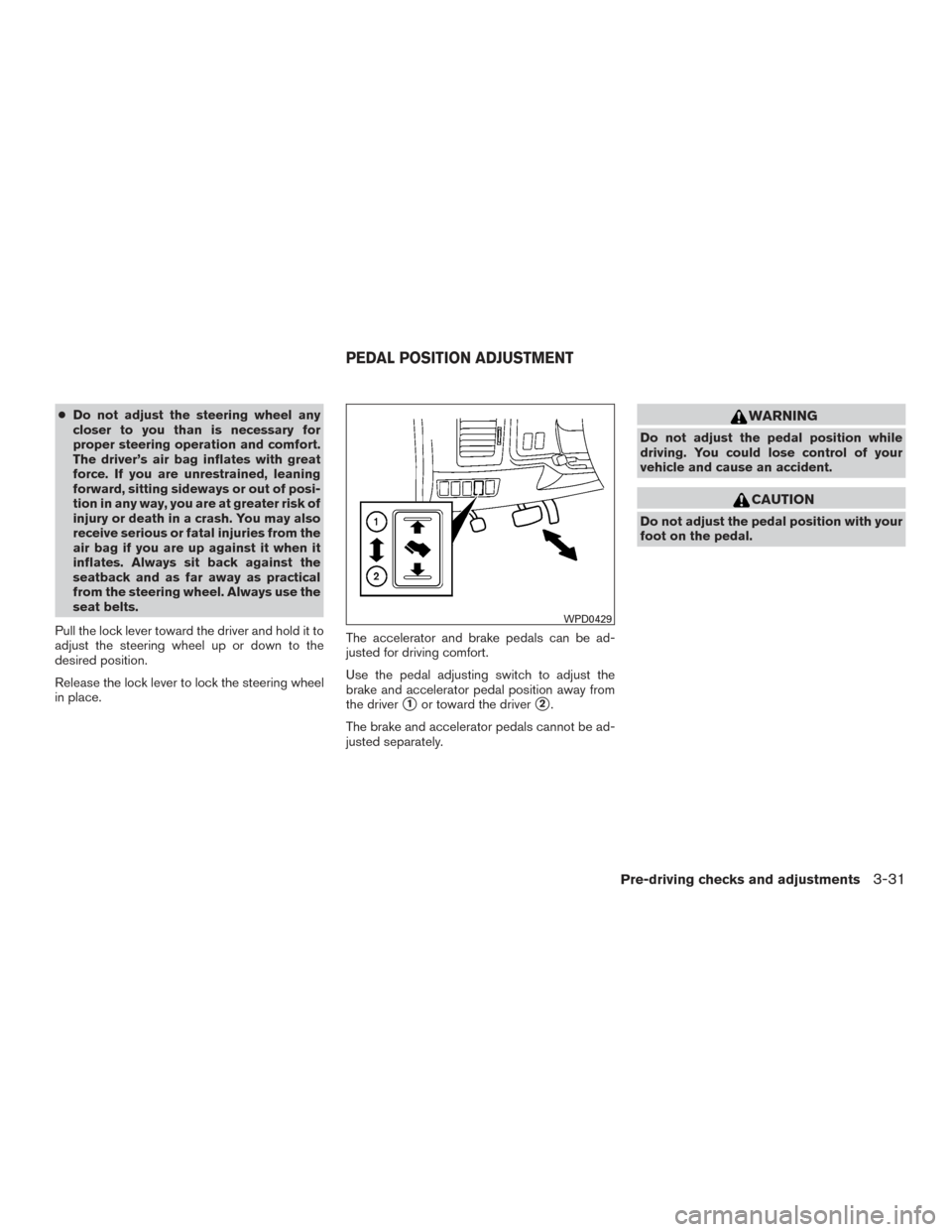
Pull the lock lever toward the driver and hold it to
adjust the steering wheel up or down to the
desired position.
Release the lock lever to lock the steering wheel
in place. The accelerator and brake pedals can be ad-
justed for driving comfort.
Use the pedal adjusting switch to adjust the
brake and accelerator pedal position away from
the driver
�1or toward the driver�2.
The brake and accelerator pedals cannot be ad-
justed separately.
WARNING
Do not adjust the pedal position while
driving. You could lose control of your
vehicle and cause an accident.
CAUTION
Do not adjust the pedal position with your
foot on the pedal.
WPD0429
PEDAL POSITION ADJUSTMENT
Pre-driving checks and adjustments3-31
Page 196 of 510
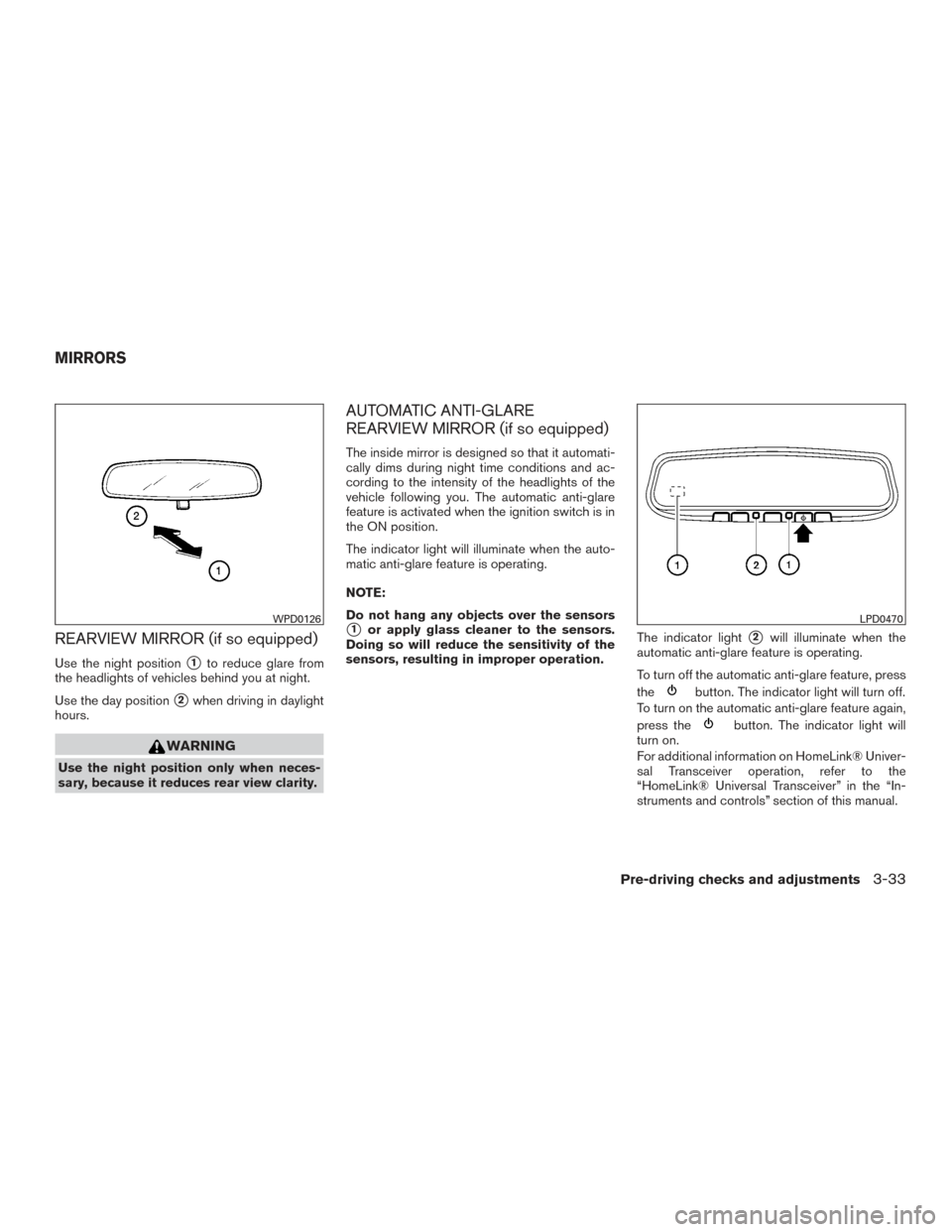
REARVIEW MIRROR (if so equipped)
Use the night position�1to reduce glare from
the headlights of vehicles behind you at night.
Use the day position
�2when driving in daylight
hours.
WARNING
Use the night position only when neces-
sary, because it reduces rear view clarity.
AUTOMATIC ANTI-GLARE
REARVIEW MIRROR (if so equipped)
The inside mirror is designed so that it automati-
cally dims during night time conditions and ac-
cording to the intensity of the headlights of the
vehicle following you. The automatic anti-glare
feature is activated when the ignition switch is in
the ON position.
The indicator light will illuminate when the auto-
matic anti-glare feature is operating.
NOTE:
Do not hang any objects over the sensors
�1or apply glass cleaner to the sensors.
Doing so will reduce the sensitivity of the
sensors, resulting in improper operation. The indicator light�2will illuminate when the
automatic anti-glare feature is operating.
To turn off the automatic anti-glare feature, press
the
button. The indicator light will turn off.
To turn on the automatic anti-glare feature again,
press the
button. The indicator light will
turn on.
For additional information on HomeLink® Univer-
sal Transceiver operation, refer to the
“HomeLink® Universal Transceiver” in the “In-
struments and controls” section of this manual.
WPD0126LPD0470
MIRRORS
Pre-driving checks and adjustments3-33
Page 197 of 510
For additional information on the compass dis-
play (if so equipped) , refer to “Compass display”
in the “Instruments and controls” section of this
manual.
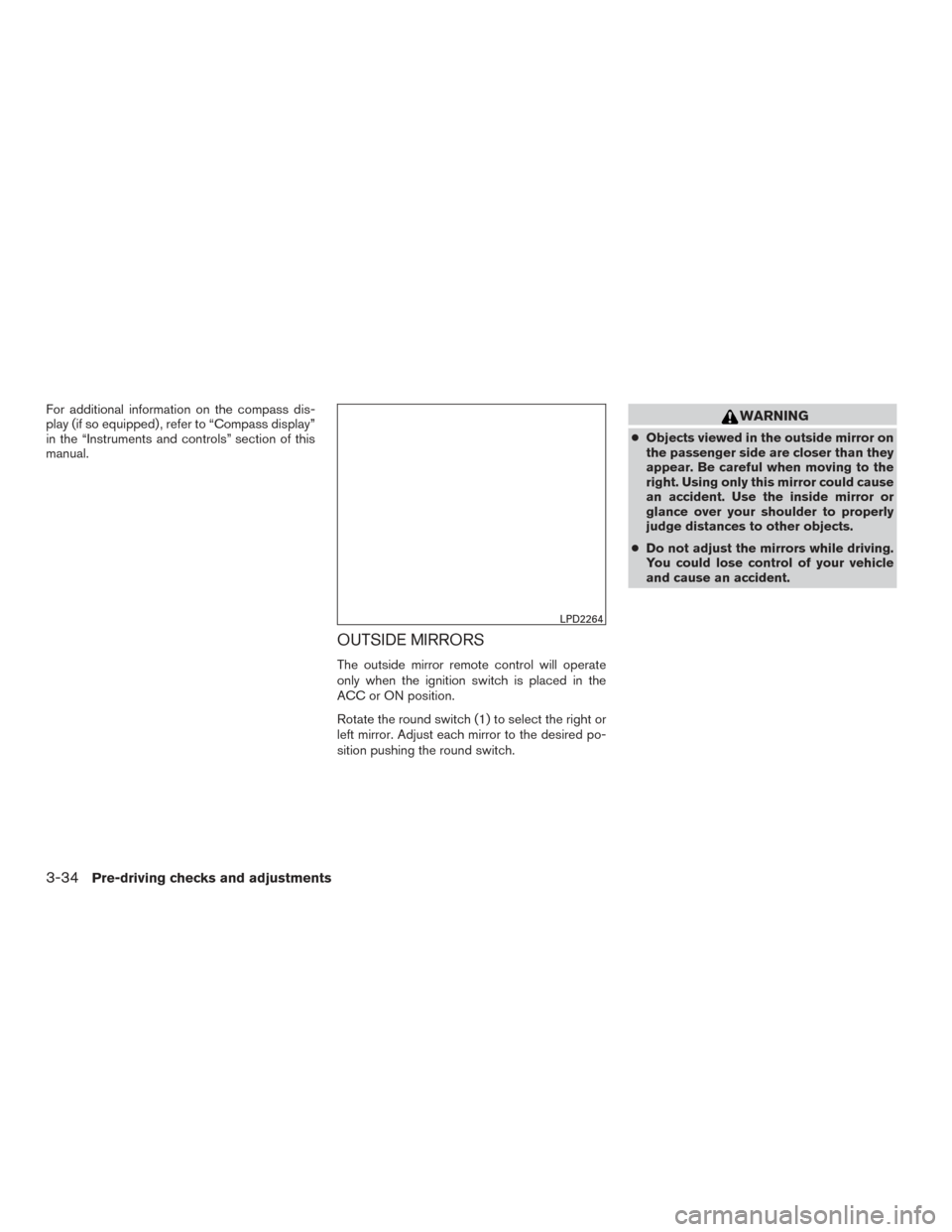
OUTSIDE MIRRORS
The outside mirror remote control will operate
only when the ignition switch is placed in the
ACC or ON position.
Rotate the round switch (1) to select the right or
left mirror. Adjust each mirror to the desired po-
sition pushing the round switch.
WARNING
●Objects viewed in the outside mirror on
the passenger side are closer than they
appear. Be careful when moving to the
right. Using only this mirror could cause
an accident. Use the inside mirror or
glance over your shoulder to properly
judge distances to other objects.
● Do not adjust the mirrors while driving.
You could lose control of your vehicle
and cause an accident.
LPD2264
3-34Pre-driving checks and adjustments
Page 203 of 510
FM/AM/SAT radio with CD/DVD player
(if so equipped)............................... 4-55
Digital Versatile Disc (DVD) Player
Operation (models with Navigation System) ......4-63
USB (Universal Serial Bus) Connection Port
(models without Navigation System) .............4-66
USB (Universal Serial Bus) CONNECTION
PORT (models with Navigation System) ..........4-67
iPod®* player operation without Navigation
System ....................................... 4-71
iPod®* player operation with Navigation
System ....................................... 4-74
Bluetooth® streaming audio (if so equipped) .....4-77
CD care and cleaning .......................... 4-80
Steering wheel switch for audio control ..........4-81
Antenna ...................................... 4-82
NISSAN Mobile Entertainment System (MES)
(if so equipped) .................................. 4-83
Front panel buttons ............................ 4-85
Front panel buttons operation ...................4-86
Wireless Headphone Operation .................4-86
Remote control operation .......................4-88
Remote Control Buttons .......................4-89
General operating instructions . . ................4-91How to use the DVD OSD Menu
................4-93
How to use the Monitor OSD Menu .............4-98
Playing a CD .................................. 4-99
Playing Audio Files ........................... 4-100
Playing Image Files ........................... 4-101
Playing Video Files ............................ 4-102
Charging a USB Device ....................... 4-103
Connecting an External Auxiliary A/V Source
— Input ...................................... 4-103
Connecting an External A/V Monitor —
Output ...................................... 4-104
Selecting Monitor A or B as the Source .........4-104
Troubleshooting Guide ........................ 4-104
Specifications ................................ 4-105
FCC Notice .................................. 4-106
FCC Warning ................................ 4-106
ITE
Notice ................................... 4-106
WEEE Notice ................................ 4-107
Macrovision Notice ........................... 4-107
Dolby Digital . ................................ 4-107
Car phone or CB radio ........................... 4-108
Bluetooth® Hands-Free Phone System without
Navigation System (if so equipped) ................4-108
Regulatory Information ........................ 4-110
Page 205 of 510
WARNING
●Positioning of the heating or air condi-
tioning controls and display controls
should not be done while driving in or-
der that full attention may be given to
the driving operation.
● Do not disassemble or modify this sys-
tem. If you do, it may result in accidents,
fire, or electrical shock.
● Do not use this system if you notice any
abnormality, such as a frozen screen or
lack of sound. Continued use of the
system may result in accident, fire or
electric shock.
● In case you notice any foreign object in
the system hardware, spill liquid on it,
or notice smoke or smell coming from it,
stop using the system immediately. Ig-
noring such conditions may lead to ac-
cidents, fire or electrical shock. It is rec-
ommended you visit a NISSAN dealer
for servicing.
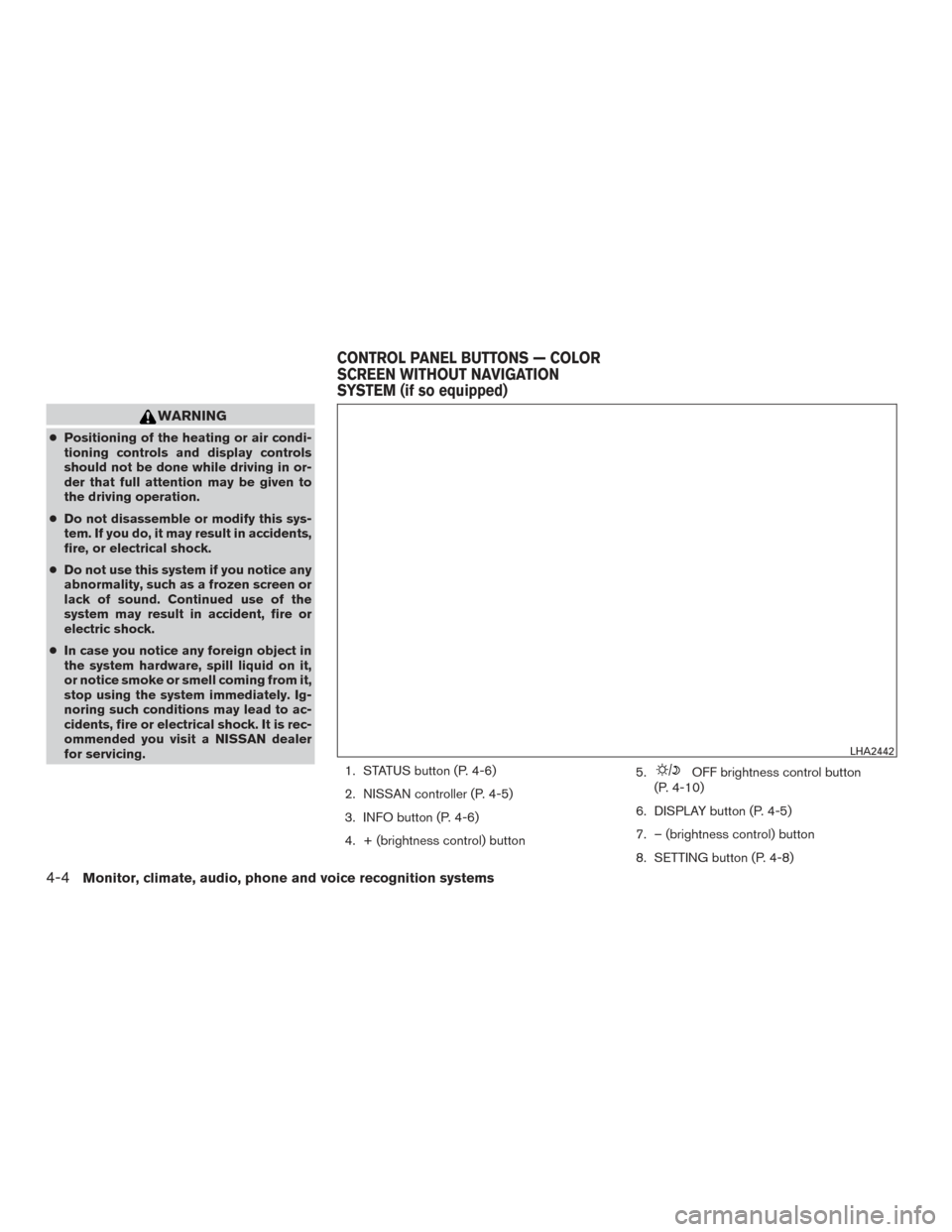
1. STATUS button (P. 4-6)
2. NISSAN controller (P. 4-5)
3. INFO button (P. 4-6)
4. + (brightness control) button 5.
OFF brightness control button
(P. 4-10)
6. DISPLAY button (P. 4-5)
7. – (brightness control) button
8. SETTING button (P. 4-8)
LHA2442
CONTROL PANEL BUTTONS — COLOR
SCREEN WITHOUT NAVIGATION
SYSTEM (if so equipped)
4-4Monitor, climate, audio, phone and voice recognition systems
Page 213 of 510
Park the vehicle in a safe location and then oper-
ate the navigation system.
WARNING
●ALWAYS give your full attention to
driving.
● Avoid using vehicle features that could
distract you. If distracted, you could
lose control of your vehicle and cause
an accident.
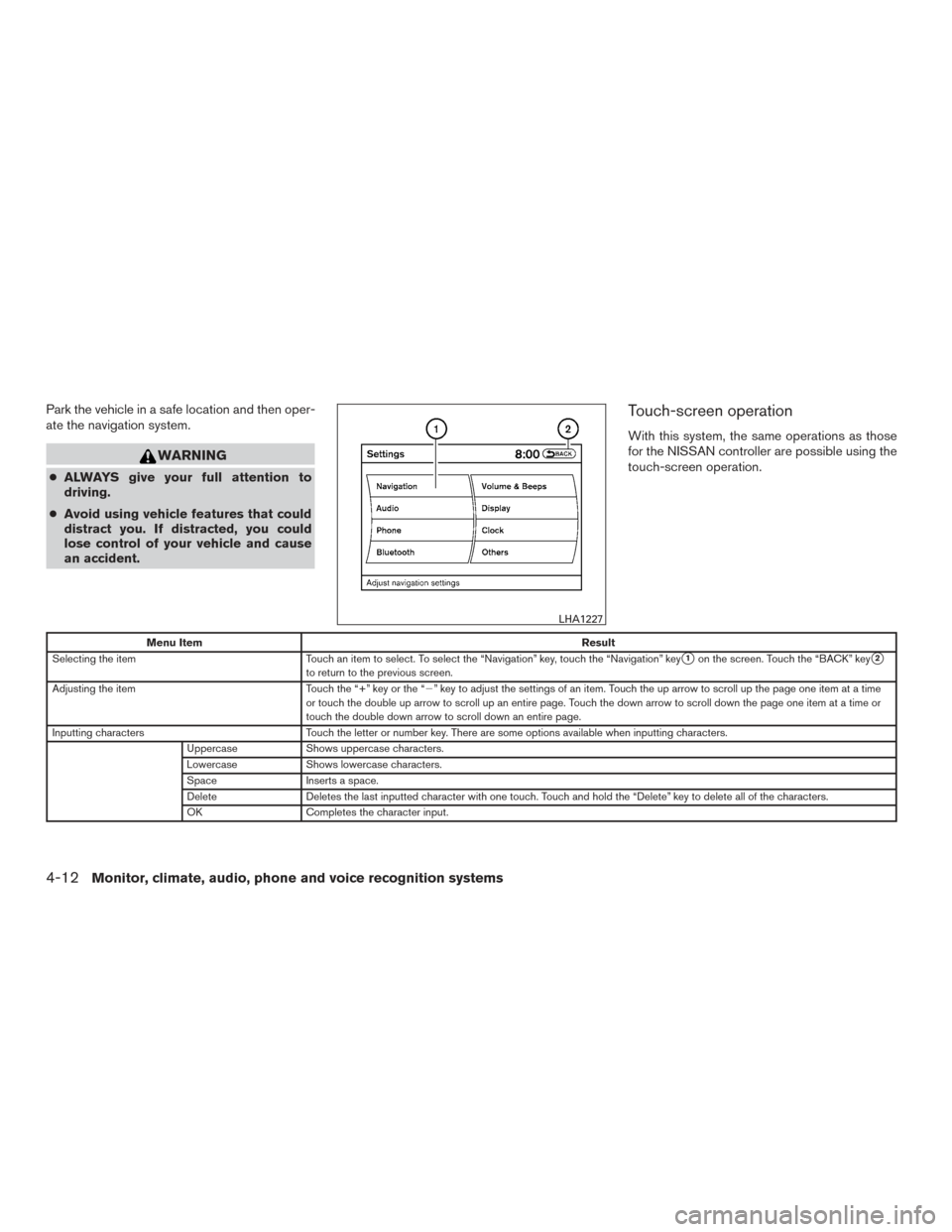
Touch-screen operation
With this system, the same operations as those
for the NISSAN controller are possible using the
touch-screen operation.
Menu Item Result
Selecting the item Touch an item to select. To select the “Navigation” key, touch the “Navigation” key
�1on the screen. Touch the “BACK” key�2to return to the previous screen.
Adjusting the item Touch the “+” key or the “�” key to adjust the settings of an item. Touch the up arrow to scroll up the page one item at a time
or touch the double up arrow to scroll up an entire page. Touch the down arrow to scroll down the page one item at a time or
touch the double down arrow to scroll down an entire page.
Inputting characters Touch the letter or number key. There are some options available when inputting characters.
Uppercase Shows uppercase characters.
Lowercase Shows lowercase characters.
Space Inserts a space.
Delete Deletes the last inputted character with one touch. Touch and hold the “Delete” key to delete all of the characters.
OK Completes the character input.
LHA1227
4-12Monitor, climate, audio, phone and voice recognition systems
Page 222 of 510
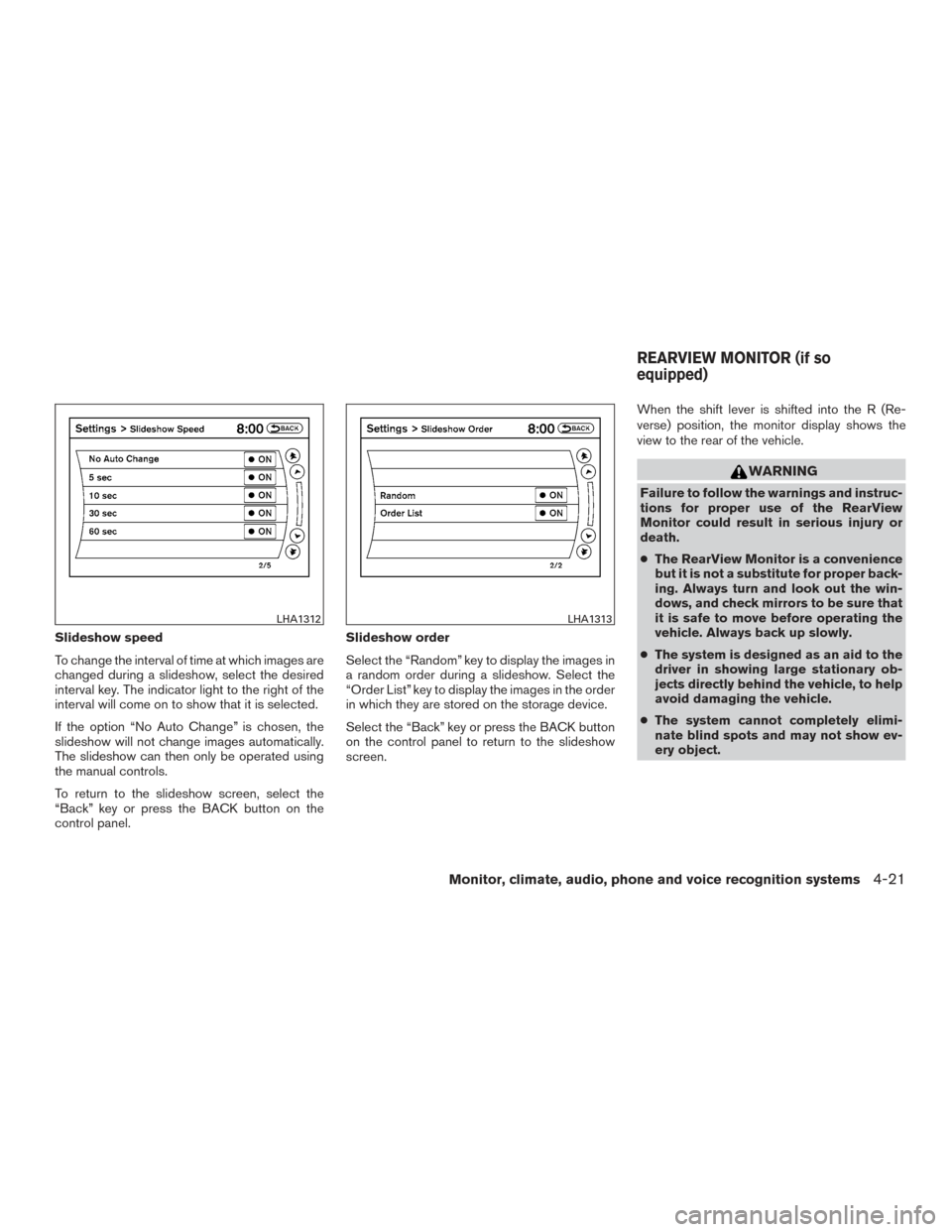
Slideshow speed
To change the interval of time at which images are
changed during a slideshow, select the desired
interval key. The indicator light to the right of the
interval will come on to show that it is selected.
If the option “No Auto Change” is chosen, the
slideshow will not change images automatically.
The slideshow can then only be operated using
the manual controls.
To return to the slideshow screen, select the
“Back” key or press the BACK button on the
control panel.Slideshow order
Select the “Random” key to display the images in
a random order during a slideshow. Select the
“Order List” key to display the images in the order
in which they are stored on the storage device.
Select the “Back” key or press the BACK button
on the control panel to return to the slideshow
screen.When the shift lever is shifted into the R (Re-
verse) position, the monitor display shows the
view to the rear of the vehicle.
WARNING
Failure to follow the warnings and instruc-
tions for proper use of the RearView
Monitor could result in serious injury or
death.
●
The RearView Monitor is a convenience
but it is not a substitute for proper back-
ing. Always turn and look out the win-
dows, and check mirrors to be sure that
it is safe to move before operating the
vehicle. Always back up slowly.
● The system is designed as an aid to the
driver in showing large stationary ob-
jects directly behind the vehicle, to help
avoid damaging the vehicle.
● The system cannot completely elimi-
nate blind spots and may not show ev-
ery object.
LHA1312LHA1313
REARVIEW MONITOR (if so
equipped)
Monitor, climate, audio, phone and voice recognition systems4-21