2015 NISSAN ALTIMA trunk
[x] Cancel search: trunkPage 106 of 441
VEHICLE INFORMATION DISPLAY
WARNINGS AND INDICATORS
1. No Key Detected
2. Key ID Incorrect
3. Shift to Park4. Push ignition to OFF
5. Key battery low
6. Engine start operation for Intelligent Key sys-
tem
7. Release parking brake 8. Low Fuel
9. Low Washer Fluid
10. Door Open
11. Trunk Open
LIC2563
2-24Instruments and controls
Page 108 of 441
Low Washer Fluid
This warning illuminates when the windshield-
washer fluid is at a low level. Add windshield-
washer fluid as necessary. For additional informa-
tion, refer to “Windshield-washer fluid” in the
“Maintenance and do-it-yourself” section of this
manual.
Door/liftgate Open
This warning illuminates when a door has been
opened when the engine is running.
Trunk Open
This warning illuminates when the trunk has been
opened when the engine is running.
Timer Alert – Time for a driver break?
This indicator appears when the set time is
reached. The time can be set up to six hours. For
setting the timer, refer to “Timer alert” in this
section.
Low Outside Temperature
This warning appears if the outside temperature
is below 37°F (3°C) . The temperature can be
changed to display in Celsius or Fahrenheit. For
additional information, refer to “Temperature” in
this section.Power will turn off to save the battery
This warning appears in message area of the
vehicle information display after a period of time if
the shift lever has not moved from the P (Park)
position.
CVT Error: See Owner’s Manual
This warning illuminates when the there is a prob-
lem with the CVT system. If this warning comes
on, have the system checked by a NISSAN
dealer.
Reminder: Turn OFF headlights
This warning appears when the headlights are
left in the ON position when exiting the vehicle.
Place the headlight switch in the OFF or AUTO
position. For additional information, refer to
“Headlight and turn signal switch” in this section.
Low Oil Pressure: See Owner’s Manual
This warning appears in message area of the
vehicle information display if low oil pressure is
detected. This gauge is not designed to indicate
low oil level.
The low oil pressure warning is
not designed to indicate a low oil level. Use
the dipstick to check the oil level. For additional
information, refer to “Engine oil” in the “Mainte-
nance and do-it-yourself” section of this manual. Key Registration Complete
This appears when a new Intelligent Key is regis-
tered to the vehicle.
Tire Pressure Low - Add Air warning
This warning appears when the low tire pressure
warning light in the meter illuminates and low tire
pressure is detected. The warning appears each
time the ignition switch is placed in the ON
position as long as the low tire pressure warning
light remains illuminated. If this warning appears,
stop the vehicle and adjust the tire pressures of
all four tires to the recommended COLD tire
pressure shown on the Tire and Loading Informa-
tion label. For additional information, refer to
“Low tire pressure warning light” in this section
and “Tire Pressure Monitoring System (TPMS)”
in the “Starting and driving” section of this
manual.
TPMS Error: See Owner’s Manual
This warning appears when there is an error with
your TPMS. If this warning comes on, have the
system checked by a NISSAN dealer.
2-26Instruments and controls
Page 109 of 441
Push to start
This warning appears in the vehicle information
display when the vehicle has been started using
the remote start function. To start the vehicle,
apply the brake and place the ignition switch in
the ON position.
Loose Fuel Cap
This warning appears when the fuel-filler cap is
not tightened correctly after the vehicle has been
refueled. For additional information, refer to
“Fuel-filler cap” in the “Pre-driving checks and
adjustments” section of this manual.
I-Key System Error: See Owner’s Manual
(if so equipped)
After the ignition switch is pushed to the ON
position, this light comes on for about 2 seconds
and then turns off.
The I-Key System Error message warns of a
malfunction with the Intelligent Key system. If the
light comes on while the engine is stopped, it may
be impossible to start the engine.
If the light comes on while the engine is running,
you can drive the vehicle. However in these
cases, contact a NISSAN dealer for repair as
soon as possible.Your vehicle may have two types of security sys-
tems:
● Vehicle security system
● NISSAN Vehicle Immobilizer System
VEHICLE SECURITY SYSTEM
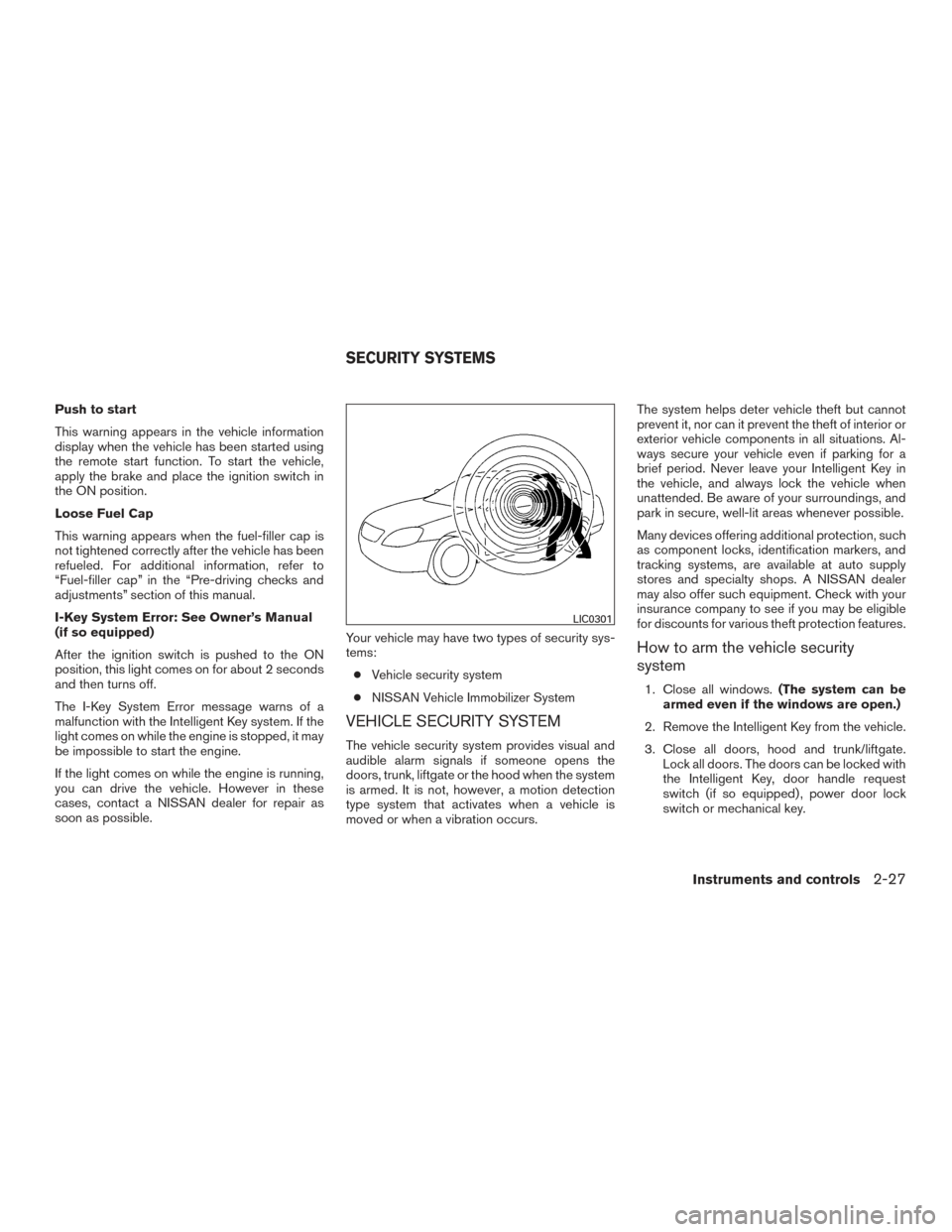
The vehicle security system provides visual and
audible alarm signals if someone opens the
doors, trunk, liftgate or the hood when the system
is armed. It is not, however, a motion detection
type system that activates when a vehicle is
moved or when a vibration occurs. The system helps deter vehicle theft but cannot
prevent it, nor can it prevent the theft of interior or
exterior vehicle components in all situations. Al-
ways secure your vehicle even if parking for a
brief period. Never leave your Intelligent Key in
the vehicle, and always lock the vehicle when
unattended. Be aware of your surroundings, and
park in secure, well-lit areas whenever possible.
Many devices offering additional protection, such
as component locks, identification markers, and
tracking systems, are available at auto supply
stores and specialty shops. A NISSAN dealer
may also offer such equipment. Check with your
insurance company to see if you may be eligible
for discounts for various theft protection features.
How to arm the vehicle security
system
1. Close all windows.
(The system can be
armed even if the windows are open.)
2. Remove the Intelligent Key from the vehicle.
3. Close all doors, hood and trunk/liftgate. Lock all doors. The doors can be locked with
the Intelligent Key, door handle request
switch (if so equipped) , power door lock
switch or mechanical key.
LIC0301
SECURITY SYSTEMS
Instruments and controls2-27
Page 110 of 441
4. Confirm that the security indicator lightcomes on. The security light stays on for
about 30 seconds. The vehicle security sys-
tem is now pre-armed. After about 30 sec-
onds the vehicle security system automati-
cally shifts into the armed phase. The
security light begins to flash once every
3 seconds. If, during the 30-second pre-arm
time period, the driver’s door is unlocked by
the key or the key fob, or the ignition switch
is placed in the ACC or ON position, the
system will not arm.
● Even when the driver and/or passen-
gers are in the vehicle, the system will
activate with all the doors, hood and
trunk lid locked with the ignition switch
placed in the LOCK position. When
placing the ignition switch in the ACC
or ON position, the system will be re-
leased.
Vehicle security system activation
The vehicle security system will give the following
alarm:
● The headlights blink and the horn sounds
intermittently. ●
The alarm automatically turns off after a pe-
riod of time. However, the alarm reactivates if
the vehicle is tampered with again. The alarm
can be shut off by unlocking the driver’s door
or trunk lid with the key, or by pressing
the
button on the Intelligent Key.
The alarm is activated by:
● opening the door or trunk lid without using
the key or Intelligent Key (even if the door is
unlocked by releasing the door inside lock
switch) .
How to stop an activated alarm
The alarm stops only by unlocking the driver’s
door or the trunk lid with the key, pressing
the
button on the Intelligent Key, or press-
ing the request switch (if so equipped) on the
driver’s or passenger’s door with the Intelligent
Key in range of the door handle.
NISSAN VEHICLE IMMOBILIZER
SYSTEM
The NISSAN Vehicle Immobilizer System will not
allow the engine to start without the use of a
registered key.
If the engine fails to start using a registered key
(for example, when interference is caused by
another registered key, an automated toll road device or automatic payment device on the key
ring) , restart the engine using the following pro-
cedures:
1. Leave the ignition switch placed in the ON position for approximately 5 seconds.
2. Place the ignition switch in the OFF or LOCK position, and wait approximately
10 seconds.
3. Repeat Steps 1 and 2.
4. Restart the engine while holding the device (which may have caused the interference)
separate from the registered key.
If the no start condition re-occurs, NISSAN rec-
ommends placing the registered key on a sepa-
rate key ring to avoid interference from other
devices.
FCC Notice:
For USA:
This device complies with part 15 of the
FCC Rules. Operation is subject to the fol-
lowing two conditions: (1) This device may
not cause harmful interference, and (2) this
device must accept any interference re-
ceived, including interference that may
cause undesired operation.
2-28Instruments and controls
Page 126 of 441
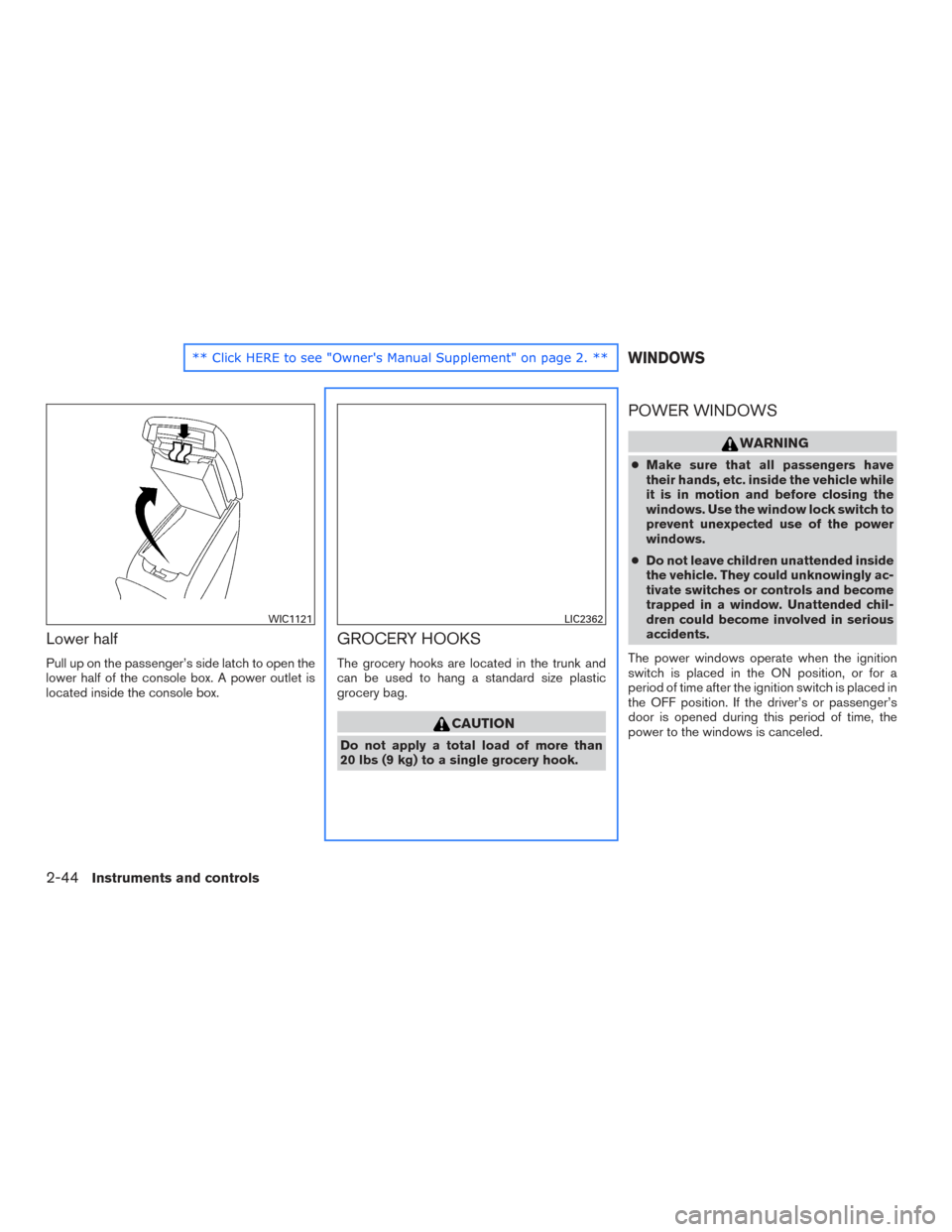
Lower half
Pull up on the passenger’s side latch to open the
lower half of the console box. A power outlet is
located inside the console box.
GROCERY HOOKS
The grocery hooks are located in the trunk and
can be used to hang a standard size plastic
grocery bag.
CAUTION
Do not apply a total load of more than
20 lbs (9 kg) to a single grocery hook.
POWER WINDOWS
WARNING
●Make sure that all passengers have
their hands, etc. inside the vehicle while
it is in motion and before closing the
windows. Use the window lock switch to
prevent unexpected use of the power
windows.
● Do not leave children unattended inside
the vehicle. They could unknowingly ac-
tivate switches or controls and become
trapped in a window. Unattended chil-
dren could become involved in serious
accidents.
The power windows operate when the ignition
switch is placed in the ON position, or for a
period of time after the ignition switch is placed in
the OFF position. If the driver’s or passenger’s
door is opened during this period of time, the
power to the windows is canceled.
WIC1121LIC2362
WINDOWS
2-44Instruments and controls
Page 132 of 441
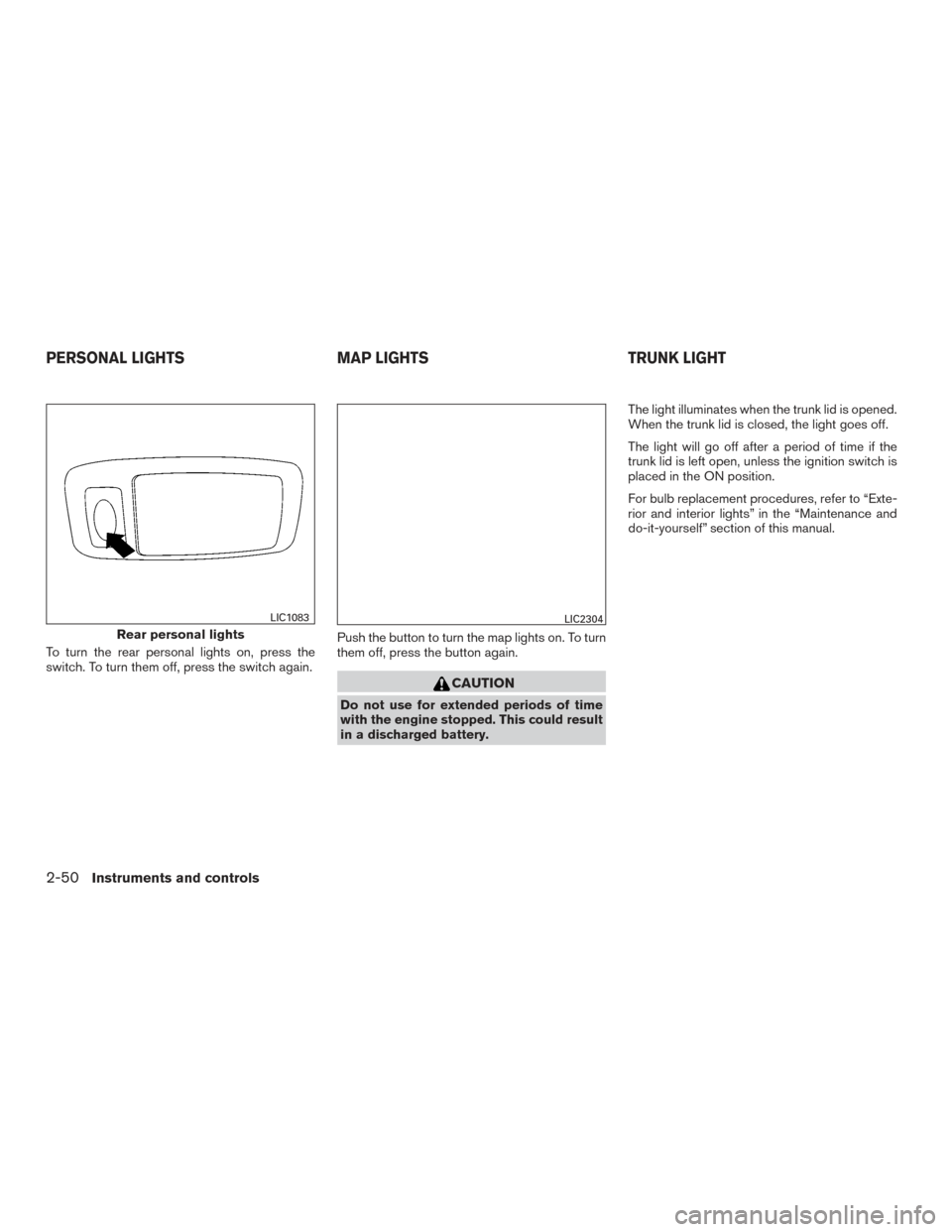
To turn the rear personal lights on, press the
switch. To turn them off, press the switch again.Push the button to turn the map lights on. To turn
them off, press the button again.
CAUTION
Do not use for extended periods of time
with the engine stopped. This could result
in a discharged battery.The light illuminates when the trunk lid is opened.
When the trunk lid is closed, the light goes off.
The light will go off after a period of time if the
trunk lid is left open, unless the ignition switch is
placed in the ON position.
For bulb replacement procedures, refer to “Exte-
rior and interior lights” in the “Maintenance and
do-it-yourself” section of this manual.
Rear personal lights
LIC1083LIC2304
PERSONAL LIGHTS
MAP LIGHTSTRUNK LIGHT
2-50Instruments and controls
Page 137 of 441
3 Pre-driving checks and adjustments
Keys .............................................3-2NISSAN Intelligent Key® . .......................3-2
NISSAN Vehicle Immobilizer System keys .........3-4
Doors ............................................3-4
Locking with key ................................3-4
Locking with inside lock knob ....................3-5
Locking with power door lock switch . . . ..........3-6
Automatic door locks ...........................3-6
Child safety rear door lock .......................3-7
NISSAN Intelligent Key® With Door and Trunk
Request Switches .................................3-7
Operating range ................................3-9
Door locks/unlocks precaution ...................3-9
NISSAN Intelligent Key® operation ..............3-10
How to use the remote keyless entry
function ...................................... 3-13
Warning signals ............................... 3-17
Troubleshooting guide ......................... 3-18
NISSAN Intelligent Key® Without Door and Trunk
Request Switches ................................ 3-20
Operating range ............................... 3-21
How to use the remote keyless entry
function ...................................... 3-21
Warning signals ............................... 3-25Troubleshooting guide
......................... 3-25
Remote Engine Start (if so equipped) . . .............3-27
Remote engine start operating range ............3-27
Remote starting the vehicle .....................3-27
Extending engine run time ......................3-28
Canceling a remote start .......................3-28
Conditions the remote start will not work .........3-28
Hood ........................................... 3-29
Trunk lid ......................................... 3-30
Opener operation .............................. 3-30
Interior trunk lid release ........................ 3-31
Fuel-filler door ................................... 3-32
Opener operation .............................. 3-32
Fuel-filler cap ................................. 3-32
Tilt/telescopic steering ............................ 3-34
Tilt operation .................................. 3-35
Telescopic operation ........................... 3-35
Sun visors ....................................... 3-35
V anity
mirrors ................................. 3-36
Mirrors .......................................... 3-36
Rearview
mirror (if so equipped) .................3-36
Automatic anti-glare rearview mirror
(if so equipped) ............................... 3-36
Outside mirrors ............................... 3-38
Page 139 of 441
●Do not place the Intelligent Key near
equipment that produces a magnetic
field, such as a TV, audio equipment and
personal computers.
If an Intelligent Key is lost or stolen,
NISSAN recommends erasing the ID code
of that Intelligent Key from the vehicle.
This may prevent the unauthorized use of
the Intelligent Key to operate the vehicle.
For information regarding the erasing
procedure, contact a NISSAN dealer.
Mechanical key
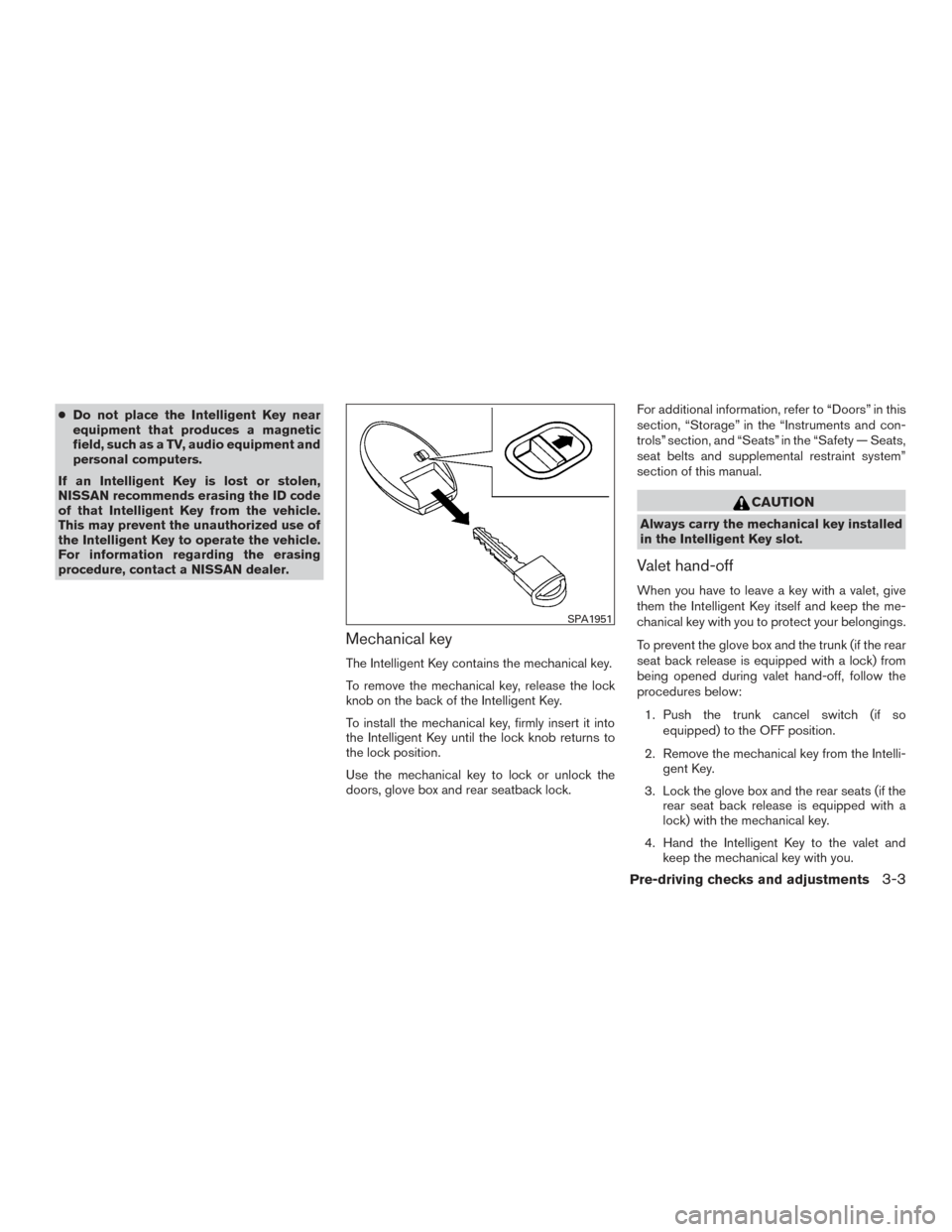
The Intelligent Key contains the mechanical key.
To remove the mechanical key, release the lock
knob on the back of the Intelligent Key.
To install the mechanical key, firmly insert it into
the Intelligent Key until the lock knob returns to
the lock position.
Use the mechanical key to lock or unlock the
doors, glove box and rear seatback lock. For additional information, refer to “Doors” in this
section, “Storage” in the “Instruments and con-
trols” section, and “Seats” in the “Safety — Seats,
seat belts and supplemental restraint system”
section of this manual.
CAUTION
Always carry the mechanical key installed
in the Intelligent Key slot.
Valet hand-off
When you have to leave a key with a valet, give
them the Intelligent Key itself and keep the me-
chanical key with you to protect your belongings.
To prevent the glove box and the trunk (if the rear
seat back release is equipped with a lock) from
being opened during valet hand-off, follow the
procedures below:
1. Push the trunk cancel switch (if so equipped) to the OFF position.
2. Remove the mechanical key from the Intelli- gent Key.
3. Lock the glove box and the rear seats (if the rear seat back release is equipped with a
lock) with the mechanical key.
4. Hand the Intelligent Key to the valet and keep the mechanical key with you.
SPA1951
Pre-driving checks and adjustments3-3