2015 NISSAN ALTIMA bluetooth
[x] Cancel search: bluetoothPage 7 of 441
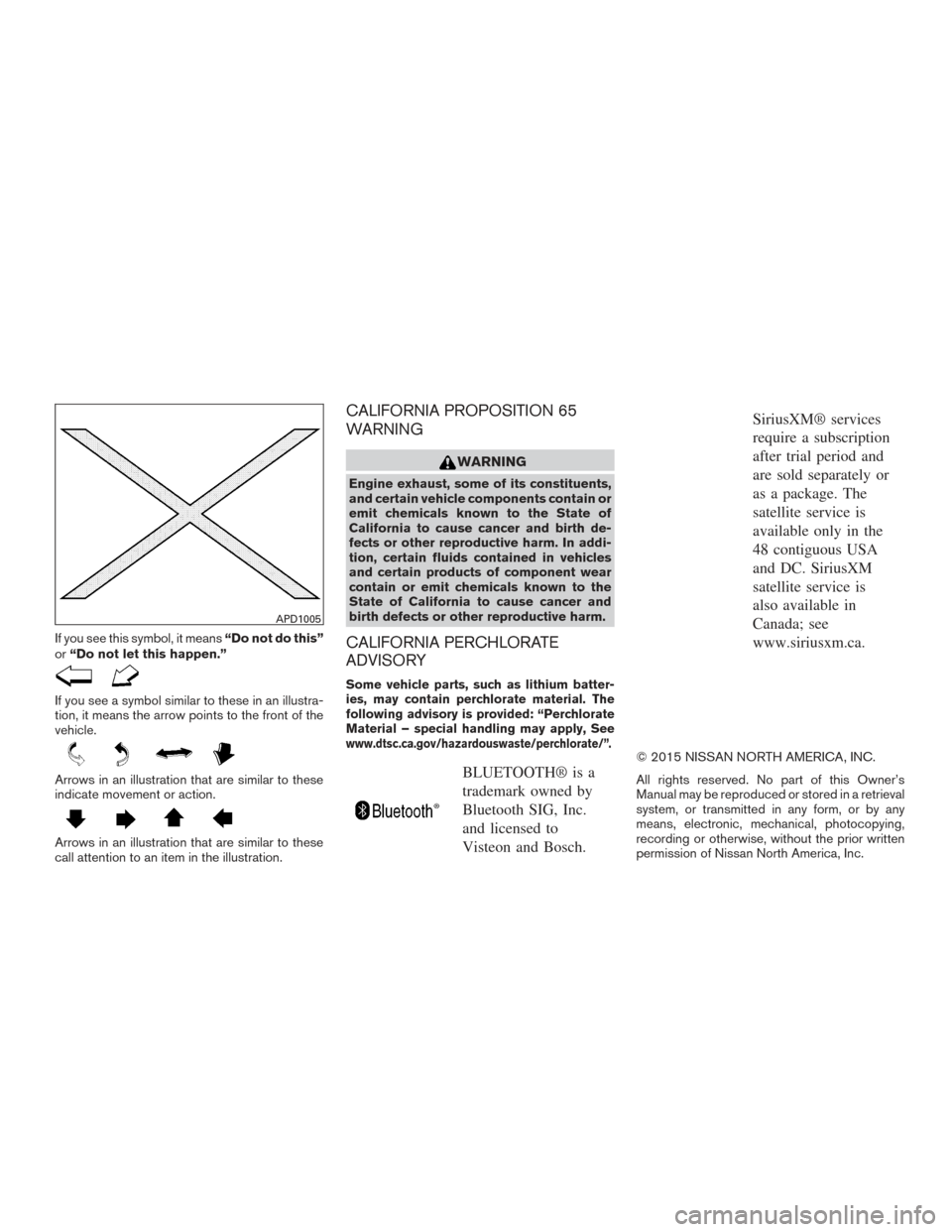
If you see this symbol, it means“Do not do this”
or “Do not let this happen.”
If you see a symbol similar to these in an illustra-
tion, it means the arrow points to the front of the
vehicle.
Arrows in an illustration that are similar to these
indicate movement or action.
Arrows in an illustration that are similar to these
call attention to an item in the illustration.
CALIFORNIA PROPOSITION 65
WARNING
WARNING
Engine exhaust, some of its constituents,
and certain vehicle components contain or
emit chemicals known to the State of
California to cause cancer and birth de-
fects or other reproductive harm. In addi-
tion, certain fluids contained in vehicles
and certain products of component wear
contain or emit chemicals known to the
State of California to cause cancer and
birth defects or other reproductive harm.
CALIFORNIA PERCHLORATE
ADVISORY
Some vehicle parts, such as lithium batter-
ies, may contain perchlorate material. The
following advisory is provided: “Perchlorate
Material – special handling may apply, See
www.dtsc.ca.gov/hazardouswaste/perchlorate/”.
BLUETOOTH® is a
trademark owned by
Bluetooth SIG, Inc.
and licensed to
Visteon and Bosch.
SiriusXM® services
require a subscription
after trial period and
are sold separately or
as a package. The
satellite service is
available only in the
48 contiguous USA
and DC. SiriusXM
satellite service is
also available in
Canada; see
www.siriusxm.ca.
© 2015 NISSAN NORTH AMERICA, INC.
All rights reserved. No part of this Owner’s
Manual may be reproduced or stored in a retrieval
system, or transmitted in any form, or by any
means, electronic, mechanical, photocopying,
recording or otherwise, without the prior written
permission of Nissan North America, Inc.
APD1005
Page 16 of 441
1. Instrument brightness control/Tripcomputer reset switch (P. 2-35, P. 2-4)
2. Vents (P. 4-24)
3. Headlight/fog light (if so equipped)/turn
signal switch (P. 2-31) 4. Driver supplemental air bag/horn
(P. 1-41, P. 2-36)
5. Meters and gauges (P. 2-3)
6. Paddle shift controls (if so equipped)
(P. 5-15) 7. Windshield wiper/washer switch
(P. 2-29)
8. Hazard warning flasher switch (P. 6-2)
9. Front passenger air bag status light
(P. 1-48)
10. Audio system controls/Navigation
system* (P. 4-35)
11. Front passenger supplemental air bag
(P. 1-41)
12. Glove box (P. 2-43)
13. Power outlet (P. 2-40 )
14. Heater and air conditioner (manual or
automatic) (P. 4-25, P. 4-32)
15. Shift lever (P. 5-13 )
16. USB port/Aux jack (P. 4-68) (P. 4-46)
17. Push-button ignition switch (P. 5-8)
18. Cruise control main/set switch/
Bluetooth® Hands-free Phone System
(P. 5-27/P. 4-78)
19. Tilt/telescopic steering wheel controls
(P. 3-34)
20. Steering wheel switch for audio
control/Vehicle information display
controls (P. 4-81, P. 2-18)
21. Fuel filler door release/Hood release)
(P. 3-32, P. 3-29)
LIC2829
INSTRUMENT PANEL
0-6Illustrated table of contents
Page 84 of 441
1. Instrument brightness control/Trip com-puter reset switch (P. 2-35, P. 2-4)
2. Vents (P. 4-24)
3. Headlight/fog light (if so equipped)/turn
signal switch (P. 2-31) 4. Driver supplemental air bag/horn
(P. 1-41, P. 2-36)
5. Meters and gauges (P. 2-3)
6. Paddle shift controls (if so equipped)
(P. 5-15) 7. Windshield wiper/washer switch
(P. 2-29)
8. Hazard warning flasher switch (P. 6-2)
9. Front passenger air bag status light
(P. 1-48)
10. Audio system controls/Navigation
system* (P. 4-35)
11. Front passenger supplemental air bag
(P. 1-41)
12. Glove box (P. 2-43)
13. Power outlet (P. 2-40 )
14. Heater and air conditioner (manual or
automatic) (P. 4-25, P. 4-32)
15. Shift lever (P. 5-13 )
16. USB port/Aux jack (P. 4-68) (P. 4-46)
17. Push-button ignition switch (P. 5-8)
18. Cruise control main/set switch/
Bluetooth® Hands-free Phone System
(P. 5-27/P. 4-78)
19. Tilt/telescopic steering wheel controls
(P. 3-34)
20. Steering wheel switch for audio
control/Vehicle information display
controls (P. 4-81, P. 2-18)
21. Fuel filler door release/Hood release)
(P. 3-32, P. 3-29)
LIC2829
INSTRUMENT PANEL
2-2Instruments and controls
Page 176 of 441
FM/AM/SAT radio with compact disc (CD)
player (Type B) (if so equipped).................4-62
USB (Universal Serial Bus) connection port
(models without Navigation System)
(if so equipped) ............................... 4-68
USB (Universal Serial Bus) connection port
(models with Navigation System)
(if so equipped) ............................... 4-70
iPod®* player operation without Navigation
System (if so equipped) ........................ 4-73
iPod®* player operation with Navigation
System (if so equipped) ........................ 4-75
Bluetooth® streaming audio without
Navigation System (Type A) (if so equipped) ......4-78
Bluetooth® streaming audio without
Navigation System (Type B) (if so equipped) ......4-79
Bluetooth® streaming audio with Navigation
System ....................................... 4-79
CD care and cleaning .......................... 4-81
Steering wheel switch for audio control ..........4-81
Antenna ...................................... 4-82
NissanConnect
SMMobile Apps (if so equipped) .....4-83
Registering with NissanConnectSMMobile
Apps ......................................... 4-83Connect Phone
............................... 4-83
Application Download .......................... 4-84
Car phone or CB radio ............................ 4-84
Bluetooth® Hands-Free Phone System without
Navigation System (Type A) (if so equipped) .........4-85
Regulatory Information ......................... 4-86
Using the system .............................. 4-87
Control buttons ............................... 4-89
Getting started ................................ 4-89
List of voice commands ........................ 4-91
Voice Adaptation (VA) mode ....................4-96
Manual control . . .............................. 4-97
Troubleshooting guide ......................... 4-98
Bluetooth® Hands-Free Phone System without
Navigation System (Type B) (if so equipped) .........4-99
Regulatory Information ........................ 4-100
Using the system ............................. 4-101
Control buttons .............................. 4-102
Connecting procedure ........................ 4-103
Voice commands ............................. 4-104
Making a call . ................................ 4-105
Receiving a call .............................. 4-106
During a call ................................. 4-106
Page 177 of 441
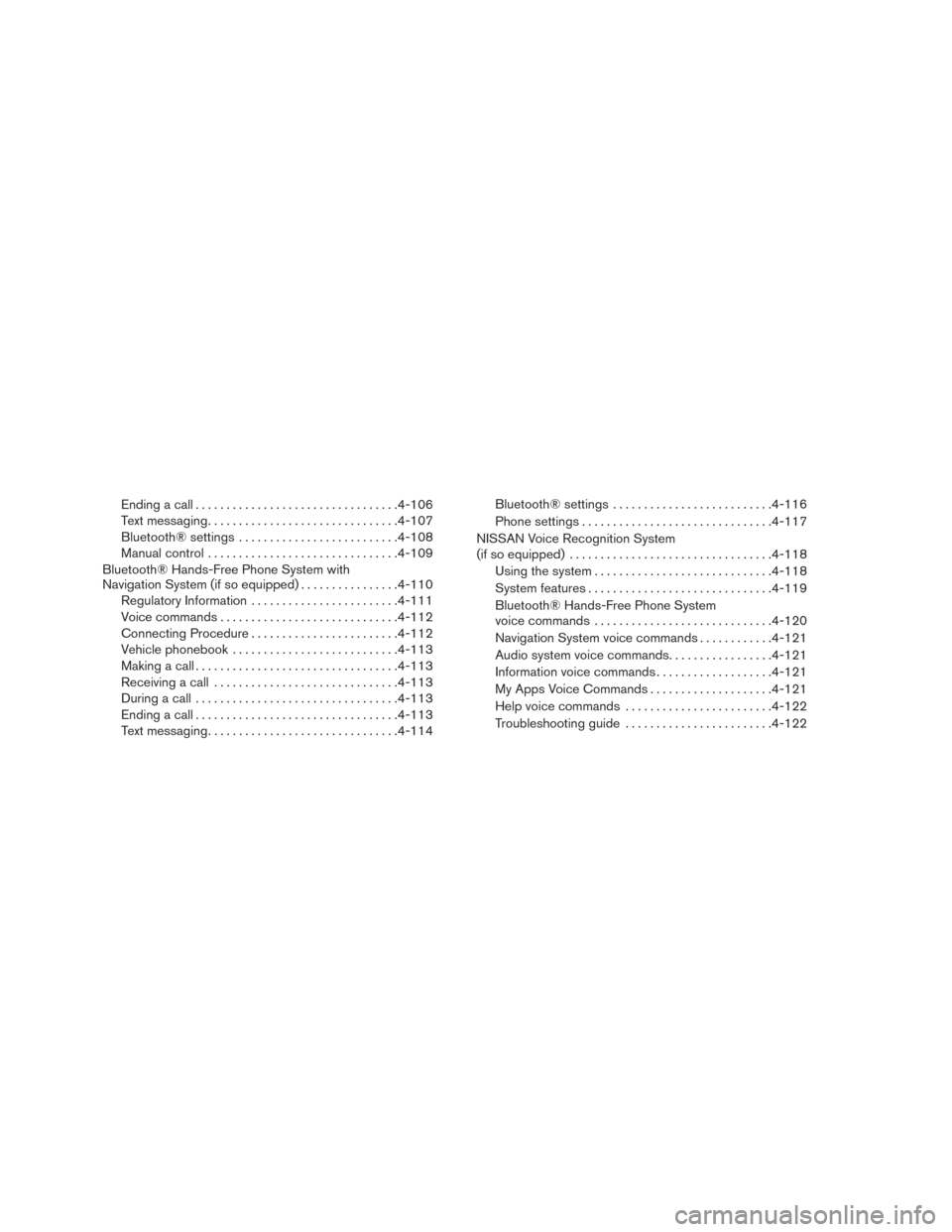
Ending a call................................. 4-106
Text messaging ............................... 4-107
Bluetooth® settings .......................... 4-108
Manual control ............................... 4-109
Bluetooth® Hands-Free Phone System with
Navigation System (if so equipped) ................4-110
Regulatory Information ........................ 4-111
Voice commands ............................. 4-112
Connecting Procedure ........................ 4-112
Vehicle phonebook ........................... 4-113
Making a call ................................. 4-113
Receiving a call .............................. 4-113
During a call ................................. 4-113
Ending a call ................................. 4-113
Text messaging ............................... 4-114Bluetooth® settings
.......................... 4-116
Phone settings ............................... 4-117
NISSAN Voice Recognition System
(if so equipped) ................................. 4-118
Using the system ............................. 4-118
System features .............................. 4-119
Bluetooth® Hands-Free Phone System
voice commands ............................. 4-120
Navigation System voice commands ............4-121
Audio system voice commands .................4-121
Information voice commands ...................4-121
My Apps Voice Commands ....................4-121
Help voice commands ........................ 4-122
Troubleshooting guide ........................ 4-122
Page 179 of 441
9. CAMERA button
10. NAV button*
* For additional information regarding the Naviga-
tion system control buttons, refer to the separate
Navigation System Owner’s Manual.
** For additional information regarding the
Bluetooth® Hands-Free Phone System control
button, refer to “Bluetooth® Hands-Free Phone
System with Navigation System (if so equipped)”
in this section.
When you use this system, make sure the engine
is running.
If you use the system with the engine not
running (ignition ON or ACC) for a long
time, it will discharge the battery, and the
engine will not start.
Reference symbols:
“Example” — Words marked in quotes refer to a
key shown only on the display. These keys can be
selected by touching the screen.HOW TO USE THE TOUCH-
SCREEN
CAUTION
● The glass display screen may break if it
is hit with a hard or sharp object. If the
glass screen breaks, do not touch it.
Doing so could result in an injury.
● To clean the display, never use a rough
cloth, alcohol, benzine, thinner or any
kind of solvent or paper towel with a
chemical cleaning agent. They will
scratch or deteriorate the panel.
● Do not splash any liquid such as water
or car fragrance on the display. Contact
with liquid will cause the system to
malfunction.
To help ensure safe driving, some functions can-
not be operated while driving.
The on-screen functions that are not available
while driving will be “grayed out” or muted.
Park the vehicle in a safe location and then oper-
ate the navigation system.
WARNING
● ALWAYS give your full attention to
driving.
● Avoid using vehicle features that could
distract you. If distracted, you could
lose control of your vehicle and cause
an accident.
Monitor, climate, audio, phone and voice recognition systems4-5
Page 182 of 441
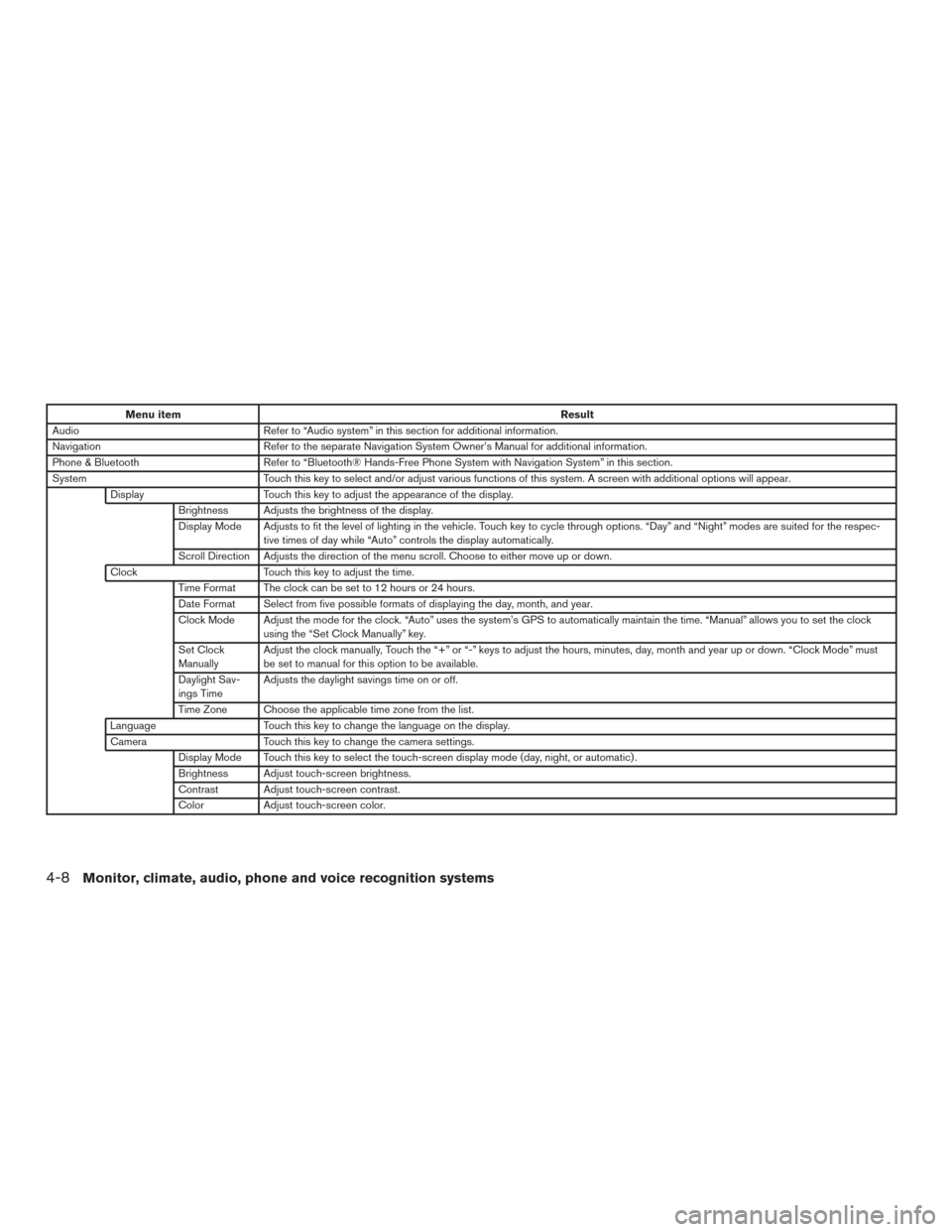
Menu itemResult
Audio Refer to “Audio system” in this section for additional information.
Navigation Refer to the separate Navigation System Owner’s Manual for additional information.
Phone & Bluetooth Refer to “Bluetooth® Hands-Free Phone System with Navigation System” in this section.
System Touch this key to select and/or adjust various functions of this system. A screen with additional options will appear.
Display Touch this key to adjust the appearance of the display.
Brightness Adjusts the brightness of the display.
Display Mode Adjusts to fit the level of lighting in the vehicle. Touch key to cycle through options. “Day” and “Night” modes are suited for the respec- tive times of day while “Auto” controls the display automatically.
Scroll Direction Adjusts the direction of the menu scroll. Choose to either move up or down.
Clock Touch this key to adjust the time.
Time Format The clock can be set to 12 hours or 24 hours.
Date Format Select from five possible formats of displaying the day, month, and year.
Clock Mode Adjust the mode for the clock. “Auto” uses the system’s GPS to automatically maintain the time. “Manual” allows you to set the clock using the “Set Clock Manually” key.
Set Clock
Manually Adjust the clock manually, Touch the “+” or “-” keys to adjust the hours, minutes, day, month and year up or down. “Clock Mode” must
be set to manual for this option to be available.
Daylight Sav-
ings Time Adjusts the daylight savings time on or off.
Time Zone Choose the applicable time zone from the list.
Language Touch this key to change the language on the display.
Camera Touch this key to change the camera settings.
Display Mode Touch this key to select the touch-screen display mode (day, night, or automatic) .
Brightness Adjust touch-screen brightness.
Contrast Adjust touch-screen contrast.
Color Adjust touch-screen color.
4-8Monitor, climate, audio, phone and voice recognition systems
Page 216 of 441
Bluetooth® streaming audio
●Some Bluetooth® audio devices may not be
recognized by the in-vehicle audio system.
● It is necessary to set up the wireless con-
nection between a compatible Bluetooth®
audio device and the in-vehicle Bluetooth®
module before using the Bluetooth® audio.
● Operating procedure of the Bluetooth® au-
dio will vary depending on the devices. Make
sure how to operate your audio device be-
fore using it with this system.
● The Bluetooth® audio may be stopped un-
der the following conditions:
● Receiving a call on the Hands-Free
Phone System.
● Checking the connection to the hands-
free phone.
● Do not place the Bluetooth® audio device in
an area surrounded by metal or far away from
the in-vehicle Bluetooth® module to prevent
tone quality degradation and wireless con-
nection disruption. ●
While an audio device is connected through
the Bluetooth® wireless connection, the
battery power of the device may discharge
quicker than usual.
● This system supports the Bluetooth® Audio
Distribution Profile (A2DP, AVRCP) .
BLUETOOTH® is a
trademark owned by
Bluetooth SIG, Inc.
and licensed to
Visteon and Bosch.
4-42
Monitor, climate, audio, phone and voice recognition systems