2015 MITSUBISHI OUTLANDER air condition
[x] Cancel search: air conditionPage 164 of 446
Anti-lock braking system
Features and controls 5-87
5
N00531601684
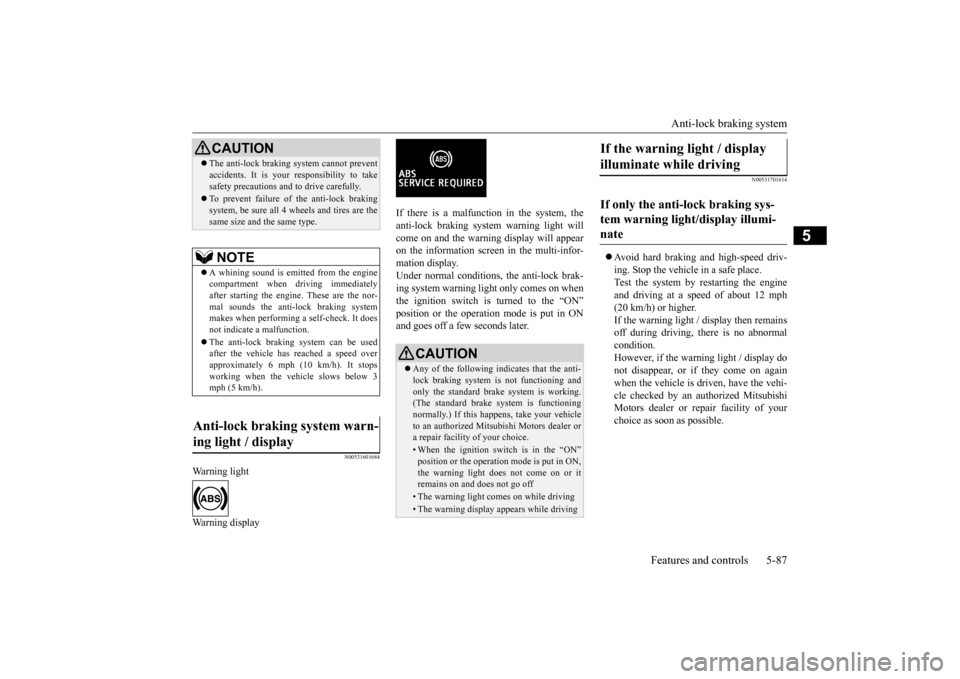
Warning light Warning display
If there is a malfunction in the system, the anti-lock braking system warning light will come on and the warning display will appearon the information screen in the multi-infor- mation display. Under normal conditions, the anti-lock brak-ing system warning light only comes on when the ignition switch is turned to the “ON” position or the operation mode is put in ONand goes off a few seconds later.
N00531701614
Avoid hard braking and high-speed driv- ing. Stop the vehicl
e in a safe place.
Test the system by restarting the engine and driving at a speed of about 12 mph(20 km/h) or higher. If the warning light / display then remains off during driving, there is no abnormalcondition. However, if the warning light / display do not disappear, or if they come on againwhen the vehicle is driven, have the vehi- cle checked by an au
thorized Mitsubishi
Motors dealer or re
pair facility of your
choice as soon
as possible.
CAUTIONThe anti-lock braking system cannot prevent accidents. It is your
responsibility to take
safety precautions and to drive carefully. To prevent failure of the anti-lock braking system, be sure all 4 wheels and tires are thesame size and the same type.NOTE
A whining sound is emitted from the engine compartment when driving immediately after starting the engine. These are the nor-mal sounds the anti-lock braking system makes when performing a self-check. It does not indicate
a malfunction.
The anti-lock braking system can be used after the vehicle has
reached a speed over
approximately 6 mph (10 km/h). It stops working when the vehicle slows below 3 mph (5 km/h).
Anti-lock braking system warn- ing light / display
CAUTION Any of the following indicates that the anti- lock braking system is not functioning and only the standard brake system is working. (The standard brake system is functioningnormally.) If this happe
ns, take your vehicle
to an authorized Mits
ubishi Motors dealer or
a repair facility of your choice. • When the ignition switch is in the “ON”position or the operation
mode is put in ON,
the warning light doe
s not come on or it
remains on and does not go off• The warning light comes on while driving• The warning display
appears while driving
If the warning light / display illuminate while driving If only the anti-lock braking sys- tem warning light/display illumi- nate
BK0211800US.book 87 ページ 2014年3月12日 水曜日 午後2時42分
Page 166 of 446
Active stability control (ASC) Features and controls 5-89
5
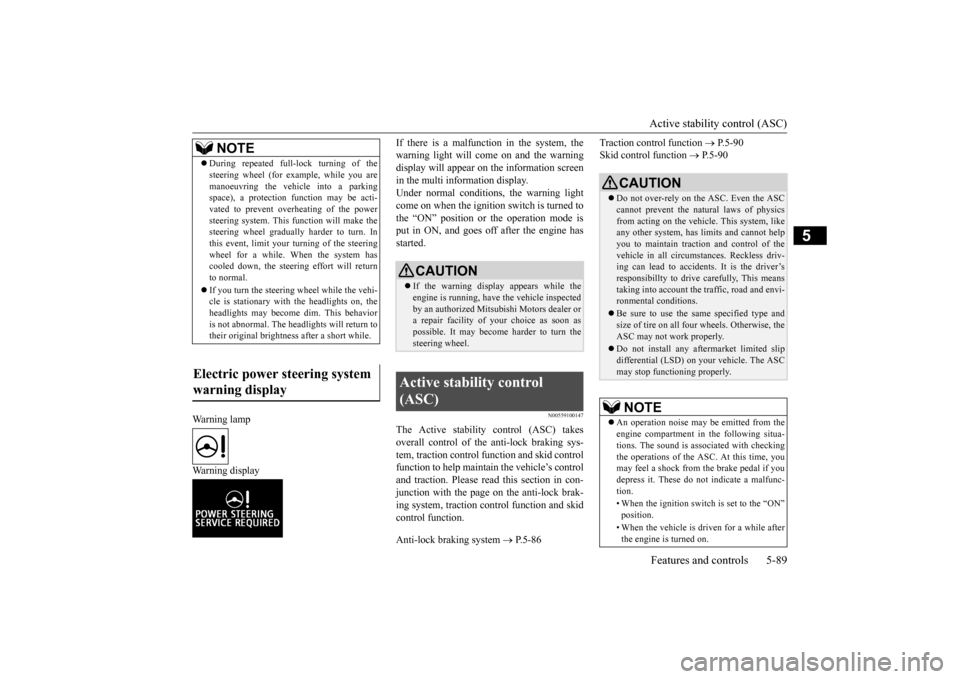
Warning lamp Warning display
If there is a malfunction in the system, the warning light will come on and the warningdisplay will appear on the information screen in the multi information display. Under normal conditions, the warning lightcome on when the ignition switch is turned to the “ON” position or the operation mode is put in ON, and goes off
after the engine has
started.
N00559100147
The Active stability control (ASC) takesoverall control of the
anti-lock braking sys-
tem, traction control function and skid control function to help maintain the vehicle’s controland traction. Please read this section in con- junction with the page on the anti-lock brak- ing system, traction control function and skidcontrol function. Anti-lock braking system
P.5-86
Traction control function
P.5-90
Skid control function
P. 5 - 9 0
NOTE
During repeated full-lock turning of the steering wheel (for example, while you aremanoeuvring the vehicle into a parkingspace), a protection f
unction may be acti-
vated to prevent overheating of the power steering system. This fu
nction will make the
steering wheel graduall
y harder to turn. In
this event, limit your turning of the steering wheel for a while. When the system hascooled down, the steering effort will return to normal. If you turn the steering wheel while the vehi- cle is stationary with
the headlights on, the
headlights may become
dim. This behavior
is not abnormal. The he
adlights will return to
their original brightness after a short while.
Electric power steering system warning display
CAUTION If the warning display appears while the engine is running, have
the vehicle inspected
by an authorized Mitsubishi Motors dealer or a repair facility of
your choice as soon as
possible. It may become harder to turn thesteering wheel.
Active stability control (ASC)
CAUTION Do not over-rely on the ASC. Even the ASC cannot prevent the natural laws of physics from acting on the vehicle. This system, like any other system, has
limits and cannot help
you to maintain traction and control of the vehicle in all circumstances. Reckless driv- ing can lead to accident
s. It is the driver’s
responsibillty to drive carefully, This means taking into account the traffic, road and envi- ronmental conditions. Be sure to use the same specified type and size of tire on all four
wheels. Otherwise, the
ASC may not work properly. Do not install any af
termarket limited slip
differential (LSD) on your vehicle. The ASC may stop functioning properly.NOTE
An operation noise may be emitted from the engine compartment in the following situa-tions. The sound is associated with checkingthe operations of the ASC. At this time, you may feel a shock from the brake pedal if you depress it. These do not indicate a malfunc-tion. • When the ignition switch is set to the “ON” position. • When the vehicle is driven for a while after the engine is turned on.
BK0211800US.book 89 ページ 2014年3月12日 水曜日 午後2時42分
Page 168 of 446
Active stability control (ASC) Features and controls 5-91
5
N00546601129
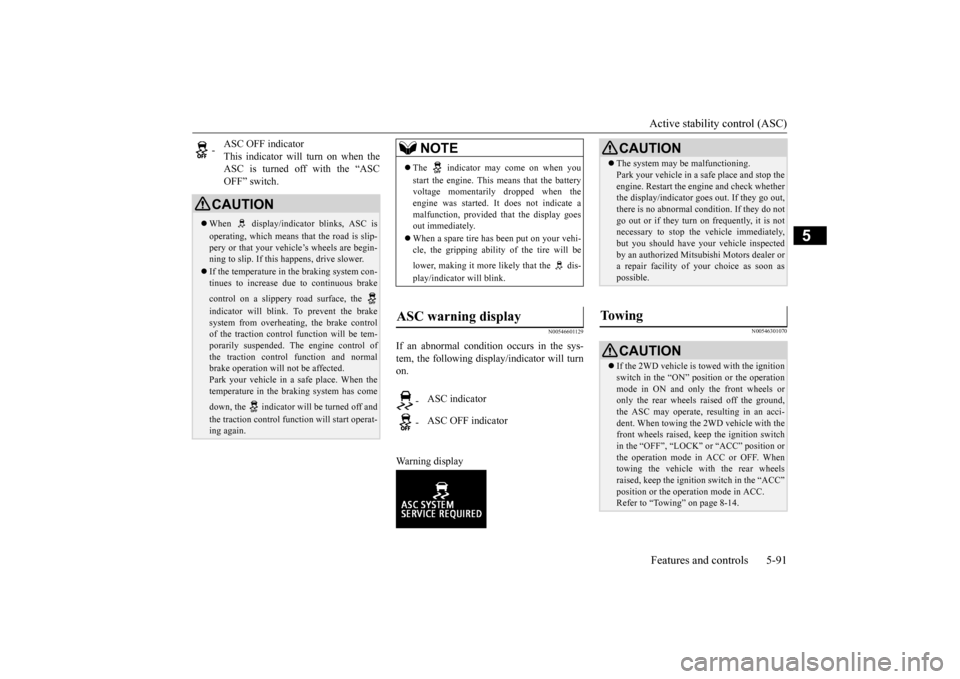
If an abnormal condition occurs in the sys- tem, the following display/indicator will turn on. Warning display
N00546301070
-
ASC OFF indicator This indicator will turn on when the ASC is turned off with the “ASCOFF” switch.
CAUTION When display/indicator blinks, ASC is operating, which means th
at the road is slip-
pery or that your vehi
cle’s wheels are begin-
ning to slip. If this happens, drive slower. If the temperature in the braking system con- tinues to increase due
to continuous brake
control on a slippery road surface, the indicator will blink. To prevent the brake system from overheating, the brake control of the traction control
function will be tem-
porarily suspended. Th
e engine control of
the traction control
function and normal
brake operation will not be affected. Park your vehicle in a safe place. When thetemperature in the braking system has come down, the indicator will be turned off and the traction control function will start operat- ing again.
NOTE
The indicator may come on when you start the engine. This means that the battery voltage momentarily dropped when theengine was started. It
does not indicate a
malfunction, provided th
at the display goes
out immediately. When a spare tire has been put on your vehi- cle, the gripping ability of the tire will be lower, making it more likely that the dis- play/indicator will blink.
ASC warning display
-
ASC indicator
-
ASC OFF indicator
CAUTION The system may be malfunctioning. Park your vehicle in a
safe place and stop the
engine. Restart the engi
ne and check whether
the display/indicator goes out. If they go out, there is no abnormal condition. If they do not go out or if they turn on frequently, it is notnecessary to stop the
vehicle immediately,
but you should have your vehicle inspected by an authorized Mitsubi
shi Motors dealer or
a repair facility of your choice as soon as possible.
To w i n g
CAUTION If the 2WD vehicle is
towed with the ignition
switch in the “ON” pos
ition or the operation
mode in ON and only the front wheels or only the rear wheels raised off the ground, the ASC may operate, resulting in an acci-dent. When towing the 2WD vehicle with the front wheels raised, ke
ep the ignition switch
in the “OFF”, “LOCK” or “ACC” position orthe operation mode in ACC or OFF. Whentowing the vehicle with the rear wheels raised, keep the ignition switch in the “ACC” position or the operation mode in ACC.Refer to “Towing” on page 8-14.
BK0211800US.book 91 ページ 2014年3月12日 水曜日 午後2時42分
Page 172 of 446
Cruise control
Features and controls 5-95
5
N00518801575
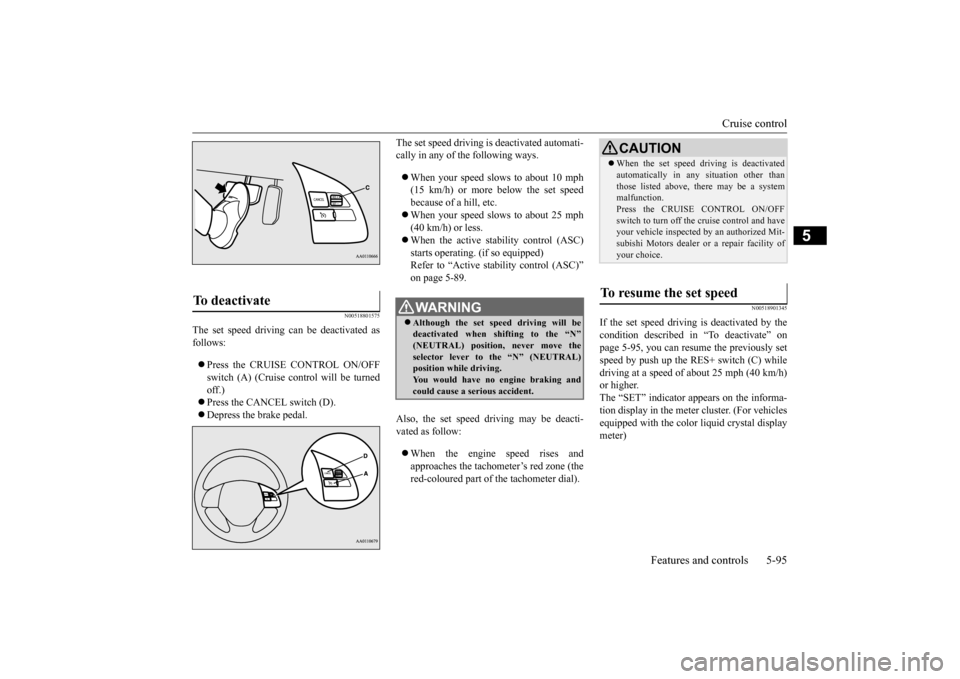
The set speed driving can be deactivated as follows: Press the CRUISE CONTROL ON/OFF switch (A) (Cruise control will be turned off.) Press the CANCEL switch (D). Depress the brake pedal.
The set speed driving is deactivated automati- cally in any of th
e following ways.
When your speed slows to about 10 mph (15 km/h) or more below the set speed because of a hill, etc. When your speed slows to about 25 mph (40 km/h) or less. When the active stability control (ASC) starts operating. (if so equipped)Refer to “Active stability control (ASC)” on page 5-89.
Also, the set speed driving may be deacti- vated as follow: When the engine speed rises and approaches the tachometer’s red zone (the red-coloured part of the tachometer dial).
N00518901345
If the set speed driving is deactivated by thecondition described in “To deactivate” on page 5-95, you can resu
me the previously set
speed by push up the RES+ switch (C) while driving at a speed of about 25 mph (40 km/h) or higher.The “SET” indicator appears on the informa- tion display in the meter
cluster. (For vehicles
equipped with the color liquid crystal displaymeter)
To deactivate
WA R N I N G Although the set sp
eed driving will be
deactivated when shifting to the “N” (NEUTRAL) position, never move theselector lever to
the “N” (NEUTRAL)
position while driving. You would have no engine braking andcould cause a serious accident.
CAUTION When the set speed driving is deactivated automatically in any
situation other than
those listed above, th
ere may be a system
malfunction. Press the CRUISE CONTROL ON/OFF switch to turn off the cruise control and haveyour vehicle inspected by an authorized Mit- subishi Motors dealer or
a repair facility of
your choice.
To resume the set speed
BK0211800US.book 95 ページ 2014年3月12日 水曜日 午後2時42分
Page 191 of 446
Tire pressure monitoring system 5-114 Features and controls
5
N00578100029
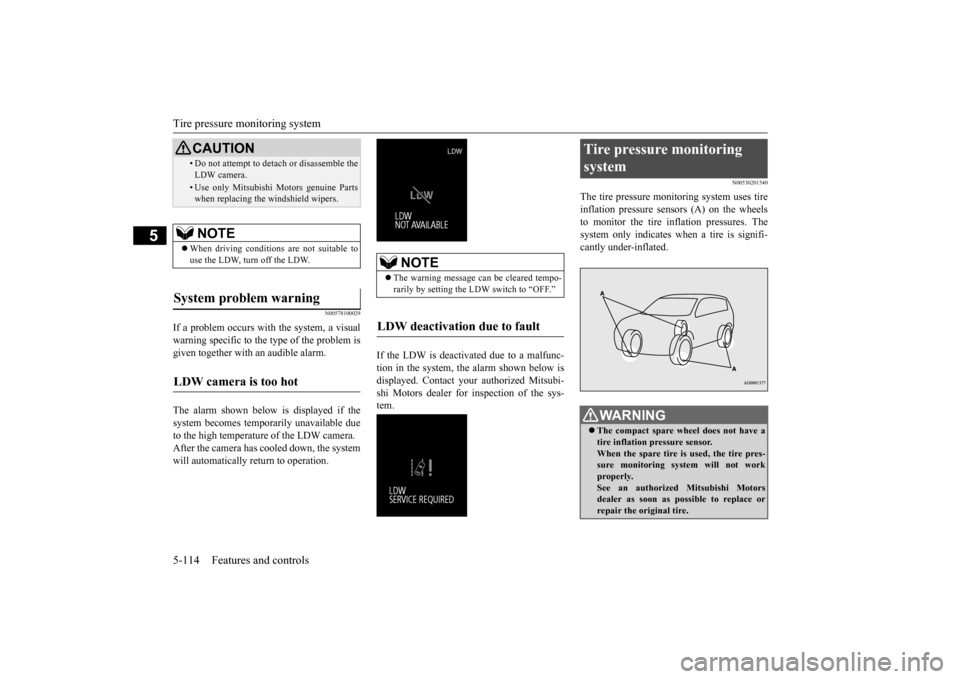
If a problem occurs with the system, a visual warning specific to the type of the problem is given together with an audible alarm. The alarm shown below is displayed if the system becomes temporarily unavailable due to the high temperature of the LDW camera.After the camera has c
ooled down, the system
will automatically return to operation.
If the LDW is deactiva
ted due to a malfunc-
tion in the system, the alarm shown below isdisplayed. Contact your authorized Mitsubi- shi Motors dealer for inspection of the sys- tem.
N00530201540
The tire pressure moni
toring system uses tire
inflation pressure sensors (A) on the wheels to monitor the tire inflation pressures. Thesystem only indicates wh
en a tire is signifi-
cantly under-inflated.
• Do not attempt to deta
ch or disassemble the
LDW camera.• Use only Mitsubishi Motors genuine Parts when replacing the windshield wipers.NOTE
When driving conditions are not suitable to use the LDW, turn off the LDW.
System problem warning
LDW camera is too hot
CAUTION
NOTE
The warning message can be cleared tempo- rarily by setting the LDW switch to “OFF.”
LDW deactivation due to fault
Tire pressure monitoring system
WA R N I N G The compact spare wheel does not have a tire inflation pressure sensor.When the spare tire is used, the tire pres- sure monitoring system will not work properly.See an authorized
Mitsubishi Motors
dealer as soon as po
ssible to replace or
repair the original tire.
BK0211800US.book 114 ページ 2014年3月12日 水曜日 午後2時42分
Page 214 of 446

Multi Information display - Type 1
Features and controls 5-137
5
3. Press and hold the mu
lti information dis-
play switch (for about 2 seconds or more)to switch in from °C to °F, or from °F to °C. The setting is changed to the selected tem-perature unit.
N00557301184
The language of the multi
information display
can be changed.
1. Press and hold the multi information dis- play switch (for about 2 seconds or more)to change from the setting mode screen to the menu screen. Refer to “Changing the function settings”on page 5-134. 2. Lightly press the multi information dis- play switch to se
lect “LANGUAGE” (lan-
guage setting). 3. Press and hold the multi information dis- play switch (for about 2 seconds or more)to display “LANGUAGE” (language set- ting). 4. Lightly press the multi information dis-play switch to select
the desired language.
5. Press and hold the multi information dis- play switch (for about 2 seconds or more)to change the setting to the selected lan- guage.
N00529801302
The language used in Mitsubishi Multi-Com- munication System (if so
equipped) or Blue-
tooth
® 2.0 interface (if so equipped) can be
changed automatically to the same language as that shown in the multi information dis-play. 1. Press and hold the multi information dis- play switch (for about 2 seconds or more) to switch from the setting mode screen tothe menu screen. Refer to “Changing the function settings” on page 5-134. 2. Lightly press the multi information dis- play switch to select “ ” (language cooperative control).
NOTE
The temperature value on air conditioner panel is switched in
conjunction with outside
temperature display unit of the multi infor- mation display.However, “°F” or “°C” are not shown to tem- perature display of an air conditioner. On vehicles equipped
with Mitsubishi Multi-
Communication System, the temperature value of the air conditioner screen of Mit-subishi Multi-Communication System is switched in conjunction
with outside temper-
ature display unit of the multi informationdisplay. However, “°F” or “°C”
are not shown to the
air conditioner screen. If the battery is disconnected, the memory of the unit setting is erased and is automaticallyset to °F (°C).
Changing the display language
NOTE
If the battery is disconnected, the memory of the language setting is erased and is automat-ically set to ENGLISH. If “---” is selected in
the language setting, a
warning message is not displayed when thereis a warning display
or interrupt display.
Changing the language on Mit- subishi Multi-Communication System or Bluetooth
® 2.0 interface
to match the multi information display
BK0211800US.book 137 ページ 2014年3月12日 水曜日 午後2時42分
Page 220 of 446
Multi Information display - Type 2
Features and controls 5-143
5
N00575301030
This displays the average fuel consumption from the last reset to the present. The reset mode conditions for the average fuel consumption display can be switchedbetween “Auto reset”
and “Manual reset”.
For information on how to change the aver- age fuel consumption di
splay setting, refer to
“Changing the function settings” on page 5-146.
N00556501121
Shows the temperature outside the vehicle.
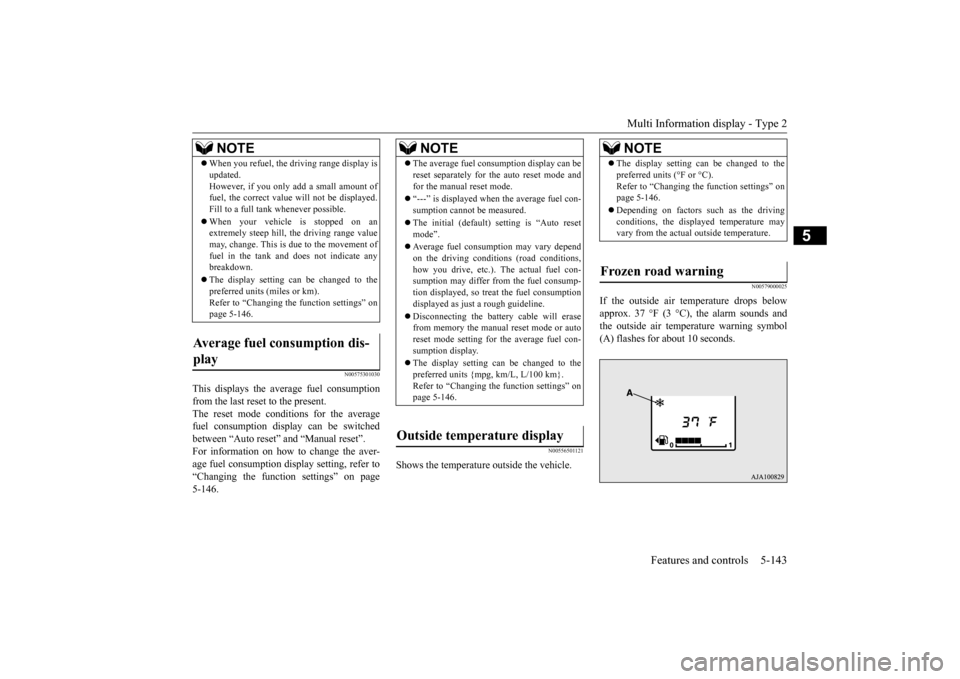
N00579000025
If the outside air temperature drops below approx. 37 °F (3 °C), the alarm sounds andthe outside air temperature warning symbol (A) flashes for about 10 seconds.
When you refuel, the driving range display is updated.However, if you only add a small amount offuel, the correct value
will not be displayed.
Fill to a full tank whenever possible. When your vehicle is stopped on an extremely steep hill, the driving range value may, change. This is due to the movement offuel in the tank and does not indicate any breakdown. The display setting ca
n be changed to the
preferred units (miles or km). Refer to “Changing the
function settings” on
page 5-146.
Average fuel consumption dis- play
NOTE
NOTE
The average fuel cons
umption display can be
reset separately for the auto reset mode andfor the manual reset mode. “---” is displayed when the average fuel con- sumption cannot be measured. The initial (default) setting is “Auto reset mode”. Average fuel consumption may vary depend on the driving conditi
ons (road conditions,
how you drive, etc.). The actual fuel con- sumption may differ from the fuel consump- tion displayed, so trea
t the fuel consumption
displayed as just a rough guideline. Disconnecting the batt
ery cable will erase
from memory the manual reset mode or auto reset mode setting for the average fuel con- sumption display. The display setting ca
n be changed to the
preferred units {mpg, km/L, L/100 km}.Refer to “Changing th
e function settings” on
page 5-146.
Outside temperature display
NOTE
The display setting ca
n be changed to the
preferred units (°F or °C).Refer to “Changing the function settings” onpage 5-146. Depending on factors such as the driving conditions, the displa
yed temperature may
vary from the actual outside temperature.
Frozen road warning
BK0211800US.book 143 ページ 2014年3月12日 水曜日 午後2時42分
Page 224 of 446
Multi Information display - Type 2
Features and controls 5-147
5
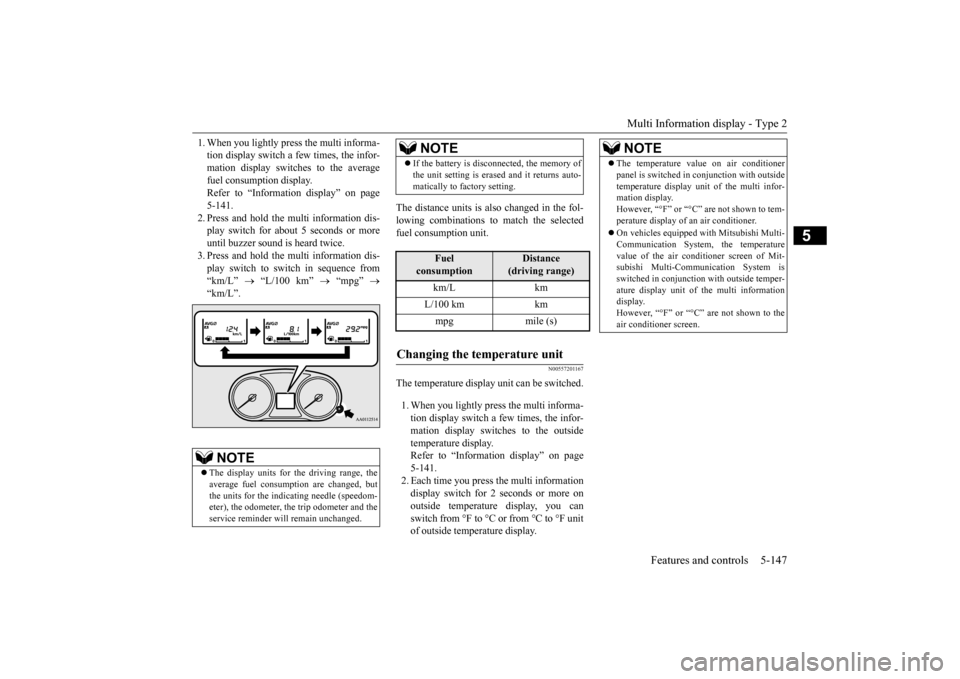
1. When you lightly press the multi informa- tion display switch a few times, the infor-mation display switches to the average fuel consumption display. Refer to “Information display” on page5-141. 2. Press and hold the mu
lti information dis-
play switch for about 5 seconds or moreuntil buzzer sound is heard twice. 3. Press and hold the mu
lti information dis-
play switch to switch in sequence from “km/L”
“L/100 km”
“mpg”
“km/L”.
The distance units is al
so changed in the fol-
lowing combinations to match the selected fuel consumption unit.
N00557201167
The temperature display unit can be switched. 1. When you lightly press the multi informa- tion display switch a few times, the infor-mation display switches to the outside temperature display. Refer to “Information display” on page5-141. 2. Each time you press the multi information display switch for 2 seconds or more onoutside temperature display, you can switch from °F to °C or from °C to °F unit of outside temperature display.
NOTE
The display units for the driving range, the average fuel consumption are changed, but the units for the indica
ting needle (speedom-
eter), the odometer, the trip odometer and theservice reminder will
remain unchanged.
If the battery is disconnected, the memory of the unit setting is erased and it returns auto-matically to factory setting.
Fuel
consumption
Distance
(driving range)
km/L km L/100 km km mpg mile (s)
Changing the temperature unit
NOTE
NOTE
The temperature value on air conditioner panel is switched in
conjunction with outside
temperature display unit of the multi infor-mation display. However, “°F” or “°C” are not shown to tem- perature display of an air conditioner. On vehicles equipped
with Mitsubishi Multi-
Communication System, the temperaturevalue of the air conditioner screen of Mit- subishi Multi-Communication System is switched in conjunction
with outside temper-
ature display unit of the multi information display. However, “°F” or “°C”
are not shown to the
air conditioner screen.
BK0211800US.book 147 ページ 2014年3月12日 水曜日 午後2時42分