2015 MITSUBISHI OUTLANDER battery
[x] Cancel search: batteryPage 95 of 446
Free-hand Advanced
Security Transmitter (F.A.S
.T.-key) (if so equipped)
5-18 Features and controls
5
N00568101023
After approximately 30
minutes has elapsed
with the operation mode in ACC, the function automatically cuts out the power for the audiosystem and other electr
ic devices that can be
operated with that mode. When the engine switch is pressed while theoperation mode is in ACC, the power is sup- plied again to
those devices.
N00503501213
With the F.A.S.T.-key, warnings are given through buzzers and di
splays on the information screen in the multi information displ
ay in order to pre-
vent mistaken operati
ons or vehicle theft.
When a warning operates, be sure to check the vehicle and the F.
A.S.T.-key. A warning is also di
splayed if there is a problem i
n the F.A.S.T.-key.
CAUTIONWhen the engine is not running, put the oper- ation mode in OFF. Leaving the operationmode in ON or ACC for a long time whenthe engine is not running may cause the bat- tery to be discharged
, making it impossible
to start the engine. When the battery is disconnected, the current operation mode is memorized. After recon-necting the battery, the memorized mode is selected auto
matically. Before disconnect-
ing the battery for repair or replacement,make sure to put the operation mode in OFF. Be careful if you are not sure which opera- tion mode the vehicle is in when the batteryis run down. The operation mode cannot be changed from OFF to ACC or ON if the F.A.S.T.-key is not detected to be in the vehicle. Refer to “Oper- ating range for starting the engine andchanging the operation mode” on page 5-14.
ACC power auto-cutout function
NOTE
It is possible to modify functions as follows: • The time until the power cuts out can be changed to approxi
mately 60 minutes.
• The ACC power auto
-cutout function can
be deactivated.
For details, we recommend you to consult anauthorized Mitsubishi Motors dealer.On vehicles equippe
d with Mitsubishi
Motors Multi-Communication System, screen operations can be
used to make the
adjustment.Refer to the separate Mitsubishi Multi-Com- munications System manual for details.NOTE
Warning activation
BK0211800US.book 18 ページ 2014年3月12日 水曜日 午後2時42分
Page 96 of 446
Free-hand Advanced Securi
ty Transmitter (F.A.S.T.-key) (if so equipped)
Features and controls 5-19
5
Type 1: Color liquid crystal display type
Type 2: Mono-color
liquid crystal display type
Item
Ty p e 1
Ty p e 2
Solution
Note
Display
Buzzer
Indicator
Buzzer
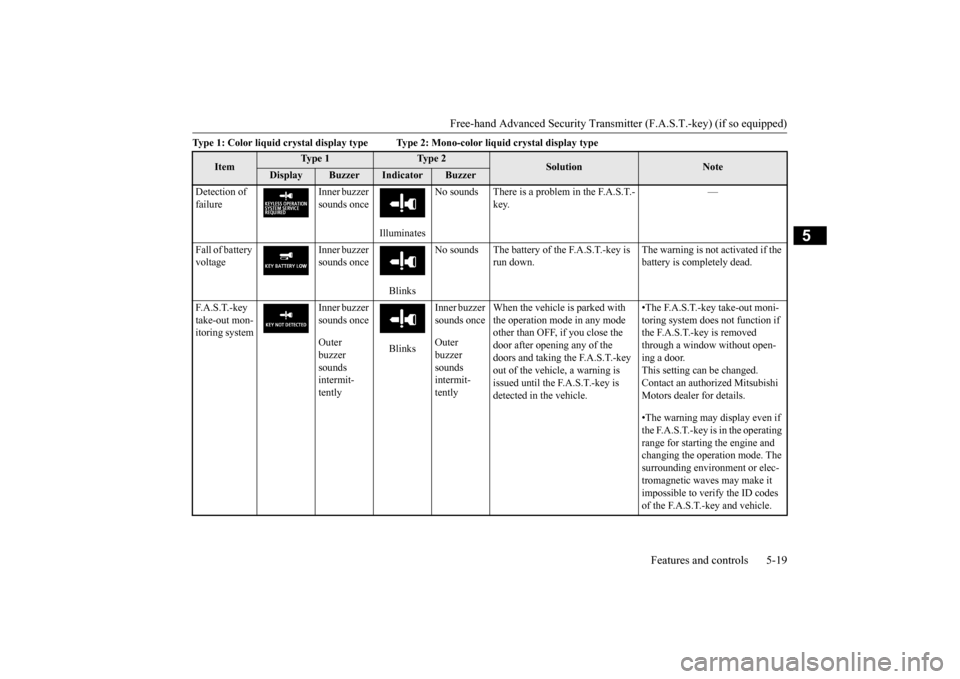
Detection of failure
Inner buzzer sounds once
Illuminates
No sounds There is a problem in the F.A.S.T.-
key.
—
Fall of battery voltage
Inner buzzer sounds once
Blinks
No sounds The battery of the F.A.S.T.-key is
run down.
The warning is not activated if the battery is completely dead.
F. A . S . T. - k e y take-out mon-itoring system
Inner buzzer sounds once Outer buzzer sounds intermit-tently
Blinks
Inner buzzer sounds once Outer buzzer sounds intermit-tently
When the vehicle is parked with the operation mode in any mode other than OFF, if you close the door after opening any of the doors and taking the F.A.S.T.-key out of the vehicle, a warning is issued until the F.A.S.T.-key is detected in the vehicle.
•The F.A.S.T.-key take-out moni- toring system does
not function if
the F.A.S.T.-key is removed through a window without open- ing a door.This setting can be changed. Contact an authorized Mitsubishi Motors dealer for details. •The warning may display even if the F.A.S.T.-key is in the operating range for starting the engine and changing the operation mode. The surrounding environment or elec- tromagnetic waves may make it impossible to verify the ID codes of the F.A.S.T.-key and vehicle.
BK0211800US.book 19 ページ 2014年3月12日 水曜日 午後2時42分
Page 100 of 446

Free-hand Advanced Securi
ty Transmitter (F.A.S.T.-key) (if so equipped)
Features and controls 5-23
5
N00514601331
The operation mode can be in any mode to start the engine. The starter motor will be turning for up to approximately 15 seconds if the engine switch is released at once. Pressing the engine switch again while the starter motor is still turning will stop the startermotor. The starter motor will be turning for up to approximately 30 seconds while theengine switch
is pressed.
If the engine does not start, wait for a while and then attempt to start the engineagain. Trying repeatedly with the engine or starter motor still turning will damage the starter mechanism. If the engine will not start because the bat- tery is weak or discharged, refer to “Jump-starting the engine” on page 8-2for instructions. A longer warm up period will only con- sume extra fuel. The engine is warmed up enough for driv- ing when the bar graph of engine coolanttemperature display starts to move or the low coolant temperature indicator goes out. Refer to “Engine
coolant temperature
display” on page 5-128 or “Low coolant temperature indica
tor” on page 5-166.
Your vehicle is equipped with an electroni- cally controlled fuel injection system. This system automatically controls fuel injection. There is no need to depress the acceleratorpedal when starting the engine. To prevent battery drai
n, wait a few seconds
between attempts to restart the engine. 1. Make sure all occupants are properly seated with seat belts fastened. 2. Make sure the parking brake is applied. 3. Press and hold the brake pedal downfirmly with your right foot. 4. Make sure the selector
lever is in the “P”
(PARK) position.
If there is a fault in the steering wheel lock, the warning display will
appear. Immediately
stop the vehicle in a sa
fe place and contact
an authorized Mitsubishi Motors dealer. Warning display
Starting and stopping the engine
Tips for starting
NOTE
WA R N I N G Never run the engine in
a closed or poorly
ventilated area any longer than is neededto move your vehicle
out of the area. Car-
bon monoxide gas, wh
ich is odorless and
extremely poisonous, could build up andcause serious injury or death.CAUTION Do not push-start the vehicle.
Do not run the engine at high rpms or drive at high speeds until the engine has had achance to warm up.
Starting the engine
NOTE
After the engine has not started for a while, the brake pedal effort needed to start the engine may become grea
ter. If this occurs,
depress the brake pedal more firmly thanusual.CAUTION
BK0211800US.book 23 ページ 2014年3月12日 水曜日 午後2時42分
Page 103 of 446
Free-hand Advanced
Security Transmitter (F.A.S
.T.-key) (if so equipped)
5-26 Features and controls
5
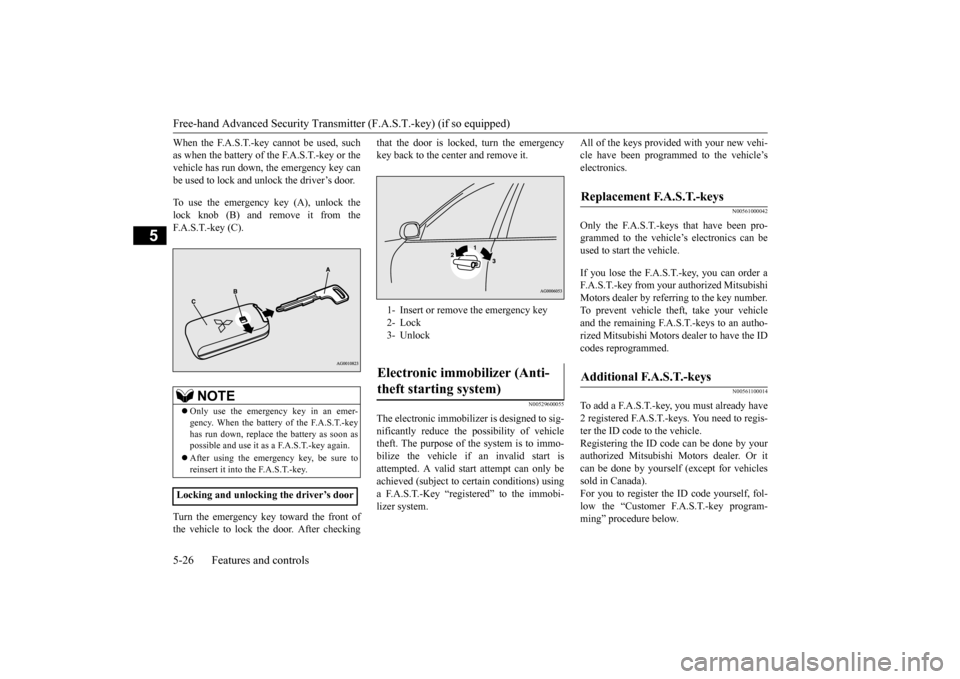
When the F.A.S.T.-key cannot be used, such as when the battery of the F.A.S.T.-key or thevehicle has run down, the emergency key can be used to lock and unlock the driver’s door. To use the emergency key (A), unlock the lock knob (B) and remove it from theF.A.S.T.-key (C). Turn the emergency key toward the front of the vehicle to lock the door. After checking
that the door is locked, turn the emergency key back to the center and remove it.
N00529600055
The electronic immobilize
r is designed to sig-
nificantly reduce the
possibility of vehicle
theft. The purpose of the system is to immo- bilize the vehicle if an invalid start is attempted. A valid start attempt can only beachieved (subject to ce
rtain conditions) using
a F.A.S.T.-Key “registered” to the immobi- lizer system.
All of the keys provided with your new vehi- cle have been program
med to the vehicle’s
electronics.
N00561000042
Only the F.A.S.T.-keys that have been pro-grammed to the vehicl
e’s electronics can be
used to start the vehicle. If you lose the F.A.S.T.-key, you can order a F.A.S.T.-key from your authorized Mitsubishi Motors dealer by refe
rring to the key number.
To prevent vehicle theft, take your vehicleand the remaining F.A.S.T.-keys to an autho- rized Mitsubishi Motors
dealer to have the ID
codes reprogrammed.
N00561100014
To add a F.A.S.T.-key, you must already have2 registered F.A.S.T.-keys. You need to regis-ter the ID code to the vehicle. Registering the ID code can be done by your authorized Mitsubishi
Motors dealer. Or it
can be done by yourself (except for vehicles sold in Canada). For you to register the ID code yourself, fol-low the “Customer F.A.S.T.-key program- ming” procedure below.
NOTE
Only use the emergency key in an emer- gency. When the battery of the F.A.S.T.-key has run down, replace
the battery as soon as
possible and use it as a F.A.S.T.-key again. After using the emerge
ncy key, be sure to
reinsert it into the F.A.S.T.-key.
Locking and unlocking the driver’s door
1- Insert or remove
the emergency key
2- Lock 3- UnlockElectronic immobilizer (Anti- theft starting system)
Replacement F.A.S.T.-keys
Additional F.A.S.T.-keys
BK0211800US.book 26 ページ 2014年3月12日 水曜日 午後2時42分
Page 107 of 446

Free-hand Advanced
Security Transmitter (F.A.S
.T.-key) (if so equipped)
5-30 Features and controls
5
N00579500020
After unlocking the doors and the liftgate, the power liftgate can be operated by pressing the power liftgate button (3). Refer to “Power lift
gate” on page 5-36.
N00544701067
If you are near your vehicle and feel threat- ened, you can activate the alarm to call atten-tion as follows: 1. Press the PANIC button (4) for more than 1 second. 2. The headlights will blink on and off andthe horn will sound intermittently for about 3 minutes. 3. To turn off the alarm, press any button onthe remote control transmitter.
N00562001062
NOTE
On a vehicle equippe
d with a Mitsubishi
Multi-Communication System, the functionscan be adjusted on the screen. For details,refer to the separate operation manual.
Operating the power liftgate
Using the panic alarm
NOTE
The indicator light (5) comes on each time a button is pressed.
The F.A.S.T.-key can be used from about 40 feet (12 m) away. However, this distancemay change if your vehicle is near a TVtransmitting tower, a power station, or a radio station. If the UNLOCK button (2) is pressed when all doors and the liftgate are locked and no doors or the liftgate are opened within about30 seconds, the doors and the liftgate will automatically re-lock. On a vehicle equippe
d with a Mitsubishi
Multi-Communication System, the functions can be adjusted on the screen. For details, refer to the separa
te operation manual.
If the following conditi
ons are observed after
pressing the LOCK (1) or UNLOCK (2) but-ton on the remote control transmitter, the battery in the F.A.S.T.-key may need to be replaced. • The doors and the liftgate cannot be locked or unlocked. • The panic alarm cannot be operated. • The indicator light
(5) is dim or does not
come on.
If you lose your F.A.S.T.-key, please contact an authorized Mitsubishi Motors dealer for a replacement. If you wish to obtain an additional F.A.S.T.- key, please contact an
authorized Mitsubishi
Motors dealer. A maximum of four F.A.S.T.- key can be programmed for your vehicle.NOTE
To use the new remote control transmitters, it is necessary to register
the key with both the
electronic immobilizer
and keyless entry sys-
tem. Also refer to “Electronic immobilizer (Anti- theft starting system): Customer F.A.S.T.-key programming” on page 5-27.
General information
Your F.A.S.T.-key operates on a radio fre- quency subject to Fe
deral Communications
Commission (FCC) Rules (For vehicles soldin U.S.A.) and Industr
y Canada Rules (For
vehicles sold in Cana
da). This device com-
plies with Part 15 of FCC Rules and IndustryCanada licence-exem
pt RSS standard(s).
Operation is subject to
the following two con-
ditions.
•This device may
not cause harmful
interference. •This device must ac
cept any interference
received, including interference that may cause undesired operation.NOTE
BK0211800US.book 30 ページ 2014年3月12日 水曜日 午後2時42分
Page 108 of 446
Door locks
Features and controls 5-31
5
N00562101076
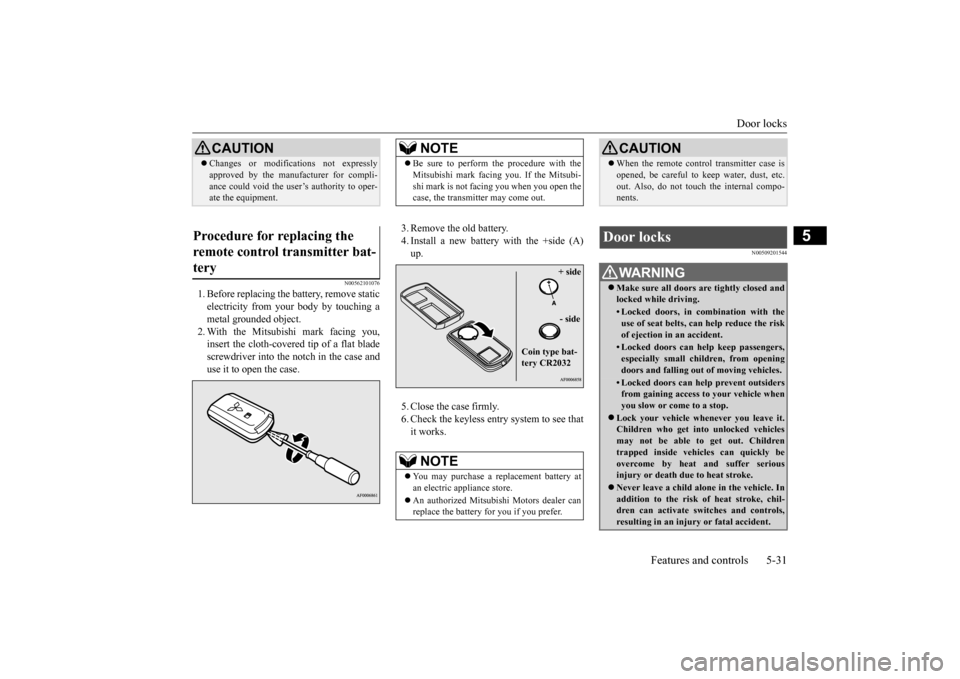
1. Before replacing the battery, remove static electricity from your body by touching ametal grounded object. 2. With the Mitsubishi mark facing you, insert the cloth-covered tip of a flat bladescrewdriver into the notch in the case and use it to open the case.
3. Remove the old battery. 4. Install a new battery with the +side (A) up. 5. Close the case firmly. 6. Check the keyless entry system to see that it works.
N00509201544
CAUTION Changes or modifica
tions not expressly
approved by the manufacturer for compli-ance could void the user’s authority to oper-ate the equipment.
Procedure for replacing the remote control transmitter bat- tery
NOTE
Be sure to perform the procedure with the Mitsubishi mark facing you. If the Mitsubi-shi mark is not facing you when you open thecase, the transmitter may come out.NOTE
You may purchase a replacement battery at an electric appliance store. An authorized Mitsubishi Motors dealer can replace the battery for you if you prefer.
+ side - side
Coin type bat- tery CR2032
CAUTION When the remote control transmitter case is opened, be careful to keep water, dust, etc.out. Also, do not touch the internal compo-nents.
Door locks
WA R N I N G Make sure all doors are tightly closed and locked while driving.• Locked doors, in co
mbination with the
use of seat belts, can help reduce the risk of ejection in
an accident.
• Locked doors can help keep passengers, especially small children, from openingdoors and falling out
of moving vehicles.
• Locked doors can help
prevent outsiders
from gaining access to your vehicle when you slow or come to a stop.
Lock your vehicle when
ever you leave it.
Children who get into unlocked vehicles may not be able to get out. Childrentrapped inside vehicles can quickly beovercome by heat
and suffer serious
injury or death due to heat stroke. Never leave a ch
ild alone in the vehicle. In
addition to the risk
of heat stroke, chil-
dren can activate switches and controls,resulting in an injury
or fatal accident.
BK0211800US.book 31 ページ 2014年3月12日 水曜日 午後2時42分
Page 113 of 446
Power liftgate (if so equipped) 5-36 Features and controls
5
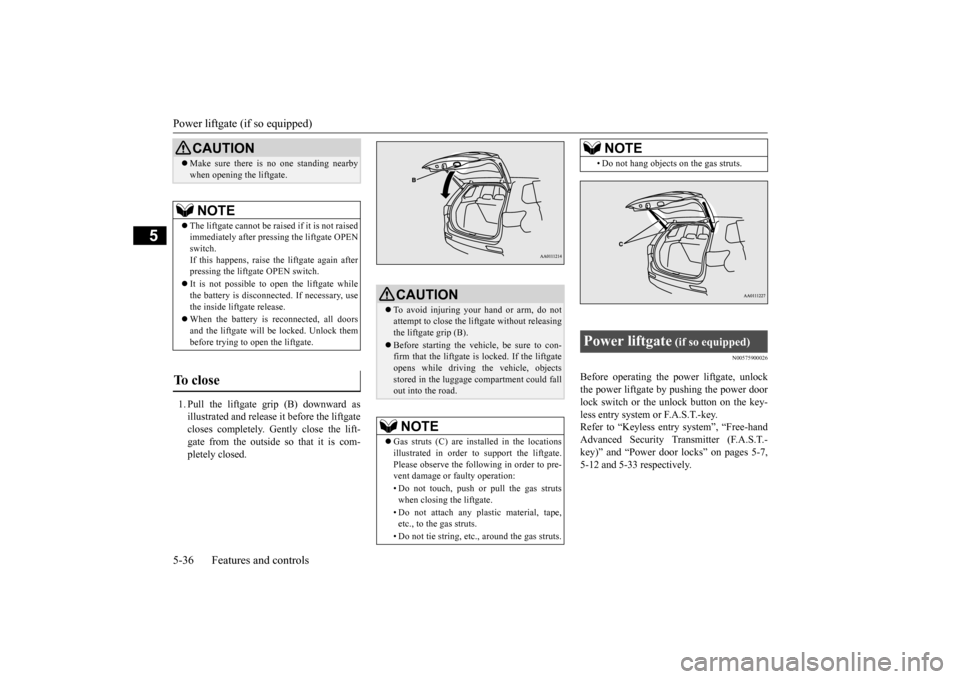
1. Pull the liftgate grip (B) downward as illustrated and release it before the liftgatecloses completely. Gently close the lift- gate from the outside so that it is com- pletely closed.
N00575900026
Before operating the po
wer liftga
te, unlock
the power liftgate by pushing the power door lock switch or the unlock button on the key- less entry system or F.A.S.T.-key.Refer to “Keyless entry system”, “Free-hand Advanced Security Transmitter (F.A.S.T.- key)” and “Power door locks” on pages 5-7,5-12 and 5-33 respectively.
CAUTION Make sure there is no one standing nearby when opening the liftgate.NOTE
The liftgate cannot be rais
ed if it is not raised
immediately after pre
ssing the liftgate OPEN
switch. If this happens, raise th
e liftgate again after
pressing the liftga
te OPEN switch.
It is not possible to open the liftgate while the battery is disconnect
ed. If necessary, use
the inside liftgate release. When the battery is
reconnected, all doors
and the liftgate will be locked. Unlock them before trying to open the liftgate.
To close
CAUTION To avoid injuring your hand or arm, do not attempt to close the lift
gate without releasing
the liftgate grip (B). Before starting the vehi
cle, be sure to con-
firm that the liftgate is locked. If the liftgateopens while driving
the vehicle, objects
stored in the luggage compartment could fall out into the road.NOTE
Gas struts (C) are installed in the locations illustrated in order to
support the liftgate.
Please observe the following in order to pre- vent damage or faulty operation: • Do not touch, push or pull the gas struts when closing the liftgate. • Do not attach any pl
astic material, tape,
etc., to the gas struts. • Do not tie string, etc., around the gas struts.
• Do not hang objects on the gas struts.
Power liftgate
(if so equipped)
NOTE
BK0211800US.book 36 ページ 2014年3月12日 水曜日 午後2時42分
Page 115 of 446
Power liftgate (if so equipped) 5-38 Features and controls
5
N00576100025
The power liftgate ca
n be opened automati-
cally when all of the
following conditions are
met.
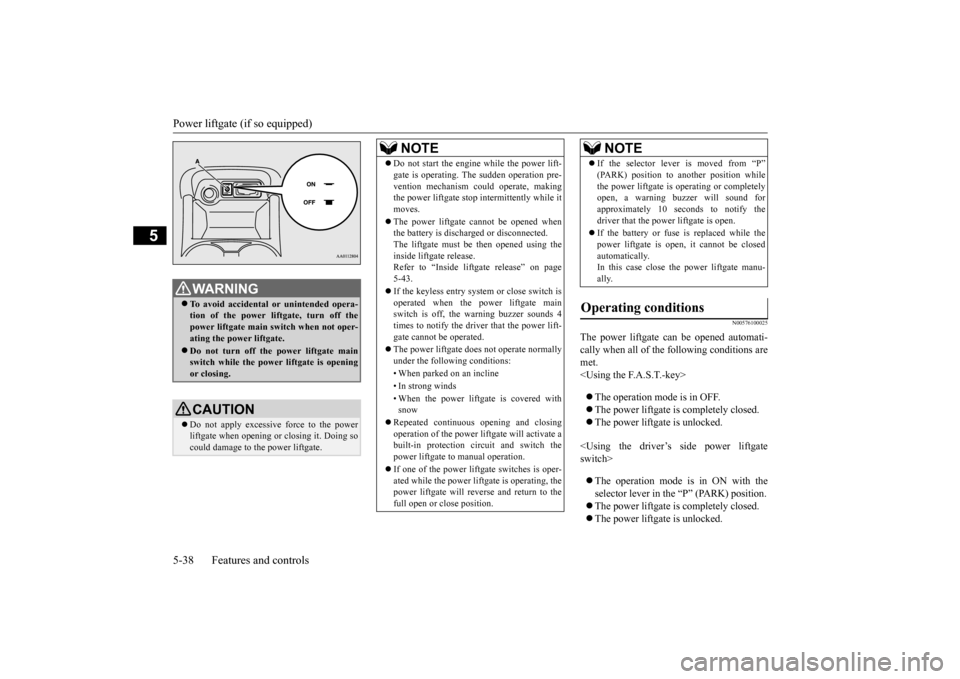
WA R N I N GTo avoid accidental
or unintended opera-
tion of the power li
ftgate, turn off the
power liftgate main switch when not oper- ating the power liftgate. Do not turn off the power liftgate main switch while the power liftgate is opening or closing.CAUTION Do not apply excessive force to the power liftgate when opening
or closing it. Doing so
could damage to the power liftgate.
NOTE
Do not start the engine while the power lift- gate is operating. The sudden operation pre-vention mechanism c
ould operate, making
the power liftgate stop intermittently while it moves. The power liftgate
cannot be opened when
the battery is discha
rged or disconnected.
The liftgate must be then opened using theinside liftgate release. Refer to “Inside lift
gate release” on page
5-43. If the keyless entry system or close switch is operated when the power liftgate mainswitch is off, the warning buzzer sounds 4 times to notify the driver that the power lift- gate cannot
be operated.
The power liftgate doe
s not operate normally
under the following conditions: • When parked on an incline • In strong winds • When the power liftga
te is covered with
snow
Repeated continuous
opening and closing
operation of the power lif
tgate will activate a
built-in protection ci
rcuit and switch the
power liftgate to
manual operation.
If one of the power liftgate switches is oper- ated while the power lift
gate is operating, the
power liftgate will reverse and return to the full open or
close position.
If the selector lever is moved from “P” (PARK) position to another position whilethe power liftgate is operating or completelyopen, a warning buzzer will sound for approximately 10 sec
onds to notify the
driver that the power liftgate is open. If the battery or fuse is replaced while the power liftgate is open,
it cannot be closed
automatically. In this case close the power liftgate manu- ally.
Operating conditions
NOTE
BK0211800US.book 38 ページ 2014年3月12日 水曜日 午後2時42分