2015 MINI COOPER warning
[x] Cancel search: warningPage 114 of 248
Overview
Button in the vehicle
Intelligent Safety button
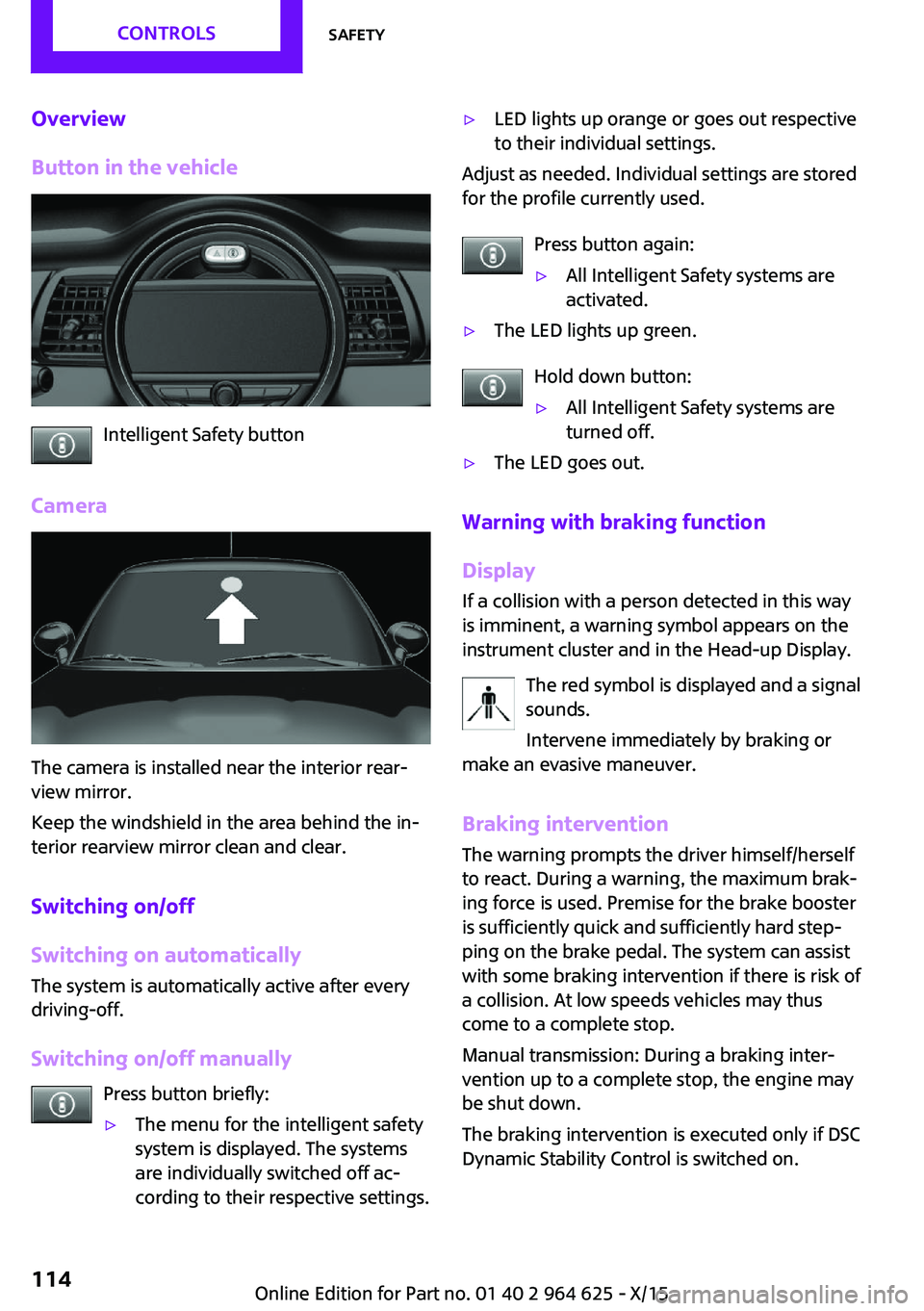
Camera
The camera is installed near the interior rear‐
view mirror.
Keep the windshield in the area behind the in‐
terior rearview mirror clean and clear.
Switching on/off
Switching on automatically
The system is automatically active after every
driving-off.
Switching on/off manually Press button briefly:
▷The menu for the intelligent safety
system is displayed. The systems
are individually switched off ac‐
cording to their respective settings.▷LED lights up orange or goes out respective
to their individual settings.
Adjust as needed. Individual settings are stored
for the profile currently used.
Press button again:
▷All Intelligent Safety systems are
activated.▷The LED lights up green.
Hold down button:
▷All Intelligent Safety systems are
turned off.▷The LED goes out.
Warning with braking function
Display
If a collision with a person detected in this way
is imminent, a warning symbol appears on the
instrument cluster and in the Head-up Display.
The red symbol is displayed and a signal
sounds.
Intervene immediately by braking or
make an evasive maneuver.
Braking intervention
The warning prompts the driver himself/herself
to react. During a warning, the maximum brak‐ ing force is used. Premise for the brake booster
is sufficiently quick and sufficiently hard step‐
ping on the brake pedal. The system can assist
with some braking intervention if there is risk of
a collision. At low speeds vehicles may thus come to a complete stop.
Manual transmission: During a braking inter‐
vention up to a complete stop, the engine may
be shut down.
The braking intervention is executed only if DSC Dynamic Stability Control is switched on.
Seite 114CONTROLSSafety114
Online Edition for Part no. 01 40 2 964 625 - X/15
Page 115 of 248

The braking intervention can be interrupted by
stepping on the accelerator pedal or by actively
moving the steering wheel.
Object detection can be restricted. Limitations
of the detection range and functional restric‐
tions are to be considered.
System limits
Information WARNING
The system can react incorrectly or not at
all due to the system limits. There is risk of acci‐
dents or risk of property damage. Observe the
system limits and actively interfere if needed. ◀
Detection range
The detection potential of the camera is lim‐
ited.
Thus a warning might not be issued or be is‐
sued late.
E. g. the following situations may not be de‐
tected:▷Partially covered pedestrians.▷Pedestrians that are not detected as such
because of the viewing angle or contour.▷Pedestrians outside of the detection range.▷Pedestrians having a body size less than
32 inches/80 cm.
Functional limitations
The system may not be fully functional or may
not be available in the following situations:
▷In heavy fog, rain, sprayed water or snow‐
fall.▷In tight curves.▷If the field of view of the camera or the
front windshield are dirty or covered.▷If the driving stability control systems are
deactivated, for example DSC OFF.▷Up to 10 seconds after the start of the en‐
gine, via the Start/Stop button.▷During calibration of the camera immedi‐
ately after vehicle delivery.▷If there are constant blinding effects be‐
cause of oncoming light, e. g., from the sun
low in the sky.▷When it is dark outside.
Brake force display
The concept
▷During normal brake application, the brake
lights light up.▷During heavy brake application, the flash‐
ers light up in addition.
PostCrash
In the event of an accident, the system can
bring the car to a halt automatically without in‐
tervention by the driver in certain situations.
This can reduce the risk of a further collision
and the consequences thereof.
Depressing the brake pedal can cause the vehi‐
cle to brake harder. This interrupts automatic
braking. Destepping on the gas pedal also in‐
terrupts automatic braking.
After coming to a halt, the brake is released au‐
tomatically. Secure the vehicle against rolling.
Seite 115SafetyCONTROLS115
Online Edition for Part no. 01 40 2 964 625 - X/15
Page 116 of 248

Driving stability control systemsVehicle features and op‐
tions
This chapter describes all standard, country-
specific and optional features offered with the
series. It also describes features that are not
necessarily available in your car, e. g., due to
the selected options or country versions. This
also applies to safety-related functions and sys‐
tems. The respectively applicable country provi‐
sions must be observed when using the respec‐
tive features and systems.
Anti-lock Braking System
ABS
ABS prevents locking of the wheels during
braking.
The vehicle contains its steering power even
during full brake applications, thus increasing
active safety.
ABS is operational every time you start the en‐
gine.
Brake assistant
When you apply the brakes rapidly, this system
automatically produces the greatest possible
braking force boost. It reduces the braking dis‐
tance to a minimum during emergency stop.
This system utilizes all of the benefits provided
by ABS.
Do not reduce the pressure on the brake pedal
for the duration of the emergency stop.DSC Dynamic Stability
Control
The concept
Dynamic Stability Control detect for example
the following unstable driving conditions:▷Fishtailing, which can lead to oversteering.▷Loss of traction of the front wheel, which
can lead to understeering.
Within the physical limits, the system helps to
keep the vehicle on a steady course by reduc‐
ing engine speed and by applying brakes to the
individual wheels.
Information The system does not relieve the driver from his
responsibility to adjust his driving style accord‐
ing to the situation.
Therefore, adjust the driving style according to
the situation and do not reduce the additional
safety margin by driving in a risky manner.
WARNING
When driving with roof load, for example
with roof-mounted luggage rack, driving safety
may not be ensured in driving-critical situations
due to the elevated center of gravity. There is
risk of accidents or risk of property damage. Do
not deactivate Dynamic Stability Control DSC
when driving with roof load. ◀
Indicator/warning lights The indicator lamp flashes: DSC controls
the drive and braking forces.
The indicator lamp lights up: DSC has
failed.
Seite 116CONTROLSDriving stability control systems116
Online Edition for Part no. 01 40 2 964 625 - X/15
Page 117 of 248

Deactivating DSC: DSC OFFWhen DSC is deactivated, driving stability is re‐
duced during acceleration and when driving in
curves.
To increase vehicle stability, activate DSC again
as soon as possible.
Deactivating DSC Press and hold this button but not lon‐
ger than approx. 10 seconds, until the
indicator lamp for DSC OFF lights up in the in‐
strument cluster and displays DSC OFF.
DSC is switched off.
Activating DSC Press button.
DSC OFF and the DSC OFF indicator
lamp go out.
Indicator/warning lights
When DSC is deactivated, DSC OFF is displayed
in the instrument cluster.
The indicator lamp lights up: DSC is de‐
activated.
Automatic activation When DSC is deactivated, automatic activation
occurs in the following situations:▷The vehicle has a flat tire.▷When activating cruise control in TRACTION
or DSC OFF mode.
DTC Dynamic Traction
Control
The concept
DTC is a version of the DSC where forward mo‐
mentum is optimized.
The system ensures maximum headway on
special road conditions, for example unplowed
snowy roads or loose road surfaces, but with
somewhat limited vehicle stability.
When DTC is activated, the vehicle has maxi‐
mum traction. Driving stability is limited during
acceleration and when driving in curves.
Therefore drive with appropriate caution.
You may find it useful to briefly activate DTC
under the following special circumstances:▷When driving in slush or on uncleared,
snow-covered roads.▷When freeing vehicle from deep snow or
driving off from loose grounds.▷When driving with snow chains.
Deactivating/activating DTC Dynamic
Traction Control
Activating DTC Press button.
TRACTION is displayed in the instru‐
ment cluster and the indicator lamp for DSC
OFF lights up.
Deactivating DTC Press button again.
TRACTION and the DSC OFF indicator
lamp go out.
Performance Control
Performance Control enhances the agility of the
vehicle.
To increase maneuverability, with a corre‐
spondingly sporty driving style, wheels are
braked individually.
Seite 117Driving stability control systemsCONTROLS117
Online Edition for Part no. 01 40 2 964 625 - X/15
Page 120 of 248

Driving comfortVehicle features and op‐
tions
This chapter describes all standard, country-
specific and optional features offered with the
series. It also describes features that are not
necessarily available in your car, e. g., due to
the selected options or country versions. This
also applies to safety-related functions and sys‐
tems. The respectively applicable country provi‐
sions must be observed when using the respec‐
tive features and systems.
Camera-based cruise con‐
trol
The concept
Use this system to select a desired speed that
the vehicle will maintain automatically on clear
roads.
To the extent possible, the system automati‐
cally adjusts the speed to a slower vehicle
ahead of you.
A camera on the interior rear view mirror is
used to detect vehicles driving ahead.
The distance that the vehicle maintains to the
vehicle ahead of you can be varied.
For safety reasons, it depends on the speed.
To maintain a certain distance, the system au‐
tomatically decelerates, applies the brakes
lightly, or accelerates again if the vehicle ahead
begins moving faster.
As soon as the road is clear, the vehicle acceler‐
ates to the desired speed.
The speed is also maintained downhill, but may
not be maintained uphill if engine power is in‐
sufficient.General information
The system is functional at speeds beginning at
approx. 20 mph/30 km/h.
Active cruise control is paused below approx.
20 mph/30 km/h.
The system does not brake to a stop.
Depending on the driving program, refer to
page 118, set, the characteristics of the cruise
control in particular areas can change.
Information WARNING
The system does not relieve from the per‐
sonal responsibility to correctly assess the traf‐
fic situation. Based on the limits of the system,
it cannot independently react to all traffic situa‐
tions. There is risk of an accident. Adjust the
driving style to the traffic conditions. Watch
traffic closely and actively interfere in the re‐
spective situations. ◀
WARNING
The system does not relieve from the per‐
sonal responsibility to correctly assess visibility
and traffic situation. There is risk of an accident. Adjust the driving style to the traffic conditions.
Watch traffic closely and actively interfere in
the respective situations. ◀
Overview
Buttons on the steering wheelPress buttonFunctionCruise control on/off, refer to
page 121Store/maintain speed, refer to
page 122Seite 120CONTROLSDriving comfort120
Online Edition for Part no. 01 40 2 964 625 - X/15
Page 122 of 248

Maintaining, storing, and changing the
speed
Information WARNING
The desired speed can be incorrectly ad‐
justed or called up by mistake. There is risk of
an accident. Adjust the desired speed to the traffic conditions. Watch traffic closely and ac‐
tively interfere in the respective situations. ◀
WARNING
Risk of accident due to too high speed
differences to other vehicles, for example in the
following situations:▷When fast approaching a slowly moving ve‐
hicle.▷Suddenly swerving vehicle onto the own
lane.▷When fast approaching standing vehicles.
There is risk of injuries or danger to life. Watch
traffic closely and actively interfere in the re‐
spective situations. ◀
Maintaining/storing the speed Press button.
Or:
Press
or button in the interrupted state.
When the system is switched on, the current
speed is maintained and stored as the desired
speed.
The speed is displayed on the symbol.
DSC will be switched on if needed.
Changing the speed
or button: press until the desired speed
is set.
If active, the displayed speed is stored and the
vehicle reaches the stored speed when the
road is clear.
▷ or button: each time it is pressed to
the point of resistance, the desired speed
increases or decreases by approx.
1 mph/1 km/h.▷ or button: each time it is pressed
past the point of resistance, the desired
speed increases or decreases by a maxi‐
mum of 5 mph/10 km/h.
or button: hold down to repeat the cor‐
responding action.
Distance WARNING
The system does not relieve from the per‐
sonal responsibility. Due to the system limits,
braking can be late. There is risk of accidents or
risk of property damage. Be aware to the traffic
situation at all times. Adjust the distance to the
traffic and weather conditions and maintain the
prescribed safety distance, possibly by brak‐
ing. ◀
Reduce distance Press button repeatedly until the de‐
sired distance is set.
The set distance is briefly displayed in
the left part of the instrument cluster.
Increase distance Press button repeatedly until the de‐
sired distance is set.
The set distance is briefly displayed in
the left part of the instrument cluster.
Continue cruise control
While driving Press button with the system inter‐
rupted. Cruise control is continued with
Seite 122CONTROLSDriving comfort122
Online Edition for Part no. 01 40 2 964 625 - X/15
Page 123 of 248

the saved values. The selected distance is
briefly displayed in the info display.
In the following cases, the stored speed value is
deleted and cannot be called up again:▷When the system is switched off.▷When the ignition is switched off.
Changing between cruise control with/
without distance control
WARNING
The system does not react to traffic driv‐
ing ahead of you, but instead maintains the stored speed. There is risk of accidents or risk of
property damage. Adjust the desired speed to
the traffic conditions and brake as needed. ◀
Changing to Active Cruise Control without dis‐
tance control:
Press and hold this button, or
Press and hold this button.
The indicator lamp in the instrument
cluster lights up.
To switch back to cruise control, press one of
the buttons briefly.
After switching, a Check Control message is dis‐
played.
Displays in the instrument cluster
Desired speed In addition to the indicator lamp, the
desired speed is displayed in the central
information display.
▷The indicator lights up green: the system is
active.▷The indicator lights up orange: the system
has been interrupted.▷No display: system is switched off.If no speed is indicated, it is possible that the
conditions necessary for operation are not cur‐
rently fulfilled.
Distance to vehicle ahead of you
Selected distance from the vehicle driving
ahead is briefly displayed in the left hand por‐
tion of the info display.Distance displayDistance 1Distance 2Distance 3Distance 4
This value is set automatically after
the system is switched on.
Indicator/warning lights
Symbol lights up orange:
A vehicle has been detected ahead of
you.
Symbol flashes orange:
The conditions are not adequate for the
system to work.
The system was deactivated but applies the
brakes until you actively resume control by
pressing on the brake pedal or accelerator
pedal.
Symbol flashes red and a signal sounds:
You are requested to intervene by brak‐
ing or make an evasive maneuver.
The system has been interrupted or dis‐
tance control is temporarily suppressed
Seite 123Driving comfortCONTROLS123
Online Edition for Part no. 01 40 2 964 625 - X/15
Page 124 of 248

because the accelerator pedal is being pressed;
a vehicle was not detected.
Distance control is temporarily sup‐
pressed because the accelerator pedal
is being pressed; a vehicle was de‐
tected.
Displays in the Head-up Display The information from Active Cruise Control can
also be displayed in the Head-up Display.
Adjusting the Head-up Display, refer to
page 90.
System limits
Information WARNING
The system can react incorrectly or not at
all due to the system limits. There is risk of acci‐
dents or risk of property damage. Observe the
system limits and actively interfere if needed. ◀
Speed range The system is best used on well-constructed
roads. The system is functional at speeds be‐
ginning at approx. 20 mph/30 km/h.
The max. speed that can be set is
85 mph/140 km/h.
Comply with the legal speed limit and safety
distance in every situation when using the sys‐
tem.Detection range
The detection capacity of the system and the
automatic braking capacity are limited.
Two-wheeled vehicles for instance might not
be detected.
WARNING
The system does not relieve from the per‐
sonal responsibility to correctly assess the traf‐
fic situation. Based on the limits of the system,
it cannot independently react to all traffic situa‐
tions. There is risk of an accident. Adjust the
driving style to the traffic conditions. Watch
traffic closely and actively interfere in the re‐
spective situations. ◀
Deceleration The system also does not decelerate in the fol‐
lowing situations:
▷In case of pedestrians, cyclists or similar
slow road users.▷For red traffic lights.▷For cross traffic.▷For oncoming traffic.▷Unlit vehicles or vehicles with nonworking
lighting at night.Seite 124CONTROLSDriving comfort124
Online Edition for Part no. 01 40 2 964 625 - X/15