2015 MERCEDES-BENZ SPRINTER auxiliary battery
[x] Cancel search: auxiliary batteryPage 7 of 334

Transmission oil change ................3
24
Automatic transmission emer-
gency mode ....................................... 145
AUX port ............................................. 237
Auxiliary heating
Activating/deactivating heater
booster mode ................................ 130
Adjusting ....................................... 194
Conditions for switching on ........... 123
Heating time .................................. 123
Important safety notes .................. 122
Operating with the button (control
panel) ............................................ 123
Operation with the remote con-
trol ................................................. 125
Operation with the timer ................ 127
Problem (malfunction) ................... 132
Selecting a switch-on time ............. 124
Setting the switch-on time ............. 125
see Auxiliary heating
Axle load, permissible (trailer tow-
ing) ...................................................... 330 B
Backup lamps Replacing bulbs ............................ .103
Backup lamps (Chassis Cab)
Replacing bulbs ............................ .104
BAS (Brake Assist System)
Display message ............................ 205
Function/notes ................................ 59
Indicator lamp ................................ 218
Basic settings
see Settings
Battery
Isolating switch .............................. 137
Replacing (SmartKey) ..................... .69
Battery (SmartKey)
Checking .......................................... 68
Important safety notes .................... 68
Replacing ......................................... 69
Battery (vehicle)
Care ............................................... 264
Charge indicator lamp ................... 222
Charging ........................................ 263
Disconnecting and connecting
(driver's footwell) ........................... 260 Disconnecting and connecting
(engine compartment) ................... 262
Display message ............................ 216
Important safety notes .................. 258
Installing/removing (driver's foot-
well )............................................... 262
Installing/removing (engine com-
partment) ....................................... 263
Jump starting ................................. 276
Location ......................................... 260
Removing/installing the floor cov-
ering (driver's footwell) .................. 260
Before driving off
Important safety notes .................. 138
Belt
see Seat belts
Bleeding the fuel system .................. 141
Blind Spot Assist
Activating/deactivating ......... 165, 194
Notes/function .............................. 163
Trailer towing ................................. 165
BlueTEC exhaust gas aftertreat-
ment
Notes ............................................... 25
Bottle holder
see Cup holder
Brake Assist
see BAS (Brake Assist System)
Brake Assist System
see BAS (Brake Assist System)
Brake fluid
Checking the level ......................... 254
Display message ............................ 206
Notes ............................................. 324
Warning lamp ................................. 219
Brake force distribution, elec-
tronic
see EBD (electronic brake force
distribution)
Brake lamps
Replacing bulb s............................. 103
Brake lamps (Chassis Cab)
Replacing bulb s............................. 104
Brake linings
Display message ............................ 205
Indicator lamp ................................ 222
Brake system
Malfunction .................................... 205 Index
5
Page 18 of 334

Releasing the parking lock man-
ually (automatic transmission)
........ 145
Remote control
Changing the operating duration
(auxiliary heating) .......................... 126
Replacing the battery (auxiliary
heating ) ........................................ 130
Switching on/off (auxiliary heat-
ing) ................................................ 126
Synchronizing (auxiliary heating) ... 126
Replacing bulbs
Important safety notes .................... 99
Replacing the battery (auxiliary
heating remote control) .................... 130
Restraint system
Introduction ..................................... 42
Warning lamp (function) .......... 42, 222
Reverse warning feature .................. 140
Roof carrier
Maximum payloa d.......................... 328
Notes ............................................. 245
Roof load (roof carrier) ..................... 328S
Safety Child restraint systems .................... 52
Children in the vehicle ..................... 51
Safety system
see Driving safety systems
Seat belts
Adjusting the height ......................... 45
Cleaning ......................................... 271
Correct usage .................................. 45
Display message ............................ 207
Fastening ......................................... 45
Important safety guidelines ............. 44
Introduction ..................................... 43
Releasing ......................................... 46
Warning lamp ................................. 227
Warning lamp (function) ................... 46
Seat heating ......................................... 87
Seats
Adjusting lumbar support ................ 83
Adjusting the co-driver's sea t.......... 83
Adjusting the head restraint ............ 86
Armrest ............................................ 87
Cleaning the cover ......................... 271 Correct driver's seat position ........... 82
Folding seat ..................................... 85
Important safety notes .................... 82
Rear bench seat ............................... 85
Seat heating .................................... 87
Setting the driver's seat ................... 83
Swivel seat ....................................... 84
Twin co-driver's seat ........................ 85
Securing loads
Important safety notes .................. 242
Selector lever
Cleaning ......................................... 270
Sensors (cleaning instructions) ....... 268
Service center
see Qualified specialist workshop
Service interval display
Calling up the service due date ...... 258
Exceeding a service due date ........ 258
Notes ............................................. 257
Service due date (automatic dis-
play) ............................................... 257
Service products
Brake fluid ..................................... 324
Coolant (engine) ............................ 325
Diesel ............................................ 318
Diesel Exhaust Fluid (DEF) ............. 320
Engine oil ....................................... 322
Fuel ................................................ 318
Important safety notes .................. 318
Power steering fluid ....................... 324
Refrigerant ..................................... 326
Transmission oil ............................. 324
Washer fluid ................................... 326
Setting the air distribution ............... 117
Setting the airflow ............................ 118
Setting the clock
Vehicles with steering wheel but-
tons ............................................... 191
Vehicles without steering wheel
buttons .......................................... 183
Settings
Resetting all (vehicles with steer-
ing wheel buttons) ......................... 188
Resetting submenus (vehicles
with steering wheel buttons) ......... 189
Short journeys (diesel particle fil-
ter) ...................................................... 153 16
Index
Page 125 of 334
auxiliary heating system and the heater boos-
ter function switch off automatically. Heating time
The heating time when operating the auxiliary heating with the vehicle is stationary without
the engine running depends on the outside
temperature and the electrical consumers
switched on. Outside
tempera-
ture Heating
time Possible
startup proce-
dures
Above
23 ‡
(00F85 †) Approx.
20 minutes 6
23 ‡
(00F85 †) to
5 ‡
(00F815 †) Approx.
40 minutes 3
Below 5 ‡
(00F815 †) Approx.
50 minutes 2
You can then switch on the auxiliary heating
again.
If you do not start the engine for a while, the
total duration of heating is limited to a maxi-
mum of 120 minutes to protect the starter
battery. Switching on the auxiliary heating is
then automatically disabled. You can, for
example, switch on the auxiliary heating with- out the engine running if the outside temper-
ature is 00F85 ‡ (00F820 †) a maximum of two
times. If you try it again, the indicator lamps in
the 0084 button (Y page 123) flash alter-
nately for approximately 2 minutes to signal
switch-on interlock. The auxiliary heating can-
not be switched on without starting the
engine.
When the condition of charge of the starter
battery is sufficient again, the switch-on inter-
lock will be deactivated. To charge the starter
battery, let the engine run. The engine run
time required to reach the necessary condi- tion of charge depends on the outside tem-
perature and on the electrical consumers
switched on. Outside tempera-
ture Engine runtime
Above 32 ‡ (0 †) at least 10 minutes
32 ‡ (0 †) to 14 ‡
(00F810 †) at least 15 minutes
Below 14 ‡ (00F810 †) at least 20 minutes
Before switching on
X Check the fuel level and top up if necessary.
The auxiliary heating is operated directly
using the vehicle's fuel. The tank must be at
least a quarter full to ensure that the aux-
iliary heating functions.
X Switch on climate control (Y page 116).
X Set the temperature control to the desired
temperature (Y page 117).
X Set the air distribution as required
(Y page 117).
X Open the center (Y page 121) and side air
vents (Y page 121) and set them to the
middle position.
i The auxiliary heating automatically
switches to heater booster mode after the
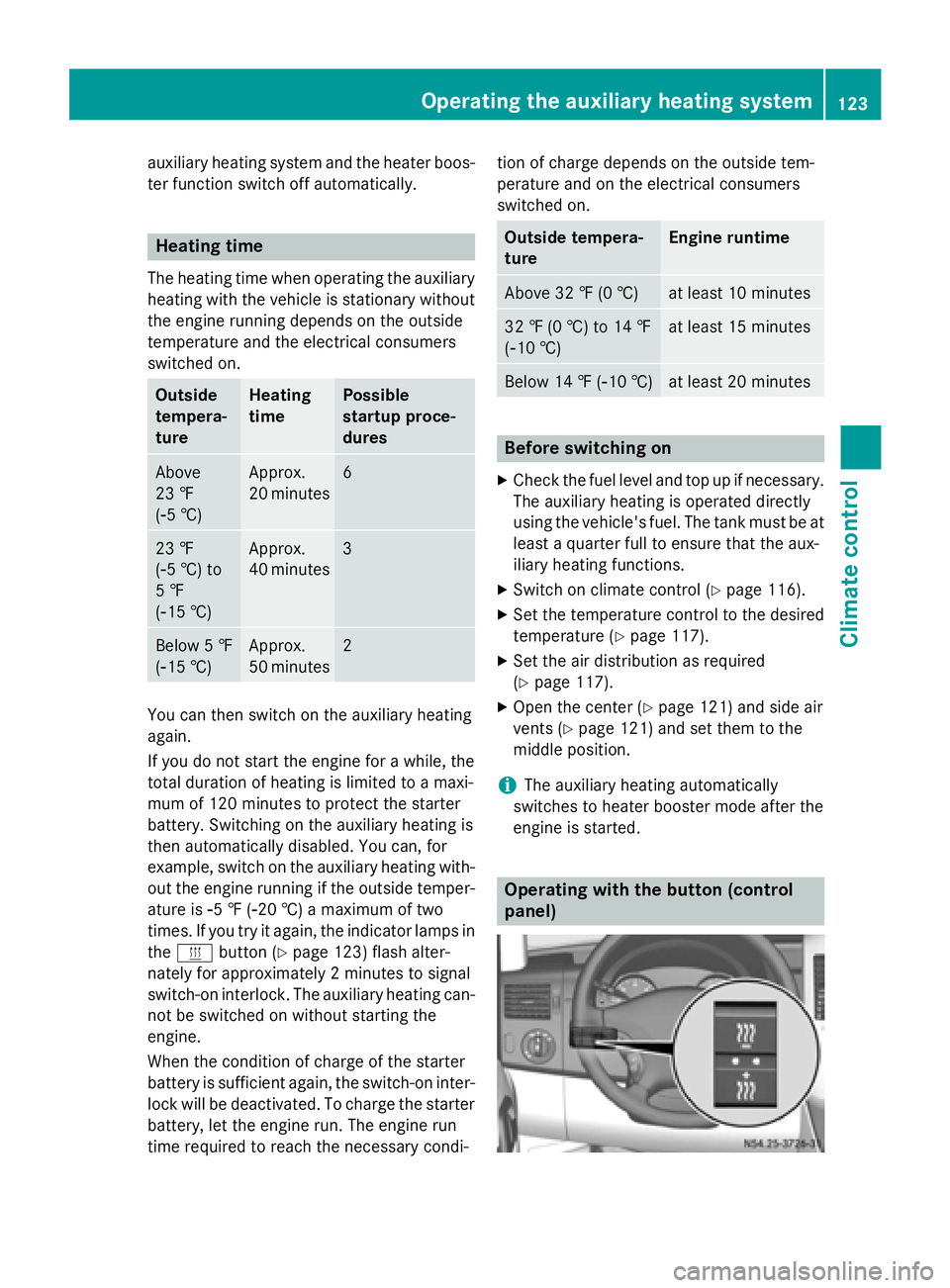
engine is started. Operating with the button (control
panel)Operating the auxiliary heating system
123Climate control Z
Page 128 of 334

Signaling Meaning
Flashes green Change operating duration
active Flashes alter-
nately red and
green Remote control in syn-
chronizing mode
i
When the remote control battery is weak,
indicator lamp 0043flashes red rapidly.
Replace the remote control battery
(Y page 130).
You can find further information on the lamp
status in the "Problems with the auxiliary
heating" section (Y page 132).
Switching the remote control on/off The remote control switches to standby mode
after 10 seconds. Indicator lamp 0043goes out.
X To switch on: press and hold the 00D0
button until indicator lamp 0043lights up red.
If a connection between the remote control and the receiver in the vehicle has been
established and indicator lamp 0043:
R flashes red, the auxiliary heating is
switched off.
R lights up green, the auxiliary heating is
switched on.
X To switch off: press and hold the 00D0
button until indicator lamp 0043goes out.
Switching the auxiliary heating on/off X
Switch on the remote control.
X To switch on: when indicator lamp 0043
flashes red, press the 0070button.
During data transmission, indicator
lamp 0043lights up red.
When indicator lamp 0043lights up green, the
auxiliary heating is switched on.
X To switch off: when indicator lamp 0043
lights up green, press the 0070button.
During data transmission, indicator
lamp 0043lights up red. When indicator lamp
0043flashes red, the
auxiliary heating is switched off.
Changing the operating duration X
Switch on the remote control.
X When indicator lamp 0043flashes red, press
00D0 and0070 simultaneously.
Indicator lamp 0043flashes green.
X Press the 00D0button repeatedly until the
desired operating duration is shown.
R 20 minutes
Indicator lamp 0043flashes green twice.
R 30 minutes
Indicator lamp 0043flashes green three
times.
R 40 minutes
Indicator lamp 0043flashes green four
times.
X Press the 0070button.
During data transmission, indicator
lamp 0043lights up red.
If indicator lamp 0043emits two long, green
flashes, the selected operating duration is
stored.
i If no adjustment is made, indicator
lamp 0043flashes six times and the remote
control goes into standby mode.
Synchronizing the remote control X
Press the 0084auxiliary heating button in
the control panel (Y page 123) for longer
than 10 seconds.
When you press and hold the 0084button,
the red indicator lamp lights up in the but-
ton.
When the red indicator lamp in the 0084
button flashes, the receiver in the vehicle is ready for synchronizing.
X Press and hold the 00D0remote control
button until indicator lamp 0043lights up red.
If there is an active connection between the remote control and the receiver, indicator
lamp 0043flashes alternately red and green. 126
Operating the auxiliary heating systemClimate control
Page 130 of 334

006C
Selects options in program column 0043or
menu bar 0044(backwards)
Reduces values
Activating the timer The timer switches to standby mode after
10 seconds. The display goes off.
X Press and hold the 00D0button until the
menu bar appears in the display and the
time is shown.
Setting the day, time and operating
duration You must reset the day, time, and default
value for the operating duration:
R during initial operation
R after a voltage supply interruption (e.g. if
the battery has been disconnected)
R after a malfunction.
You can find further information on malfunc-
tions in the "Problems with the auxiliary heat-
ing" section (Y page 132).
X Press the 00CFor00DB button until the
0045 symbol in menu bar 0044flashes.
X Press the 0070button.
In program column 0043, the day selected
flashes.
X Press the 00CFor00DB button to set the
desired day.
X Press the 0070button.
The day selected is stored. The hour setting
of the clock flashes.
X In the same way, set the hour and subse-
quently the minutes, then confirm by press- ing the 0070button.
The time is stored. Program column 0043dis-
appears and the operating duration
flashes.
i The operating duration set is the default
setting for immediate heating mode. You
can set the operating duration from 10 to
120 minutes or activate continuous opera-
tion. X
Using the 00CFor00DB button, set the
minute value or select the 00D5symbol for
continuous operation.
X Press the 0070button.
The operating duration is stored. The time
is shown.
Activating/deactivating immediate
heating mode X
To switch on: press the00CFor00DB but-
ton until the 0084symbol in the menu bar
flashes.
X Press the 0070button.
The operation duration flashes in the dis-
play.
i You can preset the default value that is
shown (Y page 128).
X Using the 00CFor00DB button, set the
minute value (10 – 120) or select the 00D5
symbol for continuous operation.
X Press the 0070button.
Immediate heating mode is activated. The
time and the 0084symbol appear.
X To switch off: press the00CFor00DB
button until the 0084symbol flashes in the
menu bar, and then press the 0070button.
Immediate heating mode is deactivated.
The 0084 symbol disappears.
The auxiliary heating operates for another
two minutes and then switches off auto-
matically.
i If you switch off the ignition while imme-
diate heating mode (operating duration
10– 120 minutes) is active, immediate
heating mode is also switched off. The aux- iliary heating operates for another
two minutes and then switches off auto-
matically.
If you have set continuous operation as the
operating duration and you switch off the
ignition, the auxiliary heating switches off
automatically after about 15 minute s.If, in
the remaining time, the ignition is switched
on again, continuous operation of the aux-
iliary heating continues. 128
Operating the auxiliary heating systemClimate control
Page 131 of 334

Setting the preselection time
G
WARNING
The auxiliary heating must not be operated if
there are highly flammable substances
nearby or in enclosed spaces without an
extraction system. Make sure that the auxili-
ary heating is not switched on automatically
by the timer in such places. If this possibility
exists, deactivate the respective programmed time.
You can set three preselection times using
the timer.
Observe that when setting the preselection
time, this does not correspond to the switch- on time but to the switch-off or departure
time. The auxiliary heating system starts up
automatically and runs for the operating dura-
tion set prior to departure.
Example: For a planned departure time of
7:00 a.m., you should also set the preselec-
tion time to 7:00 a.m. If the operating dura-
tion is preset to 40 minutes, for example, the
auxiliary heating starts up at 6:20 a.m.
If an identical time (time and day) is set in the preselection memory, only the last time set is
saved.
After a malfunction or if the battery has been disconnected, you must set the preselection
times again. You can find further information
on malfunctions in the "Problems with the
auxiliary heating" section (Y page 132).
X Press the 00CFor00DB button until the
0045 symbol in the menu bar flashes.
X Press the 0070button.
In the program column, the 0059preselec-
tion memory numbers appear. The selected preselection memory flashes.
X Press the 00CFor00DB button to select the
desired preselection memory.
X Press the 0070button.
The preselection memory is selected. The
days are shown. X
Set the day and time as described in the
"Setting the day, time and operating dura-
tion" section (Y page 128).
The preselection time is stored. The pro-
gram column disappears. In the display
panel, the on
on message and the 0084sym-
bol appear.
X Press the 0070button.
The operating duration flashes.
X Press the 00CFor00DB button to set the
minute value (10 – 120).
X Press the 0070button.
The operating duration for the preselection time is saved. The time and number of the
selected preselection memory are shown.
i The preselection memory that will be acti-
vated next is underlined. Additionally, the
day that is set appears.
Deactivating the preselection time X
Carry out the steps as described in the
"Setting the preselection time" section.
If the 0084 symbol in the status bar is shown:
X Press the 00CFor00DB button until the off off
message in the display panel is shown.
X Press the 0070button.
The preselection time is deactivated. The
time is shown.
Setting the heating level You can set the heating level to a range
between 10 and 30.
The heating level corresponds to a preselec-
tion temperature for the vehicle interior. This
is a guide value and may, depending on the
outside temperature, differ from the actual
vehicle interior temperature.
X Press the 00CFor00DB button until the
00D1 symbol in the menu bar flashes.
X Press the 0070button.
The heating level display flashes. Operating the auxiliary heating system
129Climate control Z
Page 132 of 334

X
Using the 00CFand00DB buttons, set the
desired heating level to a range between 10 and 30.
X Press the 0070button.
The heating level is set and the 0084sym-
bol appears. Switching the heater booster function
on/off Vehicles with auxiliary heating
Vehicles with heater booster function
At outside temperatures of up to 39 ‡ (4 †)
the fuel-fired heater booster system heats the vehicle interior as quickly as possible when
the engine is running.
The auxiliary heating automatically switches
to heater booster mode after the engine is
started.
At an outside temperature above 39 ‡ (4 †)
the auxiliary heating system and the heater
booster function switch off automatically.
If you switch off the engine without switching off the heater booster function, the system will be switched on the next time the engine is
started (memory function).
i Switch the auxiliary heating on or off with
the 0084 button (Y page 123).
X To switch on/off: press the006Aswitch.
If the indicator lamp in the button lights up,
the heater booster function is switched on.
After switching off, the auxiliary heating oper-
ates for about another 2 minutes and then
switches off automatically. Replacing the remote control battery
G
WARNING
Batteries contain toxic and corrosive substan- ces. If batteries are swallowed, it can result in
severe health problems. There is a risk of fatal injury.
Keep batteries out of the reach of children. If
a battery is swallowed, seek medical attention immediately. H
Environmental note Batteries contain dangerous
substances. It is against the
law to dispose of them with
the household rubbish. They
must be collected separately
and recycled to protect the
environment. Dispose of batteries in an
environmentally friendly
manner. Take discharged
batteries to a qualified spe-
cialist workshop or a special
collection point for used bat-
teries.
If the indicator lamp on the remote control
flashes red rapidly, the remote control battery
is discharged. You should replace the remote
control battery.
You need a battery of the type CR2430, which can be obtained at any qualified specialist
workshop. 130
Operating the auxiliary heating systemClimate control
Page 134 of 334

Problems with the auxiliary heating
Problem
Possible causes/consequences and
0050
0050Solutions The indicator lamp on
the remote control
flashes red rapidly. The remote control battery is discharged. Data transmission is not
possible.
X Replace the remote control battery (Y page 130).The indicator lamp on
the remote control
flashes red and green in
rapid succession. There is no connection between the remote control and the
receiver in the vehicle.
X Change your position in relation to the vehicle, e.g. hold the
remote control higher or to the side.
X Move closer.
If you cannot establish a connection and the auxiliary heating is
switched on, it can then only be deactivated using the 0084button
(Y page 123).
or Several remote controls are being used at the same time.
X Switch on the remote control again after a short while
(Y page 126).
or The remote control is not synchronized.
X Synchronize the remote control (Y page 126).The indicator lamp on
the remote control
slowly flashes red and
green alternately. The remote control is being synchronized.
X Wait until the remote control synchronization process is com-
plete (Y page 126). The remote control for
the auxiliary heating
cannot be switched on. The remote control battery is discharged.
X Replace the remote control battery (Y page 130).The auxiliary heating
does not switch on. The outside temperature is above 39
‡(4 †). The auxiliary heating
switches off automatically. The auxiliary heating
switches off automati-
cally and/or cannot be
switched on. The fuel tank is less than
00C4full. The auxiliary heating switches off
automatically.
X Refuel at the nearest gas station.
X Then, start the auxiliary heating several times until the fuel lines
are full.
or 132
Operating the auxiliary heating systemClimate control