2015 MERCEDES-BENZ S-Class Entertainment
[x] Cancel search: EntertainmentPage 5 of 298
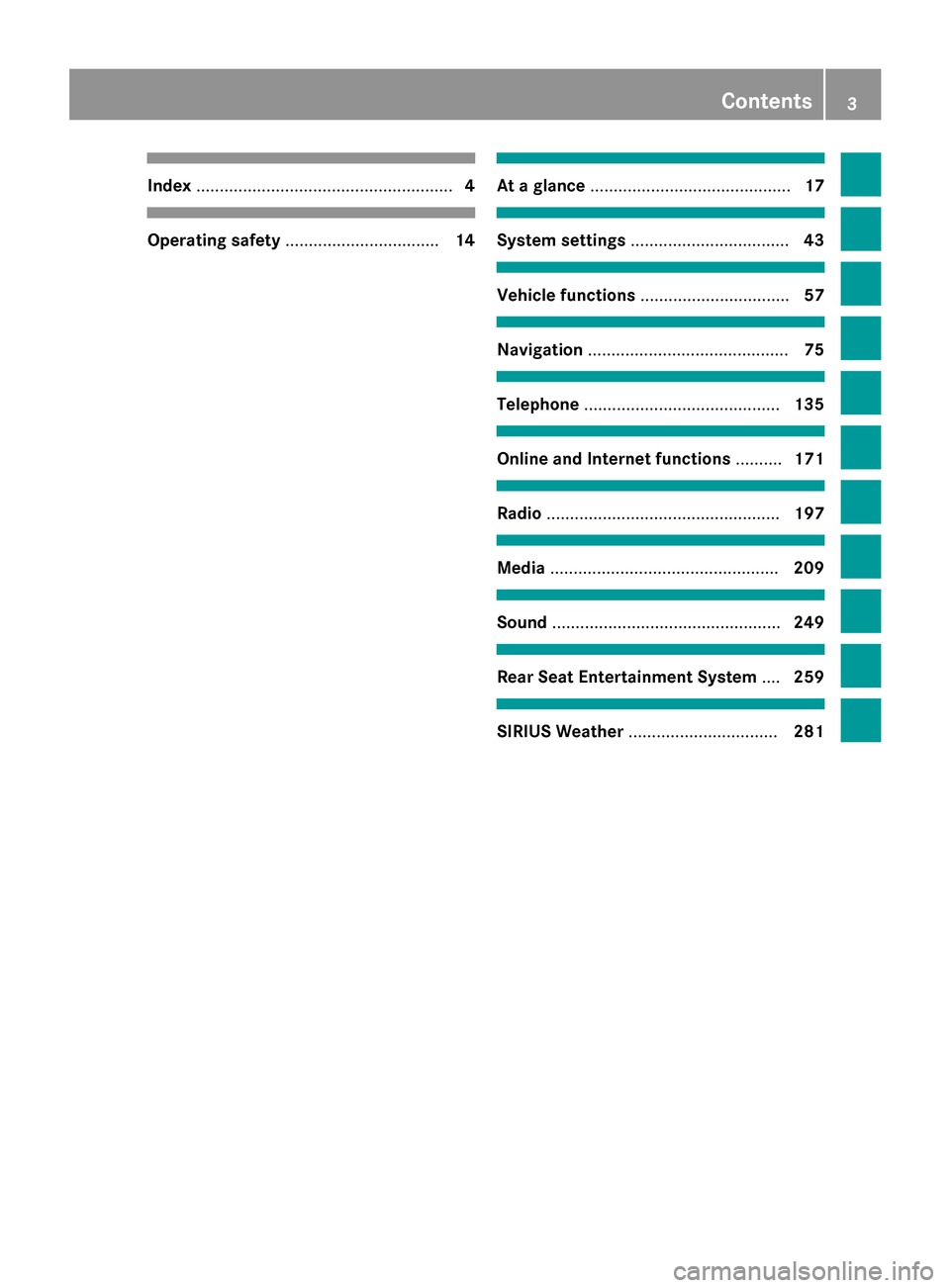
Index
....................................................... 4Operating safety
................................. 14 At a glance
........................................... 17 System settings
.................................. 43 Vehicle functions
................................ 57 Navigation
........................................... 75 Telephone
.......................................... 135 Online and Internet functions
..........171 Radio
.................................................. 197 Media
................................................. 209 Sound
................................................. 249 Rear Seat Entertainment System
....259 SIRIUS Weather
................................ 281 Contents
3
Page 7 of 298

Reconnecting an audio device ......
.230
Searching for a mobile phone ....... .139
Starting playback if the Blue-
tooth ®
audio device has been
stopped ......................................... 232
Telephony ...................................... 138
Telephony notes ............................ 136
Burmester ®
high-end 3D surround
sound system Balance/fader ............................... 255
Calling up the sound menu ............ 254
Changing the loudspeaker source .. 256 Equalizer ........................................ 255
Equipment ..................................... 254
Setting the sound profile .............. .257
VIP & BAL selection ....................... 256
Burmester ®
surround sound sys-
tem Balance/fader ............................... 253
Calling up the sound menu ............ 252
Changing the loudspeaker source .. 253
Equalizer ........................................ 252
Equipment ..................................... 252
Surround sound ............................ .254
Buttons and controller ........................ 23C
Call lists Displaying details ........................... 152
Opening and selecting an entry ..... 152
Saving an entry in the address
book .............................................. 152
Camera
Rear view camera ............................ 73
Car pool lanes ...................................... 82
Category list (music search) ............ 221
CD Inserting ........................................ 212
Inserting/loading (DVD changer) ... 213
Inserting/loading (Rear Seat
Entertainment System) .................. 273
Notes on discs ............................... 220
Removing/ejecting (Rear Seat
Entertainment System) .................. 273 Selecting a track ............................ 217
Sound settings (balance, bass,
fader, treble) .................................. 250
Characters
Entering (navigation) ........................ 37
Climate control
Calling up climate control
(COMAND) ....................................... 68
Calling up the climate control bar .... 67
Climate control bar (COMAND) ....... .67
Cooling with air dehumidification
(COMAND) ...................................... .68
Ionization (COMAND) ....................... 71
Perfume atomizer (COMAND) .......... 70
Rear-compartment climate
control (COMAND) ........................... 69
Setting the air distribution
(COMAND) ....................................... 68
Setting the airflow (COMAND) .........67
Setting the climate mode
(COMAND) ....................................... 70
Setting the departure time
(COMAND) ....................................... 71
Setting the footwell temperature
(COMAND) ....................................... 70
Setting the temperature
(COMAND) ....................................... 67
Switching on/off (COMAND) ........... 68
Climate control bar
Calling up ......................................... 67
COMAND
Active multicontour seat .................. 64
Basic functions ................................ 25
Controller ......................................... 23
Display ............................................. 20
Multicontour seat ............................ 64
Seat functions .................................. 63
Setting s......................................... 192
Switching on/of f.............................. 25
Telephone keypad overview ............. 24
COMAND display
Additional display are a..................... 45
Cleaning instructions ....................... 22
Setting ............................................. 44
Contacts
Deleting ......................................... 168
Importing ....................................... 168 Index
5
Page 8 of 298

Cordless headphones
Setting the volume ........................ .266
Country-specific information (nav-
igation) ............................................... 125 D
Date format, setting ............................ 47
Day design, setting .............................44
Delayed switch-off time Setting (COMAND) .......................... .61
Deleting
Call list s......................................... 153
Destination
Storing in the address book ........... 118
Destination/route download
Changing the vehicle identifica-
tion number (VIN) .......................... 184
Deleting a destination from the
server ............................................ 184
Displaying destinations in the
vehicle ........................................... 182
Displaying the vehicle identifica-
tion number (VIN) .......................... 184
Importing destinations ................... 183
Placing a call at the destination ..... 183
Procedure and general information .. 182
Sending destinations to the server .. 182Using a destination for route guid-
ance ............................................... 183
Using destinations ......................... 183
Destination (navigation)
Entering a destination using the
map ................................................. 93
Entering a point of interest .............. 89
Entering using geo-coordinate s....... 97
Entering using Mercedes-Benz
Apps ................................................ 96
Keyword search ............................... 87
Saving ............................................ 117
Selecting an address book con-
tact as a destination ........................ 89
Selecting from the list of last des- tinations ........................................... 88
Dialing a number (telephone) ........... 143
Display Selecting the design ........................ 44 DVD
Inserting/loading (Rear Seat
Entertainment System) .................. 273
Notes on discs ............................... 220
Removing/ejecting (DVD changer )..2 14
Removing/ejecting (Rear Seat
Entertainment System) .................. 273 E
EASY-ENTRY/EXIT feature Activating/deactivating
(COMAND) ....................................... 59
E-mail
Answering ...................................... 160
Calling up the settings menu ......... 155
Changing the name of the e-mail
account .......................................... 156
Configuring an e-mail account ....... 156
Configuring the e-mails displayed .. 156
Deactivating the e-mail function .... 156
Deleting ......................................... 162
Displaying details ........................... 158
Downloading e-mails manually ...... 156
Editing text templates .................... 160
Forwarding ..................................... 160
Reading .......................................... 157
Saving the sender in the address
book .............................................. 162
Setting s......................................... 155
Storing the sender as a new entry in the address boo k....................... 161
Using a phone number in the text .. 161
Using text templates ...................... 160
Writing ........................................... 159
E-mails
Inbox .............................................. 157
Entering the address (example) ......... 84
Entering the city .................................. 84 F
Factory setting (reset function) ......... 55
Favorites Adding ............................................. 41
Deleting ........................................... 42
Displaying and calling up ................. 41
Moving ............................................. 42 6
Index
Page 10 of 298

Massage
Selecting a program ......................... 65
Media Interface
Mode ............................................. 234
Playback options ........................... 237
Search ........................................... 236
Selecting music files ...................... 236
Switching to Media Interface ......... 235
Video function .............................. .237
Media Register
Basic displa y.................................. 224
Calling up memory space informa-
tion ................................................ 227
Copying files .................................. 224
Deleting all files ............................. 226
Renaming/deleting files ................ 226
Selecting a playback mode ............ 227
Switching on .................................. 223
Media search
Category list .................................. 221
Current tracklist ............................ 221
Keyword search ............................. 222
Music genres ................................. 222
Selecting by cove r......................... 222
Starting the media search .............. 220
Menu overview
CD/DVD audio and MP3 mode ...... 213
Mercedes-Benz Apps ......................... 187
Microphone, switching on/off ......... 145
Mobile phone Authorizing .................................... 140
Connecting (Bluetooth ®
interface )..1 38
Connecting another mobile phone .. 141
De-authorizing ............................... 142
Displaying Bluetooth ®
connection
details ............................................ 142
Enabling for Internet access .......... 174
MP3
Copyright ....................................... 220
Notes ............................................. 219
Safety notes .................................. 212
MP3 mode
Stop and playback function ........... 217
Multi-Seat Entertainment System
Adjusting sound settings .............. .269
AUX mode ...................................... 280
Changing the picture format .......... 270 Cordless headphones .................... 266
Overview ........................................ 260
Picture settings .............................. 270
Replacing batteries ........................ 267
Setting the brightness ................... 270
Setting the color ............................ 270
Setting the contrast ....................... 270
System settings ............................ .268
Video DVD mode ........................... 276 N
Navigation Adjusting the volume of the navi-
gation announcements .................... 25
Alternative route ............................ 110
Avoiding an area ............................ 127
Basic settings .................................. 80
Blocking a route section affected
by a traffic jam ............................... 112
Calling up the compass displa y..... 130
Calling up the menu ....................... 130
Drive Information ........................... 131
Entering a destination ...................... 83
Entering a destination using the
map ................................................. 93
Entering a point of interes t.............. 89
Entering characters (character
bar) .................................................. 37
GPS reception .................................. 76
Important safety notes .................... 76
Info on navigation .......................... 131
Lane recommendation ................... 105
Off-road/off-map (off-road desti-
nation) ........................................... 112
Online map display ........................ 130
Reading out traffic reports ............. 117
Repeating announcements ............ 107
Selecting a destination from the
list of last destinations ..................... 88
Setting route options (avoiding:
highways, toll roads, tunnels, fer-
ries) ................................................. 80
Setting the route type (short
route, fast route, dynamic route or economic route) ............................... 80
Showing/hiding the menu ............... 78
Starting route calculation ................ 86 8
Index
Page 12 of 298

Storing stations ............................. 201
Tagging music tracks (download-
ing/purchasing tracks from the
iTunes Store) ................................. 200
Radio station
Storing ........................................... 201
Read-aloud function
Automatic ...................................... 117
Read-aloud function for e-mails ....... 158
Real-time traffic reports ................... 113
Rear-compartment screens .............. 261
Rear Seat Entertainment System Adjusting sound settings ............... 269
Adjusting the brightness ................ 270
Adjusting the color ........................ 270
Adjusting the contrast ................... 270
AUX jacks ...................................... 264
AUX mode ...................................... 280
Changing the batteries .................. 267
Changing the picture format .......... 270
Cordless headphone s.................... 266
Overview ........................................ 260
Picture settings .............................. 270
System settings ............................. 268
Video DVD mode ........................... 276
Rear view camera
Displaying the image ........................ 73
Object detectio n.............................. 74
Switching object detection on/of f... 74
Receiving vCards ............................... 169
Redialing (telephone) ........................ 144
Remote control Button lighting ............................... 262
Multi-Seat Entertainment System .. 261
Rear Seat Entertainment System ... 261
Reserve fuel level
Switching the function on/off in
COMAND ......................................... 81
Resetting (factory settings) ............... 55
Route (navigation) Selecting an alternative route ........ 110
Setting route options (avoiding:
highways, toll roads, tunnels, fer-
ries) ................................................. 80 Setting the route type (short
route, fast route, dynamic route or economic route) ............................... 80
Starting calculation .......................... 86
Route guidance
Continue ........................................ 109
Freeway information ...................... 106
General notes ................................ 101
Lane recommendations ................. 105
Off-road ......................................... 112
Traffic reports ................................ 113 S
Safety notes Audio CD/DVD and MP3 mode ..... 212
Using the telephone .............. 136, 172
Video DVD mode ........................... 240
SatRadio
Channel list updates ...................... 207
Displaying information ................... 207
Memory functions .......................... 205
Music and sports alerts ................. 206
Notes ............................................. 202
Registering .................................... 203
Selecting a category ...................... 204
Selecting a channel ....................... 205
Switching to ................................... 204
Tagging music tracks ..................... 206
Screen
Selecting for remote operation ...... 262
SD memory card
Inserting ........................................ 215
Seat-belt adjustment function
Activating/deactivating
(COMAND) ....................................... 60
Seats
Adjusting the lumbar support
(COMAND) ....................................... 64
Balance (seat heating) ..................... 65
Massage function ............................ 65
Resetting settings ............................ 66
Seat functions (COMAND) ............... 63
Selecting for adjustment
(COMAND) ....................................... 63
Selecting stations
Radio ............................................. 199
Selecting the country .......................... 8410
Index
Page 13 of 298

Sending DTMF tones
.........................146
Setting access data Online and Internet ........................ 174
Settings
Sound settings ............................... 250
Setting the audio format
Multi-Seat Entertainment System .. 279
Rear Seat Entertainment System ... 279
Setting the language
COMAND ......................................... 52
Multi-Seat Entertainment System .. 279
Rear Seat Entertainment System ... 279
Setting the night design ..................... 44
Setting the text reader speed ............ 48
Setting the volume Telephone call s................................ 25
SIRIUS weather display
5-day forecast ................................ 282
Daily forecas t................................. 282
Detail information .......................... 283
Information chart ........................... 282
Selecting the area for the weather forecast ......................................... 283
Switching on/of f........................... 282
Weather map ................................. 286
SIRIUS weather map
Storm Guide .................................. 292
Storm Watch Box ........................... 292
Sound
Switching on/of f.............................. 26
Sound settings
Balance/fader ............................... 251
Calling up the sound menu ............ 250
Changing the loudspeaker source .. 251 Equalizer ........................................ 250
Speed dial
Deleting ......................................... 154
Setting up ...................................... 154
SPLITVIEW
Switching on/of f.............................. 28
Transferring a destination to the
driver ............................................... 29
Station list ......................................... 201
Stop function Video DVD ..................................... 245
Storing stations
Radi o............................................. 201 Switching between summer time
and standard time
............................... 46
Switching on media mode Starting at a different seat ............. 212
Using the Media button ................. 210
Via the device list .......................... 211
Via the main function bar ............... 211
Via the number keypa d.................. 211
System settings
Automatic volume adjustment ......... 51
Bluetooth ®
....................................... 51
Date ................................................. 46
Importing/exporting data ................ 54
Language ......................................... 52
Text reader speed ............................ 48
Time ................................................. 46
Time zone ........................................ 46
Voice Control System ...................... 48 T
Telephone Accepting a call (COMAND) ........... 143
Adding a call .................................. 145
Adjusting the volume for calls .......... 25
Authorizing a mobile phone (con-
necting) ......................................... 140
Call lists ......................................... 151
Calls with several participants ....... 146
Call waiting .................................... 147
Conference calls ............................ 146
Connecting a mobile phone (gen-
eral information) ............................ 138
De-authorizing (disconnecting) a
mobile phone ................................. 142
Deleting a speed dial preset .......... 154
Deleting messages ........................ 162
Displaying Bluetooth ®
connection
details ............................................ 142
Downloading messages manually .. 156
E-mail ............................................. 155
E-mail conditions ........................... 155
E-mail settings ............................... 155
Ending an active call ...................... 147
Entering a number ......................... 143
Entering phone numbers ................ 143
Establishing the connection from
the mobile phone ........................... 141 Index
11
Page 19 of 298

COMAND features
............................... 18
Overview .............................................. 19
Basic COMAND functions ...................25
SPLITVIEW ........................................... 27
Touchpad ............................................. 30
Rear Seat Entertainment System ......35
Character entry (telephony) ...............36
Character entry (navigation) ..............37
Favorites .............................................. 41 17At a glance
Page 21 of 298

Overview
Components
0043
COMAND display
0044 DVD changer/single DVD drive
0087 Controller and buttons
The image shows the equipment with telephone keypad.
COMAND consists of:
R the COMAND display
The COMAND display has 1440 x 540 pixels.
R the DVD changer/single DVD drive
R the controller
R the touch-sensitive telephone keypad or the touchpad
R the buttons
R ports in the center console (2x USB, AUX)
An iPod ®
is connected via USB cable.
R headphones for the front passenger (cordless or connected by means of a cable to the audio
jack in the footwell)
i COMAND can be operated from the front-passenger side using the corresponding remote
control if your vehicle is equipped with the front-passenger entertainment system. The
COMAND display can show separate information for the driver and the front passenger. The front passenger views the display in SPLITVIEW. Functions
R HD FM radio/HD AM radio/satellite
radio Internet radio, see Communication
R Media
- Media support: audio CD, MP3 CD, DVD
video, 2 x USB, SD card, iPod ®
, Bluetooth Overview
19At a glance