2015 MERCEDES-BENZ S-Class Fm station
[x] Cancel search: Fm stationPage 204 of 298

Deleting highlighted stations
X In radio mode: slide 00520064the controller.
X To select Options
Options in the radio menu bar:
turn and press the controller.
X Select Edit List
Edit List.
X To select the required preset entry: turn the
controller.
X Slide 00520096the controller.
X To select the Delete Highlighted Sta‐
Delete Highlighted Sta‐
tion/Channel
tion/Channel option in the additional
menu: turn and press the controller.
X If you really wish to delete the highlighted
station, select Yes Yes: turn and press the con-
troller. Otherwise, select No
No: turn and press
the controller. Calling up sound settings
X In radio mode: slide 00520064the controller.
X To select Sound
Sound in the radio menu bar: turn
and press the controller.
The sound menu appears (Y page 250).Radio text
This function is available in HD and FM/AM
radio mode.
Radio text is additional data, metadata or
similar that, in addition to displaying the artist and track, also includes information on the
current program.
X To switch on radio text view: in radio mode,
slide 00520064the controller.
The Radio menu bar is shown. X
To select Info Info: turn and press the control-
ler.
With an active Info
Infobutton, a larger view of
the radio station set will be shown together
with radio text information in place of the list
of stations. The frequency is visible in the
context display.
X To switch on radio text plus: in radio mode,
slide 00520064the controller.
The Radio menu bar is shown.
X Select Info
Info.
The display switches back to the radio sta-
tion overview with radio text plus informa-
tion. Satellite radio
General notes
The satellite radio mode requires satellite
radio equipment and registration with a sat-
ellite radio provider.
Note that the categories and channels shown in the illustrations depend on the program
content offered by the provider. The illustra-
tions and descriptions in these operating
instructions may therefore differ from the
channels and categories offered by the pro-
vider.
SatRadio mode may be temporarily unavaila-
ble or interrupted for a variety of reasons.
These include environmental or topographi-
cal conditions as well as other factors beyond
the control of Mercedes-Benz USA, LLC. This means operation may not be possible in cer-
tain areas.
These include:
R tunnels
R parking garages
R locations inside or next to buildings
R locations in the vicinity of other structures
SIRIUS XM Satellite Radio offers more than
140 digital-quality radio channels providing
100% commercial-free music, sports, news
and entertainment. 202
Satellite
radioRadio
Page 205 of 298

SIRIUS XM Satellite Radio employs a fleet of
high-performance satellites to broadcast
around the clock throughout the USA and
Canada.
The satellite radio program is available for a
monthly fee. Details are available from the
SIRIUS XM Service Center and at
http://www.siriusxm.com (USA) or
http://www.siriusxm.ca (Canada).
Your new Mercedes-Benz vehicle comes with SIRIUS XM Satellite Radio pre-installed at the
factory. This service is free for a six-month
trial period. About a month before the trial
period ends, information will be provided on
how to extend this subscription. An acoustic
signal sounds and a message is shown,
describing how the subscription can be
extended. Registering SatRadio
0043
Phone number of provider
0044 SIRIUS XM ID of your satellite receiver
X Switch on SatRadio mode (Y page 204).
The satellite radio main menu appears
showing the preview channel. You cannot
select any other stations.
X To select Options Optionsin the radio menu bar:
turn and press the controller.
X To select Service
Service: turn and press the con-
troller.
The service information screen appears. Once the telephone connection has been
established:
X Follow the instructions of the service staff.
The activation process may take up to
ten minutes. If activation is completed suc-
cessfully, the Updating Channels... Updating Channels...
message appears in the display, followed
by the satellite radio main menu.
i You can also have the satellite service
activated online. To do so, visit the SIRIUS
XM Radio website at
http://www.siriusxm.com (USA) or
http://www.siriusxm.ca (Canada).
i If registration is not included when pur-
chasing the system, your credit card details
will be required to activate your account.
If the satellite receiver is not installed cor-
rectly, the Device Unavailable
Device Unavailable message
will appear. Satellite radio
203Radio
Page 206 of 298

Switching to satellite radio
0043
Preset
0044 Channel name and channel number
0087 Channel information
0085 Category list
0083 Keyword search
0084 Options menu
006B Artist & track
006C Additional display area
Channel information 0087can be viewed in detail (Y page 207).
Additional display area 006Cshows the specific SIRIUS XM Satellite Radio logos of the different
channels.
X To select Radio
Radio in the main function bar: turn the controller and press to confirm.
If satellite radio mode was the last mode selected, it will now be active.
If another radio mode is switched on, you can now switch to satellite radio mode in the
carousel menu.
X To select Options
Options in the radio menu bar: turn and press the controller.
The message No Service
No Service appears if there is no signal. Selecting a category
Satellite radio channels are sorted into vari-
ous categories. You can choose between var- ious categories such as News/Discussions,
Sports and Country (if available). The cate-
gory list is sorted alphabetically. The content
of the categories is sorted by channel num-
bers. X
To call up the category list: selectCat‐ Cat‐
egory
egory in the menu bar by turning and
pressing the controller.
The category list appears.
X To select a category: turn the controller
and press to confirm.
The category selected is shown in the dis-
play. You hear the station last selected for
this category.
The 003Bdot indicates the current setting. 204
Satellite radioRadio
Page 207 of 298

The
All
All Channels
Channels category is at the top of
the category list. This category enables you to browse all available channels. Selecting a channel
Channel search X
When the display/section window is
selected, slide 009500520096the controller.
COMAND searches in both directions
(ascending and descending) and stops at
the next channel found in the selected cat-
egory.
Entering channel numbers directly X
To select Options Optionsin the radio menu bar:
turn and press the controller.
The satellite radio menu appears.
X To select Enter Channel Enter Channel: turn and press
the controller.
An input menu appears.
X For the channel number, press the corre-
sponding number keys on the control panel
one after the other.
COMAND sets the selected channel.
i You can only select currently permitted
digits.
Selecting a channel via the satellite
radio station list You can select the channel using the station
list displaying the artists and tracks that are
currently playing. X
To select Options Optionsin the menu bar: slide
00520064 and press the controller.
X To select Current Station List with
Current Station List with
Artist & Title
Artist & Title: turn and press the con-
troller.
The channel list appears.
X Select the desired channel
Keyword search X
To select Options Optionsin the radio menu bar:
turn and press the controller.
X To enter the required search term: turn and
press the controller.
Direct and indirect results are shown.
X Select the required result.
The relevant channel is played. Memory functions
i There are 100 presets available.
X Quick store: press and hold a number key,
such as 0082. The channel is saved to the
second position in the radio channel pre-
sets.
X To store a channel using the edit func-
tion: select Options Options in the radio menu bar:
turn and press the controller.
X To select Edit List
Edit List: turn and press the
controller.
The list of saved channels appears.
X To select the preset: turn the controller and
press for about 2 seconds.
The newly saved station overwrites the
existing preset. Satellite radio
205Radio
Page 209 of 298

X
To select Options
Optionsin the radio menu bar:
turn and press the controller.
X To select Tag
Tag this
this Track
Track : turn and press
the controller.
A message about saving this music track on
the Apple ®
device appears. Displaying information
X
To select Info Infoin the radio menu bar: turn
and press the controller.
Information on the currently received pro-
gram is displayed.
If available, you will see:
R the channel logo
R the channel abbreviation
R the artist of the track that is currently being
played
R the current track
X To return to the radio display: select
Info Info: slide 00520064and press the controller. Displaying service information
The provider's customer service center is
available by phone at any time to answer any
general questions or questions on the ver-
sions available.
X To select Options
Options in the menu bar: slide
00520064 and press the controller.
X To select Service
Service: turn and press the con-
troller.
The provider's details appear. X
To return to the main display: press the
0038 button. Channel list updates
During reception of a new channel list, the
Updating Channels... Updating Channels... message is shown.
The station last selected is switched to mute until the update has been completed. Sat
Radio mode is not available during this proc-
ess.
Once the update has been completed, the Sat Radio basic menu appears. The station previ-
ously selected will be played if it is still avail-
able. Sound settings
Information on sound settings (Y page 250). Satellite radio
207Radio
Page 214 of 298

Starting an application at a different
seat
X
In media mode, slide 00520064the controller.
The media menu bar appears.
X To select Options
Options: turn and press the con-
troller.
X Select Start Application at Other Start Application at Other
Seat
Seat.
An additional menu appears with the option of switching the media source to Split‐ Split‐
View
View, Rear Right
Rear Right orRear Left
Rear Left.
Use Additional
Additional Options…
Options…to operate the
parental control screen for selected seats:
(Y page 72).
X To switch the media source to, e.g. Split‐ Split‐
View
View: turn and press the controller
(Y page 28). Audio/video mode
Important safety notes
G
WARNING
The CD/DVD drive is a class 1 laser product. If you open the housing of the CD/DVD drive,
there is a risk of exposure to invisible laser
radiation. This laser radiation could damage
your retina. There is a risk of injury.
Never open the housing. Always have main-
tenance and repair work carried out at a quali- fied specialist workshop. G
WARNING
Handling discs while driving may distract you from traffic conditions. You could also lose control of the vehicle. There is a risk of an
accident.
Handle discs only when the vehicle is station- ary. Inserting and removing a disc from
the single CD/DVD drive
Before inserting a CD/DVD, ensure that the
cup holder is empty and the spray guard flap is open.
X To insert: press the00F8button on the
single drive.
If there is a disc already inserted, it will be
ejected.
X Insert a disc into the disc slot with the
printed side facing upwards.
The drive closes and the disc is played.
If the CD/DVD is operated in Media mode,
the corresponding basic menu will be
shown. If the CD/DVD is started using
another application (e.g. navigation), the
display will not change.
i The drive may not be able to play discs
with copy protection.
X To remove: press the00F8button.
The drive ejects the disc.
X Remove the ejected disc from the slot.
If you do not take the disc out of the slot, it
is drawn in again automatically after a short
while. 212
Audio/video modeMedia
Page 242 of 298
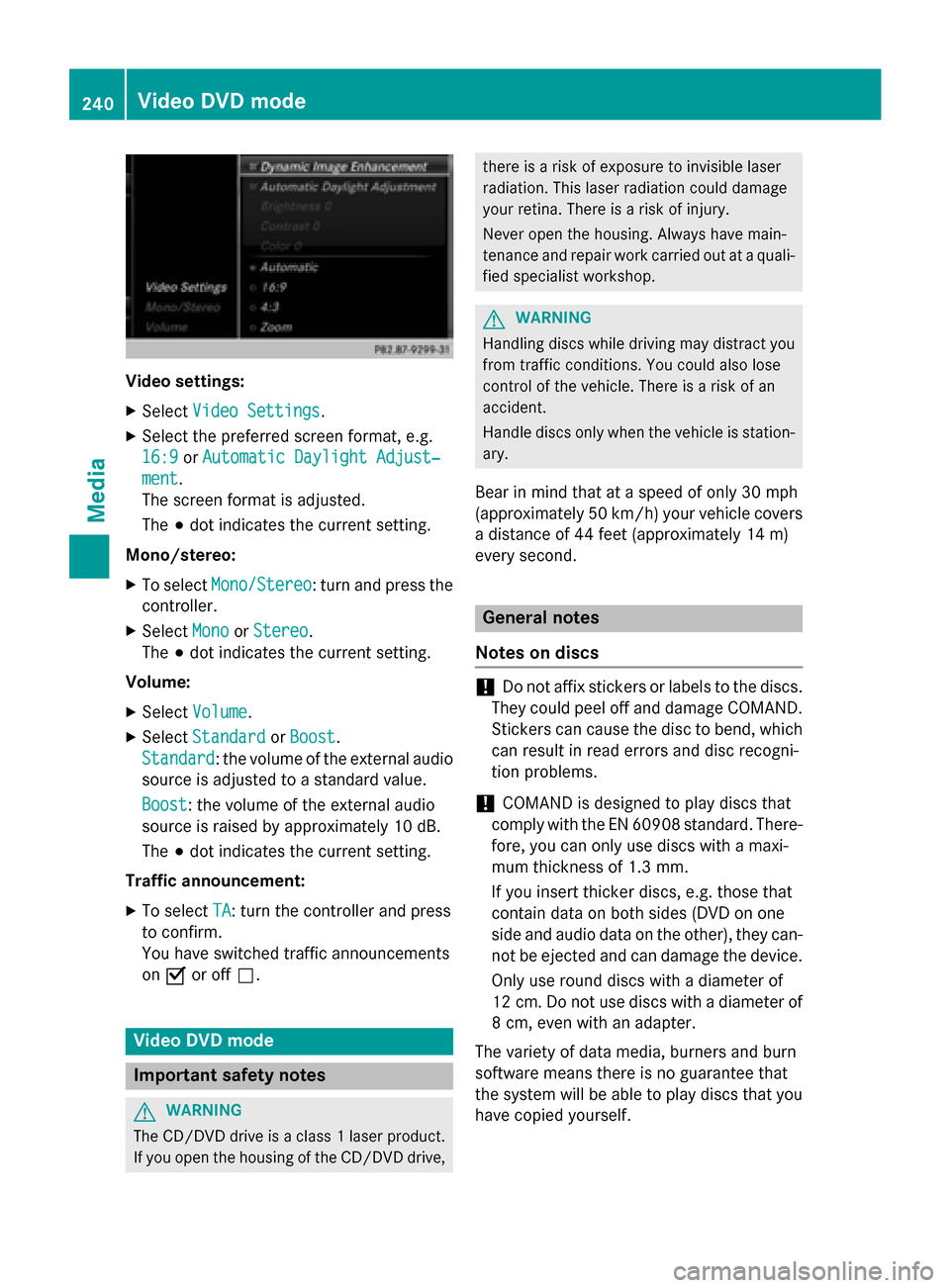
Video settings:
X Select Video Settings
Video Settings.
X Select the preferred screen format, e.g.
16:9
16:9 orAutomatic Daylight Adjust‐
Automatic Daylight Adjust‐
ment
ment.
The screen format is adjusted.
The 003Bdot indicates the current setting.
Mono/stereo: X To select Mono/Stereo
Mono/Stereo: turn and press the
controller.
X Select Mono MonoorStereo
Stereo .
The 003Bdot indicates the current setting.
Volume:
X Select Volume
Volume .
X Select Standard
Standard orBoost
Boost.
Standard
Standard: the volume of the external audio
source is adjusted to a standard value.
Boost Boost: the volume of the external audio
source is raised by approximately 10 dB.
The 003Bdot indicates the current setting.
Traffic announcement: X To select TA TA: turn the controller and press
to confirm.
You have switched traffic announcements
on 0073 or off 0053. Video DVD mode
Important safety notes
G
WARNING
The CD/DVD drive is a class 1 laser product. If you open the housing of the CD/DVD drive, there is a risk of exposure to invisible laser
radiation. This laser radiation could damage
your retina. There is a risk of injury.
Never open the housing. Always have main-
tenance and repair work carried out at a quali- fied specialist workshop. G
WARNING
Handling discs while driving may distract you from traffic conditions. You could also lose
control of the vehicle. There is a risk of an
accident.
Handle discs only when the vehicle is station-
ary.
Bear in mind that at a speed of only 30 mph
(approximately 50 km/h) your vehicle covers
a distance of 44 feet (approximately 14 m)
every se cond. General notes
Notes on discs !
Do not affix stickers or labels to the discs.
They could peel off and damage COMAND.
Stickers can cause the disc to bend, which can result in read errors and disc recogni-
tion problems.
! COMAND is designed to play discs that
comply with the EN 60908 standard. There-
fore, you can only use discs with a maxi-
mum thickness of 1.3 mm.
If you insert thicker discs, e.g. those that
contain data on both sides (DVD on one
side and audio data on the other), they can- not be ejected and can damage the device.
Only use round discs with a diameter of
12 cm. Do not use discs with a diameter of 8 cm, even with an adapter.
The variety of data media, burners and burn
software means there is no guarantee that
the system will be able to play discs that you have copied yourself. 240
Video DVD modeMedia
Page 263 of 298

Rear-compartment screens
0043
Display
0044 Brightness sensor
0087 Switches the display on/off
0085 Socket for headphones
Setting the display angle
X Press the CAR button on the remote
control.
X Press the 0064button on the remote
control.
X Using the 005900D0 buttons on the remote
control, select Display Displayand confirm by
pressing 008B.
X Select Tilt Display
Tilt Display.
X Select Upward Upward orDownward
Downward .
The display tilts upward or downward. Remote control
Overview 0043
Selects main menus
0044 Selects the screen for the remote control
0087 Selector wheel for selecting menus, radio
stations, music tracks and chapters
0085 Buttons for selecting menus
0083 Deletes an entry
0084 Skip-back function, fast forward/rewind,
start/pause, menu selection, radio sta-
tions, music tracks and chapters
006B Direct selection of radio stations, music
tracks and chapters using the number
keypad
006C Volume, switches sound on/off (for
corded headphones)
006D Back button
006E Confirms your selection
006F Indicator lamp
0070 Switches the screen on/off
i Two remote controls are supplied for the
US and Canadian markets. Rear Seat Entertainment System overview
261Rear Seat Entertainment System Z