2015 MERCEDES-BENZ GLE COUPE high beam
[x] Cancel search: high beamPage 6 of 393
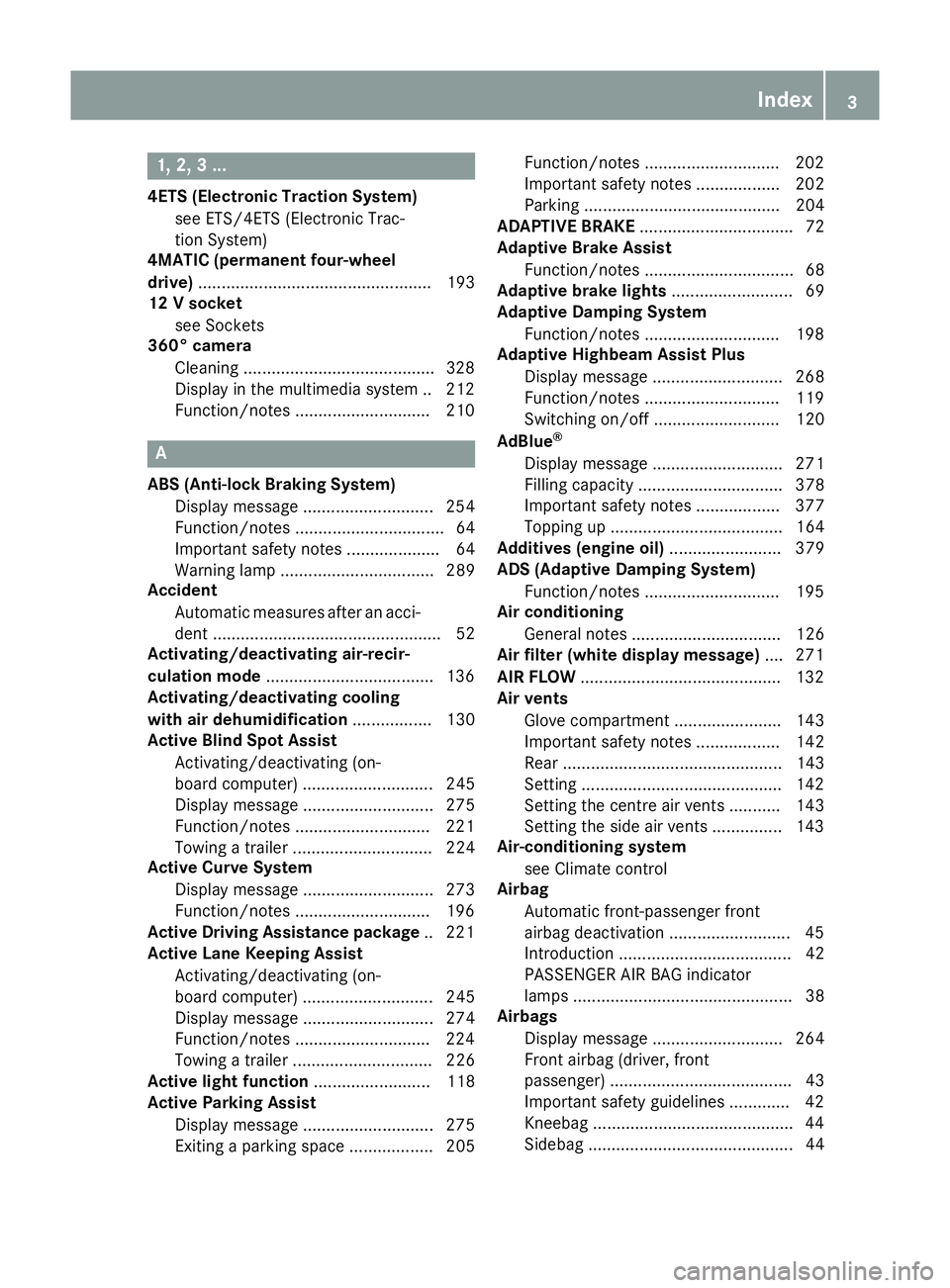
1, 2, 3 ...
4ETS (Electronic Traction System) see ETS/4ETS (Electronic Trac-
tion System)
4MATIC (permanent four-wheel
drive) .................................................. 193
12 V socket
see Sockets
360° camera
Cleaning .........................................3 28
Display in the multimedia system .. 212
Function/notes ............................ .210 A
ABS (Anti-lock Braking System) Display message ............................ 254
Function/notes ................................ 64
Important safety notes .................... 64
Warning lamp ................................. 289
Accident
Automatic measures after an acci-
dent ................................................. 52
Activating/deactivating air-recir-
culation mode ................................... .136
Activating/deactivating cooling
with air dehumidification ................. 130
Active Blind Spot Assist
Activating/deactivating (on-
board computer) ............................ 245
Display message ............................ 275
Function/notes ............................ .221
Towing a trailer .............................. 224
Active Curve System
Display message ............................ 273
Function/notes ............................ .196
Active Driving Assistance package .. 221
Active Lane Keeping Assist
Activating/deactivating (on-
board computer) ............................ 245
Display message ............................ 274
Function/notes ............................ .224
Towing a trailer .............................. 226
Active light function ......................... 118
Active Parking Assist
Display message ............................ 275
Exiting a parking space .................. 205 Function/notes ............................
.202
Important safety notes .................. 202
Parking .......................................... 204
ADAPTIVE BRAKE ................................. 72
Adaptive Brake Assist
Function/notes ................................ 68
Adaptive brake lights .......................... 69
Adaptive Damping System
Function/notes ............................ .198
Adaptive Highbeam Assist Plus
Display message ............................ 268
Function/notes ............................ .119
Switching on/off ........................... 120
AdBlue ®
Display message ............................ 271
Filling capacity ............................... 378
Important safety notes .................. 377
Topping up ..................................... 164
Additives (engine oil) ........................ 379
ADS (Adaptive Damping System)
Function/notes ............................ .195
Air conditioning
General notes ................................ 126
Air filter (white display message) .... 271
AIR FLOW .......................................... .132
Air vents
Glove compartment ....................... 143
Important safety notes .................. 142
Rear ............................................... 143
Setting .......................................... .142
Setting the centre air vents ........... 143
Setting the side air vents .............. .143
Air-conditioning system
see Climate control
Airbag
Automatic front-passenger front
airbag deactivatio n .......................... 45
Introduction ..................................... 42
PASSENGER AIR BAG indicator
lamps ............................................... 38
Airbags
Display message ............................ 264
Front airbag (driver, front
passenger) ....................................... 43
Important safety guidelines ............. 42
Kneebag .......................................... .44
Sidebag ............................................ 44 Index
3
Page 14 of 393
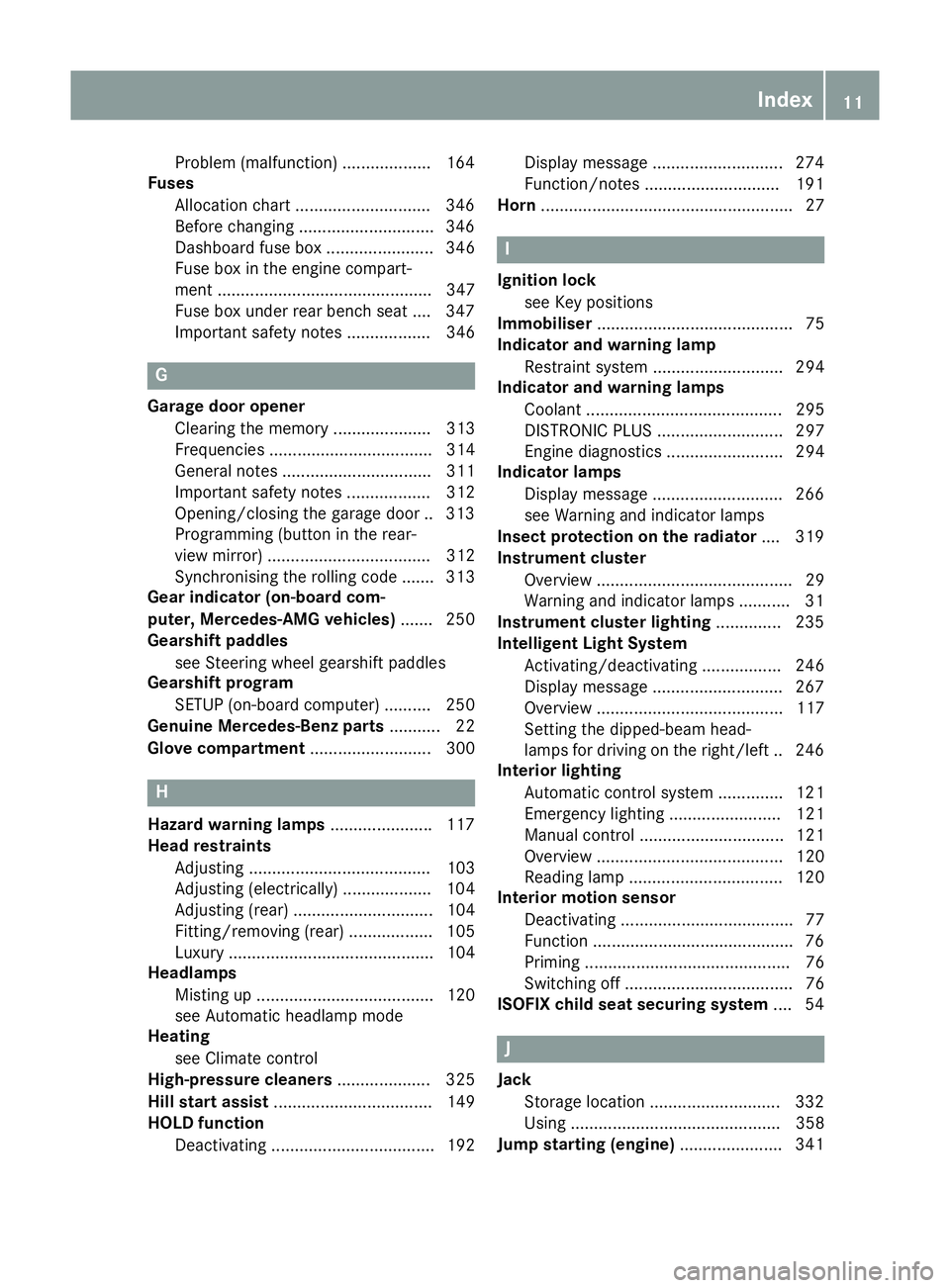
Problem (malfunction) ...................1
64
Fuses
Allocation chart ............................ .346
Before changing ............................ .346
Dashboard fuse box ....................... 346
Fuse box in the engine compart-
ment .............................................. 347
Fuse box under rear bench sea t.... 347
Important safety notes .................. 346 G
Garage door opener Clearing the memory ..................... 313
Frequencies ................................... 314
General notes ................................ 311
Important safety notes .................. 312
Opening/closing the garage doo r..3 13
Programming (button in the rear-
view mirror) ................................... 312
Synchronising the rolling code ....... 313
Gear indicator (on-board com-
puter, Mercedes-AMG vehicles) ....... 250
Gearshift paddles
see Steering wheel gearshift paddles
Gearshift program
SETUP (on-board computer) .......... 250
Genuine Mercedes-Benz parts ........... 22
Glove compartment .......................... 300H
Hazard warning lamps ......................117
Head restraints
Adjusting ....................................... 103
Adjusting (electrically) ................... 104
Adjusting (rear) .............................. 104
Fitting/removing (rear) .................. 105
Luxury ............................................ 104
Headlamps
Misting up ...................................... 120
see Automatic headlamp mode
Heating
see Climate control
High-pressure cleaners .................... 325
Hill start assist .................................. 149
HOLD function
Deactivating ................................... 192 Display message ............................ 274
Function/notes ............................
.191
Horn ...................................................... 27 I
Ignition lock see Key positions
Immobiliser .......................................... 75
Indicator and warning lamp
Restraint system ............................ 294
Indicator and warning lamps
Coolant .......................................... 295
DISTRONIC PLUS ........................... 297
Engine diagnostics ......................... 294
Indicator lamps
Display message ............................ 266
see Warning and indicator lamps
Insect protection on the radiator .... 319
Instrument cluster
Overview .......................................... 29
Warning and indicator lamps ........... 31
Instrument cluster lighting .............. 235
Intelligent Light System
Activating/deactivating ................. 246
Display message ............................ 267
Overview ........................................ 117
Setting the dipped-beam head-
lamps for driving on the right/left .. 246
Interior lighting
Automatic control system .............. 121
Emergency lighting ........................ 121
Manual control ............................... 121
Overview ........................................ 120
Reading lamp ................................. 120
Interior motion sensor
Deactivating ..................................... 77
Function .......................................... .76
Priming ............................................ 76
Switching off .................................... 76
ISOFIX child seat securing system ....54 J
Jack Storage location ............................3 32
Using ............................................. 358
Jump starting (engine) ......................341 Index
11
Page 15 of 393
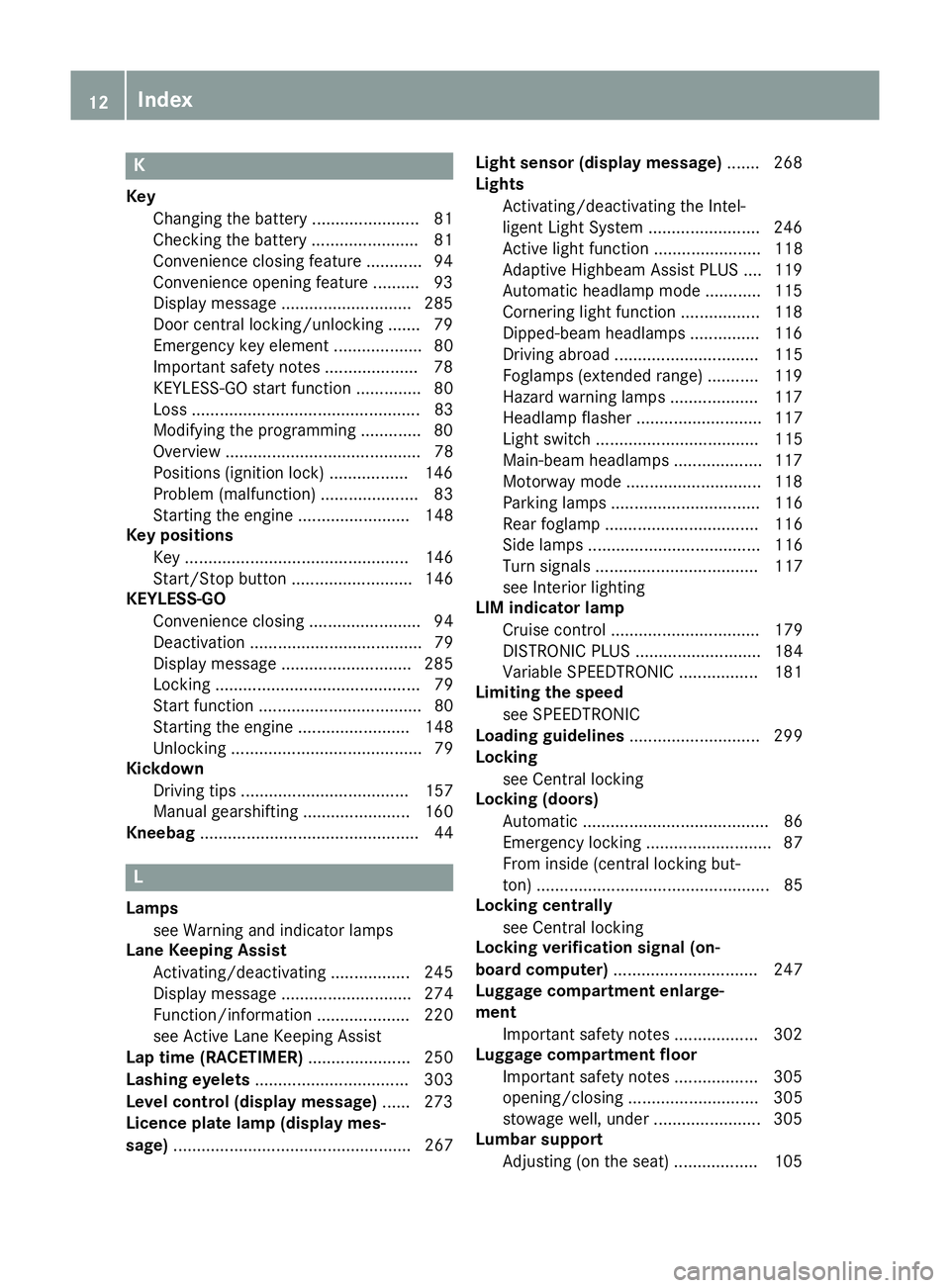
K
Key Changing the battery ...................... .81
Checking the battery ...................... .81
Convenience closing feature ............ 94
Convenience opening feature .......... 93
Display message ............................ 285
Door central locking/unlocking ...... .79
Emergency key element ................... 80
Important safety note s.................... 78
KEYLESS-GO start function .............. 80
Loss ................................................. 83
Modifying the programming ............. 80
Overview .......................................... 78
Positions (ignition lock) ................. 146
Problem (malfunction) ..................... 83
Starting the engine ........................ 148
Key positions
Key ................................................ 146
Start/Stop button .......................... 146
KEYLESS-GO
Convenience closing ........................ 94
Deactivation ..................................... 79
Display message ............................ 285
Locking ............................................ 79
Start function ................................... 80
Starting the engine ........................ 148
Unlocking ......................................... 79
Kickdown
Driving tip s.................................... 157
Manual gearshifting ....................... 160
Kneebag ............................................... 44 L
Lamps see Warning and indicator lamps
Lane Keeping Assist
Activating/deactivating ................. 245
Display message ............................ 274
Function/information .................... 220
see Active Lane Keeping Assist
Lap time (RACETIMER) ...................... 250
Lashing eyelets ................................. 303
Level control (display message) ...... 273
Licence plate lamp (display mes-
sage) ................................................... 267 Light sensor (display message)
....... 268
Lights
Activating/deactivating the Intel-
ligent Light System ........................ 246
Active light function ....................... 118
Adaptive Highbeam Assist PLUS .... 119
Automatic headlamp mode ............ 115
Cornering light function ................. 118
Dipped-beam headlamp s............... 116
Driving abroad ............................... 115
Foglamps (extended range) ........... 119
Hazard warning lamps ................... 117
Headlamp flashe r........................... 117
Light switch ................................... 115
Main-beam headlamp s................... 117
Motorway mode ............................. 118
Parking lamps ................................ 116
Rear foglamp ................................. 116
Side lamps ..................................... 116
Turn signals ................................... 117
see Interior lighting
LIM indicator lamp
Cruise control ................................ 179
DISTRONIC PLUS ........................... 184
Variable SPEEDTRONIC ................. 181
Limiting the speed
see SPEEDTRONIC
Loading guidelines ............................ 299
Locking
see Central locking
Locking (doors)
Automatic ........................................ 86
Emergency locking ........................... 87
From inside (central locking but-
ton) .................................................. 85
Locking centrally
see Central locking
Locking verification signal (on-
board computer) ............................... 247
Luggage compartment enlarge-
ment
Important safety notes .................. 302
Luggage compartment floor
Important safety notes .................. 305
opening/closing ............................ 305
stowage well, under ....................... 305
Lumbar support
Adjusting (on the seat) .................. 105 12
Index
Page 16 of 393
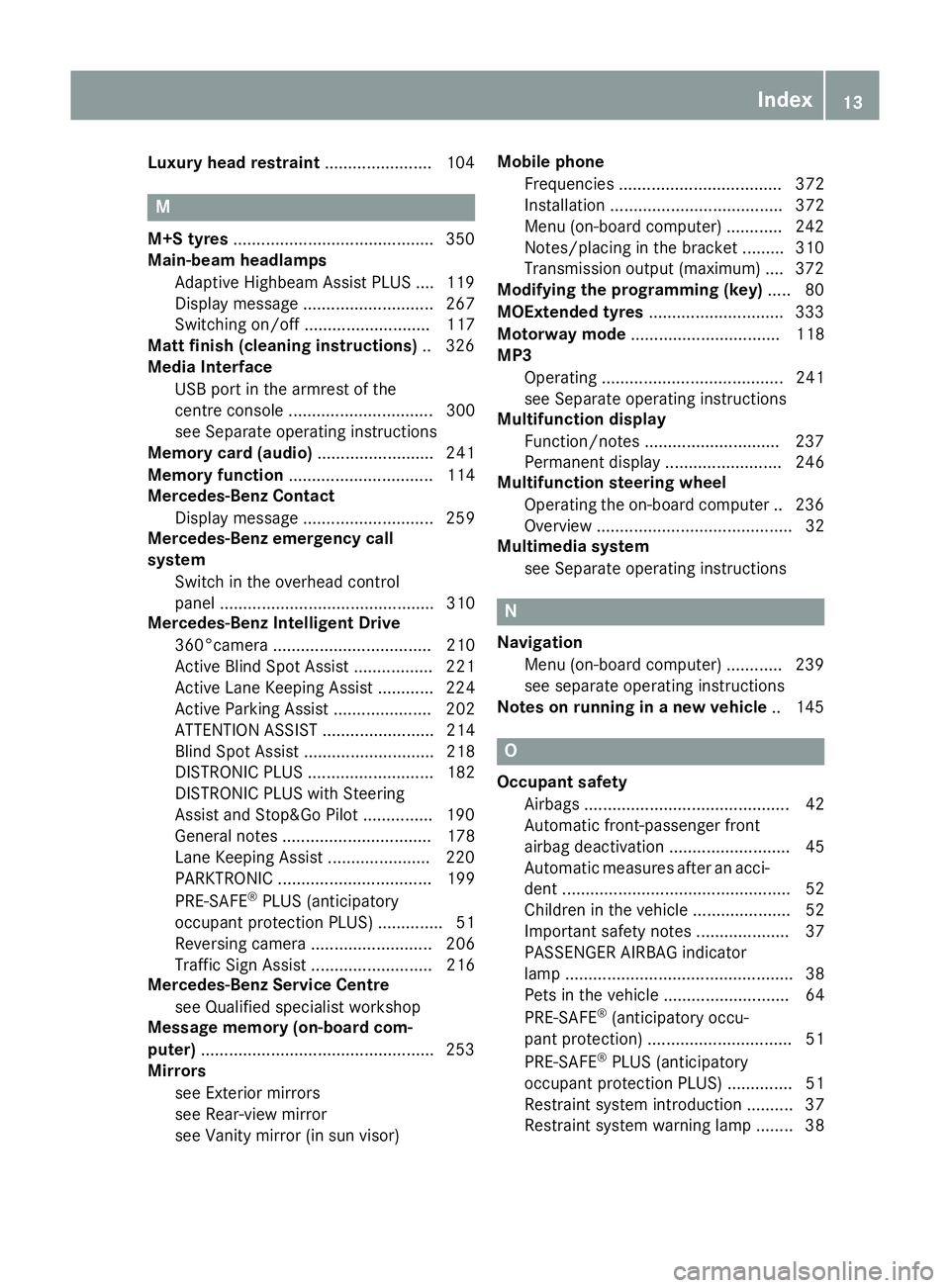
Luxury head restraint
.......................104 M
M+S tyres .......................................... .350
Main-beam headlamps
Adaptive Highbeam Assist PLUS .... 119
Display message ............................ 267
Switching on/off ........................... 117
Matt finish (cleaning instructions) .. 326
Media Interface
USB port in the armrest of the
centre console ............................... 300
see Separate operating instructions
Memory card (audio) ......................... 241
Memory function ............................... 114
Mercedes-Benz Contact
Display message ............................ 259
Mercedes-Benz emergency call
system
Switch in the overhead control
panel .............................................. 310
Mercedes-Benz Intelligent Drive
360°camera .................................. 210
Active Blind Spot Assist ................. 221
Active Lane Keeping Assist ............ 224
Active Parking Assist ..................... 202
ATTENTION ASSIST ........................ 214
Blind Spot Assist ............................ 218
DISTRONIC PLUS ........................... 182
DISTRONIC PLUS with Steering
Assist and Stop&Go Pilot .............. .190
General notes ................................ 178
Lane Keeping Assist ..................... .220
PARKTRONIC ................................. 199
PRE-SAFE ®
PLUS (anticipatory
occupant protection PLUS) .............. 51
Reversing camera .......................... 206
Traffic Sign Assist .......................... 216
Mercedes-Benz Service Centre
see Qualified specialist workshop
Message memory (on-board com-
puter) ................................................. .253
Mirrors
see Exterior mirrors
see Rear-view mirror
see Vanity mirror (in sun visor) Mobile phone
Frequencies ................................... 372
Installation ..................................... 372
Menu (on-board computer) ............ 242
Notes/placing in the bracket ......... 310
Transmission output (maximum) .... 372
Modifying the programming (key) ..... 80
MOExtended tyres .............................333
Motorway mode ................................ 118
MP3
Operating ....................................... 241
see Separate operating instructions
Multifunction display
Function/notes ............................ .237
Permanent display ......................... 246
Multifunction steering wheel
Operating the on-board computer .. 236
Overview .......................................... 32
Multimedia system
see Separate operating instructions N
Navigation Menu (on-board computer) ............ 239
see separate operating instructions
Notes on running in a new vehicle .. 145 O
Occupant safety Airbags ............................................ 42
Automatic front-passenger front
airbag deactivatio n.......................... 45
Automatic measures after an acci-
dent ................................................. 52
Children in the vehicle ..................... 52
Important safety notes .................... 37
PASSENGER AIRBAG indicator
lamp ................................................. 38
Pets in the vehicle ........................... 64
PRE-SAFE ®
(anticipatory occu-
pant protection) ............................... 51
PRE-SAFE ®
PLUS (anticipatory
occupant protection PLUS) .............. 51
Restraint system introduction .......... 37
Restraint system warning lamp ........ 38 Index
13
Page 120 of 393
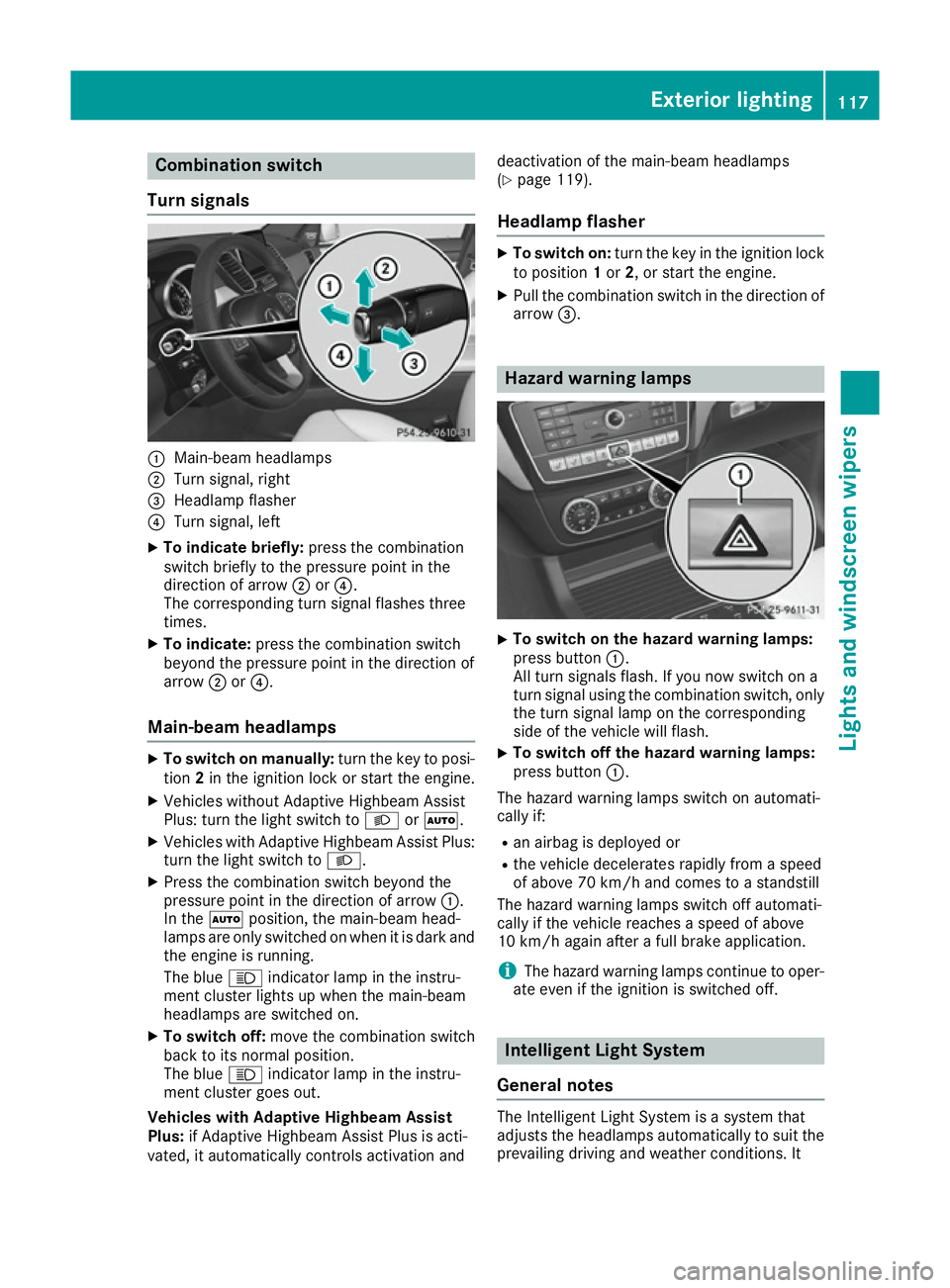
Combination switch
Turn signals :
Main-beam headlamps
; Turn signal, right
= Headlamp flasher
? Turn signal, left
X To indicate briefly: press the combination
switch briefly to the pressure point in the
direction of arrow ;or?.
The corresponding turn signal flashes three
times.
X To indicate: press the combination switch
beyond the pressure point in the direction of
arrow ;or?.
Main-beam headlamps X
To switch on manually: turn the key to posi-
tion 2in the ignition lock or start the engine.
X Vehicles without Adaptive Highbeam Assist
Plus: turn the light switch to LorÃ.
X Vehicles with Adaptive Highbeam Assist Plus:
turn the light switch to L.
X Press the combination switch beyond the
pressure point in the direction of arrow :.
In the Ãposition, the main-beam head-
lamps are only switched on when it is dark and
the engine is running.
The blue Kindicator lamp in the instru-
ment cluster lights up when the main-beam
headlamps are switched on.
X To switch off: move the combination switch
back to its normal position.
The blue Kindicator lamp in the instru-
ment cluster goes out.
Vehicles with Adaptive Highbeam Assist
Plus: if Adaptive Highbeam Assist Plus is acti-
vated, it automatically controls activation and deactivation of the main-beam headlamps
(Y
page 119).
Headlamp flasher X
To switch on: turn the key in the ignition lock
to position 1or 2, or start the engine.
X Pull the combination switch in the direction of
arrow =. Hazard warning lamps
X
To switch on the hazard warning lamps:
press button :.
All turn signals flash. If you now switch on a
turn signal using the combination switch, only the turn signal lamp on the corresponding
side of the vehicle will flash.
X To switch off the hazard warning lamps:
press button
:.
The hazard warning lamps switch on automati-
cally if:
R an airbag is deployed or
R the vehicle decelerates rapidly from a speed
of above 70 km/h and comes to a standstill
The hazard warning lamps switch off automati-
cally if the vehicle reaches a speed of above
10 km/h again after a full brake application.
i The hazard warning lamps continue to oper-
ate even if the ignition is switched off. Intelligent Light System
General notes The Intelligent Light System is a system that
adjusts the headlamps automatically to suit the
prevailing driving and weather conditions. It Exterior lighting
117Lights and windscreen wipers Z
Page 122 of 393
Motorway mode increases the range of the
beam.
Active: if you are driving at a speed above
110 km/h and do not make any large steering
movements for at least 1,000 m or if you are
driving at a speed above 130 km/h.
Not active: if you are driving at speeds below
80 km/h following activation.
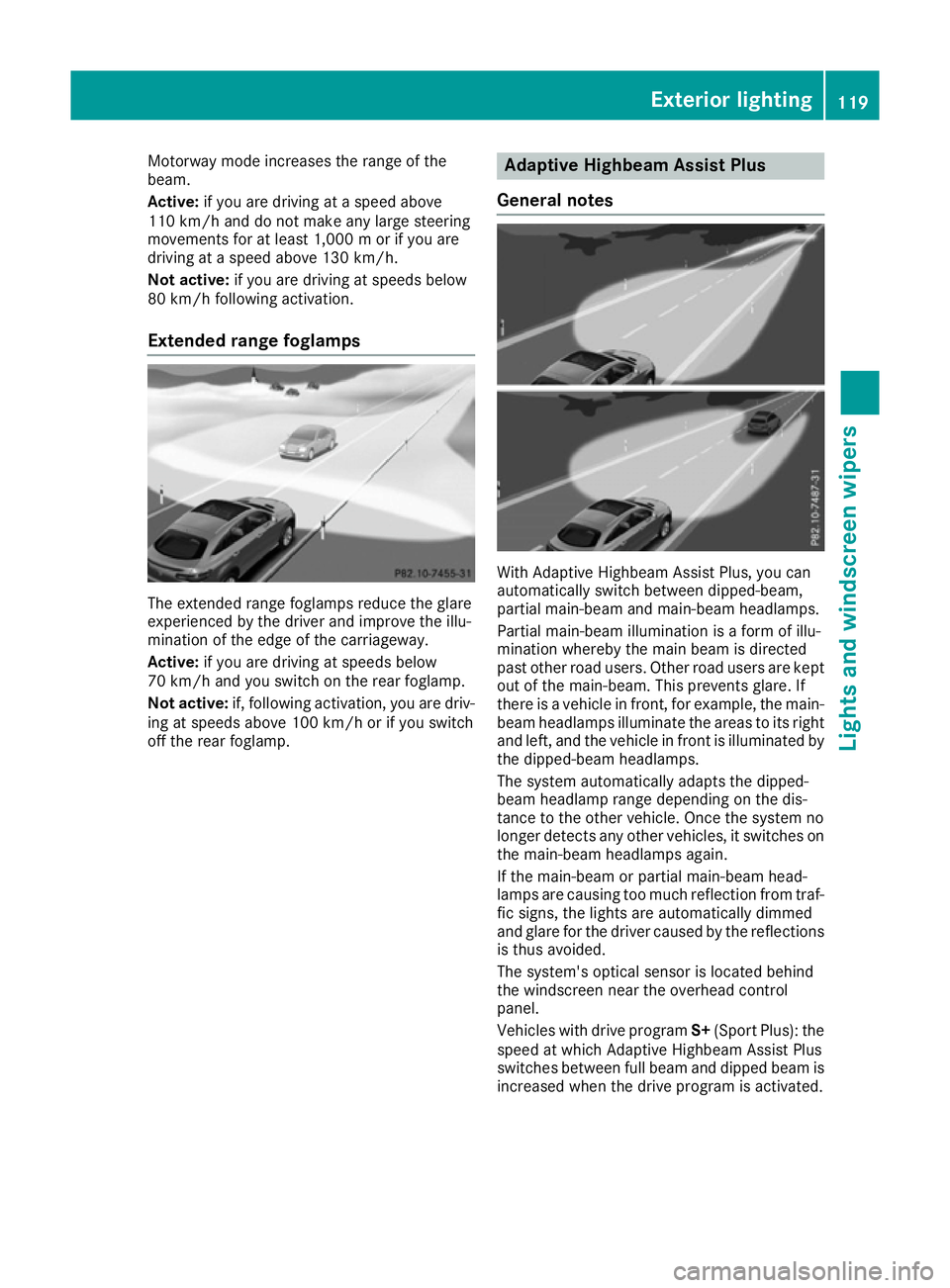
Extended range foglamps The extended range foglamps reduce the glare
experienced by the driver and improve the illu-
mination of the edge of the carriageway.
Active: if you are driving at speeds below
70 km/h and you switch on the rear foglamp.
Not active: if, following activation, you are driv-
ing at speeds above 100 km/h or if you switch
off the rear foglamp. Adaptive Highbeam Assist Plus
General notes With Adaptive Highbeam Assist Plus, you can
automatically switch between dipped-beam,
partial main-beam and main-beam headlamps.
Partial main-beam illumination is a form of illu-
mination whereby the main beam is directed
past other road users. Other road users are kept
out of the main-beam. This prevents glare. If
there is a vehicle in front, for example, the main- beam headlamps illuminate the areas to its right
and left, and the vehicle in front is illuminated by
the dipped-beam headlamps.
The system automatically adapts the dipped-
beam headlamp range depending on the dis-
tance to the other vehicle. Once the system no
longer detects any other vehicles, it switches on the main-beam headlamps again.
If the main-beam or partial main-beam head-
lamps are causing too much reflection from traf-fic signs, the lights are automatically dimmed
and glare for the driver caused by the reflections
is thus avoided.
The system's optical sensor is located behind
the windscreen near the overhead control
panel.
Vehicles with drive program S+(Sport Plus): the
speed at which Adaptive Highbeam Assist Plus
switches between full beam and dipped beam is
increased when the drive program is activated. Exterior lighting
119Lights and windscreen wipers Z
Page 123 of 393
Important safety notes
G
WARNING
Adaptive Highbeam Assist Plus does not rec-
ognise road users:
R who have no lights, e.g. pedestrians
R who have poor lighting, e.g. cyclists
R whose lighting is blocked, e.g. by a barrier
In very rare cases, Adaptive Highbeam Assist
Plus may not recognise road users who do
have lights, or may recognise them too late. In this, or in similar situations, the automatic
main-beam headlamps will not be deactivated
or will be activated despite the presence of
other road users. There is a risk of an acci-
dent.
Always carefully observe the traffic conditions and switch off the main-beam headlamps in
good time.
Adaptive Highbeam Assist Plus cannot take into
account road, weather or traffic conditions.
Adaptive Highbeam Assist Plus is only an aid.
You are responsible for adjusting the vehicle's
lighting to the prevailing light, visibility and traf-
fic conditions.
In particular, the detection of obstacles can be
restricted if there is:
R poor visibility, e.g. due to fog, heavy rain or
snow
R dirt on the sensors or if the sensors are
obscured
Switching Adaptive Highbeam Assist
Plus on/off X
To switch on: turn the light switch to Ã.
X Press the combination switch beyond the
pressure point in the direction of arrow :.
The _ indicator lamp in the multifunction
display lights up when it is dark and the light
sensor switches on the dipped-beam head-
lamps.
At speeds above approx. 25 km/h: the
headlamp range is automatically controlled
according to the distance to other road users. At speeds above approx. 30 km/h:
R If no other road users are detected, the
main-beam headlamps are automatically
switched on.
R If other road users are detected, the partial
main-beam headlamps are automatically
switched on.
The K indicator lamp in the instrument
cluster also lights up.
At speeds below approx. 25 km/h or
when there is sufficient street lighting:
R The partial main-beam headlamps are
switched off automatically.
R The main-beam headlamps are switched off
automatically.
The K indicator lamp in the instrument
cluster goes out. The _indicator lamp in
the multifunction display remains lit.
X To switch off: move the combination switch
back to its normal position or move the light
switch to another position.
The _ indicator lamp in the multifunction
display goes out. Headlamps misted up on the inside
Under certain climatic and physical conditions,
moisture may form in the headlamp. This mois-
ture will not impair the function of the headlamp. Interior lighting
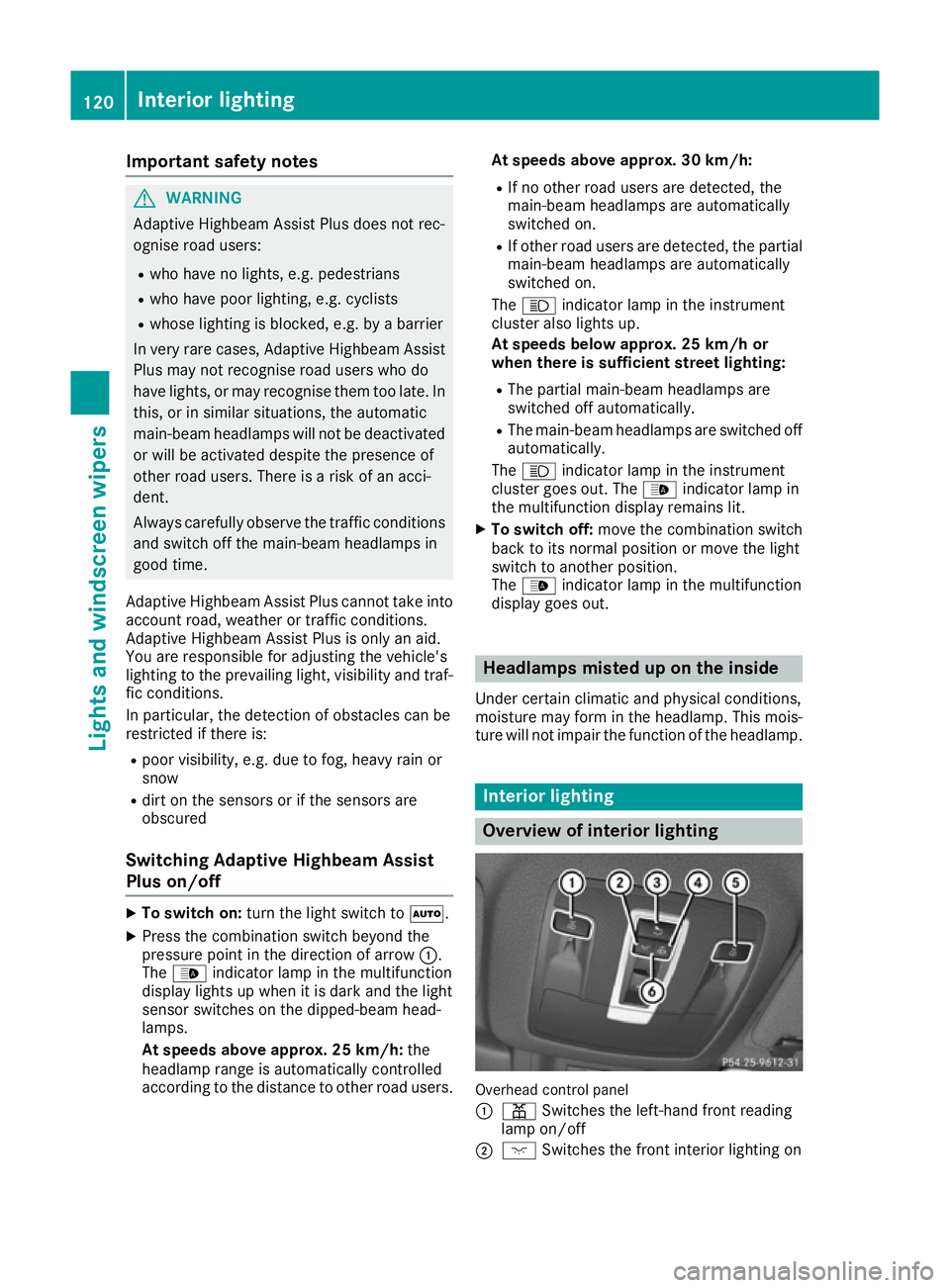
Overview of interior lighting
Overhead control panel
:
p Switches the left-hand front reading
lamp on/off
; c Switches the front interior lighting on 120
Interior lightingLights and windscreen wipers
Page 240 of 393
9
: Press and hold:
R
In the Audio Audio menu: selects a pre-
set list or a station list in the
desired frequency range, or
selects an audio track or video
scene using rapid scrolling
R In the Tel
Tel (Telephone) menu:
starts rapid scrolling if the phone
book is open a R
Confirms the selection or display
message
R In the Tel Tel(Telephone) menu:
switches to the telephone book
and starts dialling the selected
number % Press briefly:
R Back
R Switches off voice-operated navi-
gation or LINGUATRONIC
R Hides display messages or calls up
the last Trip Tripmenu function used
R Exits the telephone book/redial
memory % Press and hold:
R
Calls up the standard display in the
Trip
Trip menu Right control panel
~ R
Rejects or ends a call
R Exits the telephone book/redial
memory 6 R
Makes or accepts a call
R Switches to the redial memory W
X R
Adjusts the volume 8 R
Mute ? R
Switches on voice-operated navi-
gation or LINGUATRONIC Multifunction display
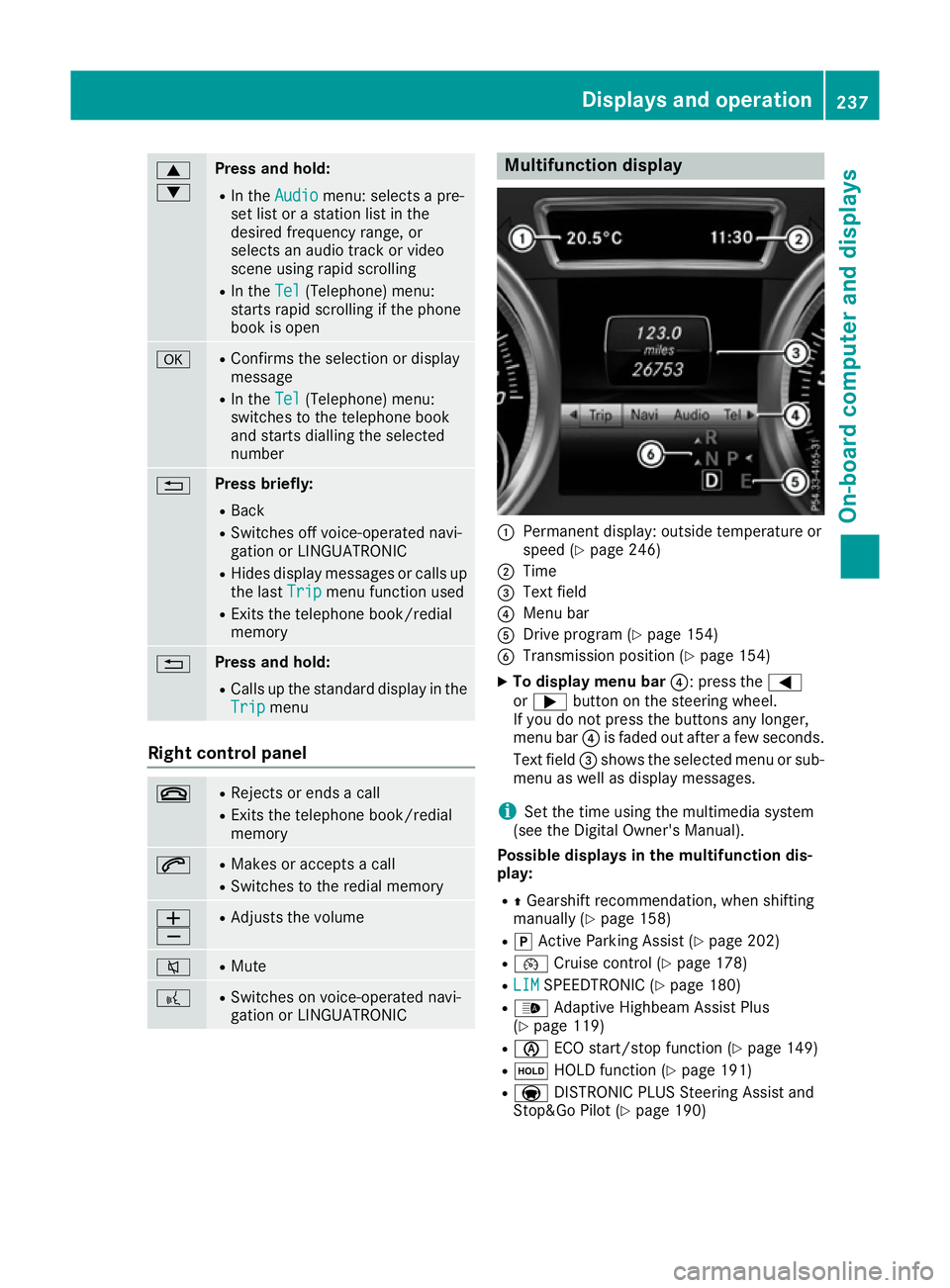
:
Permanent display: outside temperature or
speed (Y page 246)
; Time
= Text field
? Menu bar
A Drive program (Y page 154)
B Transmission position (Y page 154)
X To display menu bar ?: press the=
or ; button on the steering wheel.
If you do not press the buttons any longer,
menu bar ?is faded out after a few seconds.
Text field =shows the selected menu or sub-
menu as well as display messages.
i Set the time using the multimedia system
(see the Digital Owner's Manual).
Possible displays in the multifunction dis-
play:
R ZGearshift recommendation, when shifting
manually (Y page 158)
R j Active Parking Assist (Y page 202)
R ¯ Cruise control (Y page 178)
R LIM
LIM SPEEDTRONIC (Y page 180)
R _ Adaptive Highbeam Assist Plus
(Y page 119)
R è ECO start/stop function (Y page 149)
R ë HOLD function (Y page 191)
R a DISTRONIC PLUS Steering Assist and
Stop&Go Pilot (Y page 190) Displays and operation
237On-board computer and displays Z