2015 MERCEDES-BENZ E-CLASS SALOON steering wheel
[x] Cancel search: steering wheelPage 142 of 497
Using the memory button
You can set the front-passenger side exterior
mirror so that you can see the rear wheel on
that side as soon as you engage reverse gear.
This setting can be stored using memor ybut-
ton M?.
X Turn the key to position 2in the ignition
lock (Y page 179).
X With the exterior mirror on the front-
passenger side activated, use adjustment
button =to adjust the exterior mirror .The
rear wheel and the kerb should be visible in
the exterior mirror.
X Press memor ybutton M? and one of the
arrows on adjustment button =within
three seconds.
The parkin gposition is stored if the exterior
mirror does not move.
X If the exterior mirror moves out of position,
repeat the steps.
Calling up astored parking position X
Turn the key to position 2in the ignition
lock (Y page 179).
X Adjust the exterior mirror on the front-
passenger side using button ;.
X Engage reverse gear.
The exterior mirror on the front-passenger
side moves to the stored parkin gposition.
The exterior mirror on the front-passenger
side moves back to its original position:
R as soon as you exceed aspeed of
15 km/h
R if you press button :for the exterior mir-
ror on the driver' sside Memor
yfunction Storing settings
G
WARNING
If you use the memor yfunction on the driver's
side while driving, the adjustment scould cause you to lose contro
lofthe vehicle. There
is ar isk of an accident.
Only use the memor yfunction on the driver's
side while the vehicle is stationary. G
WARNING
If children activate the memor yfunction ,they
could become trapped, especially if they are
unattended. There is arisk of injury.
When leaving the vehicle, always tak ethe key
with you and lock the vehicle. Never leave
children unattended in the vehicle. G
WARNING
When the memor yfunction adjust sthe seat or
steering wheel, you and other vehicle occu-
pant s–p articularly children –could become
trapped. There is arisk of injury.
While the memor yfunction is makin gadjust-
ments, make sure that no one has any body
parts in the sweep of the seat or steering
wheel. If somebody becomes trapped, imme-
diately release the memor yfunction position
button. The adjustment proces sisstopped.
The memor yfunction can be used at any time,
e.g. even when the key isn't in the ignition
lock.
With the memor yfunction ,you can stor eup
to three different settings, e.g. for three dif-
feren tpeople.
The following settings are stored as asingle
memor ypreset:
R position of the seat, backrest and head
restraint
R activ emulticontour seat: seat contour,
dynamic function level
R driver' sside: position of the exterior mir-
rors on the driver' sand front-passenger
sides Memor
yfunction
139Seats, steering wheel and mirrors Z
Page 143 of 497
X
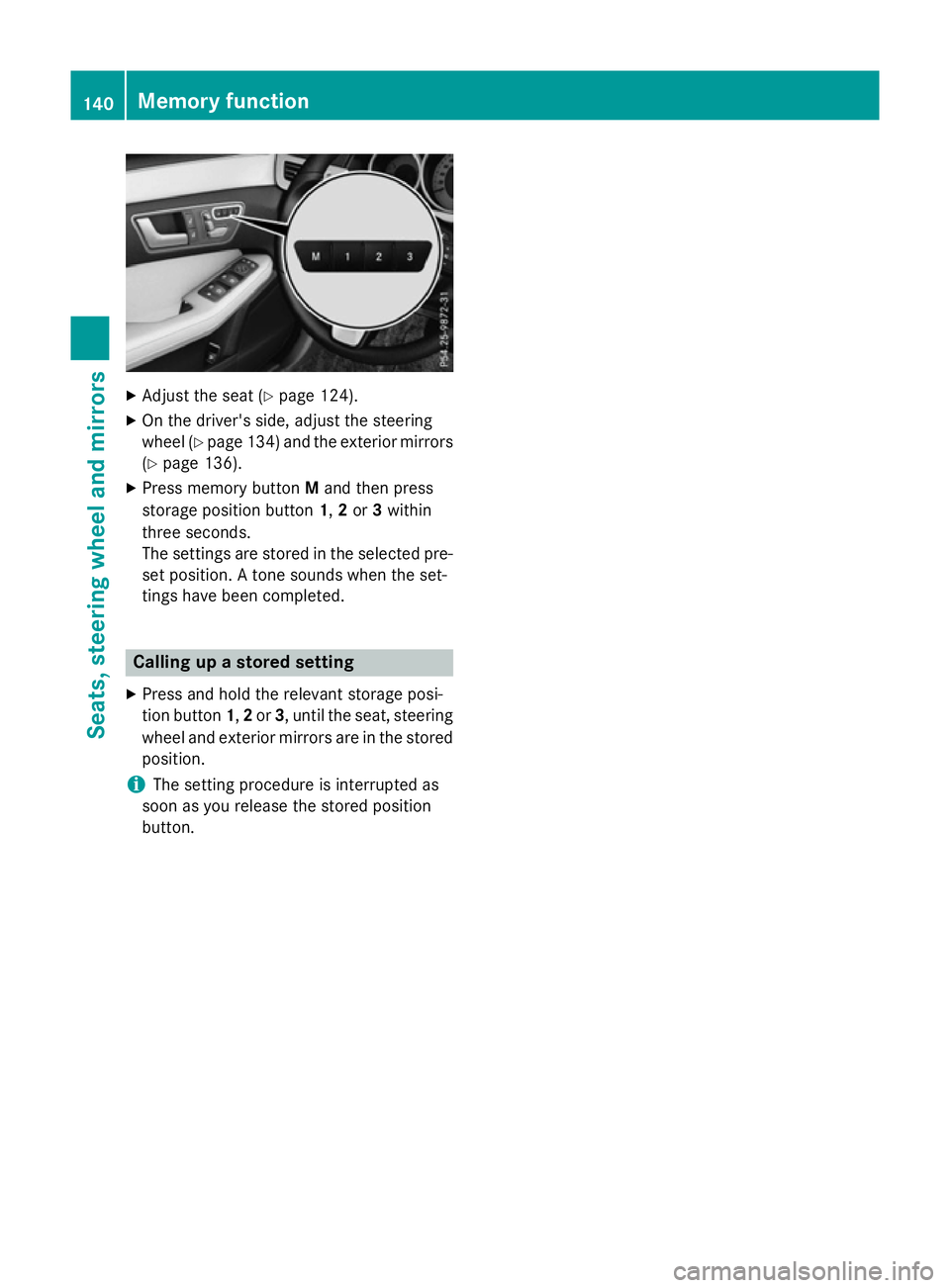
Adjust the sea t(Ypage 124).
X On the driver's side ,adjus tthe steering
whee l(Ypage 134 )and the exterio rmirrors
(Y page 136).
X Press memory button Mand then press
storag eposit ionb utton 1,2or 3within
thre eseconds.
The settings ar estored in the selecte dpre-
set position. Atone sounds when the set-
ting shaveb eenc ompleted. Calling up
astored setting
X Press and hol dthe relevant storag eposi-
tio nb utton 1,2or 3,u ntilthe seat, steering
whee land exterio rmirrors ar einthe stored
position.
i The setting procedur
eisinterrupte das
soo nasyou release the stored position
button. 140
Memory functionSeats, steering
wheel andmirrors
Page 149 of 497
way, relevant areas remain illuminated while
you are driving .This allows you to recognise
pedestrians ,cyclist sand animals.
Active: when thelight sare switche don.
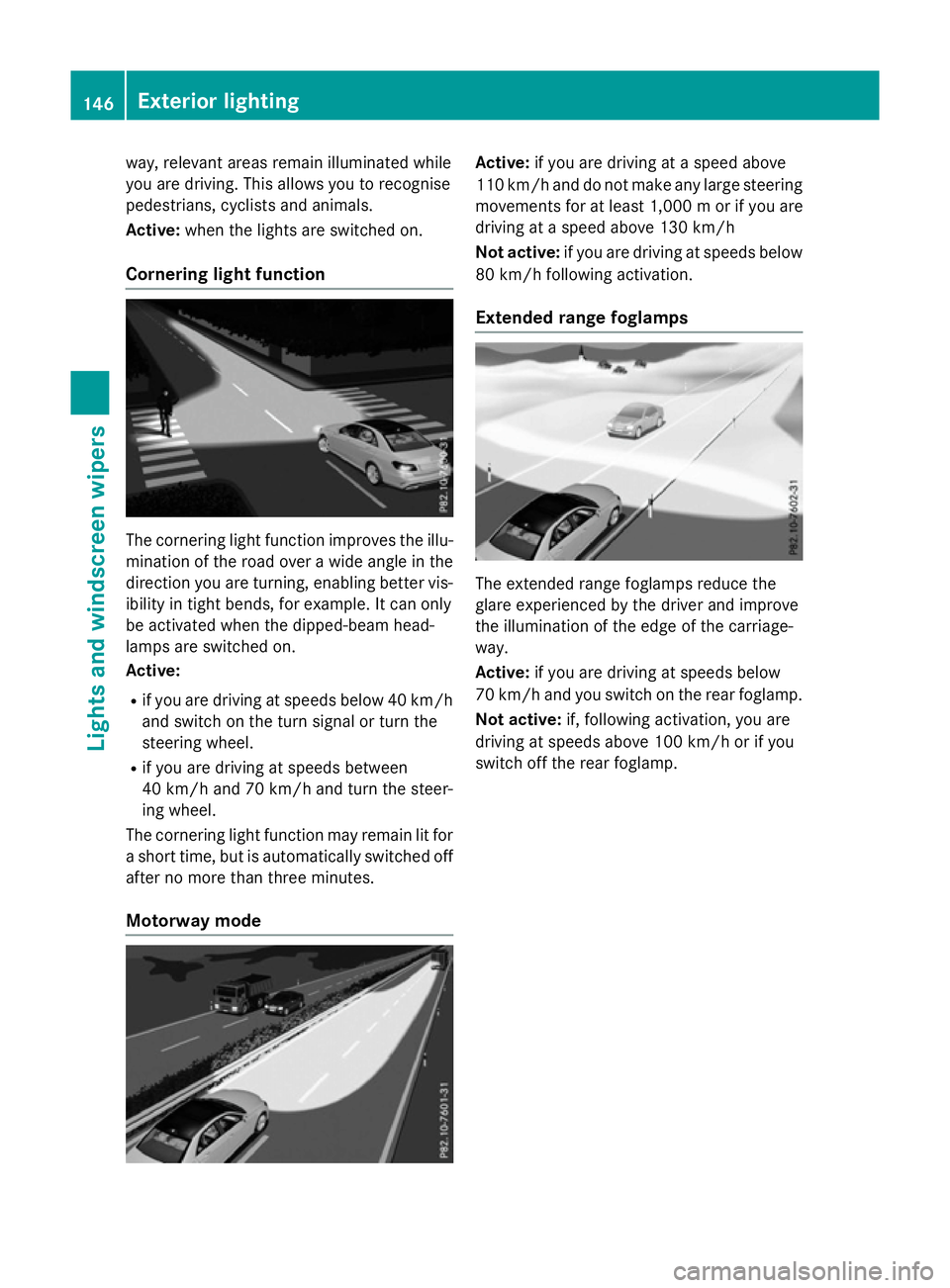
Cornering light function The cornering light function improves th
eillu-
minatio noftheroad over awide angle in the
directio nyou are turning, enabling better vis-
ibilit yint ight bends, for example. It can only
be activated when th edipped-beam head-
lamps are switche don.
Active:
R if you are driving at speed sbelow 40 km/h
and switch on th eturns ignal or tur nthe
steerin gwheel.
R if you are driving at speed sbetween
40 km/h and 70 km/h and tur nthe steer-
ing wheel.
The cornering light function may remain lit for as hor ttime, but is automatically switche doff
after no mor ethant hree minutes.
Motorwa ymode Active:
if you are driving at aspeed above
11 0k m/ hand do not mak eany large steering
movements for at least 1,000 morify ou are
driving at aspee dabove 130 km/h
Not active: if you are driving at speeds below
80 km/h following activation.
Extended range foglamps The extended range foglamps reduce the
glare experienced by the drive
rand improve
the illumination of the edge of the carriage-
way.
Active: if you are driving at speeds below
70 km/h and you switch on the rear foglamp.
Not active: if, following activation, you are
driving at speeds above 100 km/h or if you
switch off the rear foglamp. 146
Exterio
rlightingLights and windscreen wipers
Page 182 of 497
sufficient room for the pedals. Do not use
loose floormats and do not place several floor- mats on top of one another. G
WARNING
Unsuitable footwear can hinder correct usage of the pedals, e.g.:
R shoes with thick soles
R shoes with high heels
R slippers
There is arisk of an accident.
Wear suitable footwear to ensure correct
usage of the pedals. G
WARNING
If you switch off the ignition while driving,
safety-relevant functions are only available
with limitations, or not at all. This could affect, for example, the power steering and the brake
boosting effect. You will require considerably
more effort to steer and brake. There is arisk
of an accident.
Do not switch off the ignition while driving. G
WARNING
If the parking brake has not been fully
released when driving, the parking brake can:
R overheat and cause afire
R lose its hold function.
There is arisk of fire and an accident. Release
the parking brake fully before driving off.
! Do not warm up the engine when the vehi-
cle is stationary. Drive off immediately.
Avoid high engine speeds and driving at full throttle until the engine has reached its
operating temperature.
Only shift the automatic transmission to
the desired drive position when the vehicle is stationary.
Where possible,a void spinning the drive
wheels when pulling awayons lippery
roads. You could otherwise damage the
drive train. !
AMG vehicles:
at low engine oil temper-
atures (below +20 †), the maximum
engine speed is restricted in order to pro-
tect the engine. To protect the engine and
maintain smooth engine operation, avoid
driving at full throttle when the engine is
cold.
HYBRID vehicles :make sure that you read
the "HYBRID" Supplement included in the
vehicle literature. Otherwise, you may not
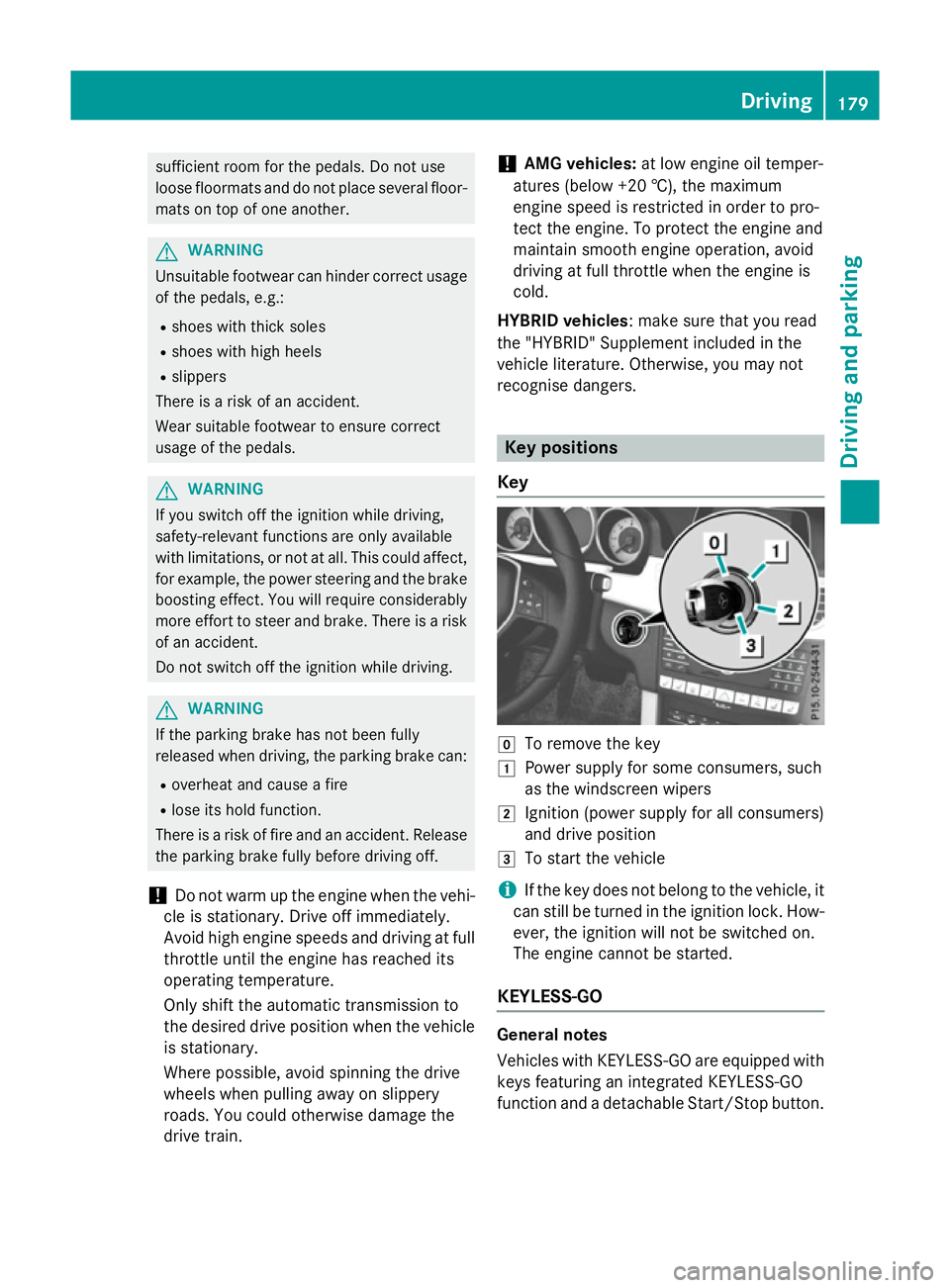
recognise dangers. Key positions
Key g
To remove the key
1 Power supplyf or some consumers, such
as the windscreen wipers
2 Ignition (power supplyf or all consumers)
and drive position
3 To start the vehicle
i If the key does not belong to the vehicle, it
can still be turned in the ignition lock. How-
ever, the ignition will not be switched on.
The engine cannot be started.
KEYLESS-GO General notes
Vehicles with KEYLESS-GO are equipped with
keys featuring an integrated KEYLESS-GO
function and adetachable Start/Stop button. Driving
179Driving and parking Z
Page 198 of 497
Vehicles with the AMG sports package
X Press program selector button :.
The selected drive program appears in the
multifunction display.
i Further information aboutp
ermanent
drive program M(Y page 198).
As well as this permanent drive program M,
you can also activate temporary drive pro-
gram M(Y page 197). E
Economy Comfortable,e
conomical
driving E+
Economy
Plus Comfortable,p
articularly
economical driving S
Sport Sporty driving style
M
Manual Manualg
earshifting i
Further information on the automatic
drive program (Y page 196).
i The automatic transmission switches to
automatic drive program Eeach time the
engine is started.
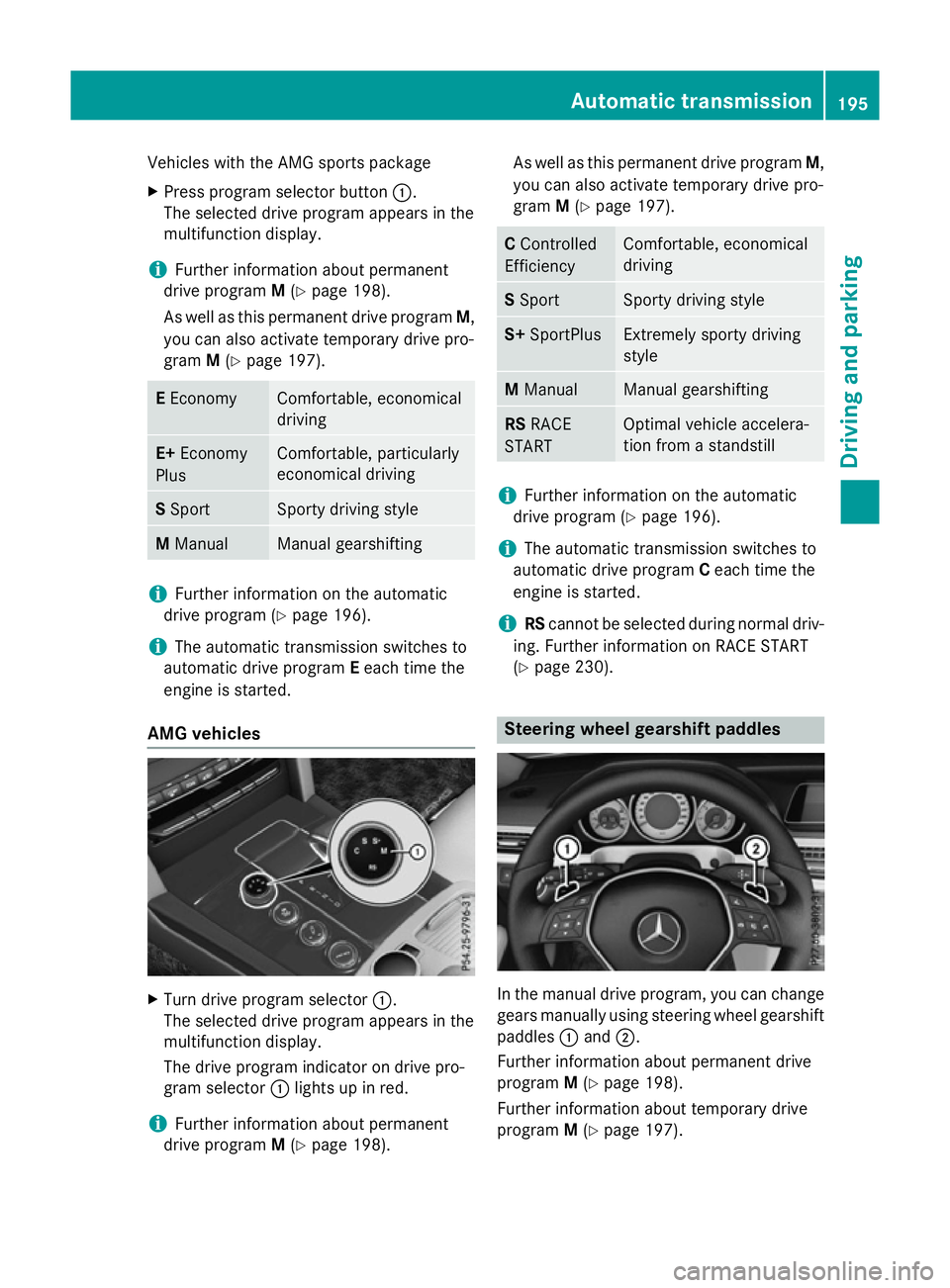
AMG vehicles X
Turn drive program selector :.
The selected drive program appears in the
multifunction display.
The drive program indicator on drive pro-
gram selector :lights up in red.
i Further information aboutp
ermanent
drive program M(Y page 198). As well as this permanent drive program
M,
you can also activate temporary drive pro-
gram M(Y page 197). C
Controlled
Efficiency Comfortable,e
conomical
driving S
Sport Sporty driving style
S+
SportPlus Extremely sporty driving
style
M
Manual Manualg
earshifting RS
RACE
START Optimal vehicle accelera-
tion from
astandstill i
Further information on the automatic
drive program (Y page 196).
i The automatic transmission switches to
automatic drive program Ceach time the
engine is started.
i RS
cannot be selected during normal driv-
ing. Further information on RACE START
(Y page 230). Steering wheelg
earshift paddles In the manual drive program, you can change
gears manually using steering wheel gearshift
paddles :and ;.
Further information aboutp ermanent drive
program M(Y page 198).
Further information aboutt emporary drive
program M(Y page 197). Automatic transmission
195Drivingand parking Z
Page 200 of 497
Manual drive program M
General notes
In this drive program, you can briefly change
geary
ourself by using the steering wheel
gearshift paddles. The transmission must be
in position D.
You can activate manua ldrive program Min
the E,E+ (E 300 BlueTEC and E350 BlueTEC)
and Sautomatic drive programs.
i As wellast
emporary drive program M,
you can alsoa ctivate permanent drive pro-
gram M(Y page1 94).
Further information about permanent drive program M(Y page1 98).
Activating
X Shift the transmission to position D.
X Pullt he left-hand or right-hand steering
whee lgearshift paddle (Y page195).
Manual drive program Mis temporarily acti-
vated. The selected geara ndMappear in
the multifunction display.
Shiftin ggears
If you pullont he left or right-hand steering
whee lgearshift paddle,t he automatic trans-
mission switches to manua ldrive program M
for alimited amount of time. Depending on
which gearshift paddle is pulled,t he auto-
matic transmission immediatel yshifts into
the next gearupord own, if permitted.
X To shift up: pullthe right-hand steering
whee lgearshift paddle (Y page195).
The automatic transmission shifts up to the
next gear.
i If the maximu
mengine spee donthe cur-
rently engaged gearisr eachedand you
continue to accelerate, the automatic
transmission automatically shifts up in
order to prevent engine damage.
X To shift down: pullonthe left-hand steer-
ing whee lgearshift paddle (Y page195).
The automatic transmission shifts downto
the next gear. i
If the engine exceeds the maximum
engine spee dwhen shifting down, the auto-
matic transmission protects against engine
damage by not shifting down.
i Automatic downshifting occurs when
coasting.
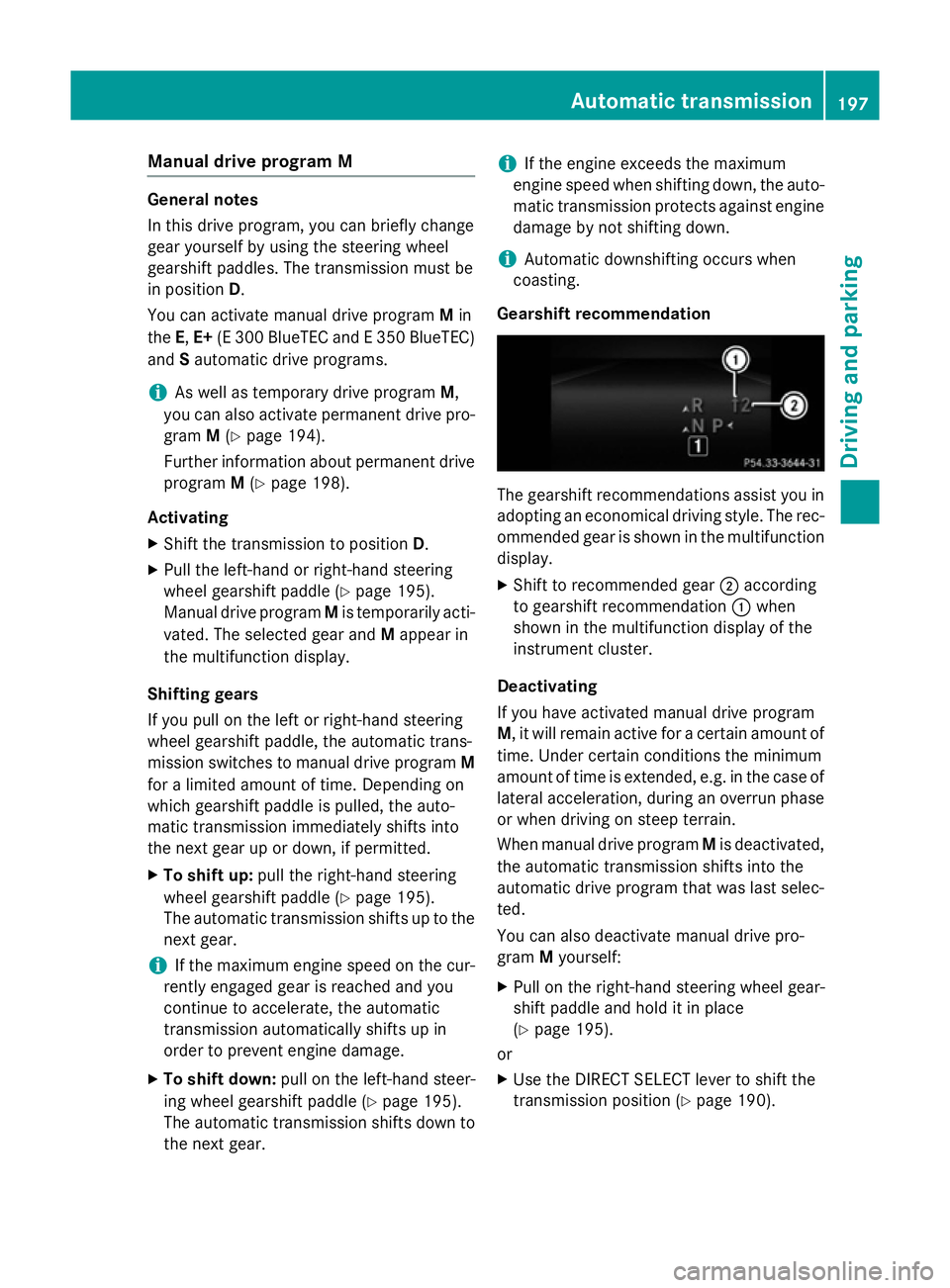
Gearshift recommendation The gearshift recommendations assist you in
adopting an economica ldriving style .The rec-
ommended geariss hownint he multifunction
display.
X Shift to recommende dgear ;according
to gearshift recommendation :when
show ninthe multifunction display of the
instrument cluster.
Deactivating
If you have activated manua ldrive program
M,i twillr emai nactive for acertain amount of
time. Under certain conditions the minimum
amount of time is extended, e.g. in the case of latera lacceleration, during an overru nphase
or when driving on steep terrain.
When manua ldrive program Mis deactivated,
the automatic transmission shifts into the
automatic drive progra mthat wasl asts elec-
ted.
You can alsod eactivate manua ldrive pro-
gram Myourself:
X Pullont he right-hand steering whee lgear-
shift paddle and hold it in place
(Y page1 95).
or
X Use the DIRECT SELECT leve rtoshift the
transmission position (Y page190). Automatic transmission
197Driving and parking Z
Page 201 of 497
or
X Use the program selector button to change
the drive program (Y page 194).
Manual drive program Mis deactivated.
The automatic transmission switches into
the automatic drive program that was last
selected. Manuald
rive program (AMG vehicles
and vehicles with the AMG sports
package)
General notes In this drive program, you can permanently
change gear yourself by using the steering
wheel gearshift paddles. The transmission
must be in position D.
i As well as this permanent drive program
M,y ou can also activate temporary drive
program M(Y page 197).
Activating the manual drive program X
Press the program selector button
(Y page 194) repeatedly until Mappears in
the multifunction display.
X AMG vehicles: turn the drive program
selector (Y page 195) until Mappears in the
multifunction display.
The indicator Mon the drive program selec-
tor lights up in red.
Manual drive program Mcan be selected
using the program selector button or the drive
program selector. In manual drive program M,
you can change gear yourself using the steer-
ing wheel gearshift paddles if the transmis-
sion is in position D.
Upshifting X
Pull the right-hand steerin gwheel gearshift
paddle.
The automatic transmission shifts up to the next gear. AMG vehicles !
In manual gearshift program
M,the auto-
matic transmission does not shift up auto-
matically even when the engine limiting
speed for the current gear is reached.
When the engine limiting speed is reached, the fuel supply is cut to prevent the engine
from overrevving. You must make sure that the engine speed does not reach the red
area of the rev counter. Otherwise, there is
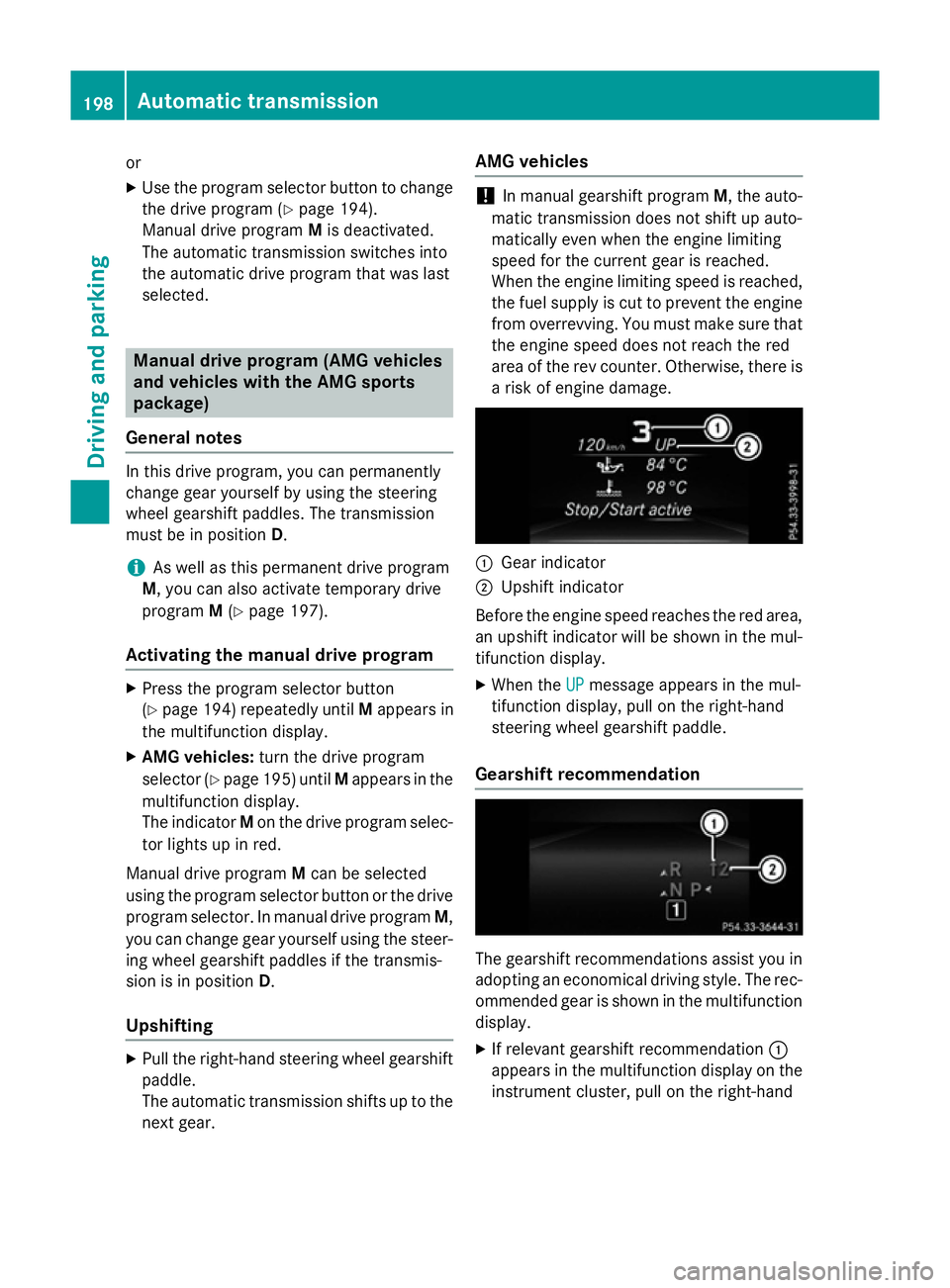
ar isk of engine damage. :
Gear indicator
; Upshift indicator
Before the engine speed reaches the red area, an upshift indicator will be shown in the mul-
tifunction display.
X When the UP UPmessage appears in the mul-
tifunction display ,pull on the right-hand
steerin gwheel gearshift paddle.
Gearshift recommendation The gearshift recommendations assist you in
adopting an economical driving style. The rec- ommended gear is shown in the multifunction
display.
X If relevant gearshift recommendation :
appears in the multifunction display on the instrument cluster, pull on the right-hand 198
Automatic transmissionDriving and parking
Page 202 of 497
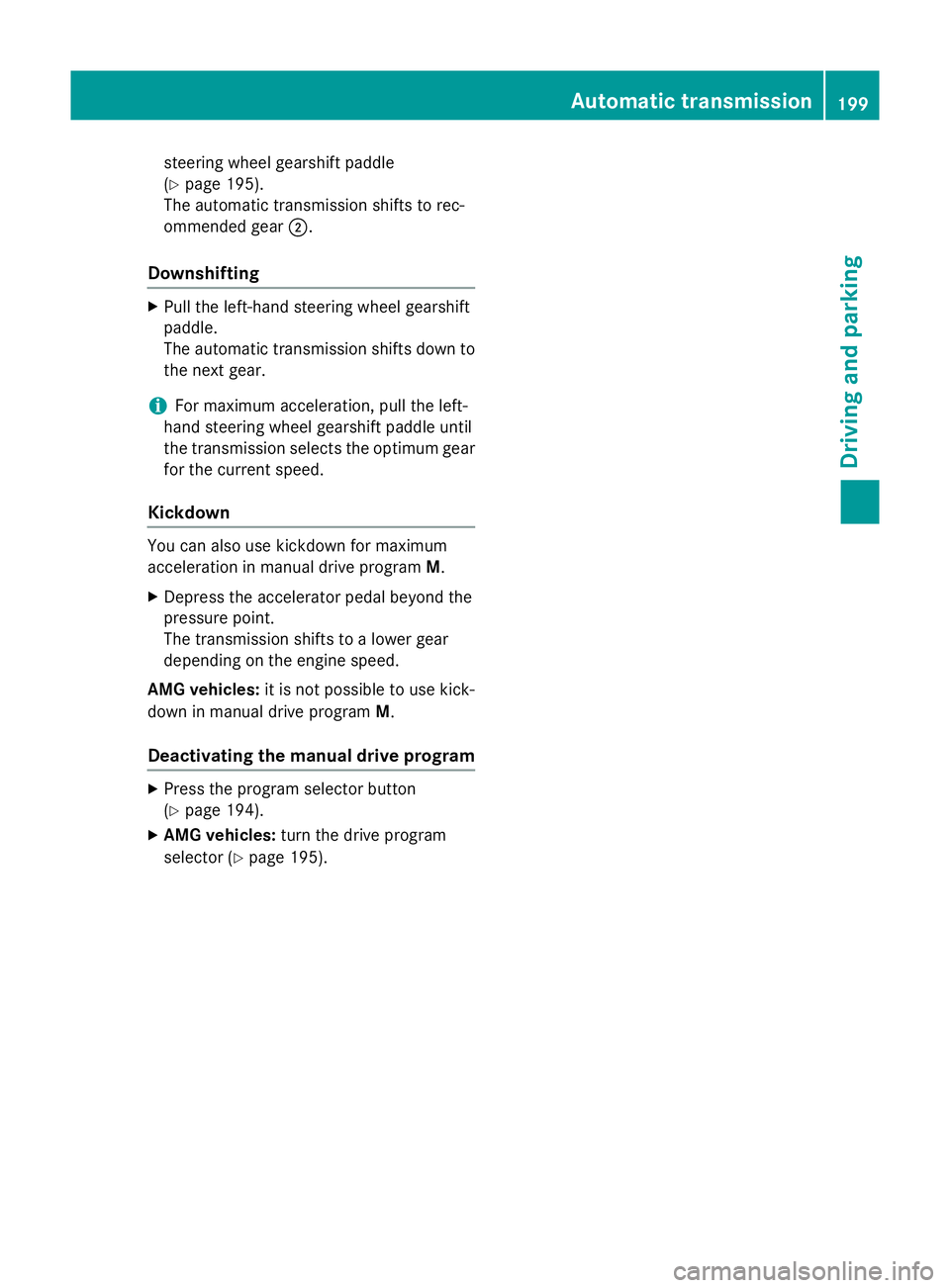
steering wheel gearshift paddle
(Y
page 195).
The automatic transmission shifts to rec-
ommended gear ;.
Downshifting X
Pull the left-hand steering wheel gearshift
paddle.
The automatic transmission shifts down to
the next gear.
i For maximum acceleration, pull the left-
hand steering wheel gearshift paddleu ntil
the transmission selects the optimum gear for the current speed.
Kickdown You can also use kickdown for maximum
acceleration in manual drive program
M.
X Depress the accelerator pedal beyond the
pressure point.
The transmission shifts to alower gear
depending on the engine speed.
AMG vehicles: it is not possible to use kick-
down in manual drive program M.
Deactivating the manual drive program X
Press the program selector button
(Y page 194).
X AMG vehicles: turn the drive program
selector (Y page 195). Automatic transmission
199Driving and parking Z