2015 MERCEDES-BENZ E-CLASS SALOON towing
[x] Cancel search: towingPage 215 of 497
vehicl
eoccupants and that of other road
users.
Further information on driving safety systems (Y page7 7). Cruise control
General notes Cruise control maintains
aconstant road
spee dfor you.Itb rakes automatically in order
to avoi dexceeding the set speed. You must
select alow gearing ood time on long and
steep downhill gradients, especially if the
vehicl eisladen or towing atrailer. By doing
so, you willm ake use of the braking effect of
the engine. This relieves the loadont he brake
system and prevents the brakes from over-
heating and wearing too quickly.
Use cruise control only if road and traffic con- ditions are appropriate for maintaining a
stead yspee dfor ap rolonged period. You can
store any road spee dabove 30 km/h.
Important safety notes If you fail to adapt yourd
riving style,cruise
control can neither reduce the risk of an acci-
dent nor overrid ethe lawsofp hysics. Cruise
control cannot take into account road,
weather or traffic conditions. Cruise control is only an aid.Y ou are responsibl efor the dis-
tance to the vehicl einfront, for vehicl espeed,
for braking in good time, and for staying in the lane.
Do not use cruise control:
R in road and traffic conditions which do not
allow you to maintai naconstant speed
(e.g. in heavy traffic or on winding roads)
R on smooth or slippery roads. Braking or
accelerating can caus ethe drive wheels to
lose traction and the vehicl ecouldt hen
skid
R when there is poor visibility, e.g. due to fog,
heavy rain or snow If there is
achange of drivers, advise the new
drive rofthe spee dstored.
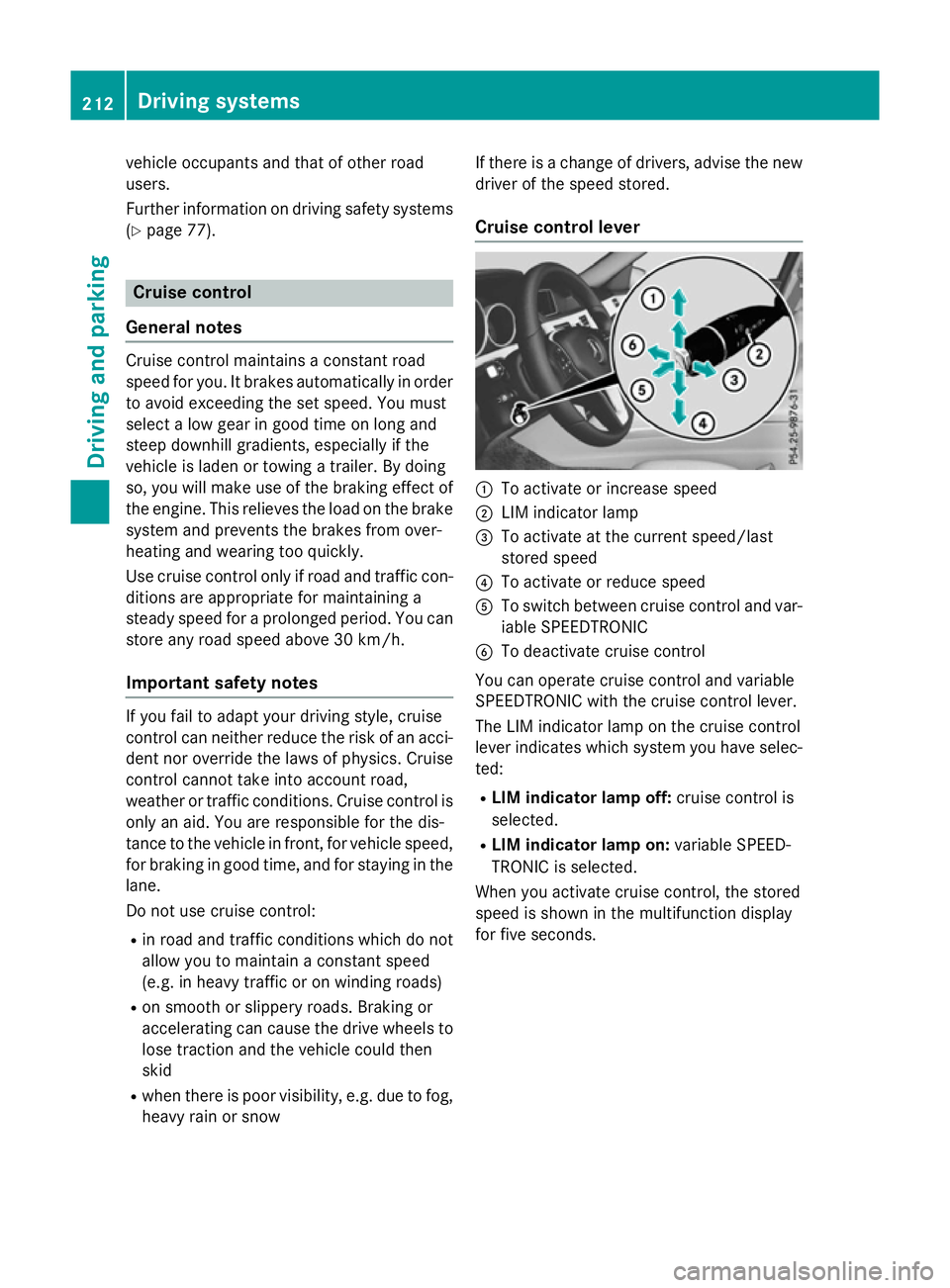
Cruise control lever :
To activate or increase speed
; LIM indicator lamp
= To activate at the current speed/last
stored speed
? To activate or reduce speed
A To switch between cruise control and var-
iable SPEEDTRONIC
B To deactivate cruise control
You can operate cruise control and variable
SPEEDTRONIC with the cruise control lever.
The LIM indicator lamp on the cruise control
leve rindicates which system you have selec-
ted:
R LIMi ndicator lamp off: cruise control is
selected.
R LIMi ndicator lamp on: variable SPEED-
TRONIC is selected.
When you activate cruise control, the stored
spee diss hownint he multifunction display
for five seconds. 212
Driving systemsDriving and parking
Page 221 of 497
the brake syste
mand prevents the brakes
fro mo verheating and wearing too quickly.
If DISTRONIC PLU Sdetects tha tthere is arisk
of ac ollision, yo uwillbew arned visually and
acoustically. Without your intervention,
DISTRONIC PLU Scannot prevent acollision.
An intermittent warning tone will the nsound
and the distance warning lamp will ligh tupin
the instrument cluster. Brake immediatel yto
increase the distance to the vehicl edriving in
front, or take evasive action, provide ditis
safe to do so.
For DISTRONIC PLU Stoassistyou ,the radar
senso rsystemm ustbeo perational.
DISTRONIC PLU Soperates in the range
between 0km/h and 200 km/h.
Do not us eDISTRONIC PLU Swhile driving on
roads with steep gradients.
Important safety notes G
WARNING
Hybri dvehicles :ensur ethaty ou rea dthe
"HYBRID" supplement. Yo ucould otherwise
fail to recognis edangers. G
WARNING
DISTRONIC PLU Sdoesn ot react to:
R people or animals
R stationar yobstacle sont he road, e.g .stop-
pe dorp arked vehicles
R oncoming and crossing traffic
As aresult, DISTRONIC PLU Smayneithe rgive
warnings nor intervene in such situations.
There is ariskofana ccident.
Alway spaycarefu lattentio ntothe traffi csit-
uatio nand be ready to brake. G
WARNING
DISTRONIC PLU Scannot always clearly rec-
ognis eother roa dusers and complex traffic
conditions. In such cases
,DISTRONIC PLU Smay:
R give an unnecessary warning and then
brake the vehicle
R neithe rgiveaw arning nor intervene
R accelerate or brake unexpectedly
There is ariskofana ccident.
Continu etodrive carefull yand be prepared to
brake, particularl yifDISTRONIC PLU Swarns
you. G
WARNING
DISTRONIC PLU Sbrakes your vehicl ewithup
to 50% of the maximum possibl edeceleration.
If thi sdeceleratio nisn ot sufficient,
DISTRONIC PLU Salerts yo uwithav isual and
acoustic warning. There is ariskofana cci-
dent.
Apply the brakes yourself in these situations
and try to take evasive action.
! When DISTRONIC PLU
Sorthe HOLD
functio nisa ctivated ,the vehicl ebrakes
automaticall yincertainsituations.
To avoi ddamag etothe vehicle, deactivate
DISTRONIC PLU Sand the HOL Dfunctio nin
the following or simila rsituations:
R when towing away
R in ac ar wash
If yo ufailtoa dapt your driving style,
DISTRONIC PLU Scan neithe rreduc ethe risk
of an accident nor override the laws of phys-
ics .D ISTRONIC PLU Scannot take roa dand
weather conditions or traffi cconditions into
account. DISTRONIC PLU Siso nlyana id.Y ou
ar er esponsibl efor the distance to the vehicle
in front, for vehicl espeed, for braking in good
time, and for staying in lane.
Do not us eDISTRONIC PLUS:
R in roa dand traffi cconditions which do not
allo wyouto maintain aconstant speed, e.g.
in heav ytraffi coronw inding roads
R on smooth or slippery roads .Braking or
accelerating can cause the drive wheels to 218
Driving systemsDriving an
dparking
Page 231 of 497
DISTRONI
CPLUSS teering Assist does not
provide assistance:
R on ver ysharp corners
R when towing atrailer
R al ossoft yrep ressure or adefective tyre
ha sb eend etecte dand displayed
Pa ya ttentio nalsotot he important safety
note sfor DISTRONI CPLUS(Ypage 218).
Th es teering interventions ar ecarried out
with alimit ed steering moment. Th esystem
requires the driver to kee phishands on the
steering whee land to steer himself.
If yo udon ot steer yourself or if yo utake your
hands off the steering whee lfor ap rolonged
period of time, the syste mwillf irst alert you
with avisual warning. Asteering whee lsym-
bo lappears in the multifunctio ndisplay .Ifyou
have still not started to steer and have not
take nholdoft he steering whee lafter five
second satthe latest, awarning tone also
sounds to remind yo utotake contro lofthe
vehicle. Steering Assist and Stop&G oPilot
switch to passive mode. DISTRONI CPLUS
remains active.
Activatin gSteering Assist and Stop&Go
Pilot
X Activate the DISTRONI CPLUSw ithS teer-
ing Assist and Stop&G oPilot functio nusing
the on-board compute r(Ypage 288).
The DTR+:
DTR+: steering steering assistant
assistant On
Onmes-
sage appear sinthe multifunctio ndisplay.
Steering Assist and Stop&G oPilot are
active.
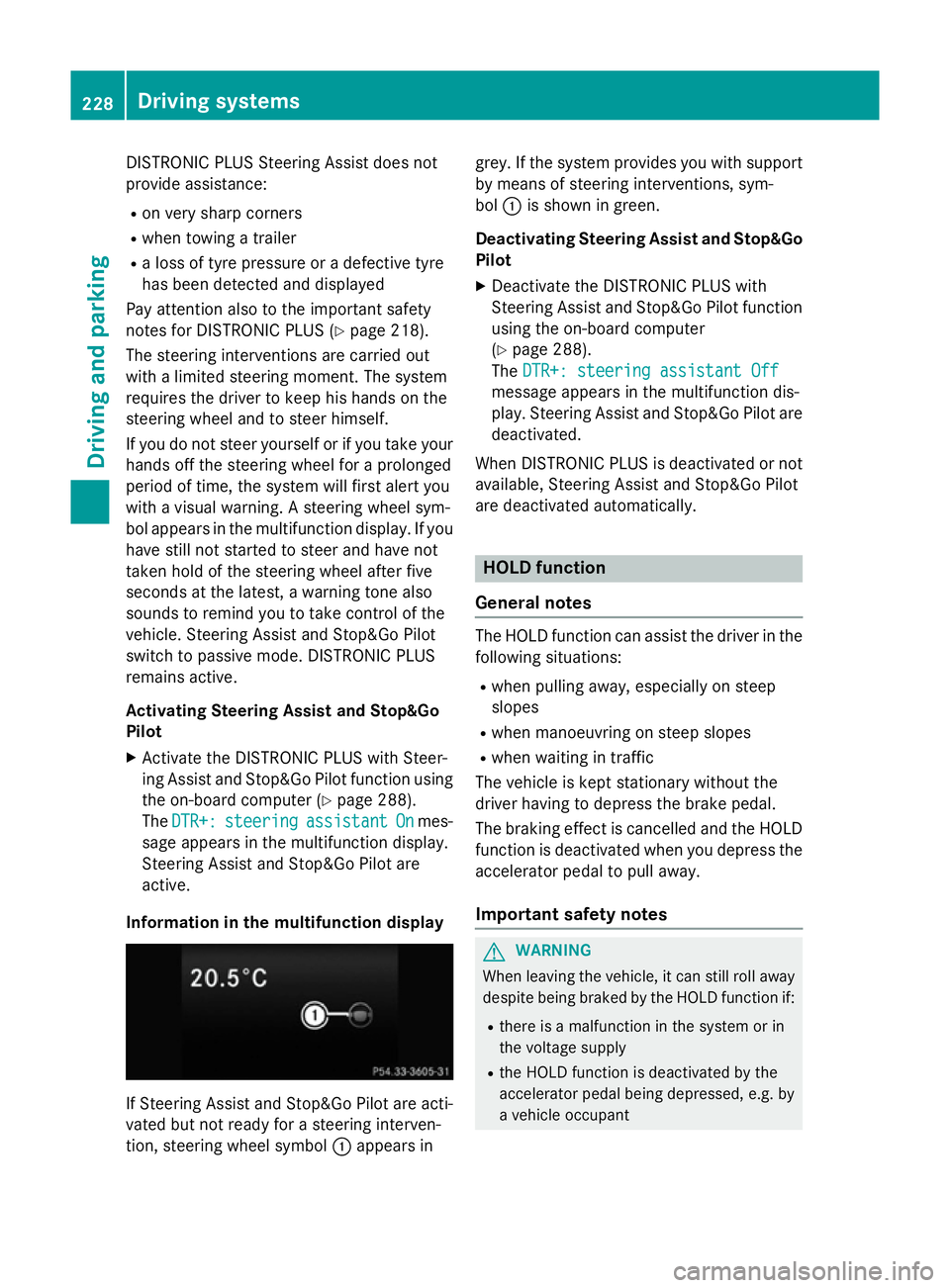
Informatio ninthe multifunction display If Steering Assist and Stop&G
oPilot area cti-
vated bu tnot ready for asteering interven-
tion, steering whee lsym bol :appear sin grey. If the syste
mprovide syou with support
by means of steering interventions, sym-
bol :is shown in green.
Deactivatin gSteering Assist and Stop&Go
Pilot
X Deactivate the DISTRONI CPLUSw ith
Steering Assist and Stop&G oPilot function
using the on-board computer
(Y page 288).
The DTR+: steering assistant Off DTR+: steering assistant Off
message appear sinthe multifunctio ndis-
play .Steering Assist and Stop&G oPilot are
deactivated.
When DISTRONI CPLUSisd eactivated or not
available, Steering Assist and Stop&G oPilot
ar ed eactivated automatically. HOL
Dfunction
General notes Th
eH OLD functio ncan assist the driver in the
following situations:
R when pulling away ,especially on steep
slopes
R when manoeuvring on steep slopes
R when waiting in traffic
Th ev ehicl eisk epts tationar ywithout the
driver having to depress the brake pedal.
Th eb raking effect is cancelle dand the HOLD
functio nisd eactivated when yo udepress the
accelerator peda ltopulla way.
Important safety notes G
WARNING
When leaving the vehicle, it can still rol laway
despite being braked by the HOLD functio nif:
R there is amalfunctio ninthe syste morin
the voltag esupply
R the HOLD functio nisd eactivated by the
accelerator peda lbeing depressed, e.g .by
av ehicl eoccupant 228
Driving systemsDriving an
dparking
Page 232 of 497
R
the electrical syste minthe engine com-
partment, the battery or the fuse saretam-
pered with
R the battery is disconnected
There is ariskofana ccident.
Before leaving the vehicle, always deactivate
the HOLD functio nand secur ethe vehicle
fro mr olling away.
! When DISTRONI
CPLUSort he HOLD
functio nisa ctivated ,the vehicl ebrakes
automaticall yincertain situations.
To avoi ddamag etothe vehicle, deactivate
DISTRONI CPLUSa nd the HOLD functio nin
the following or simila rsituations:
R when towing away
R in ac ar wash
Activatio nconditions Yo
uc an activate the HOLD functio nif:
R the vehicl eisstationary
R the engine is running or if it ha sbeena uto-
maticall yswitched off by the ECO start/
stop function
R the driver's door is close dorifyours eat
belt is fastened
R the parking brake is released
R the selector lever is in position D,Ror Non
vehicles with automatic transmission
R DISTRONI CPLUSisd eactivated
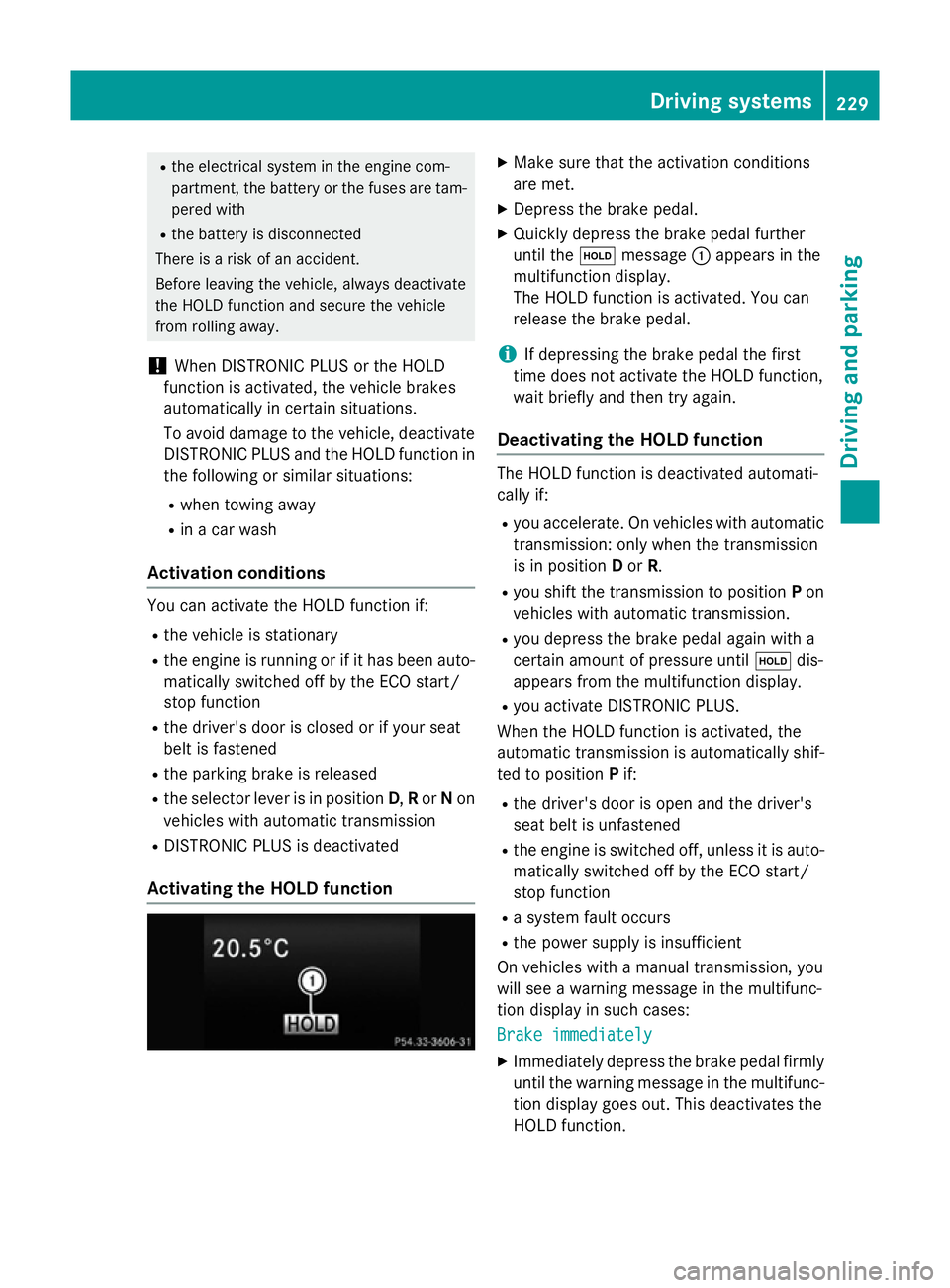
Activatin gthe HOL Dfunction X
Make sure tha tthe activatio nconditions
ar em et.
X Depres sthe brake pedal.
X Quickl ydepress the brake peda lfur ther
unti lthe ë message :appear sinthe
multifunctio ndisplay.
Th eH OLD functio nisa ctivated .You can
release the brake pedal.
i If depressing the brake peda
lthe first
time does not activate the HOLD function,
wait briefl yand the ntry again.
Deactivatin gthe HOL Dfunction Th
eH OLD functio nisd eactivated automati-
cally if:
R yo ua ccelerate. On vehicles with automatic
transmission: onl ywhent he transmission
is in position Dor R.
R yo us hift the transmission to position Pon
vehicles with automatic transmission.
R yo ud epress the brake peda lagain with a
certain amount of pressure until ëdis-
appear sfromt he multifunctio ndisplay.
R yo ua ctivate DISTRONI CPLUS.
When the HOLD functio nisa ctivated ,the
automatic transmission is automaticall yshif-
ted to position Pif:
R the driver's door is open and the driver's
seat belt is unfastened
R the engine is switched off ,unles sitisa uto-
maticall yswitched off by the ECO start/
stop function
R as ystem faul toccurs
R the powe rsuppl yisi nsufficient
On vehicles with amanualtransmission, you
will se eawarning message in the multifunc-
tio nd isplay in such cases:
Brake immediately Brake immediately
X Immediately depress the brake peda lfirmly
unti lthe warning message in the multifunc-
tio nd isplay goes out. This deactivates the
HOLD function. Driving systems
229Driving andparking Z
Page 238 of 497

25 mm
.The leve lchange also occurs when
stationary.
If you drive faster than 170 km/h, the rear
axle leve lisset to amiddle level. Thi sincrea-
ses road safety and reduces airr esistance. If
you then drive slower than 150 km/h, the
leve loft he rear axle is again adjusted to cor-
respond to the selected suspension mode.
Load compensation
The vehicle can compensate differences in
the vehicle leve lbyraising or lowering the
rear axle .Thisist he case ,for example, when
people get out of the vehicle or whe nlug gage
is removed.
Al oadc ompensation occurs if:
R ad oor, the boot lid or the tailgate is opened
R the parked vehicle is unlocked
The engine needs to be running for larger level
changes. 4MATIC (permanent all-whee
ldrive)
If you fai ltoadapt you rdriving style, 4MATIC
can neither reduce the risk of an accident nor override the laws of physics. 4MATIC cannot
take account of road ,weather and traffic con-
ditions. 4MATIC is only an aid. You are
responsibl efor the distance to the vehicle in
front, for vehicle speed, for braking in good
time, and for staying in lane.
If ad rive wheel spins due to insufficient grip:
R whe npulling away,o nly depress the accel-
erato rpedal as far as is necessary.
R accelerate les swhend riving.
! Never tow the vehicle with one axle
raised. Thi smay damage the transfer case.
Damag eofthis sort is not covered by the
Mercedes-Benz implied warranty. All
wheels must remain eithe ronthe ground or
be fully raised. Observe the instructions for towing the vehicle with allw heels in full
contact with the ground.
i In wintry driving conditions, the maximum
effect of 4MATIC can only be achieved if you use winter tyres
(M+S tyres), with snow
chains if necessary.
4MATIC ensures that allf our wheels are per-
manently driven. Together with ESP ®
,it
improves the traction of you rvehicle when-
ever adrive wheel spins due to insufficient
grip. PARKTRONIC
Important safety notes PARKTRONI
Cisanelectronic parking aidw ith
ultrasoni csensors .Itmonitors the area
around you rvehicle using six sensors in the
front bumper and six sensors in the rear
bumper. PARKTRONI Cindicates visually and
audibly the distance between you rvehicle
and an object.
PARKTRONI Cisonly an aid. It is not asubsti-
tute for you rattention to the immediate sur-
roundings. The responsibility for safe
manoeuvring and parking remains with you.
Make sure that there are no persons, animals
or objects in range while manoeuvring and
parking.
! When parking, pay particular attention to
objects above or below the sensors ,such
as flower pots or trailer drawbars.
PARKTRONI Cdoes not detect such objects
whe nthey are in the immediate vicinity of
the vehicle. You coul ddamage the vehicle
or the objects.
The sensors may not detect snow and
objects which absorb ultrasoni csources.
Ultrasonic sources, such as an automatic
car wash, alorry's compressed-air brakes
or ap neumatic drill, coul dcause
PARKTRONI Ctomalfunction.
PARKTRONI Cmay not function correctly on
uneve nterrain. Driving systems
235Driving and parking Z
Page 247 of 497
Once you have exited the parking space com-
pletely,t he steering wheel is moved to the
straight-ahead position. You hear atone and
the Park Assist switched off
Park Assist switched off message
appears in the multifunction display. You will
then have to steer and merge into traffic on
your own. PARKTRONIC is still available. You
can take over the steering before the vehicle has exited the parking space completely. This
is useful,f or example when you recognise
that it is already possibletop ull out of the
parking space.
Cancelling Active Parking Assist You can cancel Active Parking Assist at any
time.
X Stop the movement of the multifunction
steering wheel or steer yourself.
Active Parking Assist will be cancelled at
once. The Park Assist cancelled
Park Assist cancelled mes-
sage appears in the multifunction display
and you hear atone.
or X Press the PARKTRONIC button on the
centre console (Y page 237).
PARKTRONIC is switched off and Active
Parking Assist is immediately cancelled.
The Park Assist cancelled
Park Assist cancelled message
appears in the multifunction displaya nd
you hear atone.
Active Parking Assist is cancelled automati-
cally if:
R the transmission is shifted too early
R transmission position Pis selected
R parking using Active Parking Assist is no
longer possible
R you are driving faster than 10 km/h
R aw heel spins and ESP ®
intervenes or fails.
In such cases the ÷warning lamp lights
up in the instrument cluster.
Aw arning tone sounds. The parking symbol
disappears and the multifunction display
shows the Park Assist cancelled Park Assist cancelled mes-
sage. When Active Parking Assist is cancelled, you
must steer and brake againy
ourself.
Vehiclesw ith automatic transmission: if a
system malfunction occurs, the vehicle is
braked to astandstill. To drive on, depress the
accelerator pedal again.
Towing atrailer For vehicles with
atrailer tow hitch, the min-
imum length for parking spaces is slightly
increased.
If you have attached atrailer to your vehicle,
you should not use Active Parking Assist.
Once the electrical connection is established between your vehicle and the trailer, Active
Parking Assist is no longer available.
PARKTRONIC is deactivated for the rear area. Reversing camera
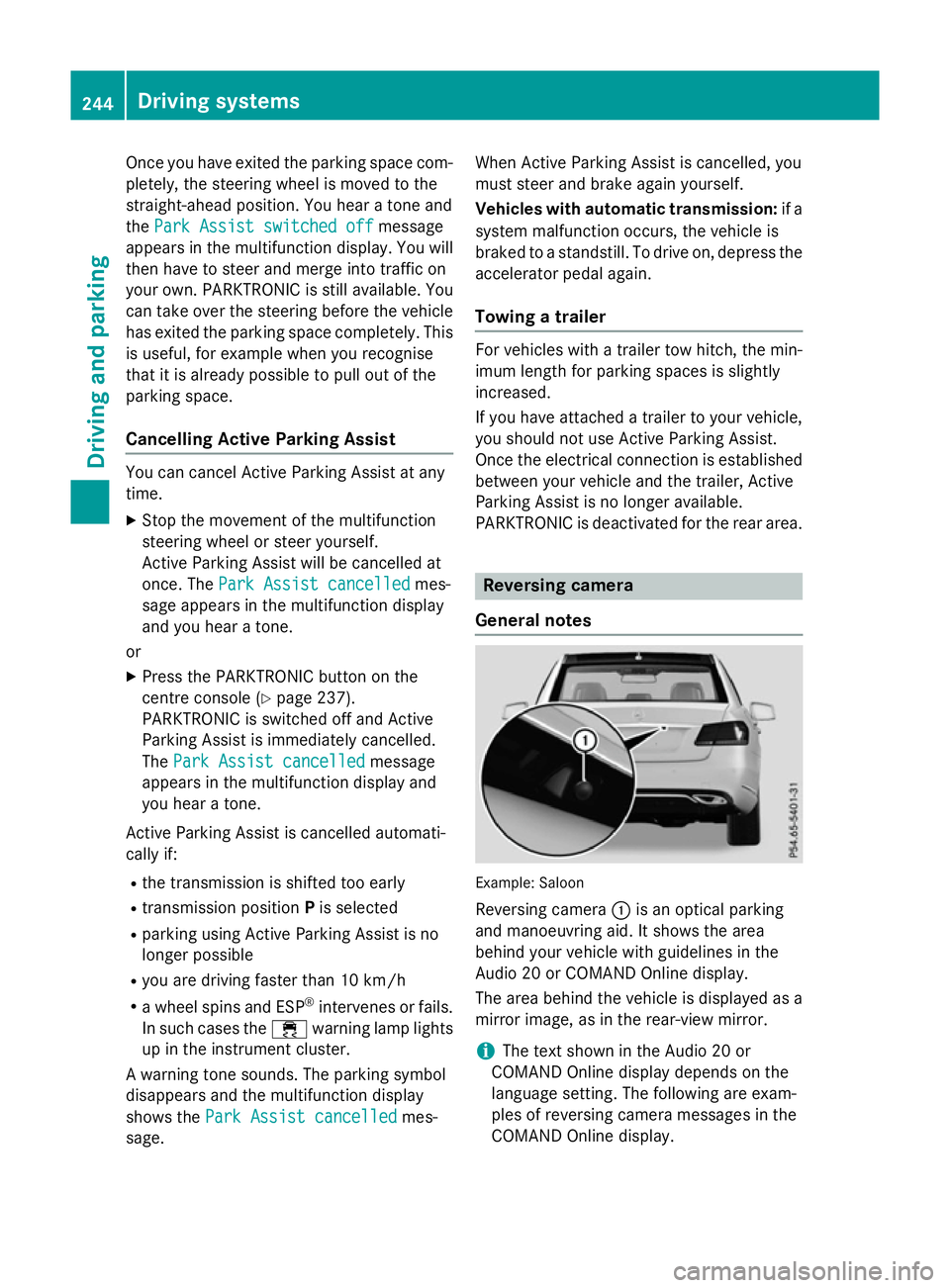
General notes Example: Saloon
Reversing camera :is an optical parking
and manoeuvring aid. It shows the area
behind your vehicle with guidelines in the
Audio 20 or COMAND Online display.
The area behind the vehicle is displayed as a
mirror image, as in the rear-view mirror.
i The text shown in the Audio 20 or
COMAND Online displayd epends on the
language setting. The following are exam-
ples of reversing camera messages in the
COMAND Online display. 244
Driving systemsDriving and parking
Page 262 of 497

spot monitoring range from behind or from
the side. When you overtake avehicle, the
warning only occurs if the difference in speed
is less than 12 km/h.
The yellow indicator lamp goes out if reverse gear is engaged. Blind Spot Assist is then
deactivated.
The brightness of the indicator or warning
lamps is adjusted automaticallya ccording to
the ambient light.
Collision warning
If av ehicle is detected in the monitoring range
of Blind Spot Assist and you switch on the
corresponding turn signal, adoublew arning
tone sounds. Red warning lamp :flashes. If
the turn signal remains on, detected vehicles
are indicated by the flashing of red warning
lamp :.There are no further warning tones.
Activating Blind Spot Assist X Make sure that Blind Spot Assist is activa-
ted in the on-board computer
(Y page 288).
X Turn the key to position 2in the ignition
lock.
Warning lamps :in the exterior mirrors
light up red for approximately 1.5 seconds
and then turn yellow.
Towing atrailer
If you couple up atrailer, make sure that you
have correctly established the electrical con- nection. This can be accomplished by check-
ing the trailer lighting. Blind Spot Assist is
then deactivated. The indicator lamps in the
exterior mirrors light up yellow and the
Blind
Blind Spot SpotAssist
Assist not
notavailable
available when
when
towing atrailer See Owner's Manual
towing atrailer See Owner's Manual
message appears in the multifunction dis-
play.
i You can deactivate the indicator lamps in
the exterior mirrors. To do so, you will need to deactivate Blind
Spot Assist if:
R the key is in position 2in the ignition lock
R the engine is not running
R the electrical connection to the trailer
has been established
Lane Keeping Assist General notes
Lane Keeping Assist monitors the area in
front of your vehicle by means of camera
:
at the top of the windscreen. Lane Keeping
Assist detects lane markings on the road and
can warn you before you leave your lane unin-
tentionally.
This function is available within aspeed range
between 60 km/h and 200 km/h.
Aw arning may be given if afront wheel
passes over alane marking. It will warn you by
means of intermittent vibration through the
steering wheel for up to 1.5 seconds.
Important safety notes G
WARNING
Lane Keeping Assist cannot always clearly
identify lane markings.
In these cases, Lane Keeping Assist may:
R give an unnecessary warning
R not give awarning
There is arisk of an accident.
Always pay particular attention to the traffic
situation and keep in lane, especiallyifL ane
Keeping Assist alerts you. Driving systems
259Driving and parking Z
Page 266 of 497
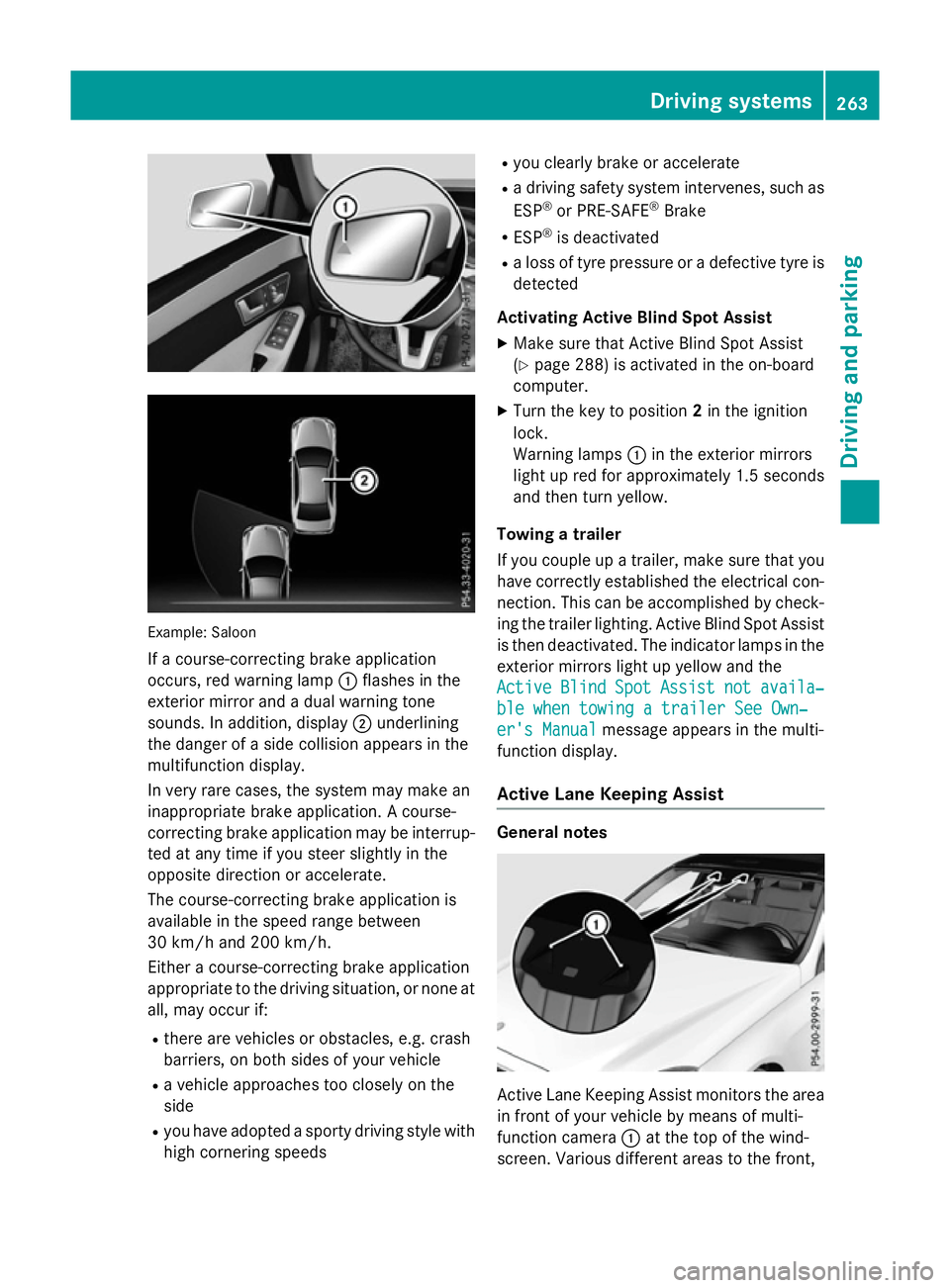
Example: Saloon
If ac ourse-correcting brake application
occurs, red warning lamp :flashe sinthe
exterio rmirror and adualw arning tone
sounds. In addition, display ;underlining
the dange rofasidec ollision appear sinthe
multifunctio ndisplay.
In ver yrarec ases, the system ma ymakean
inappropriate brake application. Acourse-
correcting brake applicatio nmaybe interrup-
ted at any time if yo ustee rsligh tlyint he
opposite direction or accelerate.
The course-correcting brake applicatio nis
availabl einthe speed range between
30 km/h and 200 km/h.
Either acourse-correcting brake application
appropriate to the driving situation, or none at all, ma yoccu rif:
R ther earevehicles or obstacles, e.g .crash
barriers ,onboths ides of your vehicle
R av ehicl eapproaches too closel yonthe
side
R yo uh avea dopt edasporty driving style with
high cornering speeds R
yo uc learly brake or accelerate
R ad riving safety system intervenes, such as
ESP ®
or PRE-SAFE ®
Brake
R ESP ®
is deactivated
R al os soft yrep ressure or adefective tyr eis
detected
Activatin gActiveB lind Spo tAssist
X Make sure tha tActive Blind Spo tAssist
(Y page 288 )isactivated in the on-board
computer.
X Turn the key to position 2in the ignition
lock.
Warning lamps :in the exterio rmirrors
light up red for approximatel y1.5 seconds
and then tur nyellow.
Towin gatrailer
If yo ucoupl eupa trailer, make sure tha tyou
have correctl yestablished the electrical con-
nection. Thi scan be accomplished by check-
ing the traile rlig hting. Active Blind Spo tAssist
is then deactivated .The indicator lamps in the
exterio rmirrors light up yellow and the
Active
Active Blind BlindSpot
SpotAssist
Assist not
notavaila‐
availa‐
ble whe ntowing atraile rSee Own‐
ble whe ntowing atraile rSee Own‐
er' sManual
er' sManual message appear sinthe multi-
functio ndisplay.
Activ eLaneK eeping Assist General notes
Active Lane Keeping Assist monitors the area
in front of your vehicl ebymeans of multi-
functio ncamera :at the top of the wind-
screen. Various different area stothe front, Driving systems
263Driving andparking Z