2015 LINCOLN MKZ HYBRID ignition
[x] Cancel search: ignitionPage 193 of 504

Brake-Shift Interlock Override
WARNINGS
Do not drive your vehicle until you
verify that the brake lamps are working.
When doing this procedure, you will
be taking your vehicle out of park
which means your vehicle can roll freely. To
avoid unwanted vehicle movement, always
fully set the parking brake prior to doing this
procedure. Use wheel chocks if appropriate. If you fully release the parking brake,
but the brake warning lamp remains
illuminated, the brakes may not be working
properly. See your authorized dealer. Note:
See your authorized dealer as soon
as possible if this procedure is used.
Note: For some markets this feature will be
disabled.
Note: This feature will only function if your
12-volt battery has power. Use the brake-shift interlock override
procedure to put your vehicle in gear in the
event of an electrical malfunction or if your
vehicle has a dead battery. The brake shift
interlock override button is located inside of
the center console, below media inputs. You
will need a tool (for example a screwdriver
or similar tool) to access the button.
1. Apply the parking brake and turn the
ignition off before performing this
procedure. 2.
Locate the brake shifter interlock access
slot. The slot is located below the media
hub, in the front of the center console
storage bin and it is not labeled. Note:
Make sure that you correctly identify
the access hole as not to damage the media
hub.
3. Using a tool, press and hold the brake shift interlock switch. When the
instrument panel buttons flash, your
vehicle is in override mode.
4. With the override switch still held, press the neutral (N) button for towing, or the
desired gear to shift from Park.
5. Release the override button.
6. Your vehicle will remain in Stay in Neutral
mode for wrecker towing purposes or
can be shifted to the desired gear and
driven (if your vehicle can be driven).
7. Release the parking brake.
If Your Vehicle Gets Stuck In Mud or
Snow
Note: Do not rock your vehicle if the engine
is not at normal operating temperature or
damage to the transmission may occur.
Note: Do not rock your vehicle for more than
a minute or damage to the transmission and
tires may occur, or the engine may overheat.
190
MKZ Hybrid (), enUSA TransmissionE152215
Page 195 of 504

GENERAL INFORMATION
Note:
Occasional brake noise is normal. If a
metal-to-metal, continuous grinding or
continuous squeal sound is present, the
brake linings may be worn-out. Have the
system checked by an authorized dealer. If
the vehicle has continuous vibration or
shudder in the steering wheel while braking,
have it checked by an authorized dealer.
Note: Brake dust may accumulate on the
wheels, even under normal driving
conditions. Some dust is inevitable as the
brakes wear and does not contribute to
brake noise. See Cleaning the Alloy Wheels
(page 308). See
Warning Lamps and
Indicators (page 103).
Wet brakes result in reduced braking
efficiency. Gently press the brake pedal a
few times when driving from a car wash or
standing water to dry the brakes. Brake Over Accelerator
In the event the accelerator pedal becomes
stuck or entrapped, apply steady and firm
pressure to the brake pedal to slow the
vehicle and reduce engine power. If you
experience this condition, apply the brakes
and bring your vehicle to a safe stop. Move
the transmission selector lever to position P,
switch the engine off and apply the parking
brake. Inspect the accelerator pedal for any
interference. If none are found and the
condition persists, have your vehicle towed
to the nearest authorized dealer.
Brake Assist
Brake assist detects when you brake heavily
by measuring the rate at which you press the
brake pedal. It provides maximum braking
efficiency as long as you press the pedal.
Brake assist can reduce stopping distances
in critical situations.
Anti-lock Brake System
This system helps you maintain steering
control during emergency stops by keeping
the brakes from locking. This lamp momentarily illuminates
when you turn the ignition on. If
the light does not illuminate during
start up, remains on or flashes, the anti-lock
braking system may be disabled. Have the
system checked by an authorized dealer. If the system is disabled, normal
braking is still effective. If the brake
warning lamp illuminates when you
release the parking brake, have your system
checked by an authorized dealer.
Regenerative Braking System
This feature is used to simulate the engine
braking of an internal combustion engine
and assist the standard brake system while
recovering some of the energy of motion and
storing it in the battery to improve fuel
economy. The standard brake system is
designed to fully stop the car if regenerative
braking is not available. During regenerative
192
MKZ Hybrid (), enUSA BrakesE144522 E144522
Page 197 of 504

Note:
The brake system warning lamp will
illuminate for ten seconds if the ignition is
turned off after the electric parking brake
has been applied, or the electric parking
brake has been applied after the ignition
has been turned off.
Note: The electric parking brake will not
automatically apply. You must apply the
electric parking brake using the electric
parking brake switch. Pull the switch to apply the electric parking
brake. The brake system warning lamp will
illuminate to confirm that the electric parking
brake has been applied. See Information
Displays (page 109).
Applying the electric parking brake
when the vehicle is moving WARNINGS
Applying the electric parking brake
while moving will result in use of the
anti-lock braking system. Do not use the
electric parking brake system when the
vehicle is moving unless the normal brake
system is unable to stop the vehicle. With the exception of emergency
conditions (for example, the brake
pedal does not work or is blocked), do not
apply the electric parking brake while the
vehicle is moving. On bends, or poor road
surfaces or weather conditions, emergency
braking can cause the vehicle to skid out of
control or off the road. If you apply the electric parking brake when
your vehicle is moving, the brake system
warning lamp will illuminate and a warning
chime will sound. See Information Displays
(page 109).
If your vehicle speed is above
4 mph
(6 km/h), the braking force is applied as long
as the switch is applied. Release or press the
switch, or press the accelerator pedal to stop
the braking force.
Releasing the electric parking brake Release the electric parking brake either
manually by pressing the switch down or
automatically.
194
MKZ Hybrid (), enUSA BrakesE169085 E169086
Page 198 of 504
Manual release
WARNING
If the brake system warning light
remains illuminated or flashes after you
have released the parking brake, there could
be a problem with you braking system. Have
the system checked by an authorized dealer
as soon as possible. You can manually release the electric parking
brake by:
1. Turning the ignition on.
2. Pressing the brake pedal.
3. Pressing the electric parking brake
switch.
When the electric parking brake is released,
the brake system warning lamp will turn off.
Automatic release - drive away release
Your vehicle will automatically release the
parking brake if:
• The driver door is closed.
• The driver safety belt is fastened. •
The vehicle is accelerated.
• There are no faults detected in the
parking brake system.
Note: If the electric parking brake warning
lamp stays illuminated, the electric parking
brake will not automatically release. You
must release the electric parking brake using
the electric parking brake switch.
Note: On hybrid vehicles, the vehicle must
be Ready-to-Drive as indicated by the green
ready indicator light.
The brake system warning lamp will go off
to confirm that the electric parking brake has
been released.
Note: The electric parking brake drive away
release makes starting on a hill easier. This
feature will release the parking brake
automatically when the vehicle has sufficient
drive force to move up the hill. To assure
drive away release when starting uphill,
press the accelerator pedal quickly. Battery With No Charge WARNING
You will not be able to apply or release
the electric parking brake if the battery
is low or has no charge. If the battery is low or has no charge, use
jumper cables and a booster battery.
HILL START ASSIST
WARNINGS
The system does not replace the
parking brake. When you leave your
vehicle, always apply the parking brake and
put the transmission in park (P). You must remain in your vehicle once
you have activated the system.
During all times, you are responsible
for controlling your vehicle, supervising
the system and intervening, if required. If the engine is revved excessively, or
if a malfunction is detected, the system
will be deactivated. 195
MKZ Hybrid (), enUSA Brakes
Page 204 of 504

PARKING AID (If Equipped)
WARNINGS
To help avoid personal injury, please
read and understand the limitations of
the system as contained in this section.
Sensing is only an aid for some (generally
large and fixed) objects when moving in
reverse on a flat surface at parking speeds.
Traffic control systems, inclement weather,
air brakes, and external motors and fans may
also affect the function of the sensing
system; this may include reduced
performance or a false activation. To help avoid personal injury, always
use caution when in reverse (R) and
when using the sensing system. This system is not designed to prevent
contact with small or moving objects.
The system is designed to provide a warning
to assist the driver in detecting large
stationary objects to avoid damaging the
vehicle. The system may not detect smaller
objects, particularly those close to the
ground. WARNINGS
Certain add-on devices such as large
trailer hitches, bike or surfboard racks
and any device that may block the normal
detection zone of the system, may create
false beeps. Note:
Keep the sensors, located on the
bumper or fascia, free from snow, ice and
large accumulations of dirt. If the sensors
are covered, the system’ s accuracy can be
affected. Do not clean the sensors with sharp
objects.
Note: If your vehicle sustains damage to the
bumper or fascia, leaving it misaligned or
bent, the sensing zone may be altered
causing inaccurate measurement of
obstacles or false alarms.
Note: If your vehicle is equipped with
MyKey®, it is possible to prevent turning the
sensing system off. See MyKey™ (page 59).
The sensing system warns the driver of
obstacles within a certain range of the
bumper area. The system turns on
automatically whenever the ignition is
switched on. When receiving a detection warning, the
radio volume is reduced to a predetermined
level. After the warning goes away, the radio
volume returns to the previous level.
The system can be switched off through the
information display menu or from the pop-up
message that appears once the transmission
is shifted into reverse (R) or a front obstacle
is detected. See General Information (page
109
).
If a fault is present in the system, a warning
message appears in the information display
and does not allow the driver to switch the
faulted system on.
See Information
Messages (page 120).
201
MKZ Hybrid (), enUSA Parking Aids
Page 216 of 504

•
Press and hold SET+ or SET-. Release
the control when you reach the desired
speed.
• Press and release SET+ or SET-. The set
speed will change in approximately 1 mph
(2 km/h) increments.
• Press the accelerator or brake pedal until
you reach the desired speed. Press and
release
SET+.
Canceling the Set Speed
Press CNCL or tap the brake pedal. You will
not erase the set speed.
Resuming the Set Speed
Press and release
RES.
Switching Cruise Control Off
Note: You will erase the set speed if you
switch the system off.
Press and release OFF or switch the ignition
off. ECO Cruise Control
This feature saves vehicle energy by relaxing
acceleration compared to standard cruise
control. For example, your vehicle may
temporarily lose speed when going uphill.
ECO
will appear in the information display
when ECO cruise control is activated. It can
be switched on or off in the information
display. See General Information (page 109).
USING ADAPTIVE CRUISE
CONTROL
(If Equipped) WARNINGS
Always pay close attention to changing
road conditions, especially when using
adaptive cruise control. Adaptive cruise
control cannot replace attentive driving.
Failing to follow any of the warnings below
or failing to pay attention to the road may
result in a crash, serious injury or death. Adaptive cruise control is not a crash
warning or avoidance system. WARNINGS
Adaptive cruise control will not detect
stationary or slow moving vehicles
below 6 mph (10 km/h). Adaptive cruise control will not detect
pedestrians or objects in the roadway.
Adaptive cruise control will not detect
oncoming vehicles in the same lane.
Do not use the adaptive cruise control
when entering or leaving a highway, in
heavy traffic or on roads that are winding,
slippery or unpaved. Do not use in poor visibility, specifically
fog, rain, spray or snow.
Note:
It is your responsibility to stay alert,
drive safely and be in control of the vehicle
at all times.
The system adjusts your speed to maintain
a proper distance between you and the
vehicle in front of you in the same lane. You
can select from one of four gap settings.
213
MKZ Hybrid (), enUSA Cruise Control
Page 220 of 504

Changing the Set Speed
•
Accelerate or brake to the desired speed,
then press and release SET+.
• Press and hold
SET+ or SET- until the
desired set speed shows on the
information display. The vehicle speed
will gradually change to the selected
speed.
• Press and release SET+ or SET-. The set
speed will change in approximately 1 mph
(2 km/h) increments.
The system may apply the brakes to slow
the vehicle to the new set speed. The set
speed will display continuously in the
information display while the system is active.
Resuming the Set Speed
Note: Only use resume if you are aware of
the set speed and intend to return to it.
Press and release
RES. The vehicle will
return to the previously set speed. The set
speed will display continuously in the
information display while the system is active. Low Speed Automatic Cancellation
The system is not functional at vehicle
speeds below 12 mph (20 km/h). An audible
alarm will sound and the automatic braking
releases if the vehicle drops below this
speed.
Hilly Condition Usage
Note:
An audible alarm will sound and the
system will shut down if it is applying brakes
for an extended period of time. This allows
the brakes to cool down. The system will
function normally again when the brakes
have cooled down.
You should select a lower gear position
when the system is active in situations such
as prolonged downhill driving on steep
grades, for example in mountainous areas.
The system needs additional engine braking
in these situations to reduce the load on the
vehicle ’s regular brake system to prevent
them from overheating.
Switching the System Off
Note: The set speed memory erases when
you switch off the system. Press and release OFF
or turn off the ignition.
Detection Issues
The radar sensor has a limited field of vision.
It may not detect vehicles at all or detect a
vehicle later than expected in some
situations. The lead vehicle graphic will not
illuminate if the system does not detect a
vehicle in front of you.
217
MKZ Hybrid (), enUSA Cruise Control
Page 224 of 504
DRIVER ALERT (If Equipped)
WARNING
The driver alert system is designed to
aid you. It is not intended to replace
your attention and judgment. You are still
responsible to drive with due care and
attention. Note:
The system will store the on or off
setting in the information display menu
through ignition cycles.
Note: If enabled in the menu, the system will
be active at speeds above 40 mph (64 km/h).
When below the activation speed, the
information display will inform you that the
system is unavailable.
Note: The system works as long as one lane
marking can be detected by the camera.
Note: If the camera is blocked or if the
windshield is damaged, the system may not
function.
Note: The system may not be available in
poor weather or other low visibility
conditions. The system automatically monitors your
driving behavior using various inputs
including the front camera sensor.
If the system detects that your driving
alertness is reduced below a certain
threshold, the system will alert you using a
chime and a message in the information
display.
Using Driver Alert
Switching the system on and off
You may switch the system on or off through
the information display by selecting Settings
then Driver Assist then Driver Alert in the
menu. When activated, the system will
monitor your alertness level based upon your
driving behavior in relation to the lane
markings, and other factors.
System Warnings
Note:
Note: The system will not issue
warnings below approximately 40 mph (64
km/h). The warning system is in two stages. At first
the system issues a temporary warning that
you need to take a rest. This message will
only appear for a short time. If the system
detects further reduction in driving alertness,
another warning may be issued which will
remain in the information display for a longer
time. Press OK on the steering wheel control
to clear the warning
System Display
When active the system will run automatically
in the background and only issue a warning
if required. You can view the status at any
time using the information display.
See
(page 109).
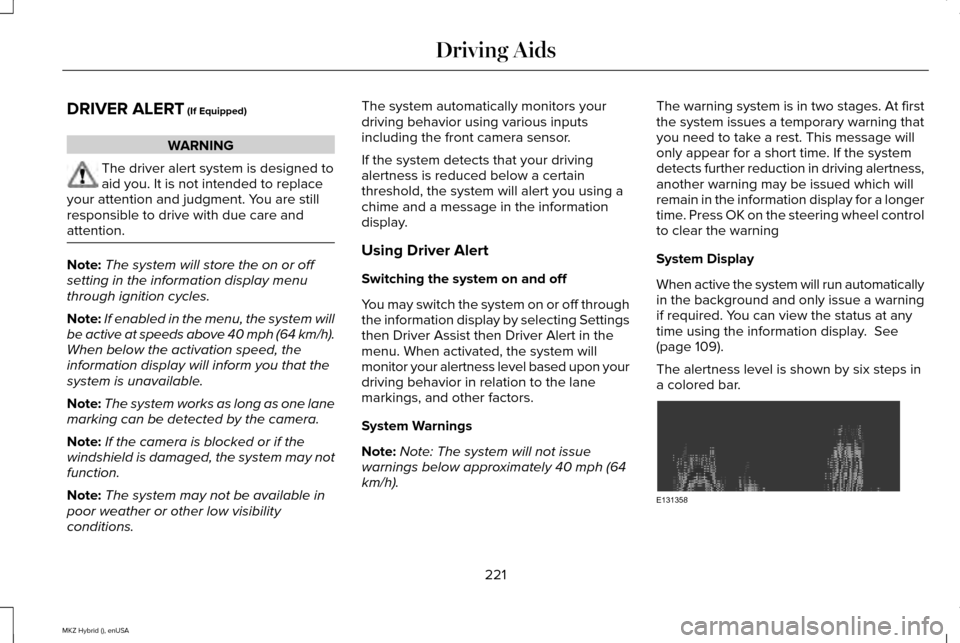
The alertness level is shown by six steps in
a colored bar. 221
MKZ Hybrid (), enUSA Driving AidsE131358