Page 86 of 500
8. Verify that the remote entry functions operate (press lock then
unlock, making sure you end in unlock) and that your vehicle starts with
new intelligent access key.
ANTI-THEFT ALARM
The system will warn you of unauthorized entry to your vehicle.
The turn signal lamps will flash and sound the horn up to a total of 10
times when:
•any door, the hood or the luggage compartment is opened without
using the keypad, the remote control or the intelligent access
transmitter
•the ignition is turned on with an invalid key.
Take all keys and remote controls to an authorized dealer if there is any
potential alarm problem with your vehicle.
Arming the Alarm
The system is ready to arm whenever the ignition is off. Lock your
vehicle to arm the alarm.
The turn signal lamps will flash once after locking your vehicle to
indicate the alarm is in the pre-armed mode. It will become fully armed
in 20 seconds.
Disarming the Alarm
To disarm the alarm, do any of the following:
•Press the power door unlock button within the 20-second pre-armed
mode will.
•Press the unlock button on the remote control.
•Unlock the doors with the keyless entry pad.
•Enter your vehicle using intelligent access.
•Press the panic button on the remote control. The alarm system will
still be armed, but this shuts off the horn and turn lamps when the
alarm is sounding.
Note:If the driver door is unlocked with a key, a tone will sound when
you open the door and a message will appear in the information display.
You will have 12 seconds to disarm the alarm using any of the actions
above, otherwise the alarm will trigger.
Security85
2015 MKT(mkt)
Owners Guide gf, 1st Printing, October 2014
USA(fus)
Page 87 of 500

ADJUSTING THE STEERING WHEEL
WARNING:Do not adjust the steering wheel when your vehicle
is moving.
Note:Make sure that you are sitting in the correct position. Refer to
Sitting in the Correct Positionin theSeatschapter.
Use the control on the side of the
steering column to adjust the
position.
To adjust:
•tilt: press the top or bottom of the
control
•telescope: press the front or rear
of the control.
Easy Entry and Exit Feature
When you switch the ignition off, the steering column will move to the
full up and forward position to allow extra room to exit your vehicle. The
column will return to the previous setting when you switch the ignition
on. You can enable or disable this feature in the information display. See
General Informationin theInformation Displayschapter.
Memory Feature
The steering column position saves when you do a memory set function.
You can recall it with the memory feature. Refer to theSeatschapter.
Pressing the adjustment control during memory recall will cancel the
operation. The column will respond to the adjustment control.
The steering column sets a stopping position just short of the end of the
column position to prevent damage to the steering column. A new
stopping position will be set if the steering column encounters an object
while tilting or telescoping.
86Steering Wheel
2015 MKT(mkt)
Owners Guide gf, 1st Printing, October 2014
USA(fus)
Page 95 of 500

AUTOLAMPS (If equipped)
WARNING:The autolamps switch position may not activate the
headlamps in all low visibility conditions, such as daytime fog.
Always ensure that your headlamps are switched to auto or on, as
appropriate, during all low visibility conditions. Failure to do so may
result in a collision.
When the lighting control is in the autolamps position, the headlamps
will automatically turn on in low light situations or when wipers are
activated.
The headlamps remain on for a period of time after you switch the
ignition off. Use the information display controls to adjust the period of
time that the headlamps remain on.
Note:
If your vehicle is equipped
with autolamps, it will have the
windshield wiper activated
headlamps.The windshield wiper
activated headlamps turn on within
10 seconds when you switch the
windshield wipers on and the lighting
control switch is in the autolamps
position. They will turn off
approximately 60 seconds after you
switch the windshield wipers off.
The headlamps will not turn on by wiper activation:
•During a single wipe.
•When the wipers are on to clear washer fluid during a wash condition.
•If the wipers are in intermittent mode.
A
94Lighting
2015 MKT(mkt)
Owners Guide gf, 1st Printing, October 2014
USA(fus)
Page 96 of 500

INSTRUMENT LIGHTING DIMMER
•Tap the top or bottom of the control to brighten or
dim all interior lit components incrementally.
•Press and hold the top of the control to activate the
“dome on” feature. This will turn on the interior
courtesy lights. Fully press and hold the bottom of the
control to turn off the interior courtesy lights.
HEADLAMP EXIT DELAY
You can set the delay time to keep the headlamps on for up to three
minutes after the ignition is turned off.
Follow the steps below to change the delay time (Steps 1 through 6
must be done within 10 seconds):
1. Turn the ignition off.
2. Turn the lighting control to the autolamp position.
3. Turn the lighting control to the off position.
4. Turn the ignition on.
5. Turn the ignition off.
6. Turn the lighting control to the autolamp position. The headlamps and
parking lamps will turn on.
7. Turn the lighting control to the off position when the desired delay
time has been reached. The headlamps and parking lamps will turn off.
You can set the headlamp exit delay to one of the following settings:
•Off
•10 seconds
•20 seconds
•120 seconds
Note:You can also adjust the time delay using the display controls in
the instrument cluster. See theInformation Displayschapter.
Lighting95
2015 MKT(mkt)
Owners Guide gf, 1st Printing, October 2014
USA(fus)
Page 97 of 500

DAYTIME RUNNING LAMPS (IF EQUIPPED)
WARNING:Always remember to turn on your headlamps at
dusk or during inclement weather. The Daytime Running Lamp
(DRL) system does not activate the tail lamps and generally may not
provide adequate lighting during these conditions. Failure to activate
your headlamps under these conditions may result in a collision.
The system will turn the front fog lamps on in low light situations.
The following conditions must be met to activate this feature:
•Switch the ignition on.
•Switch the lighting control to the off, autolamp or parking lamp
position.
•The transmission must be in a gear other than P (Park).
AUTOMATIC HIGH BEAM CONTROL (IF EQUIPPED)
The system will automatically turn on your high beams if it is dark
enough and no other traffic is present. When it detects an approaching
vehicle’s headlights, a preceding vehicle’s tail lamps or street lighting, the
system will turn off the high beams (low beams remain on) before they
distract other drivers.
Note:If it appears that automatic control of the high beams is not
functioning properly, check the windshield in front of the camera for
blockage. A clear view of the road is required for proper system
operation. Any windshield damage in the area of the camera field-of-view
should be repaired.
Note:If a blockage is detected (e.g. bird dropping, bug splatter, snow, or
ice) and no changes are observed, the system will go into low beam
mode until the blockage is cleared. A message may also appear in the
instrument cluster display noting the front camera is blocked.
Note:Typical road dust, dirt and water spots will not affect the
automatic high beam system’s performance. However, in cold or
inclement weather conditions, the automatic high beam system’s
availability may be decreased. If the driver wants to change the beam
state independently of the system, the driver may turn the high beams
on or off using the multifunction switch stalk. Automatic control will
resume when conditions are correct.
96Lighting
2015 MKT(mkt)
Owners Guide gf, 1st Printing, October 2014
USA(fus)
Page 101 of 500
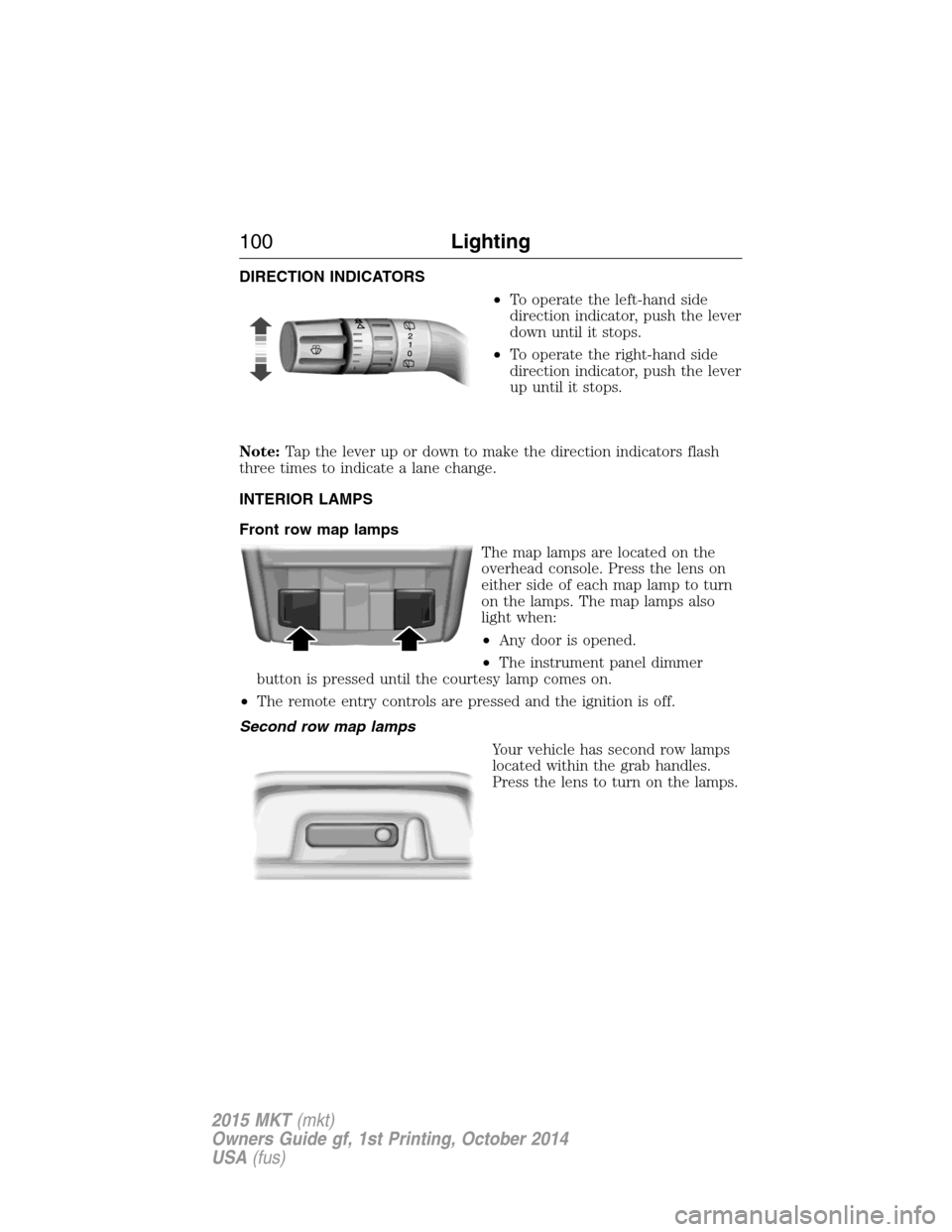
DIRECTION INDICATORS
•To operate the left-hand side
direction indicator, push the lever
down until it stops.
•To operate the right-hand side
direction indicator, push the lever
up until it stops.
Note:Tap the lever up or down to make the direction indicators flash
three times to indicate a lane change.
INTERIOR LAMPS
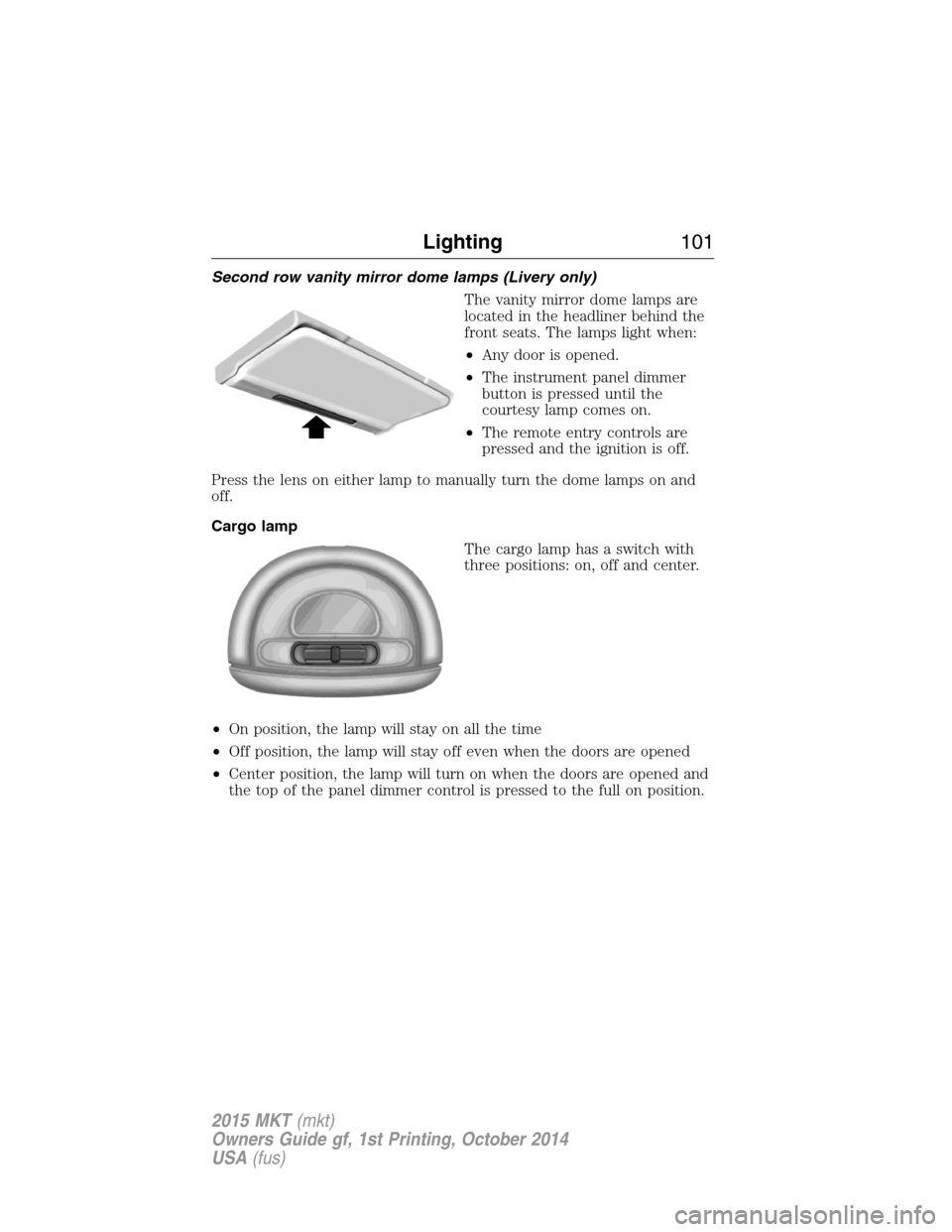
Front row map lamps
The map lamps are located on the
overhead console. Press the lens on
either side of each map lamp to turn
on the lamps. The map lamps also
light when:
•Any door is opened.
•The instrument panel dimmer
button is pressed until the courtesy lamp comes on.
•The remote entry controls are pressed and the ignition is off.
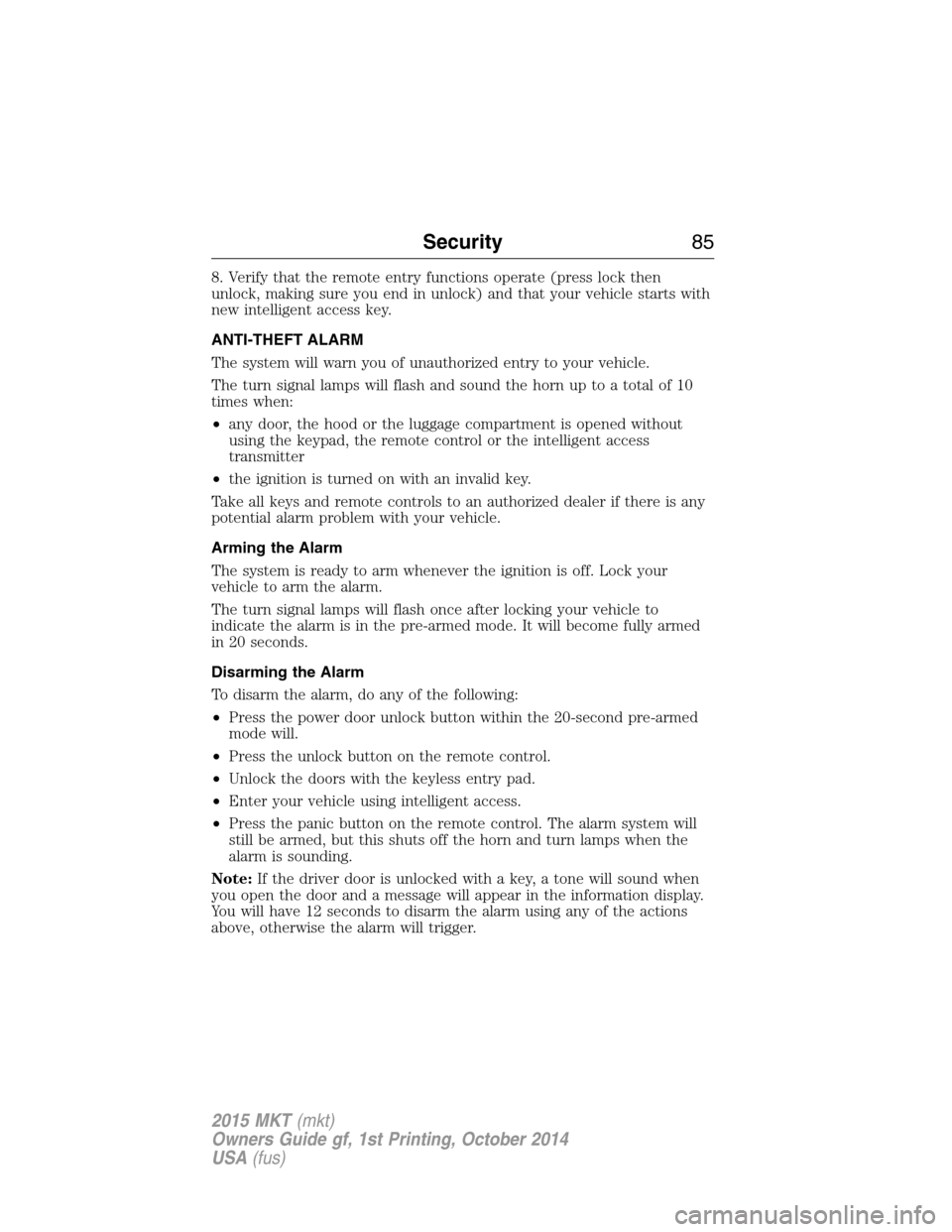
Second row map lamps
Your vehicle has second row lamps
located within the grab handles.
Press the lens to turn on the lamps.
100Lighting
2015 MKT(mkt)
Owners Guide gf, 1st Printing, October 2014
USA(fus)
Page 102 of 500
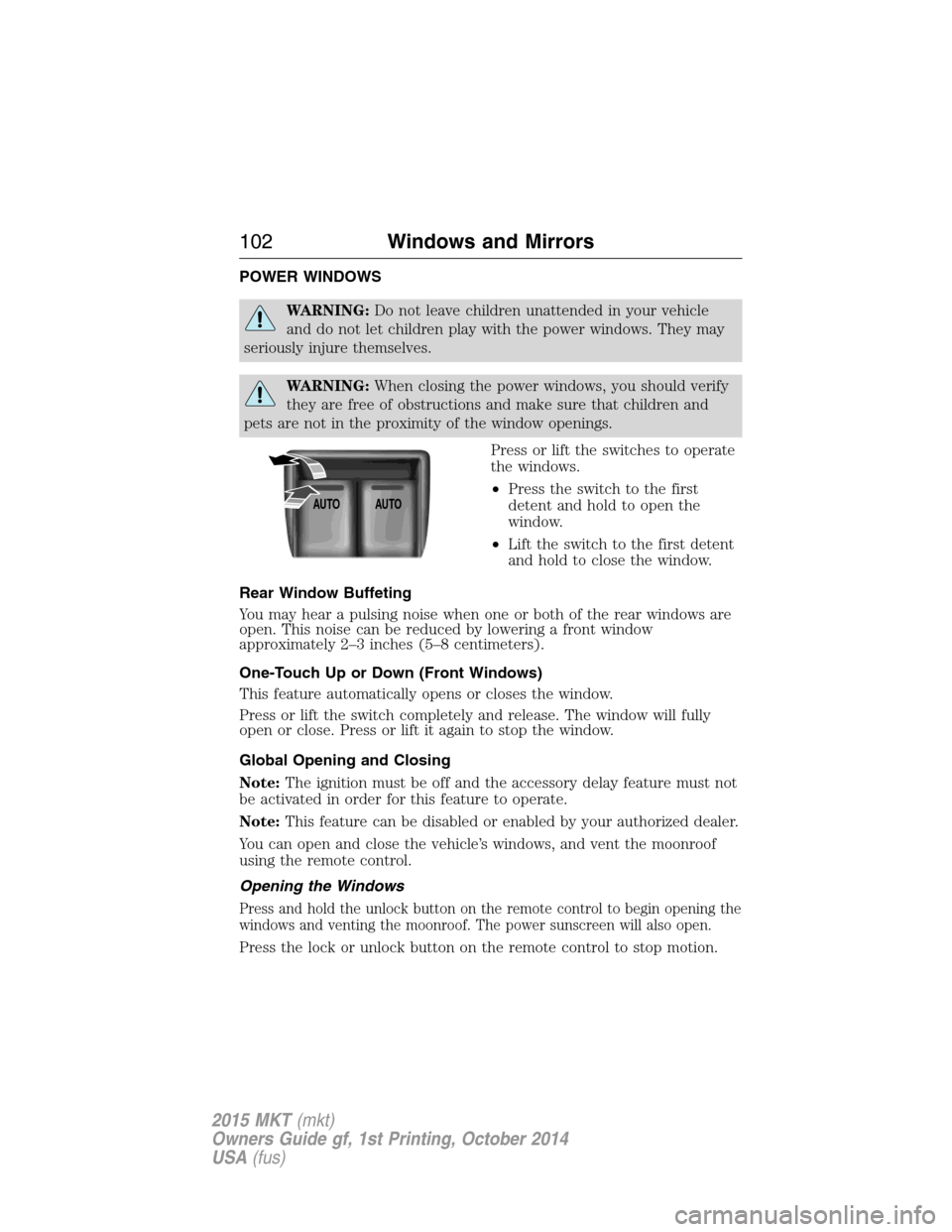
Second row vanity mirror dome lamps (Livery only)
The vanity mirror dome lamps are
located in the headliner behind the
front seats. The lamps light when:
•Any door is opened.
•The instrument panel dimmer
button is pressed until the
courtesy lamp comes on.
•The remote entry controls are
pressed and the ignition is off.
Press the lens on either lamp to manually turn the dome lamps on and
off.
Cargo lamp
The cargo lamp has a switch with
three positions: on, off and center.
•On position, the lamp will stay on all the time
•Off position, the lamp will stay off even when the doors are opened
•Center position, the lamp will turn on when the doors are opened and
the top of the panel dimmer control is pressed to the full on position.
Lighting101
2015 MKT(mkt)
Owners Guide gf, 1st Printing, October 2014
USA(fus)
Page 103 of 500
POWER WINDOWS
WARNING:Do not leave children unattended in your vehicle
and do not let children play with the power windows. They may
seriously injure themselves.
WARNING:When closing the power windows, you should verify
they are free of obstructions and make sure that children and
pets are not in the proximity of the window openings.
Press or lift the switches to operate
the windows.
•Press the switch to the first
detent and hold to open the
window.
•Lift the switch to the first detent
and hold to close the window.
Rear Window Buffeting
You may hear a pulsing noise when one or both of the rear windows are
open. This noise can be reduced by lowering a front window
approximately 2–3 inches (5–8 centimeters).
One-Touch Up or Down (Front Windows)
This feature automatically opens or closes the window.
Press or lift the switch completely and release. The window will fully
open or close. Press or lift it again to stop the window.
Global Opening and Closing
Note:The ignition must be off and the accessory delay feature must not
be activated in order for this feature to operate.
Note:This feature can be disabled or enabled by your authorized dealer.
You can open and close the vehicle’s windows, and vent the moonroof
using the remote control.
Opening the Windows
Press and hold the unlock button on the remote control to begin opening the
windows and venting the moonroof. The power sunscreen will also open.
Press the lock or unlock button on the remote control to stop motion.
AUTOAUTO
102Windows and Mirrors
2015 MKT(mkt)
Owners Guide gf, 1st Printing, October 2014
USA(fus)