2015 LINCOLN MKT door lock
[x] Cancel search: door lockPage 84 of 500

SECURILOCK® PASSIVE ANTI-THEFT SYSTEM
Note:The system is not compatible with non-Ford aftermarket remote
start systems. Use of these systems may result in vehicle starting
problems and a loss of security protection.
Note:Metallic objects, electronic devices or a second coded key on the
same key chain may cause vehicle starting issues if they are too close to
the key when starting your vehicle. Prevent these objects from touching
the coded key while starting the engine. Switch the ignition off, move all
objects on the key chain away from the coded key and restart your
vehicle if a problem occurs.
Note:Do not leave a duplicate coded key in your vehicle. Always take
your keys and lock all doors when leaving your vehicle.
The system helps prevent the engine from starting unless you use a
coded key programmed to your vehicle. Using the wrong key may
prevent your vehicle from starting. A message may appear in the
information display.
If you are unable to start your vehicle with a correctly coded key, a
malfunction has occurred. A message may appear in the information
display.
Automatic Arming
Your vehicle arms immediately after you switch the ignition off.
Automatic Disarming
Your vehicle disarms when you switch the ignition on with a coded key.
Replacement Keys
Note:Your vehicle comes with two intelligent access keys.
The intelligent access key functions as a programmed key that operates
the driver door lock and activates the intelligent access with push button
start systems, as well as a remote control.
If your intelligent access key is lost or stolen and you do not have an
extra coded key, you will need to have your vehicle towed to an
authorized dealer. The key codes need to be erased from your vehicle
and new coded keys will need to be programmed.
Store an extra programmed key away from your vehicle in a safe place to
help prevent any inconveniences. See an authorized dealer to purchase
additional spare or replacement keys.
Security83
2015 MKT(mkt)
Owners Guide gf, 1st Printing, October 2014
USA(fus)
Page 85 of 500
Programming a Spare Intelligent Access Key
Note:A maximum of four intelligent access keys can be programmed to
your vehicle. You must take your vehicle and all access keys to your
authorized dealer to be erased and reprogrammed if you would like to
replace a previously programmed access key with a new access key, or if
you already have four access keys programmed to your vehicle.
You must have two previously programmed intelligent access keys inside
your vehicle and the new unprogrammed intelligent access keys readily
accessible. See your authorized dealer to have the spare key
programmed if two previously programmed keys are not available.
Make sure that your vehicle is off before beginning this procedure. Make
sure that all doors are closed before beginning and that they remain
closed throughout the procedure. Perform all steps within 30 seconds of
starting the sequence. Stop and wait for at least one minute before
starting again if any steps are performed out of sequence.
Read and understand the entire procedure before you begin.
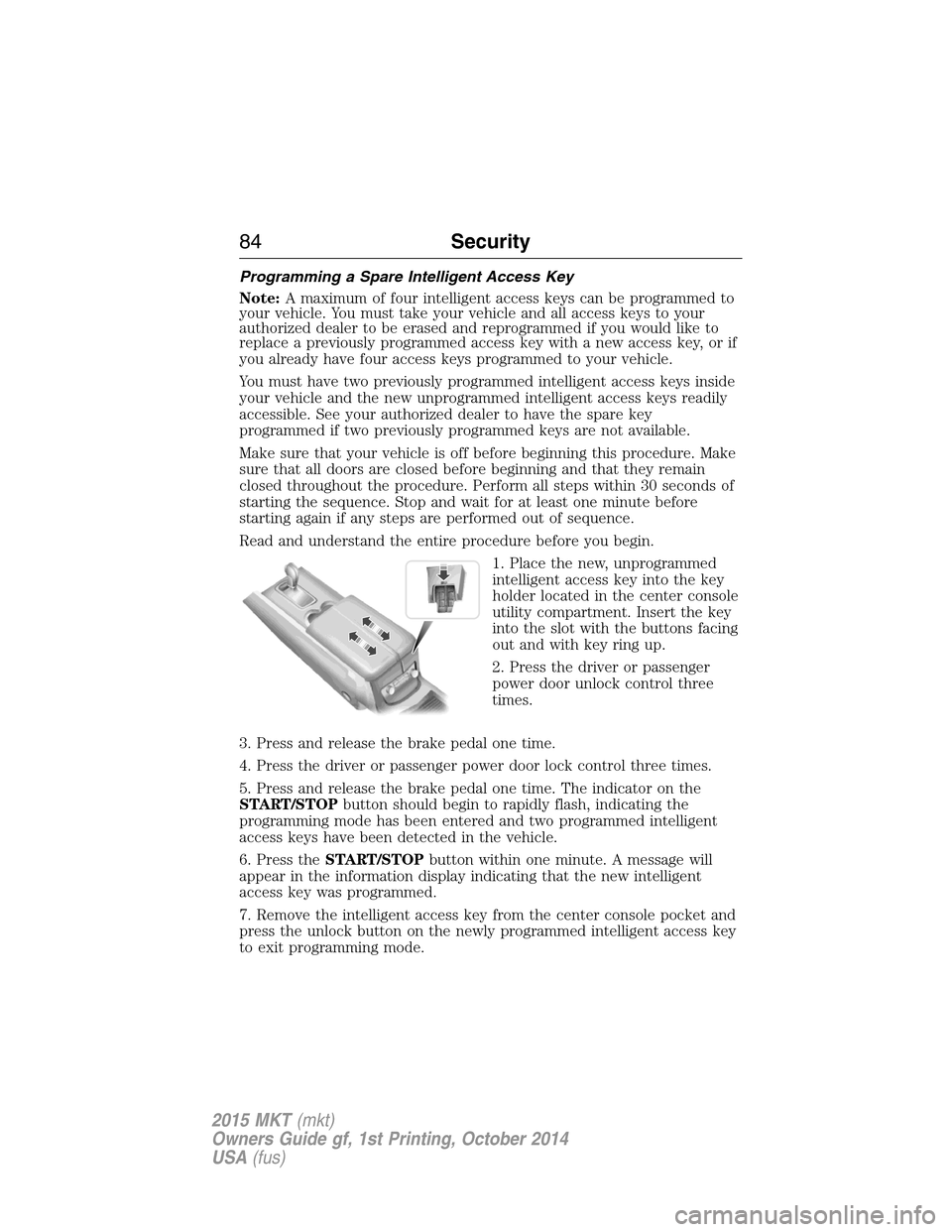
1. Place the new, unprogrammed
intelligent access key into the key
holder located in the center console
utility compartment. Insert the key
into the slot with the buttons facing
out and with key ring up.
2. Press the driver or passenger
power door unlock control three
times.
3. Press and release the brake pedal one time.
4. Press the driver or passenger power door lock control three times.
5. Press and release the brake pedal one time. The indicator on the
START/STOPbutton should begin to rapidly flash, indicating the
programming mode has been entered and two programmed intelligent
access keys have been detected in the vehicle.
6. Press theSTART/STOPbutton within one minute. A message will
appear in the information display indicating that the new intelligent
access key was programmed.
7. Remove the intelligent access key from the center console pocket and
press the unlock button on the newly programmed intelligent access key
to exit programming mode.
84Security
2015 MKT(mkt)
Owners Guide gf, 1st Printing, October 2014
USA(fus)
Page 86 of 500
8. Verify that the remote entry functions operate (press lock then
unlock, making sure you end in unlock) and that your vehicle starts with
new intelligent access key.
ANTI-THEFT ALARM
The system will warn you of unauthorized entry to your vehicle.
The turn signal lamps will flash and sound the horn up to a total of 10
times when:
•any door, the hood or the luggage compartment is opened without
using the keypad, the remote control or the intelligent access
transmitter
•the ignition is turned on with an invalid key.
Take all keys and remote controls to an authorized dealer if there is any
potential alarm problem with your vehicle.
Arming the Alarm
The system is ready to arm whenever the ignition is off. Lock your
vehicle to arm the alarm.
The turn signal lamps will flash once after locking your vehicle to
indicate the alarm is in the pre-armed mode. It will become fully armed
in 20 seconds.
Disarming the Alarm
To disarm the alarm, do any of the following:
•Press the power door unlock button within the 20-second pre-armed
mode will.
•Press the unlock button on the remote control.
•Unlock the doors with the keyless entry pad.
•Enter your vehicle using intelligent access.
•Press the panic button on the remote control. The alarm system will
still be armed, but this shuts off the horn and turn lamps when the
alarm is sounding.
Note:If the driver door is unlocked with a key, a tone will sound when
you open the door and a message will appear in the information display.
You will have 12 seconds to disarm the alarm using any of the actions
above, otherwise the alarm will trigger.
Security85
2015 MKT(mkt)
Owners Guide gf, 1st Printing, October 2014
USA(fus)
Page 104 of 500
Closing the Windows
WARNING:Before operating power windows, you should verify
that they are free of obstructions and ensure that children and
pets are not in the proximity of window openings.
Press and hold the lock button on the remote control to begin closing
the windows.
Press the lock or unlock button the remote control to stop motion.
Bounce-Back
The window will stop automatically while closing and reverse some
distance if there is an obstacle in the way.
Overriding the Bounce-Back Feature
WARNING:When you override the bounce-back feature the
window will not reverse if it detects an obstacle. Take care when
closing the windows to avoid personal injury or damage to your vehicle.
Pull up the window switch and hold within two seconds of the window
reaching the bounce-back position. The window will travel up with no
bounce-back protection. The window will stop if you release the switch
before the window is fully closed.
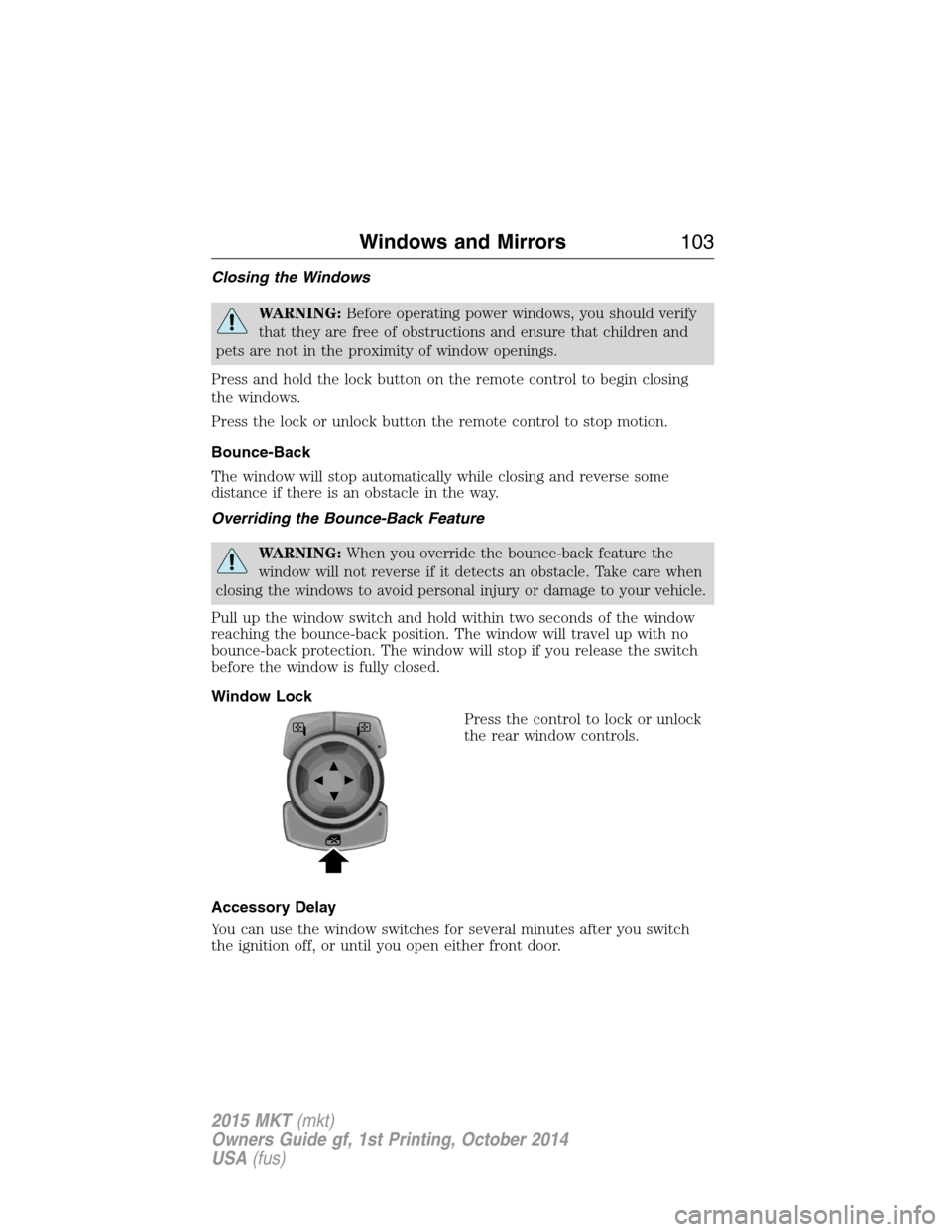
Window Lock
Press the control to lock or unlock
the rear window controls.
Accessory Delay
You can use the window switches for several minutes after you switch
the ignition off, or until you open either front door.
Windows and Mirrors103
2015 MKT(mkt)
Owners Guide gf, 1st Printing, October 2014
USA(fus)
Page 121 of 500

Settings
Vehicle
Drive ControlHandling in D Sport / Normal / Comfort
Handling in S Sport / Normal
Auto Engine Off — check enabled / uncheck disabled
DTE Calculation Normal / Towing
Easy Entry/Exit — check enabled / uncheck disabled
Lighting Adaptive Head
LampsTraffic Set Up Right Hand / Left
Hand Traffic
Auto Highbeam — check enabled (default) / uncheck
disabled
Autolamp Delay Off or number of seconds
Locks Autolock — check enabled (default) / uncheck disabled
Autounlock — check enabled (default) / uncheck
disabled
Remote Unlocking All doors / Driver’s door
Oil Life Reset Remaining Life XXX %
Power Liftgate Enable / Disable
Remote Start Climate Control
(using this
feature allows you
to select different
climate control
modes when the
vehicle is started
using the remote
start feature)Auto / Last Settings
Seats and wheel
or Seats onlyAuto / Off
Duration 5 / 10 /15 minutes
System — check enabled (default) / uncheck disabled
Windows Remote Open / Close
WipersCourtesy Wipe — check enabled (default) / uncheck
disabled
Rain Sensing — check enabled (default) / uncheck
disabled
120Information Displays
2015 MKT(mkt)
Owners Guide gf, 1st Printing, October 2014
USA(fus)
Page 131 of 500

Park Aid Messages Action / Description
Check Park Aid Displayed when the transmission is in R
(Reverse) and the park aid is disabled.
Check Front Park Aid Displayed when the transmission is in D
(Drive) and the front park aid is disabled.
Check Rear Park Aid Displayed when the transmission is in R
(Reverse) and the park aid is disabled.
Front Park Aid On Off Displays the front park aid status.
Rear Park Aid On Off Displays the rear park aid status.
Passenger Sensing
System MessageAction / Description
Occupant Sensor
BLOCKED Remove
Objects Near
Passenger SeatDisplayed when objects are by the passenger
seat. After the objects are moved away from
the seat, if the warning stays on or continues
to come on contact your authorized dealer as
soon as possible.
Reminder Messages Action / Description
Steering column lock:
Remove and re-insert
key while turning
wheel to unlockDisplays when you need to turn the steering
wheel in order to disengage the steering lock.
Shift to Park Displayed when the engine is turned off and
shift select lever is in any position other than
P (Park).
Engine On Displayed when the driver door is open, the
vehicle engine is on and the vehicle is in park.
130Information Displays
2015 MKT(mkt)
Owners Guide gf, 1st Printing, October 2014
USA(fus)
Page 152 of 500

Power Fold and Tumble Seat (If Equipped)
WARNING:Make sure that the seat is unoccupied when folding
it down. Folding the seat while occupied could result in occupant
injury or damage to the seat.
This feature is available for the right-hand seat on seven-passenger
vehicles and on both sides for six-passenger vehicles.
Press the control located at the
back of the rear door opening one
time to fold the seatback down.
Tumble the seat forward for access
to the third row.
Note:When the ignition is turned off, the power fold feature will work
until the battery saver turns it off after 10 minutes. Reactivate the power
seats by pressing the unlock button on the remote entry key fob or by
using the unlock procedure on the keyless entry keypad. See theLocks
chapter. Keep the key in the accessory or run position to prevent the
feature from timing out.
Rear Seat Armrest (Livery vehicle)
WARNING:Use only soft cups in the cupholder. Hard objects
can injure you in a crash.
To access the cupholders, rotate the
armrest into the use position. To
open the storage compartment, pull
the cupholder latch forward.
Seats151
2015 MKT(mkt)
Owners Guide gf, 1st Printing, October 2014
USA(fus)
Page 161 of 500
HOMELINK® WIRELESS CONTROL SYSTEM (IF EQUIPPED)
WARNING:Make sure that the garage door and security device
are free from obstruction when you are programming. Do not
program the system with the vehicle in the garage.
WARNING:Do not use the system with any garage door opener
that does not have the safety stop and reverse feature as
required by U.S. Federal Safety Standards (this includes any garage
door opener manufactured before April 1, 1982).
Note:Make sure you keep the original remote control transmitter for
use in other vehicles as well as for future system programming.
Note:We recommend that upon the sale or lease termination of your
vehicle, you erase the programmed function buttons for security reasons.
SeeErasing the function button codeslater in this section.
Note:You can program a maximum of three devices. To change or
replace any of the three devices after it has been initially programmed,
you must first erase the current settings. SeeErasing the function
button codeslater in this section.
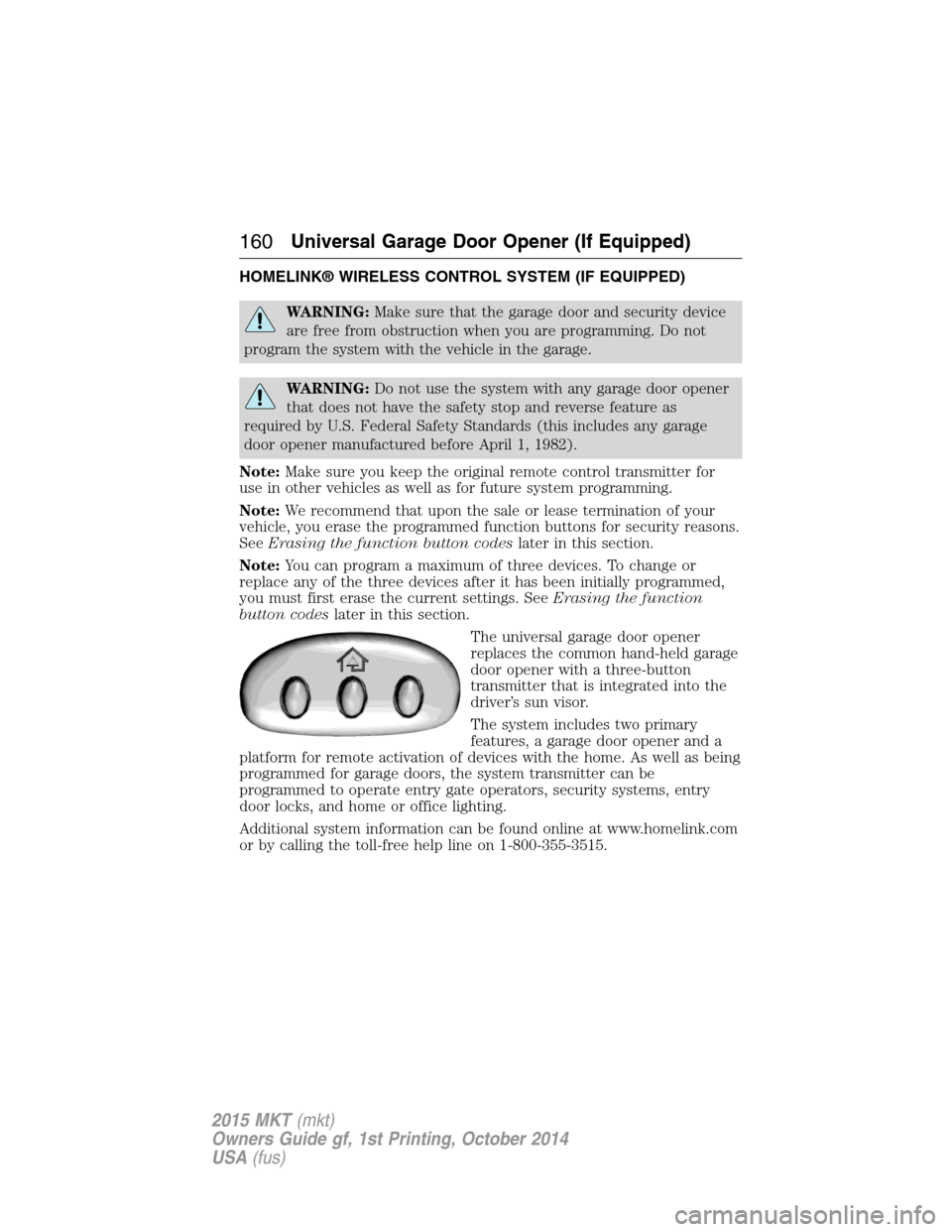
The universal garage door opener
replaces the common hand-held garage
door opener with a three-button
transmitter that is integrated into the
driver’s sun visor.
The system includes two primary
features, a garage door opener and a
platform for remote activation of devices with the home. As well as being
programmed for garage doors, the system transmitter can be
programmed to operate entry gate operators, security systems, entry
door locks, and home or office lighting.
Additional system information can be found online at www.homelink.com
or by calling the toll-free help line on 1-800-355-3515.
160Universal Garage Door Opener (If Equipped)
2015 MKT(mkt)
Owners Guide gf, 1st Printing, October 2014
USA(fus)