Page 180 of 878

1802-1. Driving procedures
■
Note for the entry function
P. 6 3■
If the hybrid system does not start
The immobilizer system may not have been deactivated. ( P. 1 2 4 )
Contact your Lexus dealer.■
Steering lock
After turning the “POWER” switch off and opening and closing the doors, the
steering wheel will be locked due to th e steering lock function. Operating the
“POWER” switch again automatically cancels the steering lock.■
When the steering lock cannot be released
■
Steering lock motor overheating prevention
To prevent the steering lock motor from overheating, the motor may be suspended
if the hybrid system is turned on and off re peatedly in a short period of time. In this
case, refrain from operating the hybrid sy stem. After about 2 seconds, the steering
lock motor will resume functioning.■
When the “POWER” switch indicator flashes in amber
The system may be malfunctioning. Have the vehicle inspected by your Lexus
dealer immediately.■
If the “READY” indicator does not come on
If the “READY” indicator does not come on when you press the “POWER” switch
with the shift lever in P and the brake pe dal depressed, contact your Lexus dealer
immediately.
■
If the hybrid system is malfunctioning
P. 74 4
■
If the electronic key battery is depleted
P. 6 8 7 The green indicator light on the “POWER”
switch will flash and a message will be shown
on the multi-information display. Press the
“POWER” switch again while turning the
steering wheel left and right.
Page 186 of 878
1862-1. Driving procedures
Hybrid transmission Select a shift position appropriate for the driving conditions.
■ Shifting the shift lever
While the “POWER” switch is in ON mode, depress the brake
pedal and move the shift lever. When shifting the shift lever between P and D, make sure that the
vehicle is completely stopped.
■ Shift position purpose
* 1
: Shifting to the D position allows the sy stem to select a gear suitable for the
driving conditions. Setting the shift le ver to the D position is recommended
for normal driving.
* 2
: Selecting shift ranges using S mode controls engine braking forces. Shift position Function
P Parking the vehicle/starting the hybrid system
R Reversing
N Neutral
D Normal driving
* 1
S S mode driving
* 2
( P. 1 9 0 )
Page 195 of 878
1952-1. Driving procedures
2
When driving Parking brake ■
Usage in winter time
P. 3 0 2
NOTICE■
Before driving
Fully release the parking brake.
Driving the vehicle with the parking brake set will lead to brake components over-
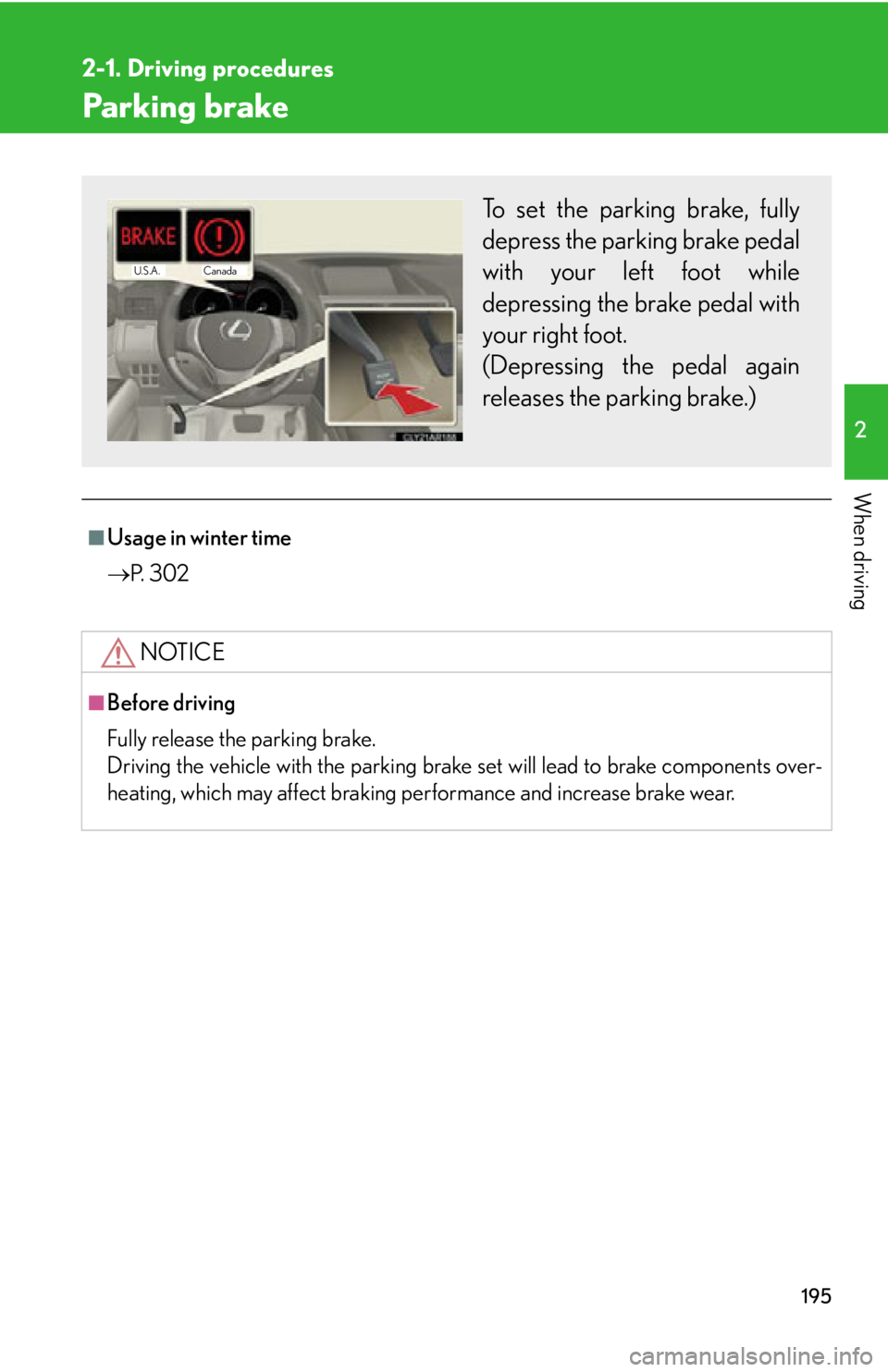
heating, which may affect braking performance and increase brake wear. To set the parking brake, fully
depress the parking brake pedal
with your left foot while
depressing the brake pedal with
your right foot.
(Depressing the pedal again
releases the parking brake.) Canada
U.S.A.
Page 213 of 878
2132-2. Instrument cluster
2
When driving ■ Head-up display contents
In addition to vehicle sp eed, the following informa tion will be displayed:
Audio display Displays audio information for
approximately 3 seconds when
the audio system is operated
Shift position and shift range
display Displays the selected shift posi-
tion or selected shift range
( P. 1 8 6 )
Dynamic radar cruise con-
trol display (if equipped) Displays the approach warning
message ( P. 74 8 )
Pre-collision system dis-
play (if equipped) Displays the brake warning
( P. 74 8 )
Turn-by-turn navigation
display*
Displays a notification of
upcoming intersections during
navigation system route guid-
ance
Vehicle speed display
*: Refer to the “Navigation System
Owner’s Manual”.
Page 219 of 878

2192-3. Operating the light s and windshield wipers
2
When driving Turning on the high beam headlights
With the headlights on, push the
lever away from you to turn on
the high beams. Pull the lever toward you to the
center position to turn the high
beams off.
Pull the lever toward you to turn
on the high beams. Release the lever to turn them off.
You can flash the high beams with
the headlights on or off.■
Daytime running light system ●
To make your vehicle more visible to other drivers, the daytime running lights
turn on automatically whenever the hybrid system is started and the parking
brake is released. Daytime running lights are not designed for use at night.
Type A: Daytime running lights can be turned off by operating the switch.●
Compared to turning on th e headlights, the daytime running light system offers
greater durability and consumes less electricity, so it can help improve fuel
economy.■
Headlight control sensor
The sensor may not function properly if an
object is placed on the sensor, or anything
that blocks the sensor is affixed to the wind-
shield.
Doing so interferes with the sensor detecting
the level of ambient light and may cause the
automatic headlight system to malfunction.
Page 234 of 878
2342-4. Using other driving systems
■
Cruise control can be set when ●
The shift lever is in D or range 4 or higher of S has been selected. ●
Vehicle speed is above 25 mph (40 km/h). ■
Accelerating after setting the vehicle speed ●
The vehicle can be accelerated normally. After acceleration, the set speed
resumes.●
Even without canceling the cruise cont rol, the set speed can be increased by
first accelerating the vehicle to the desired speed and then pushing the lever
down to set the new speed.■
Automatic cruise control cancelation
Cruise control will stop maintaining the ve hicle speed in any of the following situa-
tions.
●
Actual vehicle speed falls more than approximately 10 mph (16 km/h) below the
preset vehicle speed.
At this time, the memorized set speed is not retained.
●
Actual vehicle speed is below approximately 25 mph (40 km/h).
●
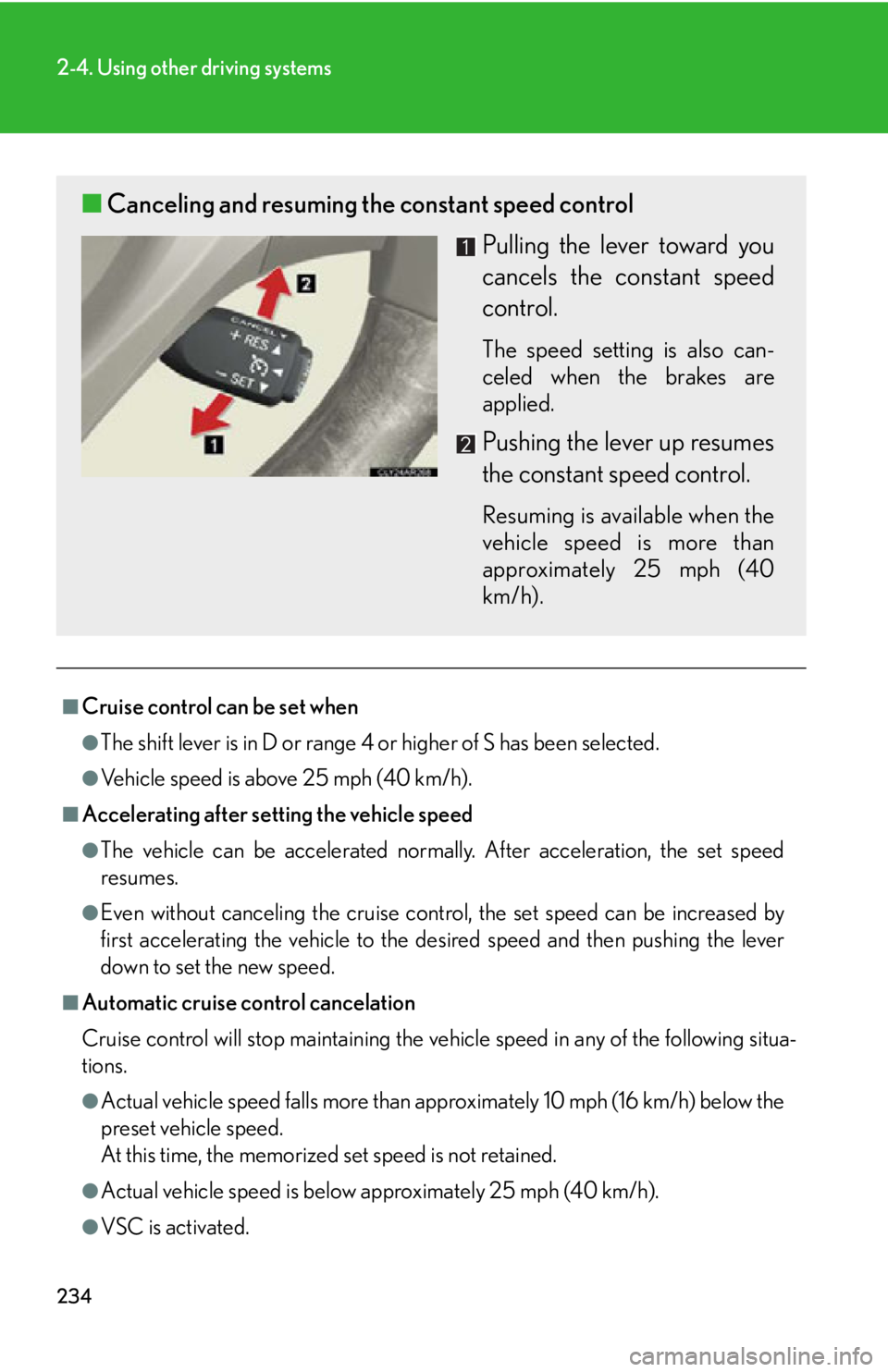
VSC is activated.■ Canceling and resuming the constant speed control
Pulling the lever toward you
cancels the constant speed
control. The speed setting is also can-
celed when the brakes are
applied.
Pushing the lever up resumes
the constant speed control. Resuming is available when the
vehicle speed is more than
approximately 25 mph (40
km/h).
Page 239 of 878
2392-4. Using other driving systems
2
When driving ■ Vehicle-to-vehicle distance settings
Select a distance from the tabl e below. Note that the distances
shown correspond to a vehicle sp eed of 50 mph (80 km/h). Vehi-
cle-to-vehicle distance increases/decreases in accordance with
vehicle speed.
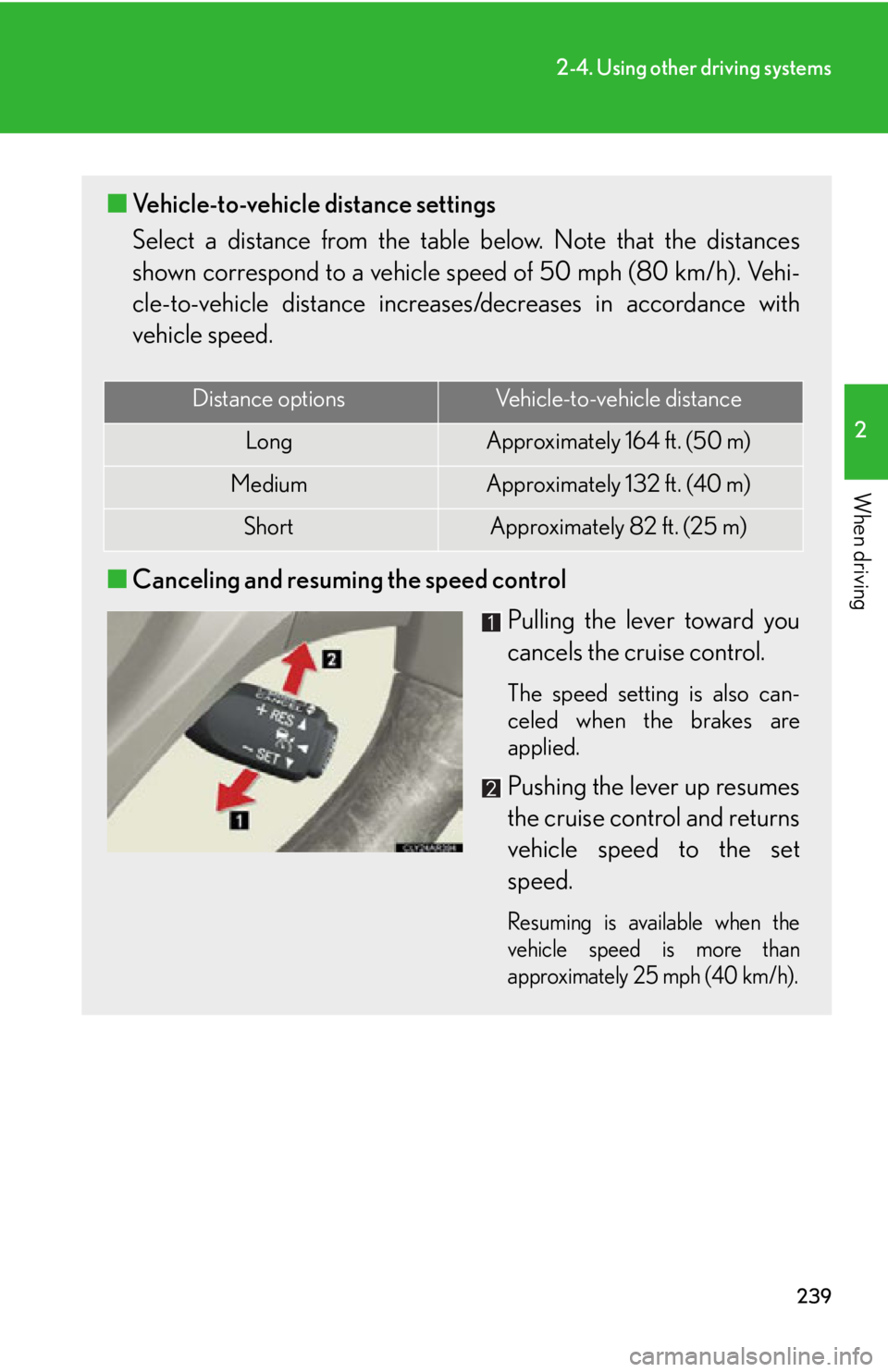
■ Canceling and resuming the speed control
Pulling the lever toward you
cancels the cruise control. The speed setting is also can-
celed when the brakes are
applied.
Pushing the lever up resumes
the cruise control and returns
vehicle speed to the set
speed. Resuming is available when the
vehicle speed is more than
approximately 25 mph (40 km/h).Distance options Vehicle-to-vehicle distance
Long Approximately 164 f t. (50 m)
Medium Approximately 132 ft. (40 m)
Short Approximately 82 ft. (25 m)
Page 240 of 878

2402-4. Using other driving systems
Driving in vehicle-to-vehicle distance control mode
This mode employs a radar sensor to detect the presence of vehicles up
to approximately 400 ft. (120 m) ah ead, determines the current vehicle-
to-vehicle following distance, and op erates to maintain a suitable follow-
ing distance from the vehicle ahead. Note that vehicle-to-vehicle distance will close in when traveling on long
downhill slopes.
Example of constant speed cruising
When there are no vehicles ahead The vehicle travels at the speed set by the driver. The desired vehicle-to-vehi-
cle distance can also be set by operat ing the vehicle-to-vehicle distance con-
trol.
Example of deceleration cruising
When the vehicle ahead is driving slower than the set speed
When a vehicle is detected running ahead of you, the system automatically
decelerates your vehicle. When a grea ter reduction in vehicle speed is nec-
essary, the system applies the brakes. A warning tone warns you when the
system cannot decelerate sufficiently to prevent your vehicle from closing in
on the vehicle ahead.