2015 LEXUS RX350 power steering
[x] Cancel search: power steeringPage 2 of 886

TABLE OF CONTENTS Index
21-1. Key information
Keys ..................................................... 30
1-2. Opening, closing and locking
the doors
Smart access system with
push-button start .......................... 35
Wireless remote control .............. 49
Side doors .......................................... 52
Back door ........................................... 56
1-3. Adjustable components
(seats, mirrors,
steering wheel)
Front seats .......................................... 68
Rear seats ........................................... 72
Driving position memory ................ 76
Head restraints.................................. 81
Seat belts ........................................... 83
Steering wheel................................. 90
Anti-glare inside rear
view mirror ...................................... 92
Outside rear view mirrors ........... 95 1-4. Opening and closing the
windows and moon roof
Power windows................................ 98
Moon roof ......................................... 101
1-5. Refueling
Opening the fuel tank cap......... 105
1-6. Theft deterrent system
Engine immobilizer system ........ 110
Alarm.................................................... 112
Theft prevention labels ................. 116
1-7. Safety information
Correct driving posture ............... 117
SRS airbags ....................................... 119
Front passenger occupant
classification system .................. 132
Child restraint sy stems ............... 137
Installing child restraints ............... 1411
Before drivingFor vehicles with a navigation system, refer to the “Navigation System Owner’s
Manual” for information regarding the equipment listed below.
• Navigation system
• Air conditioning controls
• Windshield wiper de-icer
• Rear view monitor system • Intuitive parking assist
• Audio/video system
• Rear window and outside rear view
mirror defogging
Page 5 of 886

1
2
3
4
5
6
7
5Operating a Bluetooth ®
enabled portable player ........ 540
Setting up a Bluetooth ®
enabled portable player ......... 544
Bluetooth ®
audio system
setup ................................................ 551
Optimal use of the audio
system ............................................ 552
Using the AUX port ................... 554
Using the steering wheel
audio switches ............................ 556
Hands-free system for
mobile phones ........................... 560
Using the hands-free system
(for mobile phones) .................. 565
Making a phone call.................... 573
Setting a mobile phone .............. 578
Security and system setup ....... 584
Using the phone book............... 588
3-5. Using the interior lights
Interior lights list........................... 595
• Interior lights ............................... 596
• Personal lights ............................ 596 3-6. Using the storage features
List of storage features ............. 598
• Glove box .................................... 599
• Bottle holders/
door pockets .............................. 600
• Cup holders.................................. 601
• Console box................................ 604
• Coin holder ................................. 606
• Auxiliary boxes .......................... 606
• Under tray ................................... 608
3-7. Other interior features
Sun visors........................................ 609
Vanity mirrors................................. 610
Clock.................................................... 611
Outside temperature
display ............................................. 613
Multi-display light control.......... 615
Power outlets .................................. 616
Heated steering wheel ............... 619
Seat heaters and ventilators .... 620
Armrest ............................................ 622
Coat hooks ..................................... 623
Assist grips ...................................... 624
Floor mat.......................................... 625
Luggage compartment
features.......................................... 627
Garage door opener.................. 632
Compass ........................................ 638
Safety Connect ............................. 642
Page 14 of 886

14Pictorial index Instrument panelHeadlight switch
Turn signal lever
Fog light switch P. 211
P. 187
P. 215
Windshield wipers and washer switch
Rear window wiper and washer switch P. 217
P. 224Power back door main
switch P. 58
Tilt and telescopic steering control switch P. 90Engine (ignition) switch P. 165
Hood lock release
lever P. 667 Gauges and meters
Multi-information display P. 191
P. 200
Glove box P. 599
Horn P. 190
Parking brake pedal P. 189
Page 29 of 886

Before driving
1
291-1. Key information
Keys .............................................. 30
1-2. Opening, closing and
locking the doors
Smart access system with
push-button start .................... 35
Wireless remote control ......... 49
Side doors.................................... 52
Back door .................................... 56
1-3. Adjustable components
(seats, mirrors,
steering wheel)
Front seats ................................... 68
Rear seats .................................... 72
Driving position memory ........ 76
Head restraints ........................... 81
Seat belts .................................... 83
Steering wheel .......................... 90
Anti-glare inside rear view
mirror ......................................... 92
Outside rear view mirrors ...... 95 1-4. Opening and closing the
windows and moon roof
Power windows .......................... 98
Moon roof .................................. 101
1-5. Refueling
Opening the fuel tank
cap ............................................ 105
1-6. Theft deterrent system
Engine immobilizer
system....................................... 110
Alarm........................................... 112
Theft prevention labels ........... 116
1-7. Safety information
Correct driving posture ......... 117
SRS airbags ............................... 119
Front passenger occupant
classification system............ 132
Child restraint systems ......... 137
Installing child restraints........ 141
Page 78 of 886
781-3. Adjustable components (s eats, mirrors, steering wheel)
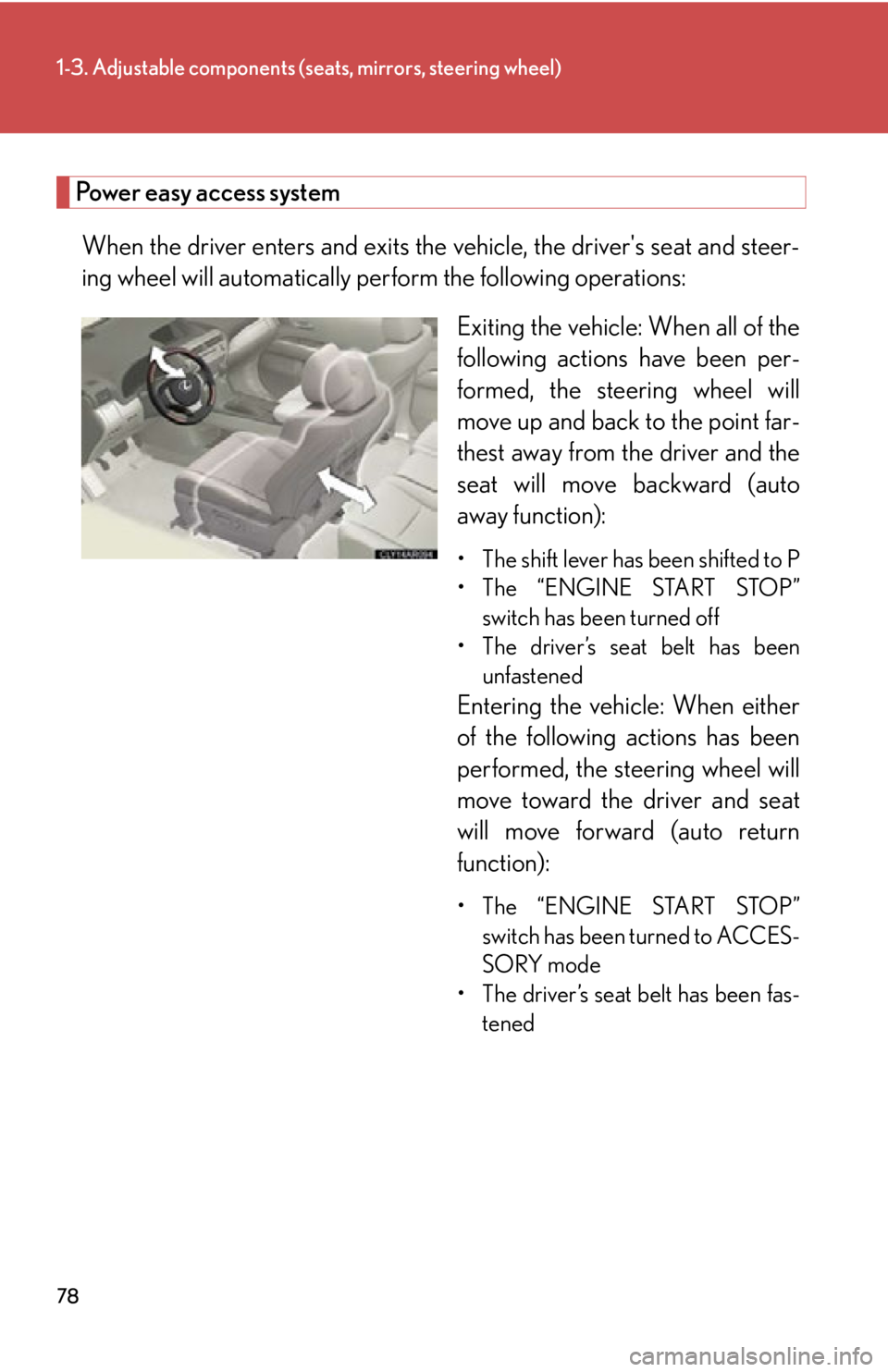
Power easy access system
When the driver enters and exits the vehicle, the driver's seat and steer-
ing wheel will automatically perform the following operations:
Exiting the vehicle: When all of the
following actions have been per-
formed, the steering wheel will
move up and back to the point far-
thest away from the driver and the
seat will move backward (auto
away function): • The shift lever has been shifted to P
• The “ENGINE START STOP”
switch has been turned off
• The driver’s seat belt has been
unfastened
Entering the vehi cle: When either
of the following actions has been
performed, the steering wheel will
move toward the driver and seat
will move forward (auto return
function):
• The “ENGINE START STOP”
switch has been turned to ACCES-
SORY mode
• The driver’s seat belt has been fas-
tened
Page 96 of 886
961-3. Adjustable components (s eats, mirrors, steering wheel)
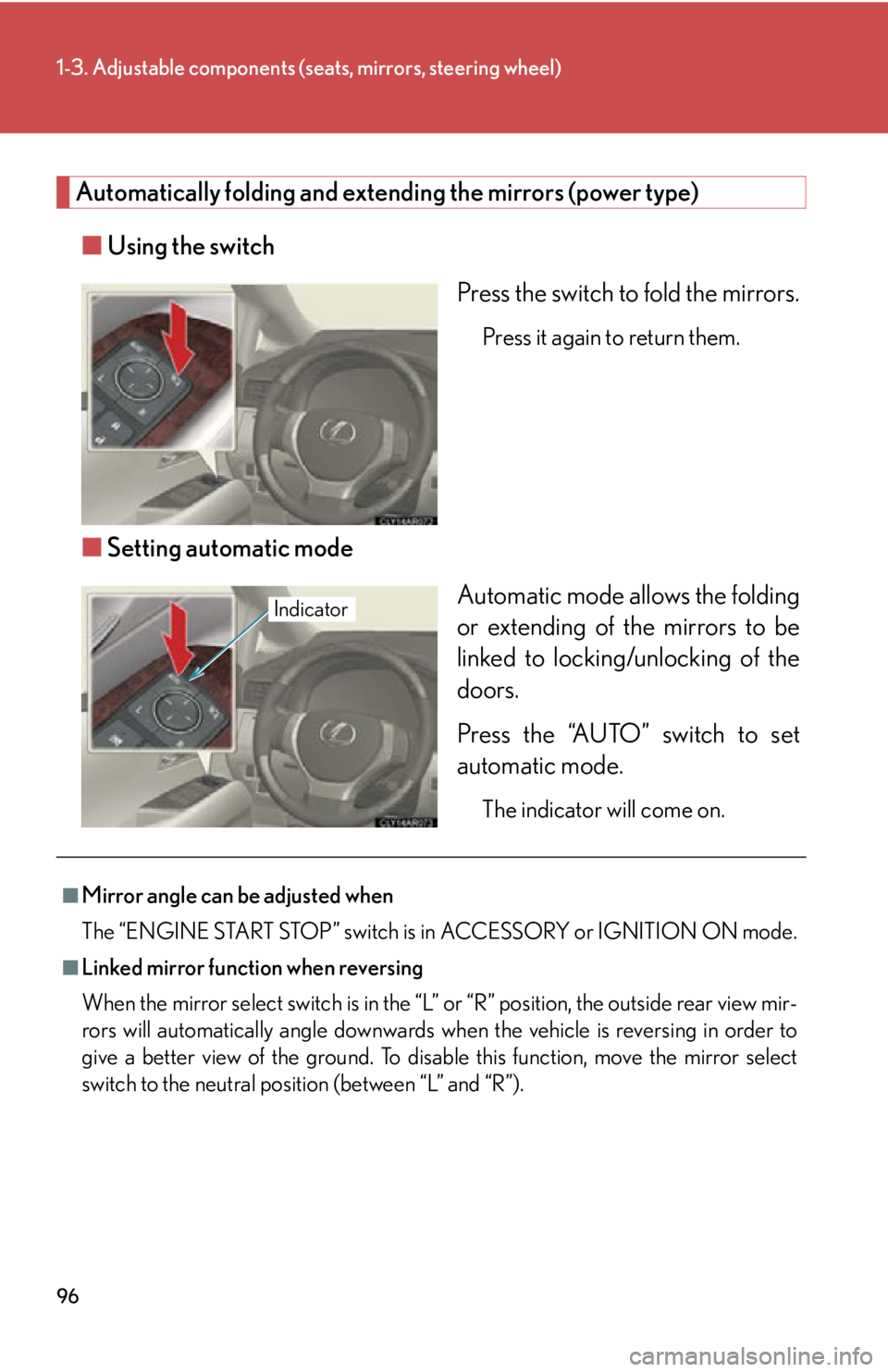
Automatically folding and extending the mirrors (power type)
■ Using the switch
Press the switch to fold the mirrors. Press it again to return them.
■ Setting automatic mode
Automatic mode allows the folding
or extending of the mirrors to be
linked to locking/unlocking of the
doors.
Press the “AUTO” switch to set
automatic mode. The indicator will come on.Indicator
■
Mirror angle can be adjusted when
The “ENGINE START STOP” switch is in ACCESSORY or IGNITION ON mode.■
Linked mirror function when reversing
When the mirror select switch is in the “L ” or “R” position, the outside rear view mir-
rors will automatically angl e downwards when the vehicle is reversing in order to
give a better view of the ground. To disable this function, move the mirror select
switch to the neutral positi on (between “L” and “R”).
Page 158 of 886

1582-1. Driving procedures
CAUTION●
Do not shift the shift lever to R while the vehicle is moving forward.
Doing so can damage the transmission and may result in a loss of vehicle control.●
Do not shift the shift lever to D while the vehicle is moving backward.
Doing so can damage the transmission and may result in a loss of vehicle control.●
Moving the shift lever to N while the vehicle is moving will disengage the engine
from the transmission. Engine braking is not available when N is selected.●
During normal driving, do not turn off the engine. Turning the engine off while
driving will not cause loss of steering or braking control, but the power assist to
these systems will be lost. This will make it more difficult to steer and brake, so you
should pull over and stop the vehicle as soon as it is safe to do so.
However, in the event of an emergency, such as if it becomes impossible to stop
the vehicle in the normal way: P. 8 0 4●
Use engine braking (downshift) to maintain a safe speed when driving down a
steep hill.
Using the brakes continuously may cause the brakes to overheat and lose effec-
tiveness. ( P. 171, 178)●
When stopped on an incline, use the brake pedal and parking brake to prevent
the vehicle from rolling backward or forward, causing an accident. ●
Do not adjust the position of the steering wheel, the seat, or the inside or outside
rear view mirrors while driving.
Doing so may result in a loss of vehicle control that can cause accidents, resulting
in death or serious injury.●
Always check that all passengers' arms, heads or other parts of their body are not
outside the vehicle, as this may result in death or serious injury.●
Do not drive in excess of the speed limit. Even if the legal speed limit permits it, do
not drive over 85 mph (140 km/h) unless your vehicle has high-speed capability
tires. Driving over 85 mph (140 km/h) may result in tire failure, loss of control and
possible injury. Be sure to consult a tire dealer to determine whether the tires on
your vehicle are high-speed capability tires or not before driving at such speeds.
Page 163 of 886

1632-1. Driving procedures
2
When driving CAUTION■
If the vehicle becomes stuck
Do not spin the wheels excessively when any of the tires is up in the air, or the vehi-
cle is stuck in sand, mud, etc. This may damage the driveline components or propel
the vehicle forward or backward, causing an accident.
NOTICE■
When driving the vehicle ●
Do not depress the accelerator and brake pe dals at the same time during driving,
as this may restrain driving torque.●
Do not use the accelerator pedal or depress the accelerator and brake pedals at
the same time to hold the vehicle on a hill.■
When parking the vehicle
Always shift the shift lever to P. Failure to do so may cause the vehicle to move or the
vehicle may accelerate suddenly if the accel erator pedal is accidentally depressed.■
Avoiding damage to vehicle parts ●
Do not turn the steering wheel fully in either direction and hold it there for an
extended period of time.
Doing so may damage the power steering motor.●
When driving over bumps in the road, drive as slowly as possible to avoid damag-
ing the wheels, underside of the vehicle, etc. ■
If you get a flat tire while driving
A flat or damaged tire may cause the following situations. Hold the steering wheel
firmly and gradually depress the brak e pedal to slow down the vehicle.●
It may be difficult to control your vehicle.
●
The vehicle will make abnormal sounds.
●
The vehicle will behave abnormally.
Information on what to do in case of a flat tire ( P. 7 74 )