Page 262 of 886

2622-4. Using other driving systems
■
Flicker effect
When the camera is used under fluorescent light, sodium lights, or mercury lights
etc., the lights and the illuminated areas may appear to flicker.
CAUTION■
When using the rear view monitor system, observe the following precautions to
avoid an accident that could result in death or serious injuries: ●
Never depend solely on the monitor system when reversing.●
Always check visually and with the mirrors to confirm your intended path is clear.●
Use your own eyes to confirm the vehicle’s surroundings, as the displayed image
may become faint or dark, and moving imag es will be distorted, or not entirely
visible when the outside temperature is low. When backing up, be sure to check
behind and all around the vehicle visually and with the mirrors before proceeding.●
Always check the vehicle surrounding area, because the guide lines are ancillary
lines.●
The guide lines are ancillary lines and do not change even if the steering wheel is
turned.●
Depicted distances between objects and flat surfaces differ from actual dis-
tances.●
Do not use the system if the back door is open.
Page 264 of 886
2642-4. Using other driving systems
Rear view monitor system (vehicles with the Lexus Display Audio system)
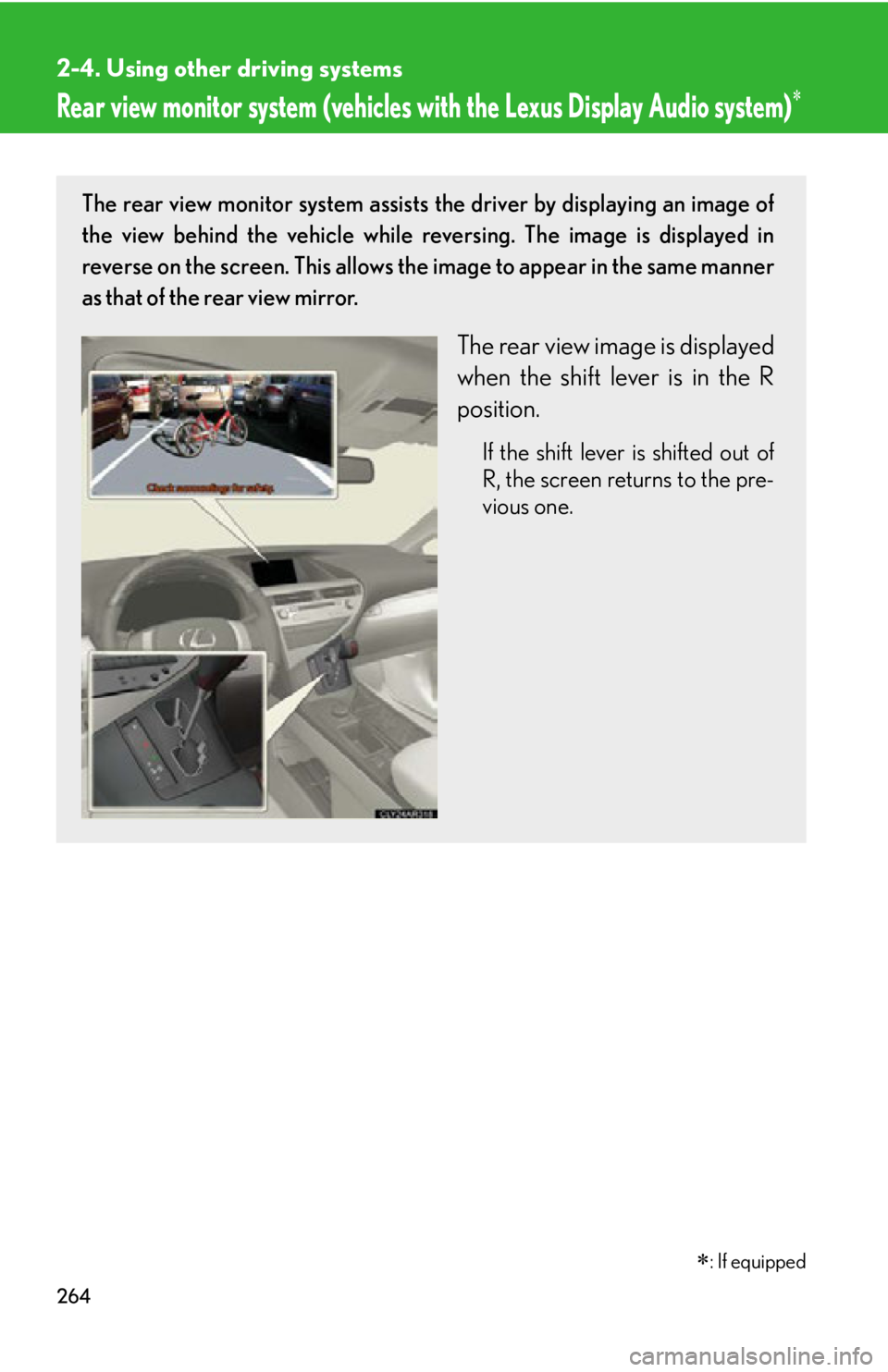
: If equippedThe rear view monitor system assists the driver by displaying an image of
the view behind the vehicle while re versing. The image is displayed in
reverse on the screen. This allows the image to appear in the same manner
as that of the rear view mirror.
The rear view image is displayed
when the shift lever is in the R
position. If the shift lever is shifted out of
R, the screen returns to the pre-
vious one.
Page 266 of 886
2662-4. Using other driving systems
■
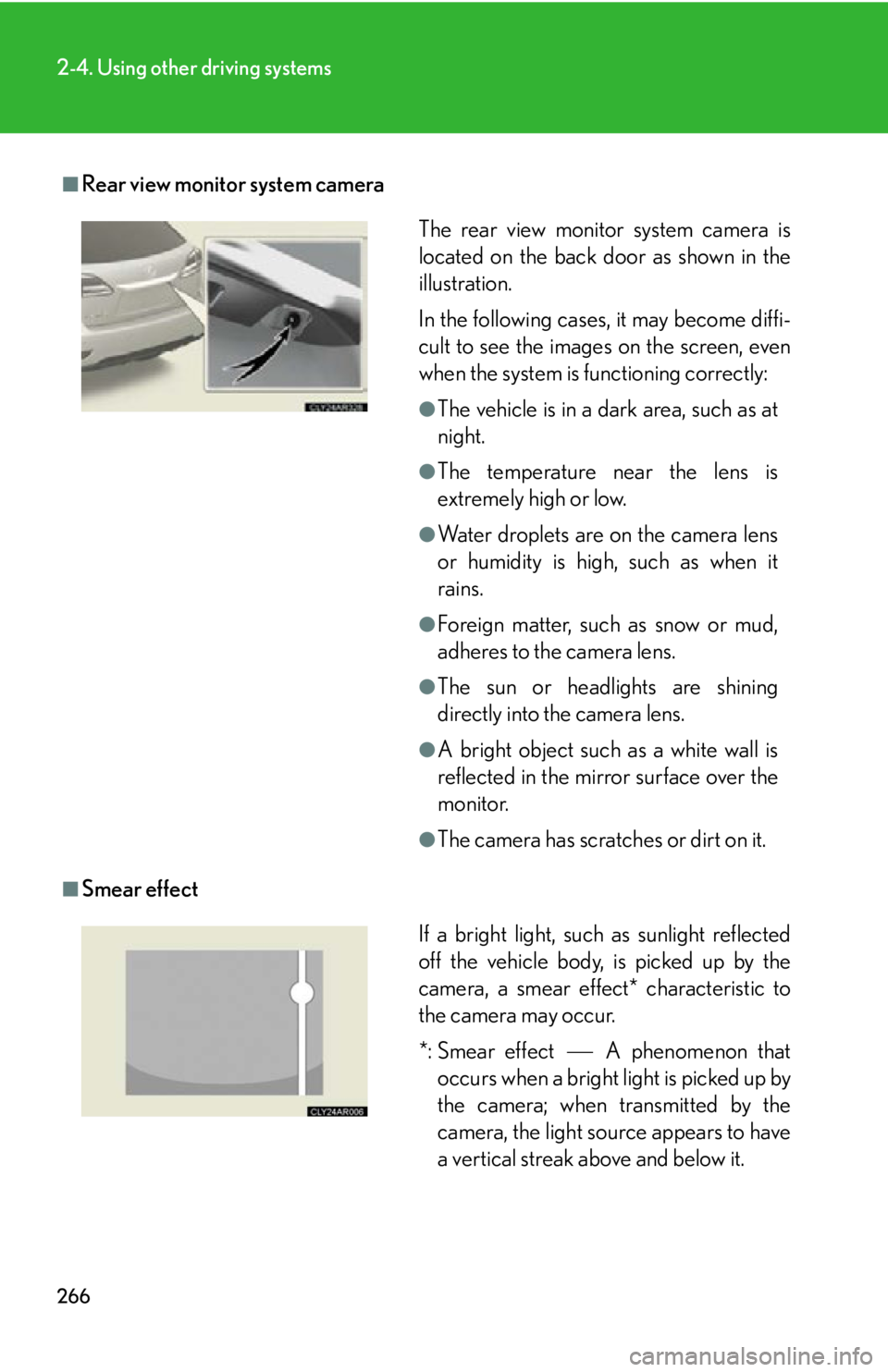
Rear view monitor system camera
■
Smear effect The rear view monitor system camera is
located on the back door as shown in the
illustration.
In the following cases, it may become diffi-
cult to see the images on the screen, even
when the system is functioning correctly: ●
The vehicle is in a dark area, such as at
night. ●
The temperature near the lens is
extremely high or low. ●
Water droplets are on the camera lens
or humidity is high, such as when it
rains. ●
Foreign matter, such as snow or mud,
adheres to the camera lens. ●
The sun or headlights are shining
directly into the camera lens. ●
A bright object such as a white wall is
reflected in the mirror surface over the
monitor. ●
The camera has scratches or dirt on it.
If a bright light, such as sunlight reflected
off the vehicle body, is picked up by the
camera, a smear effect* characteristic to
the camera may occur.
*: Smear effect A phenomenon that
occurs when a bright light is picked up by
the camera; when transmitted by the
camera, the light source appears to have
a vertical streak above and below it.
Page 267 of 886
2672-4. Using other driving systems
2
When driving ■
Flicker effect
When the camera is used under fluoresc ent lights, sodium lights, mercury lights
etc., the lights and the illuminated areas may appear to flicker.
CAUTION■
When using the rear view monitor system, observe the following precautions to
avoid an accident that could resu lt in death or serious injuries:●
Never depend solely on the monitor system when reversing.●
Always check visually and with the mirrors to confirm your intended path is clear.●
Use your own eyes to confirm the vehicle’s surroundings, as the displayed image
may become faint or dark, and moving imag es will be distorted, or not entirely
visible when the outside temperature is low. When backing up, be sure to check
behind and all around the vehicle visually and with the mirrors before proceeding.●
Depicted distances between objects and flat surfaces differ from actual dis-
tances.●
Do not use the system if the back door is open.
Page 286 of 886
2862-4. Using other driving systems
BSM (Blind Spot Monitor)
: If equippedThe Blind Spot Monitor is a system that assists the driver in making the
decision to change lanes.
The system uses radar sensors to detect vehicles that are traveling in an
adjacent lane in the area that is not reflected in the outside rear view mirror
(the blind spot), and advises the driver of the vehicles existence via the out-
side rear view mirror indicator.
BSM main switch Pressing the switch turns the system on or off.
Outside rear view mirror indicator When a vehicle is detected in the blind spot, the outside rear view mirror
indicator on that side illuminates. If the turn signal lever is operated when a
vehicle is in the blind spot, the outsid e rear view mirror indicator flashes.
BSM indicator
When the system is on, the indicator will come on.
Page 290 of 886

2902-4. Using other driving systems
■
The outside rear view mirror indicators visibility
When under strong sunlight, the outside rear view mirror indicator may be difficult
to see.■
When there is a malfunction in the system
If a system malfunction is detected due to any of the following reasons, warning
message is displayed: ( P. 7 5 4 )●
There is a malfunction with the sensors●
The sensors have become dirty●
The outside temperature is extremely high or low●
The sensor voltage has become abnormal■
Certification for the Blind Spot Monitor
For vehicles sold in the U.S.A.
FCC ID: OAYSRR2A
This device complies with part 15 of the FCC Rules. Operation is subject to the fol-
lowing two conditions: (1) This device may not cause harmful interference, and (2)
this device must accept any interference received, including interference that may
cause undesired operation.
FCC WARNING
Changes or modifications not expressly approved by the party responsible for
compliance could void the user’s authority to operate the equipment.
For vehicles sold in Canada
Applicable law : Canada 310
This device complies with Industry Cana da licence-exempt RSS standard(s). Oper-
ation is subject to the following two conditions: (1) this device may not cause inter-
ference, and (2) this device must accept any interference, including interference
that may cause undesired operation of the device.
Frequency bands : 24.05 - 24.25GHz
Output power : less than 20 milliwatts
Page 319 of 886
3192-5. Driving information
2
When driving ■
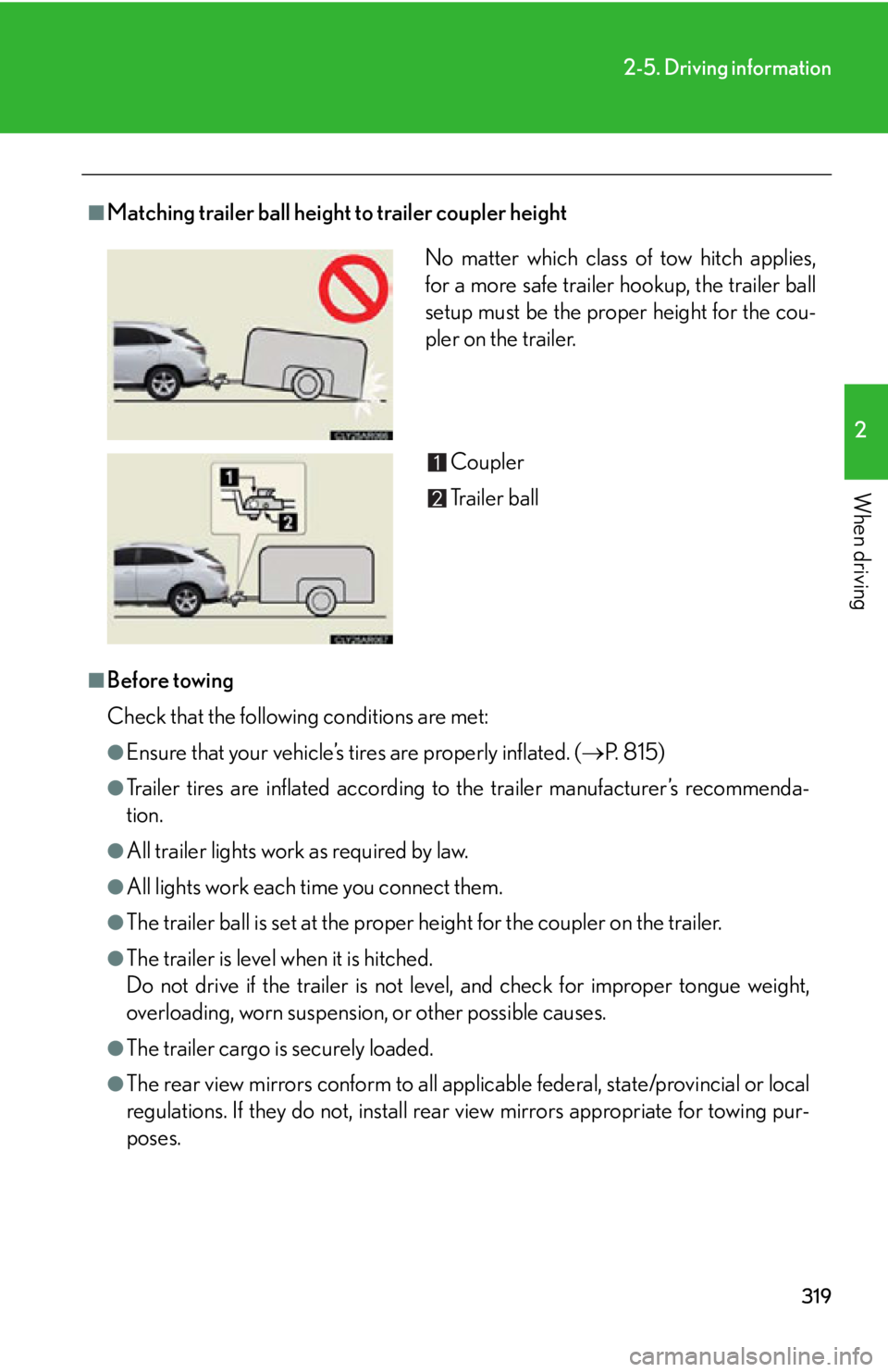
Matching trailer ball height to trailer coupler height
■
Before towing
Check that the following conditions are met: ●
Ensure that your vehicle’s ti res are properly inflated. ( P. 8 1 5 )●
Trailer tires are inflated according to the trailer manufacturer’s recommenda-
tion.●
All trailer lights work as required by law.●
All lights work each time you connect them.●
The trailer ball is set at the proper height for the coupler on the trailer.●
The trailer is level when it is hitched.
Do not drive if the trailer is not level, and check for improper tongue weight,
overloading, worn suspension , or other possible causes.
●
The trailer cargo is securely loaded.
●
The rear view mirrors conform to all applicable federal, state/provincial or local
regulations. If they do not, install rear view mirrors appropriate for towing pur-
poses. No matter which class of tow hitch applies,
for a more safe trailer hookup, the trailer ball
setup must be the proper height for the cou-
pler on the trailer.
Coupler
Trailer ball
Page 327 of 886

Interior features
3
327Using the hands-free system
(for mobile phones)............. 565
Making a phone call .............. 573
Setting a mobile phone......... 578
Security and system
setup ....................................... 584
Using the phone book.......... 588
3-5. Using the interior lights
Interior lights list ..................... 595
• Interior lights ........................ 596
• Personal lights ...................... 596
3-6. Using the storage
features
List of storage features ......... 598
• Glove box .............................. 599
• Bottle holders/
door pockets ........................ 600
• Cup holders ........................... 601
• Console box .......................... 604
• Coin holder ........................... 606
• Auxiliary boxes .................... 606
• Under tray ............................ 608 3-7. Other interior features
Sun visors ................................. 609
Vanity mirrors .......................... 610
Clock ............................................ 611
Outside temperature
display...................................... 613
Multi-display light control ..... 615
Power outlets ............................ 616
Heated steering wheel .......... 619
Seat heaters and
ventilators ............................. 620
Armrest .................................... 622
Coat hooks .............................. 623
Assist grips ................................ 624
Floor mat .................................. 625
Luggage compartment
features ................................... 627
Garage door opener ............ 632
Compass .................................. 638
Safety Connect ...................... 642