Page 240 of 886

2402-4. Using other driving systems
■
Automatic cancelation of constant speed control
The cruise control will stop maintaining the vehicle speed in the following situations: ●
Actual vehicle speed is more than approximately 10 mph (16 km/h) below the
set vehicle speed.
At this time, the memorized set speed is not retained.●
Actual vehicle speed falls below approximately 25 mph (40 km/h).●
Enhanced VSC is activated. (vehicles with enhanced VSC)●
VSC is activated. (vehicles with VSC)■
Radar sensor and grille cover
Always keep the sensor and grille cover clean to ensure that the vehicle-to-vehicle
distance control operates properly. (Some obstructions, such as snow, ice and plas-
tic objects, cannot be detected by the obstruction sensor.)
Dynamic radar cruise control is canc eled if an obstruction is detected.
■
Warning lights, messages and buzzer s for dynamic radar cruise control
Warning lights, messages and buzzers are us ed to indicate a system malfunction or
to inform the driver of the need for caution while driving. ( P. 7 5 9 )Grille cover
Radar sensor
Page 261 of 886
2612-4. Using other driving systems
2
When driving ■
Rear view monitor system camera
■
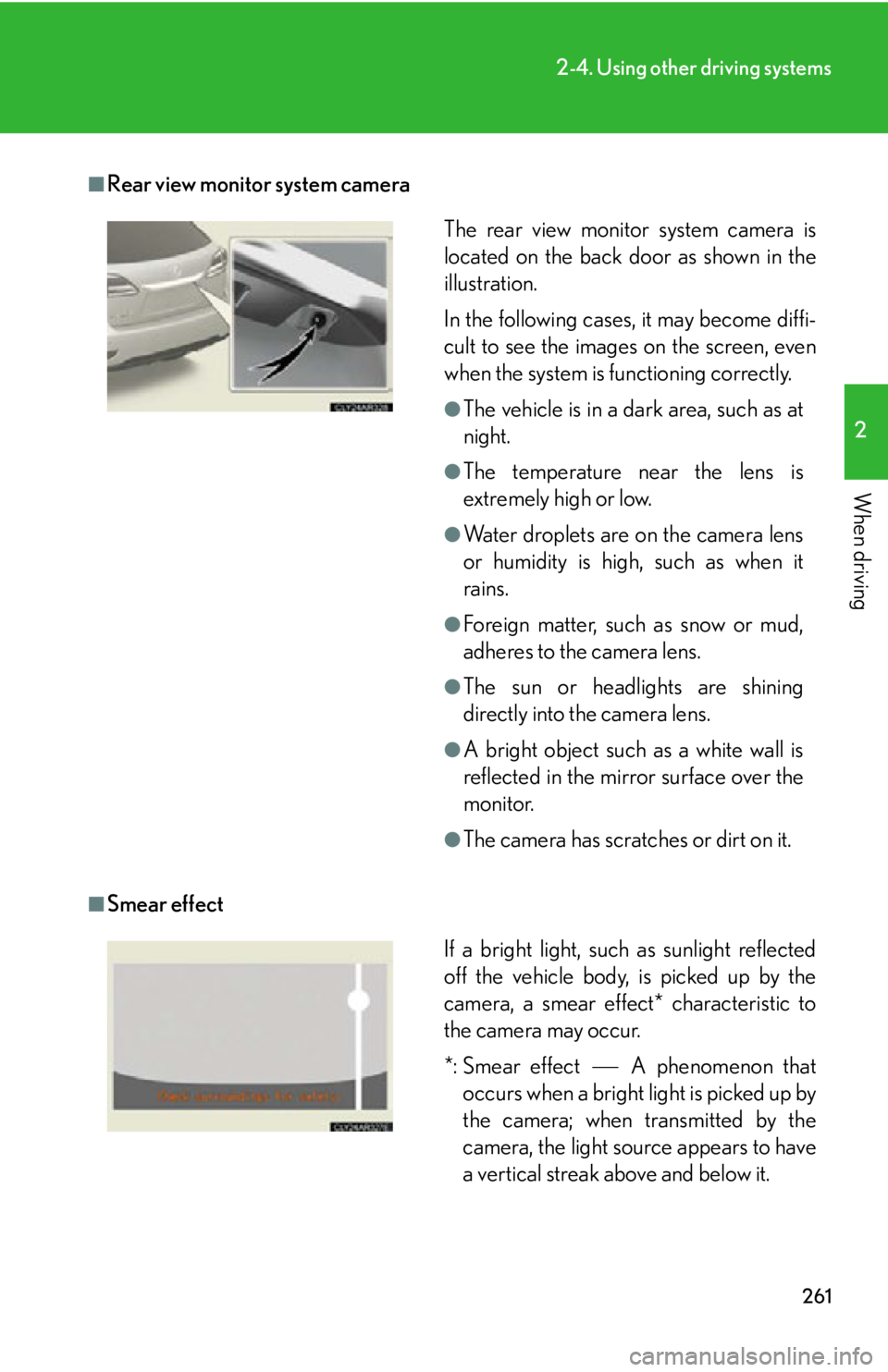
Smear effect The rear view monitor system camera is
located on the back door as shown in the
illustration.
In the following cases, it may become diffi-
cult to see the images on the screen, even
when the system is functioning correctly. ●
The vehicle is in a dark area, such as at
night. ●
The temperature near the lens is
extremely high or low. ●
Water droplets are on the camera lens
or humidity is high, such as when it
rains. ●
Foreign matter, such as snow or mud,
adheres to the camera lens. ●
The sun or headlights are shining
directly into the camera lens. ●
A bright object such as a white wall is
reflected in the mirror surface over the
monitor. ●
The camera has scratches or dirt on it.
If a bright light, such as sunlight reflected
off the vehicle body, is picked up by the
camera, a smear effect* characteristic to
the camera may occur.
*: Smear effect A phenomenon that
occurs when a bright light is picked up by
the camera; when transmitted by the
camera, the light source appears to have
a vertical streak above and below it.
Page 262 of 886

2622-4. Using other driving systems
■
Flicker effect
When the camera is used under fluorescent light, sodium lights, or mercury lights
etc., the lights and the illuminated areas may appear to flicker.
CAUTION■
When using the rear view monitor system, observe the following precautions to
avoid an accident that could result in death or serious injuries: ●
Never depend solely on the monitor system when reversing.●
Always check visually and with the mirrors to confirm your intended path is clear.●
Use your own eyes to confirm the vehicle’s surroundings, as the displayed image
may become faint or dark, and moving imag es will be distorted, or not entirely
visible when the outside temperature is low. When backing up, be sure to check
behind and all around the vehicle visually and with the mirrors before proceeding.●
Always check the vehicle surrounding area, because the guide lines are ancillary
lines.●
The guide lines are ancillary lines and do not change even if the steering wheel is
turned.●
Depicted distances between objects and flat surfaces differ from actual dis-
tances.●
Do not use the system if the back door is open.
Page 266 of 886
2662-4. Using other driving systems
■
Rear view monitor system camera
■
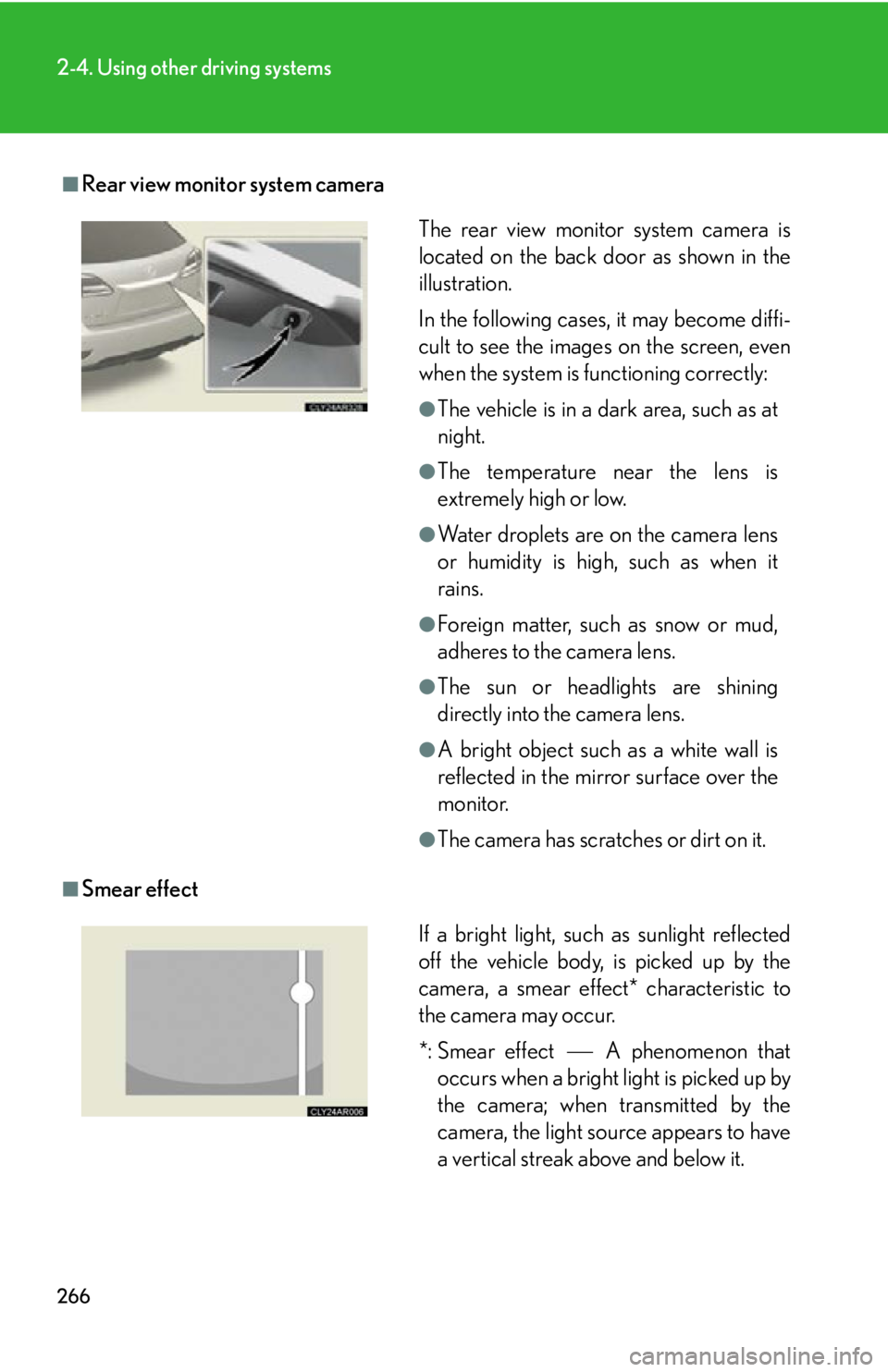
Smear effect The rear view monitor system camera is
located on the back door as shown in the
illustration.
In the following cases, it may become diffi-
cult to see the images on the screen, even
when the system is functioning correctly: ●
The vehicle is in a dark area, such as at
night. ●
The temperature near the lens is
extremely high or low. ●
Water droplets are on the camera lens
or humidity is high, such as when it
rains. ●
Foreign matter, such as snow or mud,
adheres to the camera lens. ●
The sun or headlights are shining
directly into the camera lens. ●
A bright object such as a white wall is
reflected in the mirror surface over the
monitor. ●
The camera has scratches or dirt on it.
If a bright light, such as sunlight reflected
off the vehicle body, is picked up by the
camera, a smear effect* characteristic to
the camera may occur.
*: Smear effect A phenomenon that
occurs when a bright light is picked up by
the camera; when transmitted by the
camera, the light source appears to have
a vertical streak above and below it.
Page 267 of 886
2672-4. Using other driving systems
2
When driving ■
Flicker effect
When the camera is used under fluoresc ent lights, sodium lights, mercury lights
etc., the lights and the illuminated areas may appear to flicker.
CAUTION■
When using the rear view monitor system, observe the following precautions to
avoid an accident that could resu lt in death or serious injuries:●
Never depend solely on the monitor system when reversing.●
Always check visually and with the mirrors to confirm your intended path is clear.●
Use your own eyes to confirm the vehicle’s surroundings, as the displayed image
may become faint or dark, and moving imag es will be distorted, or not entirely
visible when the outside temperature is low. When backing up, be sure to check
behind and all around the vehicle visually and with the mirrors before proceeding.●
Depicted distances between objects and flat surfaces differ from actual dis-
tances.●
Do not use the system if the back door is open.
Page 276 of 886
2762-4. Using other driving systems
Hill-start assist control
■
Hill-start assist control can be operated when ●
The shift lever is in a position other than P.●
The parking brake is not applied.●
The accelerator peda l is not depressed.■
Hill-start assist control ●
While hill-start assist control is operating, the brakes remain automatically
applied after the driver releases the br ake pedal. The stop lights and the high
mounted stoplight turn on.●
Hill-start assist control operates for about 2 seconds after the brake pedal is
released.●
If the slip indicator does not flash and the buzzer does not sound when the brake
pedal is further depressed, slightly redu ce the pressure on the brake pedal (do
not allow the vehicle to roll backward) and then firmly depress it again. If the sys-
tem still does not operate, check if th e operating conditions explained above
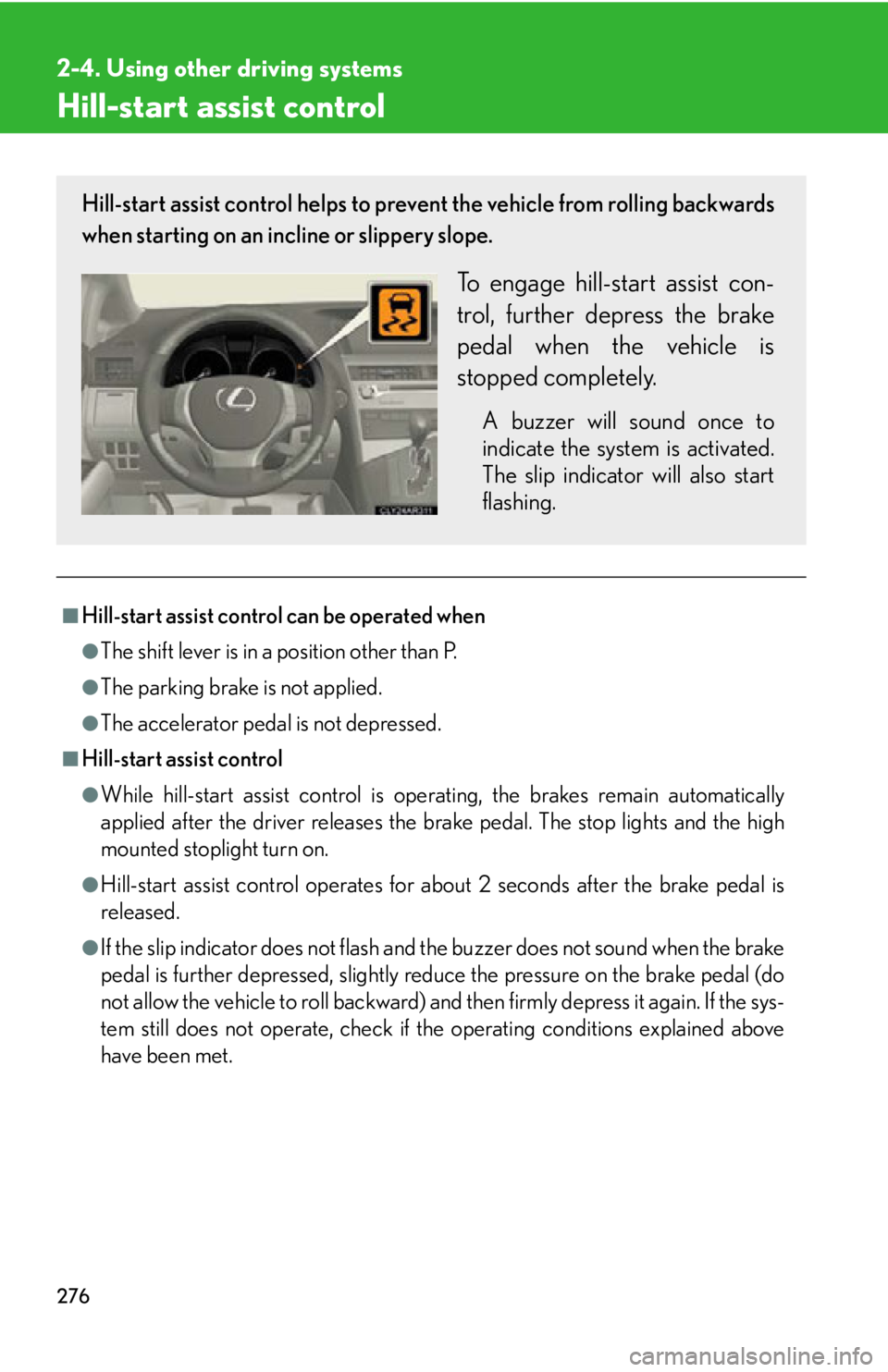
have been met.Hill-start assist control helps to prevent the vehicle from rolling backwards
when starting on an incline or slippery slope.
To engage hill-start assist con-
trol, further depress the brake
pedal when the vehicle is
stopped completely. A buzzer will sound once to
indicate the system is activated.
The slip indicator will also start
flashing.
Page 282 of 886

2822-4. Using other driving systems
■
Obstacles not detected
The sensor cannot detect plastic obstacles such as traffic cones. There may also be
occasions when the sensor cannot detect pedestrians, animals, bicycles, motorcy-
cles, trees, or snowdrifts. ■
Situations in which the pre-collision system does not function properly
The system may not function effectively in situations such as the following: ●
On roads with sharp be nds or uneven surfaces●
If a vehicle suddenly moves in front of your vehicle, such as at an intersection●
If a vehicle suddenly cuts in front of your vehicle, such as when overtaking●
In inclement weather such as heav y rain, fog, snow or sand storms●
When your vehicle is skiddi ng with the VSC system off●
When an extreme change in vehicle height occurs●
When the axis of the radar is out of adjustment■
Automatic cancelation of the pre-collision system
When a malfunction occurs due to sensor contamination, etc. that results in the
sensors being unable to detect obstacles, the pre-collision system will be automati-
cally disabled. In this case, the system will not activate even if there is a collision pos-
sibility.■
When there is a malfunction in the system, or if the system is temporarily unus-
able
Warning lights and/or warning messages will turn on or flash. ( P. 744, 754)
Page 302 of 886

3022-5. Driving information
Winter driving tips Carry out the necessary preparations and inspections before driving the
vehicle in winter. Always drive the ve hicle in a manner appropriate to the
prevailing weather conditions.
■ Pre-winter preparations
● Use fluids that are appropria te to the prevailing outside tempera-
tures.
• Engine oil
• Engine coolant
• Washer fluid
● Have a service technician inspec t the condition of the battery.
● Have the vehicle fitted with four snow tires or purchase a set of
tire chains for the front tires. Ensure that all tires are the same size and brand, and that chains match
the size of the tires.
■ Before driving the vehicle
Perform the following accord ing to the driving conditions:
● Do not try to forcibly open a w indow or move a wiper that is fro-
zen. Pour warm water over the frozen area to melt the ice. Wipe
away the water immediately to prevent it from freezing.
● To ensure proper operation of the climate control system fan,
remove any snow that has accumu lated on the air inlet vents in
front of the windshield.
● Check for and remove any exce ss ice or snow that may have
accumulated on the exterior lights, vehicle's roof, chassis, around
the tires or on the brakes.
● Remove any snow or mud from the bottom of your shoes before
getting in the vehicle.