Page 233 of 620

2314-2. Driving procedures
4
Driving
LS600hL_U(OM50E41U)
Turns the brake hold system on
The brake hold standby indicator
(green) comes on. While the system is
holding the brake, the brake hold
operated indicator (yellow) comes on.
■Brake hold system operating conditions
The brake hold system cannot be turn ed on in the following conditions:
●The trunk or hood is not closed.
●The driver’s door is not closed.
●The driver is not wearing the seat belt.
If any of the conditions above are detected when the brake hold system is enabled,
the system will turn off and the brake hold standby indicator light will go off. In addi-
tion, if any of the conditions are detected while the system is holding the brake, a
warning buzzer will sound and a message wi ll be shown on the multi-information dis-
play. The parking brake will then be set automatically.
■Brake hold function
●If the brake pedal is left released for a period of about 3 minutes after the system
has started holding the brake, the parking brake will be set automatically. In this
case, a warning buzzer sounds and a message is shown on the multi-information
display.
●To turn the system off while the system is holding the brake, firmly depress the
brake pedal and press the switch again.
●The brake hold function may not hold the vehicle when the vehicle is on a steep
incline. In this situation, it may be nece ssary for the driver to apply the brakes. The
multi-information display will info rm the driver of this situation.
Brake Hold
The brake hold system keeps the brake applied when the shift lever is in
D, S or N with the system on and the brake pedal has been depressed to
stop the vehicle. The system releases the brake when the accelerator
pedal is depressed with the shift lever in D or S to allow smooth start off.
Page 234 of 620

2324-2. Driving procedures
LS600hL_U(OM50E41U)
■When the parking brake is set automatically while the system is holding the brakes
The parking brake will not be released automatically. Release the parking brake by
operating the parking brake switch, making sure that the parking brake indicator
light goes off. ( P. 2 2 8 )
■When there is a malfunction in the system
Warning lights and/or warning mess ages will turn on or flash. (P. 495, 503)
CAUTION
■When the vehicle is on a steep incline
When using the brake hold system on a steep incline exercise caution. The brake
hold function may not hold th e vehicle in such a situation.
■When stopped on a slippery road
The system cannot stop the vehicle when the gripping ability of the tires has been
exceeded. Do not use the system wh en stopped on a slippery road.
NOTICE
■When parking the vehicle
The brake hold system is not designed for use when parking the vehicle for a long
period of time. Turning the power switch off while the system is holding the brake
may release the brake, which would cause the vehicle to move. When operating
the power switch, depress the brake pedal, set the parking brake and shift the shift
lever to P.
Page 238 of 620

2364-3. Operating the lights and wipers
LS600hL_U(OM50E41U)
■Daytime running light system
●To make your vehicle more visible to other drivers, the parking lights turn on auto-
matically (at an increased intensity) whenever the hybrid system is started and the
parking brake is released. Daytime running lights are not designed for use at night.
●Compared to turning on the headlights, the daytime running light system offers
greater durability and consumes less electricity, so it can help improve fuel econ-
omy.
■Headlight control sensor
■Automatic light off system
●When the headlights are on: The headlights and tail lights turn off 30 seconds after
a door is opened and closed if the power switch is turned to ACCESSORY mode
or turned off. (The lights turn off immediat ely if on the key is pressed after all the
doors are closed.)
●When only the tail lights are on: The tail lights turn off automatically if the power
switch is turned to ACCESSORY mode or turned off and the driver’s door is
opened.
To turn the lights on again, turn the power switch to ON mode, or turn the light
switch off once and then back to or .
If any of the doors or trunk lid is kept op en, the lights automatically turn off after 20
minutes.
■Light reminder buzzer
A buzzer sounds when the power switch is turned off or turned to ACCESSORY
mode and the driver’s door is opened while the lights are turned on.
■Automatic headlight leveling system
The level of the headlights is automatically adjusted according to the number of pas-
sengers and the loading conditio n of the vehicle to ensure that the headlights do not
interfere with other road users. The sensor may not func tion properly if an
object is placed on the sensor, or anything
that blocks the sensor is affixed to the wind-
shield.
Doing so interferes with the sensor detecting
the level of ambient light and may cause the
automatic headlight system to malfunction.
Page 256 of 620
2544-5. Using the driving support systems
LS600hL_U(OM50E41U)
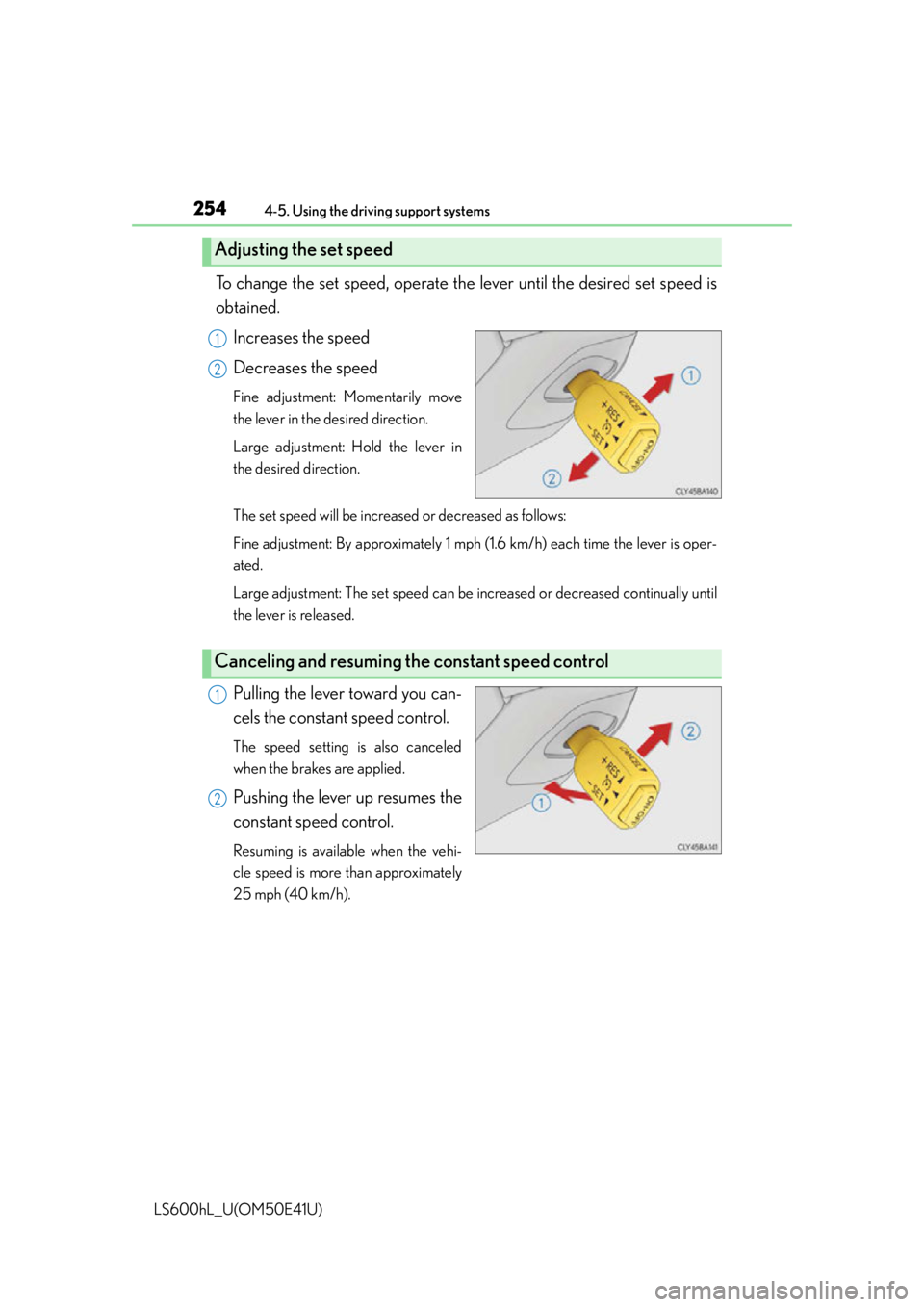
To change the set speed, operate the lever until the desired set speed is
obtained.
Increases the speed
Decreases the speed
Fine adjustment: Momentarily move
the lever in the desired direction.
Large adjustment: Hold the lever in
the desired direction.
The set speed will be increased or decreased as follows:
Fine adjustment: By approximately 1 mph (1.6 km/h) each time the lever is oper-
ated.
Large adjustment: The set speed can be increased or decreased continually until
the lever is released.
Pulling the lever toward you can-
cels the constant speed control.
The speed setting is also canceled
when the brakes are applied.
Pushing the lever up resumes the
constant speed control.
Resuming is available when the vehi-
cle speed is more than approximately
25 mph (40 km/h).
Adjusting the set speed
1
2
Canceling and resuming th e constant speed control
1
2
Page 264 of 620
2624-5. Using the driving support systems
LS600hL_U(OM50E41U)
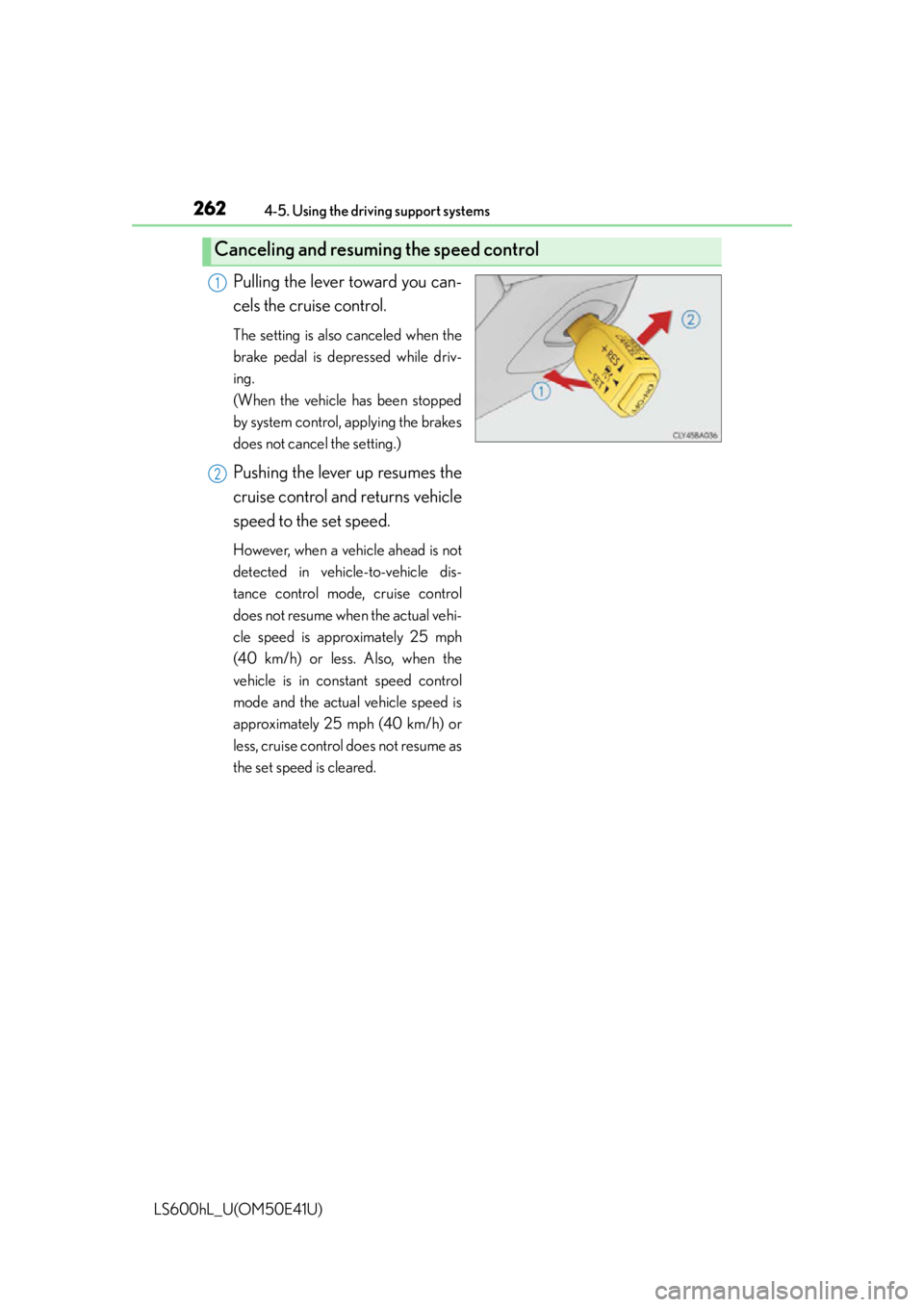
Pulling the lever toward you can-
cels the cruise control.
The setting is also canceled when the
brake pedal is depressed while driv-
ing.
(When the vehicle has been stopped
by system control, applying the brakes
does not cancel the setting.)
Pushing the lever up resumes the
cruise control and returns vehicle
speed to the set speed.
However, when a vehicle ahead is not
detected in vehicle-to-vehicle dis-
tance control mode, cruise control
does not resume when the actual vehi-
cle speed is approximately 25 mph
(40 km/h) or less. Also, when the
vehicle is in constant speed control
mode and the actual vehicle speed is
approximately 25 mph (40 km/h) or
less, cruise control does not resume as
the set speed is cleared.
Canceling and resuming the speed control
1
2
Page 265 of 620

2634-5. Using the driving support systems
4
Driving
LS600hL_U(OM50E41U)
This mode employs a radar sensor to detect the presence of vehicles up to
approximately 400 ft. (120 m) ahead, determines the current vehicle-to-
vehicle following distance, and opera tes to maintain a suitable following
distance from the vehicle ahead.
Note that vehicle-to-vehicle distance will close in when traveling on long downhill
slopes.
Example of constant speed cruising
When there are no vehicles ahead
The vehicle travels at the speed set by the driver. The desired vehicle-to-vehicle
distance can also be set by operating the vehicle-to-vehicle distance control.
Example of deceleration cruising and follow-up cruising
When the vehicle ahead is driving slower than the set speed
When a vehicle is detected running ahead of you, the system automatically decel-
erates your vehicle. When a greater reduction in vehicle speed is necessary, the
system applies the brakes. The system will respond to changes in the speed of the
vehicle ahead in order to maintain the vehicle-to-vehicle distance set by the
driver. A warning tone warns you when the system cannot decelerate sufficiently
to prevent your vehicle from closing in on the vehicle ahead. When the vehicle
ahead of you stops, your vehicle will also stop. After the vehicle ahead starts off,
pushing the cruise control lever up or depressing the accelerator pedal will
resume follow-up cruising.
Driving in vehicle-to-vehicle distance control mode
1
2
Page 266 of 620

2644-5. Using the driving support systems
LS600hL_U(OM50E41U)
Example of acceleration
When there are no longer any vehicles ahead driving slower than the
set speed
The system accelerates until the set speed is reached. The system then returns to
constant speed cruising.
When your vehicle is too close to a vehicle ahead, and sufficient auto-
matic deceleration via the cruise co ntrol is not possible, the display will
flash and the buzzer will sound to alert the driver. An example of this
would be if another driver cuts in front of you while you are following a
vehicle. Apply the brakes to ensure an appropriate vehicle-to-vehicle dis-
tance.
■Warnings may not occur when
In the following instance s, there is a possibility that the warnings will not
occur:
●When the speed of the vehicle ahea d matches or exceeds your vehi-
cle speed
●When the vehicle ahead is traveling at an extremely slow speed or is
stationary
●Immediately after the cruise control speed was set
●At the instant the accelerator is applied
Approach warning
3
Page 268 of 620

2664-5. Using the driving support systems
LS600hL_U(OM50E41U)Adjusting the speed setting:
P. 2 5 9
Canceling and resuming the speed
setting: P. 2 6 2
■Dynamic radar cruise control with full-speed range can be set when
●The shift lever is in D or range 4 or higher of S has been selected.
●Vehicle speed is above approximately 30 mph (50 km/h).
■Accelerating after setting the vehicle speed
The vehicle can accelerate normally. After acceleration, the set speed resumes.
However, during vehicle-to-vehicle distance control mode, the vehicle speed may
decrease below the set speed in order to maintain the distance to the vehicle ahead.
■Automatic cancelation of vehicle-to-vehicle distance control
Vehicle-to-vehicle distance control driving is automatically canceled in the following
situations:
●Actual vehicle speed falls below approximately 25 mph (40 km/h) when there are
no vehicle ahead.
●The preceding vehicle leaves the lane when your vehicle is following at a speed
below 25 mph (40 km/h).
●VSC is activated.
●TRAC is activated for a period of time.
●When the VSC or TRAC system is turn ed off by pressing the VSC OFF switch.
●The sensor cannot operate correctly because it is covered in some way.
●The windshield wipers are operating at hi gh speed (when the wiper switch is set to
the “AUTO” mode or the high speed wiper operation position).
●When snow mode is set.
●The parking brake is operated.
●The vehicle is stopped by system control on a steep incline.
●Pre-collision brake assist is activated.
●The following are detected when the vehi cle has been stopped by system control:
• The driver is not wearing a seat belt.
• The driver’s door is opened.
• The trunk or hood is opened.
• The vehicle has been stopped for about 3 minutes.
If vehicle-to-vehicle distance control driv ing is automatically canceled for any other
reason, there may be a malfunction in the system. Contact your Lexus dealer.