2015 KIA CEED wheel size
[x] Cancel search: wheel sizePage 757 of 1210

Features of your vehicle
72
4
Lamp Menu
• Headlamp delay (if equipped)
If the headlamp delay function is checked :
The Headlamp delay and Headlamp
Welcome function will be activated.
• Auto Triple Turn
(One-touch triple turn signal)
If the auto triple turn function is checked :
The lane change signals will blink 3 times
when the turn signal lever is moved
slightly.
• Welcome Light (if equipped)
If the welcome light function is checked :
The welcome light function of puddle
lamp will activate. Settings Menu
• Seat Easy Access (for Driver Position
Memory System equipped vehicle)
(if equipped)
If the seat easy access function is
checked:
The driver's seat will automatically move
forward or rearward for the driver to enter
or exit the vehicle comfortably.
• Welcome Sound
If the welcome sound function is checked :
The Welcome Sound function will be acti-
vated.
• Steering Position (if equipped)
If the steering position function is
checked:
The warning illuminates on the LCD dis-
play when the steering wheel is not
aligned with the ENGINE STRAT/STOP
button in the ON position. • AVG fuel ECO Reset
Auto Reset - The average fuel economy
will reset automatically
when you drive after refu- elling.
Manual Reset - The average fuel econo- my will not reset auto-
matically when you drive
after refuelling. You can
reset the average fuel
economy by pressing
the button for morethan 1 second when the
average fuel economy is
displayed.
• Speed Gauge Scale (if equipped)
- 100% : The size of the numbers on speed gauge is normal state.
- 110% : The size of the numbers on speed gauge will increase.
• Unit
You can choose the displayed unit in the
instrument cluster “km” or “mile”.
• Language
Choose the language you prefer within
the LCD display.
JD RHD 4a(~171).QXP 4/14/2015 6:59 PM Page 72
Page 785 of 1210
Features of your vehicle
100
4
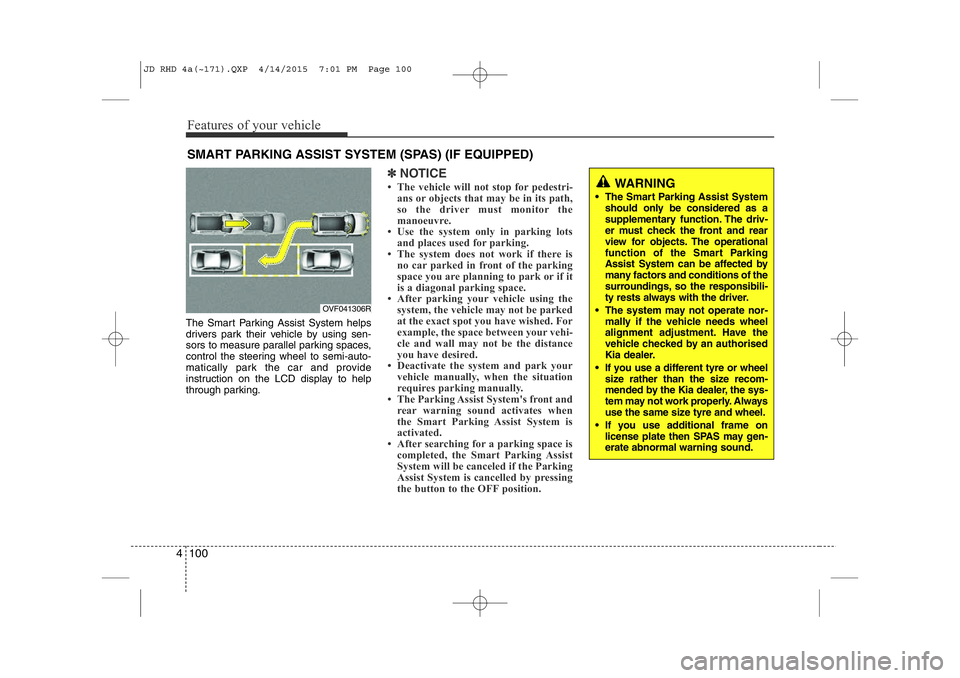
The Smart Parking Assist System helps
drivers park their vehicle by using sen-
sors to measure parallel parking spaces,
control the steering wheel to semi-auto-
matically park the car and provide
instruction on the LCD display to help
through parking.
✽NOTICE
• The vehicle will not stop for pedestri- ans or objects that may be in its path,
so the driver must monitor the
manoeuvre.
• Use the system only in parking lots
and places used for parking.
• The system does not work if there is no car parked in front of the parking
space you are planning to park or if it
is a diagonal parking space.
• After parking your vehicle using the
system, the vehicle may not be parked
at the exact spot you have wished. For
example, the space between your vehi-
cle and wall may not be the distance
you have desired.
• Deactivate the system and park your vehicle manually, when the situation
requires parking manually.
• The Parking Assist System's front and
rear warning sound activates when
the Smart Parking Assist System is
activated.
• After searching for a parking space is completed, the Smart Parking Assist
System will be canceled if the Parking
Assist System is cancelled by pressing
the button to the OFF position.
SMART PARKING ASSIST SYSTEM (SPAS) (IF EQUIPPED)
OVF041306R
WARNING
• The Smart Parking Assist System should only be considered as a
supplementary function. The driv-
er must check the front and rear
view for objects. The operational
function of the Smart Parking
Assist System can be affected by
many factors and conditions of the
surroundings, so the responsibili-
ty rests always with the driver.
• The system may not operate nor- mally if the vehicle needs wheel
alignment adjustment. Have the
vehicle checked by an authorised
Kia dealer.
• If you use a different tyre or wheel size rather than the size recom-
mended by the Kia dealer, the sys-
tem may not work properly. Always
use the same size tyre and wheel.
• If you use additional frame on license plate then SPAS may gen- erate abnormal warning sound.
JD RHD 4a(~171).QXP 4/14/2015 7:01 PM Page 100
Page 786 of 1210

4 101
Features of your vehicle
Operating condition
The system will help park the vehicle in
the middle or back of a parked vehicle.
Use the system when all the below con-ditions are met.
• When the parking space is a straightline
• When parallel parking is required
• When there is a parked vehicle
• When there is enough space to move the vehicle Non-operating condition
Never use the Smart Parking Assist
System in the below conditions.
• Curved parking space
• Inclined roads
• A vehicle loaded with longer or wider
cargo compared to the vehicle
• Diagonal parking space
• Parking space with trash, grass or bar- riers
• Heavy snow or rain
• A pole close to the parking line
• Bumpy roads
• A vehicle equipped with a snow chain or spare tyre
• Tyre pressure lower or higher than the standard tyre pressure
• A trailer connected to the vehicle
• Slippery or uneven road
• Big vehicles such as buses or trucks parked
• Sensor covered with foreign matter, such as snow or water
• Moisture frozen on the sensor.
• A motorcycle or bicycle parked
• A trash can or obstacle near • Heavy wind
• Wheel changed to an unauthorised
size
• A problem with the wheel alignment
• Next to a garden or bush
• A accessory installed on the detective area the of sensors (such as number plate holder)
• Vehicle leaned severely to one side
• Strong sunlight or very cold weather
• Ultrasonic interference other vehicle's. Such as horn sounds of other vehicles,
motorcycle's engine noise, air brake
noise of heavy vehicles and with the
other vehicle's parking assist system
working.
OVF041307R
■Right side
- parallel mode■Left side
-parallel mode
JD RHD 4a(~171).QXP 4/14/2015 7:01 PM Page 101
Page 996 of 1210

Driving your vehicle
46
5
Indicator light
When ignition switch is turned to ON, the
indicator light illuminates, then goes off if
the ESC system is operating normally.
The ESC indicator light blinks whenever
ESC is operating or illuminates when
ESC fails to operate. ESC OFF indicator light comes on when
the ESC is turned off with the button.
ESC OFF usage
When driving
ESC should be turned on for daily driv-
ing whenever possible.
To turn ESC off whilst driving, press the ESC OFF button whilst driving on a
flat road surface.
✽✽ NOTICE
When operating the vehicle on a dynamometer, ensure that the ESC is
turned off by pressing the ESC OFF
button for more than 3 seconds (ESC
OFF light illuminated). If the ESC is
left on, it may prevent the vehicle
speed from increasing, and result in
false diagnosis.
Turning the ESC off does not affect ABS or brake system operation.
■ESC indicator light
■ ESC OFF indicator light
CAUTION
Driving with varying tyre or wheel
sizes may cause the ESC system tomalfunction. When replacing tyres,
make sure they are the same size asyour original tyres.
WARNING
The Electronic Stability Control sys-
tem is only a driving aid; use pre-
cautions for safe driving by slowing
down on curved, snowy, or icy
roads. Drive slowly and don’t
attempt to accelerate whenever the
ESC indicator light is blinking, or
when the road surface is slippery.
WARNING
Never press the ESC OFF button whilst ESC is operating (ESC indi-
cator light blinks). If ESC is turned off whilst ESC is
operating, the vehicle may slip out
of control.
JD RHD 5.QXP 2/17/2015 10:34 AM Page 46
Page 997 of 1210

547
Driving your vehicle
Vehicle stability management (VSM) (if equipped)
This system provides further enhance-
ments to vehicle stability and steering
responses when a vehicle is driving on a
slippery road or a vehicle detected
changes in coefficient of friction between
right wheels and left wheels when brak-ing.
VSM operation
When the VSM is operating:
ESC (Electronic Stability Control) ( )light will blink.
The steering wheel may be controlled.
When the vehicle stability management
is operating properly, you can feel a slight
pulsation in the vehicle. This is only the
effect of brake control and indicates noth-
ing unusual.
The VSM does not operate when:
Driving on bank road such as gradient or incline
Driving rearward
ESC OFF indicator light ( ) remains on the instrument cluster
EPS (Electronic Power Steering) indi- cator light remains on the instrument cluster
VSM operation off
If you press the ESC OFF button to turn
off the ESC, the VSM will also cancel and
the ESC OFF indicator light ( ) illumi-
nates.
To turn on the VSM, press the button
again. The ESC OFF indicator light goesout.
Malfunction indicator
The VSM can be deactivated even if you
don’t cancel the VSM operation by press-
ing the ESC OFF button. It indicates thata malfunction has been detected some-
where in the EPS (Electronic Power
Steering) system or VSM system. If the
ESC indicator light ( ) or EPS warning
light remains on, we recommend that the
system be checked by an authorised Kia
dealer.
✽✽ NOTICE
The VSM is designed to function above approximately 15 km/h (9 mph)
on curves.
The VSM is designed to function above approximately 30 km/h (18
mph) when a vehicle is braking on a
split-mu road. The split-mu road is
made of surfaces which have different
friction forces.
WARNING
The Vehicle Stability Management system is not a substitute for
safe driving practices but a sup-
plementary function only. It is theresponsibility of the driver to
always check the speed and the
distance to the vehicle ahead.
Always hold the steering wheel
firmly whilst driving.
Your vehicle is designed to acti- vate according to the driver’s
intention, even with the VSM
installed. Always follow all the
normal precautions for driving at
safe speeds for the conditions –
including driving in inclement
weather and on a slippery road.
Driving with varying tyre or wheel sizes may cause the VSM system
to malfunction. When replacing
tyres, make sure they are the
same size as your original tyres.
JD RHD 5.QXP 2/17/2015 10:34 AM Page 47
Page 1017 of 1210
567
Driving your vehicle
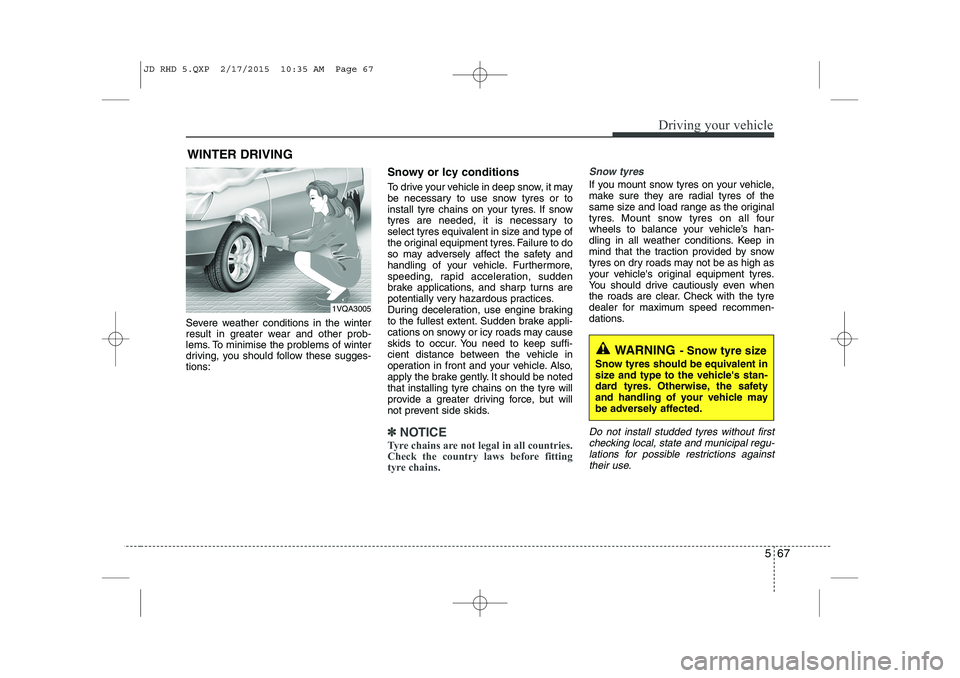
Severe weather conditions in the winter
result in greater wear and other prob-
lems. To minimise the problems of winter
driving, you should follow these sugges-tions:Snowy or Icy conditions
To drive your vehicle in deep snow, it may
be necessary to use snow tyres or to
install tyre chains on your tyres. If snow
tyres are needed, it is necessary to
select tyres equivalent in size and type of
the original equipment tyres. Failure to do
so may adversely affect the safety and
handling of your vehicle. Furthermore,
speeding, rapid acceleration, sudden
brake applications, and sharp turns are
potentially very hazardous practices.
During deceleration, use engine braking
to the fullest extent. Sudden brake appli-
cations on snowy or icy roads may cause
skids to occur. You need to keep suffi-
cient distance between the vehicle in
operation in front and your vehicle. Also,
apply the brake gently. It should be notedthat installing tyre chains on the tyre will
provide a greater driving force, but will
not prevent side skids.
✽✽
NOTICE
Tyre chains are not legal in all countries.
Check the country laws before fitting
tyre chains.
Snow tyres
If you mount snow tyres on your vehicle,
make sure they are radial tyres of the
same size and load range as the original
tyres. Mount snow tyres on all four
wheels to balance your vehicle’s han-
dling in all weather conditions. Keep in
mind that the traction provided by snow
tyres on dry roads may not be as high as
your vehicle's original equipment tyres.
You should drive cautiously even when
the roads are clear. Check with the tyre
dealer for maximum speed recommen-
dations.
Do not install studded tyres without first checking local, state and municipal regu-lations for possible restrictions against their use.
WINTER DRIVING
WARNING - Snow tyre size
Snow tyres should be equivalent in
size and type to the vehicle's stan-
dard tyres. Otherwise, the safety
and handling of your vehicle may
be adversely affected.
1VQA3005
JD RHD 5.QXP 2/17/2015 10:35 AM Page 67
Page 1018 of 1210
Driving your vehicle
68
5
Tyre chains
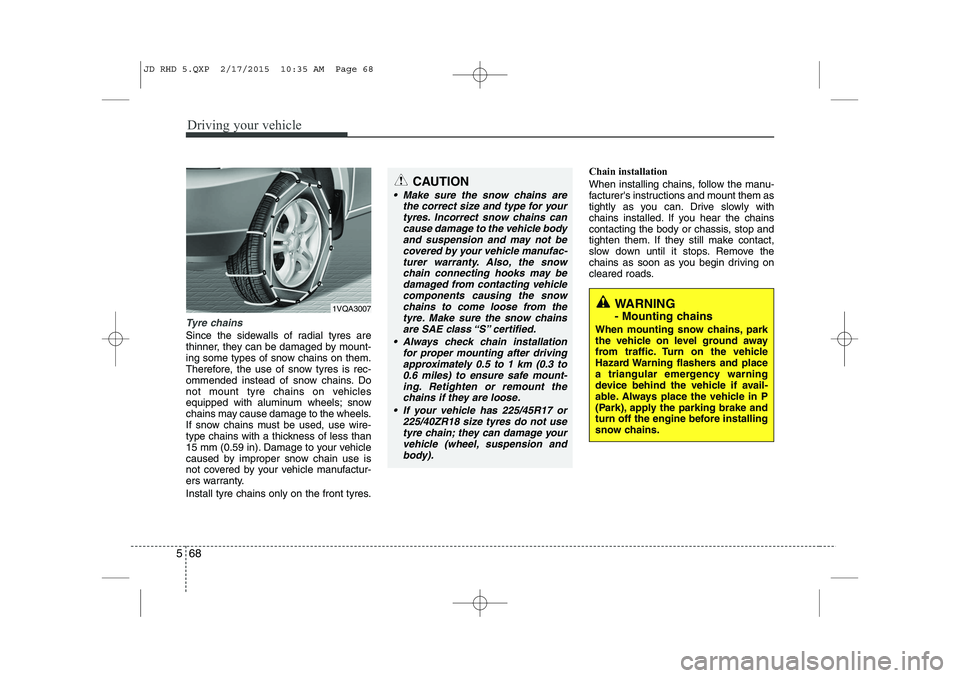
Since the sidewalls of radial tyres are
thinner, they can be damaged by mount-
ing some types of snow chains on them.
Therefore, the use of snow tyres is rec-
ommended instead of snow chains. Do
not mount tyre chains on vehicles
equipped with aluminum wheels; snow
chains may cause damage to the wheels.
If snow chains must be used, use wire-
type chains with a thickness of less than
15 mm (0.59 in). Damage to your vehicle
caused by improper snow chain use is
not covered by your vehicle manufactur-
ers warranty.
Install tyre chains only on the front tyres. Chain installation
When installing chains, follow the manu-
facturer's instructions and mount them as
tightly as you can. Drive slowly with
chains installed. If you hear the chains
contacting the body or chassis, stop and
tighten them. If they still make contact,
slow down until it stops. Remove the
chains as soon as you begin driving on
cleared roads.
CAUTION
Make sure the snow chains are
the correct size and type for your
tyres. Incorrect snow chains cancause damage to the vehicle bodyand suspension and may not becovered by your vehicle manufac-
turer warranty. Also, the snowchain connecting hooks may be damaged from contacting vehicle
components causing the snow chains to come loose from thetyre. Make sure the snow chainsare SAE class “S” certified.
Always check chain installation for proper mounting after drivingapproximately 0.5 to 1 km (0.3 to 0.6 miles) to ensure safe mount-
ing. Retighten or remount the chains if they are loose.
If your vehicle has 225/45R17 or 225/40ZR18 size tyres do not usetyre chain; they can damage your
vehicle (wheel, suspension and body).
WARNING
- Mounting chains
When mounting snow chains, park
the vehicle on level ground away
from traffic. Turn on the vehicle
Hazard Warning flashers and place
a triangular emergency warning
device behind the vehicle if avail-
able. Always place the vehicle in P
(Park), apply the parking brake and
turn off the engine before installing
snow chains.1VQA3007
JD RHD 5.QXP 2/17/2015 10:35 AM Page 68
Page 1019 of 1210
569
Driving your vehicle
Use high quality ethylene glycol coolant
Your vehicle is delivered with high quality
ethylene glycol coolant in the cooling
system. It is the only type of coolant that
should be used because it helps prevent
corrosion in the cooling system, lubri-
cates the water pump and prevents
freezing. Be sure to replace or replenish
your coolant in accordance with the
maintenance schedule. Before winter,
have your coolant tested to assure that
its freezing point is sufficient for the tem-
peratures anticipated during the winter.
Check battery and cables
Winter puts additional burdens on the
battery system. Visually inspect the bat-
tery and cables as described in section
7. We recommend that the system be
checked by an authorised Kia dealer.Change to "winter weight" oil if
necessary In some climates it is recommended that
a lower viscosity "winter weight" oil be
used during cold weather. See section 8
for recommendations. If you aren't sure
what weight oil you should use, we rec-
ommend that you consult an authorised
Kia dealer.
Check spark plugs and ignition system
Inspect your spark plugs as described in
section 7 and replace them if necessary.
Also check all ignition wiring and compo-
nents to be sure they are not cracked,
worn or damaged in any way.
CAUTION
Chains that are the wrong size or
improperly installed can damage
your vehicle's brake lines, sus-pension, body and wheels.
Stop driving and retighten the chains any time you hear them
hitting the vehicle.
WARNING - Tyre chains
The use of chains may adversely affect vehicle handling.
Do not exceed 30 km/h (20 mph) or the chain manufacturer’s rec-
ommended speed limit, whichev-
er is lower.
Drive carefully and avoid bumps, holes, sharp turns, and other
road hazards, which may cause
the vehicle to bounce.
Avoid sharp turns or locked- wheel braking.
JD RHD 5.QXP 2/17/2015 10:35 AM Page 69