Page 167 of 695
To Raise The Rear Seat
Raise the seatback and lock it into place. If interference
from the cargo area prevents the seatback from fully
locking, you will have difficulty returning the seat to its
proper position.
NOTE:If the rear seatback is not fully latched, the center
shoulder belt will not be able to be extended for use. If
you cannot extend the center shoulder belt, make sure
your seatback is fully latched.
WARNING!
Be certain that the seatback is securely locked into
position. If the seatback in not securely locked into
position the seat will not provide the proper stability
for child seats and/or passengers. An improperly
latched seat could cause serious injury.
TO OPEN AND CLOSE THE HOOD
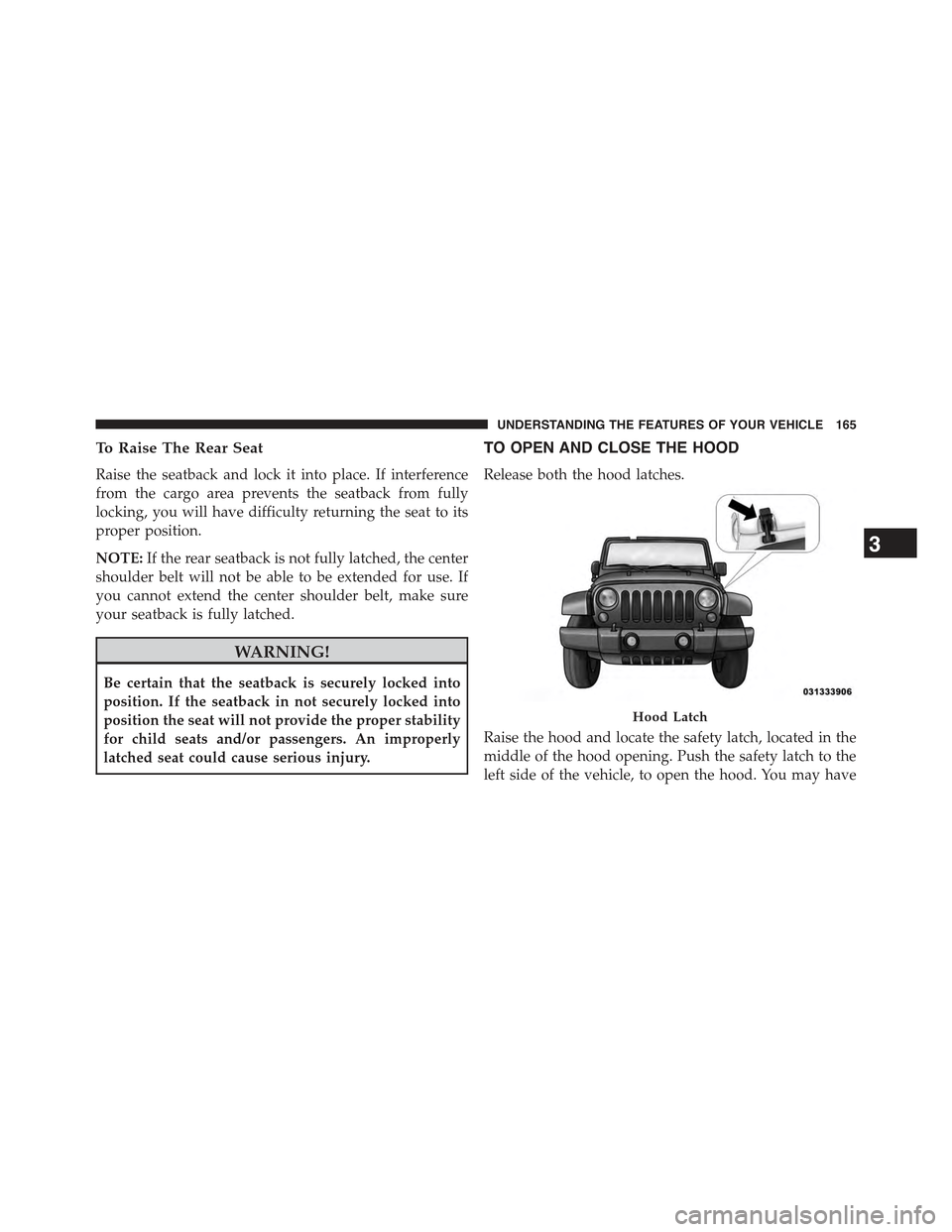
Release both the hood latches.
Raise the hood and locate the safety latch, located in the
middle of the hood opening. Push the safety latch to the
left side of the vehicle, to open the hood. You may have
Hood Latch
3
UNDERSTANDING THE FEATURES OF YOUR VEHICLE 165
Page 168 of 695
to push down slightly on the hood before pushing the
safety latch. Insert the support rod into the slot on the
hood.
To close the hood, remove the support rod from the hood
panel and place it in the retaining clip. Lower the hood
slowly. Secure both of the hood latches.
WARNING!
Be sure the hood is fully latched before driving your
vehicle. If the hood is not fully latched, it could open
when the vehicle is in motion and block your vision.
Failure to follow this warning could result in serious
injury or death.
LIGHTS
Multifunction Lever
The multifunction lever controls the operation of the
parking lights, headlights, headlight beam selection,
passing light, fog lights, instrument panel light dimming
and turn signals. The multifunction lever is located on
the left side of the steering column.
166 UNDERSTANDING THE FEATURES OF YOUR VEHICLE
Page 170 of 695
Automatic Headlights — If Equipped
This system automatically turns the headlights on or off
according to ambient light levels. To turn the system on,
turn the end of the multifunction lever to the AUTO
position (third detent). When the system is on, the
Headlight Time Delay feature is also on. This means the
headlights will stay on for up to 90 seconds after you turn
the ignition switch to the LOCK position. To turn the
Automatic System off, turn the end of the multifunction
lever out of the AUTO position.
NOTE:The engine must be running before the head-
lights will turn on in the Automatic mode.
Headlight Switch
168 UNDERSTANDING THE FEATURES OF YOUR VEHICLE
Page 175 of 695
Cargo Lamp
The courtesy and dome lights will turn on when the front
doors are opened, by rotating the control for the dimmer
switch on the multifunction lever fully upward, or if
equipped, when the UNLOCK button is pressed on the
Remote Keyless Entry (RKE) transmitter.
The sports bar reading lights (available on four-door
models) can be turned on by pressing the switches,
located on either side of the lens. Press a switch a second
time to turn the light off.
The rear cargo light may be turned on by pressing the
lens. Press the lens a second time to turn the light off.
Sports Bar Reading Light
3
UNDERSTANDING THE FEATURES OF YOUR VEHICLE 173
Page 180 of 695
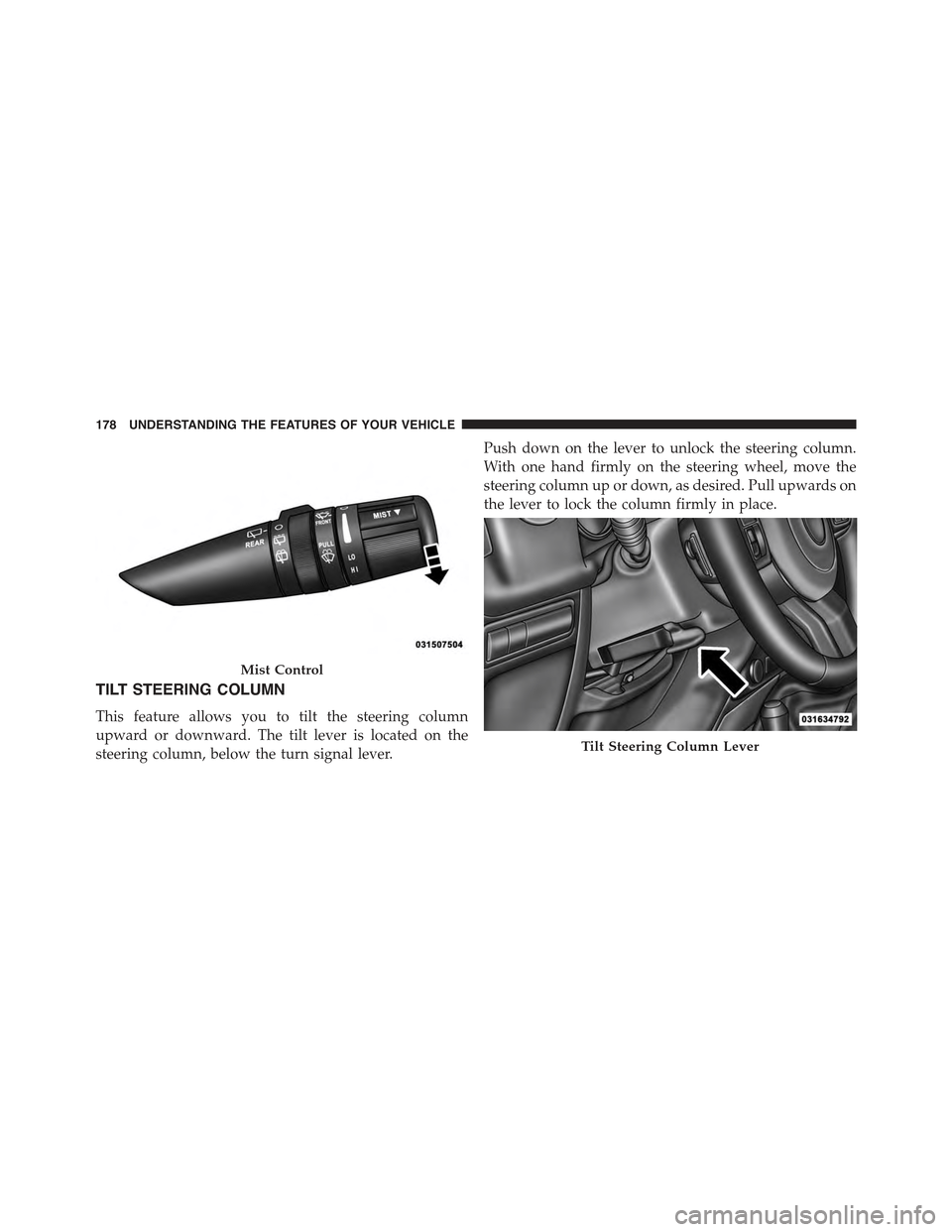
TILT STEERING COLUMN
This feature allows you to tilt the steering column
upward or downward. The tilt lever is located on the
steering column, below the turn signal lever.
Push down on the lever to unlock the steering column.
With one hand firmly on the steering wheel, move the
steering column up or down, as desired. Pull upwards on
the lever to lock the column firmly in place.
Mist Control
Tilt Steering Column Lever
178 UNDERSTANDING THE FEATURES OF YOUR VEHICLE
Page 181 of 695
WARNING!
Do not adjust the steering column while driving.
Adjusting the steering column while driving or driv-
ing with the steering column unlocked, could cause
the driver to lose control of the vehicle. Failure to
follow this warning may result in serious injury or
death.
ELECTRONIC SPEED CONTROL — IF EQUIPPED
When engaged, the Electronic Speed Control takes over
accelerator operations at speeds greater than 25 mph
(40 km/h).
The Electronic Speed Control buttons are located on the
right side of the steering wheel.
Electronic Speed Control Buttons
1—ON/OFF3—SET-2—RES+4—CANCEL
3
UNDERSTANDING THE FEATURES OF YOUR VEHICLE 179
Page 191 of 695
Rear Cupholders
The rear cupholders are located on the back of the center
console.
STORAGE
Glove Compartment
The lockable glove compartment is located on the pas-
senger side of the lower instrument panel. Pull outward
on the handle/latch to open the glove compartment.
Console Storage Compartment
To lock or unlock the storage compartment, insert the
ignition key and turn. To open the storage compartment,
press the latch and lift the cover.
Rear Cupholders
3
UNDERSTANDING THE FEATURES OF YOUR VEHICLE 189
Page 202 of 695
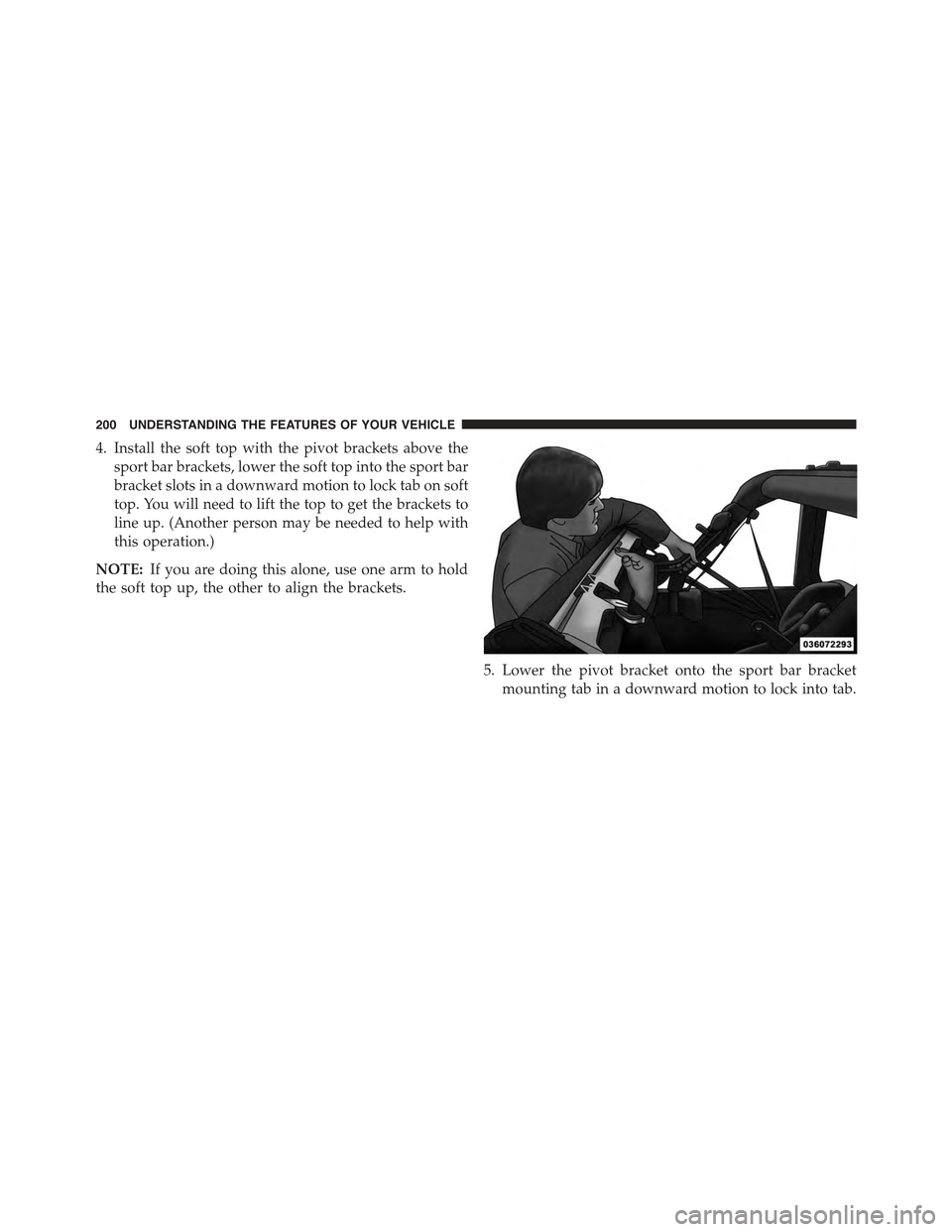
4. Install the soft top with the pivot brackets above the
sport bar brackets, lower the soft top into the sport bar
bracket slots in a downward motion to lock tab on soft
top. You will need to lift the top to get the brackets to
line up. (Another person may be needed to help with
this operation.)
NOTE:If you are doing this alone, use one arm to hold
the soft top up, the other to align the brackets.
5. Lower the pivot bracket onto the sport bar bracket
mounting tab in a downward motion to lock into tab.
200 UNDERSTANDING THE FEATURES OF YOUR VEHICLE