Page 114 of 695

Outside Mirrors
To receive maximum benefit, adjust the outside mirror(s)
to center on the adjacent lane of traffic with a slight
overlap of the view obtained on the inside mirror.
WARNING!
Vehicles and other objects seen in the passenger side
convex mirror will look smaller and farther away
than they really are. Relying too much on your
passenger side mirror could cause you to collide with
another vehicle or other object. Use your inside
mirror when judging the size or distance of a vehicle
seen in the passenger side mirror.
Automatic Dimming Mirror — If Equipped
This mirror automatically adjusts for headlight glare
from vehicles behind you. You can turn the feature on or
off by pressing the button at the base of the mirror. A light
to the left of the button will illuminate to indicate when
the dimming feature is activated. The sensor to the right
of the button does not illuminate.
NOTE:This feature is disabled when the vehicle is
moving in reverse.
Outside Rearview Mirror
11 2 U N D E R S TA N D I N G T H E F E AT U R E S O F Y O U R V E H I C L E
Page 131 of 695

NOTE:
•The emergency number dialed is based on the country
where the vehicle is purchased (911 for the U.S. and
Canada and 060 for Mexico). The number dialed may not
be applicable with the available mobile service and area.
•If supported, this number may be programmable on
some systems. To do this, push thebutton and say
“Setup,” followed by “Emergency.”
•The Uconnect® Phone does slightly lower your
chances of successfully making a phone call as to that
for the mobile phone directly.
WARNING!
To use your Uconnect® Phone System in an emer-
gency, your mobile phone must be:
•turned on,
(Continued)
WARNING!(Continued)
•paired to the Uconnect® System,
•and have network coverage.
Roadside Assistance/Towing Assistance
If you need roadside assistance:
•Push thebutton to begin.
•After the “Ready” prompt and the following beep, say
“Towing Assistance.”
NOTE:You should program the desired Towing Assis-
tance phone number using the Voice Command system.
To do this, push thebutton and say “Setup,” fol-
lowed by “Towing Assistance.” When prompted say
1-800-521-2779 for U.S./Canada, say 55-14-3454 for
Mexico City and 1-800-712-3040 for outside Mexico
City in Mexico.
3
UNDERSTANDING THE FEATURES OF YOUR VEHICLE 129
Page 168 of 695
to push down slightly on the hood before pushing the
safety latch. Insert the support rod into the slot on the
hood.
To close the hood, remove the support rod from the hood
panel and place it in the retaining clip. Lower the hood
slowly. Secure both of the hood latches.
WARNING!
Be sure the hood is fully latched before driving your
vehicle. If the hood is not fully latched, it could open
when the vehicle is in motion and block your vision.
Failure to follow this warning could result in serious
injury or death.
LIGHTS
Multifunction Lever
The multifunction lever controls the operation of the
parking lights, headlights, headlight beam selection,
passing light, fog lights, instrument panel light dimming
and turn signals. The multifunction lever is located on
the left side of the steering column.
166 UNDERSTANDING THE FEATURES OF YOUR VEHICLE
Page 182 of 695

NOTE:In order to ensure proper operation, the Elec-
tronic Speed Control System has been designed to shut
down if multiple Speed Control functions are operated at
the same time. If this occurs, the Electronic Speed Control
System can be reactivated by pushing the Electronic
Speed Control ON/OFF button and resetting the desired
vehicle set speed.
To Activate
Push the ON/OFF button. The Cruise Indicator Light in
the instrument cluster will illuminate. To turn the system
off, push the ON/OFF button a second time. The Cruise
Indicator Light will turn off. The system should be
turned off when not in use.
WARNING!
Leaving the Electronic Speed Control system on
when not in use is dangerous. You could accidentally
set the system or cause it to go faster than you want.
You could lose control and have an accident. Always
leave the system OFF when you are not using it.
To Set A Desired Speed
Turn the Electronic Speed Control ON. When the vehicle
has reached the desired speed, press the SET (-) button
and release. Release the accelerator and the vehicle will
operate at the selected speed.
NOTE:The vehicle should be traveling at a steady speed
and on level ground before pressing the SET (-) button.
180 UNDERSTANDING THE FEATURES OF YOUR VEHICLE
Page 185 of 695
WARNING!
Electronic Speed Control can be dangerous where the
system cannot maintain a constant speed. Your ve-
hicle could go too fast for the conditions, and you
could lose control and have an accident. Do not use
Electronic Speed Control in heavy traffic or on roads
that are winding, icy, snow-covered or slippery.
ELECTRICAL POWER OUTLET
There are two 12 Volt (13 Amp) auxiliary power outlets
that can provide power for accessories designed for use
with the standard power outlet adapters.
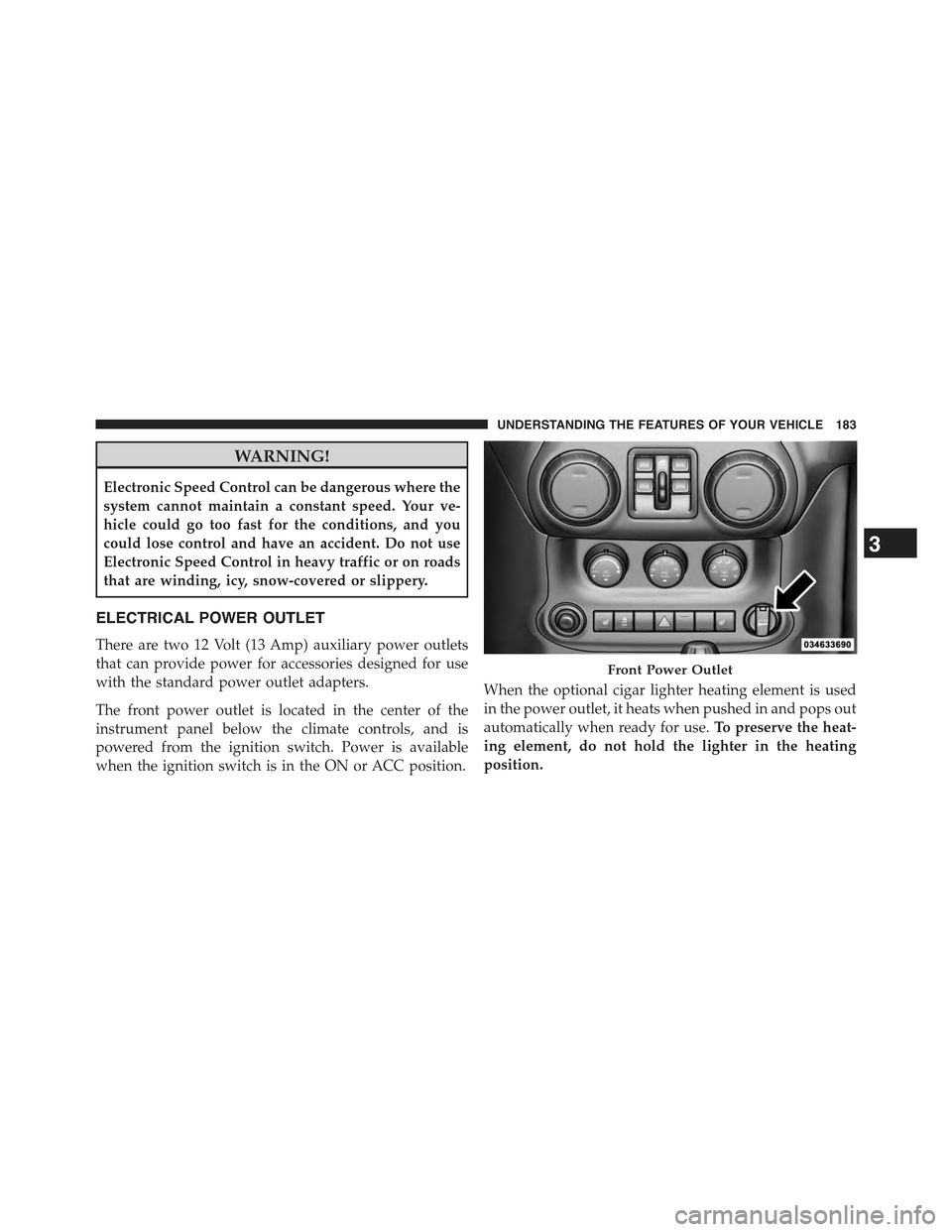
The front power outlet is located in the center of the
instrument panel below the climate controls, and is
powered from the ignition switch. Power is available
when the ignition switch is in the ON or ACC position.
When the optional cigar lighter heating element is used
in the power outlet, it heats when pushed in and pops out
automatically when ready for use.To preserve the heat-
ing element, do not hold the lighter in the heating
position.
Front Power Outlet
3
UNDERSTANDING THE FEATURES OF YOUR VEHICLE 183
Page 187 of 695
WARNING!
To avoid serious injury or death:
•Only devices designed for use in this type of outlet
should be inserted into any 12 Volt outlet.
•Do not touch with wet hands.
•Close the lid when not in use and while driving the
vehicle.
•If this outlet is mishandled, it may cause an electric
shock and failure.
Power Outlet Fuse Locations
1 — M36 Fuse 20 A Yellow Power Outlet Console Bin2 — M6 Fuse 20 A Yellow Cigar Lighter Instrument Panel3—M7 Fuse 20 A Yellow Power Outlet Rear with Sub Woofer (Opt.)
3
UNDERSTANDING THE FEATURES OF YOUR VEHICLE 185
Page 308 of 695
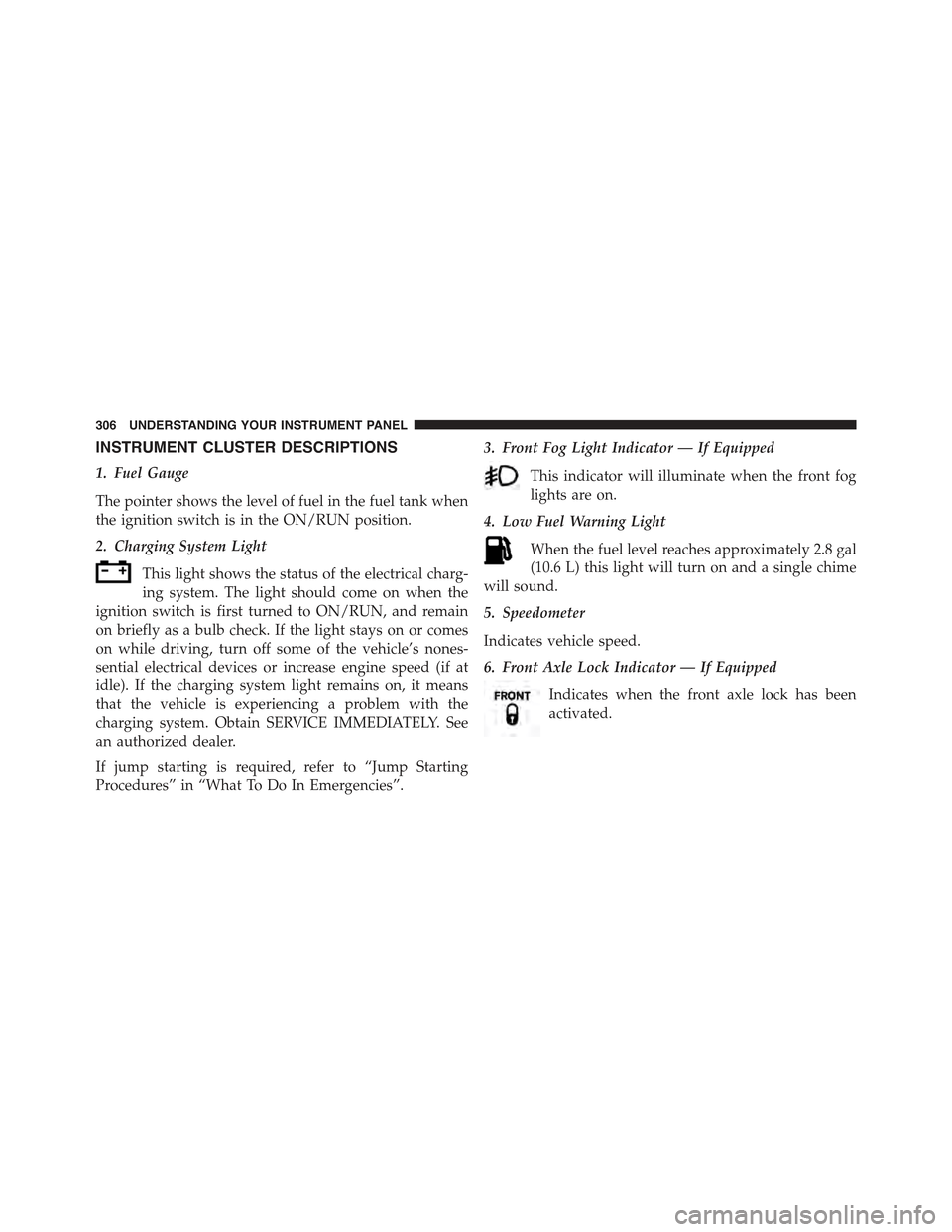
INSTRUMENT CLUSTER DESCRIPTIONS
1. Fuel Gauge
The pointer shows the level of fuel in the fuel tank when
the ignition switch is in the ON/RUN position.
2. Charging System Light
This light shows the status of the electrical charg-
ing system. The light should come on when the
ignition switch is first turned to ON/RUN, and remain
on briefly as a bulb check. If the light stays on or comes
on while driving, turn off some of the vehicle’s nones-
sential electrical devices or increase engine speed (if at
idle). If the charging system light remains on, it means
that the vehicle is experiencing a problem with the
charging system. Obtain SERVICE IMMEDIATELY. See
an authorized dealer.
If jump starting is required, refer to “Jump Starting
Procedures” in “What To Do In Emergencies”.
3. Front Fog Light Indicator — If Equipped
This indicator will illuminate when the front fog
lights are on.
4. Low Fuel Warning Light
When the fuel level reaches approximately 2.8 gal
(10.6 L) this light will turn on and a single chime
will sound.
5. Speedometer
Indicates vehicle speed.
6. Front Axle Lock Indicator — If Equipped
Indicates when the front axle lock has been
activated.
306 UNDERSTANDING YOUR INSTRUMENT PANEL
Page 309 of 695

7. Seat Belt Reminder Light
When the ignition switch is first turned to ON/
RUN, this light will turn on for four to eight
seconds as a bulb check. During the bulb check, if
the driver’s seat belt is unbuckled, a chime will sound.
After the bulb check or when driving, if the driver seat
belt remains unbuckled, the Seat Belt Reminder Light
will flash or remain on continuously. Refer to “Occupant
Restraints” in “Things To Know Before Starting Your
Vehicle” for further information.
8. Turn Signal Indicators
The left or right arrow will flash with the corre-
sponding exterior turn signal lights when the turn
signal lever is operated. A chime will sound if the vehicle is
driven more than 1 mile (1.6 km) with either turn signal on.
NOTE:If either indicator flashes at a rapid rate, check
for a defective outside light bulb.
9. Oil Pressure Warning Light
This light indicates low engine oil pressure. The
light should turn on momentarily when the engine is
started; if the bulb does not come on, have the system
checked by an authorized dealer. If the light turns on
while driving, stop the vehicle and shut off the engine as
soon as possible. A chime will sound when this light
turns on.
Do not operate the vehicle until the cause is corrected.
This light does not indicate how much oil is in the engine.
The engine oil level must be checked under the hood.
10. Brake Warning Light
This light monitors various brake functions,
including brake fluid level and parking brake
application. If the brake light turns on it may
indicate that the parking brake is applied, that
the brake fluid level is low, or that there is a problem with
the anti-lock brake system reservoir.
4
UNDERSTANDING YOUR INSTRUMENT PANEL 307

