Page 355 of 678

WARNING!
Electronic Speed Control can be dangerous where the
system cannot maintain a constant speed. Your ve-
hicle could go too fast for the conditions, and you
could lose control and have an accident. Do not use
Electronic Speed Control in heavy traffic or on roads
that are winding, icy, snow-covered or slippery.
FOUR WHEEL DRIVE — JEEP ACTIVE DRIVE
(4WD) AND JEEP ACTIVE DRIVE LOW (4WD
LOW)
Your vehicle may be equipped with a Power Transfer
Unit (PTU). This system is automatic with no driver
inputs or additional driving skills required. Under nor-
mal driving conditions, the front wheels provide most of
the traction. If the front wheels begin to lose traction,
power is shifted automatically to the rear wheels. The
greater the front wheel traction loss, the greater the
power transfer to the rear wheels.
Additionally, on dry pavement under heavy throttle
input (where one may have no wheel spin), torque will be
sent to the rear in a preemptive effort to improve vehicle
launch and performance characteristics.
7
STARTING AND OPERATING 353
Page 356 of 678
CAUTION!
All wheels must have the same size and type tires.
Unequal tire sizes must not be used. Unequal tire
size may cause failure of the power transfer unit.
Four Wheel Drive (4X4)
The four wheel drive (4WD) is fully automatic in normal
driving mode.
NOTE:It is not possible to carry out the change of mode
when the car exceeds the speed of 75 mph (120 km/h).
Enabling Four Wheel Drive (4x4)
The buttons for the activation of four wheel drive are
located on the device Selec-Terrain™ and allow you to
select the following:
•4WD LOCK
•4WD LOW — (Trailhawk models only)
354 STARTING AND OPERATING
Page 360 of 678

•AUTO: This four-wheel drive operation is a continu-
ous operation, is fully automatic and can be used on
and off road. This mode balances traction to ensure
maneuverability and acceleration improvement com-
pared to a car with two wheel drive. This mode also
reduces fuel consumption, since it allows the discon-
nect of the drive shaft where conditions permit.
•SNOW: This mode allows you to have greater stability
under conditions of bad weather. For use on and off
road on surfaces with poor traction, such as roads
covered with snow. When in SNOW mode (depending
on certain operating conditions), the transmission may
use second gear (rather than first gear) during
launches, to minimize wheel slippage.
•SAND: For off-road driving or use on surfaces with
poor traction, such as sandy bottoms. The transmission
is set to provide maximum traction.
•MUD: For off-road driving or use on surfaces with
poor traction, such as roads covered by mud or wet
grass.
•ROCK(Trailhawk only): This mode is only available
in 4WD LOW range. The device sets the vehicle to
Selec-Terrain™ Switch (Trailhawk)
358 STARTING AND OPERATING
Page 361 of 678

maximize traction and allow the highest steering ca-
pacity for off-road surfaces. This mode gives you the
maximum performance off-road. Use for low speed
obstacles such as large rocks, deep ruts, etc.
NOTE:
•Rock mode is only available on the vehicles equipped
with the Off-Road package.
•Activate the Hill Descent Control or Selec Speed
Control for steep downhill control. See “Electronic
Brake Control System” in this section for further
information.
LANESENSE — IF EQUIPPED
LaneSense Operation
The LaneSense system is operational at speeds above
37 mph (60 km/h) and below 112 mph (180 km/h). The
LaneSense system uses a forward looking camera to
detect lane markings and measure vehicle position
within the lane boundaries.
When both lane markings are detected and the driver
unintentionally drifts out of the lane (no turn signal
applied), the LaneSense system provides a haptic warn-
ing in the form of torque applied to the steering wheel to
prompt the driver to remain within the lane boundaries.
If the driver continues to unintentionally drift out of the
lane, the LaneSense system provides a visual warning
through the Electronic Vehicle Information Center (EVIC)
or Driver Information Display (DID) to prompt the driver
to remain within the lane boundaries.
The driver may manually override the haptic warning by
applying torque into the steering wheel at any time.
When only a single lane marking is detected and the
driver unintentionally drifts across the lane marking (no
turn signal applied), the LaneSense system provides a
7
STARTING AND OPERATING 359
Page 362 of 678

visual warning through the EVIC/DID to prompt the
driver to remain within the lane. When only a single lane
marking is detected, a haptic (torque) warning will not be
provided.
NOTE:When operating conditions have been met, the
LaneSense system will monitor if the driver ’s hands are
on the steering wheel and provides an audible warning
to the driver when the driver ’s hands are not detected on
the steering wheel. The system will cancel if the driver
does not return their hands to the wheel.
Turning LaneSense ON Or OFF
The default status of LaneSense is “OFF”.
The LaneSense button is located on the switch panel
below the Uconnect® display.
To turn the LaneSense system ON, push the
LaneSense button (LED turns on). A “Lane
Sense On” message is shown in the EVIC/DID.
To turn the LaneSense system OFF, push the LaneSense
button once (LED turns off).
NOTE:The LaneSense system will retain the last system
state ON or OFF from the last ignition cycle when the
ignition is changed to the ON/RUN position.
LaneSense Warning Message
The LaneSense system will indicate the current lane drift
condition through the Electronic Vehicle Information
Center (EVIC) or Driver Information Display (DID).
3.5 EVIC Screen — If Equipped
When the LaneSense system is ON, the lane lines are gray
when both of the lane boundaries have not been detected
and the LaneSense indicator is solid white.
360 STARTING AND OPERATING
Page 364 of 678
NOTE:The LaneSense system operates with the similar
behavior for a right lane departure when only the right
lane marking has been detected.
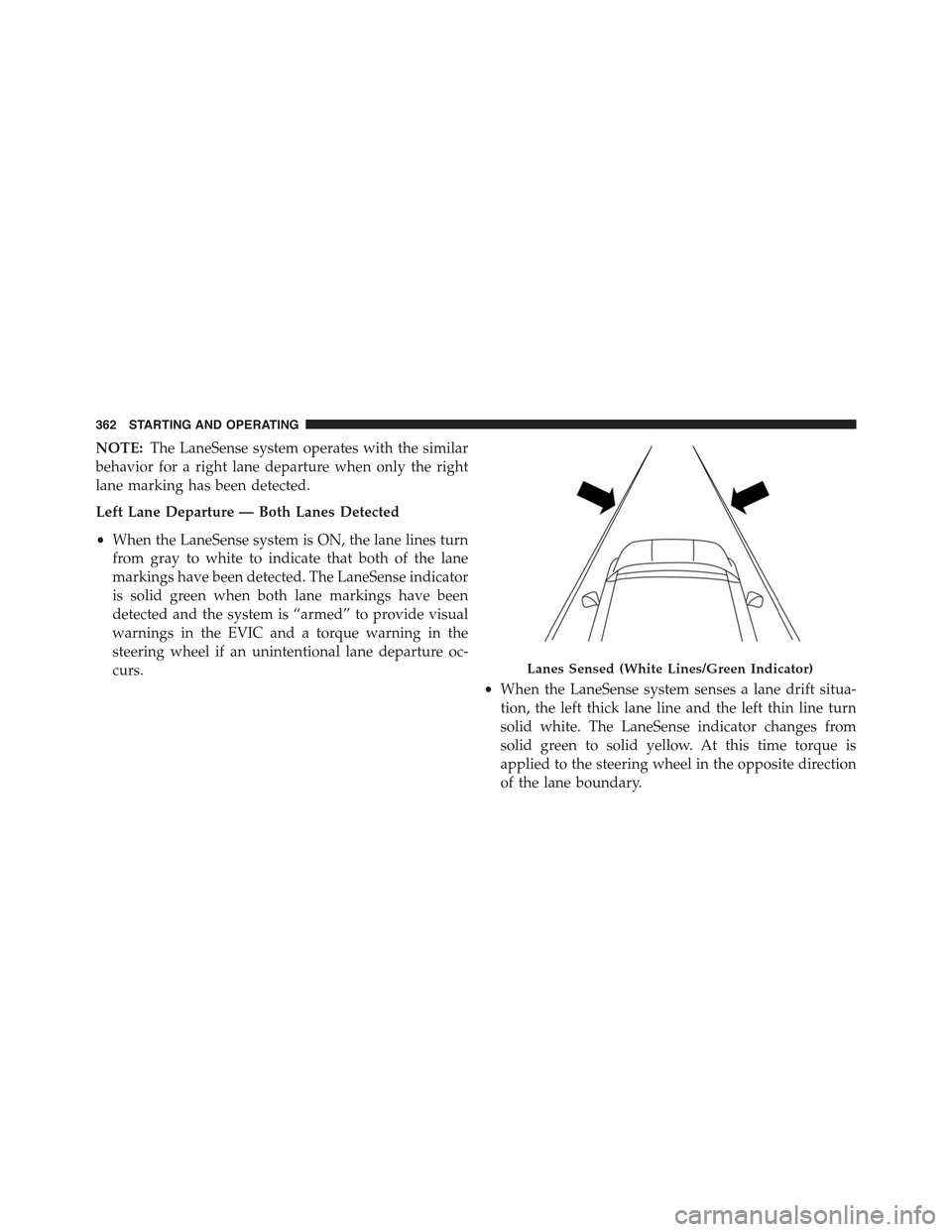
Left Lane Departure — Both Lanes Detected
•When the LaneSense system is ON, the lane lines turn
from gray to white to indicate that both of the lane
markings have been detected. The LaneSense indicator
is solid green when both lane markings have been
detected and the system is “armed” to provide visual
warnings in the EVIC and a torque warning in the
steering wheel if an unintentional lane departure oc-
curs.
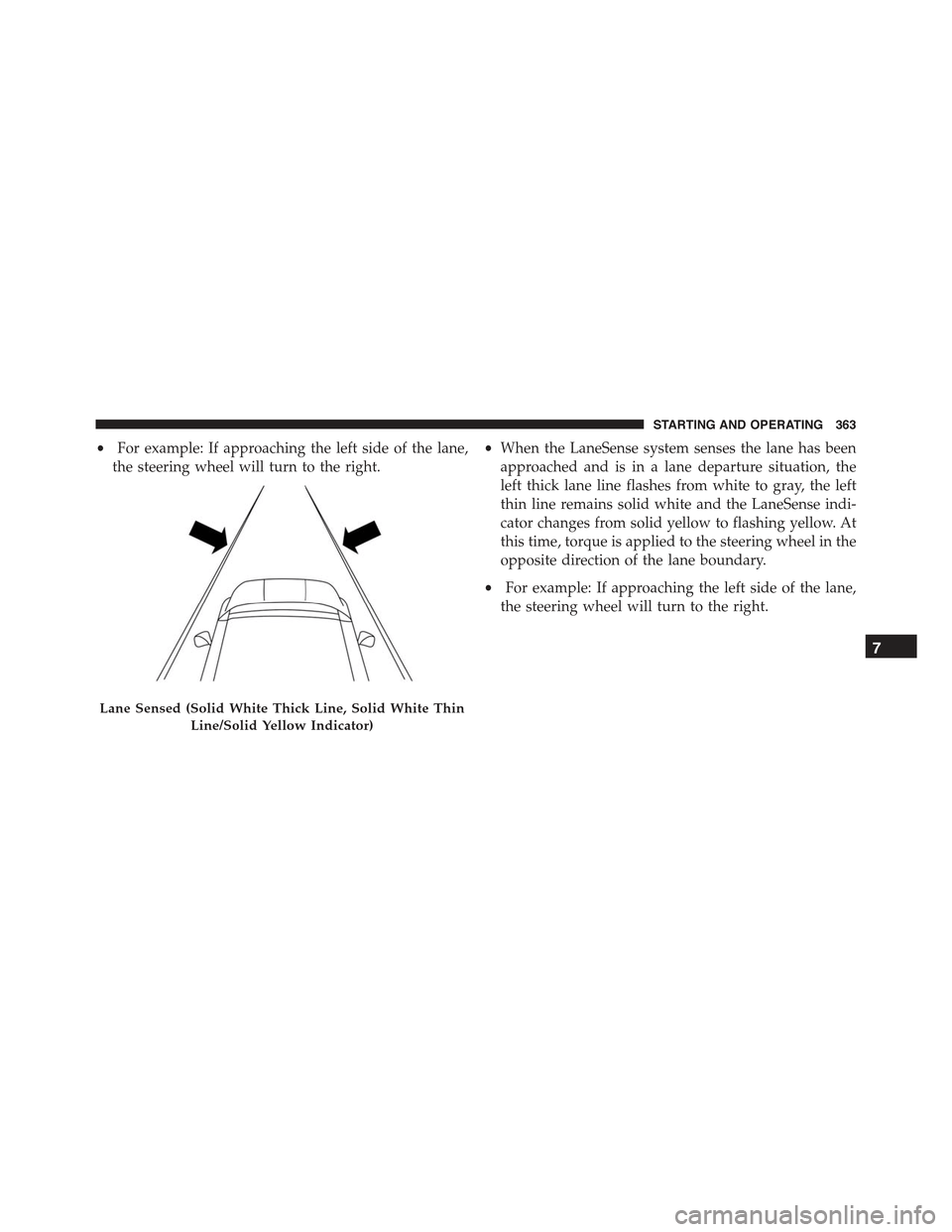
•When the LaneSense system senses a lane drift situa-
tion, the left thick lane line and the left thin line turn
solid white. The LaneSense indicator changes from
solid green to solid yellow. At this time torque is
applied to the steering wheel in the opposite direction
of the lane boundary.
Lanes Sensed (White Lines/Green Indicator)
362 STARTING AND OPERATING
Page 365 of 678
•For example: If approaching the left side of the lane,
the steering wheel will turn to the right.
•When the LaneSense system senses the lane has been
approached and is in a lane departure situation, the
left thick lane line flashes from white to gray, the left
thin line remains solid white and the LaneSense indi-
cator changes from solid yellow to flashing yellow. At
this time, torque is applied to the steering wheel in the
opposite direction of the lane boundary.
•For example: If approaching the left side of the lane,
the steering wheel will turn to the right.
Lane Sensed (Solid White Thick Line, Solid White Thin
Line/Solid Yellow Indicator)
7
STARTING AND OPERATING 363
Page 368 of 678
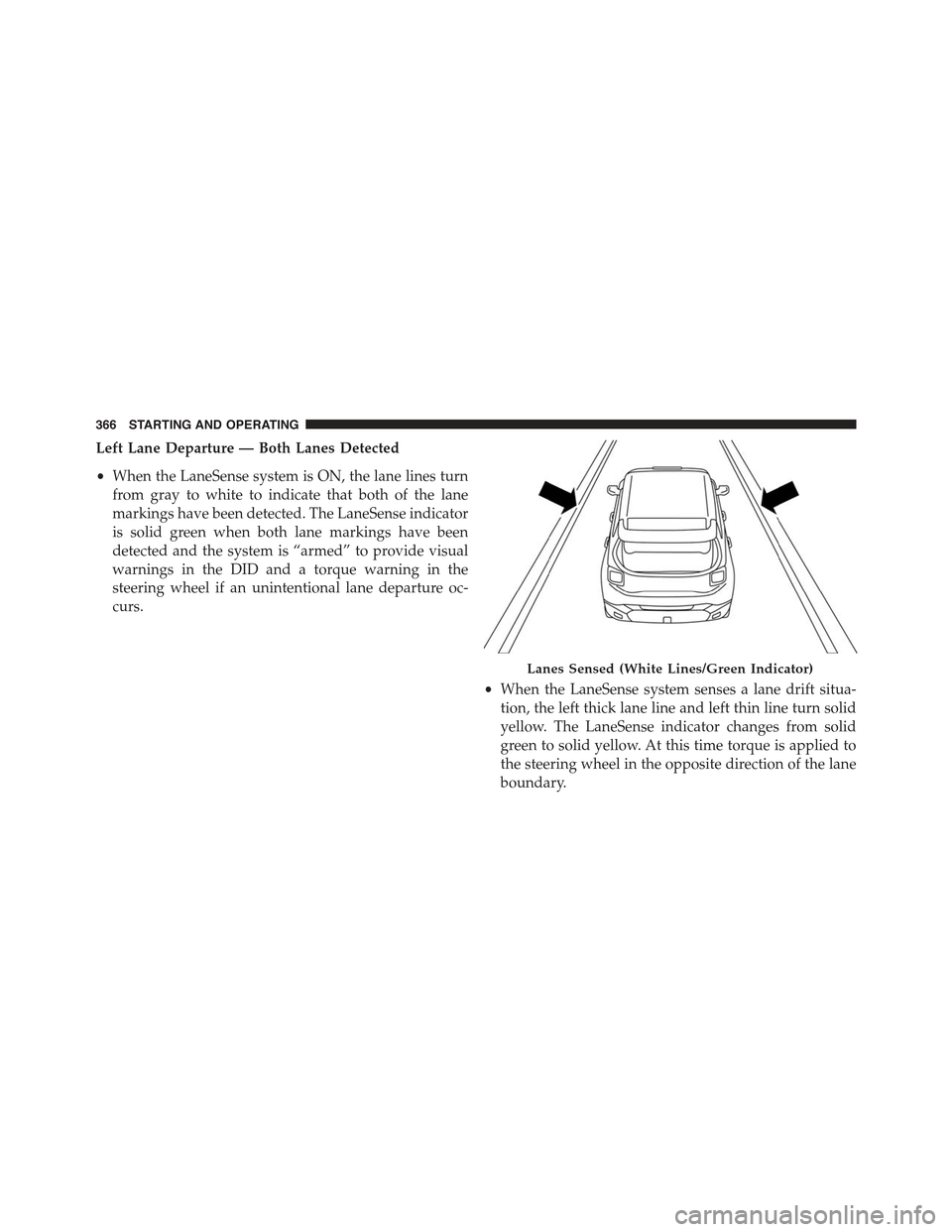
Left Lane Departure — Both Lanes Detected
•When the LaneSense system is ON, the lane lines turn
from gray to white to indicate that both of the lane
markings have been detected. The LaneSense indicator
is solid green when both lane markings have been
detected and the system is “armed” to provide visual
warnings in the DID and a torque warning in the
steering wheel if an unintentional lane departure oc-
curs.
•When the LaneSense system senses a lane drift situa-
tion, the left thick lane line and left thin line turn solid
yellow. The LaneSense indicator changes from solid
green to solid yellow. At this time torque is applied to
the steering wheel in the opposite direction of the lane
boundary.
Lanes Sensed (White Lines/Green Indicator)
366 STARTING AND OPERATING