Page 148 of 678
CAUTION!
•When refitting panels, be careful to avoid fingers,
scarves, ties and items of clothing from getting
caught under the panels themselves.
•Do not open the roof in the presence of snow or ice.
There is risk of damage.
TO OPEN AND CLOSE THE HOOD
Opening
Two latches must be released to open the hood.
Pull the hood release lever located under the drivers side
of the instrument panel.
Emergency Key And Key Hole
1—KeyHole2 — Allen Key
146 GETTING TO KNOW YOUR VEHICLE
Page 163 of 678
NOTE:The cargo box is sized for a maximum capacity of
distributed weight equal to 242 lbs (110 kg).
INTERNAL EQUIPMENT
Glove Compartment
The glove compartment is located on the passengers side
of the instrument panel.
To open the glove compartment proceed as follows:
1. Unlock the compartment using the vehicle key.
2. Pull the handle to open the compartment.
Once the glove compartment is open, a light will turn on
to illuminate the compartment.
Opening The Glove Compartment
1—GloveCompartmentHandle
4
GETTING TO KNOW YOUR VEHICLE 161
Page 166 of 678
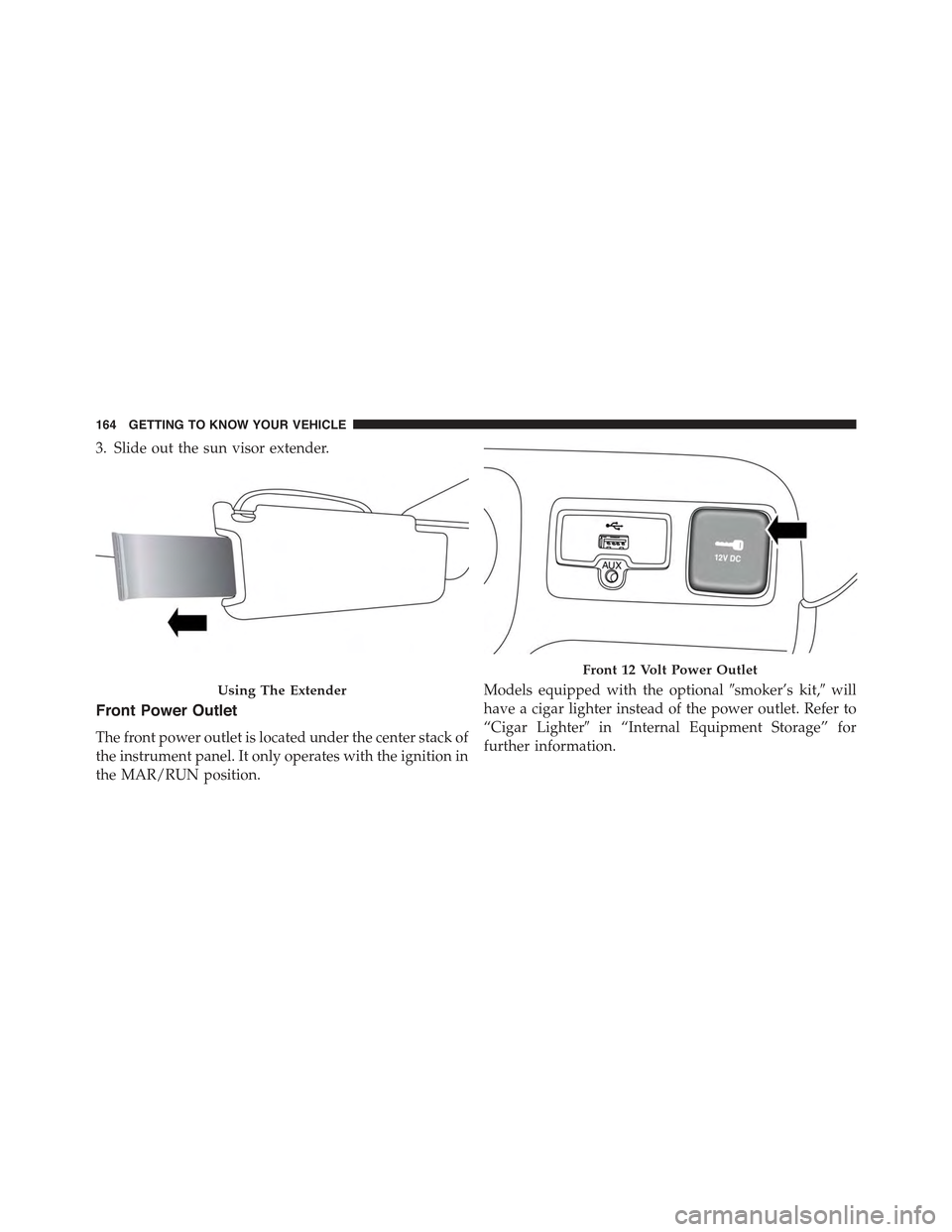
3. Slide out the sun visor extender.
Front Power Outlet
The front power outlet is located under the center stack of
the instrument panel. It only operates with the ignition in
the MAR/RUN position.
Models equipped with the optional#smoker’s kit,#will
have a cigar lighter instead of the power outlet. Refer to
“Cigar Lighter#in “Internal Equipment Storage” for
further information.
Using The Extender
Front 12 Volt Power Outlet
164 GETTING TO KNOW YOUR VEHICLE
Page 173 of 678
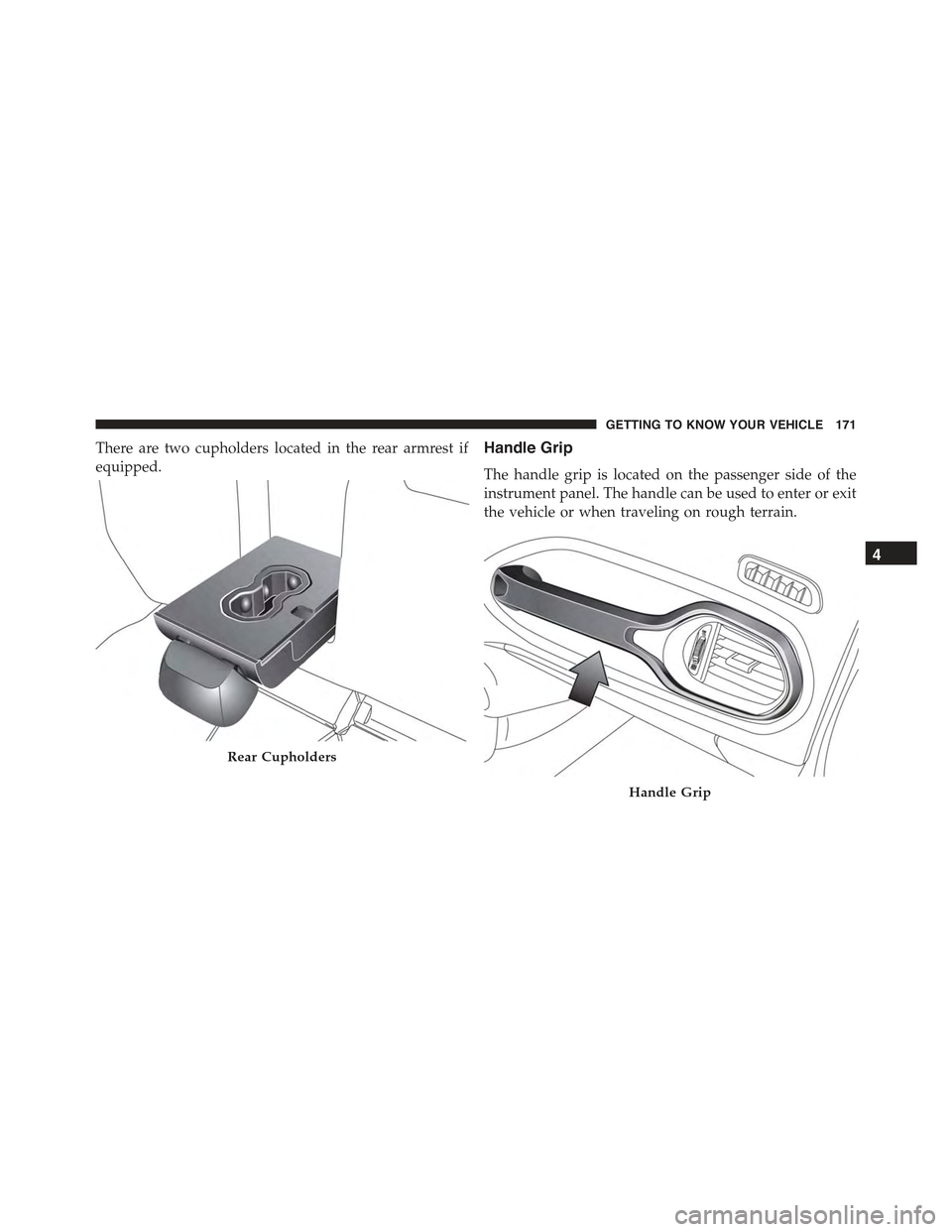
There are two cupholders located in the rear armrest if
equipped.
Handle Grip
The handle grip is located on the passenger side of the
instrument panel. The handle can be used to enter or exit
the vehicle or when traveling on rough terrain.
Rear Cupholders
Handle Grip
4
GETTING TO KNOW YOUR VEHICLE 171
Page 177 of 678
GETTING TO KNOW YOUR INSTRUMENT PANEL
CONTENTS
!INSTRUMENT CLUSTER.................177
▫Instrument Cluster With Multi-Functional Display
(EVIC).............................177
▫Instrument Cluster With Reconfigurable
Multi-Functional Display (DID)............178
▫Speedometer (EVIC)....................179
▫Speedometer (DID)....................180
▫Odometer...........................181
▫Tachometer..........................181
▫Fuel Gauge..........................181
▫Engine Coolant Temperature Gauge.........182
!WARNING LIGHTS AND MESSAGES........183
▫Telltales On The EVIC/DID Instrument
Cluster............................184
▫Symbols Displayed In The EVIC/DID......193
!ELECTRONIC VEHICLE INFORMATION CENTER
(EVIC) / DRIVER INFORMATION
DISPLAY (DID)........................201
▫EVIC/DID Description..................201
▫Mapping And Reconfigurable Zone Display
(EVIC) — (If Equipped).................201
5
Page 178 of 678
▫Mapping And Reconfigurable Zone Display (DID)
— (If Equipped)......................203
▫EVIC/DID Control Buttons...............206
▫EVIC/DID Main Menu.................207
!TRIP COMPUTER......................218
▫Quantities Displayed...................219
▫OK Button..........................219
176 GETTING TO KNOW YOUR INSTRUMENT PANEL
Page 179 of 678
INSTRUMENT CLUSTER
Instrument Cluster With Multi-Functional Display (EVIC)
Electronic Vehicle Information Center (EVIC) Cluster
A — TachometerB—DigitalIndicatorEngineCoolantTemperatureWarningLightWith Maximum TemperatureC — Multi-functional Display
D — Digital Indicator Fuel Level Indicator With The Reserve (thetriangle symbol pointing toward the right indicates where thefuel filler door is located)E — Speedometer (speed indicator)
5
GETTING TO KNOW YOUR INSTRUMENT PANEL 177
Page 180 of 678
Instrument Cluster With Reconfigurable Multi-Functional Display (DID)
Driver Information Display (DID) Cluster
A — TachometerB—DigitalIndicatorEngineCoolantTemperatureC — Multi-functional Display
D — Digital Indicator Fuel Level (the triangle symbol pointingtoward the right indicates where the fuel filler door is located)E — Speedometer (speed indicator)
178 GETTING TO KNOW YOUR INSTRUMENT PANEL