Page 440 of 678
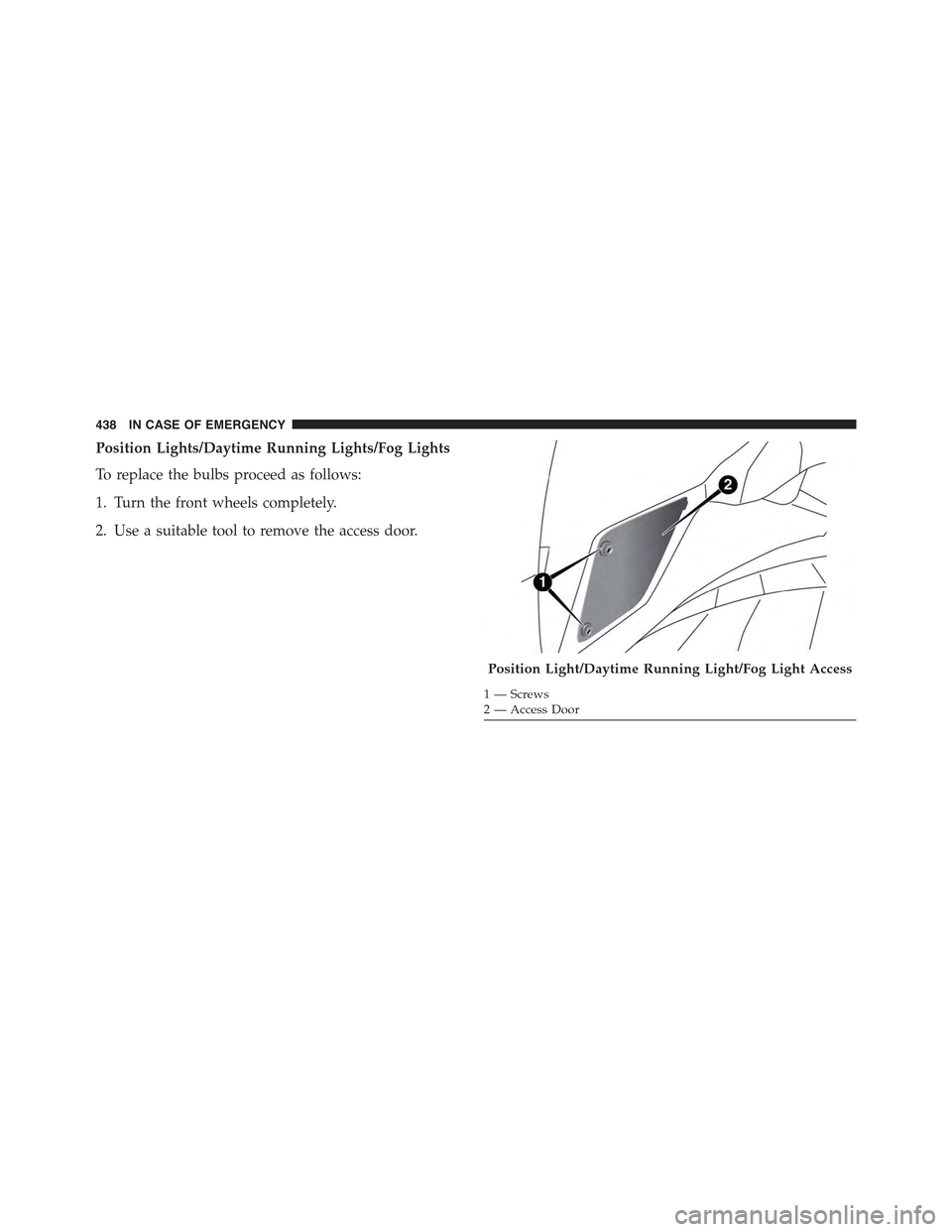
Position Lights/Daytime Running Lights/Fog Lights
To replace the bulbs proceed as follows:
1. Turn the front wheels completely.
2. Use a suitable tool to remove the access door.
Position Light/Daytime Running Light/Fog Light Access
1—Screws2—AccessDoor
438 IN CASE OF EMERGENCY
Page 443 of 678
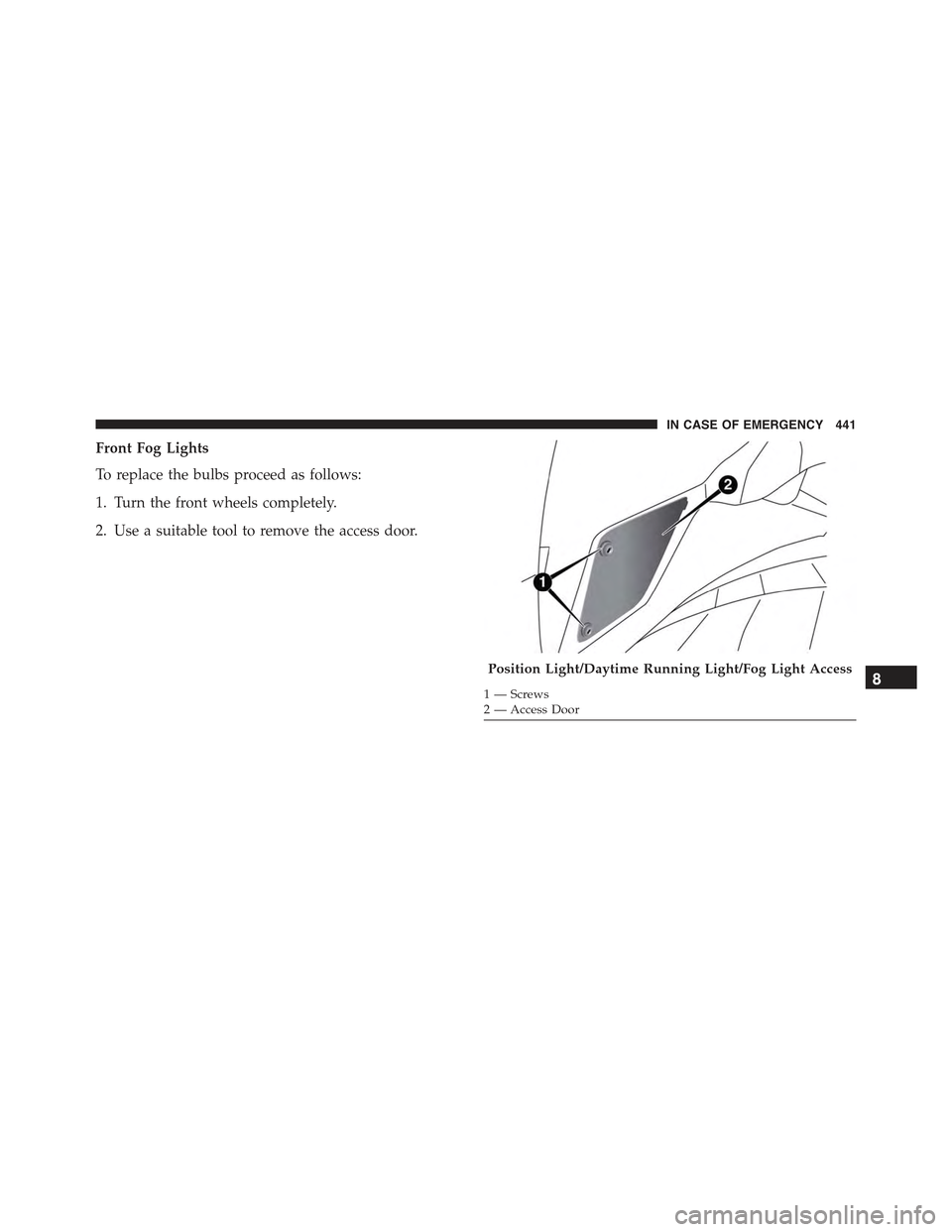
Front Fog Lights
To replace the bulbs proceed as follows:
1. Turn the front wheels completely.
2. Use a suitable tool to remove the access door.
Position Light/Daytime Running Light/Fog Light Access
1—Screws2—AccessDoor
8
IN CASE OF EMERGENCY 441
Page 444 of 678
3. By pushing the electrical connector tab remove the
electrical connector.
4. Rotate the bulb counterclockwise, and then replace the
bulb.
5. Insert the new bulb in the socket, making sure the bulb
is locked into place.
6. Reconnect the electrical connector.
7. Reinstall the access door.
Side Indicators
Front Side Indicators
To replace the bulb proceed as follows:
1. Operating from inside the engine compartment using
a suitable tool release the retaining clip.Fog Light Assembly
1—BulbSocket2 — Electrical Connector3—Bulb
442 IN CASE OF EMERGENCY
Page 610 of 678

that the setting has been selected. Press the back arrow
button on the touchscreen to return to the previous
menu.
•Greeting Lights
When this feature is selected, it allows the greeting lights
to be turned On or Off. To change the Greeting Lights
setting, press the “On” or “Off” button on the touch-
screen to select your desired Greeting Light setting. Press
the back arrow button on the touchscreen to return to the
previous menu.
•Auto High Beams — If Equipped
When this feature is selected, the high beam headlights
will activate/deactivate automatically under certain con-
ditions. To make your selection, press the “Auto High
Beams” button on the touchscreen, then select from “On”
or “Off.” Press the back arrow button on the touchscreen
to return to the previous menu.
•Daytime Running Lights
When this feature is selected, the headlights will turn on
while the engine is running. To make your selection,
press the “Daytime Running Lights” button on the touch-
screen, then choose “Yes” or “No.” The button will
highlight indicating that the setting has been selected.
Press the back arrow button on the touchscreen to return
to the previous menu.
•Cornering Lights
When this feature is selected, if the steering wheel
rotation angle is large or the turn signal indicators are on,
a light (incorporated in the fog light) will turn on, on the
relevant side to improve visibility at night. To change the
Cornering Lights setting, press the “On” or “Off” button
on the touchscreen to select your desired Cornering
Lights setting. Press the back arrow button on the touch-
screen to return to the previous menu.
608 MULTIMEDIA
Page 629 of 678

press the “Daytime Running Lights” button on the touch-
screen, then choose “Yes” or “No.” The button will
highlight indicating that the setting has been selected.
Press the back arrow button on the touchscreen to return
to the previous menu.
•Cornering Lights
When this feature is selected, if the steering wheel
rotation angle is large or the turn signal indicators are on,
a light (incorporated in the fog light) will turn on, on the
relevant side to improve visibility at night. To change the
Cornering Lights setting, press the “On” or “Off” button
on the touchscreen to select your desired Cornering
Lights setting. Press the back arrow button on the touch-
screen to return to the previous menu.
•Flash Lights With Lock
When this feature is selected, the exterior lights will flash
when the doors are locked or unlocked with the Remote
Keyless Entry (RKE) transmitter. This feature may be
selected with or without the Sound Horn on Lock feature
selected. To make your selection, press the “Flash Lights
with Lock” button on the touchscreen, then choose “On”
or “Off.” Press the back arrow button on the touchscreen
to return to the previous menu.
•Steering Directed Headlights — If Equipped
When this feature is selected, the headlights turn relative
to a change in direction of the steering wheel. To make
your selection, press the “Steering Directed Headlights”
button on the touchscreen, then choose “On” or “Off.”
Press the back arrow button on the touchscreen to return
to the previous menu.
•Headlights With Wipers — If Equipped
When this feature is selected, and the headlight switch is
in the AUTO position, the headlights will turn on ap-
proximately 10 seconds after the wipers are turned on.
The headlights will also turn off when the wipers are
turned off if they were turned on by this feature. To make
11
MULTIMEDIA 627
Page 665 of 678

Engine Oil Viscosity.......................531
Engine Oil Viscosity Chart...................531
Enhanced Accident Response Feature...........281
Ethanol................................390
Event Data Recorder.......................285
Exhaust Gas Caution.......................310
Exhaust System...........................310
Exterior Lighting..........................95
Exterior Lights............................95
Filters
Air Cleaner...........................532
Air Conditioning.......................535
Engine Oil............................532
Engine Oil Disposal.....................532
Flashers
Hazard Warning........................427
Turn Signal............................99
Flexible Fuel Vehicles
Cruising Range.........................396
Engine Oil............................395
Fuel Requirements......................393
Maintenance...........................396
Replacement Parts.......................396
Starting..............................395
Flooded Engine Starting....................320
Floor Console............................169
Fluid, Brake.............................594
Fluid Capacities..........................592
Fluid Leaks.............................313
Fluids, Lubricants and Genuine Parts...........593
Fog Lights...............................97
Forward Collision Warning..................244
Freeing A Stuck Vehicle.....................503
Fuel...................................388
Adding..............................396
Additives.............................391
12
INDEX 663
Page 668 of 678

Passive Entry...........................56
Passive Entry Programming.................56
Remote Control.........................56
Unlock From The Driver’s Side..............56
Unlock From The Passenger Side.............56
Unlock Liftgate.........................628
Keyless Entry System.......................31
Key, Replacement..........................40
Keys...................................31
Key, Sentry (Immobilizer)....................49
Lane Change and Turn Signals.................99
LaneSense..............................359
Lap/Shoulder Belts........................256
Latches................................313
Lead Free Gasoline........................388
Leaks, Fluid.............................313
Life of Tires.............................581
Liftgate................................149
Liftgate Window Wiper/Washer...............107
Light Bulbs..............................313
Lights.................................313
Airbag...............................283
Automatic Headlights.....................96
Brake Assist Warning....................238
Daytime Running........................97
Dimmer Switch, Headlight.................98
Exterior..............................313
Fog . . . . . . . . . . . . . . . . . . . . . . . . . . . . . . . . . .97
Hazard Warning Flasher..................427
Headlights.............................95
Headlights On Reminder...................98
Headlight Switch........................95
High Beam............................98
High Beam/Low Beam Select...............98
Hill Descent Control Indicator..............231
Instrument Cluster.......................95
Intensity Control........................105
666 INDEX