Page 351 of 678
NOTE:
•In order to ensure proper operation, the Electronic
Speed Control System has been designed to shut down
if multiple Speed Control functions are operated at the
same time. If this occurs, the Electronic Speed Control
System can be reactivated by pushing the Electronic
Speed Control ON/OFF button and resetting the de-
sired vehicle set speed.
•The Electronic Speed Control function will not work in
4WD Low Range.
To Activate
Push the ON/OFF button to activate the Electronic Speed
Control. The Cruise Indicator Light in the Electronic
Vehicle Information Center (EVIC) or Driver Information
Display (DID) will illuminate. To turn the system off,
push the ON/OFF button a second time. The Cruise
Electronic Speed Control Buttons
1—ON/OFF4—SET-/DECEL2—SET+/ACCEL5—CANCEL3—RESUME
7
STARTING AND OPERATING 349
Page 355 of 678

WARNING!
Electronic Speed Control can be dangerous where the
system cannot maintain a constant speed. Your ve-
hicle could go too fast for the conditions, and you
could lose control and have an accident. Do not use
Electronic Speed Control in heavy traffic or on roads
that are winding, icy, snow-covered or slippery.
FOUR WHEEL DRIVE — JEEP ACTIVE DRIVE
(4WD) AND JEEP ACTIVE DRIVE LOW (4WD
LOW)
Your vehicle may be equipped with a Power Transfer
Unit (PTU). This system is automatic with no driver
inputs or additional driving skills required. Under nor-
mal driving conditions, the front wheels provide most of
the traction. If the front wheels begin to lose traction,
power is shifted automatically to the rear wheels. The
greater the front wheel traction loss, the greater the
power transfer to the rear wheels.
Additionally, on dry pavement under heavy throttle
input (where one may have no wheel spin), torque will be
sent to the rear in a preemptive effort to improve vehicle
launch and performance characteristics.
7
STARTING AND OPERATING 353
Page 356 of 678
CAUTION!
All wheels must have the same size and type tires.
Unequal tire sizes must not be used. Unequal tire
size may cause failure of the power transfer unit.
Four Wheel Drive (4X4)
The four wheel drive (4WD) is fully automatic in normal
driving mode.
NOTE:It is not possible to carry out the change of mode
when the car exceeds the speed of 75 mph (120 km/h).
Enabling Four Wheel Drive (4x4)
The buttons for the activation of four wheel drive are
located on the device Selec-Terrain™ and allow you to
select the following:
•4WD LOCK
•4WD LOW — (Trailhawk models only)
354 STARTING AND OPERATING
Page 357 of 678
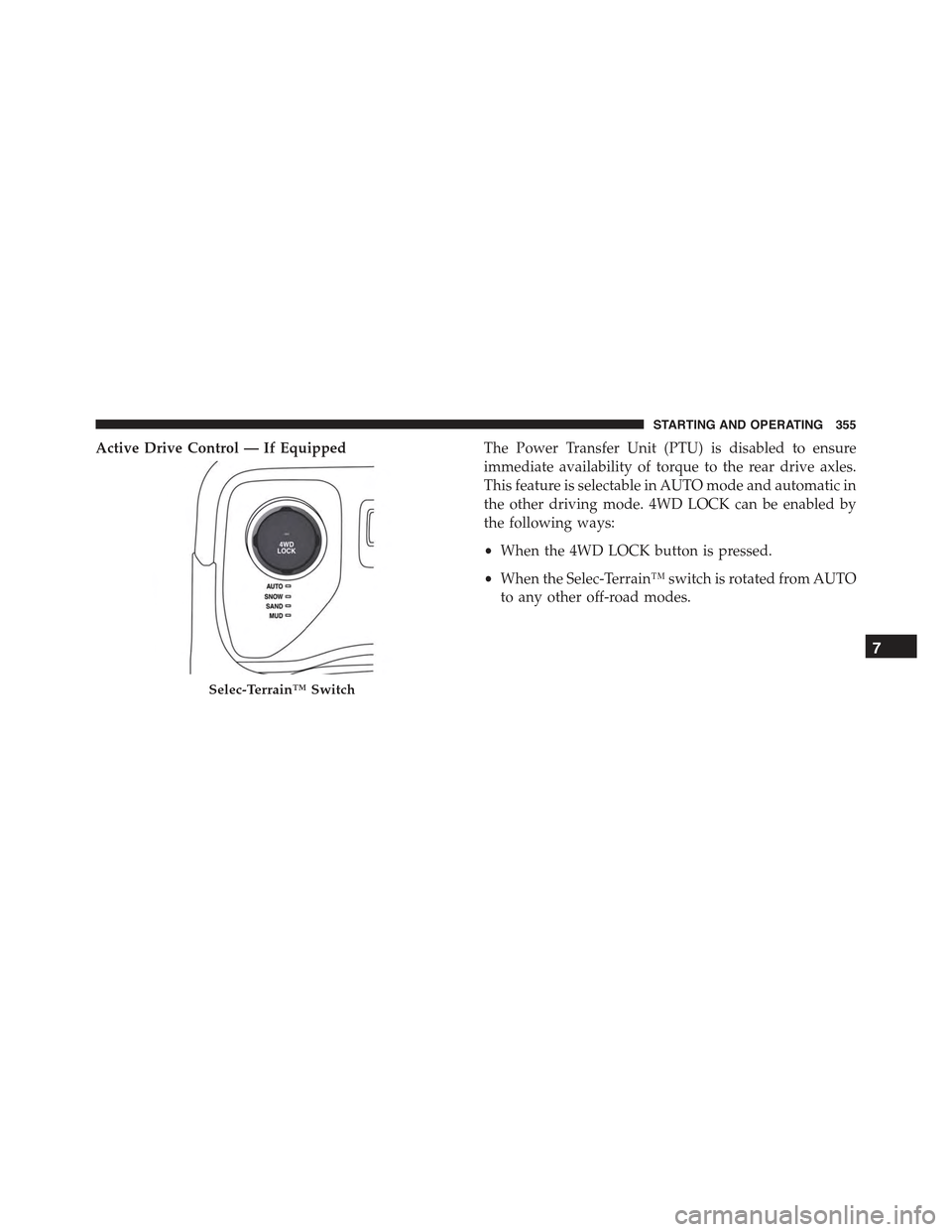
Active Drive Control — If EquippedThe Power Transfer Unit (PTU) is disabled to ensure
immediate availability of torque to the rear drive axles.
This feature is selectable in AUTO mode and automatic in
the other driving mode. 4WD LOCK can be enabled by
the following ways:
•When the 4WD LOCK button is pressed.
•When the Selec-Terrain™ switch is rotated from AUTO
to any other off-road modes.
Selec-Terrain™ Switch
7
STARTING AND OPERATING 355
Page 358 of 678
Active Drive With Low Control — (Trailhawk models
only)
The 4WD LOW mode helps to improve the off-road
performance in all modes. To enable 4WD Low please
follow the steps below:
Enabling 4WD LOW
With the vehicle stationary, the ignition in the MAR/
RUN or with the engine running, shift the transmission
into DRIVE, REVERSE or NEUTRAL and press the
button once 4WD LOW. The EVIC/DID will display the
message#4WD LOW#once the shift is complete.
NOTE:The lights on the Selec-Terrain™ switch may
blink until the shift is complete.
Disabling 4WD LOW
To disable the 4WD LOW mode, the vehicle must be
stationary and the transmission shifted into NEUTRAL.
Press the 4WD LOW button once.
Selec-Terrain™ Switch (Trailhawk)
356 STARTING AND OPERATING
Page 360 of 678

•AUTO: This four-wheel drive operation is a continu-
ous operation, is fully automatic and can be used on
and off road. This mode balances traction to ensure
maneuverability and acceleration improvement com-
pared to a car with two wheel drive. This mode also
reduces fuel consumption, since it allows the discon-
nect of the drive shaft where conditions permit.
•SNOW: This mode allows you to have greater stability
under conditions of bad weather. For use on and off
road on surfaces with poor traction, such as roads
covered with snow. When in SNOW mode (depending
on certain operating conditions), the transmission may
use second gear (rather than first gear) during
launches, to minimize wheel slippage.
•SAND: For off-road driving or use on surfaces with
poor traction, such as sandy bottoms. The transmission
is set to provide maximum traction.
•MUD: For off-road driving or use on surfaces with
poor traction, such as roads covered by mud or wet
grass.
•ROCK(Trailhawk only): This mode is only available
in 4WD LOW range. The device sets the vehicle to
Selec-Terrain™ Switch (Trailhawk)
358 STARTING AND OPERATING
Page 405 of 678

OFF-ROAD DRIVING TIPS
When To Use 4WD LOW Range
When off-road driving, shift to 4WD LOW for additional
traction and control on slippery or difficult terrain,
ascending or descending steep hills, and to increase
low-speed pulling power (refer to “All Wheel Drive and
Four-Wheel Drive Operation” in this section for further
details). This range should be limited to extreme situa-
tions such as deep snow, mud, or sand where additional
low speed pulling power is needed. Vehicle speeds in
excess of 25 mph (40 km/h) should be avoided when in
4WD LOW range.
Driving Through Water
Although your vehicle is capable of driving through
water, there are a number of precautions that must be
considered before entering the water:
CAUTION!
When driving through water, do not exceed 5 mph
(8 km/h). Always check water depth before entering
as a precaution, and check all fluids afterward. Driv-
ing through water may cause damage that may not be
covered by the new vehicle limited warranty.
Driving through water more than a few inches/
centimeters deep will require extra caution to ensure
safety and prevent damage to your vehicle. If you must
drive through water, try to determine the depth and the
bottom condition (and location of any obstacles) prior to
entering. Proceed with caution and maintain a steady
controlled speed less than 5 mph (8 km/h) in deep water
to minimize wave effects.
Flowing Water
If the water is swift flowing and rising (as in storm
run-off) avoid crossing until the water level recedes
7
STARTING AND OPERATING 403
Page 406 of 678

and/or the flow rate is reduced. If you must cross
flowing-water, avoid depths in excess of 9 inches (22 cm).
The flowing water can erode the streambed causing your
vehicle to sink into deeper water. Determine exit point(s)
that are downstream of your entry point to allow for
drifting.
Standing Water
Avoid driving in standing water deeper than 20 inches
(51 cm), and reduce speed appropriately to minimize
wave effects. Maximum speed in 20 inches (51 cm) of
water is less than 5 mph (8 km/h).
Maintenance
After driving through deep water, inspect your vehicle
fluids and lubricants (engine, transmission, Power Trans-
fer Unit and Rear Drive Module) to assure they have not
been contaminated. Contaminated fluids and lubricants
(milky, foamy in appearance) should be flushed/changed
as soon as possible to prevent component damage.
Driving In Snow, Mud And Sand
In heavy snow, when pulling a load, or for additional
control at slower speeds, shift the transmission to a low
gear and shift the 4WD system to the appropriate terrain
mode, using 4WD LOW if necessary. Refer to “Four-
Wheel Drive Operation” in “Starting And Operating” for
further information. Do not shift to a lower gear than
necessary to maintain headway. Over-revving the engine
can spin the wheels and traction will be lost.
Avoid abrupt downshifts on icy or slippery roads be-
cause engine braking may cause skidding and loss of
control.
Hill Climbing
NOTE:Before attempting to climb a hill, determine the
conditions at the crest and/or on the other side.
404 STARTING AND OPERATING