Page 309 of 717
•Speed Warning Exceeded
•Parking Brake Engaged
•Brake Fluid Low
•Service Electronic Braking System
•Engine Temperature Hot
•Battery Voltage Low
•Service Electronic Throttle Control
•Lights On
•Right Turn Signal Light Out
•Left Turn Signal Light Out
•Turn Signal On
•Vehicle Not in Park
•Key in Ignition
•Key in Ignition Lights On
•Remote Start Active Key to Run
•Remote Start Active Push Start Button
•Remote Start Aborted Fuel Low
•Remote Start Aborted Too Cold
•Remote Start Aborted Door Open
•Remote Start Aborted Hood Open
•Remote Start Aborted Tailgate Open
•Remote Start Aborted Time Expired
•Remote Start Disabled Start to Reset
•Service Airbag System
•Service Airbag Warning Light
•Door Open
4
UNDERSTANDING YOUR INSTRUMENT PANEL 307
Page 350 of 717

had been selected. Press the back arrow button on the
touchscreen to return to the previous menu.
•Hill Start Assist — If Equipped
When this feature is selected, the Hill Start Assist (HSA)
system is active. Refer to “Electronic Brake Control
System” in “Starting And Operating” for system function
and operating information. To make your selection, press
the “Hill Start Assist” button on the touchscreen, until a
check-mark appears next to setting, indicating that the
setting had been selected. Press the back arrow button on
the touchscreen to return to the previous menu.
Lights
After pressing the Lights button on the touchscreen the
following settings will be available.
•Headlight Off Delay
When this feature is selected, it allows adjustment of the
amount of time the headlights remain on after the engine
is shut off. To change the Headlights Off Delay setting,
press the “+” or “-” button on the touchscreen to select
your desired time interval, and choose either 0 sec, 30 sec,
60 sec or 90 seconds. Press the back arrow button on the
touchscreen to return to the previous menu, or push the
back button on the faceplate.
•Headlight Illumination On Approach
When this feature is selected, the headlights will activate
and remain on for 0, 30, 60, or 90 seconds when the doors
are unlocked with the Remote Keyless Entry (RKE)
transmitter. To change the Illuminated Approach status,
press the “+” or “–” button on the touchscreen to select
your desired time interval. Press the back arrow button
on the touchscreen to return to the previous menu, or
push the back button on the faceplate.
348 UNDERSTANDING YOUR INSTRUMENT PANEL
Page 363 of 717
•Turn on the Rear Seat Entertainment system by push-
ing the Power button on the remote control.
•When the Video Screen(s) are open and a DVD/Blu-
ray™ Disc is inserted into the Disc player, the screen(s)
turn(s) ON automatically, the headphone transmitters
turn ON and playback begins.
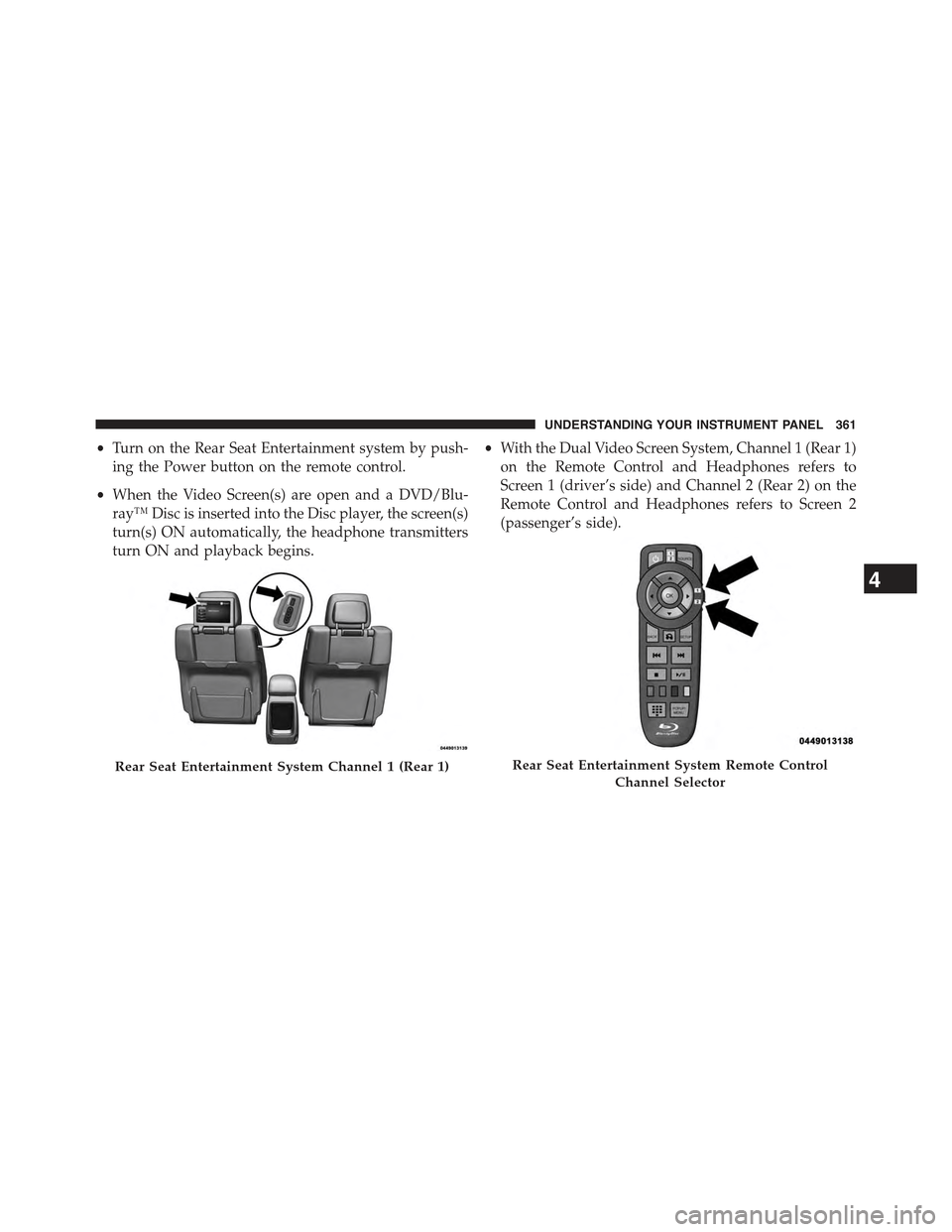
•With the Dual Video Screen System, Channel 1 (Rear 1)
on the Remote Control and Headphones refers to
Screen 1 (driver’s side) and Channel 2 (Rear 2) on the
Remote Control and Headphones refers to Screen 2
(passenger’s side).
Rear Seat Entertainment System Channel 1 (Rear 1)Rear Seat Entertainment System Remote Control
Channel Selector
4
UNDERSTANDING YOUR INSTRUMENT PANEL 361
Page 364 of 717
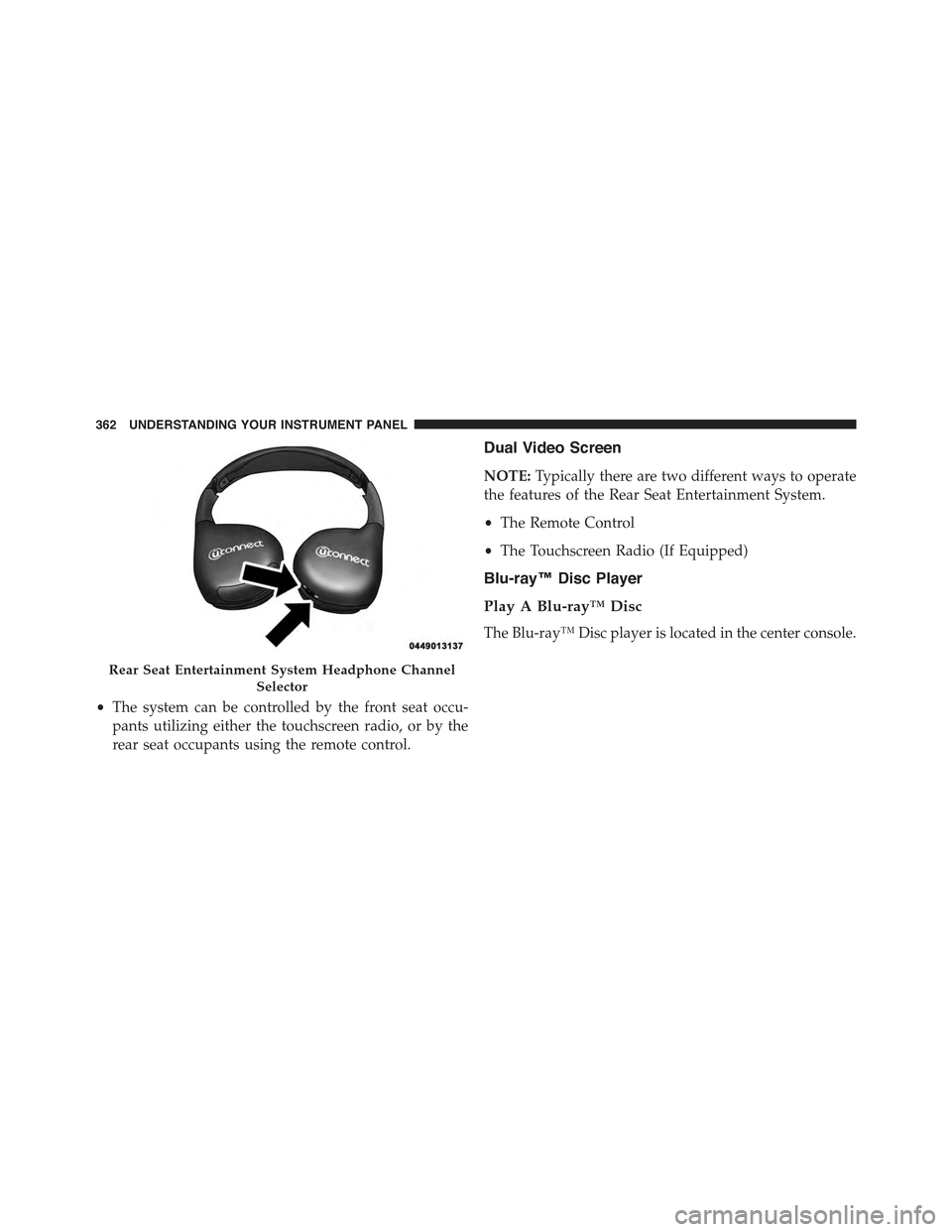
•The system can be controlled by the front seat occu-
pants utilizing either the touchscreen radio, or by the
rear seat occupants using the remote control.
Dual Video Screen
NOTE:Typically there are two different ways to operate
the features of the Rear Seat Entertainment System.
•The Remote Control
•The Touchscreen Radio (If Equipped)
Blu-ray™ Disc Player
Play A Blu-ray™ Disc
The Blu-ray™ Disc player is located in the center console.
Rear Seat Entertainment System Headphone Channel
Selector
362 UNDERSTANDING YOUR INSTRUMENT PANEL
Page 366 of 717
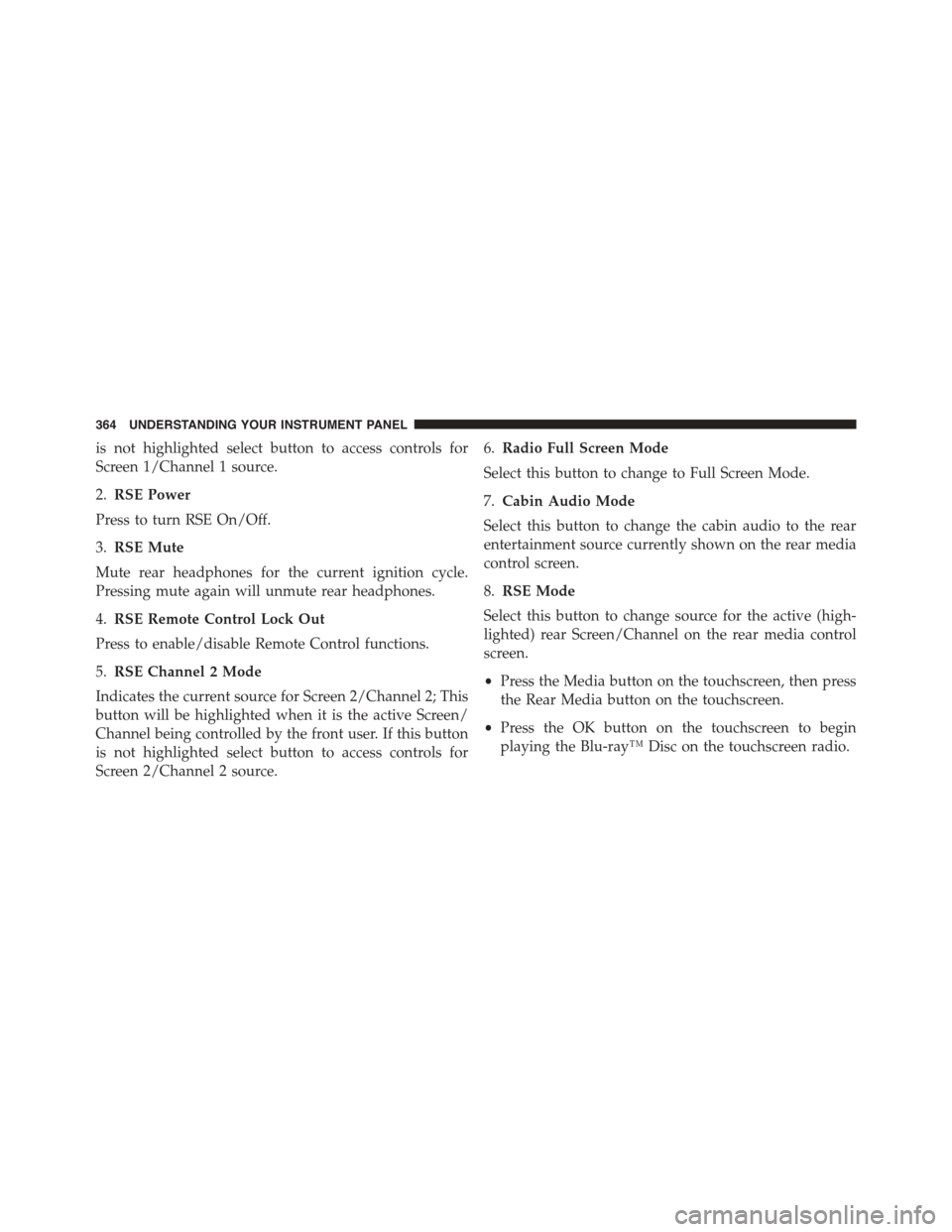
is not highlighted select button to access controls for
Screen 1/Channel 1 source.
2.RSE Power
Press to turn RSE On/Off.
3.RSE Mute
Mute rear headphones for the current ignition cycle.
Pressing mute again will unmute rear headphones.
4.RSE Remote Control Lock Out
Press to enable/disable Remote Control functions.
5.RSE Channel 2 Mode
Indicates the current source for Screen 2/Channel 2; This
button will be highlighted when it is the active Screen/
Channel being controlled by the front user. If this button
is not highlighted select button to access controls for
Screen 2/Channel 2 source.
6.Radio Full Screen Mode
Select this button to change to Full Screen Mode.
7.Cabin Audio Mode
Select this button to change the cabin audio to the rear
entertainment source currently shown on the rear media
control screen.
8.RSE Mode
Select this button to change source for the active (high-
lighted) rear Screen/Channel on the rear media control
screen.
•Press the Media button on the touchscreen, then press
the Rear Media button on the touchscreen.
•Press the OK button on the touchscreen to begin
playing the Blu-ray™ Disc on the touchscreen radio.
364 UNDERSTANDING YOUR INSTRUMENT PANEL
Page 367 of 717
Using The Remote Control
•Select an audio channel (Rear 1 for driver’s side rear
screen and Rear 2 for passenger’s side rear screen),
then press the source key and using the up and down
arrows, highlight disc from the menu and press the OK
button.
•Press the popup/menu key to navigate the disc menu
and options.
Play Video Games
Connect the video game console to the Audio/Video
RCA/HDMI input jacks located on the side of each seat.
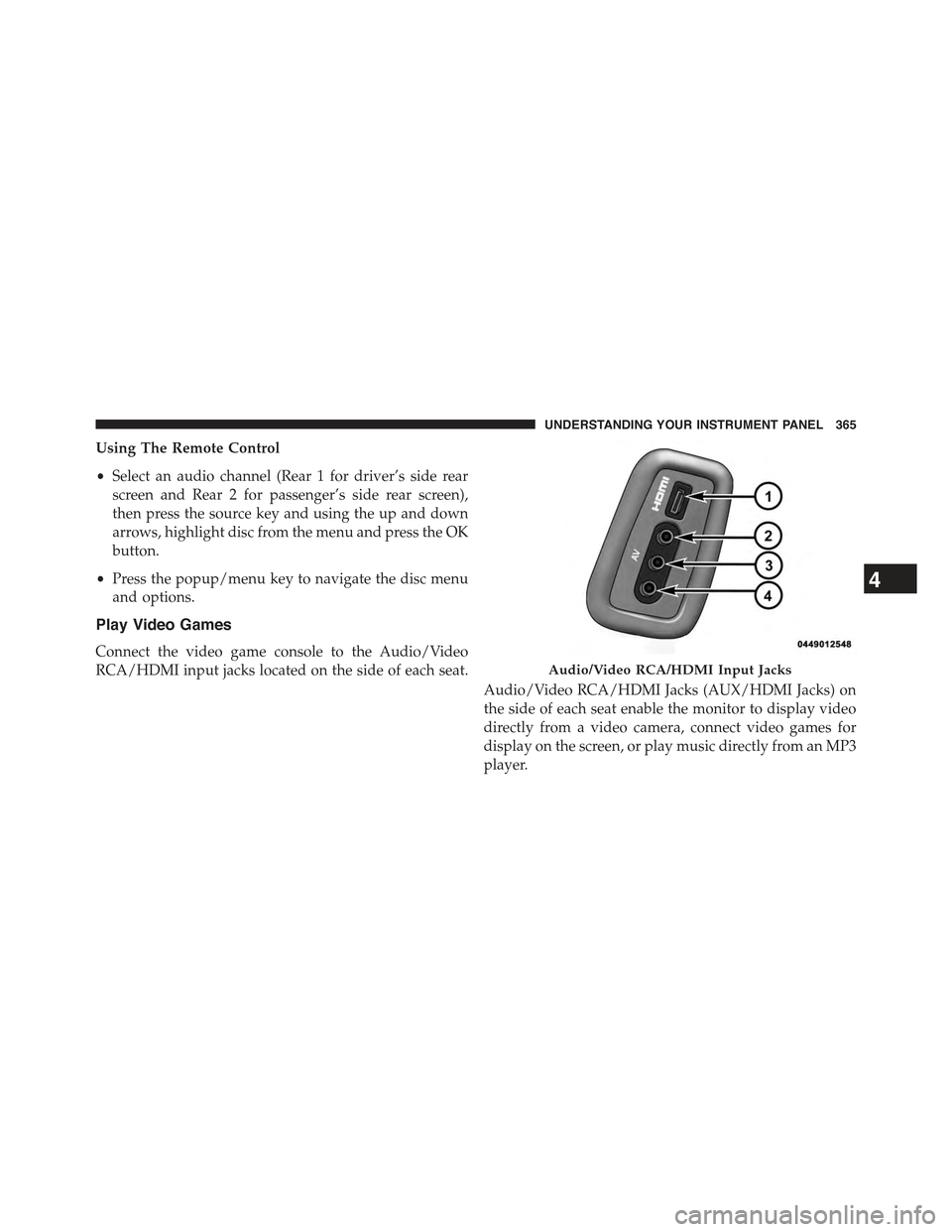
Audio/Video RCA/HDMI Jacks (AUX/HDMI Jacks) on
the side of each seat enable the monitor to display video
directly from a video camera, connect video games for
display on the screen, or play music directly from an MP3
player.
Audio/Video RCA/HDMI Input Jacks
4
UNDERSTANDING YOUR INSTRUMENT PANEL 365
Page 368 of 717

When connecting an external source to the AUX/HDMI
input, ensure to follow the standard color coding for the
audio/video jacks:
1. HDMI Input
2. Right audio in (red)
3. Left audio in (white)
4. Video in (yellow)
NOTE:Certain high-end video games, such as Playsta-
tion4 and XBox One will exceed this power limit of the
vehicle’s Power Inverter.
Play A DVD/Blu-ray™ Disc Using The
Touchscreen Radio
1. Insert the DVD/Blu-ray™ Disc with the label facing as
indicated on the DVD/Blu-ray™ Disc player. The
radio automatically selects the appropriate mode after
the disc is recognized and displays the menu screen or
starts playing the first track.
2. To watch a DVD/Blu-ray™ Disc on Rear 1 (driver’s
side rear passenger) ensure the Remote Control and
Headphone channel selector switch is on Rear 1.
3. To watch a DVD/Blu-ray™ Disc on Rear 2 (passen-
ger ’s side rear passenger) ensure the Remote Control
and Headphone channel selector switch is on Rear 2.
Using The Remote Control
1. Push the SOURCE button on the Remote Control.
2. While looking at Rear 1 or 2, highlight DISC by either
pushing Up/Down/Left/Right buttons, then push
ENTER/OK.
366 UNDERSTANDING YOUR INSTRUMENT PANEL
Page 370 of 717
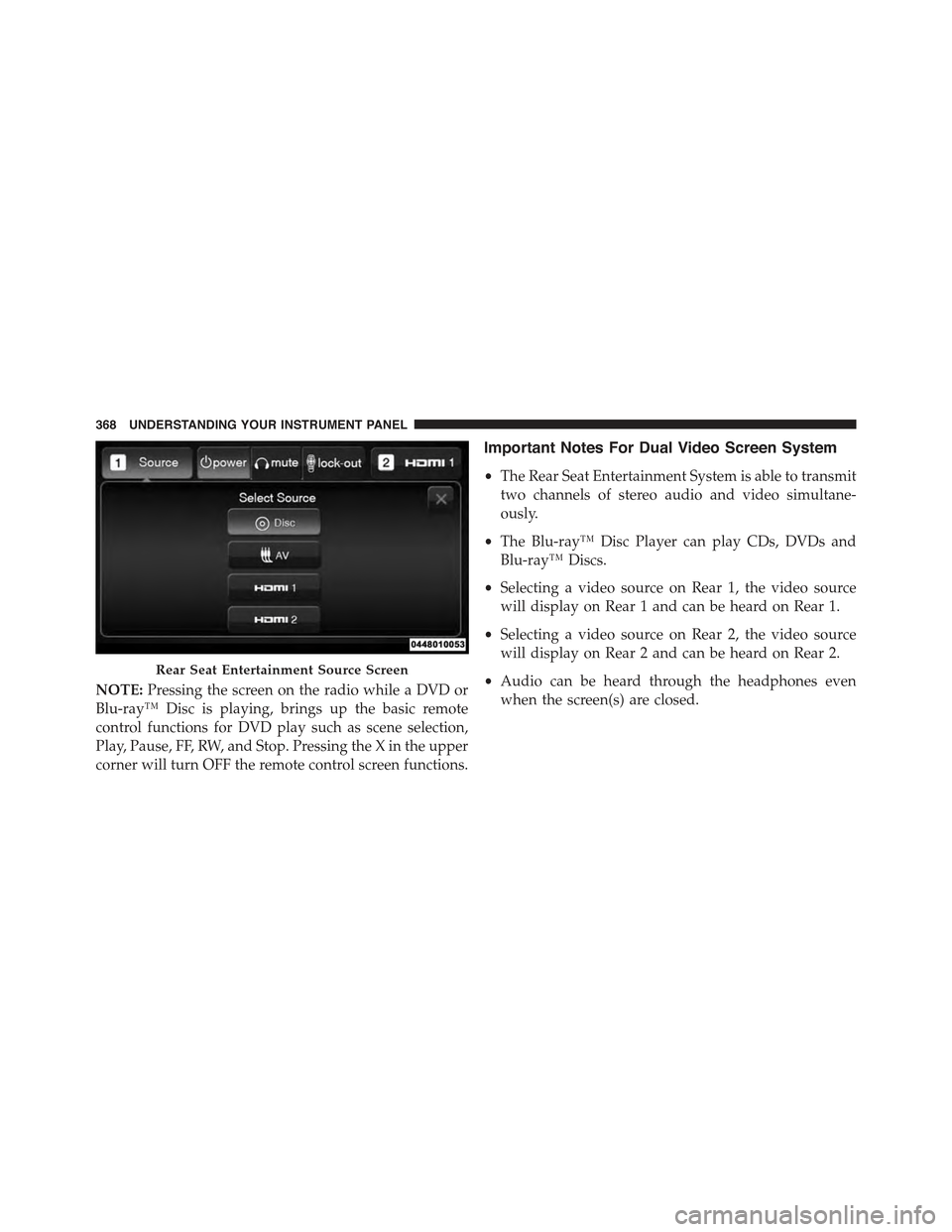
NOTE:Pressing the screen on the radio while a DVD or
Blu-ray™ Disc is playing, brings up the basic remote
control functions for DVD play such as scene selection,
Play, Pause, FF, RW, and Stop. Pressing the X in the upper
corner will turn OFF the remote control screen functions.
Important Notes For Dual Video Screen System
•The Rear Seat Entertainment System is able to transmit
two channels of stereo audio and video simultane-
ously.
•The Blu-ray™ Disc Player can play CDs, DVDs and
Blu-ray™ Discs.
•Selecting a video source on Rear 1, the video source
will display on Rear 1 and can be heard on Rear 1.
•Selecting a video source on Rear 2, the video source
will display on Rear 2 and can be heard on Rear 2.
•Audio can be heard through the headphones even
when the screen(s) are closed.
Rear Seat Entertainment Source Screen
368 UNDERSTANDING YOUR INSTRUMENT PANEL