2015 HYUNDAI TUCSON multi media
[x] Cancel search: multi mediaPage 11 of 653
1
2
3
4
5
6
7
8
I
Your vehicle at a glance
Safety features of your vehicle
Convenient features of your vehicle
Multimedia System
Driving your vehicle
What to do in an emergency
Maintenance
Specifications, Consumer information and
Reporting safety defects
Index
TABLE OF CONTENTS
Page 212 of 653
Multimedia System
AUDIO SYSTEM ......................................................4-2
HOW VEHICLE AUDIO WORKS .............................4-4
BEFORE READING THE MANUAL,
CHECK THE FOLLOWING.....................................4-15
CD PLAYER : AC110TMKN, AC1B0TMKN, AC1B1TMAN ......................4-16/4-126
System controllers and functions..................4-17/4-127
Setup .....................................................................4-20/4-130
Radio : FM, AM OR XM ....................................4-24/4-134
Basic method of use .........................................4-27/4-137
Bluetooth®Wireless Technology Audio ........4-34/4-144
Phone ....................................................................4-36/4-146
Voice command list ............................................4-53/4-163
CD PLAYER : AC111TMAN,
AC110TMAN ..............................................4-59/4-169
System controllers and functions..................4-60/4-170
Steering remote controller ..............................4-62/4-172
RADIO mode ........................................................4-64/4-174XM RADIO TM
mode..............................................4-66/4-176
MEDIA mode ........................................................4-70/4-180
AUDIO CD mode ..................................................4-71/4-181
MP3 CD mode .....................................................4-74/4-184
USB mode.............................................................4-80/4-190
iPod ®
mode ..........................................................4-85/4-195
AUX mode ............................................................4-88/4-198 MY MUSIC mode ................................................4-90/4-200
Bluetooth
®Wireless Technology Audio ........4-94/4-204
Pairing a
Bluetooth ®Wireless Technology
Device .......................................................................4-95/4-205Using
Bluetooth ® Wireless Technology.......4-100/4-210
Voice recognition .............................................4-108/4-218
Setup ...................................................................4-115/4-225
Rear view camera ............................................4-121/4-231 Blue Link ®
...........................................................4-122/4-232
4
Page 213 of 653
4-2
✽✽NOTICE
If you install an aftermarket HID headlamp, your vehicle's audio
and electronic device may mal-
function.
Prevent chemicals such as per- fume, cosmetic oil, sun cream,
hand cleaner, and air freshener
from contacting the interior parts
because they may cause damage
or discoloration. Antenna
Roof antenna
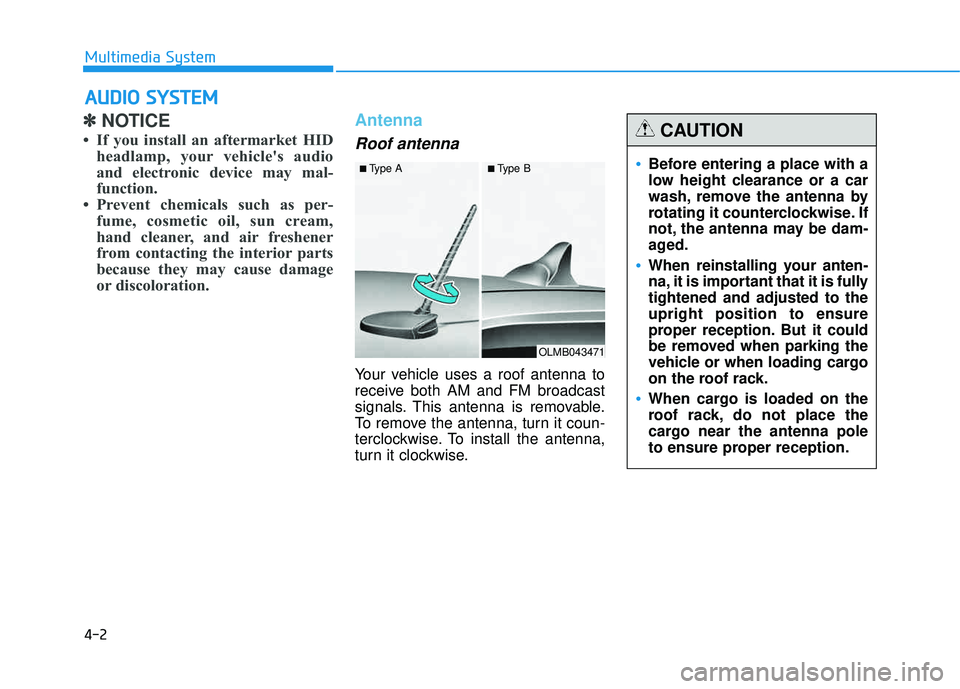
Your vehicle uses a roof antenna to
receive both AM and FM broadcast
signals. This antenna is removable.
To remove the antenna, turn it coun-
terclockwise. To install the antenna,
turn it clockwise.
AAUU DDIIOO SS YY SSTT EEMM
Multimedia System
OLMB043471
■
Type A ■Type B
•Before entering a place with a
low height clearance or a car
wash, remove the antenna by
rotating it counterclockwise. If
not, the antenna may be dam-
aged.
When reinstalling your anten-
na, it is important that it is fullytightened and adjusted to theupright position to ensure
proper reception. But it could
be removed when parking the
vehicle or when loading cargo
on the roof rack.
When cargo is loaded on the
roof rack, do not place the
cargo near the antenna pole
to ensure proper reception.
CAUTION
Page 214 of 653
4-3
Multimedia System
Steering wheel audio control (if equipped)
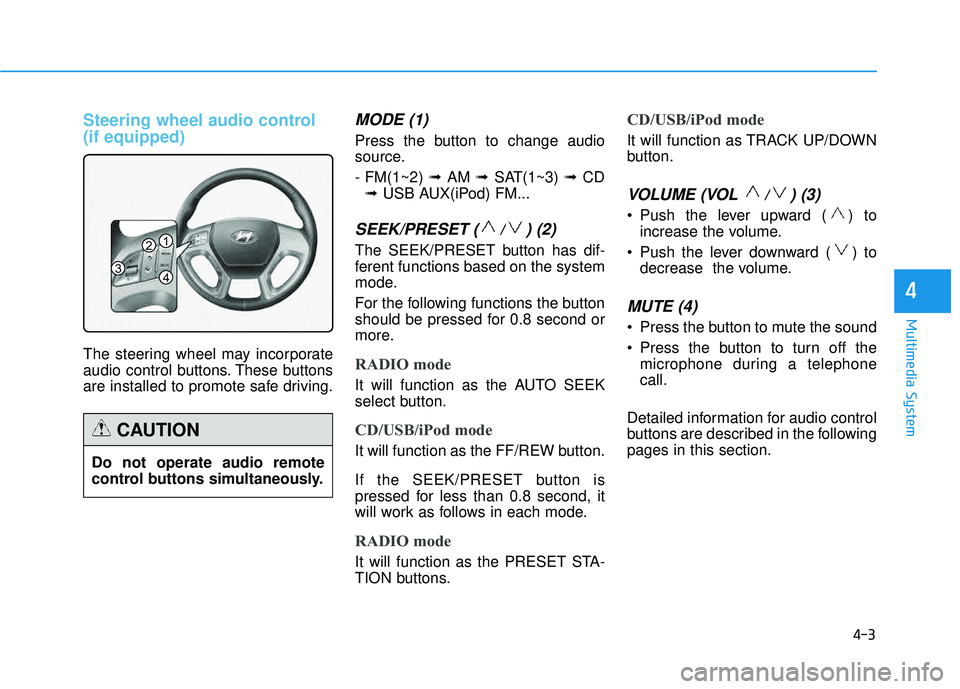
The steering wheel may incorporate
audio control buttons. These buttons
are installed to promote safe driving.
MODE (1)
Press the button to change audio
source. - FM(1~2) ➟ AM ➟ SAT(1~3) ➟ CD
➟ USB AUX(iPod) FM...
SEEK/PRESET ( / ) (2)
The SEEK/PRESET button has dif-
ferent functions based on the system
mode.
For the following functions the button
should be pressed for 0.8 second or
more.
RADIO mode
It will function as the AUTO SEEK
select button.
CD/USB/iPod mode
It will function as the FF/REW button.
If the SEEK/PRESET button is
pressed for less than 0.8 second, it
will work as follows in each mode.
RADIO mode
It will function as the PRESET STA-
TION buttons.
CD/USB/iPod mode
It will function as TRACK UP/DOWN
button.
VOLUME (VOL / ) (3)
• Push the lever upward ( ) to
increase the volume.
Push the lever downward ( ) to decrease the volume.
MUTE (4)
Press the button to mute the sound
Press the button to turn off themicrophone during a telephone call.
Detailed information for audio control
buttons are described in the followingpages in this section.
4
1
3
2
4
Do not operate audio remote
control buttons simultaneously.
CAUTION
Page 215 of 653
4-4
Multimedia System
Aux, USB and iPod®port
(if equipped)
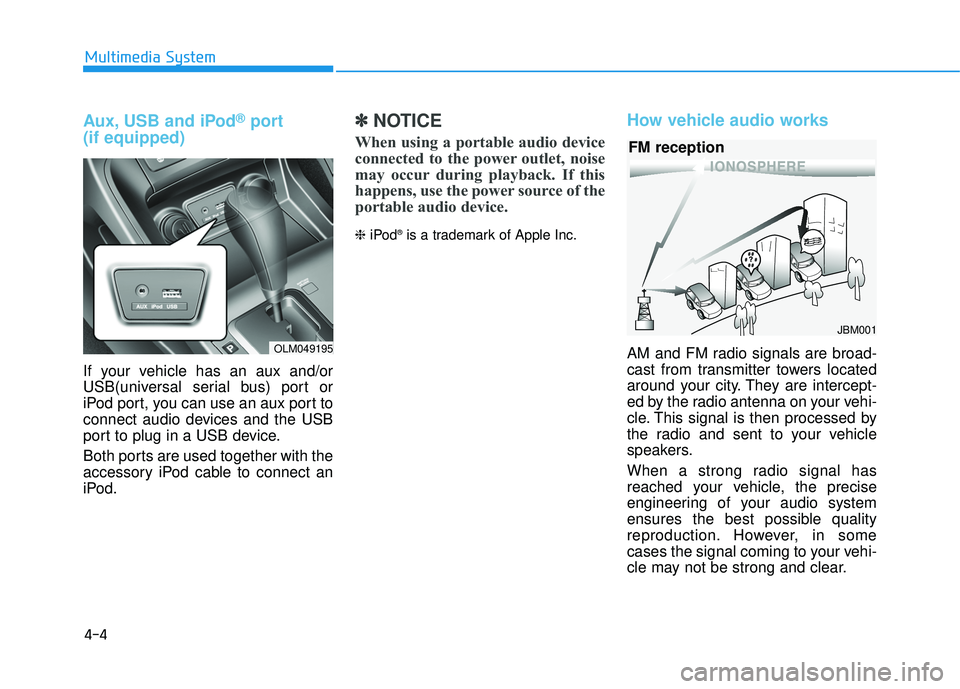
If your vehicle has an aux and/or
USB(universal serial bus) port or
iPod port, you can use an aux port to
connect audio devices and the USB
port to plug in a USB device.
Both ports are used together with the
accessory iPod cable to connect an
iPod.
✽✽ NOTICE
When using a portable audio device
connected to the power outlet, noise
may occur during playback. If this
happens, use the power source of the
portable audio device.
❈ iPod ®
is a trademark of Apple Inc.
How vehicle audio works
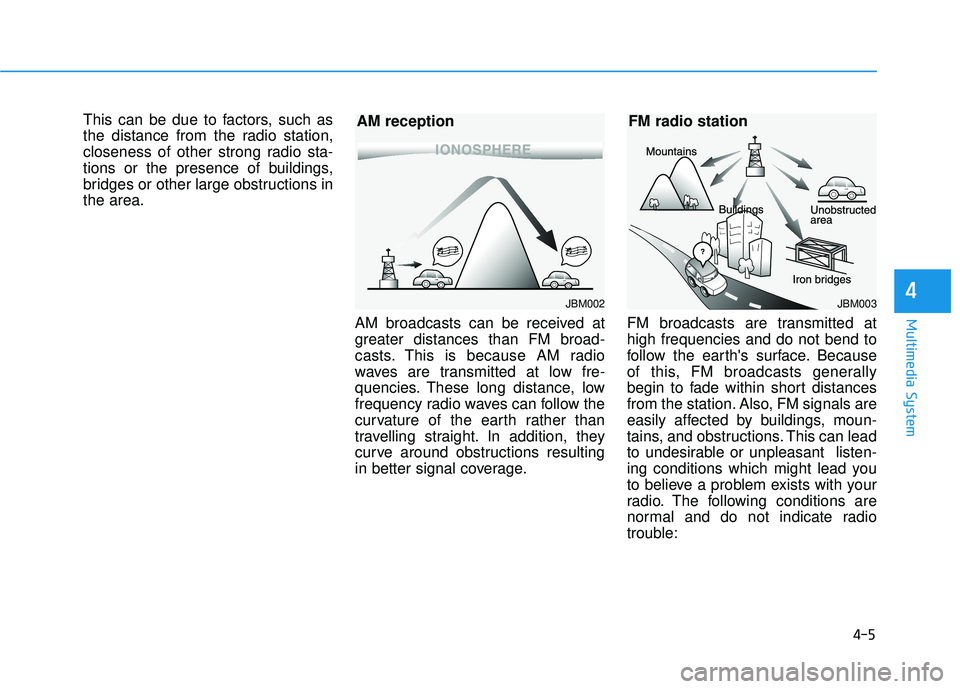
AM and FM radio signals are broad-
cast from transmitter towers located
around your city. They are intercept-
ed by the radio antenna on your vehi-
cle. This signal is then processed by
the radio and sent to your vehicle
speakers.
When a strong radio signal has
reached your vehicle, the precise
engineering of your audio system
ensures the best possible quality
reproduction. However, in some
cases the signal coming to your vehi-
cle may not be strong and clear.
JBM001
FM reception
OLM049195
Page 216 of 653
4-5
Multimedia System
4
This can be due to factors, such as
the distance from the radio station,
closeness of other strong radio sta-
tions or the presence of buildings,
bridges or other large obstructions inthe area.AM broadcasts can be received at
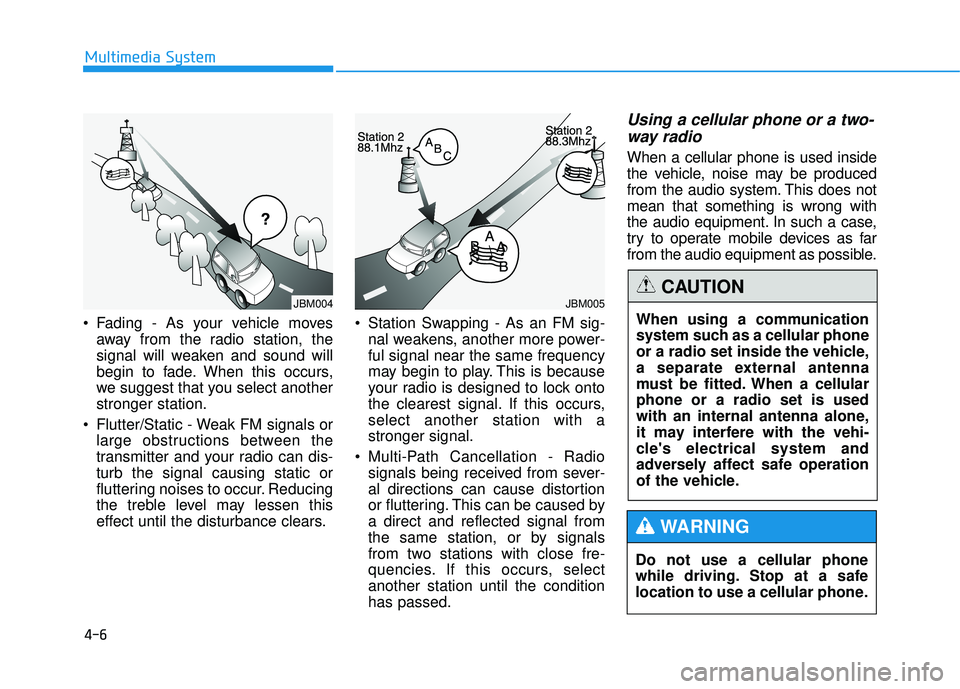
greater distances than FM broad-
casts. This is because AM radio
waves are transmitted at low fre-
quencies. These long distance, low
frequency radio waves can follow the
curvature of the earth rather than
travelling straight. In addition, they
curve around obstructions resulting
in better signal coverage.FM broadcasts are transmitted athigh frequencies and do not bend to
follow the earth's surface. Because
of this, FM broadcasts generally
begin to fade within short distances
from the station. Also, FM signals are
easily affected by buildings, moun-
tains, and obstructions. This can lead
to undesirable or unpleasant listen-
ing conditions which might lead you
to believe a problem exists with your
radio. The following conditions are
normal and do not indicate radio
trouble:
JBM003
FM radio station
JBM002
AM reception
Page 217 of 653
4-6
Multimedia System
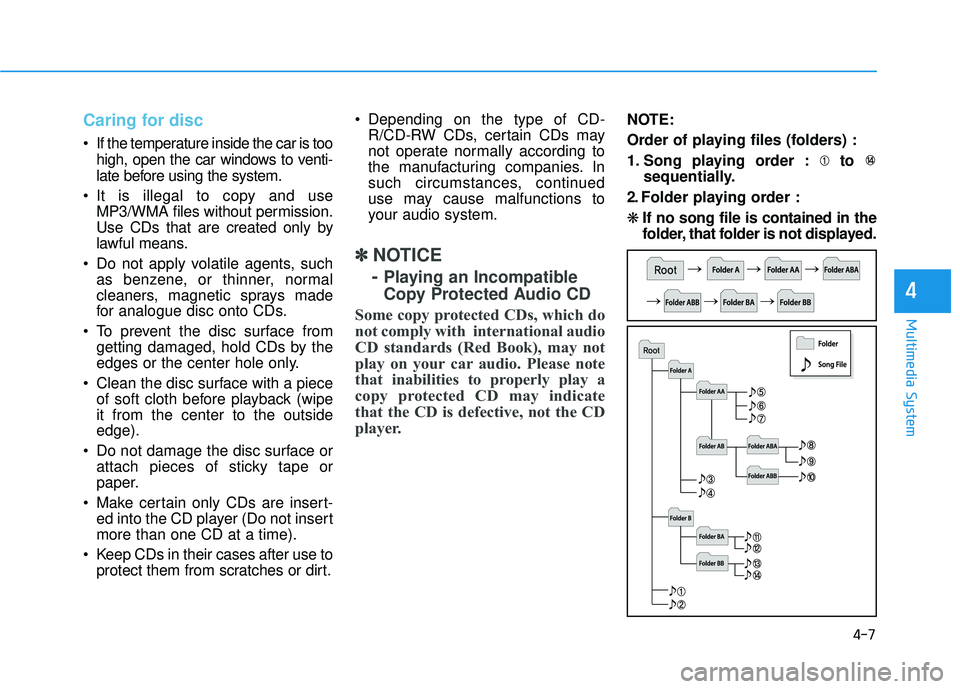
Fading - As your vehicle movesaway from the radio station, the
signal will weaken and sound will
begin to fade. When this occurs,
we suggest that you select anotherstronger station.
Flutter/Static - Weak FM signals or large obstructions between the
transmitter and your radio can dis-turb the signal causing static or
fluttering noises to occur. Reducing
the treble level may lessen this
effect until the disturbance clears. Station Swapping - As an FM sig-
nal weakens, another more power-ful signal near the same frequency
may begin to play. This is because
your radio is designed to lock onto
the clearest signal. If this occurs,select another station with astronger signal.
Multi-Path Cancellation - Radio signals being received from sever-
al directions can cause distortion
or fluttering. This can be caused bya direct and reflected signal from
the same station, or by signals
from two stations with close fre-
quencies. If this occurs, selectanother station until the conditionhas passed.
Using a cellular phone or a two-
way radio
When a cellular phone is used inside
the vehicle, noise may be produced
from the audio system. This does notmean that something is wrong with
the audio equipment. In such a case,
try to operate mobile devices as far
from the audio equipment as possible.
Do not use a cellular phone
while driving. Stop at a safe
location to use a cellular phone.
WARNING
When using a communication
system such as a cellular phone
or a radio set inside the vehicle,
a separate external antenna
must be fitted. When a cellularphone or a radio set is used
with an internal antenna alone,
it may interfere with the vehi-
cle's electrical system and
adversely affect safe operation
of the vehicle.
CAUTIONJBM005JBM004
Page 218 of 653
4-7
Multimedia System
4
Caring for disc
If the temperature inside the car is toohigh, open the car windows to venti-
late before using the system.
It is illegal to copy and use MP3/WMA files without permission.
Use CDs that are created only by
lawful means.
Do not apply volatile agents, such as benzene, or thinner, normal
cleaners, magnetic sprays made
for analogue disc onto CDs.
To prevent the disc surface from getting damaged, hold CDs by the
edges or the center hole only.
Clean the disc surface with a piece of soft cloth before playback (wipe it from the center to the outsideedge).
Do not damage the disc surface or attach pieces of sticky tape or
paper.
Make certain only CDs are insert- ed into the CD player (Do not insert more than one CD at a time).
Keep CDs in their cases after use to protect them from scratches or dirt. Depending on the type of CD-
R/CD-RW CDs, certain CDs may
not operate normally according to
the manufacturing companies. In
such circumstances, continued
use may cause malfunctions to
your audio system.
✽✽ NOTICE
- Playing an Incompatible
Copy Protected Audio CD
Some copy protected CDs, which do
not comply with international audio
CD standards (Red Book), may not
play on your car audio. Please note
that inabilities to properly play a
copy protected CD may indicate
that the CD is defective, not the CD
player.
NOTE:
Order of playing files (folders) :
1. Song playing order : to sequentially.
2. Folder playing order : ❋ If no song file is contained in the
folder, that folder is not displayed.