Page 387 of 653
4-176
Multimedia System
XXMM RR AA DDIIOOTT MMMM OODDEE
Features of your vehicle
Satellite radio reception
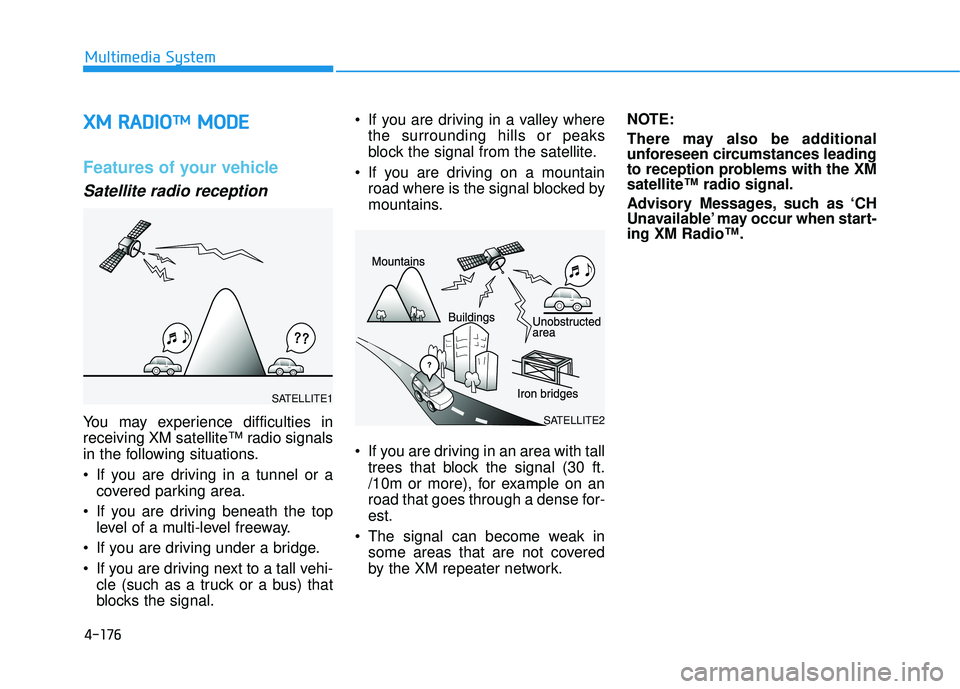
You may experience difficulties in
receiving XM satellite™ radio signals
in the following situations.
If you are driving in a tunnel or a
covered parking area.
If you are driving beneath the top level of a multi-level freeway.
If you are driving under a bridge.
If you are driving next to a tall vehi- cle (such as a truck or a bus) that
blocks the signal. If you are driving in a valley where
the surrounding hills or peaks
block the signal from the satellite.
If you are driving on a mountain road where is the signal blocked by
mountains.
If you are driving in an area with tall trees that block the signal (30 ft.
/10m or more), for example on an
road that goes through a dense for-est.
The signal can become weak in some areas that are not covered
by the XM repeater network. NOTE:
There may also be additional
unforeseen circumstances leading
to reception problems with the XM
satellite™ radio signal.
Advisory Messages, such as ‘CH
Unavailable’ may occur when start-
ing XM Radio™.SATELLITE2
SATELLITE1
Page 400 of 653
4-189
Multimedia System
4
(Continued)
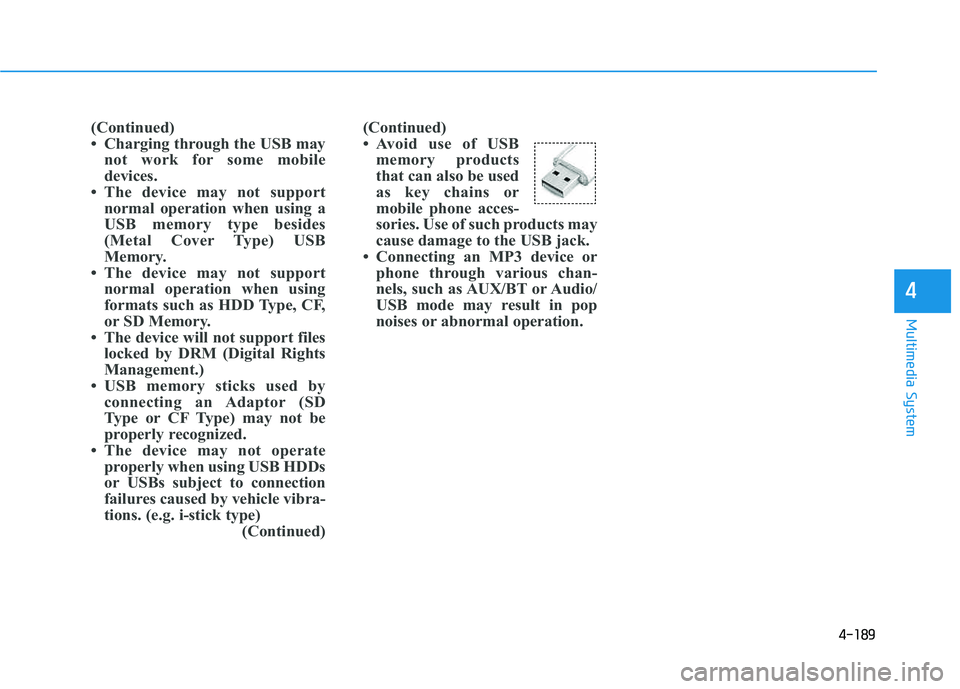
Avoid use of USBmemory products
that can also be used
as key chains or
mobile phone acces-
sories. Use of such products may
cause damage to the USB jack.
Connecting an MP3 device or phone through various chan-
nels, such as AUX/BT or Audio/
USB mode may result in pop
noises or abnormal operation.
(Continued)
Charging through the USB may
not work for some mobile
devices.
The device may not support normal operation when using a
USB memory type besides
(Metal Cover Type) USB
Memory.
The device may not support normal operation when using
formats such as HDD Type, CF,
or SD Memory.
The device will not support files locked by DRM (Digital Rights
Management.)
USB memory sticks used by connecting an Adaptor (SD
Type or CF Type) may not be
properly recognized.
The device may not operate properly when using USB HDDs
or USBs subject to connection
failures caused by vehicle vibra-
tions. (e.g. i-stick type) (Continued)
Page 436 of 653
4-225
Multimedia System
4
SSEE TT UU PP
Starting Mode
Press the key to display the Setup screen.
You can select and control options
related to [Display], [Sound],
[Clock/Calendar], [Phone] and[System].
Display Settings
Adjusting the Brightness
Press the key Select
[Display] Select [Brightness]
Use the , buttons to adjust the
screen brightness or set the
Brightness on Automatic, Daylight, or
Night mode.
Press the button to reset.
1) Automatic : Adjusts the brightness
automatically
2) Daylight : Always maintains the brightness on high
3) Night : Always maintains the
brightness on low
Pop-up Mode
Press the key Select
[Display] Select [Mode Pop up]
This feature is used to display the
Pop-up Mode screen when entering
radio and media modes.
When this feature is turned on, pressing the or key
will display the Pop-up Mode screen.
✽✽ NOTICE
The media Pop-up Mode screen can
be displayed only when two or more
media modes have been connected.
MEDIA RADIO
SETUP
Default
SETUP SETUP
Page 439 of 653
4-228
Multimedia System
Touch Screen Beep
Press the key Select
[Sound] Select [Touch Screen Beep]
This feature is used to turn the touch
screen beep on/off.
Blue Link Voice Volume
Press the key Select
[Sound] Select [Blue Link Voice Vol.]
Turn the TUNE knob to adjust the
Blue Link Voice Volume. ❈ Blue Link
®may differ depending
on the selected audio.
Clock/Calendar Setting
Clock Setting
Press the key Select
[Clock/Calendar] Select [ClockSettings]
Use the , buttons to set the
Hour, Minutes and AM/PM setting.
✽✽ NOTICE
Press and hold the key (over
0.8 seconds) to set the Clock/Calendar
screen.
CLOCK
SETUP
SETUP SETUP
Page 440 of 653
4-229
Multimedia System
4
Calendar Setting
Press the key Select
[Clock/Calendar] Select [CalendarSettings]
Use the , buttons to set the
Month, Day and Year setting.
Time Format
Press the key Select
[Clock/Calendar] Select [Time Format]
This feature is used to change the
clock format between 12hr or 24hr.
Clock Display
Press the key Select
[Clock/Calendar] Select [Clock Display
(Power off)]
This feature is used to display a clock on the screen when the audio sys-
tem is turned off.SETUP SETUP SETUP
Page 447 of 653
Driving your vehicle
BEFORE DRIVING ..................................................5-3
Before entering the vehicle ..........................................5-3
Before starting .................................................................5-3
IGNITION SWITCH .................................................5-5
Key ignition switch .........................................................5-5
Engine Start/Stop button ................................................5-8
AUTOMATIC TRANSAXLE ..................................5-13
Automatic transaxle operation ...................................5-13
Parking ...............................................................................5-18
Good driving practices ..................................................5-18
ALL WHEEL DRIVE (AWD) ..................................5-20
AWD operation ................................................................5-21
Emergency precautions .................................................5-25
BRAKING SYSTEM ..............................................5-27
Power brakes ..................................................................5-27
Disc brakes wear indicator ..........................................5-28
Parking brake ..................................................................5-28
Anti-lock Brake System (ABS) ....................................5-31
Electronic Stability Control (ESC) ................................5-34
Vehicle Stability Management (VSM).........................5-37
Hill-Start Assist Control (HAC) ...................................5-39
Downhill Brake Control (DBC) ......................................5-40
Good braking practices ................................................5-42
DRIVING ASSIST SYSTEM ...................................5-43
Active ECO system ........................................................5-43
Rear view camera ...........................................................5-44
CRUISE CONTROL SYSTEM ................................5-45
Cruise control operation................................................5-45
SPECIAL DRIVING CONDITIONS..........................5-49
Hazardous driving conditions.......................................5-49
Rocking the vehicle ....................................................5-49
Smooth cornering ...........................................................5-50
Driving at night ................................................................5-50
Driving in the rain ...........................................................5-51
Driving in flooded areas ................................................5-52
Reducing the risk of a rollover ...................................5-52
WINTER DRIVING .................................................5-53
Snow or icy conditions ..................................................5-53
Winter precautions .........................................................5-56
TRAILER TOWING.................................................5-58
If you decide to pull a trailer? .....................................5-59
Trailer towing equipment ..............................................5-61
Driving with a trailer ......................................................5-62
Maintenance when trailer towing ...............................5-65
VEHICLE LOAD LIMIT ..........................................5-66
Tire loading information label......................................5-67
5
Page 449 of 653
5-3
Driving your vehicle
Before entering the vehicle
• Be sure all windows, outside mir-ror(s), and outside lights are clean
and unobstructed.
Remove frost, snow, or ice.
Visually check the tires for uneven wear and damage.
Check under the vehicle for any sign of leaks.
Be sure there are no obstacles behind you if you intend to back up.
Before starting
Make sure the hood, the tailgate,and the doors are securely closed
and locked.
Adjust the position of the seat and steering wheel.
Adjust the inside and outside rearview mirrors.
Verify all the lights work.
Fasten your seatbelt. Check that all passengers have fastened their
seatbelts.
Check the gauges and indicators in the instrument panel and the mes-
sages on the instrument display
when the ignition switch is in theON position.
Check that any items you are car- rying are stored properly or fas-
tened down securely.
5
CALIFORNIA PROPOSITION 65
WARNING
Engine exhaust and a wide vari- ety of automobile components
including components found inthe interior furnishings in a
vehicle, contain or emit harmful
chemicals known to the State of
California to cause cancer and
birth defects and reproductive
harm. In addition, certain fluids
contained in vehicles and cer-
tain products of components
contain or emit chemicals
known to the State of California
to cause cancer and birth
defects or other reproductiveharm.
WARNING
BBEEFFOO RREE DD RRIIVV IINN GG
Page 451 of 653
5-5
Driving your vehicle
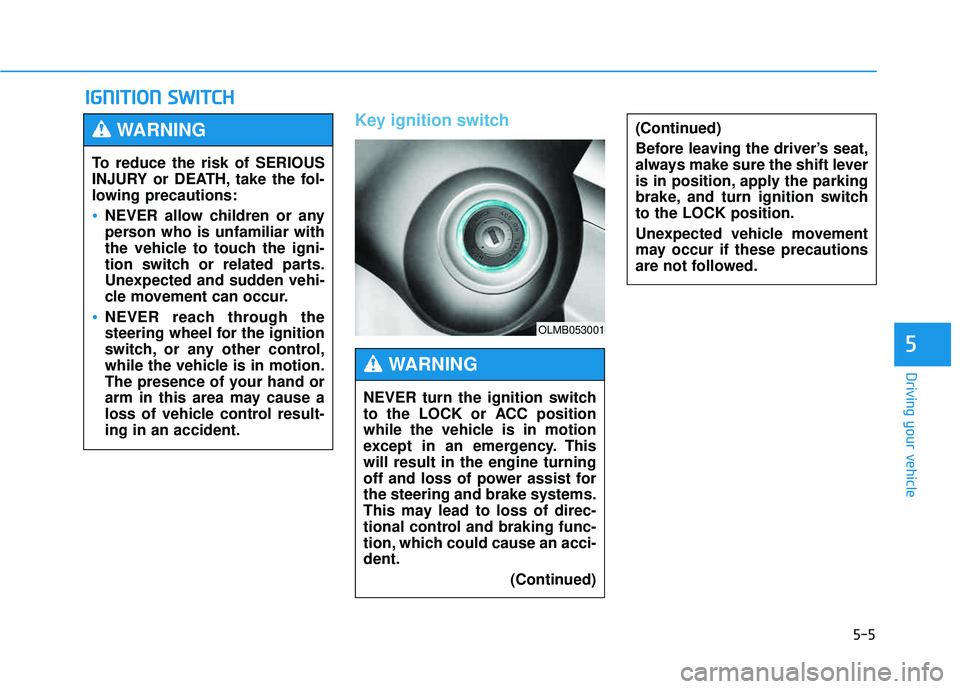
Key ignition switch
IIGG NN IITT IIOO NN SS WW IITT CCHH
5
(Continued)
Before leaving the driver’s seat,
always make sure the shift lever
is in position, apply the parking
brake, and turn ignition switchto the LOCK position.
Unexpected vehicle movement
may occur if these precautions
are not followed.
To reduce the risk of SERIOUS
INJURY or DEATH, take the fol-
lowing precautions:
NEVER allow children or any
person who is unfamiliar with
the vehicle to touch the igni-
tion switch or related parts.
Unexpected and sudden vehi-
cle movement can occur.
NEVER reach through the
steering wheel for the ignition
switch, or any other control,
while the vehicle is in motion.
The presence of your hand or
arm in this area may cause a
loss of vehicle control result-ing in an accident.
WARNING
NEVER turn the ignition switch
to the LOCK or ACC position
while the vehicle is in motion
except in an emergency. Thiswill result in the engine turning
off and loss of power assist forthe steering and brake systems.
This may lead to loss of direc-
tional control and braking func-
tion, which could cause an acci-dent.
(Continued)
WARNING
OLMB053001
![HYUNDAI TUCSON 2015 Owners Manual 4-225
Multimedia System
4
SSEE TT UU PP
Starting Mode
Press the key to display the Setup screen.
You can select and control options
related to [Display], [Sound],
[Clock/Calendar], [Phone] and[Syst](/manual-img/35/56202/w960_56202-435.png "HYUNDAI TUCSON 2015 Owners Manual 4-225
Multimedia System
4
SSEE TT UU PP
Starting Mode
Press the key to display the Setup screen.
You can select and control options
related to [Display], [Sound],
[Clock/Calendar], [Phone] and[Syst")
![HYUNDAI TUCSON 2015 Owners Manual 4-228
Multimedia System
Touch Screen Beep
Press the key Select
[Sound] Select [Touch Screen Beep]
This feature is used to turn the touch
screen beep on/off.
Blue Link Voice Volume
Press the key](/manual-img/35/56202/w960_56202-438.png "HYUNDAI TUCSON 2015 Owners Manual 4-228
Multimedia System
Touch Screen Beep
Press the key Select
[Sound] Select [Touch Screen Beep]
This feature is used to turn the touch
screen beep on/off.
Blue Link Voice Volume
Press the key")
![HYUNDAI TUCSON 2015 Owners Manual 4-229
Multimedia System
4
Calendar Setting
Press the key Select
[Clock/Calendar] Select [CalendarSettings]
Use the , buttons to set the
Month, Day and Year setting.
Time Format
Press the key Se](/manual-img/35/56202/w960_56202-439.png "HYUNDAI TUCSON 2015 Owners Manual 4-229
Multimedia System
4
Calendar Setting
Press the key Select
[Clock/Calendar] Select [CalendarSettings]
Use the , buttons to set the
Month, Day and Year setting.
Time Format
Press the key Se")