Page 117 of 550
Features of your vehicle32
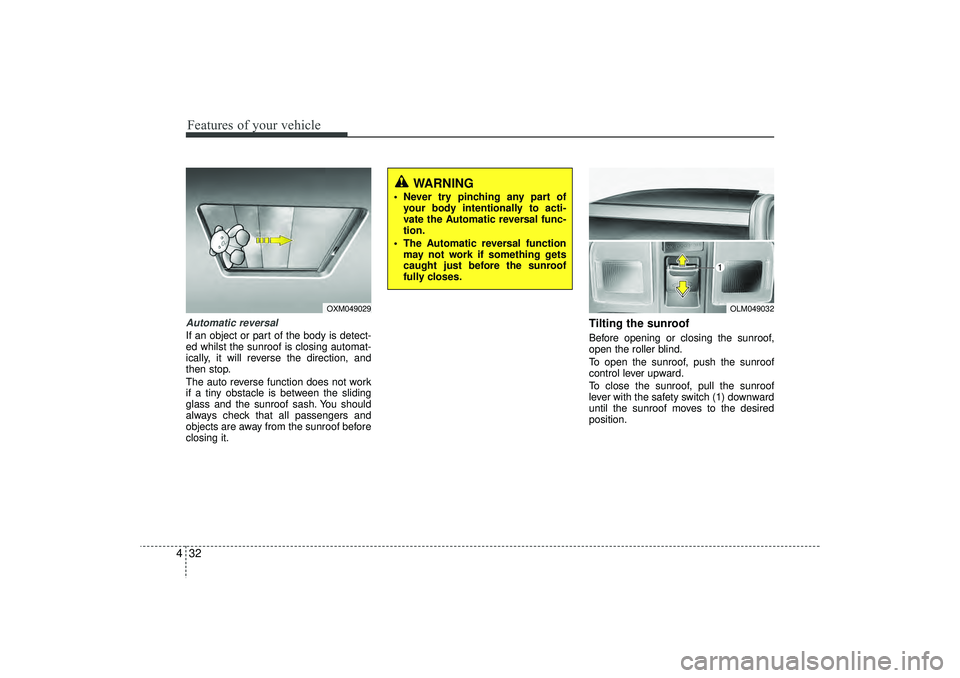
4Automatic reversalIf an object or part of the body is detect-
ed whilst the sunroof is closing automat-
ically, it will reverse the direction, and
then stop.
The auto reverse function does not work
if a tiny obstacle is between the sliding
glass and the sunroof sash. You should
always check that all passengers and
objects are away from the sunroof before
closing it.
Tilting the sunroof Before opening or closing the sunroof,
open the roller blind.
To open the sunroof, push the sunroof
control lever upward.
To close the sunroof, pull the sunroof
lever with the safety switch (1) downward
until the sunroof moves to the desired
position.
OLM049032
WARNING
Never try pinching any part of
your body intentionally to acti-
vate the Automatic reversal func-
tion.
The Automatic reversal function may not work if something gets
caught just before the sunroof
fully closes.
OXM049029
EL(FL) UK 4A.QXP 2/9/2015 9:04 PM Page 32
Page 118 of 550
433
Features of your vehicle
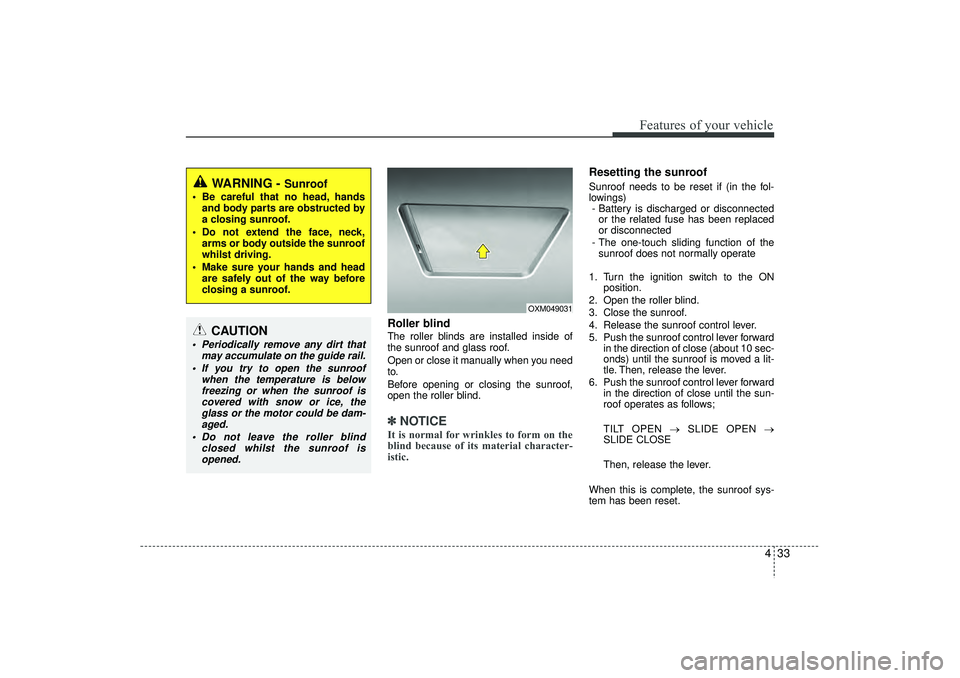
Roller blind The roller blinds are installed inside of
the sunroof and glass roof.
Open or close it manually when you need
to.
Before opening or closing the sunroof,
open the roller blind.✽ ✽NOTICEIt is normal for wrinkles to form on the
blind because of its material character-
istic.
Resetting the sunroofSunroof needs to be reset if (in the fol-
lowings)
- Battery is discharged or disconnected or the related fuse has been replaced
or disconnected
- The one-touch sliding function of the sunroof does not normally operate
1. Turn the ignition switch to the ON position.
2. Open the roller blind.
3. Close the sunroof.
4. Release the sunroof control lever.
5. Push the sunroof control lever forward in the direction of close (about 10 sec-
onds) until the sunroof is moved a lit-
tle. Then, release the lever.
6. Push the sunroof control lever forward in the direction of close until the sun-
roof operates as follows;
TILT OPEN → SLIDE OPEN →
SLIDE CLOSE
Then, release the lever.
When this is complete, the sunroof sys-
tem has been reset.
OXM049031
WARNING -
Sunroof
Be careful that no head, hands and body parts are obstructed by
a closing sunroof.
Do not extend the face, neck, arms or body outside the sunroof
whilst driving.
Make sure your hands and head are safely out of the way before
closing a sunroof.
CAUTION
Periodically remove any dirt that may accumulate on the guide rail.
If you try to open the sunroof when the temperature is belowfreezing or when the sunroof iscovered with snow or ice, the glass or the motor could be dam-aged.
Do not leave the roller blind closed whilst the sunroof isopened.
EL(FL) UK 4A.QXP 2/9/2015 9:04 PM Page 33
Page 148 of 550
463
Features of your vehicle
Tailgate Open It means that the tailgate is open.
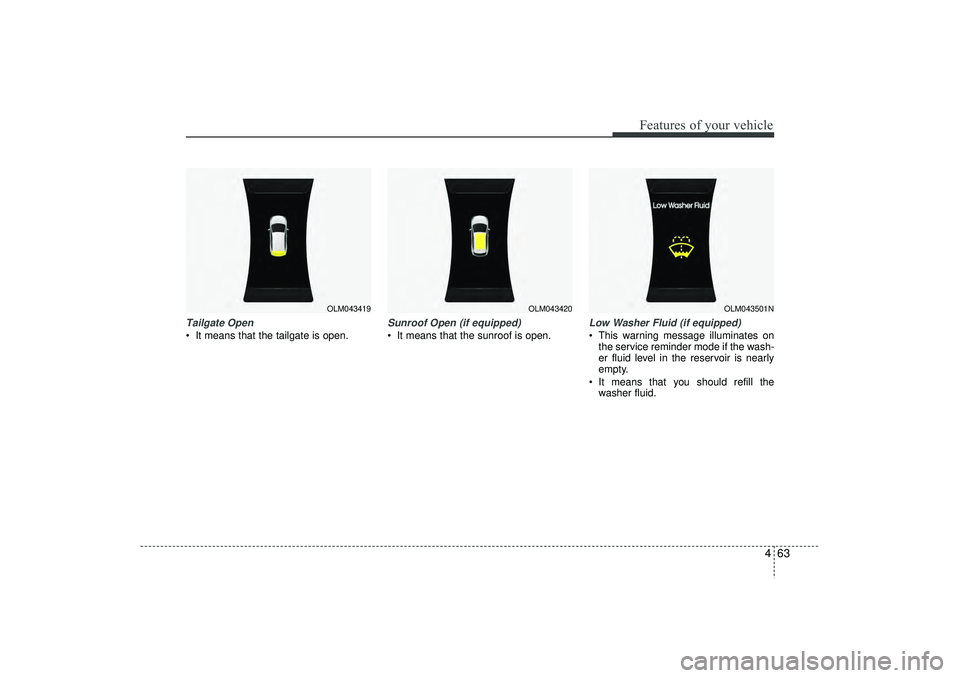
Sunroof Open (if equipped) It means that the sunroof is open.
Low Washer Fluid (if equipped) This warning message illuminates onthe service reminder mode if the wash-
er fluid level in the reservoir is nearly
empty.
It means that you should refill the washer fluid.
OLM043419
OLM043420
OLM043501N
EL(FL) UK 4A.QXP 2/9/2015 9:05 PM Page 63
Page 159 of 550
Features of your vehicle74
4Charging system warning This warning light indicates a malfunction
of either the generator or electrical
charging system.
If the warning light comes on whilst the
vehicle is in motion:
1. Drive to the nearest safe location.
2. With the engine off, check the genera-
tor drive belt for looseness or break-
age.
3. If the belt is adjusted properly, a prob- lem exists somewhere in the electrical
charging system. We recommend that
the system be checked by a HYUNDAI
authorised repairer.
Door ajar warning lightThis warning light illuminates when a
door is not closed securely with the igni-
tion switch in any position.Tailgate open warning lightThis warning light illuminates when the
tailgate is not closed securely with the
ignition switch in any position.Door open position indicator
(including tailgate)This indicator illuminates when a door or
tailgate is not closed securely.
The indicator displays which door or tail-
gate is opened.
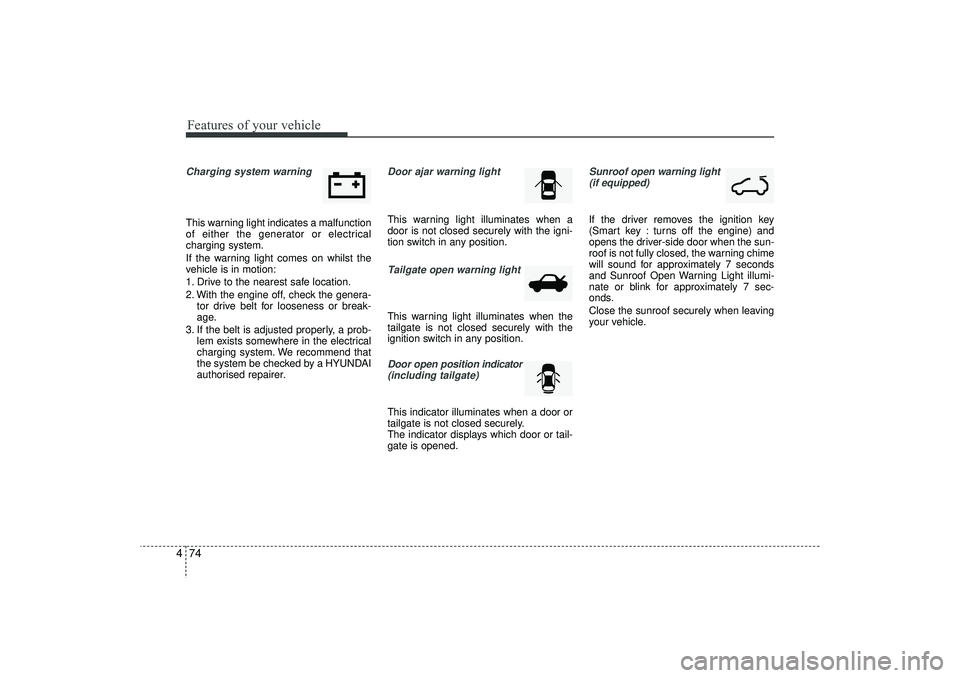
Sunroof open warning light (if equipped)If the driver removes the ignition key
(Smart key : turns off the engine) and
opens the driver-side door when the sun-
roof is not fully closed, the warning chime
will sound for approximately 7 seconds
and Sunroof Open Warning Light illumi-
nate or blink for approximately 7 sec-
onds.
Close the sunroof securely when leaving
your vehicle.
EL(FL) UK 4A.QXP 2/9/2015 9:05 PM Page 74
Page 229 of 550
Features of your vehicle144
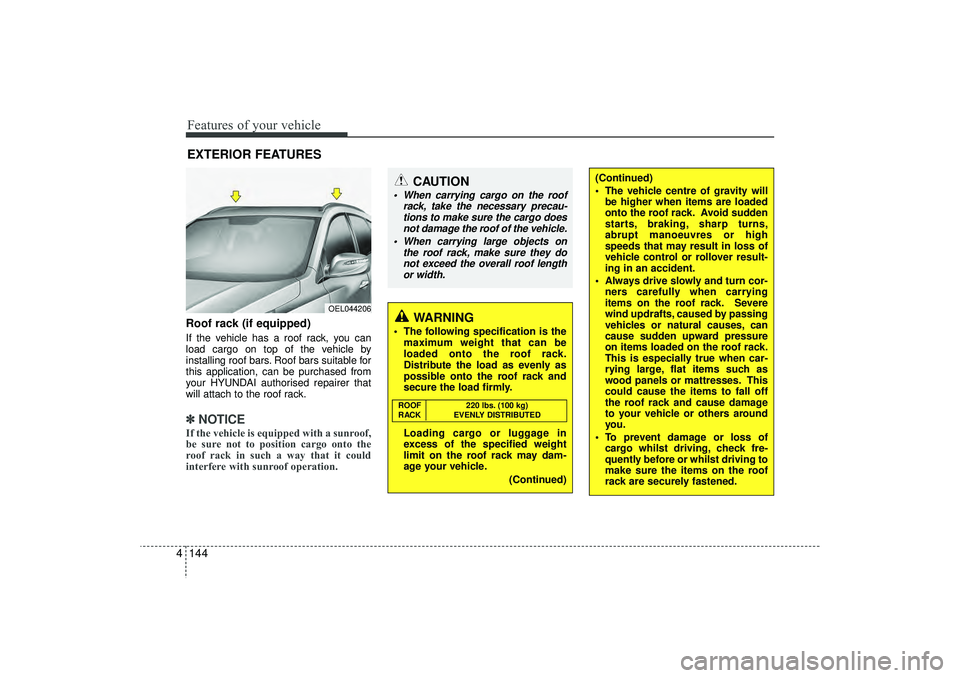
4Roof rack (if equipped)If the vehicle has a roof rack, you can
load cargo on top of the vehicle by
installing roof bars. Roof bars suitable for
this application, can be purchased from
your HYUNDAI authorised repairer that
will attach to the roof rack.✽ ✽
NOTICEIf the vehicle is equipped with a sunroof,
be sure not to position cargo onto the
roof rack in such a way that it could
interfere with sunroof operation.EXTERIOR FEATURES
(Continued)
The vehicle centre of gravity will
be higher when items are loaded
onto the roof rack. Avoid sudden
starts, braking, sharp turns,
abrupt manoeuvres or high
speeds that may result in loss of
vehicle control or rollover result-
ing in an accident.
Always drive slowly and turn cor- ners carefully when carrying
items on the roof rack. Severe
wind updrafts, caused by passing
vehicles or natural causes, can
cause sudden upward pressure
on items loaded on the roof rack.
This is especially true when car-
rying large, flat items such as
wood panels or mattresses. This
could cause the items to fall off
the roof rack and cause damage
to your vehicle or others around
you.
To prevent damage or loss of cargo whilst driving, check fre-
quently before or whilst driving to
make sure the items on the roof
rack are securely fastened.
CAUTION
When carrying cargo on the roof
rack, take the necessary precau-tions to make sure the cargo does not damage the roof of the vehicle.
When carrying large objects on the roof rack, make sure they donot exceed the overall roof lengthor width.
WARNING
The following specification is the maximum weight that can be
loaded onto the roof rack.
Distribute the load as evenly as
possible onto the roof rack and
secure the load firmly.
Loading cargo or luggage in
excess of the specified weight
limit on the roof rack may dam-
age your vehicle.
(Continued)ROOF220 lbs. (100 kg)
RACK EVENLY DISTRIBUTED
OEL044206
EL(FL) UK 4A.QXP 2/9/2015 9:09 PM Page 144
Page 230 of 550
4 145
Features of your vehicle
✽
✽NOTICE• If you install an aftermarket HID
head lamp, your vehicle’s audio and
electronic device may malfunction.
• Prevent chemicals such as perfume, cosmetic oil, sun cream, hand cleaner,
and air freshener from contacting the
interior parts because they may cause
damage or discoloration.
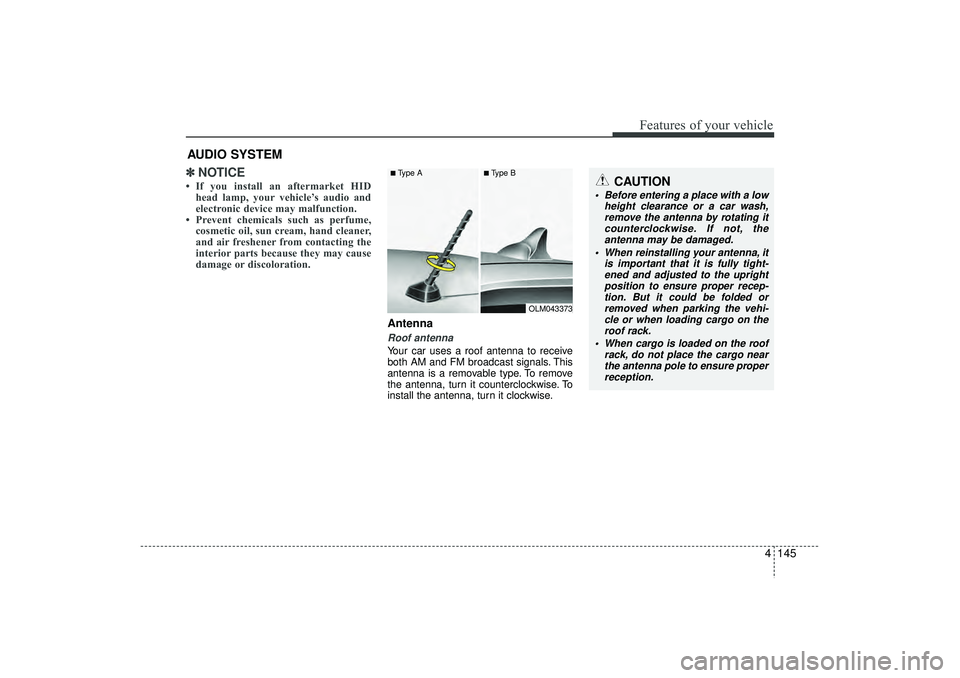
AntennaRoof antenna Your car uses a roof antenna to receive
both AM and FM broadcast signals. This
antenna is a removable type. To remove
the antenna, turn it counterclockwise. To
install the antenna, turn it clockwise.
AUDIO SYSTEM
CAUTION
• Before entering a place with a low
height clearance or a car wash,remove the antenna by rotating itcounterclockwise. If not, theantenna may be damaged.
When reinstalling your antenna, it is important that it is fully tight-ened and adjusted to the upright position to ensure proper recep-tion. But it could be folded or removed when parking the vehi-cle or when loading cargo on the roof rack.
When cargo is loaded on the roof rack, do not place the cargo nearthe antenna pole to ensure properreception.
■Type A
■Type B
OLM043373
EL(FL) UK 4B AUDIO.QXP 3/13/2015 4:18 PM Page 145
Page 268 of 550
4 183
Features of your vehicle
✽
✽NOTICE -
USING VOICE COM-
MAND
• The voice recognition feature of this
product supports recognition of the
commands listed within this user’s
manual.
• Whilst using voice recognition, oper- ating the steering remote control or
the device will terminate voice recog-
nition and allow you to manually
operate desired functions.
• Position the microphone above the head of the driver’s seat. For superior
performance, maintain good posture
when saying voice commands. (Continued)(Continued)
• Voice recognition may not function
properly due to outside noise. The fol-
lowing conditions can affect the per-
formance of Voice Recognition:
- When the windows and sunroof areopen
- When the heating/cooling system is on
- When passing a tunnel
- When driving on rugged and uneven roads
• After downloading Bluetooth
®
Wireless Technology phone book, the
system requires some times to convert
the phone book into voice informa-
tion. During this time, voice recogni-
tion may not operate properly.
• Upon inputting your phone book, spe- cial symbols and numbers cannot be
recognized by voice. For example, “#
John Doe%&” will be recognized as
“John Doe”.
EL(FL) UK 4B AUDIO.QXP 3/13/2015 4:19 PM Page 183
Page 328 of 550
4 243
Features of your vehicle
✽
✽NOTICE - USING THE Voice
Recognition• When using the voice recognition fea-
ture, only commands listed within the
user's manual are supported.
• Be aware that during the operation of the voice recognition system, pressing
any key other than the key or
touching the screen will terminate
voice recognition mode.
• For superior voice recognition per- formance, position the microphone
used for voice recognition above the
head of the driver’s seat and maintain
a proper position when saying com-
mands.
• Within the following situations, voice recognition may not function properly
due to external sound.
- When the windows and sunroof areopen
- When the wind of the cooling / heat- ing device is strong
- When entering and passing through tunnels
- When driving on rugged and uneven roads
- During severe rain (heavy rains, windstorms) (Continued)(Continued)
• Phone related voice commands can be
used only when a Bluetooth
®Wireless
Technology device is connected.
• When making calls by stating a name, the corresponding contact must be
downloaded and stored within the
audio system.
• After downloading the Bluetooth
®
Wireless Technology phone book, it
takes some times to convert the phone
book data into voice information.
During this time, voice recognition
may not properly operate.
• Pronounce the voice commands natu- rally and clearly as if in a normal con-
versation.
EL(FL) UK 4B AUDIO.QXP 3/13/2015 4:19 PM Page 243