Page 305 of 501
5-45
Driving your vehicle
5
The Autonomous Emergency
Braking (AEB) helps avoid accidents
by identifying critical situations early
and warning the driver.
A AU
UT
TO
ON
NO
OM
MO
OU
US
S
E
EM
ME
ER
RG
GE
EN
NC
CY
Y
B
BR
RA
AK
KI
IN
NG
G
(
(A
AE
EB
B)
)
(
(I
IF
F
E
EQ
QU
UI
IP
PP
PE
ED
D)
)
Take the following precautions
when using the Autonomous
Emergency Braking (AEB):
This system is only a supple-
mental system and it is not
intended to, nor does it
replace the need for extreme
care and attention of the driv-
er. The sensing range and
objects detectable by the sen-
sors are limited. Pay attention
to the road conditions at all
times.
NEVER drive too fast for the
road conditions or too quickly
when cornering.
Always drive cautiously to
prevent unexpected and sud-
den situations from occur-
ring. AEB does not stop the
vehicle completely and does
not avoid collisions.
(Continued)
(Continued)
AEB operates according to
the distance from the vehicle
ahead, relative velocity, and
driver's operation of the brake
or accelerator pedal. Do not
drive dangerously to inten-
tionally operate the AEB.
ALWAYS check the speed and
the distance to the vehicle
ahead. The AEB is not a sub-
stitute for safe driving prac-
tices.
WARNING
Page 306 of 501
5-46
Driving your vehicle
AEB Operation
Warning message
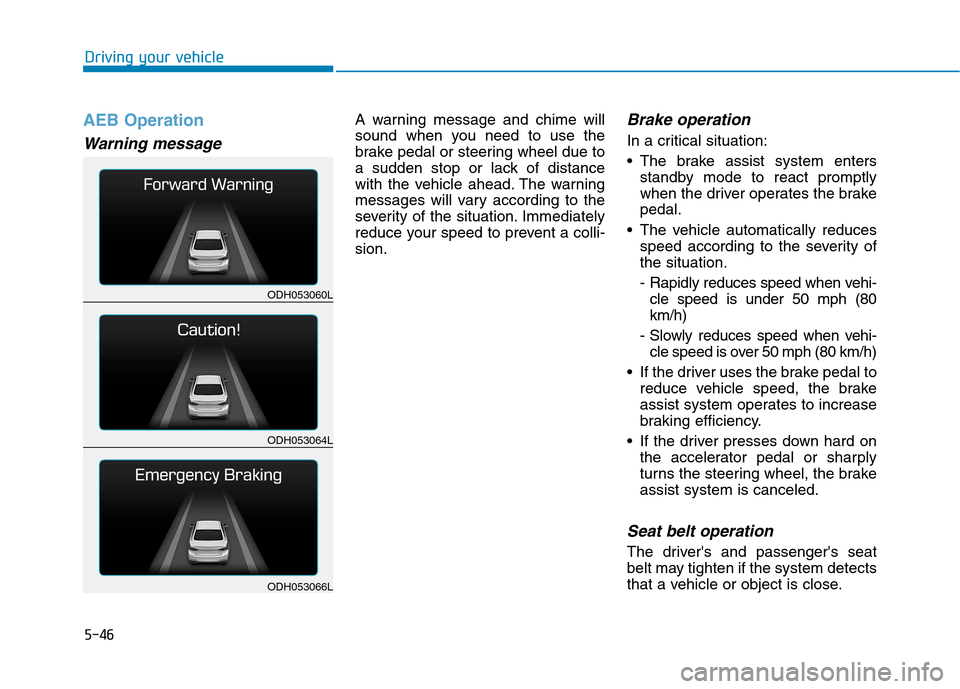
A warning message and chime will
sound when you need to use the
brake pedal or steering wheel due to
a sudden stop or lack of distance
with the vehicle ahead. The warning
messages will vary according to the
severity of the situation. Immediately
reduce your speed to prevent a colli-
sion.Brake operation
In a critical situation:
The brake assist system enters
standby mode to react promptly
when the driver operates the brake
pedal.
The vehicle automatically reduces
speed according to the severity of
the situation.
- Rapidly reduces speed when vehi-
cle speed is under 50 mph (80
km/h)
- Slowly reduces speed when vehi-
cle speed is over 50 mph (80 km/h)
If the driver uses the brake pedal to
reduce vehicle speed, the brake
assist system operates to increase
braking efficiency.
If the driver presses down hard on
the accelerator pedal or sharply
turns the steering wheel, the brake
assist system is canceled.
Seat belt operation
The driver's and passenger's seat
belt may tighten if the system detects
that a vehicle or object is close.
ODH053060L
ODH053064L
ODH053066L
Page 307 of 501

5-47
Driving your vehicle
5
Automatic emergency mode
change
In a critical situation, to help avoid
collisions, the Automatic Emergency
Mode automatically controls the
Electronic Control Suspension
(ECS) and Electronic Stability
Control (ESC). When the critical situ-
ation is over, the Electronic Control
Suspension (ECS) and Electronic
Stability Control (ESC) returns to its
previous status.
✽ ✽
NOTICE
• If the AEB is canceled from the
User Settings Mode or there is a
problem with the AEB system, the
Automatic Emergency Mode will
not work.
• If the ESC is off or there is a prob-
lem with the ESC system, the
Automatic Emergency Mode will
not work.
• The ESC must be on for the
Automatic Emergency Mode to
control ESC in collision situations.
To cancel the AEB
Go to the User Settings Mode
(Driving Assist) and undo the check
for AEB (Autonomous Emergency
Braking) on the LCD display (For
more details refer to "LCD
Display" in chapter 3.). The warn-
ing operation and automatic braking
operation will not function.
To turn on the AEB, select AEB
(Autonomous Emergency Braking)
from the User Settings Mode
(Driving Assist) on the LCD display.
The warning operation and automat-
ic braking operation will function. The Automatic Emergency
Mode is a supplemental system
to assist you and its effects may
differ according to road and
driving conditions. The vehicle
cannot automatically avoid a
collision. Do not solely rely on
the system and always pay
attention to prevent dangerous
situations from occurring.
WARNING
ODH054204C
Page 309 of 501

5-49
Driving your vehicle
5
(Continued)
- There is interference by elec-
tromagnetic waves.
- There are strong radar
reflections.
- Driving in a curve.
- Driving uphill or downhill.
- Driving in areas under con-
struction.
- An object ahead is very nar-
row such as motorcycles or
bicycles.
- A vehicle suddenly enters
your lane.
- The camera cannot secure a
clear view.
- The camera cannot catch the
whole vehicle.
- An unusual shape vehicle is
ahead such as a trailer, spe-
cial access vehicle or a truck
with unique shaped cargo.
(Continued)(Continued)
- Driving at night, the tail lamp
of the vehicle ahead is miss-
ing, installed on an unusual
place or installed unevenly.
- Coming in or out a tunnel,
where the illumination inten-
sity is high.
Even if there is a malfunction
to the brake operation of the
AEB, when you depress the
brake pedal, the brake oper-
ates normally. AEB brake
operation does not operate in
certain hazardous situations.
The AEB is designed to func-
tion above approximately
5 mph (8 km/h) and below
approximately 110 mph (180
km/h).
The AEB does not detect:
- Persons or animals.
- Oncoming vehicles in the
opposite lane or a vehicle in
an intersection.
- Stopped objects.
The AEB cannot detect
objects, when:
- The sensors are covered
with dirt.
- There is heavy rain or heavy
snow.
(Continued)
WARNING
Page 310 of 501
5-50
Driving your vehicle
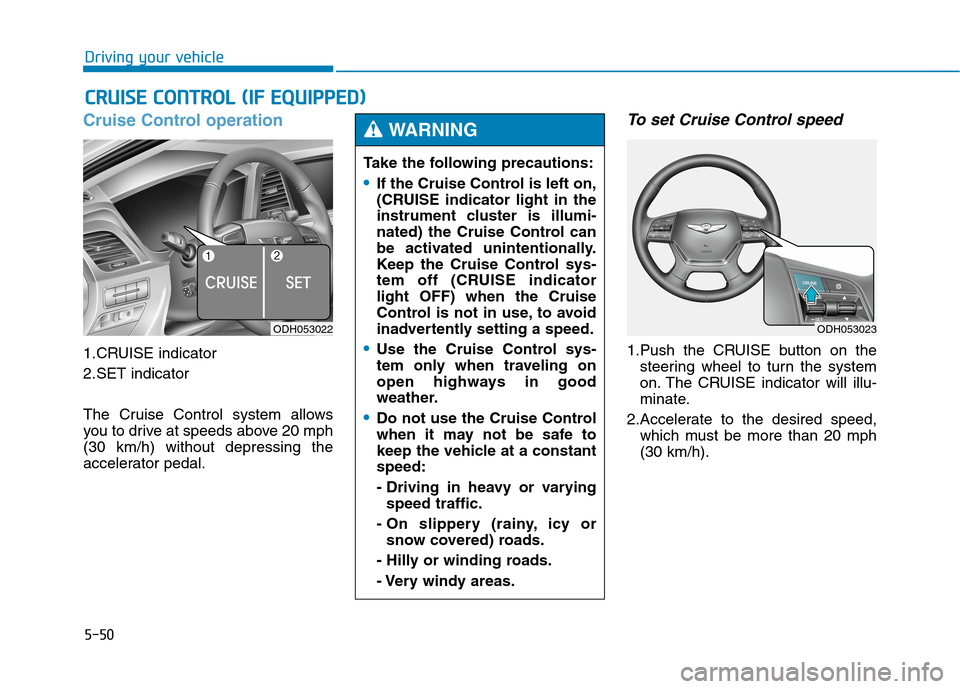
Cruise Control operation
1.CRUISE indicator
2.SET indicator
The Cruise Control system allows
you to drive at speeds above 20 mph
(30 km/h) without depressing the
accelerator pedal.
To set Cruise Control speed
1.Push the CRUISE button on the
steering wheel to turn the system
on. The CRUISE indicator will illu-
minate.
2.Accelerate to the desired speed,
which must be more than 20 mph
(30 km/h).
C CR
RU
UI
IS
SE
E
C
CO
ON
NT
TR
RO
OL
L
(
(I
IF
F
E
EQ
QU
UI
IP
PP
PE
ED
D)
)
ODH053022
Take the following precautions:
If the Cruise Control is left on,
(CRUISE indicator light in the
instrument cluster is illumi-
nated) the Cruise Control can
be activated unintentionally.
Keep the Cruise Control sys-
tem off (CRUISE indicator
light OFF) when the Cruise
Control is not in use, to avoid
inadvertently setting a speed.
Use the Cruise Control sys-
tem only when traveling on
open highways in good
weather.
Do not use the Cruise Control
when it may not be safe to
keep the vehicle at a constant
speed:
- Driving in heavy or varying
speed traffic.
- On slippery (rainy, icy or
snow covered) roads.
- Hilly or winding roads.
- Very windy areas.
WARNING
ODH053023
Page 313 of 501
5-53
Driving your vehicle
5
Decreasing the vehicle speed
lower than the memory speed by
5 mph (10 km/h).
Decreasing the vehicle speed to
less than approximately 20 mph
(30 km/h).
The ESC (Electronic Stability
Control) is operating.
Downshifting to the 2nd gear in
Sports Mode.
✽ ✽
NOTICE
Each of the above actions will cancel
Cruise Control operation (the SET
indicator light in the instrument
cluster will go off), but only pressing
the CRUISE button will turn the
system off. If you wish to resume
Cruise Control operation, push the
lever up (RES+) located on your
steering wheel. You will return to
your previously preset speed, unless
the system was turned off using the
CRUISE button.
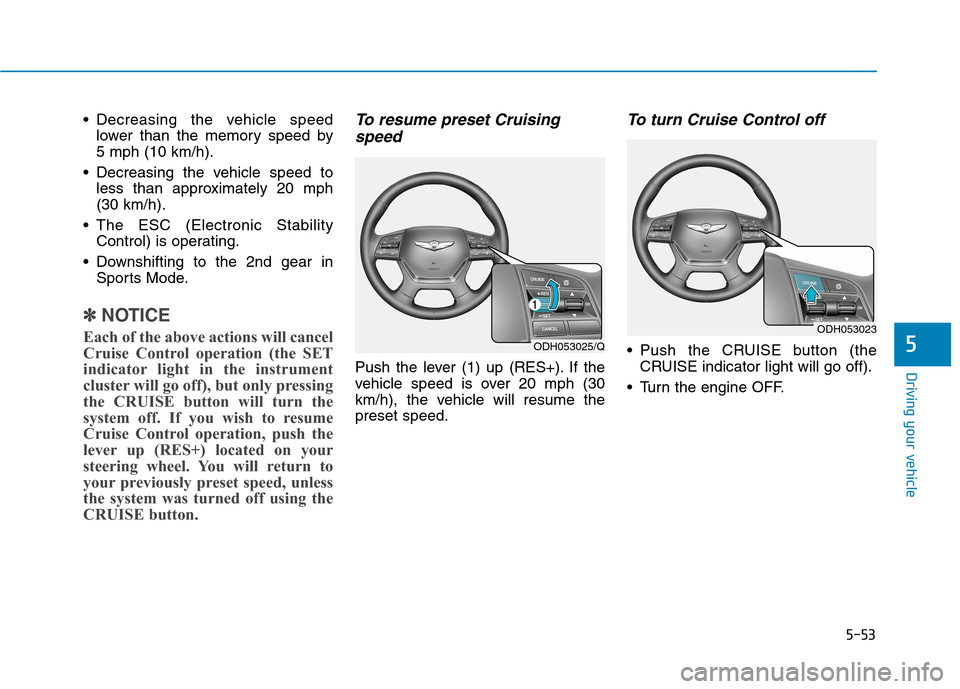
To resume preset Cruising
speed
Push the lever (1) up (RES+). If the
vehicle speed is over 20 mph (30
km/h), the vehicle will resume the
preset speed.
To turn Cruise Control off
Push the CRUISE button (the
CRUISE indicator light will go off).
Turn the engine OFF.ODH053025/Q
ODH053023
Page 317 of 501
5-57
Driving your vehicle
5
To temporarily accelerate with
the Smart Cruise Control on
If you want to speed up temporarily
when the Smart Cruise Control is on,
depress the accelerator pedal.
Increased speed will not interfere
with Smart Cruise Control operation
or change the set speed.
To return to the set speed, take your
foot off the accelerator.
If you push the lever down (SET-) at
increased speed, the cruising speed
will be set again.
✽ ✽
NOTICE
Be careful when accelerating tem-
porarily, because the speed is not
controlled automatically at this
time even if there is a vehicle in front
of you.
Smart Cruise Control will be
temporarily canceled when:
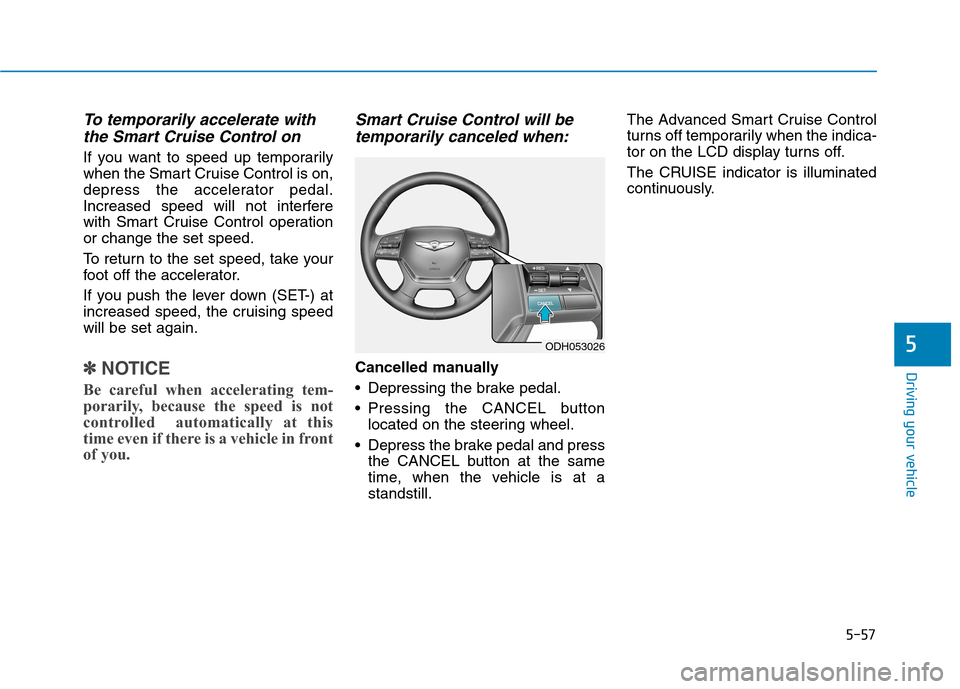
Cancelled manually
Depressing the brake pedal.
Pressing the CANCEL button
located on the steering wheel.
Depress the brake pedal and press
the CANCEL button at the same
time, when the vehicle is at a
standstill.The Advanced Smart Cruise Control
turns off temporarily when the indica-
tor on the LCD display turns off.
The CRUISE indicator is illuminated
continuously.
ODH053026
Page 324 of 501
5-64
Driving your vehicle
Limitations of the system
The Smart Cruise Control System
may have limits to its ability to detect
distance to the vehicle ahead due to
road and traffic conditions.
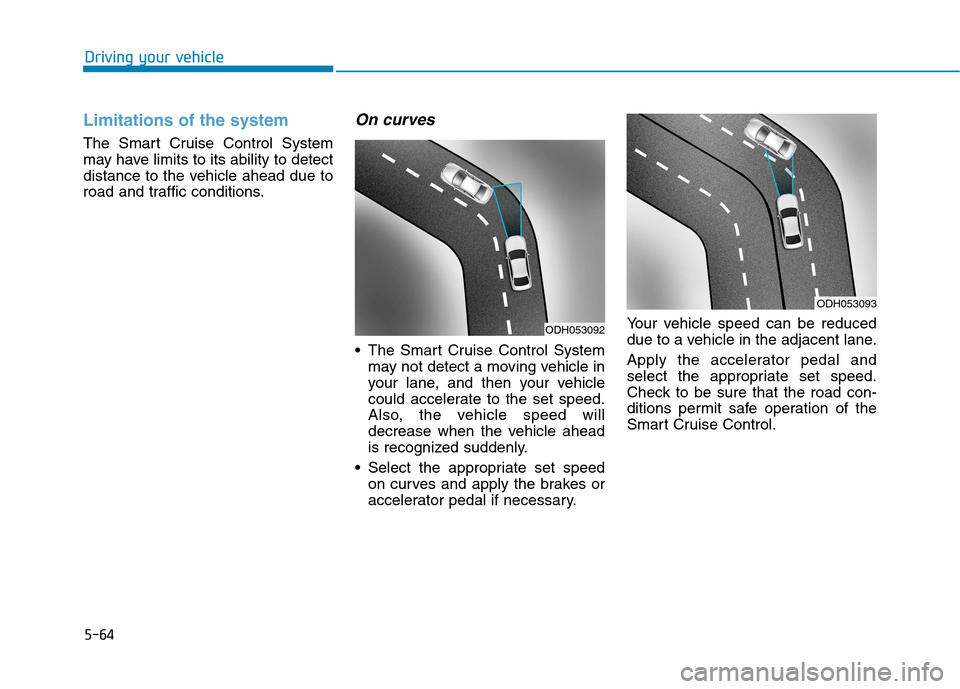
On curves
The Smart Cruise Control System
may not detect a moving vehicle in
your lane, and then your vehicle
could accelerate to the set speed.
Also, the vehicle speed will
decrease when the vehicle ahead
is recognized suddenly.
Select the appropriate set speed
on curves and apply the brakes or
accelerator pedal if necessary.Your vehicle speed can be reduced
due to a vehicle in the adjacent lane.
Apply the accelerator pedal and
select the appropriate set speed.
Check to be sure that the road con-
ditions permit safe operation of the
Smart Cruise Control.
ODH053092
ODH053093