Page 329 of 473
Driving your vehicle
46 5
Cancelled automatically
• The driver's door is opened.
• The EPB (electronic parking brake) is
applied.
• The vehicle speed is over 180km/h
(113mph)
• The vehicle stops on a steep incline.
• The ESC or ABS is operating.
• The ESC is turned off.
• The sensor or the cover is dirty or
blocked with foreign matter.
• The vehicle stops and go repeatedly for
a long period of time.
• The driver starts driving by depressing
the accelerator pedal or pushing the
RES+ switch if a vehicle stops far away
ahead of the your vehicle.• The accelerator pedal is continuously
depressed for more than 1 minute.
Each of these actions will cancel the
smart cruise control operation. (The
SET indicator, set speed and vehicle to
vehicle distance on the LCD display
will go off.)
In a condition the smart cruise control
is cancelled automatically, the smart
cruise control will not resume even
though the RES+ or SET- switch is
pushed. Also, the EPB (electronic
parking brake) will be applied.
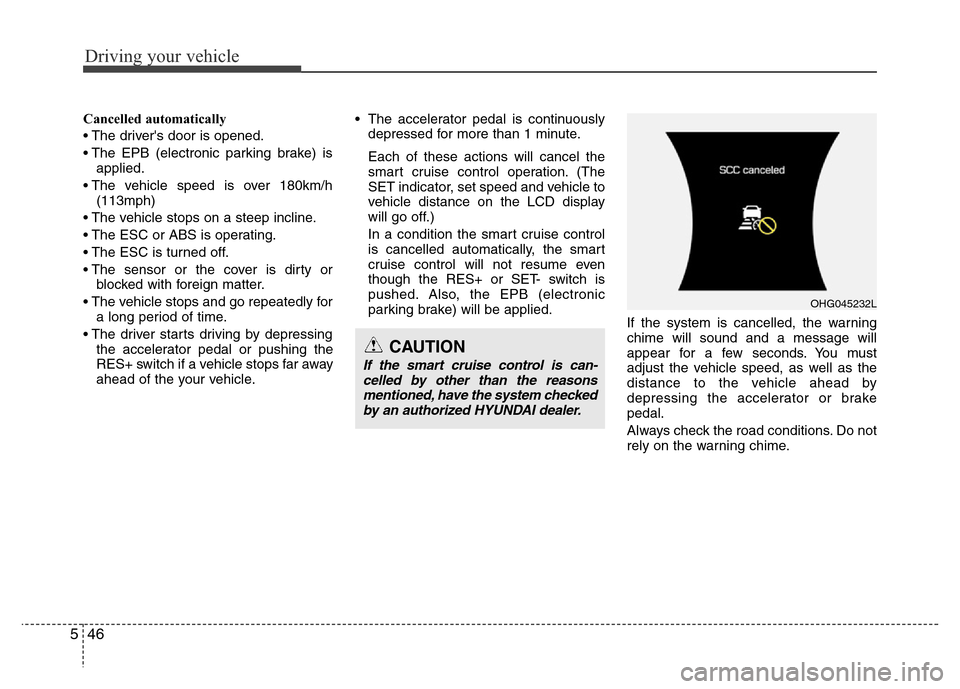
If the system is cancelled, the warning
chime will sound and a message will
appear for a few seconds. You must
adjust the vehicle speed, as well as the
distance to the vehicle ahead by
depressing the accelerator or brake
pedal.
Always check the road conditions. Do not
rely on the warning chime.
OHG045232L
CAUTION
If the smart cruise control is can-
celled by other than the reasons
mentioned, have the system checked
by an authorized HYUNDAI dealer.
Page 333 of 473
Driving your vehicle
50 5
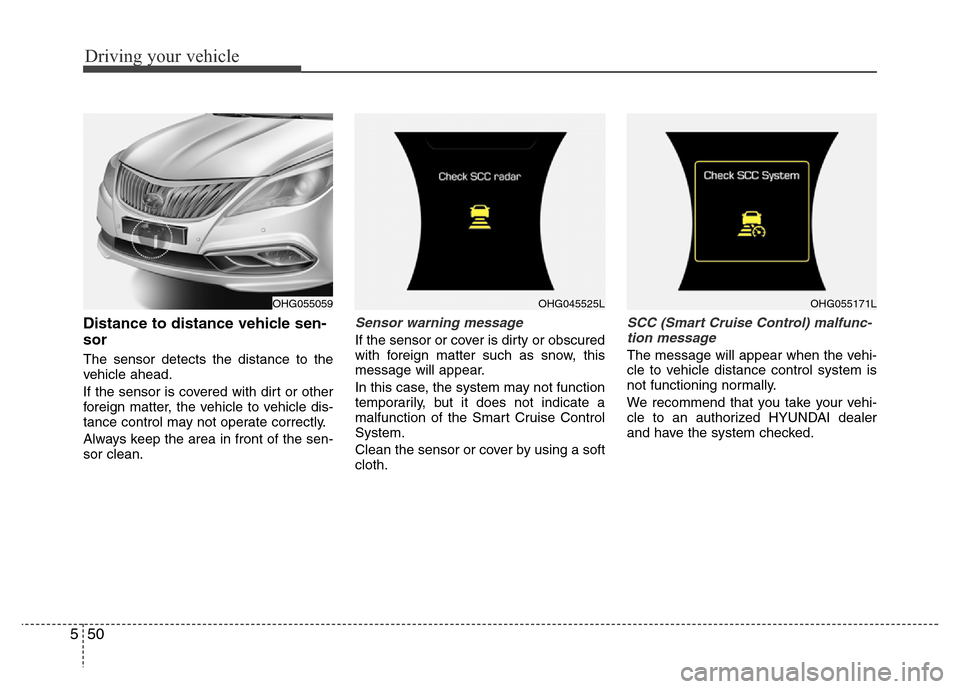
Distance to distance vehicle sen-
sor
The sensor detects the distance to the
vehicle ahead.
If the sensor is covered with dirt or other
foreign matter, the vehicle to vehicle dis-
tance control may not operate correctly.
Always keep the area in front of the sen-
sor clean.
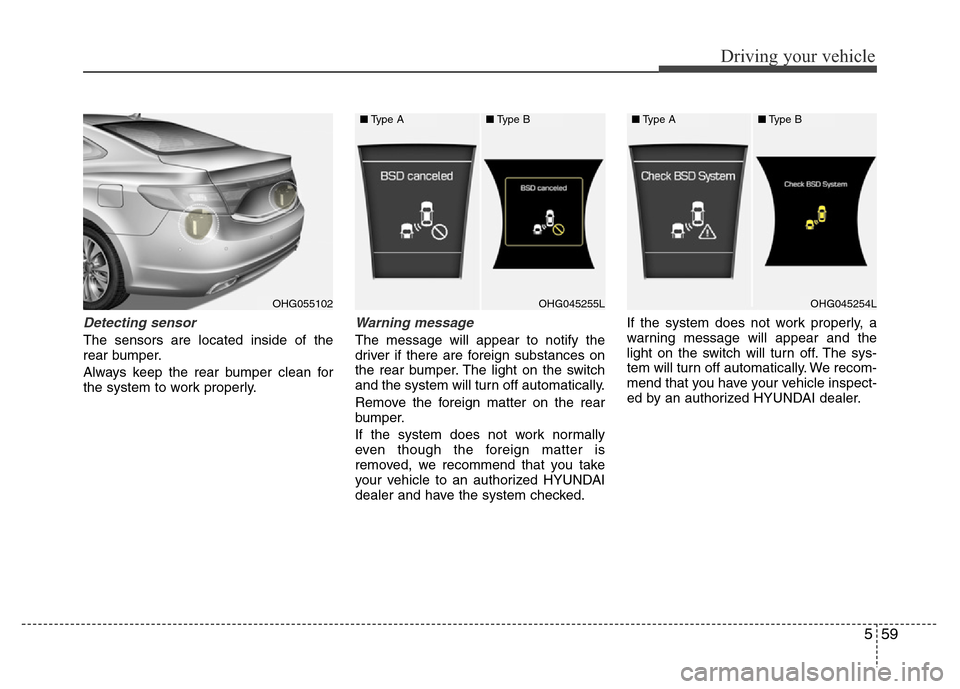
Sensor warning message
If the sensor or cover is dirty or obscured
with foreign matter such as snow, this
message will appear.
In this case, the system may not function
temporarily, but it does not indicate a
malfunction of the Smart Cruise Control
System.
Clean the sensor or cover by using a soft
cloth.
SCC (Smart Cruise Control) malfunc-
tion message
The message will appear when the vehi-
cle to vehicle distance control system is
not functioning normally.
We recommend that you take your vehi-
cle to an authorized HYUNDAI dealer
and have the system checked.
OHG055059OHG045525LOHG055171L
Page 334 of 473
551
Driving your vehicle
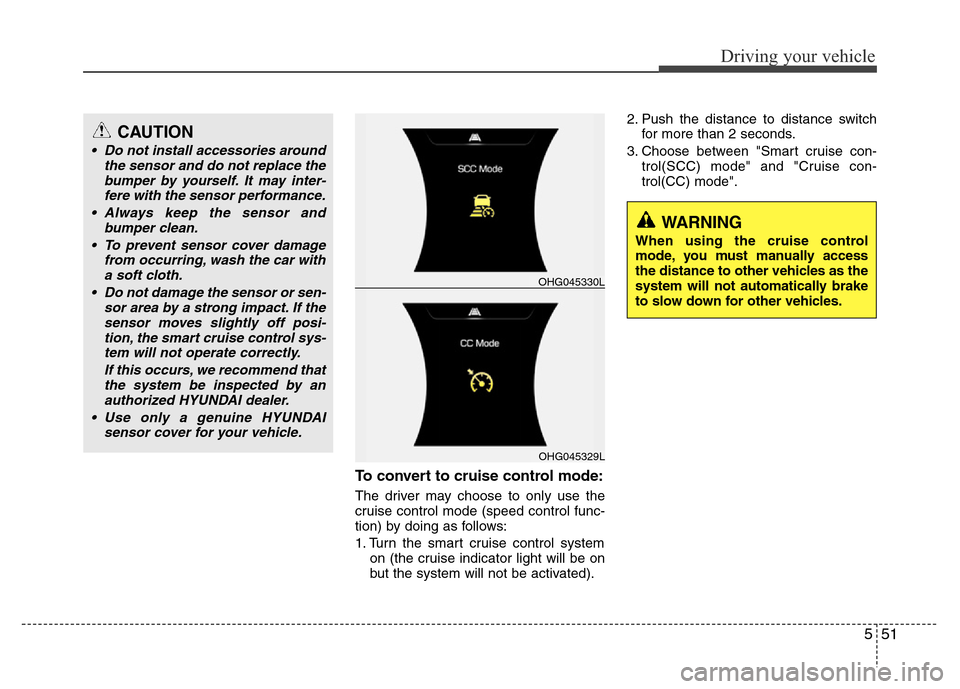
To convert to cruise control mode:
The driver may choose to only use the
cruise control mode (speed control func-
tion) by doing as follows:
1. Turn the smart cruise control system
on (the cruise indicator light will be on
but the system will not be activated).2. Push the distance to distance switch
for more than 2 seconds.
3. Choose between "Smart cruise con-
trol(SCC) mode" and "Cruise con-
trol(CC) mode".
OHG045329L
OHG045330L
WARNING
When using the cruise control
mode, you must manually access
the distance to other vehicles as the
system will not automatically brake
to slow down for other vehicles.
CAUTION
• Do not install accessories around
the sensor and do not replace the
bumper by yourself. It may inter-
fere with the sensor performance.
• Always keep the sensor and
bumper clean.
• To prevent sensor cover damage
from occurring, wash the car with
a soft cloth.
• Do not damage the sensor or sen-
sor area by a strong impact. If the
sensor moves slightly off posi-
tion, the smart cruise control sys-
tem will not operate correctly.
If this occurs, we recommend that
the system be inspected by an
authorized HYUNDAI dealer.
• Use only a genuine HYUNDAI
sensor cover for your vehicle.
Page 336 of 473
553
Driving your vehicle
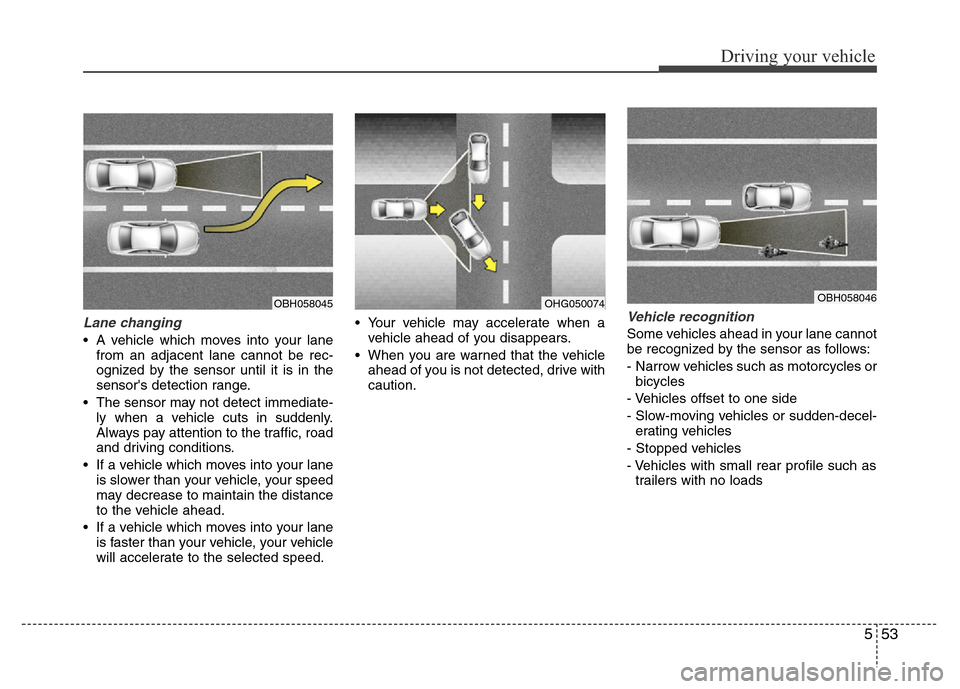
Lane changing
• A vehicle which moves into your lane
from an adjacent lane cannot be rec-
ognized by the sensor until it is in the
sensor's detection range.
• The sensor may not detect immediate-
ly when a vehicle cuts in suddenly.
Always pay attention to the traffic, road
and driving conditions.
• If a vehicle which moves into your lane
is slower than your vehicle, your speed
may decrease to maintain the distance
to the vehicle ahead.
• If a vehicle which moves into your lane
is faster than your vehicle, your vehicle
will accelerate to the selected speed.• Your vehicle may accelerate when a
vehicle ahead of you disappears.
• When you are warned that the vehicle
ahead of you is not detected, drive with
caution.
Vehicle recognition
Some vehicles ahead in your lane cannot
be recognized by the sensor as follows:
- Narrow vehicles such as motorcycles or
bicycles
- Vehicles offset to one side
- Slow-moving vehicles or sudden-decel-
erating vehicles
- Stopped vehicles
- Vehicles with small rear profile such as
trailers with no loads
OBH058045OHG050074OBH058046
Page 337 of 473
Driving your vehicle
54 5
A vehicle ahead cannot be recognized
correctly by the sensor if any of following
occurs:
- When the vehicle is pointing upwards
due to overloading in the trunk
- While making turns by steering
- When driving to one side of the lane
- When driving on narrow lanes or on
curves
Apply the brakes or accelerator pedal if
necessary.
• When vehicles are at a standstill and
the vehicle in front of you changes to
the next lane, be careful when your
vehicle starts to move because it may
not recognize the stopped vehicle in
front of you.• Always look out for pedestrians when
your vehicle is maintaining a distance
with the vehicle ahead.
OHG050075OHG050076
Page 339 of 473
Driving your vehicle
56 5
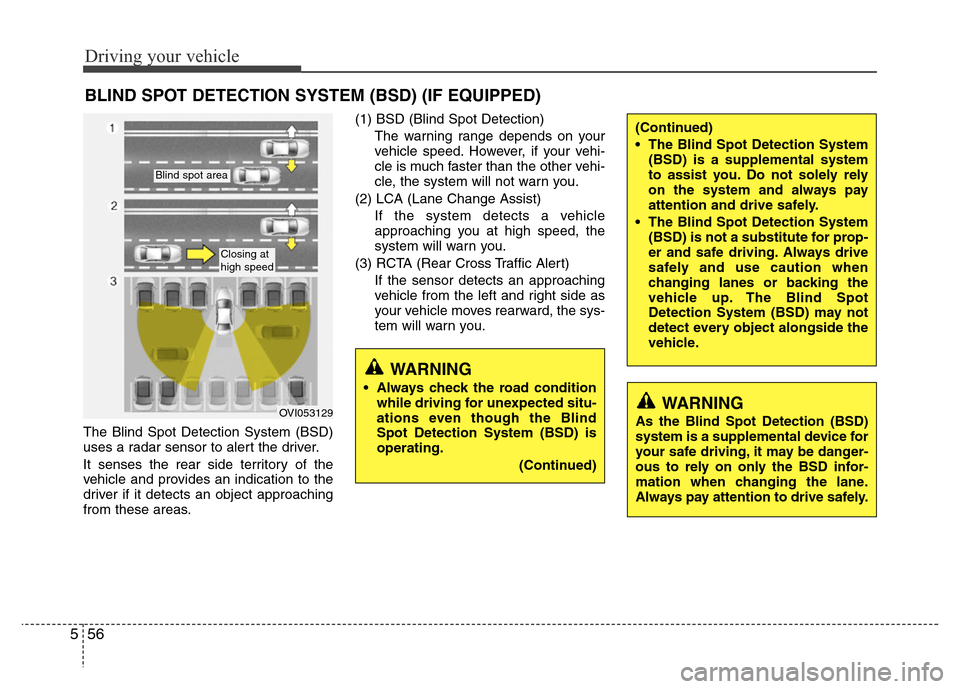
The Blind Spot Detection System (BSD)
uses a radar sensor to alert the driver.
It senses the rear side territory of the
vehicle and provides an indication to the
driver if it detects an object approaching
from these areas.(1) BSD (Blind Spot Detection)
The warning range depends on your
vehicle speed. However, if your vehi-
cle is much faster than the other vehi-
cle, the system will not warn you.
(2) LCA (Lane Change Assist)
If the system detects a vehicle
approaching you at high speed, the
system will warn you.
(3) RCTA (Rear Cross Traffic Alert)
If the sensor detects an approaching
vehicle from the left and right side as
your vehicle moves rearward, the sys-
tem will warn you.
BLIND SPOT DETECTION SYSTEM (BSD) (IF EQUIPPED)
OVI053129
Blind spot area
Closing at
high speed
WARNING
• Always check the road condition
while driving for unexpected situ-
ations even though the Blind
Spot Detection System (BSD) is
operating.
(Continued)
WARNING
As the Blind Spot Detection (BSD)
system is a supplemental device for
your safe driving, it may be danger-
ous to rely on only the BSD infor-
mation when changing the lane.
Always pay attention to drive safely.
(Continued)
• The Blind Spot Detection System
(BSD) is a supplemental system
to assist you. Do not solely rely
on the system and always pay
attention and drive safely.
• The Blind Spot Detection System
(BSD) is not a substitute for prop-
er and safe driving. Always drive
safely and use caution when
changing lanes or backing the
vehicle up. The Blind Spot
Detection System (BSD) may not
detect every object alongside the
vehicle.
Page 342 of 473
559
Driving your vehicle
Detecting sensor
The sensors are located inside of the
rear bumper.
Always keep the rear bumper clean for
the system to work properly.
Warning message
The message will appear to notify the
driver if there are foreign substances on
the rear bumper. The light on the switch
and the system will turn off automatically.
Remove the foreign matter on the rear
bumper.
If the system does not work normally
even though the foreign matter is
removed, we recommend that you take
your vehicle to an authorized HYUNDAI
dealer and have the system checked.If the system does not work properly, a
warning message will appear and the
light on the switch will turn off. The sys-
tem will turn off automatically. We recom-
mend that you have your vehicle inspect-
ed by an authorized HYUNDAI dealer.
OHG055102OHG045255LOHG045254L
■Type A■Type B■Type A■Type B
Page 343 of 473
Driving your vehicle
60 5
RCTA (Rear Cross Traffic Alert)
Operating conditions
To operate:
Go to the User Settings Mode (Driving
Assist) and select RCTA (Rear Cross
Traffic Alert) on the LCD display (For
more details, refer to "LCD Display" in
chapter 4.). The system will turn on and
standby to activate. The system will acti-
vate when vehicle speed is below
10km/h (6.2mph) with the shift lever in R
(Reverse).
✽NOTICE
The RCTA (Rear Cross Traffic Alert)
detecting range is about 0.5m ~ 20m. A
vehicle will be detected if the vehicle
speed is 4km/h ~ 36km/h within the
detecting range. However, the detecting
range may change under different con-
ditions. Always pay attention to the sur-
roundings.
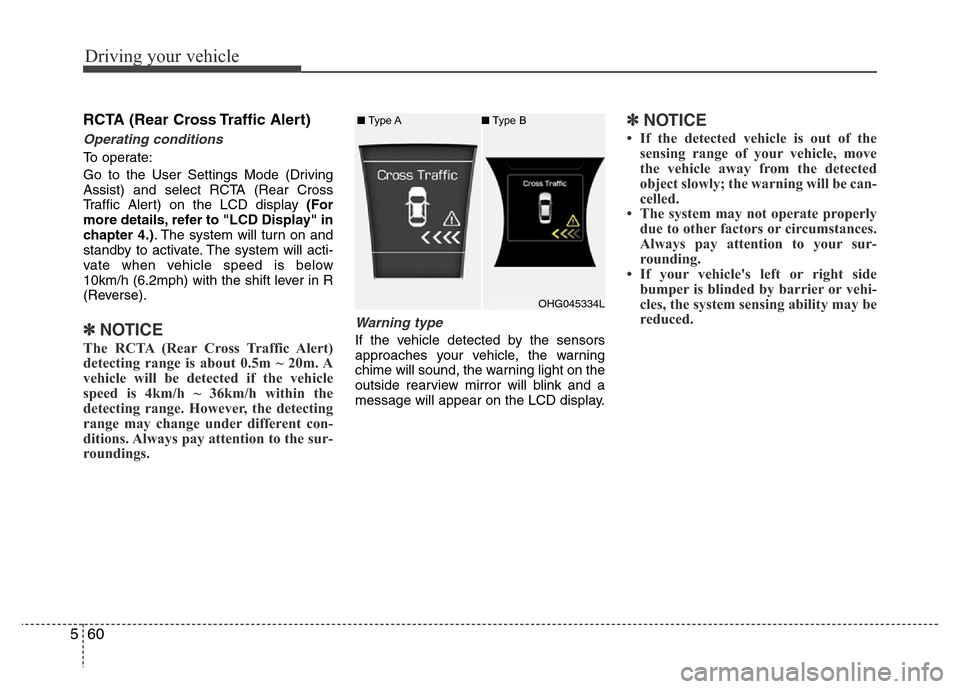
Warning type
If the vehicle detected by the sensors
approaches your vehicle, the warning
chime will sound, the warning light on the
outside rearview mirror will blink and a
message will appear on the LCD display.
✽NOTICE
• If the detected vehicle is out of the
sensing range of your vehicle, move
the vehicle away from the detected
object slowly; the warning will be can-
celled.
• The system may not operate properly
due to other factors or circumstances.
Always pay attention to your sur-
rounding.
• If your vehicle's left or right side
bumper is blinded by barrier or vehi-
cles, the system sensing ability may be
reduced.
OHG045334L ■Type A■Type B