Page 82 of 453

81
uuIndicators uInformation Display Warning and Information Messages
Instrument Panel
MessageConditionExplanation
●Appears if you push the ENGINE START/STOP
button to turn the engine off without the shift lever
in
(P.
●Push the ENGINE START/STOP button twice after
moving the shift lever to
(P.
●Move the shift lever to (P.
●Appears when the power mode is in ACCESSORY.
—
●Appears when the steering wheel is locked.
●Move the steering wheel left and right while
pressing the ENGINE START/STOP button at the
same time.
●Appears when you close th e door with the power
mode in ON without the smart entry remote inside
the vehicle.●Disappears when you bring the smart entry remote
back inside the vehicle and close the door.
●Appears when the smart entry remote’s battery
becomes weak.●Replace the battery as soon as possible.
2 Replacing the Button Battery P. 395
Models with smart entry system
Canadian models with automatic transmission (CVT)
U.S. models with automatic transmission (CVT)
U.S. models with manual transmission
Canadian models
15 US FIT-31T5A6000.book 81 ページ 2014年3月6日 木曜日 午後7時5分
Page 84 of 453

83
uuGauges and Displays uInformation Display
Continued
Instrument Panel
Information Display
The information display shows the fuel gauge, odometer, trip meter, engine oil life
and maintenance service item codes, and other gauges.
Press the (select/reset) kn ob to change the display.
■Switching the Display
1Switching the Display
Some of the items on the information display also
appear on the audio/information screen. They also
change along with the info rmation display changes
while the fuel consumption is shown.
Models with display audio system
Instant Fuel Economy
Clock
Odometer
Trip Meter A
Outside Temperature
*
Fuel Gauge Instant Fuel Economy
Clock
Range
Trip Meter A
Outside Temperature
*
Fuel Gauge Instant Fuel Economy
Clock
Average Fuel Economy A
Trip Meter A
Outside Temperature*
Fuel GaugeInstant Fuel Economy
Clock
Average Fuel Economy B
Trip Meter B
Outside Temperature*
Fuel GaugeInstant Fuel Economy
Clock
Engine Oil Life
Outside Temperature
*
Fuel Gauge
Select/Reset Knob
* Not available on all models
15 US FIT-31T5A6000.book 83 ページ 2014年3月6日 木曜日 午後7時5分
Page 86 of 453

85
uuGauges and Displays uInformation Display
Instrument Panel
Shows the outside temperature in Fahr enheit (U.S.) or Celsius (Canada).
■Adjusting the outside temperature indicator
Adjust the temperature reading up to ± 5°F or ± 3°C if the temperature reading
seems incorrect.
1. Turn the ignition switch to ON
(w*1.
2. Press and hold the (Select/Reset) knob for 10 seconds or more while the
outside temperature is shown on the information display.
u The information display goes into temp erature adjustment mode. The display
starts showing from -5°F to +5°F (U .S.) or -3°C to +3°C (Canada).
3. Release the knob when the right adjustment amount is shown.
u The adjustment is complete.
Shows the remaining oil life and Maintenance Minder
TM.
2 Maintenance MinderTM P. 357
Displays the amount of fuel left in the fuel tank.
*1 : Models with the smart entry system have an ENGINE START/STOP button instead of an ignition switch.
■Outside Temperature*
■Engine Oil Life and Maintenance Items
■Fuel Gauge
1Outside Temperature*
The temperature sensor is in the front bumper.
Road heat and exhaust fr om another vehicle can
affect the temperature reading when your vehicle
speed is less than 19 mph (30 km/h).
It may take several minutes for the display to be
updated after the temperature reading has stabilized.
When the engine oil life is shown on the information
display, you cannot adjust the outside temperature.
Push the knob to select the other display.
1 Fuel Gauge
NOTICE
You should refuel when the reading approaches .
Running out of fuel can cause the engine to misfire,
damaging the cata lytic converter.
The actual amount of remain ing fuel may differ from
the fuel gauge reading.E
* Not available on all models
15 US FIT-31T5A6000.book 85 ページ 2014年3月6日 木曜日 午後7時5分
Page 94 of 453

93
uuLocking and Unlocking the Doors uLocking/Unlocking the Doors from the Outside
Continued
Controls
Locking/Unlocking the Doors from the Outside
■Locking the doors
Press the lock button.
Once: u Some exterior lights flash, all the doors
and tailgate lock, and the security system
sets.
Twice (within five se conds after the first
push): u A beeper sounds and verifies the security
system is set.
■Using the Remote Transmitter1Using the Remote Transmitter
If you do not open a door within 30 seconds of
unlocking the vehicle with the remote transmitter,
the doors will auto matically relock.
If the interior light switch is in the door activated
position, the interior light s come on when you press
the unlock button.
No doors opened: The li ghts fade out after 30
seconds.
Doors relocked with the remote transmitter: The
lights go off immediately.
The remote transmitter us es low-power signals, so
the operating range may vary depending on the
surroundings.
The remote transmitter will not lock the vehicle when
a door or tail gate is open.
The remote transmitter will not work when the key is
in the ignition switch.
You can lock or unlock doors using the remote
transmitter or smart entry system only when the
power mode is in VEHICLE OFF.
Models without smart entry system
Models with smart entry system
LED
Unlock Button Lock Button
Unlock Button
LED
Lock Button
15 US FIT-31T5A6000.book 93 ページ 2014年3月6日 木曜日 午後7時5分
Page 96 of 453

Continued95
uuLocking and Unlocking the Doors uLocking/Unlocking the Doors from the Outside
Controls
When you carry the smart entry remote, you
can lock/unlock the doors and the tailgate.
You can lock/unlock the doors and the
tailgate within a radius of about 32 inches (80
cm) of the outside door handle. You can open
the tailgate within about 32 inches (80 cm)
radius from the tailgate release button.
■Locking the doors and tailgate
Press the door lock button on the front door
or the tailgate.
u Some exterior lights flash; the beeper
sounds; all the doors and tailgate lock;
and the security system sets.
■Using the Smart Entry with Push Button Start System*1Using the Smart Entry with Push Button Start System*
•Do not leave the smart entry remote in the vehicle
when you get out. Carry it with you.
•Even if you are not carrying the smart entry remote,
you can lock/unlock the doors and the tailgate
while someone else with the remote is within
range.
•The door may be unlocked if the door handle is
covered with water in heavy rain or in a car wash if
the smart entry remote is within range.
•If you grip a front door handle wearing gloves, the
door sensor may be slow to respond or may not
respond by unlocking the doors.
•You cannot unlock the door by gripping the handle
after two seconds of locking it.
•The door might not open if you pull it immediately
after gripping the door handle. Grip the handle
again and confirm that th e door is unlocked before
pulling the handle.
•Even within the 32 inches (80 cm) radius, you may
not be able to lock/unlock the doors and the
tailgate with the smart entry remote if it is above or
below the outside handle.
•The smart entry remote may not operate if it is too
close to the door and door glass.
If the distance at which the smart entry remote works
varies, the battery is pr obably low. Replace the
button battery as soon as possible.
If the LED does not come on when you press a
button, the battery is dead. 2 Replacing the Button Battery P. 395
Door Lock Button
Lock Button
* Not available on all models
15 US FIT-31T5A6000.book 95 ページ 2014年3月6日 木曜日 午後7時5分
Page 97 of 453
uuLocking and Unlocking the Doors uLocking/Unlocking the Doors from the Outside
96
Controls
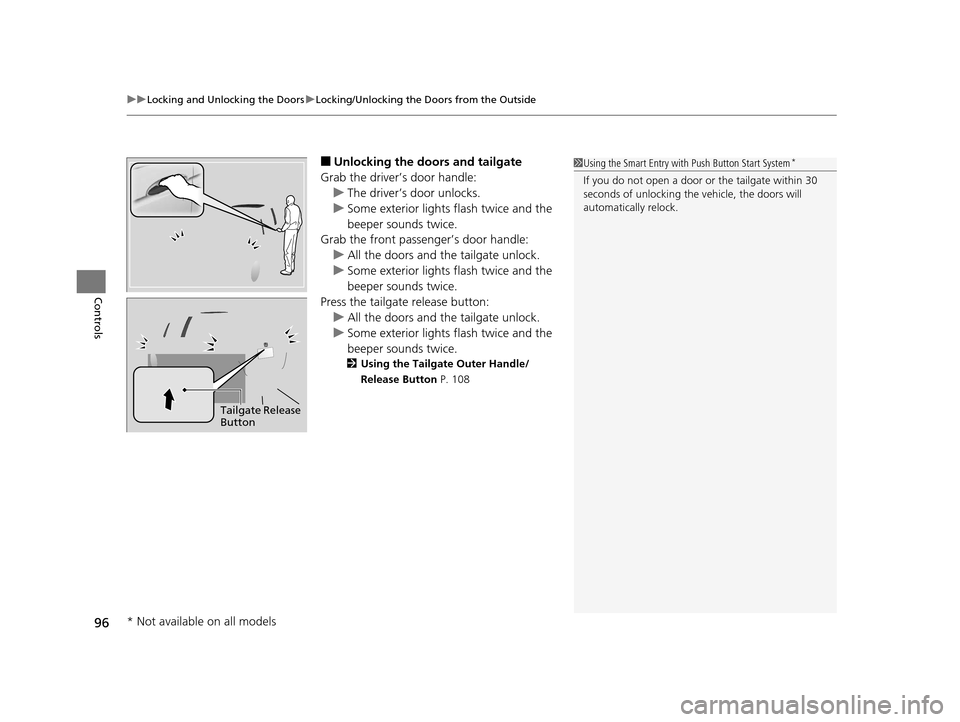
■Unlocking the doors and tailgate
Grab the driver’s door handle: u The driver’s door unlocks.
u Some exterior lights flash twice and the
beeper sounds twice.
Grab the front passenger’s door handle:
u All the doors and the tailgate unlock.
u Some exterior lights flash twice and the
beeper sounds twice.
Press the tailgate release button: u All the doors and the tailgate unlock.
u Some exterior lights flash twice and the
beeper sounds twice.
2 Using the Tailgate Outer Handle/
Release Button P. 108
1Using the Smart Entry with Push Button Start System*
If you do not open a door or the tailgate within 30
seconds of unlocking the vehicle, the doors will
automatically relock.
Tailgate Release
Button
* Not available on all models
15 US FIT-31T5A6000.book 96 ページ 2014年3月6日 木曜日 午後7時5分
Page 98 of 453
Continued97
uuLocking and Unlocking the Doors uLocking/Unlocking the Doors from the Outside
Controls
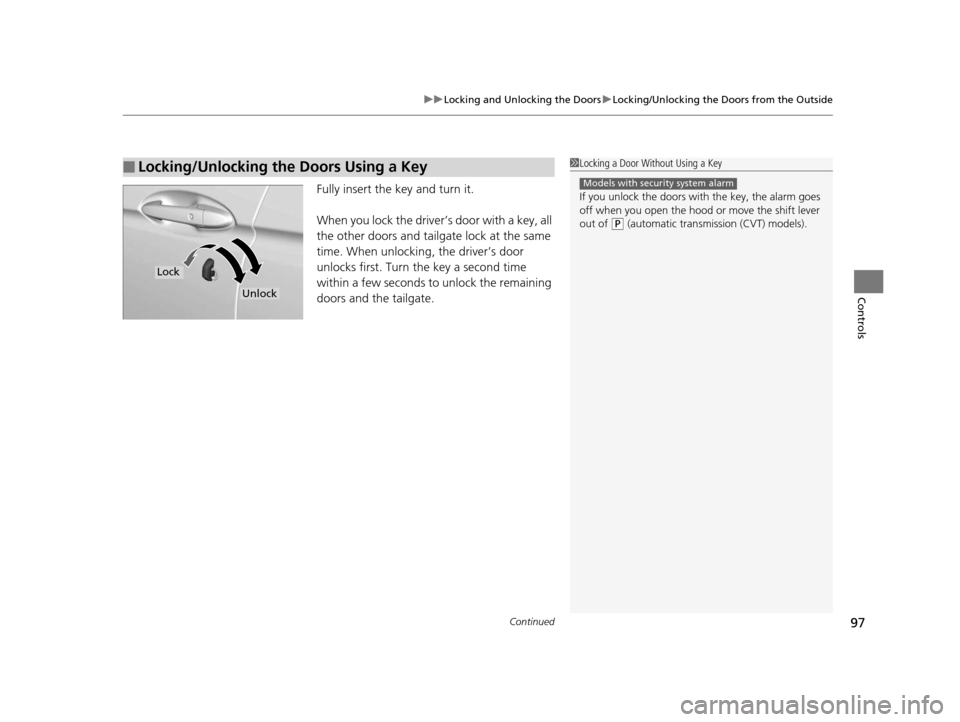
Fully insert the key and turn it.
When you lock the driver’s door with a key, all
the other doors and tailgate lock at the same
time. When unlocking, the driver’s door
unlocks first. Turn the key a second time
within a few seconds to unlock the remaining
doors and the tailgate.
■Locking/Unlocking the Doors Using a Key1Locking a Door Without Using a Key
If you unlock the doors with the key, the alarm goes
off when you open the hood or move the shift lever
out of
(P (automatic transmission (CVT) models).
Models with security system alarm
Lock
Unlock
15 US FIT-31T5A6000.book 97 ページ 2014年3月6日 木曜日 午後7時5分
Page 106 of 453
105
uuLocking and Unlocking the Doors uCustomizing the Auto Door Locking/Unlocking Setting
Continued
Controls
*1 : Default setting
*2 : Models without smart entry system
*3 : Models with smart entry system
■Customizing Flow for Auto Door Locking Options
StepsDrive Lock Mode*1Off
1Apply the parking brake.
2The driver’s door must be closed at this stage.Open the driver’s door.
3Turn the ignition switch to ON (w*2.
Push the ENGINE START/STOP button twice without depressing the brake pedal*3.
4
Press and hold the front of the master door lock switch on the driver’s door. You will hear a click more than five seconds elapsed.
Release the switch.
5
Turn the ignition switch to OFF (0 within 20 seconds*2.
Push the ENGINE START/STOP button once without depressing the brake pedal*3.
u Customization is completed.
u All doors unlock and all turn signals blink three times.
15 US FIT-31T5A6000.book 105 ページ 2014年3月6日 木曜日 午後7時5分