2015 GMC SIERRA 1500 light
[x] Cancel search: lightPage 465 of 539
Black plate (98,1)GMC Sierra Owner Manual (GMNA Localizing-U.S/Canada/Mexico-
7299746) - 2015 - crc - 11/11/13
10-98 Vehicle Care
Appearance Care
Exterior Care
Locks
Locks are lubricated at the factory.
Use a de-icing agent only when
absolutely necessary, and have the
locks greased after using. See
Recommended Fluids and
Lubricants on page 11-12.
Washing the Vehicle
To preserve the vehicle's finish,
wash it often and out of direct
sunlight.
{Caution
Do not use petroleum-based,
acidic, or abrasive cleaning
agents as they can damage the
vehicle's paint, metal, or plastic
parts. If damage occurs, it would
not be covered by the vehicle
warranty. Approved cleaning(Continued)
Caution (Continued)
products can be obtained from
your dealer. Follow all
manufacturer directions regarding
correct product usage, necessary
safety precautions, and
appropriate disposal of any
vehicle care product.
{Caution
Avoid using high-pressure
washes closer than 30 cm (12 in)
to the surface of the vehicle. Use
of power washers exceeding
8,274 kPa (1,200 psi) can result
in damage or removal of paint
and decals.
This symbol
eis on any
underhood compartment electrical
center that should not be power washed. This could cause damage
that would not be covered by the
vehicle warranty.
If using an automatic car wash,
follow with the car wash
instructions. The windshield wiper
and rear window wiper, if equipped,
must be off. Remove any
accessories that may be damaged
or interfere with the car wash
equipment.
Rinse the vehicle well, before
washing and after, to remove all
cleaning agents completely. If they
are allowed to dry on the surface,
they could stain.
Dry the finish with a soft, clean
chamois or an all-cotton towel to
avoid surface scratches and water
spotting.
Finish Care
Application of aftermarket clearcoat
sealant/wax materials is not
recommended. If painted surfaces
are damaged, see your dealer to
have the damage assessed and
Page 471 of 539
Black plate (104,1)GMC Sierra Owner Manual (GMNA Localizing-U.S/Canada/Mexico-
7299746) - 2015 - crc - 11/11/13
10-104 Vehicle Care
.Do not use laundry detergents or
dishwashing soaps with
degreasers. For liquid cleaners,
use approximately 20 drops per
3.8 L (1 gal) of water.
A concentrated soap solution will
leave a residue that creates
streaks and attracts dirt. Do not
use solutions that contain strong
or caustic soap.
.Do not heavily saturate the
upholstery when cleaning.
.Do not use solvents or cleaners
containing solvents.
Interior Glass
To clean, use a terry cloth fabric
dampened with water. Wipe droplets
left behind with a clean dry cloth.
Commercial glass cleaners may be
used, if necessary, after cleaning
the interior glass with plain water.
{Caution
To prevent scratching, never use
abrasive cleaners on automotive
glass. Abrasive cleaners or
aggressive cleaning may damage
the rear window defogger.
Cleaning the windshield with water
during the first three to six months
of ownership will reduce tendency
to fog.
Speaker Covers
Vacuum around a speaker cover
gently, so that the speaker will not
be damaged. Clean spots with just
water and mild soap.
Coated Moldings
Coated moldings should be cleaned.
.When lightly soiled, wipe with a
sponge or soft lint-free cloth
dampened with water.
.When heavily soiled, use warm
soapy water.
Fabric/Carpet/Suede
Start by vacuuming the surface
using a soft brush attachment. If a
rotating brush attachment is being
used during vacuuming, only use it
on the floor carpet. Before cleaning,
gently remove as much of the soil
as possible using one of the
following techniques:
.Gently blot liquids with a paper
towel. Continue blotting until no
more soil can be removed.
.For solid soils, remove as much
as possible prior to vacuuming.
To clean:
1. Saturate a clean lint-free colorfast cloth with water.
Microfiber cloth is recommended
to prevent lint transfer to the
fabric or carpet.
2. Remove excess moisture by gently wringing until water does
not drip from the cleaning cloth.
Page 484 of 539
Black plate (9,1)GMC Sierra Owner Manual (GMNA Localizing-U.S/Canada/Mexico-
7299746) - 2015 - crc - 11/11/13
Service and Maintenance 11-9
Additional
Maintenance and Care
Your vehicle is an important
investment and caring for it properly
may help to avoid future costly
repairs. To maintain vehicle
performance, additional
maintenance services may be
required.
It is recommended that your dealer
perform these services—their
trained dealer technicians know
your vehicle best. Your dealer can
also perform a thorough
assessment with a multi-point
inspection to recommend when your
vehicle may need attention.
The following list is intended to
explain the services and conditions
to look for that may indicate
services are required. Battery
The battery supplies power to start
the engine and operate any
additional electrical accessories.
.To avoid break-down or failure to
start the vehicle, maintain a
battery with full cranking power.
.Trained dealer technicians have
the diagnostic equipment to test
the battery and ensure that the
connections and cables are
corrosion-free.
Belts
.Belts may need replacing if they
squeak or show signs of
cracking or splitting.
.Trained dealer technicians have
access to tools and equipment
to inspect the belts and
recommend adjustment or
replacement when necessary. Brakes
Brakes stop the vehicle and are
crucial to safe driving.
.Signs of brake wear may include
chirping, grinding, or squealing
noises, or difficulty stopping.
.Trained dealer technicians have
access to tools and equipment
to inspect the brakes and
recommend quality parts
engineered for the vehicle.
Fluids
Proper fluid levels and approved
fluids protect the vehicle’s systems
and components. See
Recommended Fluids and
Lubricants on page 11-12 for GM
approved fluids.
.Engine oil and windshield
washer fluid levels should be
checked at every fuel fill.
.Instrument cluster lights may
come on to indicate that fluids
may be low and need to be
filled.
Page 485 of 539
Black plate (10,1)GMC Sierra Owner Manual (GMNA Localizing-U.S/Canada/Mexico-
7299746) - 2015 - crc - 11/11/13
11-10 Service and Maintenance
Hoses
Hoses transport fluids and should
be regularly inspected to ensure
that there are no cracks or leaks.
With a multi-point inspection, your
dealer can inspect the hoses and
advise if replacement is needed.
Lamps
Properly working headlamps,
taillamps, and brake lamps are
important to see and be seen on
the road.
.Signs that the headlamps need
attention include dimming, failure
to light, cracking, or damage.
The brake lamps need to be
checked periodically to ensure
that they light when braking.
.With a multi-point inspection,
your dealer can check the lamps
and note any concerns.Shocks and Struts
Shocks and struts help aid in control
for a smoother ride.
.Signs of wear may include
steering wheel vibration, bounce/
sway while braking, longer
stopping distance, or uneven
tire wear.
.As part of the multi-point
inspection, trained dealer
technicians can visually inspect
the shocks and struts for signs
of leaking, blown seals,
or damage, and can advise
when service is needed.
Tires
Tires need to be properly inflated,
rotated, and balanced. Maintaining
the tires can save money and fuel,
and can reduce the risk of tire
failure.
.Signs that the tires need to be
replaced include three or more
visible treadwear indicators; cord
or fabric showing through the rubber; cracks or cuts in the
tread or sidewall; or a bulge or
split in the tire.
.Trained dealer technicians can
inspect and recommend the right
tires. Your dealer can also
provide tire/wheel balancing
services to ensure smooth
vehicle operation at all speeds.
Your dealer sells and services
name brand tires.
Vehicle Care
To help keep the vehicle looking like
new, vehicle care products are
available from your dealer. For
information on how to clean and
protect the vehicle’s interior and
exterior, see Interior Care on
page 10-103 andExterior Care on
page 10-98.
Page 516 of 539
Black plate (1,1)GMC Sierra Owner Manual (GMNA Localizing-U.S/Canada/Mexico-
7299746) - 2015 - crc - 11/11/13
OnStar 14-1
OnStar
OnStar Overview
OnStar Overview . . . . . . . . . . . . 14-1
OnStar Services
Emergency . . . . . . . . . . . . . . . . . . 14-2
Security . . . . . . . . . . . . . . . . . . . . . . 14-3
Navigation . . . . . . . . . . . . . . . . . . . 14-3
Connections . . . . . . . . . . . . . . . . . 14-4
Vehicle Diagnostics . . . . . . . . . . 14-6
OnStar Additional Information
OnStar AdditionalInformation . . . . . . . . . . . . . . . . . 14-6
OnStar Overview
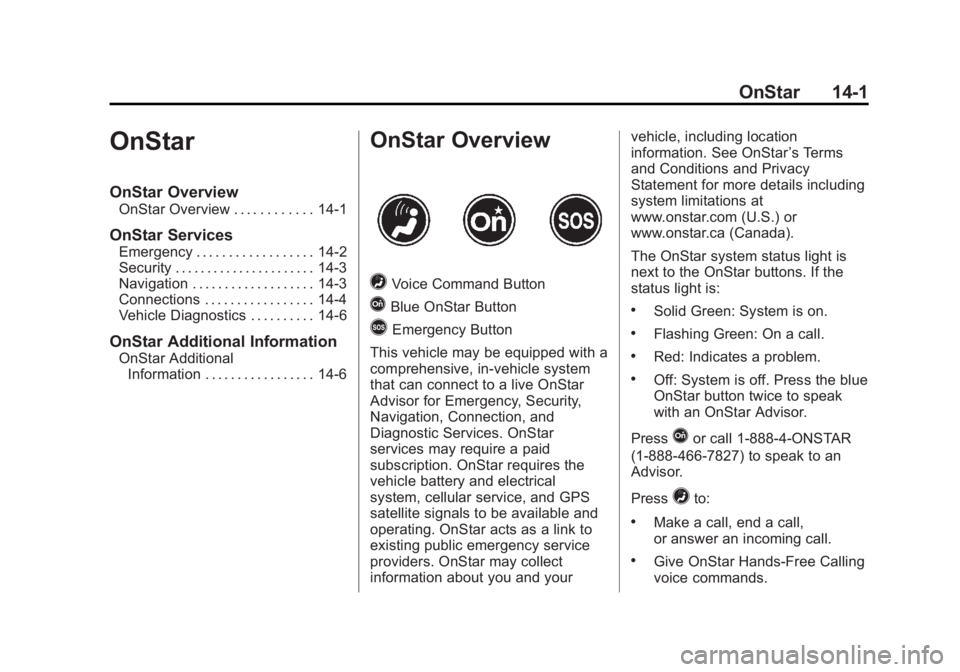
=Voice Command Button
QBlue OnStar Button
>Emergency Button
This vehicle may be equipped with a
comprehensive, in-vehicle system
that can connect to a live OnStar
Advisor for Emergency, Security,
Navigation, Connection, and
Diagnostic Services. OnStar
services may require a paid
subscription. OnStar requires the
vehicle battery and electrical
system, cellular service, and GPS
satellite signals to be available and
operating. OnStar acts as a link to
existing public emergency service
providers. OnStar may collect
information about you and your vehicle, including location
information. See OnStar
’s Terms
and Conditions and Privacy
Statement for more details including
system limitations at
www.onstar.com (U.S.) or
www.onstar.ca (Canada).
The OnStar system status light is
next to the OnStar buttons. If the
status light is:
.Solid Green: System is on.
.Flashing Green: On a call.
.Red: Indicates a problem.
.Off: System is off. Press the blue
OnStar button twice to speak
with an OnStar Advisor.
Press
Qor call 1-888-4-ONSTAR
(1-888-466-7827) to speak to an
Advisor.
Press
=to:
.Make a call, end a call,
or answer an incoming call.
.Give OnStar Hands-Free Calling
voice commands.
Page 519 of 539
Black plate (4,1)GMC Sierra Owner Manual (GMNA Localizing-U.S/Canada/Mexico-
7299746) - 2015 - crc - 11/11/13
14-4 OnStar
Destination Download:PressQ,
then request the Advisor to
download directions to the
navigation system in the vehicle (if
equipped). After the call ends, press
the “Go” button on the navigation
screen to begin driving directions.
If directions are downloaded to the
navigation system, the route can
only be canceled through the
navigation system.
Destinations can also be
downloaded on the go. For
information about eNav or
Destination Download, see
www.onstar.com (U.S.) or
www.onstar.ca (Canada).
Connections
Directions & Connections includes
the services that follow to help
customers stay connected.
For coverage maps, see
www.onstar.com (U.S.) or
www.onstar.ca (Canada). WiFi Connectivity (If Equipped)
The vehicle has a WiFi hotspot that
provides a high-speed, wireless
Internet connection to connect
multiple mobile devices (data plan
required).
1. To retrieve WiFi hotspot
information, press
=and select
or say “WiFi settings.”
2. The WiFi settings will display the WiFi network name/SSID,
passphrase, and level of
encryption.
3. To change the SSID or passphrase, press
Qor call
1-888-4-ONSTAR to connect
with an Advisor.
OnStar RemoteLink
®Mobile App
(If Equipped)
Download the OnStar RemoteLink
mobile app to select Apple
®,
Android™, and BlackBerry®or
Windows 7 or 8 mobile devices.
From the mobile device, check the
vehicle’s fuel level, oil life, or tire pressure; or activate remote horn
and lights. Also remote start the
vehicle (if factory equipped) or
unlock the doors from anywhere
with a wireless connection (if
equipped with automatic locks).
With the Directions & Connections
service plan, a destination can be
sent to the vehicle. For OnStar
RemoteLink information and
compatibility, see www.onstar.com
(U.S.) or www.onstar.ca (Canada).
OnStar RemoteLink
®Key Fob
Services
This feature is included for five
years and allows for remote door
lock/unlock (if equipped with
automatic locks), remote start (if
factory equipped), or activation of
horn and lights from anywhere with
a wireless signal. Download the app
and start using it any time during the
trial period to get started.
OnStar Hands-Free Calling
This service allows calls to be made
and received from the vehicle.
Page 526 of 539
Black plate (1,1)GMC Sierra Owner Manual (GMNA Localizing-U.S/Canada/Mexico-
7299746) - 2015 - crc - 11/11/13
INDEX i-1
A
Accessories andModifications . . . . . . . . . . . . . . . . . 10-3
Accessory Power . . . . . . . . . . . . . . 9-28
Active Fuel Management
®. . . . . 9-31
Add-On Electrical Equipment . . . . . . . . . . . . . . . . . . . 9-97
Adding a Snow Plow or Similar Equipment . . . . . . . . . . . . 9-97
Additional Information OnStar
®. . . . . . . . . . . . . . . . . . . . . . 14-6
Additional Maintenance and Care . . . . . . . . . . . . . . . . . . . . . 11-9
Adjustable Throttle and Brake Pedal . . . . . . . . . . . . . . . . . . 9-24
Adjustments
Lumbar, Front Seats . . . . . . . . . . . 3-4
Air Cleaner/Filter, Engine . . . . . 10-17
Air Filter, Passenger Compartment . . . . . . . . . . . . . . . . . 8-9
Air Vents . . . . . . . . . . . . . . . . . . . . . . . 8-8 Airbag System
Check . . . . . . . . . . . . . . . . . . . . . . . . 3-36
How Does an Airbag
Restrain? . . . . . . . . . . . . . . . . . . . 3-27
Passenger Sensing System . . . . . . . . . . . . . . . . . . . . . . 3-30
What Makes an Airbag
Inflate? . . . . . . . . . . . . . . . . . . . . . . 3-26
What Will You See after an Airbag Inflates? . . . . . . . . . . . . . 3-27
When Should an Airbag
Inflate? . . . . . . . . . . . . . . . . . . . . . . 3-25
Where Are the Airbags? . . . . . . 3-23
Airbags Adding Equipment to theVehicle . . . . . . . . . . . . . . . . . . . . . . 3-35
Light On-Off . . . . . . . . . . . . . . . . . . 5-18
On-Off Light . . . . . . . . . . . . . . . . . . 5-18
On-Off Switch . . . . . . . . . . . . . . . . 3-28
Passenger Status Indicator . . . 5-20
Readiness Light . . . . . . . . . . . . . . 5-18
Servicing Airbag-Equipped Vehicles . . . . . . . . . . . . . . . . . . . . . 3-35
System Check . . . . . . . . . . . . . . . . 3-21
Alarm
Vehicle Security . . . . . . . . . . . . . . 2-11 All-Season Tires . . . . . . . . . . . . . . 10-51
All-Terrain Tires . . . . . . . . . . . . . . . 10-52
AM-FM Radio . . . . . . . . . . . . . . . . . . . 7-8
Antenna
Multi-band . . . . . . . . . . . . . . . . . . . . 7-11
Antilock Brake System (ABS) . . . . . . . . . . . . . . . . 9-47
Warning Light . . . . . . . . . . . . . . . . . 5-25
Appearance Care Exterior . . . . . . . . . . . . . . . . . . . . . 10-98
Interior . . . . . . . . . . . . . . . . . . . . . 10-103
Assistance Program, Roadside . . . . . . . . . . . . . . . . . . . . . 13-5
Assistance Systems for Driving . . . . . . . . . . . . . . . . . . . . . . . 9-59
Assistance Systems for
Parking and Backing . . . . . . . . . 9-56
Audio Bluetooth . . . . . . . . . . . . . . . . . . . . . 7-21
Audio Players . . . . . . . . . . . . . . . . . 7-15 CD . . . . . . . . . . . . . . . . . . . . . . . . . . . 7-15
Audio System Fixed Mast Antenna . . . . . . . . . . 7-11
Radio Reception . . . . . . . . . . . . . . 7-11
Theft-Deterrent Feature . . . . . . . . 7-2
Page 527 of 539
Black plate (2,1)GMC Sierra Owner Manual (GMNA Localizing-U.S/Canada/Mexico-
7299746) - 2015 - crc - 11/11/13
i-2 INDEX
AutomaticDimming Mirrors . . . . . . . . . . . . . . 2-16
Door Locks . . . . . . . . . . . . . . . . . . . . 2-8
Headlamp System . . . . . . . . . . . . . 6-3
Transmission . . . . . . . . . . . . . . . . . 9-33
Transmission Fluid . . . . . . . . . 10-14
Automatic Transmission
Manual Mode . . . . . . . . . . . . . . . . . 9-36
Shift Lock ControlFunction Check . . . . . . . . . . . 10-35
Auxiliary
Roof Mounted Lamp . . . . . . . . . . . 6-5
Auxiliary Jack . . . . . . . . . . . . . . . . . . 7-21
Axle, Front . . . . . . . . . . . . . . . . . . . . 10-32
Axle, Rear . . . . . . . . . . . . . . . . . . . . 10-33
B
Battery . . . . . . . . . . . . . . . . . . . . . . . 10-30 Jump Starting . . . . . . . . . . . . . . . 10-88
Load Management . . . . . . . . . . . . . 6-8
Power Protection . . . . . . . . . . . . . . 6-9
Voltage and ChargingMessages . . . . . . . . . . . . . . . . . . . 5-35
Blade Replacement, Wiper . . . 10-36
Blind Spot Mirrors . . . . . . . . . . . . . 2-16 Bluetooth
Overview . . . . . . . . 7-29, 7-31, 7-35, 7-40, 7-44
Bluetooth Audio . . . . . . . . . . . . . . . 7-21
Brake
Pedal and AdjustableThrottle . . . . . . . . . . . . . . . . . . . . . . 9-24
System Warning Light . . . . . . . . 5-24
Brakes . . . . . . . . . . . . . . . . . . . . . . . . 10-28
Antilock . . . . . . . . . . . . . . . . . . . . . . . 9-47
Assist . . . . . . . . . . . . . . . . . . . . . . . . . 9-49
Fluid . . . . . . . . . . . . . . . . . . . . . . . . 10-29
Parking . . . . . . . . . . . . . . . . . . . . . . . 9-48
System Messages . . . . . . . . . . . . 5-36
Braking . . . . . . . . . . . . . . . . . . . . . . . . . 9-3
Break-In, New Vehicle . . . . . . . . . 9-23
Bulb Replacement . . . . . . . . . . . . 10-40 Center High-Mounted
Stoplamp (CHMSL) and
Cargo Lamp . . . . . . . . . . . . . . . 10-40
Fog Lamps . . . . . . . . . . . . . 6-5, 10-38
Halogen Bulbs . . . . . . . . . . . . . . 10-37
Headlamp Aiming . . . . . . . . . . . 10-37
Headlamps . . . . . . . . . . . . . . . . . 10-37
Headlamps, Front Turn Signal, Sidemarker, and
Parking Lamps . . . . . . . . . . . . 10-38 Bulb Replacement (cont'd)
License Plate Lamps . . . . . . . 10-40
Taillamps . . . . . . . . . . . . . . . . . . . 10-39
Taillamps, Turn Signal,
Stoplamps, and
Back-up Lamps . . . . . . . . . . . 10-39
Buying New Tires . . . . . . . . . . . . . 10-69
C
Calibration . . . . . . . . . . . . . . . . . . . . . . 5-5
California Fuel Requirements . . . . . . . . . . . 9-65
Perchlorate MaterialsRequirements . . . . . . . . . . . . . . . 10-3
Warning . . . . . . . . . . . . . . . . . . . . . . 10-2
Canadian Vehicle Owners . . . . . . . . iii
Capacities and
Specifications . . . . . . . . . . . . . . . . 12-2
Carbon Monoxide Engine Exhaust . . . . . . . . . . . . . . . 9-32
Tailgate . . . . . . . . . . . . . . . . . . . . . . . . 2-9
Winter Driving . . . . . . . . . . . . . . . . 9-12
Card Reader SD . . . . . . . . . . . . . . . . . . . . . . . . . . . . 7-20
Cargo
Tie-Downs . . . . . . . . . . . . . . . . . . . . . 4-4