HAZARD WARNING FLASHERS
Note:The hazard warning flashers willoperate when the ignition is in any positionor if the key is not in the ignition. If usedwhen the engine is not running, the batterywill lose charge. As a result, there may beinsufficient power to restart your engine.
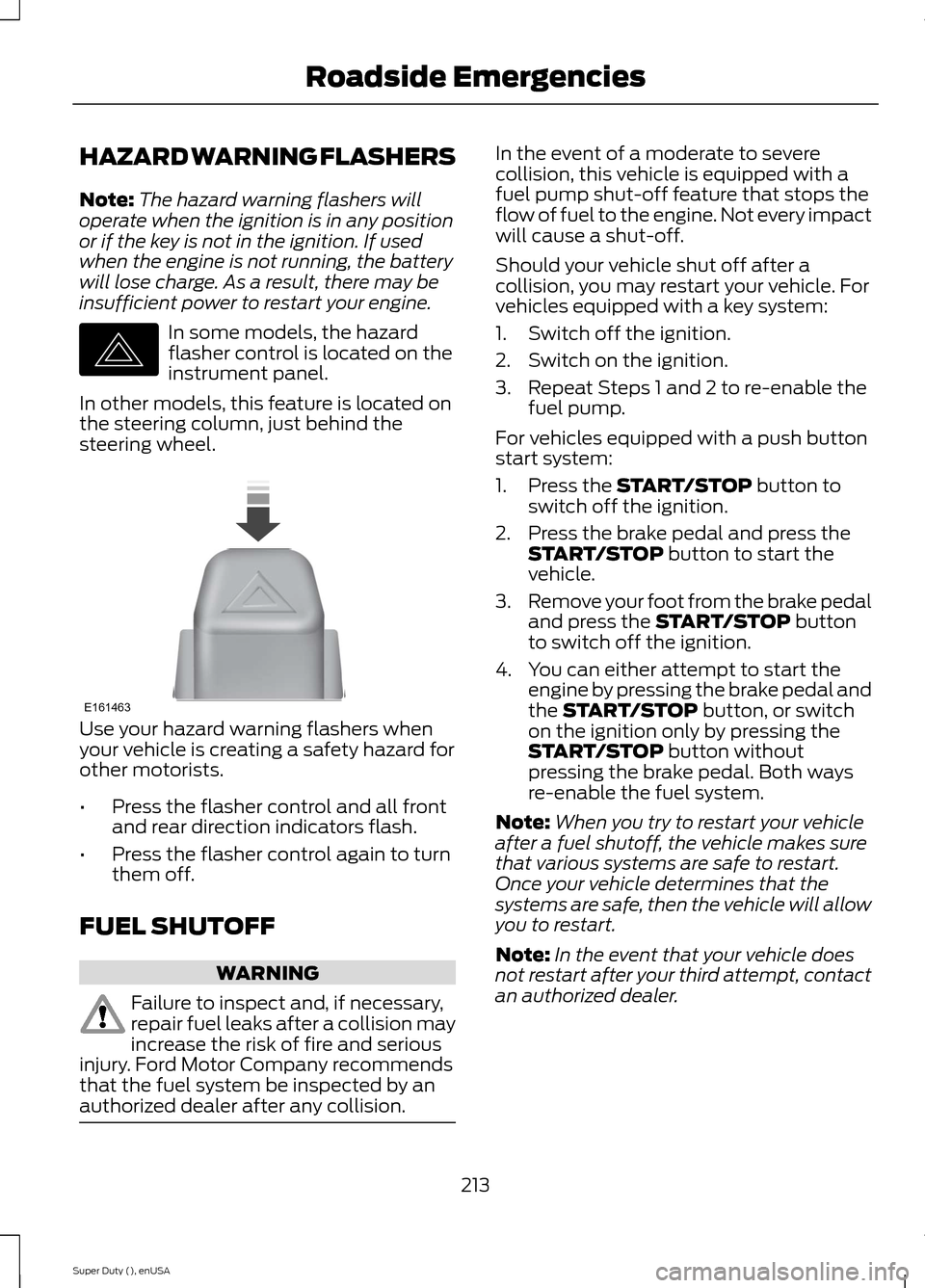
In some models, the hazardflasher control is located on theinstrument panel.
In other models, this feature is located onthe steering column, just behind thesteering wheel.
Use your hazard warning flashers whenyour vehicle is creating a safety hazard forother motorists.
•Press the flasher control and all frontand rear direction indicators flash.
•Press the flasher control again to turnthem off.
FUEL SHUTOFF
WARNING
Failure to inspect and, if necessary,repair fuel leaks after a collision mayincrease the risk of fire and seriousinjury. Ford Motor Company recommendsthat the fuel system be inspected by anauthorized dealer after any collision.
In the event of a moderate to severecollision, this vehicle is equipped with afuel pump shut-off feature that stops theflow of fuel to the engine. Not every impactwill cause a shut-off.
Should your vehicle shut off after acollision, you may restart your vehicle. Forvehicles equipped with a key system:
1.Switch off the ignition.
2.Switch on the ignition.
3.Repeat Steps 1 and 2 to re-enable thefuel pump.
For vehicles equipped with a push buttonstart system:
1.Press the START/STOP button toswitch off the ignition.
2.Press the brake pedal and press theSTART/STOP button to start thevehicle.
3.Remove your foot from the brake pedaland press the START/STOP buttonto switch off the ignition.
4.You can either attempt to start theengine by pressing the brake pedal andthe START/STOP button, or switchon the ignition only by pressing theSTART/STOP button withoutpressing the brake pedal. Both waysre-enable the fuel system.
Note:When you try to restart your vehicleafter a fuel shutoff, the vehicle makes surethat various systems are safe to restart.Once your vehicle determines that thesystems are safe, then the vehicle will allowyou to restart.
Note:In the event that your vehicle doesnot restart after your third attempt, contactan authorized dealer.
213Super Duty (), enUSARoadside EmergenciesE142663 E161463
Playing Video from Your Device
To access and play video from your device,your vehicle's transmission must be inposition P with the ignition in accessorymode. See Starting and Stopping theEngine (page 132).
SD Card and USB Voice Commands
If you are listening to a USBdevice or an SD card, press thevoice button on the steeringwheel controls. When prompted, say anyof the following commands.
If you are not listening to a USB device oran SD card, press the voice button and,after the tone, say "USB" or "SD card",then any of the following commands.
"USB" or "SD CARD"
"Browse"*
"Next"
"Pause"
"Play"
"Play album "
"Play all"
"Play artist "
"Play audiobook "
"Play author "
"Play composer "
"Play folder "
"Play genre "
"Play movie "**
"Play music video "**
"Play playlist "
"USB" or "SD CARD"
"Play podcast "
"Play podcast episode "
"Play similar music"
"Play song "
"Play TV show "**
"Play TV show episode "**
"Play video "**
"Play video podcast "**
"Play video podcast episode "**
"Play video playlist "**
"Previous"
"Repeat all"
"Repeat off"
"Repeat one"
"Shuffle"
"Shuffle album"
"Shuffle off"
"What's this?"
"Help"
* If you have said you would like to browseyour USB or SD card, the system promptsyou to specify what you would like tobrowse. When prompted, see the following"Browse" chart.** These commands are only available inUSB mode and are device-dependent.
390Super Duty (), enUSAMyFord Touch™ (If Equipped)E142599