2015 FORD POLICE INTERCEPTOR SEDAN airbag off
[x] Cancel search: airbag offPage 111 of 401
SITTING IN THE CORRECT POSITION
WARNING:Sitting improperly out of position or with the seat
back reclined too far can take off weight from the seat cushion
and affect the decision of the passenger sensing system, resulting in
serious injury or death in a crash. Always sit upright against your seat
back, with your feet on the floor.
WARNING:Do not recline the seat back as this can cause the
occupant to slide under the seat’s safety belt, resulting in severe
personal injury in the event of a crash.
WARNING:Do not place objects higher than the seat backs to
reduce the risk of injury in a crash or during heavy braking or
when stopping suddenly.
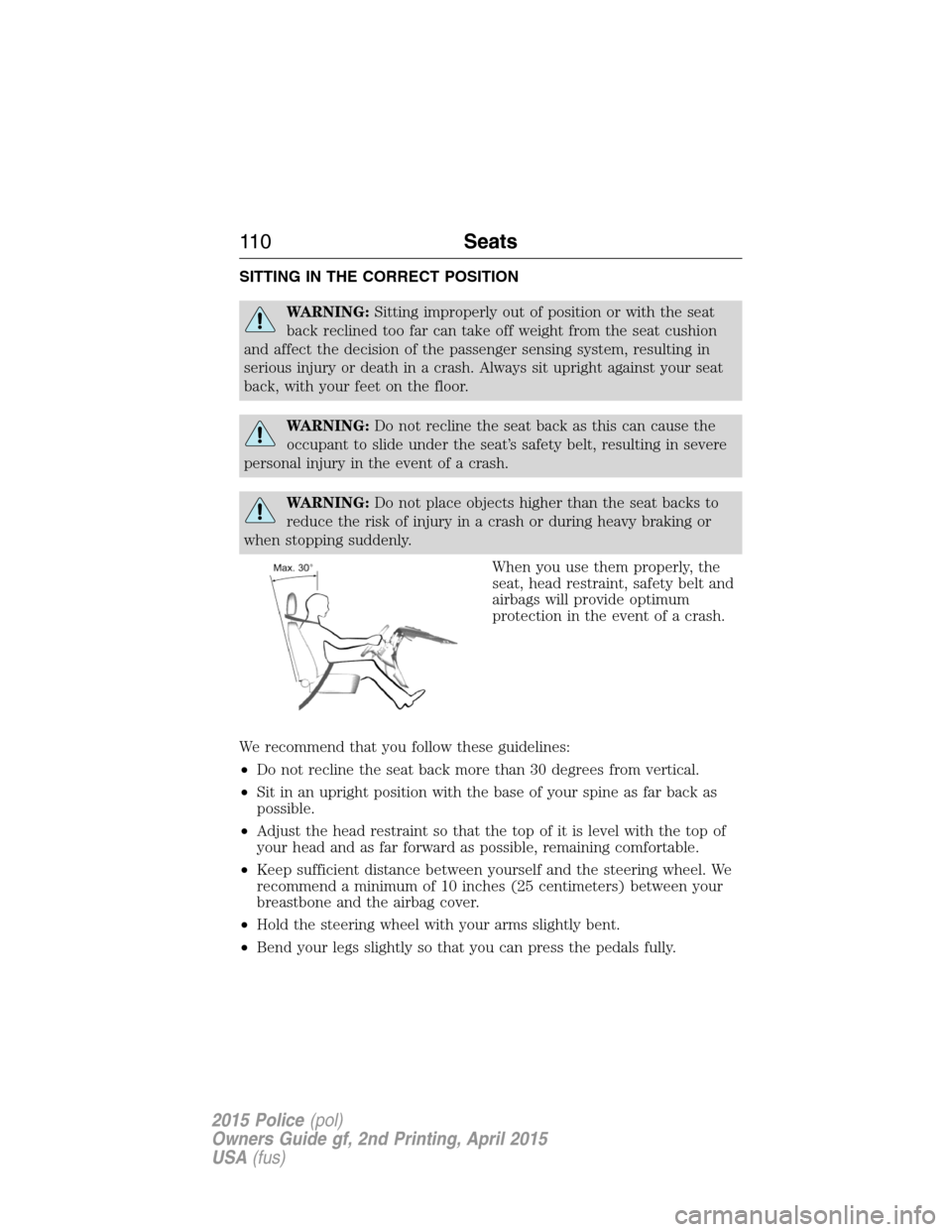
When you use them properly, the
seat, head restraint, safety belt and
airbags will provide optimum
protection in the event of a crash.
We recommend that you follow these guidelines:
•Do not recline the seat back more than 30 degrees from vertical.
•Sit in an upright position with the base of your spine as far back as
possible.
•Adjust the head restraint so that the top of it is level with the top of
your head and as far forward as possible, remaining comfortable.
•Keep sufficient distance between yourself and the steering wheel. We
recommend a minimum of 10 inches (25 centimeters) between your
breastbone and the airbag cover.
•Hold the steering wheel with your arms slightly bent.
•Bend your legs slightly so that you can press the pedals fully.
11 0Seats
2015 Police(pol)
Owners Guide gf, 2nd Printing, April 2015
USA(fus)
Page 319 of 401
USB PORT (IF EQUIPPED)
WARNING:Driving while distracted can result in loss of vehicle
control, crash and injury. We strongly recommend that you use
extreme caution when using any device that may take your focus off
the road. Your primary responsibility is the safe operation of your
vehicle. We recommend against the use of any hand-held device while
driving and encourage the use of voice-operated systems when possible.
Make sure you are aware of all applicable local laws that may affect the
use of electronic devices while driving.
The USB port allows you to plug in media playing devices, memory sticks
and charge devices (if supported). See theSYNCchapter for more
information.
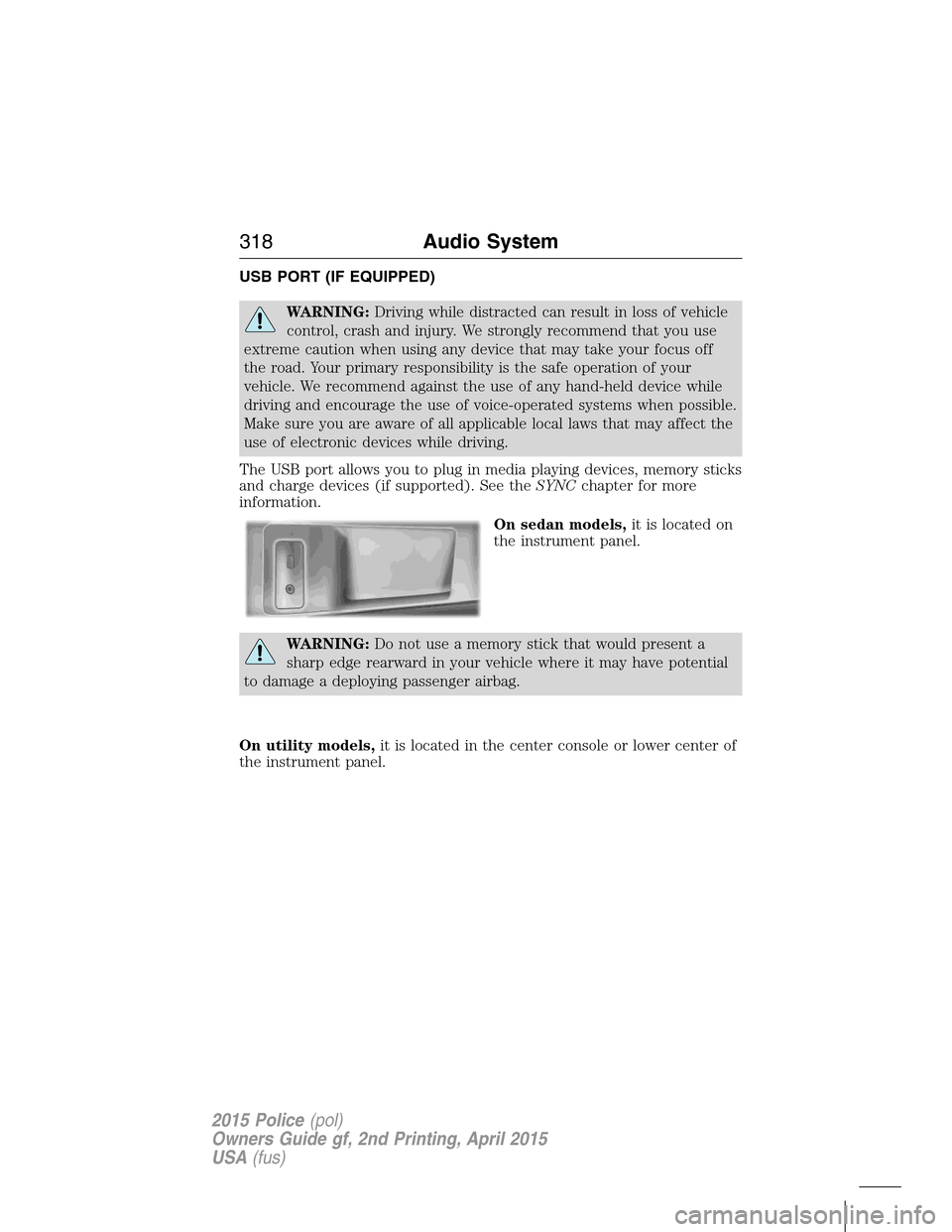
On sedan models,it is located on
the instrument panel.
WARNING:Do not use a memory stick that would present a
sharp edge rearward in your vehicle where it may have potential
to damage a deploying passenger airbag.
On utility models,it is located in the center console or lower center of
the instrument panel.
318Audio System
2015 Police(pol)
Owners Guide gf, 2nd Printing, April 2015
USA(fus)
Page 340 of 401
911 Assist®
WARNING:Unless the 911 Assist setting is set on prior to a
crash, the system will not dial for help which could delay
response time, potentially increasing the risk of serious injury or death
after a crash.
WARNING:Do not wait for 911 Assist to make an emergency
call if you can do it yourself. Dial emergency services
immediately to avoid delayed response time which could increase the
risk of serious injury or death after a crash. If you do not hear 911
Assist within five seconds of the crash, the system or phone may be
damaged or non-functional.
WARNING:Always place your phone in a secure location in the
vehicle so it does not become a projectile or get damaged in a
crash. Failure to do so may cause serious injury to someone or damage
the phone which could prevent 911 Assist from working properly.
Note:SYNC 911 Assist feature must be set on prior to the incident.
Note:Before setting this feature on, ensure that you read the 911 Assist
privacy notice later in this section for important information.
Note:If 911 Assist is turned on or off by any user, that setting applies
for all paired phones. If 911 Assist is turned off, a voice message plays
and/or a display message/icon comes on when the vehicle is started after
a previously paired phone connects.
Note:Every phone operates differently. While SYNC 911 Assist works
with most cellular phones, some may have trouble using this feature.
If a crash deploys an airbag (excludes knee airbags and rear inflatable
safety belts [if equipped]) or activates the fuel pump shut-off, your SYNC
equipped vehicle may be able to contact emergency services by dialing
911 through a paired and connected Bluetooth-enabled phone. For more
information about 911 Assist, visit www.SYNCMyRide.com,
www.SYNCMyRide.ca or www.syncmaroute.ca.
•For information on airbag deployment, see theSupplementary
Restraints Systemchapter.
•For information on the fuel pump shut-off, see theRoadside
Emergencieschapter.
SYNC®339
2015 Police(pol)
Owners Guide gf, 2nd Printing, April 2015
USA(fus)
Page 341 of 401
Setting 911 Assist On
Perform the following:
1. Press the phone button to enter the Phone Menu.
2. Scroll until 911 Assist is selected.
3. Press OK to confirm and enter the 911 Assist menu.
4. Scroll to select between On and Off selections.
5. Press OK when the desired option appears in the radio display. Set
On or Set Off appears in the display as confirmation.
Off selections include: Off with reminder and Off without reminder. Off
with reminder provides a display and voice reminder at phone
connection at vehicle start. Off without reminder provides a display
reminder only without a voice reminder at phone connection.
To make sure that 911 Assist works properly:
•SYNC must be powered and working properly at the time of the
incident and throughout feature activation and use.
•SYNC 911 Assist feature must be set on prior to the incident.
•A Bluetooth-enabled and compatible phone has to be paired and
connected to SYNC.
•A connected Bluetooth-enabled phone must have the ability to make
and maintain an outgoing call at the time of the incident.
•A connected Bluetooth-enabled phone must have adequate network
coverage, battery power and signal strength.
•The vehicle must have battery power and be located in the United
States, Canada or in a territory in which 911 is the emergency
number.
In the Event of a Crash
Not all crashes deploy an airbag or activate the fuel pump shut-off
(which would activate 911 Assist); however, if 911 Assist is triggered,
SYNC tries to contact emergency services. If a connected phone is
damaged or loses connection to SYNC, SYNC searches for, and tries to
connect to, any available previously paired phone and tries to make the
call to 911.
340SYNC®
2015 Police(pol)
Owners Guide gf, 2nd Printing, April 2015
USA(fus)
Page 342 of 401
Before making the call:
•SYNC provides a short window of time (about 10 seconds) to cancel
the call. Failure to cancel the call results in SYNC attempting to dial
911.
•SYNC says the following, or a similar message: “SYNC will attempt to
call 911, to cancel the call, press Cancel on your screen or press and
hold the phone button on your steering wheel.”
If the call is not cancelled and a successful call is made, a pre-recorded
message is played for the 911 operator, then the occupant(s) in the
vehicle is able to talk with the operator. Be prepared to provide your
name, phone number and location immediately, because not all 911
systems are capable of receiving this information electronically.
911 Assist May Not Work If
•Your cellular phone or 911 Assist hardware was damaged in a crash.
•The vehicle’s battery or SYNC system has no power.
•The phone(s) paired and connected to the system was thrown from
the vehicle.
911 Assist Privacy Notice
Once 911 Assist is set on, it may disclose to emergency services that the
vehicle has been in a crash involving the deployment of an airbag or
activation of the fuel pump shut-off. Certain versions or updates to 911
Assist may also be capable of electronically or verbally disclosing to 911
operators the vehicle location, and/or other details about the vehicle or
crash to assist 911 operators to provide the most appropriate emergency
services. If you do not want to disclose this information, do not turn the
feature on.
Vehicle Health Report (If Equipped, United States Only)
WARNING:Always follow scheduled maintenance instructions,
regularly inspect your vehicle, and seek repair for any damage or
problem you suspect. Vehicle Health Report supplements, but cannot
replace normal maintenance and vehicle inspection. Vehicle Health
Report only monitors certain systems that are electronically monitored
by the vehicle and will not monitor or report the status of any other
system, (such as brake lining wear). Failure to perform scheduled
maintenance and regularly inspect your vehicle may result in vehicle
damage and serious injury.
SYNC®341
2015 Police(pol)
Owners Guide gf, 2nd Printing, April 2015
USA(fus)
Page 395 of 401

911 Assist™ ..............................339
A
ABS (see Brakes) .....................148
Accessing call history/phone
book during active call .............328
Accessing your media menu
features ......................................350
Accessing your phone menu
features ......................................329
Accessory delay ..........................88
Active call menu options .........328
Advanced menu options ...337, 357
Advanced menu options
(prompts, languages, defaults,
master reset, installing
applications) ..............................337
Airbag supplemental restraint
system ..........................................47
and child safety seats ..............48
description ................................47
disposal ......................................62
driver airbag ..............................47
passenger airbag .......................47
side airbag ...........................47, 52
Air cleaner filter .......232, 234, 302
Air conditioning ........................107
manual heating and air
conditioning system ...............107
Air filter, cabin ..........................109
All Wheel Drive (AWD),
driving off road .........................139
Ambulance packages ..................15
Antifreeze
(see Engine coolant) ................218Anti-lock brake system
(see Brakes) ..............................148
Anti-theft system
arming the system ....................73
disarming a triggered system ..73
Audio system
Single CD ................................310
Audio system (see Radio) .......310
Automatic transmission ............137
fluid, adding ....................224, 227
fluid, checking ................224, 227
fluid, refill capacities ..............296
fluid, specification ..................296
Auxiliary input jack (Line in) ..317
Auxiliary powerpoint ................117
B
Battery .......................................229
acid, treating emergencies .....229
jumping a disabled battery ....188
maintenance-free ....................229
replacement, specifications ...302
servicing ..................................229
Blind Spot Information
System .......................................158
Booster seats ...............................22
Brakes ........................................147
anti-lock ...................................148
anti-lock brake system (ABS)
warning light ...........................148
brake warning light ................148
fluid, checking and adding ....228
fluid, refill capacities ..............296
fluid, specifications .................296
lubricant specifications ..........296
parking ....................................148
trailer .......................................177
394Index
2015 Police(pol)
Owners Guide gf, 2nd Printing, April 2015
USA(fus)