2015 FORD MUSTANG AUX
[x] Cancel search: AUXPage 5 of 441
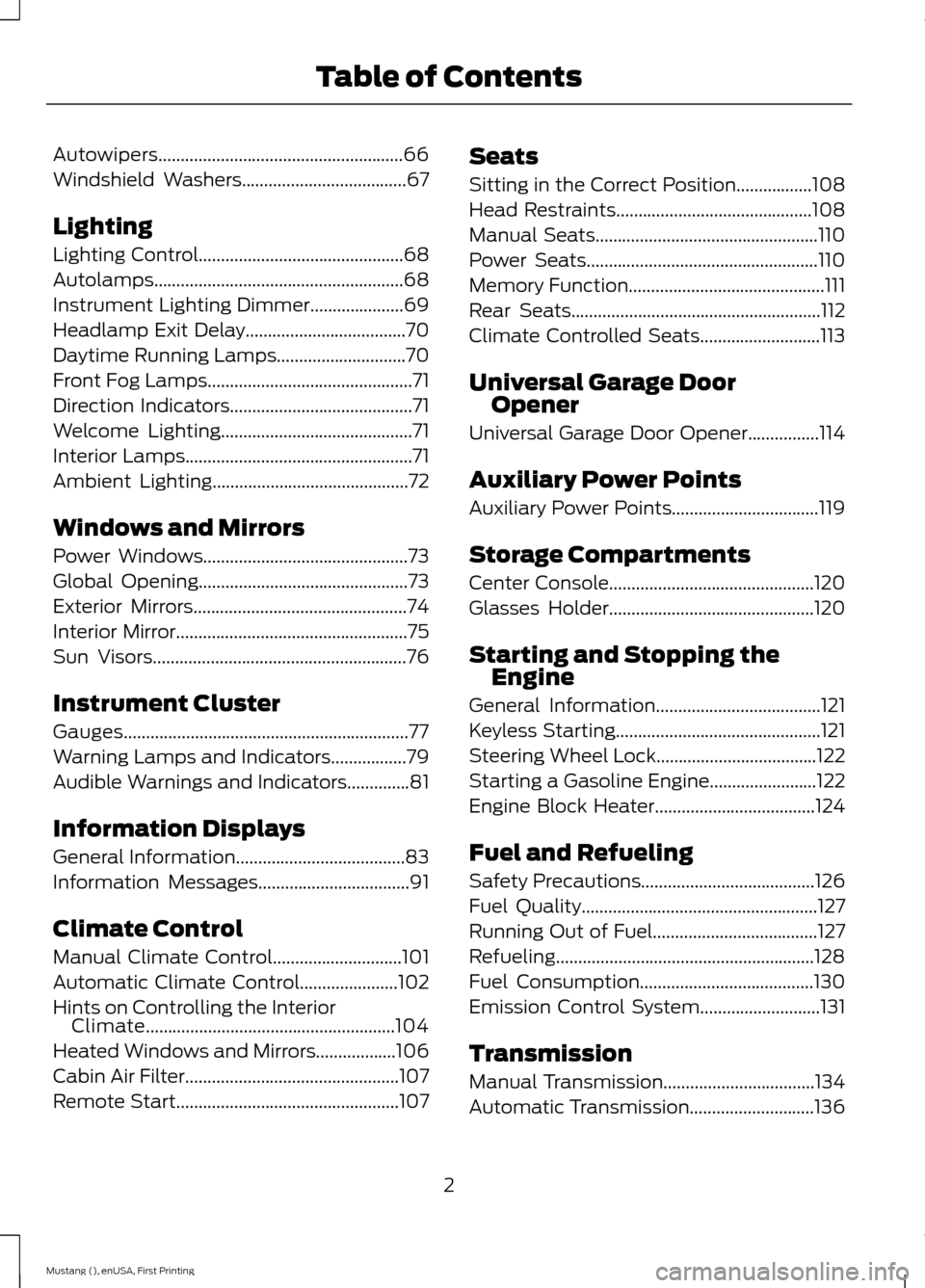
Autowipers.......................................................66
Windshield Washers.....................................67
Lighting
Lighting Control..............................................68
Autolamps
........................................................68
Instrument Lighting Dimmer
.....................69
Headlamp Exit Delay
....................................70
Daytime Running Lamps
.............................70
Front Fog Lamps..............................................71
Direction Indicators
.........................................71
Welcome Lighting...........................................71
Interior Lamps...................................................71
Ambient Lighting............................................72
Windows and Mirrors
Power Windows
..............................................73
Global Opening...............................................73
Exterior Mirrors
................................................74
Interior Mirror
....................................................75
Sun Visors
.........................................................76
Instrument Cluster
Gauges................................................................77
Warning Lamps and Indicators.................79
Audible Warnings and Indicators
..............81
Information Displays
General Information
......................................83
Information Messages
..................................91
Climate Control
Manual Climate Control
.............................101
Automatic Climate Control......................102
Hints on Controlling the Interior Climate........................................................104
Heated Windows and Mirrors
..................106
Cabin Air Filter
................................................107
Remote Start
..................................................107 Seats
Sitting in the Correct Position
.................108
Head Restraints............................................108
Manual Seats
..................................................110
Power Seats
....................................................110
Memory Function
............................................111
Rear Seats
........................................................112
Climate Controlled Seats...........................113
Universal Garage Door Opener
Universal Garage Door Opener................114
Auxiliary Power Points
Auxiliary Power Points
.................................119
Storage Compartments
Center Console..............................................120
Glasses Holder
..............................................120
Starting and Stopping the Engine
General Information
.....................................121
Keyless Starting..............................................121
Steering Wheel Lock
....................................122
Starting a Gasoline Engine........................122
Engine Block Heater
....................................124
Fuel and Refueling
Safety Precautions
.......................................126
Fuel Quality.....................................................127
Running Out of Fuel.....................................127
Refueling..........................................................128
Fuel Consumption
.......................................130
Emission Control System...........................131
Transmission
Manual Transmission
..................................134
Automatic Transmission............................136
2
Mustang (), enUSA, First Printing Table of Contents
Page 122 of 441
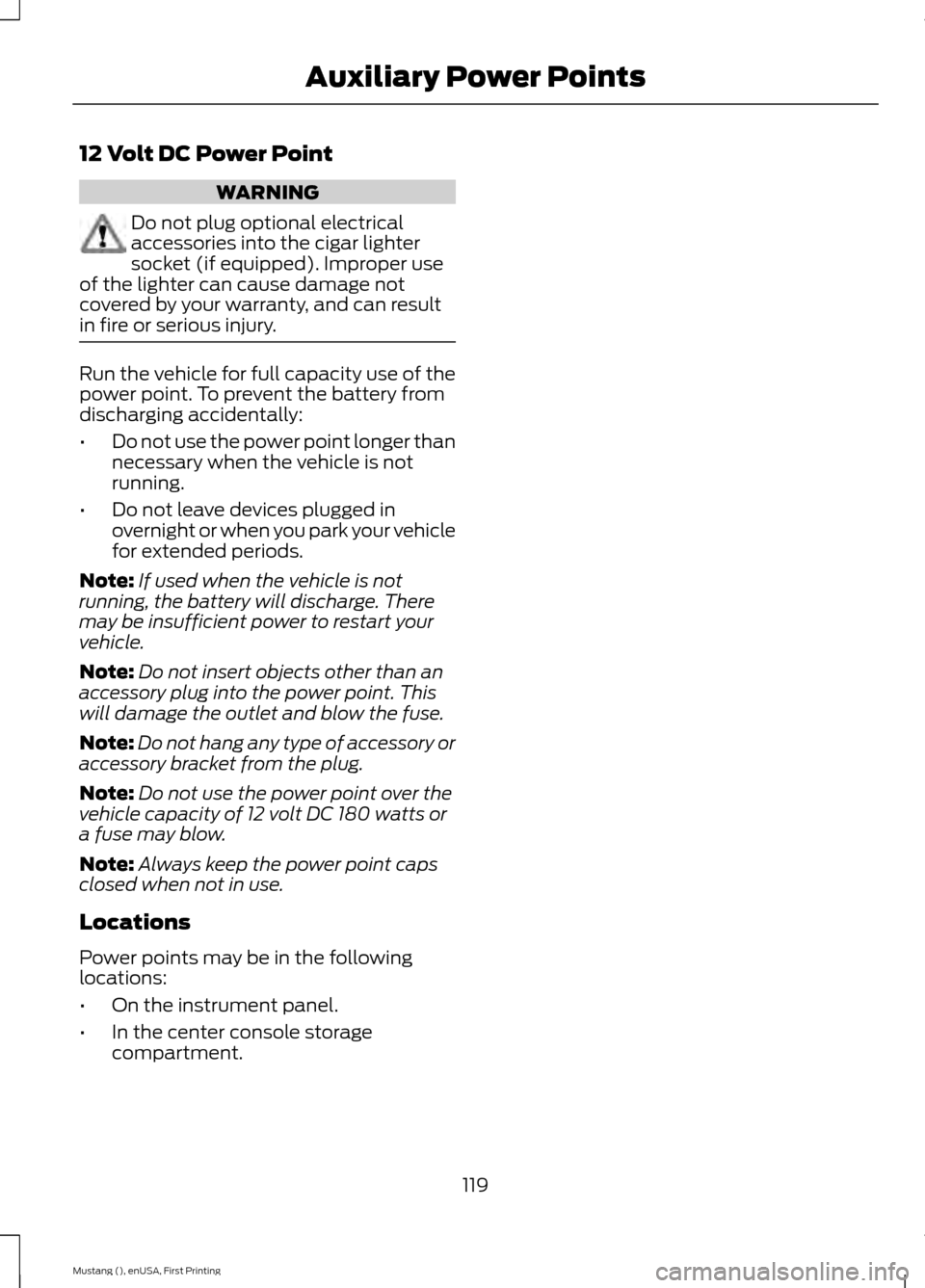
12 Volt DC Power Point
WARNING
Do not plug optional electrical
accessories into the cigar lighter
socket (if equipped). Improper use
of the lighter can cause damage not
covered by your warranty, and can result
in fire or serious injury. Run the vehicle for full capacity use of the
power point. To prevent the battery from
discharging accidentally:
•
Do not use the power point longer than
necessary when the vehicle is not
running.
• Do not leave devices plugged in
overnight or when you park your vehicle
for extended periods.
Note: If used when the vehicle is not
running, the battery will discharge. There
may be insufficient power to restart your
vehicle.
Note: Do not insert objects other than an
accessory plug into the power point. This
will damage the outlet and blow the fuse.
Note: Do not hang any type of accessory or
accessory bracket from the plug.
Note: Do not use the power point over the
vehicle capacity of 12 volt DC 180 watts or
a fuse may blow.
Note: Always keep the power point caps
closed when not in use.
Locations
Power points may be in the following
locations:
• On the instrument panel.
• In the center console storage
compartment.
119
Mustang (), enUSA, First Printing Auxiliary Power Points
Page 123 of 441
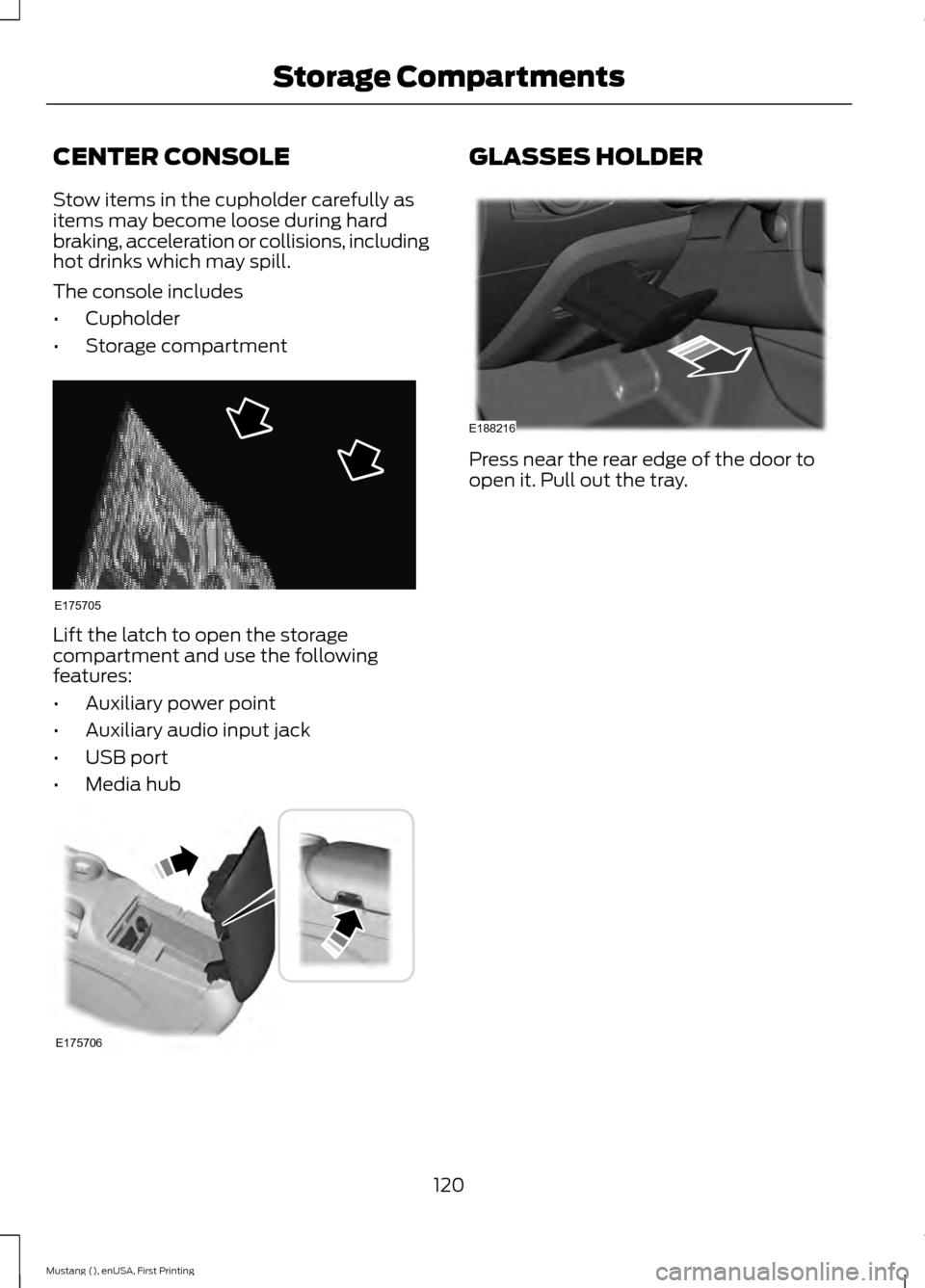
CENTER CONSOLE
Stow items in the cupholder carefully as
items may become loose during hard
braking, acceleration or collisions, including
hot drinks which may spill.
The console includes
•
Cupholder
• Storage compartment Lift the latch to open the storage
compartment and use the following
features:
•
Auxiliary power point
• Auxiliary audio input jack
• USB port
• Media hub GLASSES HOLDER
Press near the rear edge of the door to
open it. Pull out the tray.
120
Mustang (), enUSA, First Printing Storage CompartmentsE175705 E175706 E188216
Page 207 of 441
Protected components
Fuse amp rating
Fuse or relay number
Latch relay coil.
10A***
32
Left-hand high-intensity discharge head-
lamps.
20A***
33
Not used.
—
34
Right-hand high-intensity discharge head-
lamps.
20A
35
Alt sense.
10A***
36
Not used.
—
37
Vehicle power 1.
20A***
38
Not used.
—
39
Vehicle power 2.
20A***
40
Fuel injectors.
15A***
41
Vehicle power 3.
15A***
42
Not used.
—
43
Vehicle power 4.
15A***
44
Not used.
—
45
Not used.
—
46
Not used.
—
47
Not used.
—
48
Fuel pump.
30A**
49
Steering column lock relay.
—
50
Not used.
—
51
Horn relay.
—
52
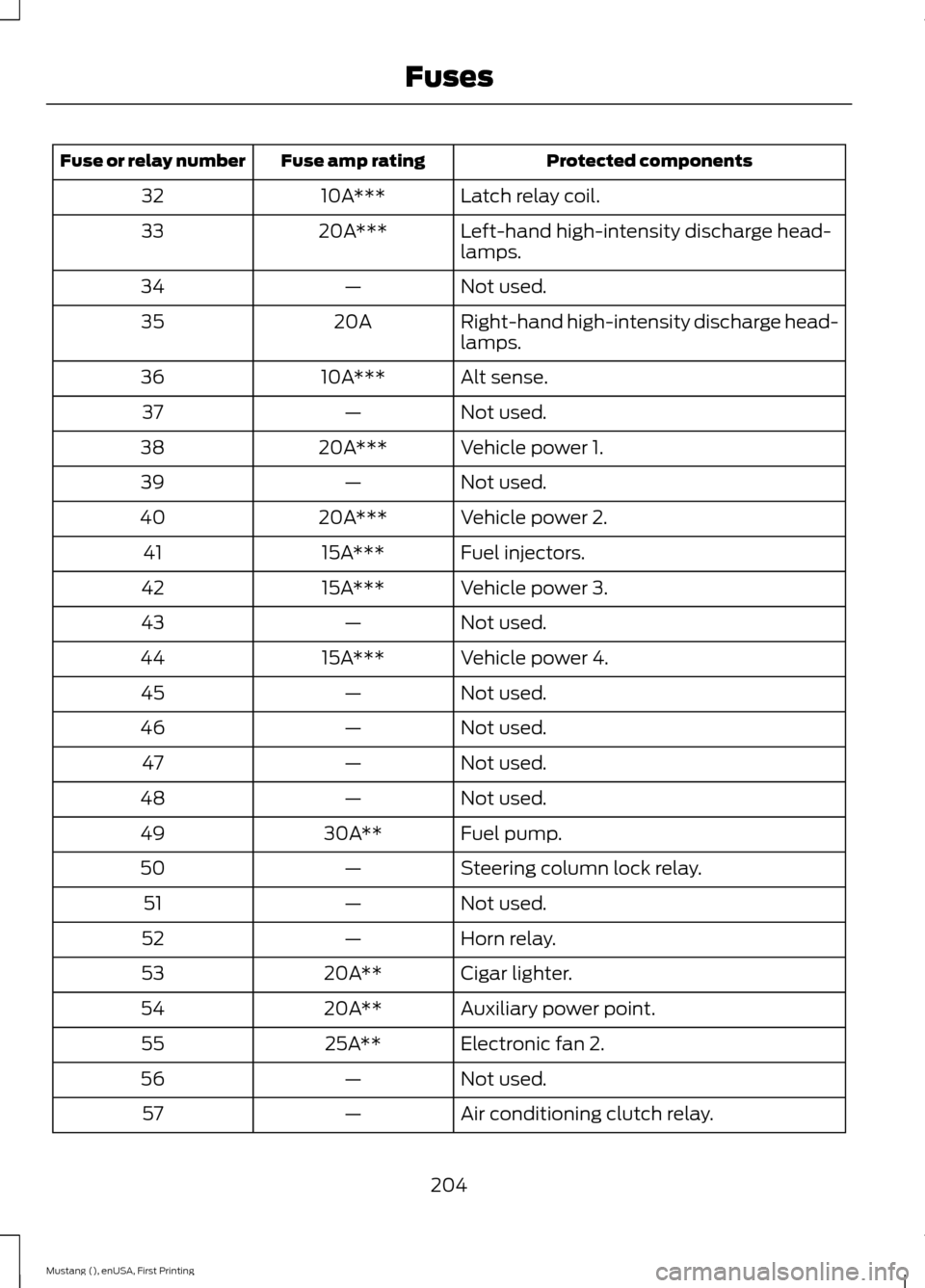
Cigar lighter.
20A**
53
Auxiliary power point.
20A**
54
Electronic fan 2.
25A**
55
Not used.
—
56
Air conditioning clutch relay.
—
57
204
Mustang (), enUSA, First Printing Fuses
Page 208 of 441

Protected components
Fuse amp rating
Fuse or relay number
Not used.
—
58
Not used.
—
59
Powertrain control module.
5A***
60
Not used.
—
61
Anti-lock brakes run-start switch.
5A***
62
Not used.
—
63
Electronic power assist steering.
5A***
64
Not used.
—
65
Blind spot information system.
5A***
66
Rear view camera.
Air conditioning compressor relay coils.
Not used.
—
67
Headlamp leveling switch.
10A***
68
Auxiliary power point relay.
—
69
Heated exterior mirrors.
10A***
70
Not used.
—
71
Rain sensor module.
5A***
72
Not used.
—
73
Mass air flow sensor.
5A***
74
Not used.
—
75
Rear window defroster.
—
76
Electronic cooling fan 2.
—
77
Left-hand high-intensity discharge head-
lamp relay (export).
—
78
Right-hand high-intensity-discharge
headlamp relay (export).
—
79
Windshield wiper relay.
—
80
Starter motor solenoid.
—
81
205
Mustang (), enUSA, First Printing Fuses
Page 211 of 441

Protected components
Fuse amp rating
Fuse or relay number
Climate control module.
7.5A
12
Gateway module.
7.5A
13
Steering column control module.
Instrument cluster.
Not used (spare).
10A
14
Gateway module.
10A
15
Decklid release.
15A
16
Not used (spare).
5A
17
Intrusion sensor module.
5A
18
Passenger airbag deactivation indicator.
5A
19
Not used (spare).
5A
20
In-vehicle temperature and humidity
sensor.
5A
21
Occupant classification system module.
5A
22
Switches.
10A
23
Power windows.
Rear-view mirror.
Central lock unlock.
30A
24
Not used (spare).
30A
25
Right-hand front-window motor.
30A
26
Amplifier.
30A
27
Auxiliary body module.
20A
28
Left-hand rear-window power.
30A
29
Right-hand rear-window power.
30A
30
Not used (spare).
15A
31
Remote keyless entry.
10A
32
Multi-function display.
SYNC.
Global positioning system module.
Gauges.
Audio head unit.
20A
33
208
Mustang (), enUSA, First Printing Fuses
Page 212 of 441
Protected components
Fuse amp rating
Fuse or relay number
Run-start bus.
30A
34
Restraints control module.
5A
35
Auxiliary body module.
15A
36
Power distribution box run-start bus.
15A
37
Not used (spare).
30A
—
CHANGING A FUSE
Fuses WARNING
You must replace a failed fuse with
one that has the specified amperage
rating. If you use a fuse with a higher
amperage rating, you may cause severe
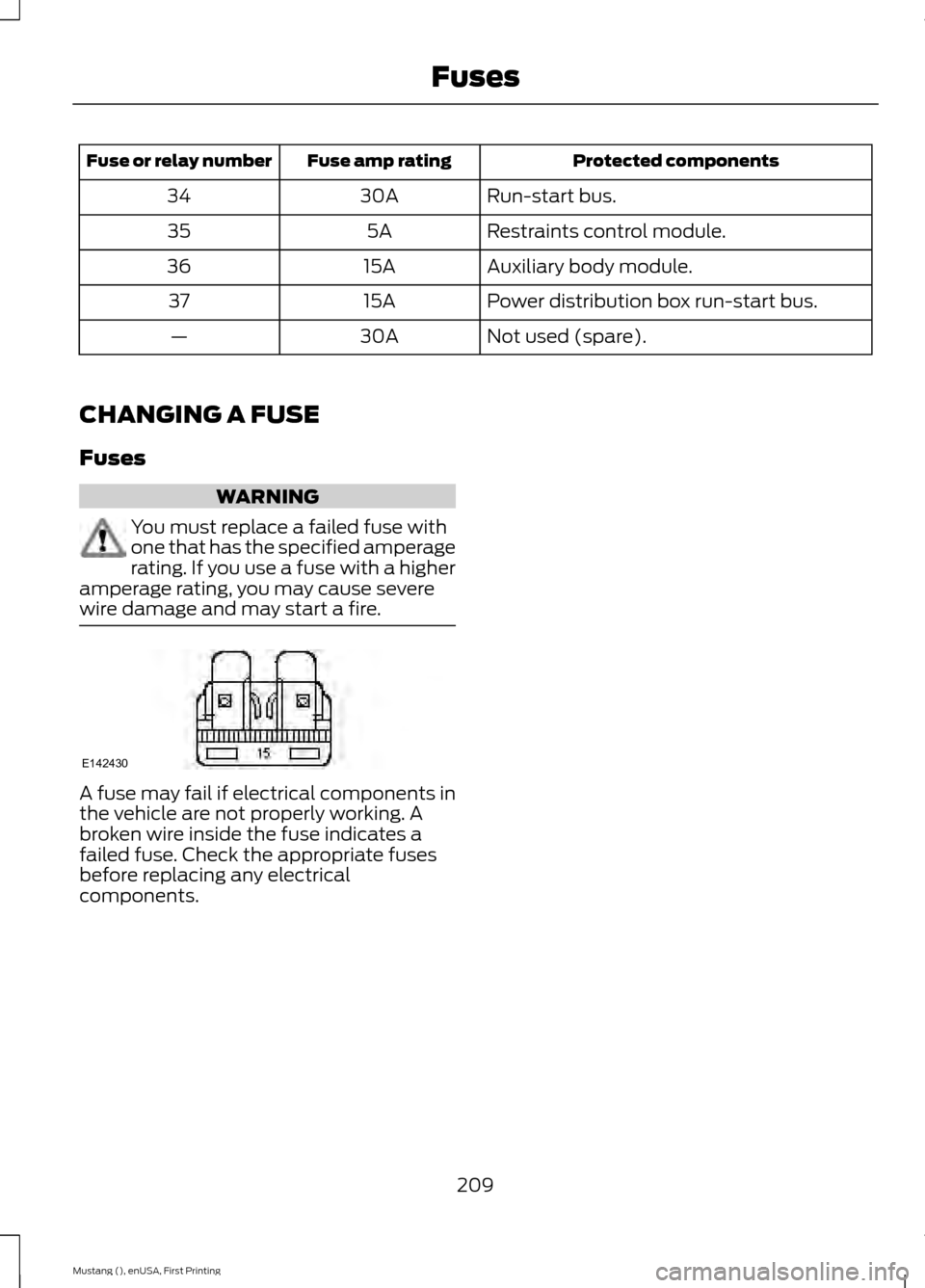
wire damage and may start a fire. A fuse may fail if electrical components in
the vehicle are not properly working. A
broken wire inside the fuse indicates a
failed fuse. Check the appropriate fuses
before replacing any electrical
components.
209
Mustang (), enUSA, First Printing FusesE142430
Page 289 of 441
Play/Pause: Press to either play or pause a track when listening to a CD.
I
Seek:
In radio mode, select a frequency band and press this button. The system
stops at the first station down the band. Press and hold the button to move
quickly to the previous strong radio station or memory preset. In CD mode, press
this button to select the previous track. Press and hold the button to move
quickly backward through the current track.
J
VOL and Power:
Press this button to turn the system off and on. Turn it to
adjust the volume.
K
Pick-up or Make phone call:
Press this button to either pick-up an incoming
phone call or to make a phone call.
L
MENU:
Press this button to access different audio system features.
M
PHONE:
Press this button to access the phone features of the SYNC® system.
See SYNC™ (page 295).
N
Clock:
Press this button to access the clock setting. Use the center arrow
controls to change the hours and minutes. You can also set the clock by pressing
the
MENU button and scrolling to Clock Settings.
O
MEDIA:
Press this button to access your auxiliary input jack or switch between
devices you plug into the input jack or USB port.
P
RADIO:
Press this button to listen to the radio or change radio frequencies
bands. Press the function buttons below the radio screen to select different
radio functions.
Q
MUTE
or SIRIUS: Press this button to mute the playing audio, or if equipped,
listen to Sirius satellite radio.
R
CD:
Press this button to listen to a CD. Press the function buttons below the
radio screen to select on-screen options of Repeat or Shuffle.
S
Sound:
Press this button to access settings for Treble, Midrange, Bass, Fade
and Balance. Use the up and down arrow buttons to select the various settings.
When you make your selection, press the left and right arrow buttons to change
the settings. Press
OK to set or press MENU to exit. Sound settings can be set
for each audio source independently.
T
286
Mustang (), enUSA, First Printing Audio System