2015 FORD MUSTANG traction control
[x] Cancel search: traction controlPage 148 of 441
Some models may also come equipped
with a sport mode which allows the driver
to reduce normal AdvanceTrac system
intervention and provide a more spirited
driving experience. To enter sport mode,
toggle the stability control button twice
rapidly. The message appears in the
information display that the system is now
in sport mode.
For vehicles equipped with the selectable
drive mode feature, AdvanceTrac sport
mode is not available. You can utilize the
performance oriented AdvanceTrac mode
by selecting track drive mode. In this mode,
AdvanceTrac intervention is reduced and
tuned specifically for track use only and is
not for use on public roads. In all of the
selectable drive modes, you can disable
traction control and AdvanceTrac with the
AdvanceTrac switch.
Line Lock (If Equipped)
Line Lock is a feature intended for use at
tracks only and should not be used on
public roadways. Use of this feature will
result in significantly increased rear tire
wear. It is intended to condition the rear
tires to maximum traction prior to track
use. Line Lock maintains brake force at the
front wheels, allowing the rear wheels to
spin with minimal vehicle movement.
This feature is located in the Track Apps
menu. Make selections through the 5-way
information display control and OK button
located on the steering wheel.
Using Line Lock
There are three Line Lock stages:
• Initiated.
• Engaged.
• Off. Initiating Line Lock
The initiation stage verifies that the vehicle
is ready for Line Lock function, and
confirms driver intent. Follow the prompts
in the information display in to initiate Line
Lock.
The following conditions must be met to
initialize Line Lock:
•
The vehicle is on a level surface.
• The engine is running.
• The vehicle is traveling less than 25
mph (40 km/h).
• Selectable Drive Mode is not in wet
mode (if equipped).
• There are no AdvanceTrac faults.
If you want to cancel Line Lock once it is
initialized, press the left information
display control. Once initiated, Line Lock
is prepared for activation and will remain
initiated up to 25 mph (40 km/h). If vehicle
speed exceeds 25 mph (40 km/h), Line
Lock will be automatically canceled.
Engaging Line Lock
Follow the prompts in the information
display to engage Line Lock after it is
initialized. To engage, firmly apply the
brakes. Then press the OK button. Once
engaged, release the brake pedal. The
front brakes will remain applied and the
rear brakes will release. At this point, the
engagement timer is initiated and shown
on the driver information display.
The following conditions must be met to
engage Line Lock:
• The vehicle is on a level surface.
• The engine is running.
• The vehicle is stopped.
• The parking brake is not applied.
• The driver door is closed.
• The transmission is in a forward gear.
145
Mustang (), enUSA, First Printing Stability Control
Page 169 of 441

System Limitations
WARNING
The collision warning system
’s brake
support can only help reduce the
speed at which a collision occurs if
the driver applies the vehicle ’s brakes. The
brake pedal must be pressed just like any
typical braking situation. Due to the nature of radar technology,
there may be certain instances where
vehicles do not provide a collision warning.
These include:
•
Stationary vehicles or vehicles moving
below 6 mph (10 km/h).
• Pedestrians or objects in the roadway.
• Oncoming vehicles in the same lane.
• Severe weather conditions (see
blocked sensor section).
• Debris build-up on the grille near the
headlamps (see blocked sensor
section).
• Small distance to vehicle ahead.
• Steering wheel and pedal movements
are large (very active driving style).
If the front end of the vehicle is hit or
damaged, the radar sensing zone may be
altered causing missed or false collision
warnings. See your authorized dealer to
have your collision warning radar checked
for proper coverage and operation.
DRIVE CONTROL
Selectable Drive Modes
Selectable drive modes delivers a driving
experience through a suite of sophisticated
electronic vehicle systems. These systems
optimize steering, handling and powertrain
response. This provides a single location
to control multiple systems performance
settings. Selectable drive modes consists of the
following systems:
•
Electronically power-assisted steering
adjusts steering effort and feel based
on your selected mode. See Steering
(page 163).
• Electronic stability control and traction
control maintain your vehicle control
in adverse conditions or high
performance driving. See
Stability
Control (page 143).
• Electronic throttle control enhances
the powertrain response to your inputs.
Using Selectable Drive Modes
Selectable drive modes automatically
tailors your vehicle configuration for each
mode selected. To change the drive mode
setting, toggle the mode
button/switch on the instrument
panel under the display. The first press of
the mode button/switch illuminates the
selected mode, subsequent presses will
change the selected mode.
Note: Mode changes are not available when
the vehicle ignition is off or reverse (R) gear
is selected. In gear position drive (D), the
available modes are Normal, Sport+, Track
and Snow/Wet. In gear position sport (S)
Snow/Wet and Normal mode are
unavailable.
Modes:
• Normal – Delivers a balanced
combination of comfort and handling.
This mode provides an engaging drive
experience and a direct connection to
the road without sacrificing any of the
composure demanded from your
vehicle.
• Sport+ – Provides a sportier steering
feel and throttle response. Sport+
mode is ideal for use during more
spirited driving.
166
Mustang (), enUSA, First Printing Driving AidsE174706
Page 192 of 441
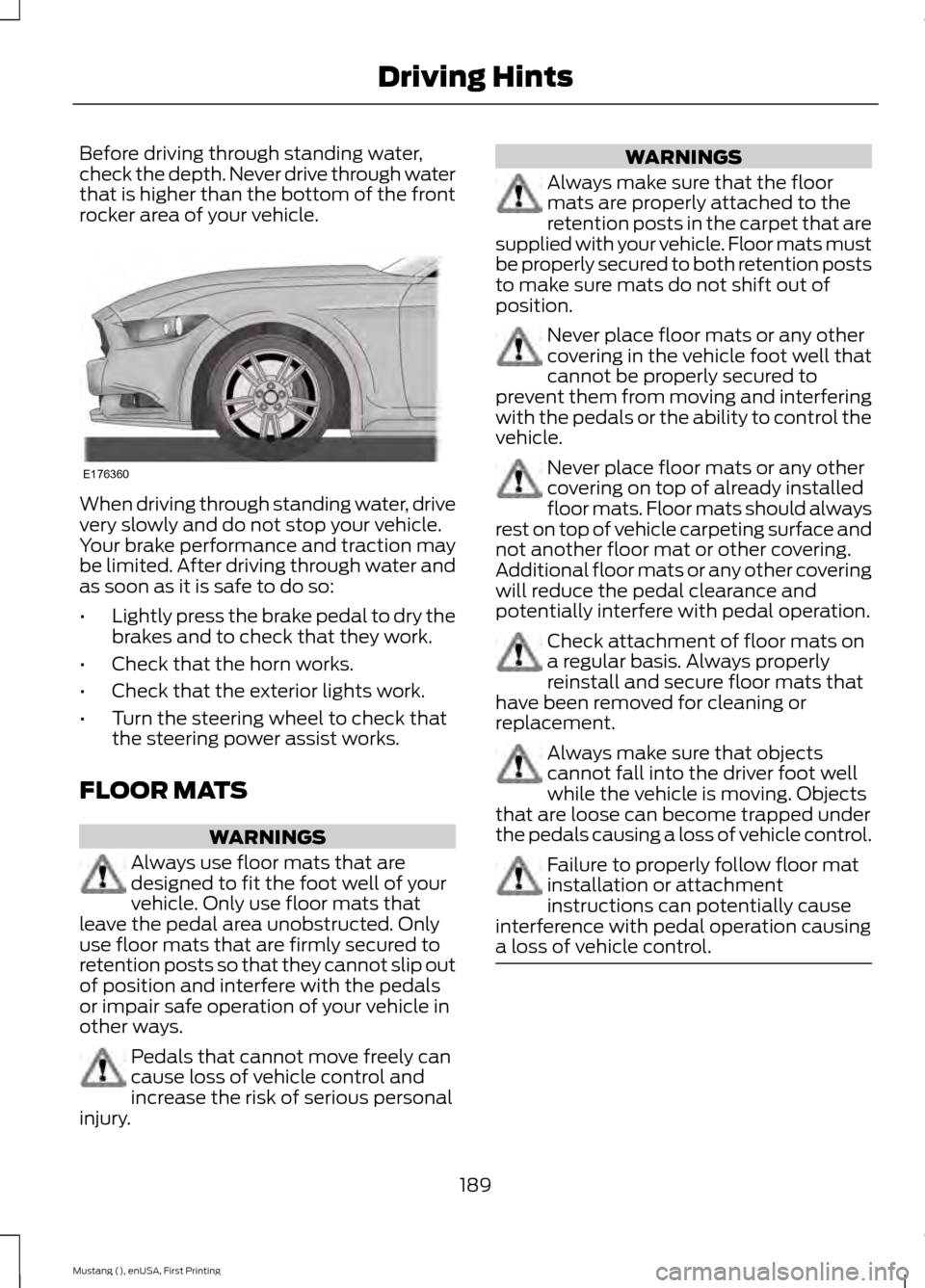
Before driving through standing water,
check the depth. Never drive through water
that is higher than the bottom of the front
rocker area of your vehicle.
When driving through standing water, drive
very slowly and do not stop your vehicle.
Your brake performance and traction may
be limited. After driving through water and
as soon as it is safe to do so:
•
Lightly press the brake pedal to dry the
brakes and to check that they work.
• Check that the horn works.
• Check that the exterior lights work.
• Turn the steering wheel to check that
the steering power assist works.
FLOOR MATS WARNINGS
Always use floor mats that are
designed to fit the foot well of your
vehicle. Only use floor mats that
leave the pedal area unobstructed. Only
use floor mats that are firmly secured to
retention posts so that they cannot slip out
of position and interfere with the pedals
or impair safe operation of your vehicle in
other ways. Pedals that cannot move freely can
cause loss of vehicle control and
increase the risk of serious personal
injury. WARNINGS
Always make sure that the floor
mats are properly attached to the
retention posts in the carpet that are
supplied with your vehicle. Floor mats must
be properly secured to both retention posts
to make sure mats do not shift out of
position. Never place floor mats or any other
covering in the vehicle foot well that
cannot be properly secured to
prevent them from moving and interfering
with the pedals or the ability to control the
vehicle. Never place floor mats or any other
covering on top of already installed
floor mats. Floor mats should always
rest on top of vehicle carpeting surface and
not another floor mat or other covering.
Additional floor mats or any other covering
will reduce the pedal clearance and
potentially interfere with pedal operation. Check attachment of floor mats on
a regular basis. Always properly
reinstall and secure floor mats that
have been removed for cleaning or
replacement. Always make sure that objects
cannot fall into the driver foot well
while the vehicle is moving. Objects
that are loose can become trapped under
the pedals causing a loss of vehicle control. Failure to properly follow floor mat
installation or attachment
instructions can potentially cause
interference with pedal operation causing
a loss of vehicle control. 189
Mustang (), enUSA, First Printing Driving HintsE176360
Page 245 of 441
U.S. Department of
Transportation Tire quality
grades: The U.S. Department of
Transportation requires Ford
Motor Company to give you the
following information about tire
grades exactly as the government
has written it.
Treadwear
The treadwear grade is a
comparative rating based on the
wear rate of the tire when tested
under controlled conditions on a
specified government test course.
For example, a tire graded 150
would wear 1 ½ times as well on
the government course as a tire
graded 100. The relative
performance of tires depends
upon the actual conditions of their
use, however, and may depart
significantly from the norm due to
variations in driving habits, service
practices, and differences in road
characteristics and climate.
Traction AA A B C WARNING
The traction grade assigned
to this tire is based on
straight-ahead braking traction
tests, and does not include
acceleration, cornering,
hydroplaning or peak traction
characteristics. The traction grades, from highest
to lowest are AA, A, B, and C. The
grades represent the tire
’s ability
to stop on wet pavement as
measured under controlled
conditions on specified
government test surfaces of
asphalt and concrete. A tire
marked C may have poor traction
performance.
Temperature A B C WARNING
The temperature grade for
this tire is established for a
tire that is properly inflated and
not overloaded. Excessive speed,
underinflation, or excessive
loading, either separately or in
combination, can cause heat
buildup and possible tire failure. The temperature grades are A
(the highest), B and C,
representing the tire
’s resistance
to the generation of heat and its
ability to dissipate heat when
tested under controlled conditions
on a specified indoor laboratory
test wheel. Sustained high
temperature can cause the
material of the tire to degenerate
and reduce tire life, and excessive
temperature can lead to sudden
tire failure. The grade C
corresponds to a level of
performance which all passenger
car tires must meet under the
242
Mustang (), enUSA, First Printing Wheels and Tires
Page 249 of 441
J.
Tire Ply Composition and
Material Used: Indicates the
number of plies or the number of
layers of rubber-coated fabric in
the tire tread and sidewall. Tire
manufacturers also must indicate
the ply materials in the tire and the
sidewall, which include steel,
nylon, polyester, and others.
K. Maximum Load: Indicates the
maximum load in kilograms and
pounds that can be carried by the
tire. See the Safety Compliance
Certification Label (affixed to
either the door hinge pillar,
door-latch post, or the door edge
that meets the door-latch post,
next to the driver's seating
position), for the correct tire
pressure for your vehicle.
L. Treadwear, Traction and
Temperature Grades:
*Treadwear The treadwear grade
is a comparative rating based on
the wear rate of the tire when
tested under controlled conditions
on a specified government test
course. For example, a tire graded
150 would wear one and one-half
times as well on the government
course as a tire graded 100. *Traction: The traction grades,
from highest to lowest are AA, A,
B, and C. The grades represent the
tire's ability to stop on wet
pavement as measured under
controlled conditions on specified
government test surfaces of
asphalt and concrete. A tire
marked C may have poor traction
performance.
*
Temperature: The temperature
grades are A (the highest), B and
C, representing the tire's
resistance to the generation of
heat and its ability to dissipate
heat when tested under controlled
conditions on a specified indoor
laboratory test wheel.
M. Maximum Inflation
Pressure:
Indicates the tire
manufacturers' maximum
permissible pressure or the
pressure at which the maximum
load can be carried by the tire. This
pressure is normally higher than
the vehicle manufacturer's
recommended cold inflation
pressure which can be found on
the Safety Compliance
Certification Label (affixed to
either the door hinge pillar,
door-latch post, or the door edge
that meets the door-latch post,
next to the driver's seating
position), or Tire Label which is
located on the B-Pillar or the edge
of the driver ’s door. The cold
inflation pressure should never be
set lower than the recommended
pressure on the vehicle label.
246
Mustang (), enUSA, First Printing Wheels and Tires
Page 259 of 441
USING SUMMER TIRES (If
Equipped)
Summer tires provide superior
performance on wet and dry roads.
Summer tires do not have the Mud and
Snow (M+S or M/S) tire traction rating on
the tire side wall. Since summer tires do
not have the same traction performance
as All-season or Snow tires, we do not
recommend using summer tires when
temperatures drop to about 40ºF (5ºC)
or below (depending on tire wear and
environmental conditions) or in snow and
ice conditions. Like any tire, summer tire
performance is affected by tire wear and
environmental conditions. If you must drive
in those conditions, we recommend using
Mud and Snow (M+S, M/S), All-season or
Snow tires.
Always store your summer tires indoors at
temperatures above 20ºF (-7ºC). The
rubber compounds used in these tires lose
flexibility and may develop surface cracks
in the tread area at temperatures below
20ºF (-7ºC). If the tires have been
subjected to 20ºF (-7ºC) or less, warm
them in a heated space to at least 40ºF
(5ºC) for at least 24 hours before installing
them on a vehicle, or moving the vehicle
with the tires installed, or checking tire
inflation. Do not place tires near heaters
or heating devices used to warm the room
where the tires are stored. Do not apply
heat or blow heated air directly on the tires.
Always inspect the tires after storage
periods and before use.
USING SNOW CHAINS WARNINGS
Driving too fast for conditions creates
the possibility of loss of vehicle
control. Driving at very high speeds
for extended periods of time may result in
damage to vehicle components.c WARNINGS
Snow tires must be the same size,
load index, speed rating as those
originally provided by Ford. Use of
any tire or wheel not recommended by
Ford can affect the safety and
performance of your vehicle, which could
result in an increased risk of loss of vehicle
control, vehicle rollover, personal injury and
death. Additionally, the use of
non-recommended tires and wheels could
cause steering, suspension, axle, transfer
case or power transfer unit failure. The tires on your vehicle may have
all-weather treads to provide traction in
rain and snow. However, in some climates,
you may need to use snow tires and chains.
Use chains on the tires only in an
emergency or if the law requires them.
Note:
The suspension insulation and
bumpers will help prevent vehicle damage.
Do not remove these components from your
vehicle when using snow tires and chains.
Follow these guidelines when using snow
tires and chains:
• If possible, avoid fully loading your
vehicle.
• Chains may damage aluminum wheels.
• Use ultra low profile cables, 10 mm or
less in dimension as measured on the
sidewall of your tire, with 235/55R 17,
235/50R18 and 255/40R19 on the rear
axle only.
• Do not use snow chains or cables with
275/40R19 and 265/35R20 tires.
• Not all S-class snow chains or cables
meet these restrictions. Chains of this
size restriction will include a tensioning
device.
256
Mustang (), enUSA, First Printing Wheels and Tires
Page 405 of 441
WARNING
Operating certain parts of this
system while driving can distract
your attention away from the road,
and possibly cause an accident or other
serious consequences. Do not change
system settings or enter data non-verbally
(using your hands) while driving. Stop the
vehicle in a safe and legal manner before
attempting these operations. This is
important since while setting up or
changing some functions you might be
required to distract your attention away
from the road and remove your hands from
the wheel. General Operation
Voice Command Control: Functions
within the Windows Automotive-based
system may be accomplished using only
voice commands. Using voice commands
while driving allows you to operate the
system without removing your hands from
the wheel.
Prolonged Views of Screen:
Do not
access any function requiring a prolonged
view of the screen while you are driving.
Pull over in a safe and legal manner before
attempting to access a function of the
system requiring prolonged attention. Even
occasional short scans to the screen may
be hazardous if your attention has been
diverted away from your driving task at a
critical time.
Volume Setting: Do not raise the volume
excessively. Keep the volume at a level
where you can still hear outside traffic and
emergency signals while driving. Driving
while unable to hear these sounds could
cause an accident. Use of Speech Recognition Functions:
Speech recognition software is inherently
a statistical process which is subject to
errors. It is your responsibility to monitor
any speech recognition functions included
in the system and address any errors.
Navigation Features:
Any navigation
features included in the system are
intended to provide turn by turn
instructions to get you to a desired
destination. Please make certain all
persons using this system carefully read
and follow instructions and safety
information fully.
Distraction Hazard:
Any navigation
features may require manual (non-verbal)
setup. Attempting to perform such set-up
or insert data while driving can seriously
distract your attention and could cause an
accident or other serious consequences.
Stop the vehicle in a safe and legal manner
before attempting these operations.
Let Your Judgment Prevail:
Any
navigation features are provided only as
an aid. Make your driving decisions based
on your observations of local conditions
and existing traffic regulations. Any such
feature is not a substitute for your personal
judgment. Any route suggestions made by
this system should never replace any local
traffic regulations or your personal
judgment or knowledge of safe driving
practices.
Route Safety:
Do not follow the route
suggestions if doing so would result in an
unsafe or illegal maneuver, if you would be
placed in an unsafe situation, or if you
would be directed into an area that you
consider unsafe. The driver is ultimately
responsible for the safe operation of the
vehicle and therefore, must evaluate
whether it is safe to follow the suggested
directions.
402
Mustang (), enUSA, First Printing Appendices
Page 436 of 441

Information Messages..................................91
Adaptive Cruise Control...................................... 91
AdvanceTrac ™...................................................... 92
Airbag........................................................................\
92
Alarm........................................................................\
93
Battery and Charging System......................... 93
Blind Spot Information and Cross Traffic Alert System..................................................... 94
Collision Warning System................................. 94
Doors and Locks................................................... 94
Fuel........................................................................\
.... 95
Hill Start Assist..................................................... 95
Keys and Intelligent Access.............................. 95
Maintenance.......................................................... 96
MyKey....................................................................... 96
Park Aid.................................................................... 97
Park Brake............................................................... 97
Remote Start.......................................................... 97
Seats........................................................................\
. 98
Starting System ................................................... 98
Steering System................................................... 98
Tire Pressure Monitoring System................... 99
Traction Control................................................... 99
Transmission......................................................... 99
Installing Child Seats
.....................................19
Child Seats............................................................... 19
Using Lap and Shoulder Belts......................... 20
Using Lower Anchors and Tethers for CHildren (LATCH)............................................ 22
Using Tether Straps............................................. 23
Instrument Cluster
.........................................77
Instrument Lighting Dimmer.....................69
Vehicles With Front Fog Lamps..................... 69
Vehicles Without Front Fog Lamps...............70
Interior Lamps...................................................71 Map Lamps.............................................................. 71
Interior Luggage Compartment Release...........................................................60
Interior Mirror
....................................................75
Auto-Dimming Mirror.......................................... 75
Introduction.........................................................7 J
Jump Starting the Vehicle.........................193
Connecting the Jumper Cables..................... 193
Jump Starting...................................................... 194
Preparing Your Vehicle...................................... 193
Removing the Jumper Cables........................ 194
K
Keyless Starting..............................................121 Ignition Modes....................................................... 121
Keys and Remote Controls.........................45
L
Lighting Control..............................................68 Headlamp Flasher............................................... 68
High Beams............................................................ 68
Lighting..............................................................68
Limited Slip Differential
.............................139
Traction-Lok ™ and TORSEN™ Axles (if
equipped)......................................................... 139
Load Carrying.................................................168
Load Limit.......................................................168 Special Loading Instructions for Owners of
Pick-up Trucks and Utility-type
Vehicles.............................................................. 172
Vehicle Loading - with and without a Trailer................................................................. 168
Locking and Unlocking
.................................56
Activating Intelligent Access ........................... 57
Autolock Feature.................................................. 58
Auto Relock............................................................ 58
Battery Saver......................................................... 59
Illuminated Entry.................................................. 59
Illuminated Exit..................................................... 59
Key Blade................................................................ 58
Luggage Compartment..................................... 60
Power Door Locks................................................ 56
Remote Control.................................................... 56
Smart Unlocks ...................................................... 57
Locks
...................................................................56
Lug Nuts See: Changing a Road Wheel....................... 260
433
Mustang (), enUSA, First Printing Index