2015 FORD MUSTANG light
[x] Cancel search: lightPage 390 of 441
1. Enter the necessary information into
the highlighted text fields (in any
order). For address destination entry,
the Go! button appears once you enter
all the necessary information. Pressing
the Go! button makes the address
location appear on the map. If you
choose Previous Destination, the last
20 destinations you have selected
appear.
2. Select
Set as Dest to make this your
destination. You can also choose to set
this as a waypoint (have the system
route to this point on the way to your
current destination) or save it as a
favorite. The system considers any
Avoid Areas
selections in its route
calculation.
3. Choose from up to three different types
of routes, and then select Start Route.
• Fastest: Uses the fastest moving roads
possible.
• Shortest: Uses the shortest distance
possible.
• Eco Route: Uses the most fuel-efficient
route.
You can cancel the route or have the
system demo the route for you. Select
Route Prefs
to set route preferences like
avoiding freeways, tollroads, ferries and
car trains as well as to use or not use
high-occupancy vehicle lanes.
(High-occupancy vehicle lanes are also
known as carpool or diamond lanes.
People who ride in buses, vanpools or
carpools use these lanes.)
Note: If your vehicle is on a recognized road
and you do not press the
Start Route
button, the system defaults to the Fastest
Route option and begins guidance. During route guidance, you can press the
talking bubble icon that appears in the
upper right navigation corner (green bar)
if you want the system to repeat route
guidance information. When the system
repeats the last guidance instruction, it
updates the distance to the next guidance
instruction, since it detects when the
vehicle is moving.
Point of Interest (POI) Categories
Main categories
Food/Drink & Dining
Travel & Transportation Financial
Emergency
Community
Health & Medicine AutomotiveShopping
Entertainment & Arts Recreation & Sports Government
Domestic Services Subcategories
Restaurant Golf
Parking
Home & Garden
Personal Care Services Auto Dealership
387
Mustang (), enUSA, First Printing MyFord Touch
™
(If Equipped)
Page 394 of 441
3D map mode provides an
elevated perspective of the map.
This viewing angle can be adjusted
and the map can be rotated 180
degrees by touching the map twice, and
then dragging your finger along the shaded
bar with arrows at the bottom of the map.
View
switches between full map, street
list and exit view in route guidance.
Menu
displays a pop-up box that allows
direct access to navigation settings,
View/Edit Route, SIRIUS Travel Link,
Guidance Mute and Cancel Route. Press the speaker button on the
map to mute route guidance.
When the light on the button
illuminates, the feature is on. The speaker
button appears on the map only when
route guidance is active. Re-center the map by pressing
this icon whenever you scroll the
map away from your vehicle
’s
current location.
Auto Zoom
Press the green bar to access map mode,
then select the + or - zoom button to bring
up the zoom level and Auto buttons on the
touchscreen. When you press
Auto, Auto
Zoom turns on and Auto displays in the
bottom left corner of the screen in the map
scale. The map zoom level then
synchronizes with vehicle speed. The
slower your vehicle is traveling, the farther
the map zooms in; the faster your vehicle
is traveling, the farther the map zooms out.
To switch off the feature, just press the
+
or - button again.
In 3D mode, rotate the map view by
swiping your finger across the shaded bar
with the arrows. The ETA box under the zoom buttons
appears when a route is active and
displays the distance and time to your
destination. If the button is pressed, a pop
up appears with the destination listed (and
waypoint if applicable) along with mileage
and time to destination. You may also
select to have either the estimated time
to reach your destination or your estimated
arrival time.
Map Icons
Vehicle mark
shows the current
location of your vehicle. It stays
in the center of the map display,
except when in scroll mode. Scroll cursor
allows you to scroll
the map; the fixed icon is in the
center of the screen. The map
position closest to the cursor is in
a window on the top center part of the
screen. Address book entry default
icon(s)
indicates the location on
the map of an address book entry.
This is the default symbol shown
after the entry has been stored to the
Address Book by any method other than
the map. You can select from any of the
22 icons available. You can use each icon
more than once. Home
indicates the location on
the map currently stored as the
home position. You can only save
one address from the Address
Book as your Home entry. You cannot
change this icon. POI (Point Of Interest) icons
indicate locations of any point of
interest categories you choose to
display on the map. You can
choose to display three point of interest
categories on the map at one time.
391
Mustang (), enUSA, First Printing MyFord Touch
™
(If Equipped)E142644 E174017 E146188 E142646 E142647 E142648 E142649 E142650
Page 398 of 441
For a complete listing of the accessories
that are available for your vehicle, please
contact an authorized dealer or visit our
online store at www.Accessories.Ford.com
(United States only).
Ford Custom Accessories are available for
your vehicle through an authorized Ford
dealer. Ford Motor Company will repair or
replace any properly authorized
dealer-installed Ford Genuine Accessory
found to be defective in factory-supplied
materials or workmanship during the
warranty period, as well as any component
damaged by the defective accessories.
Ford Motor Company will warrant your
Ford Genuine Accessory through the
warranty that provides the greatest
benefit:
•
24 months, unlimited mileage.
• The remainder of your new vehicle
limited warranty.
Contact an authorized dealer for details
and a copy of the warranty.
Exterior style
• Rear spoilers.
• Splash guards.
• Wheels.
• Custom graphics*.
• Wheel center caps.
Interior style
• Floor mats.
• Sport pedals.
• Ambient lighting.
• Flexible visor storage system (tissue
dispenser, organizer, CD holder).
• Auto dimming interior mirror with
compass and temperature.
• Illuminated sill plates. •
Leather-trimmed interior seating*.
• Rear seat entertainment system*.
Lifestyle
• Ash cup (smoker's packages).
• Soft cargo organizers.
• Cargo net.
• Cargo area protector.
Peace of mind
• Remote start.
• Vehicle security systems.
• Wheel locks.
• Bumper mounted parking assist
system*.
• Full vehicle covers.
*Ford Licensed Accessory. The accessory
manufacturer designs, develops and
therefore warrants Ford Licensed
Accessories, and does not design or test
these accessories to Ford Motor Company
engineering requirements. Contact an
authorized Ford dealer for the
manufacturer's limited warranty details
and request a copy of the Ford Licensed
Accessories product limited warranty from
the accessory manufacturer.
395
Mustang (), enUSA, First Printing Accessories
Page 419 of 441
Check every month
Engine oil level.
Function of all interior and exterior lights.
Tires (including spare) for wear and proper pressure. Windshield washer fluid level. Check every six months
Battery connections. Clean if necessary.
Body and door drain holes for obstructions. Clean if necessary. Cooling system fluid level and coolant strength.
Door weatherstrips for wear. Lubricate if necessary.
Hinges, latches and outside locks for proper operation. Lubricate if necessary. Parking brake for proper operation.
Safety belts and seat latches for wear and function.
Safety warning lamps (brake, ABS, airbag and safety belt) for operation.
Washer spray and wiper operation. Clean or replace blades as necessary.
Multi-Point Inspection
In order to keep your vehicle running right,
it is important to have the systems on your
vehicle checked regularly. This can help
identify potential issues and prevent major
problems. We recommend having the
following multi-point inspection performed
at every scheduled maintenance interval
to help make sure your vehicle keeps
running great.
416
Mustang (), enUSA, First Printing Scheduled Maintenance
Page 432 of 441
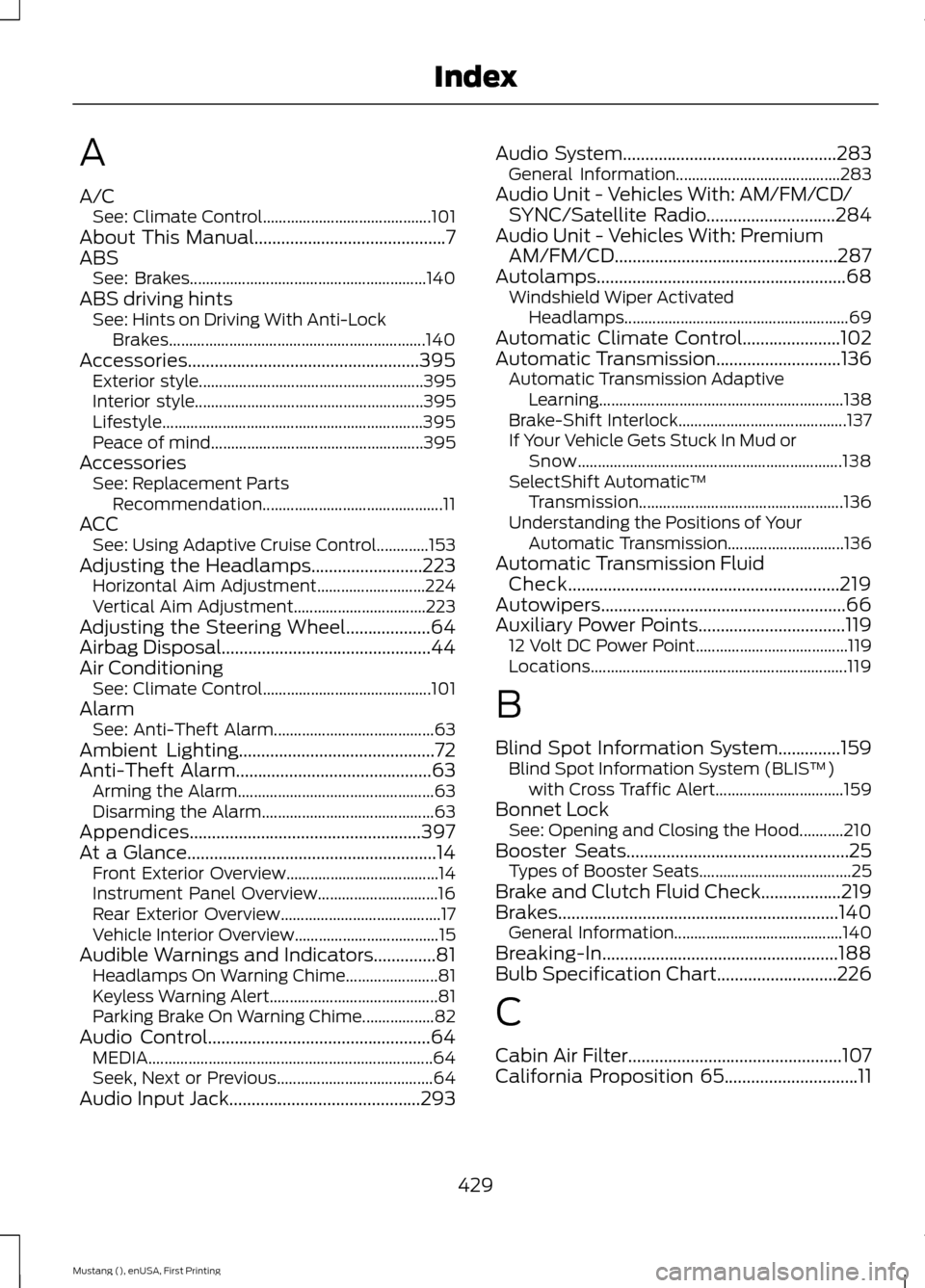
A
A/C
See: Climate Control.......................................... 101
About This Manual...........................................7
ABS See: Brakes........................................................... 140
ABS driving hints See: Hints on Driving With Anti-Lock
Brakes................................................................ 140
Accessories....................................................395 Exterior style........................................................ 395
Interior style......................................................... 395
Lifestyle................................................................. 395
Peace of mind..................................................... 395
Accessories See: Replacement Parts
Recommendation............................................. 11
ACC See: Using Adaptive Cruise Control.............153
Adjusting the Headlamps
.........................223
Horizontal Aim Adjustment........................... 224
Vertical Aim Adjustment................................. 223
Adjusting the Steering Wheel...................64
Airbag Disposal...............................................44
Air Conditioning See: Climate Control.......................................... 101
Alarm See: Anti-Theft Alarm........................................ 63
Ambient Lighting............................................72
Anti-Theft Alarm
............................................63
Arming the Alarm................................................. 63
Disarming the Alarm........................................... 63
Appendices....................................................397
At a Glance........................................................14 Front Exterior Overview...................................... 14
Instrument Panel Overview.............................. 16
Rear Exterior Overview........................................ 17
Vehicle Interior Overview.................................... 15
Audible Warnings and Indicators
..............81
Headlamps On Warning Chime....................... 81
Keyless Warning Alert.......................................... 81
Parking Brake On Warning Chime.................. 82
Audio Control..................................................64 MEDIA....................................................................... 64
Seek, Next or Previous....................................... 64
Audio Input Jack...........................................293 Audio System
................................................283
General Information......................................... 283
Audio Unit - Vehicles With: AM/FM/CD/ SYNC/Satellite Radio
.............................284
Audio Unit - Vehicles With: Premium AM/FM/CD..................................................287
Autolamps
........................................................68
Windshield Wiper Activated
Headlamps........................................................ 69
Automatic Climate Control......................102
Automatic Transmission............................136 Automatic Transmission Adaptive
Learning............................................................. 138
Brake-Shift Interlock.......................................... 137
If Your Vehicle Gets Stuck In Mud or Snow.................................................................. 138
SelectShift Automatic ™
Transmission................................................... 136
Understanding the Positions of Your Automatic Transmission............................. 136
Automatic Transmission Fluid Check.............................................................219
Autowipers.......................................................66
Auxiliary Power Points.................................119 12 Volt DC Power Point...................................... 119
Locations................................................................ 119
B
Blind Spot Information System..............159 Blind Spot Information System (BLIS ™)
with Cross Traffic Alert................................ 159
Bonnet Lock See: Opening and Closing the Hood...........210
Booster Seats..................................................25 Types of Booster Seats...................................... 25
Brake and Clutch Fluid Check..................219
Brakes...............................................................140 General Information.......................................... 140
Breaking-In.....................................................188
Bulb Specification Chart...........................226
C
Cabin Air Filter................................................107
California Proposition 65..............................11
429
Mustang (), enUSA, First Printing Index
Page 434 of 441

Drive Control..................................................166
Selectable Drive Modes................................... 166
Selectable Steering............................................ 167
Driver and Passenger Airbags....................37 Children and Airbags........................................... 37
Proper Driver and Front Passenger Seating Adjustment........................................................ 37
Driver and Passenger Knee Airbags........42
Driving Aids
.....................................................159
Driving at High Speed................................265
Driving Hints
...................................................188
Driving Through Water...............................188
DRL See: Daytime Running Lamps......................... 70
E
Economical Driving......................................188
Emission Control System...........................131 On-Board Diagnostics (OBD-II).................... 132
Readiness for Inspection/Maintenance (I/M) Testing.................................................... 132
End User License Agreement..................397 SYNC End User License Agreement
(EULA).............................................................. 397
Engine Block Heater....................................124 Using the Engine Block Heater...................... 125
Engine Coolant Check
.................................215
Adding Engine Coolant..................................... 216
Checking the Engine Coolant......................... 215
Recycled Engine Coolant................................. 216
Severe Climates................................................... 217
What You Should Know About Fail-Safe Cooling............................................................... 217
Engine Immobilizer See: Passive Anti-Theft System..................... 62
Engine Oil Check
...........................................214
Adding Engine Oil............................................... 214
Engine Oil Dipstick.......................................214
Engine Specifications
.................................267
Drivebelt Routing................................................ 267Entertainment................................................351
AM/FM Radio...................................................... 353
Bluetooth Audio................................................. 366
Browsing Device Content................................ 351
CD........................................................................\
.... 362
Line In..................................................................... 367
SD Card Slot and USB Port........................... 363
Sirius® Satellite Radio (If Activated)........358
Supported Media Players, Formats and Metadata Information................................ 366
Essential Towing Checks
............................181
Before Towing a Trailer...................................... 181
Hitches..................................................................... 181
Launching or Retrieving a Boat or Personal Watercraft (PWC)......................................... 182
Safety Chains........................................................ 181
Trailer Brakes......................................................... 181
Trailer Lamps........................................................ 181
When Towing a Trailer...................................... 182
Event Data Recording See: Data Recording.............................................. 9
Export Unique Options..................................13
Extended Service Plan (ESP)..................412 SERVICE PLANS (CANADA ONLY).............413
SERVICE PLANS (U.S. Only).......................... 412
Exterior Mirrors
.................................................74
Auto-Dimming Feature...................................... 74
Blind Spot Monitor............................................... 75
Fold-Away Exterior Mirrors................................ 74
Heated Exterior Mirrors....................................... 74
Integrated Blind Spot Mirrors........................... 75
Memory Mirrors..................................................... 74
Pony Projection Lights........................................ 74
Power Exterior Mirrors......................................... 74
Signal Indicator Mirrors...................................... 74
F
Fastening the Safety Belts
.........................30
Safety Belt Extension Assembly..................... 32
Safety Belt Locking Modes................................ 31
Using Safety Belts During Pregnancy............31
Flat Tire Inflation See: Temporary Mobility Kit........................... 235
Floor Mats
.......................................................189
Fog Lamps - Front See: Front Fog Lamps.......................................... 71
431
Mustang (), enUSA, First Printing Index
Page 436 of 441

Information Messages..................................91
Adaptive Cruise Control...................................... 91
AdvanceTrac ™...................................................... 92
Airbag........................................................................\
92
Alarm........................................................................\
93
Battery and Charging System......................... 93
Blind Spot Information and Cross Traffic Alert System..................................................... 94
Collision Warning System................................. 94
Doors and Locks................................................... 94
Fuel........................................................................\
.... 95
Hill Start Assist..................................................... 95
Keys and Intelligent Access.............................. 95
Maintenance.......................................................... 96
MyKey....................................................................... 96
Park Aid.................................................................... 97
Park Brake............................................................... 97
Remote Start.......................................................... 97
Seats........................................................................\
. 98
Starting System ................................................... 98
Steering System................................................... 98
Tire Pressure Monitoring System................... 99
Traction Control................................................... 99
Transmission......................................................... 99
Installing Child Seats
.....................................19
Child Seats............................................................... 19
Using Lap and Shoulder Belts......................... 20
Using Lower Anchors and Tethers for CHildren (LATCH)............................................ 22
Using Tether Straps............................................. 23
Instrument Cluster
.........................................77
Instrument Lighting Dimmer.....................69
Vehicles With Front Fog Lamps..................... 69
Vehicles Without Front Fog Lamps...............70
Interior Lamps...................................................71 Map Lamps.............................................................. 71
Interior Luggage Compartment Release...........................................................60
Interior Mirror
....................................................75
Auto-Dimming Mirror.......................................... 75
Introduction.........................................................7 J
Jump Starting the Vehicle.........................193
Connecting the Jumper Cables..................... 193
Jump Starting...................................................... 194
Preparing Your Vehicle...................................... 193
Removing the Jumper Cables........................ 194
K
Keyless Starting..............................................121 Ignition Modes....................................................... 121
Keys and Remote Controls.........................45
L
Lighting Control..............................................68 Headlamp Flasher............................................... 68
High Beams............................................................ 68
Lighting..............................................................68
Limited Slip Differential
.............................139
Traction-Lok ™ and TORSEN™ Axles (if
equipped)......................................................... 139
Load Carrying.................................................168
Load Limit.......................................................168 Special Loading Instructions for Owners of
Pick-up Trucks and Utility-type
Vehicles.............................................................. 172
Vehicle Loading - with and without a Trailer................................................................. 168
Locking and Unlocking
.................................56
Activating Intelligent Access ........................... 57
Autolock Feature.................................................. 58
Auto Relock............................................................ 58
Battery Saver......................................................... 59
Illuminated Entry.................................................. 59
Illuminated Exit..................................................... 59
Key Blade................................................................ 58
Luggage Compartment..................................... 60
Power Door Locks................................................ 56
Remote Control.................................................... 56
Smart Unlocks ...................................................... 57
Locks
...................................................................56
Lug Nuts See: Changing a Road Wheel....................... 260
433
Mustang (), enUSA, First Printing Index
Page 440 of 441

Using Adaptive Cruise Control.................153
Automatic Cancellation................................... 156
Blocked Sensor.................................................... 157
Changing the Set Speed.................................. 156
Detection Issues.................................................. 157
Disengaging the System.................................. 156
Following a Vehicle............................................ 154
Hilly Condition Usage........................................ 156
Overriding the System...................................... 156
Resuming the Set Speed................................. 156
Setting a Speed................................................... 154
Setting the Gap Distance................................ 155
Switching the System Off............................... 156
Switching the System On................................ 153
Switching to Normal Cruise Control...........158
System Not Available........................................ 157
Using Cruise Control....................................152 Switching Cruise Control Off.......................... 153
Switching Cruise Control On.......................... 152
Using MyKey With Remote Start Systems..........................................................54
Using Snow Chains.....................................256
Using Stability Control
...............................144
AdvanceTrac ™ ................................................... 144
Line Lock................................................................ 145
Using Summer Tires
...................................256
Using SYNC™ With Your Media Player..............................................................317
Accessing Your USB Song Library...............320
Bluetooth Devices and System Settings............................................................. 322
Connecting Your Digital Media Player to the USB Port............................................................ 317
Line In Audio......................................................... 322
Media Menu Features....................................... 319
Media Voice Commands................................. 318
USB 2...................................................................... 322
Voice Commands for Audio Sources..........322
What's Playing?.................................................. 318Using SYNC™ With Your Phone............299
Accessing Features through the Phone
Menu.................................................................. 302
Accessing Your Phone Settings................... 305
Bluetooth Devices............................................. 306
Making Calls......................................................... 301
Pairing a Phone for the First Time..............299
Pairing Subsequent Phones......................... 300
Phone Options during an Active Call..........301
Phone Voice Commands............................... 300
Receiving Calls.................................................... 301
System Settings................................................. 307
Text Messaging................................................... 303
Using Traction Control
................................142
System Indicator Lights and
Messages.......................................................... 142
Using Voice Recognition............................297 Initiating a Voice Session................................ 297
System Interaction and Feedback..............298
Utilizing the Mediation/Arbitration Program (Canada Only).........................198
V
Vehicle Care...................................................228 General Information......................................... 228
Vehicle Certification Label.......................269
Vehicle Identification Number
...............268
Vehicle Storage.............................................232
Battery.................................................................... 233
Body........................................................................\
233
Brakes..................................................................... 234
Cooling system................................................... 233
Engine..................................................................... 233
Fuel system.......................................................... 233
General.................................................................. 233
Miscellaneous..................................................... 234
Removing Vehicle From Storage.................234
Tires........................................................................\
234
Ventilation See: Climate Control.......................................... 101
VIN See: Vehicle Identification Number............268
Voice Control
...................................................65
437
Mustang (), enUSA, First Printing Index